Table of Contents
- Quick Overview: Top 8 AI Tools for Motion Graphics
- 1. Google Veo – Cinematic Text‑to‑Video Powerhouse
- 2. Runway – AI Motion Graphics for Editors and Designers
- 3. Sora (OpenAI) – Realism and Production‑Ready Scenes
- 4. Highsfield AI – Agency‑Grade Cinematic Motion
- 5. Luma Dream Machine – Depth‑Rich Cinematic Motion
- 6. insMind – Unified AI Motion Workflow
- 7. HeyGen – Avatar‑Driven Motion for Explainers and Training
- 8. Animaker AI – Beginner‑Friendly Motion for Marketers
- How to Choose the Right AI Motion Graphics Tool
- Final Thoughts
Motion graphics has shifted from a purely keyframe‑driven craft to a hybrid of human creativity and AI assistance. Today, you can generate full motion sequences from a text prompt, auto‑rig characters from regular video, or let AI handle masking, roto, and background cleanup so you focus only on design and story. Instead of replacing motion designers, these tools are rapidly becoming “creative exoskeletons” that help teams concept faster, pitch better, and deliver more content in less time.
In this guide, we’ll look at the 8 best AI tools for motion graphics in 2026 covering text‑to‑video platforms, AI‑assisted animation, mocap tools, and avatar‑driven video engines. For each tool, you’ll get key features, ideal use cases, and why it deserves a place in a modern motion workflow.
Quick Overview: Top 8 AI Tools for Motion Graphics
1. Google Veo – Cinematic Text‑to‑Video Powerhouse
Google Veo (Veo 3 / 3.1) is one of the most advanced AI motion video generators available in 2026, built to create cinematic, story‑driven sequences directly from text prompts or scripts. It focuses heavily on realistic physics, natural motion, and consistent visual style, making it suitable for professional explainers, product films, and brand stories.
Key strengths:
● High‑quality, film‑like motion with smooth camera moves and transitions.
● Strong understanding of physical interactions, lighting, and scene continuity.
● Ideal for agencies and motion graphics studios building narrative campaigns and branded intros.
Main limitation:
Google Veo’s biggest limitation right now is access and pricing transparency, availability is restricted in many regions and plans are usually bundled into larger Google ecosystems rather than a simple standalone subscription.
Pricing
| Plan Type | What You Get | Approx. Cost |
| Limited / Beta | Restricted access in selected regions | Often free / invite |
| Paid Usage | Video generation via cloud/partners | Usage‑based, varies |
Use it when you need pitch visuals, concept videos, or full social‑ready motion pieces without starting from a blank timeline.
2. Runway – AI Motion Graphics for Editors and Designers

Runway has evolved into a central hub for AI‑assisted video, delivering text‑to‑video, real‑time video editing, and powerful masking tools in one interface. For motion designers, it works both as a concepting tool and as a utility for plate cleanup, background removal, and quick animation passes.
Key strengths:
● Generative models (such as later Gen versions) for text‑to‑video ideation and motion shots.
● Smart masking (“Green Screen”/Remove Background) for isolating elements and building motion comps quickly.
● User‑friendly interface that plays nicely with traditional editing workflows, so you can start in Runway and finish in tools like After Effects or Premiere.
Main limitation:
Runway’s main limitation is that serious, frequent use quickly pushes you beyond the free tier, so creators who export a lot of videos will almost always need a paid plan.
Pricing
| Plan Type | What You Get | Approx. Cost |
| Free | Limited exports, lower res, watermarks | 0 USD |
| Creator / Starter | More export minutes, better quality, extra tools | 15–20 USD/month |
| Team / Enterprise | Collaboration, higher limits, admin controls | Custom pricing |
Use it when you need fast concept videos, social clips, or AI‑assisted roto and cleanup to speed up client projects.
3. Sora (OpenAI) – Realism and Production‑Ready Scenes
Sora by OpenAI focuses on generating highly realistic scenes with coherent motion, making it a strong candidate for polished, production‑ready motion graphics. Integrated into broader productivity ecosystems, it helps creative teams generate visuals directly from scripts, shot lists, or creative briefs.
Key strengths:
● High‑quality motion sequencing that maintains character and object consistency across shots.
● Useful for brands and agencies that want polished, broadcast‑quality motion without building every frame manually.
● Fits neatly into existing workflows where scripts and storyboards are already part of the process
Main limitation:
Sora’s core limitation is its usage‑based cost structure—longer, high‑resolution videos can become expensive, especially if you iterate a lot.
Pricing
| Plan Type | What You Get | Approx. Cost |
| Trial | Small pool of test credits (when offered) | 0 USD |
| Pay‑per‑use | Charged per minute/credit of generated video | Usage‑based, scales with length |
Use it when realism and continuity are non‑negotiable and you want AI to act like a virtual production team.
4. Highsfield AI – Agency‑Grade Cinematic Motion
Highsfield AI is positioned squarely at professional creators and agencies that need cinematic results from text, images, or storyboard inputs. It emphasizes natural motion physics, dynamic camera control, and seamless transitions, giving motion graphics teams a way to iterate on high‑end visuals rapidly.
Key strengths:
● Advanced motion physics and realistic scene transitions for cinematic storytelling.
● Dynamic camera paths that make even simple scenes feel premium and energetic.
● Great for brand storytelling, product demos, and social campaigns where visual polish is a differentiator.
Main limitation:
Highsfield AI’s main limitation is that it’s clearly optimized for studios and agencies, so solo creators may find its full power and pricing more than they need.
Pricing
| Plan Type | What You Get | Approx. Cost |
| Trial / Demo | Limited access for testing | Often free |
| Creator | Core features for solo creators | 20–40 USD/month |
| Studio / Pro | Higher limits, team features, priority support | Custom / higher tier |
Use it when you want AI to handle complex movement and camera choreography while you direct the story and art direction.
5. Luma Dream Machine – Depth‑Rich Cinematic Motion
Luma Labs’ Dream Machine specializes in realistic motion with strong depth, texture, and cinematic feel, making it a favorite for narrative or brand‑driven projects. Instead of flat, “AI‑ish” clips, you get sequences that feel more like live‑action or high‑end CG.
Key strengths:
● Convincing sense of depth and 3D space for more immersive motion.
● Strong at brand videos, product showcases, and narrative spots where atmosphere matters.
● Converts concise text prompts into fully animated, visually rich sequences.
Main limitation:
Luma Dream Machine’s biggest limitation is credit consumption—high‑quality, repeated iterations can burn through your generation credits quickly.
Pricing
| Plan Type | What You Get | Approx. Cost |
| Free | Starter generation credits, tight caps | 0 USD |
| Subscription | More monthly credits, faster generation | 15–30 USD/month |
| Extra Credits | Top‑up packs for heavy usage | Usage‑based add‑ons |
Use it when you need emotionally engaging visuals—launch films, campaign hero videos, or stylized promos.
6. insMind – Unified AI Motion Workflow
insMind brings text‑to‑video, image‑to‑video, and editing into a single interface tailored for motion graphics teams. Instead of bouncing across multiple apps, you can generate, refine, and finalize motion in one place.
Key strengths:
● Multi‑modal generation: text‑to‑video and image‑to‑video to quickly build sequences from briefs or styleframes.
● Integrated editing tools for adjusting motion, transitions, and design in‑app.
● Scales well from short social reels to long‑form content, making it useful for agencies managing diverse projects.
Main limitation:
insMind’s main limitation is that its “all‑in‑one” approach means some features feel less deep than what you’d get from specialized single‑purpose tools.
Pricing
| Plan Type | What You Get | Approx. Cost |
| Free | Limited exports, watermark, basic features | 0 USD |
| Creator / Business | Longer exports, brand tools, more templates | 15–25 USD/month |
| Agency / Advanced | Higher limits, collaboration, priority support | Higher/custom tiers |
Use it when you want an end‑to‑end AI workflow and hate exporting/importing between too many tools.
7. HeyGen – Avatar‑Driven Motion for Explainers and Training
HeyGen focuses on AI video with natural talking avatars, combining lip sync, facial animation, and scripted dialogue to produce motion‑driven content from plain text. While not a traditional motion graphics tool, it’s powerful for explainer videos, training modules, and corporate communication where animated presenters carry the message.
Key strengths:
● Realistic avatars with accurate lip sync for scripts, blogs, or presentations.
● Ideal for corporate videos, training content, e‑learning modules, and branded introductions.
● Often used alongside motion design overlays, lower thirds, and animated infographics to build complete videos.
Main limitation:
HeyGen’s main limitation is that the avatar style can feel templated if you don’t invest time in customization, which may be a concern for premium brands.
Pricing
| Plan Type | What You Get | Approx. Cost |
| Free Trial | Few short avatar videos | 0 USD |
| Creator | More minutes, avatars, voices, basic branding | From ~29 USD/month |
| Team / Enterprise | Larger quotas, SSO, advanced brand controls | Custom pricing |
Use it when your motion piece needs a presenter or “host” without booking talent or a shoot.
8. Animaker AI – Beginner‑Friendly Motion for Marketers
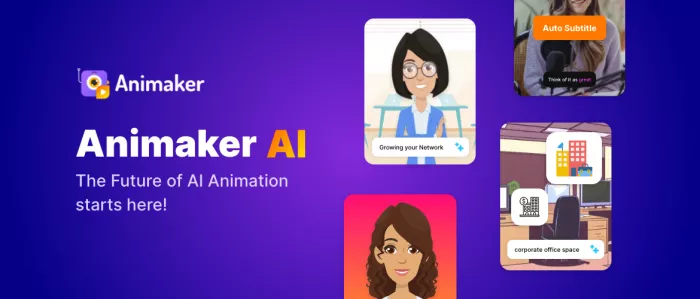
Animaker AI is a cloud‑based animation platform built for marketers, educators, and non‑designers who want clean motion graphics without steep learning curves. Its drag‑and‑drop interface, rich template library, and AI‑assisted helpers make it easy to spin up explainers, social videos, and simple motion assets.
Key strengths:
● Drag‑and‑drop builder with pre‑animated characters, icons, and scenes.
● Large library of templates tailored to marketing, explainer videos, and social content.
● Accessible to beginners, yet still flexible enough for teams that need quick content at scale.
Main limitation:
Animaker AI’s main limitation is that over‑used templates can make videos look generic if you don’t customize scenes, colors, and timing.
Pricing
| Plan Type | What You Get | Approx. Cost |
| Free | Limited assets, Animaker watermark | 0 USD |
| Personal / Pro | More exports, assets, higher quality | 12–30 USD/month |
| Annual Billing | Same features as monthly, but discounted overall | Lower effective monthly |
Use it when speed, ease of use, and template‑driven workflows are more important than granular frame‑level control.
How to Choose the Right AI Motion Graphics Tool
Because each platform solves a slightly different problem, the best stack usually combines 2–3 tools rather than relying on just one.
Here’s a simple way to decide:
● For cinematic campaigns and hero videos: Prioritize Google Veo, Highsfield AI, Sora, or Luma Dream Machine for their realism, depth, and camera work.
● For fast social content and marketing clips: Combine Runway, insMind, and a template‑driven tool like Animaker AI to ship more assets in less time.
● For training, internal comms, and explainers: Use HeyGen for avatars, then enhance with motion graphics overlays created in Runway or a traditional NLE/motion suite.
● For agencies and studios: Build a hybrid pipeline—use AI tools for ideation, previz, mocap, and cleanup, then finalize in your usual apps (After Effects, Cinema 4D, Blender, Unreal, etc.).
A practical example: a motion shop might concept the story and initial visuals in Google Veo, refine specific shots and transitions in Highsfield AI, clean plates and add extra motion in Runway, then finish color, sound, and delivery in their standard editing suite.
Final Thoughts
AI motion graphics tools in 2026 are less about “one‑click videos” and more about amplifying what skilled designers already do well storytelling, pacing, and visual design. If you choose a stack that matches your use cases, you’ll be able to prototype ideas faster, win more pitches, and deliver more content without burning out your team.
Comments