Table of Contents
- 1. OpenAI Whisper - High Accuracy and Low Cost, With DIY Overhead
- 2. Deepgram - Streaming Performance, Customization and Tiered Pricing
- 3. Google Cloud Speech‑to‑Text - Broad Language Coverage and Pay‑As‑You-Go
- 4. Microsoft Azure Speech - Compliance and Custom Models, With Enterprise Weight
- 5. Amazon Transcribe - Deep AWS Integration, Hidden Total Cost
- 6. Otter.ai - Subscription-Based Meeting Assistant, Limited Languages
- 7. Sonix - Pay‑As‑You‑Go Transcription for Media and Research
- How to Choose the Right Speech-to-Text Tool
- Final Verdict
Speech-to-text has quietly become one of the most important layers of the modern AI stack, powering everything from YouTube subtitles and podcast production to sales call analytics and real-time meeting notes. As accuracy has improved and costs have dropped, teams are now moving from “nice-to-have” transcriptions to workflows where voice is the default input and text is the automatic output.
In 2026, the challenge is no longer whether you can transcribe audio reliably, but which AI engine you should trust for your use case: live meetings, multilingual content, call centers, or large-scale developer APIs. This guide breaks down the 7 best AI tools for speech-to-text right now, explaining where each one shines, what it costs, who it’s for, and the trade-offs you should be aware of before integrating it into your stack.
1. OpenAI Whisper - High Accuracy and Low Cost, With DIY Overhead
OpenAI’s Whisper is best known for its strong accuracy, especially on multilingual and noisy audio. It offers automatic transcription and translation, supports a large number of languages, and is notably robust to accents and real‑world conditions. Feature‑wise, you get: multi‑language transcription, automatic language detection, basic diarization via wrappers, and model size options (small, medium, large) that let you trade speed for accuracy.
On pricing, Whisper is attractive because you have two paths. Via API, you usually pay a very low per‑minute rate that undercuts many managed ASR services, making it ideal if you process thousands of minutes per month. Self‑hosting the open‑source model can push your “per minute” cost even lower, but you’re now paying in GPU time, engineering effort, and ongoing maintenance rather than a simple invoice. That is the core trade‑off: outstanding price‑to‑accuracy ratio, but you take on deployment complexity, scaling, and monitoring yourself.
Whisper is a great fit when you care more about flexibility, control, and sheer volume than polished dashboards. It is less suitable if you want a plug‑and‑play UI, turnkey real‑time streaming, or detailed compliance guarantees from a vendor.
2. Deepgram - Streaming Performance, Customization and Tiered Pricing
Deepgram is built for developers who need real‑time, production‑grade ASR. Its feature set reflects that focus: streaming and batch transcription, diarization, smart formatting, word‑level timestamps, topic detection and options to fine‑tune or customize models for your domain. You can also deploy it in the vendor cloud, private cloud, or on‑premises, which matters if data residency and privacy are high on your checklist.
Pricing typically follows a tiered, pay‑as‑you‑go API model. Entry‑level models are cheaper per minute, while premium models with higher accuracy or advanced features cost more. At scale, Deepgram can be cost‑effective compared with human transcription or less optimized APIs, but as you move into enterprise tiers and enable extras, your effective per‑minute price rises. The main trade‑off here: you get speed, flexibility, and strong developer tools, but you need engineering resources to integrate the API properly, and you must watch your usage to avoid bill surprises.
Deepgram is ideal when you’re building a voice product, a call analytics solution, or live captioning where latency and accuracy are both critical. It is less compelling if you only need occasional uploads with a friendly web UI.
3. Google Cloud Speech‑to‑Text - Broad Language Coverage and Pay‑As‑You-Go
Google’s speech‑to‑text service focuses on breadth and ecosystem. It supports many languages, different audio types (short snippets, long‑form audio, phone calls, video tracks), and offers features such as phrase hints, automatic punctuation, enhanced phone call models, and model variants for better accuracy on specific content. It integrates tightly with Google Cloud Storage, BigQuery, and other Google AI tools.
Pricing is typically per 15 seconds or per minute, with different rates for standard vs enhanced models and for streaming vs batch. Volume discounts and free tiers can make it affordable at small to medium scale, but as usage grows, the bill can become a serious line item, especially if you rely heavily on enhanced models. The trade‑off is clear: you get massive language support and proven reliability, but at the cost of navigating a complex price sheet and vendor lock‑in to Google’s ecosystem.
Google STT works best if your infrastructure already runs on Google Cloud or if you need many languages and robust scaling, but you don’t want to self‑host models. For small teams that just want a simple UI without touching cloud consoles, it may feel unnecessarily heavy.
4. Microsoft Azure Speech - Compliance and Custom Models, With Enterprise Weight
Azure Speech aims squarely at organizations that care deeply about security, compliance, and integration with Microsoft 365 and Azure. Feature‑wise, you get real‑time and batch transcription, support for over a hundred languages, speaker diarization, automatic punctuation, custom speech models, pronunciation adaptation, and the ability to keep data in specific regions with your own encryption keys.
Pricing is usually billed per audio hour, with separate tiers for standard vs custom models, and premium options for industry‑specific scenarios like healthcare. At enterprise volume, Azure can be competitive, especially when bundled inside larger Azure commitments. The trade‑off is that you must accept Azure’s complexity: you’re working inside a full cloud platform with identity, permissions, and resource management. For a solo creator or a small team, this can feel like using a battleship for a quick ferry ride.
Azure Speech is a strong pick when you already rely on Azure, when internal governance demands a Microsoft solution, or when you need extensive control over data handling. If you’re a small content studio or freelancer, a simpler SaaS tool is usually more practical.
5. Amazon Transcribe - Deep AWS Integration, Hidden Total Cost
Amazon Transcribe comes into its own when you are heavily invested in AWS. It offers features tailored for media and call centers: channel‑based diarization (different speakers on different channels), custom vocabularies, domain‑specific models, content filtering (profanity, PII), and specialized modes for medical and call analytics. Combined with Amazon Connect, it becomes part of a full contact‑center stack; combined with S3 and Lambda, it sits inside serverless audio pipelines.
Pricing is per second or per minute, usually with different tiers for on‑demand, medical, and call analytics. On paper, rates are competitive. In practice, the total cost includes storage, data transfer, compute for post‑processing, and analytics services like Comprehend. The trade‑off is that you get one integrated environment and fewer vendor relationships, but you also deepen your lock‑in and need cloud expertise to keep the architecture and costs under control.
Amazon Transcribe makes sense if your team already builds everything on AWS and you want transcription to be “just another service” in your stack. If you are cloud‑agnostic or focused on content‑creator tooling, you might prefer a more neutral or UI‑driven platform.
6. Otter.ai - Subscription-Based Meeting Assistant, Limited Languages
Otter.ai is designed as a “meeting copilot” rather than a developer tool. Its key features revolve around workflow: automatic joining of scheduled calls, live transcription, collaborative note‑taking, speaker detection, searchable transcript archives, highlights, and AI‑generated summaries. It integrates with major meeting platforms and calendars so that once set up, it largely runs in the background.
Pricing is straightforward: a free tier with limited minutes and features, plus individual and team subscriptions billed per user per month. You pay for convenience, collaboration, and UX rather than raw API access. The trade‑offs are that Otter currently focuses on English, offers limited customization, and doesn’t expose the same level of low‑level control or real‑time API flexibility you get from developer‑centric platforms.
If your main pain point is “I’m drowning in meetings and forgetting what was said,” Otter is a strong, cost‑effective solution. If you want to build speech‑to‑text into your own product or support multiple languages for a global audience, you’ll quickly hit its limits.
7. Sonix - Pay‑As‑You‑Go Transcription for Media and Research
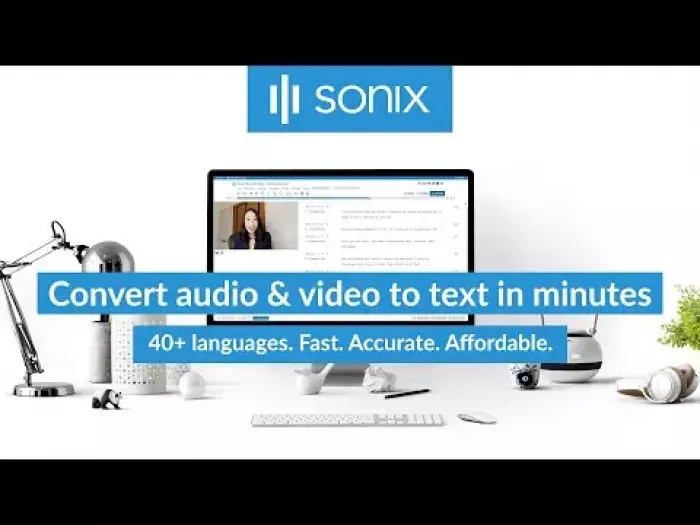
Sonix is aimed squarely at content creators, podcasters, journalists, and researchers who need accurate transcripts and a powerful editor. Its main features include multi‑language support, detailed timestamps, multi‑speaker handling, a text‑synchronized audio/video editor, and exports tailored for video editing software and content platforms. It’s built around the idea that you’ll spend time inside the editor polishing transcripts and pulling quotes.
Unlike user‑based subscriptions, Sonix emphasizes pay‑as‑you‑go pricing: you’re billed per minute of audio, often with different tiers depending on turnaround or extra features. This is attractive if your usage is irregular; you aren’t locked into paying every month for seats you might not fully use. The trade‑off is that for very high, constant volume, a flat subscription or a custom API deal might be cheaper over time.
Sonix is a great choice when you regularly work with long‑form audio or video and care about the editing experience as much as raw accuracy. It’s not designed to be a real‑time engine or a deeply integrated backend service; it’s a powerful workstation for post‑production.
How to Choose the Right Speech-to-Text Tool
The best speech-to-text tool depends on your use case, budget, and tech setup—not just accuracy.
Start by identifying your main need: live meetings, content transcription, call analytics, or developer integration. Tools like Otter.ai and Sonix work well for meetings and content teams, while Whisper, Deepgram, and cloud APIs are better for developers and real-time applications.
Next, consider language support and audio quality. If you deal with multiple languages, accents, or noisy audio, more advanced models (like Whisper or cloud services) are safer choices.
Pricing also matters. Subscriptions suit individuals and small teams, while pay-as-you-go models work better at scale. If you already use AWS, Azure, or Google Cloud, their native tools can simplify integration and compliance.
Finally, check privacy and data handling especially for sensitive industries.
Tip: Test 2–3 tools with real audio samples and compare accuracy, speed, and cost. This quick test usually reveals the best fit.
Final Verdict
Modern speech-to-text is less about finding one “best” tool and more about choosing the right one for your workflow. Developers, enterprises, and creators all have different needs, and today’s tools are good enough that each use case has a strong option.
Focus on outcomes like clear notes, searchable content, or better customer insights and treat these tools as part of your infrastructure. Start with one that integrates easily and performs well on your own audio, then expand only if needed. The most successful teams aren’t using the flashiest tools, they’re the ones consistently turning speech into useful, structured data.
Comments