Table of Contents
- Types of YouTube creators (and what they need)
- 1. Research, ideas and SEO tools
- 2. Script writing and planning tools
- 3. Video creation, editing and repurposing tools
- 4. Thumbnails and visual branding tools
- 5. Audio, voice and sound tools
- 6. Matching tools to creator types (quick table)
- 7. Key benefits and realistic limitations of AI for YouTubers
- Final Words
AI tools have quietly become a second brain for YouTube creators, handling everything from ideas to editing so you can focus on storytelling and on-camera performance. By plugging the right tools into your workflow, even solo creators can operate like a small studio and publish more consistently without burning out.
Types of YouTube creators (and what they need)
You’ll get the most from AI when you match tools to your channel type and bottlenecks. Broadly, most creators fall into these groups:
● Education & tutorial creators (how‑to, reviews, explainers) : need research, scripting, slides, and clean audio/video.
● Vloggers & lifestyle creators : need hooks, titles, fast editing, and repurposing into Shorts/Reels.
● Gaming & reaction creators : need clipping, subtitles, and highlight detection.
● Shorts‑first & vertical creators : need auto‑clipping, captions, and thumbnail help.
● Faceless / automation channels : need script → voiceover → B‑roll generation with minimal on‑camera presence.
1. Research, ideas and SEO tools
These tools help you find topics, understand demand, and position videos to rank.
a) VidIQ (AI ideas + SEO)
● Best for: Education, tutorials, news, and growth‑focused channels.
● How it helps:
● Daily Video Ideas uses AI to suggest topics based on your niche, performance, and trends.
● Keyword tools show search volume, competition, and related tags to improve titles and metadata.
● Pricing: Free version; paid plans with AI ideas from about 16.58 USD/month.
● Limitation: Data is strongest in English and popular niches; in tiny niches ideas can feel generic.
b) TubeBuddy Search Explorer
● Best for: Creators who care deeply about search‑based traffic and low‑competition keywords.
● How it helps:
● Search Explorer scores keywords on search volume vs. competition.
● Helps discover “green” opportunity topics your competitors haven’t fully covered.
● Pricing: Free tier; Pro from around 9 USD/month.
● limitation: Interface can feel complex for beginners, and advanced features sit behind higher tiers.
c) ChatGPT / Claude (script & idea assistant)
● Best for: All creator types as a general research and scripting copilot.
● How it helps:
● Brainstorms hooks, outlines, and FAQs for any topic.
● Can rewrite scripts in your desired tone and length and help with community replies and description drafts.
● Pricing: ChatGPT free tier; ChatGPT Plus around 20 USD/month for faster, more capable models.
● limitation: Outputs can sound generic if you don’t add your own experiences and editing.
2. Script writing and planning tools
These tools turn rough ideas into structured scripts tailored for YouTube.
a) Descript (script + edit from text)
● Best for: Educators, podcasters, talking‑head channels who record long takes.
● How it helps:
● Transcribes your recording and lets you edit video by editing text (delete sentences → cuts the corresponding clips).
● Overdub voice cloning lets you fix small mistakes without reshooting.
● Pricing: Free tier; paid plans typically start around 16 USD/month and go up towards 50 USD/month for advanced needs.
● limitation: Heavy projects can lag on lower‑spec machines; learning curve if you’re used to timeline‑only editors.
b) Writesonic / Jasper AI (YouTube script generators)
● Best for: Faceless channels, review channels, and creators who want AI‑generated long‑form scripts as a starting point.
● How they help:
● YouTube‑specific templates generate intros, body sections, CTAs, and retention‑friendly structures.
● Can quickly produce multiple variations of a script or hook so you can pick the best.
● Pricing: Writesonic Unlimited from about 20 USD/month; Jasper Creator from about 49 USD/month.
● limitation: Scripts can feel “copy‑paste” if you don’t inject personal stories or expertise.
3. Video creation, editing and repurposing tools
These tools save massive time in editing and allow you to turn one video into many pieces of content.
a) InVideo AI / Pictory AI (text‑to‑video + repurposing)
● Best for: Faceless channels, social media managers, and busy educators repurposing blogs or webinars.
● How they help:
● InVideo AI converts text prompts into full videos with stock footage, AI voiceover, and music.
● Pictory AI turns long videos into shorter highlight clips with automatic captions and scene selection.
● Pricing: InVideo AI Plus from around 20 USD/month; Pictory Standard from about 23 USD/month.
● limitation: Results still need human editing to avoid generic visuals and awkward pacing.
b) OpusClip (auto Shorts/vertical clips)
● Best for: Podcasts, interviews, talking‑head creators wanting more Shorts from long videos.
● How it helps:
● Uses AI to find “viral‑potential” moments, adds dynamic captions, and reframes to vertical.
● Dramatically speeds up Shorts output so you can test many hooks.
● Pricing: Free tier with limited credits; paid plans often start around 15 USD/month and Pro around 29 USD/month.
● limitation: Auto‑selected clips are not always contextually perfect, so manual curation is still needed.
c) VEED / CapCut (AI editing suites)
● Best for: Shorts‑first and mid‑level creators who want templates, captions, and effects in one tool.
● How they help:
● AI auto‑subtitles, silence removal, and templates accelerate editing.
● Browser‑based or app‑based, so you can edit from almost anywhere.
● Pricing: VEED has free and paid plans, with common Pro pricing around 12–29 USD/user/month on annual plans. CapCut is free with optional paid extras.
● limitation: Browser tools can struggle with very large 4K projects; paid exports are often needed for watermark‑free results.
4. Thumbnails and visual branding tools
Thumbnails drive the first click, and AI now makes high‑CTR designs accessible to non‑designers.
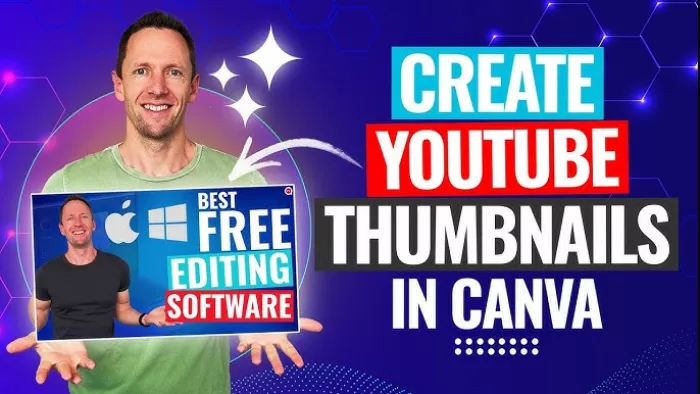
a) Canva AI Thumbnail Maker
● Best for: All creators, especially non‑designers.
● How it helps:
● Magic Media and AI thumbnail features generate base images and layouts from a text prompt.
● You can combine AI images with tried‑and‑tested thumbnail structures, fonts, and brand kits.
● Pricing: Generous free tier; Pro subscription for advanced features and brand kits.
● limitation: AI images can look over‑processed if you don’t refine them; heavy use of templates can make thumbnails look similar to others in your niche.
b) VidIQ Thumbnail Maker
● Best for: Creators already using VidIQ for SEO who want integrated thumbnail tools.
● How it helps:
● AI suggests color palettes, readable fonts, and face emphasis optimized for YouTube’s feed.
● Uses performance data from high‑performing thumbnails to suggest styles that attract clicks.
● Pricing: Included in VidIQ’s ecosystem (available with paid plans that start around 16.58 USD/month).
● limitation: Design flexibility is more limited than full canvas tools; better for quick, data‑driven thumbnails than highly custom art.
c) Midjourney / DALL‑E / Adobe Firefly (advanced custom images)
● Best for: Channels needing unique, cinematic or artistic thumbnails and backgrounds.
● How they help:
● Generate custom scenes that would be expensive or impossible to shoot.
● Great for storytelling thumbnails in gaming, finance, tech, or news explainer channels.
● Pricing: Paid plans vary by tool; many offer trial or limited free usage.
● limitation: Prompting skill matters; without clear prompts you may spend time iterating to get usable results.
5. Audio, voice and sound tools
Audio quality is a major retention lever, and AI tools remove noise, fix mistakes, and even clone your voice.
a) Adobe Podcast Enhance / similar AI enhancers
● Best for: Creators recording in non‑ideal rooms (echo, fan noise, cheap mics).
● How it helps:
● One‑click processing can make echoey or distant audio sound closer to studio quality.
● Pricing: Adobe offers this as part of its broader tools, with free limits and paid access via Creative Cloud bundles.
● limitation: Over‑processing can make voices sound slightly artificial if pushed too far.
b) ElevenLabs (AI voice cloning)
● Best for: Faceless channels, dub channels, and creators wanting multi‑language or backup voiceovers.
● How it helps:
● Clones your voice so you can generate new lines without recording.
● Supports multiple voices and languages, making localization easier.
● Pricing: Tiered plans with free trial and paid subscriptions (exact tiers change frequently; creators generally pay monthly).
● limitation: Ethically sensitive; you must handle consent and disclosure, and generated speech can still sound slightly synthetic in emotional ranges.
6. Matching tools to creator types (quick table)
| Creator type | Main needs | Recommended AI tools | Typical benefit |
| Education / tutorials | Research, scripts, clean audio, thumbnails | VidIQ, TubeBuddy, ChatGPT/Claude, Descript, Canva AI | Faster topic research, more polished videos, higher retention.YouTube |
| Vlog / lifestyle | Hooks, fast editing, Shorts, thumbnails | CapCut/VEED, OpusClip, Canva AI, ChatGPT hooks | More content from same footage; stronger hooks and visuals.YouTube |
| Gaming / reaction | Highlights, captions, branding | OpusClip, Pictory, VEED, Canva, Midjourney | Automated highlight cuts and branded overlays |
| Shorts‑only / vertical | Auto‑clipping, captions, rapid iteration | OpusClip, CapCut, VEED, Submagic | High volume of Shorts with minimal manual editing.YouTube |
| Faceless / automation | End‑to‑end content, voice, visuals | InVideo AI, Pictory, Jasper/Writesonic, ElevenLabs, Firefly | Script → video → voice with minimal on‑camera time. |
7. Key benefits and realistic limitations of AI for YouTubers
Major benefits
● Huge time savings: Auto‑clipping, captioning, and idea generation can save dozens of hours per month for active creators.
● Higher output and consistency: You can publish more often without lowering baseline quality.
● Better data‑driven decisions: SEO tools reveal what your audience is already searching for, reducing “shot in the dark” uploads.
● Lower production barrier: Faceless and solo creators can now produce content that used to require a team (editor, designer, copywriter).
Limitations you must plan for
● Originality risk: Over‑reliance on AI scripts and thumbnails can make your channel blend into the crowd.
● Subscription overload: Many tools are SaaS; stacking too many can quietly inflate your monthly costs.
● Learning curve: Each tool has its own interface and quirks; integrating them into a smooth pipeline takes experimentation.
● Platform shifts: YouTube algorithm and best practices evolve, so the “best” tools and settings today may need revisiting in a year.
Final Words
AI can turn YouTube from a solo grind into a scalable system, if you use it intentionally. Focus on your biggest bottleneck (ideas, editing, visuals, or consistency), choose one or two tools that solve it, and build them into your workflow before adding more automation.
Remember: AI is an accelerator, not a replacement. Your perspective and personality drive clicks and loyalty, AI just handles the busywork so you can create better ideas, stronger stories, and deeper connections without burning out.
Comments