Table of Contents
- 1. Inside the Grubby Machine: What This ‘Humanizer’ Really Is
- 2. Who Actually Needs Grubby: Students, SEOs, or Serial Procrastinators?
- 3. Under the Hood: Buttons, Sliders, and Grubby’s Real Superpowers
- 4. What Does ‘Sounding Human’ Cost Per Month?
- 5. Hands‑on performance: can Grubby AI beat AI detectors?
- 6. Does It Still Sound Like You? Style, Voice, and Hidden Side‑Effects
- 7. Where Grubby Falls Apart: Edge Cases, Glitches, and Gotchas
- 8. Real user reviews and sentiment
- 9. Ethics, compliance, and responsible use
- 10. Alternatives to Grubby AI
- 11. Final verdict: should you use Grubby AI?
Grubby AI is an AI “text humanizer” that promises to turn obviously AI-written content into natural, human‑sounding prose that can (sometimes) slip past popular AI detectors, with mixed but interesting real‑world results. In this in‑depth review, we’ll walk through what it actually does, how well it works, how much it costs, what real users say, and whether it makes sense for you in 2026.
1. Inside the Grubby Machine: What This ‘Humanizer’ Really Is
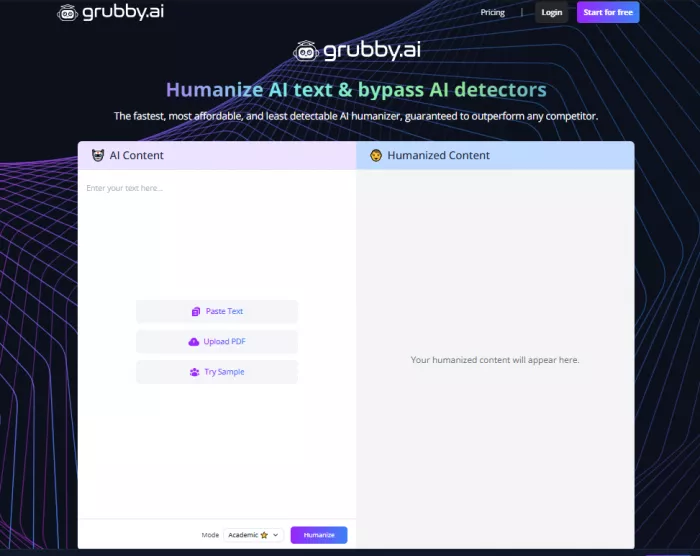
Grubby AI is an online AI text humanizer: you paste AI‑generated text into its web interface, hit a button, and it rewrites the content to look and feel more like something a human wrote from scratch. The core promise is twofold: preserve meaning while changing structure and wording, and reduce the chance that AI detectors flag your text as machine‑generated.
Unlike generic paraphrasers, Grubby AI markets itself explicitly around AI detection, claiming optimization for tools like GPTZero, Originality.ai, ZeroGPT, and others. Its target users are students, bloggers, SEO writers, agencies, and professionals who rely heavily on AI to draft content but want output that feels more human and less risky.
Quick snapshot
| Aspect | Details |
| Category | AI text humanizer / AI‑detector evasion tool. |
| Platform | Web app; runs in the browser, no installation needed. |
| Core promise | Rewrite AI text to sound human and become harder to detect as AI. |
| Typical content | Essays, blog posts, emails, reports, marketing copy |
| Primary audience | Students, content writers, SEO agencies, solo professionals. |
2. Who Actually Needs Grubby: Students, SEOs, or Serial Procrastinators?
Although anyone can use it, the product is clearly positioned toward people who generate a lot of AI‑written content and feel friction around AI detection, platform policies, or content quality.
● Students: using chatbots for essays and assignments, worried about Turnitin‑style checks or instructor tools like GPTZero.
● SEO writers and bloggers: producing bulk content with AI, needing more human‑like tone and less “robotic” phrasing to satisfy readers and search algorithms.
● Agencies and freelancers: handling client work where visible AI traces could hurt perceived quality or breach contracts.
● Professionals: cleaning up AI‑drafted emails, reports, or internal documents to sound more natural.
However, the more high‑stakes the context (graded academic work, compliance‑sensitive corporate documents), the more risky it is to rely on any humanizer, and that tension runs through every serious discussion of Grubby AI.
3. Under the Hood: Buttons, Sliders, and Grubby’s Real Superpowers
Grubby AI is designed to be as simple as possible: paste text, select a mode or intensity, click to humanize, and copy the result. Beneath that simple flow, there are several feature layers worth understanding.
Core humanizer
The main feature is the humanizer, which:
● Changes sentence structure (splitting long sentences, merging short ones, varying patterns).
● Swaps out “AI‑ish” phrasing for more colloquial or varied expressions.
● Adjusts rhythm and punctuation to mimic human writing habits.
The goal is to meaningfully alter the surface form of the text while preserving the underlying meaning, so that both detectors and human readers are less likely to perceive it as AI‑generated.
Detector‑oriented modes
Grubby AI markets specific optimization toward popular AI detectors, claiming that its models are tuned to pass checks from tools like Originality.ai, GPTZero, and others. Reviews describe “simple” humanization and more advanced or “bypass” modes that make heavier edits to try to reduce AI scores further.
You can think of simple mode as gentle paraphrasing and advanced modes as more aggressive structural editing, trading off style preservation for lower detection scores.
Input limits and workflow
Free and lower‑tier plans impose relatively tight input limits per run (often in the hundreds of words), which forces a chunked workflow on long documents. Higher tiers increase per‑run limits and monthly quotas, making it more feasible for content agencies or power users.
The UX itself is straightforward:
● Paste or type text into a box.
● Choose a mode or strength (where available).
● Click to humanize, wait a few seconds, then copy the output.
The interface is simple and clean, but speed can vary for longer inputs, especially on busy servers or when using heavier modes.
Extra tools and utilities
Some reviews note that Grubby bundles auxiliary tools around the core humanizer, such as:
● Summarization.
● Smart notes or outline generation.
● Quiz or flashcard‑style content generation.
These add‑ons are nice to have but are not the main reason most people come to Grubby; they’re secondary to the humanization feature and often feel like typical AI utilities rather than unique differentiators.
Feature summary table
| Feature | How it works | Practical impact |
| Humanizer | Rewrites structure, vocabulary, and rhythm. | Makes AI text read more naturally (to varying degrees). |
| Detector‑oriented modes | Stronger rewrite options aimed at lowering AI scores. | Can reduce AI probability, but not consistently across detectors. |
| Input limits | Word caps per run, higher on paid tiers. | Long content needs chunking on lower plans. |
| Extras | Summaries, notes, quizzes, flashcards on some plans | Useful but not core; more like bonus utilities. |
4. What Does ‘Sounding Human’ Cost Per Month?
Pricing is a critical part of any AI‑tool review. Grubby AI follows a familiar “freemium” pattern: a limited free tier and several paid tiers scaling on words and features.
Free vs paid
While exact numbers can change over time, reviews consistently describe:
● Free plan: a small monthly or one‑time allowance (often in the low thousands of words), strict per‑run word caps, and access to basic humanization only.
● Mid‑tier plans: relatively affordable monthly subscriptions that raise monthly word limits into the 5,000–15,000+ range and unlock more powerful rewriting modes.
● Higher tiers: aimed at agencies or high‑volume users with larger word quotas (tens of thousands of words) and more generous per‑run limits.
Refund policies and billing transparency are recurring themes in user feedback, with some reviewers highlighting disputes or delays when trying to get refunds.
Pricing overview table
| Plan | Rough monthly cost | Words / month | Max input / run | Features focus |
| Free | $0 | Small allowance (hundreds–low thousands of words). | Short inputs (few hundred words). | Basic humanizer. |
| Core / Pro | Around lower‑mid two‑digit USD per month (varies by promo and region). | Thousands to low tens of thousands of words | Larger inputs (approx. 1,000–1,500 words). | Basic + advanced modes, some extras. |
| Business / higher | Higher monthly fees, targeted at teams. | Tens of thousands of words or more. | Higher per‑run caps. | Full feature set, better quotas. |
From a value perspective, Grubby AI tends to be cheaper than some premium enterprise‑oriented humanizers, but slightly more expensive than bare‑bones paraphrasers that do not focus on detection. The real question is whether you gain enough in detection performance and quality to justify the spend versus your specific use case.
5. Hands‑on performance: can Grubby AI beat AI detectors?
Detector performance is the centerpiece of any serious evaluation of Grubby AI. Across multiple independent tests, the results are mixed: it can fool some detectors some of the time, but it is far from a guaranteed bypass solution.
Evidence from existing tests
Several reviewers have run detailed experiments by:
● Generating text with mainstream LLMs (e.g., ChatGPT‑style models).
● Running it through Grubby AI’s humanizer.
● Checking the before/after text against detectors like Originality.ai, GPTZero, ZeroGPT, Writer, and others.
Typical patterns from these reports include:
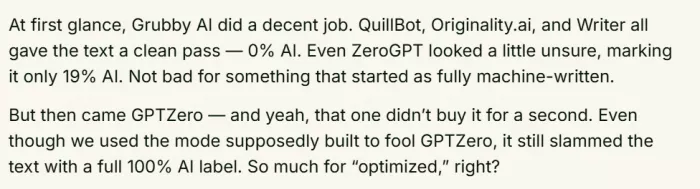
● Originality.ai: often shows dramatic drops in AI probability after humanization, sometimes down to 0–1% AI, effectively classifying content as human.
● Writer and similar detectors: also frequently output low or zero AI probability after Grubby’s processing.
● ZeroGPT and similar tools: show reduced AI probabilities but not always to the “fully human” level.
● GPTZero: repeatedly emerges as the toughest hurdle; in some tests, GPTZero still labels Grubby‑processed text as 100% AI or clearly AI‑generated.
Example detector‑result table (from reported tests)
| Detector | AI score after Grubby | Interpretation |
| Originality.ai | Often ~0–1% AI in reported runs. | Frequently fooled; flags as human. |
| GPTZero | Sometimes stays extremely high (up to 100% AI). | Often still detects AI origin. |
| ZeroGPT | Reduced AI percentage, but still sometimes shows noticeable AI probability. | Mixed: some passes, some borderline. |
| Other detectors (Writer, etc.) | Frequently 0% AI after humanization. | More easily bypassed. |
These numbers can change with detector updates, model updates, and the specific text used, but the overall trend is clear: Grubby AI can significantly reduce AI detection scores in many cases, yet it cannot reliably guarantee invisibility across all tools, especially more aggressive detectors like GPTZero.
What this means in practice
If you treat Grubby as a guaranteed way to “beat all AI detectors,” you will almost certainly be disappointed at some point, especially in high‑stakes academic or corporate environments. If you instead see it as a tool that can help make AI‑written text less obvious and, in some scenarios, less detectable, its performance is more defensible provided you understand the risks.
6. Does It Still Sound Like You? Style, Voice, and Hidden Side‑Effects
Beyond detection, there are two human‑centric questions: does the output sound like a person, and does it faithfully preserve what you meant?
Readability and “human feel”
Reviewers generally agree that Grubby’s outputs are more varied and less robotic than raw chatbot text, especially when starting from very generic AI drafts. Sentences may become shorter or more conversational, word choice less repetitive, and the overall rhythm more like a human who occasionally rephrases or emphasizes points.
However, there are caveats:
● Some outputs still retain an “AI‑ish” sheen, feeling more like a paraphrased machine text than a genuinely human draft.
● For complex or niche topics, the model can sometimes produce awkward or slightly off‑key phrasing that a human expert would never use.
● Overly aggressive modes may tilt toward a “spun” feel, where constant synonym swapping hurts naturalness.
Meaning and coherence
On straightforward explanatory content, Grubby generally keeps the core meaning intact: the same points appear, just with different wording and structure. On dense technical writing or nuanced arguments, though, there is a non‑trivial risk of:
● Mild meaning drift—small changes that subtly alter emphasis or nuance.
● Occasional odd transitions or sentences that feel inserted without clear logical connection.
For that reason, serious users still need to proofread and edit outputs; treating Grubby’s result as “final” is risky if accuracy matters.
7. Where Grubby Falls Apart: Edge Cases, Glitches, and Gotchas
No AI tool is perfect, and Grubby AI is no exception. Understanding its limitations is crucial to using it responsibly.
Inconsistent detector performance
As detectors evolve, any static “bypass” approach becomes less reliable. Grubby’s mixed performance against GPTZero and variable results across other tools underscore that this is essentially a cat‑and‑mouse game. A rewrite that passes today might fail tomorrow if the detector updates its models.
Length and complexity constraints
Long‑form documents (several thousand words) typically require splitting into multiple chunks on lower or mid‑tier plans, which can introduce style discontinuities between sections. Very technical or legally sensitive text can expose the model’s limitations in domain knowledge and nuance, creating outputs that need heavy human correction.
Quality variability
User and reviewer feedback mention inconsistent quality across runs and content types:
● Some texts come out smooth and usable with minimal edits.
● Others feel stiff, unnatural, or partially nonsensical.
Because of this, Grubby is better treated as a drafting assistant than an infallible one‑click solution.
Policy and risk
Many educational institutions, workplaces, and platforms have policies about AI use; using a humanizer specifically to hide AI authorship can fall foul of these rules even if a detector fails to catch it. The risk is not just detection by software; it’s also discovery via manual review, style mismatch, or policy audits.
8. Real user reviews and sentiment
Looking at aggregated user sentiment helps balance marketing claims with lived experience.
Trustpilot and public reviews
On Trustpilot, Grubby is rated around “Average” with a score in the low‑to‑mid‑3s out of 5, reflecting a mix of enthusiastic praise and sharp criticism. Positive reviews often highlight that it:
● Helps disguise obvious AI patterns in everyday emails and simple documents.
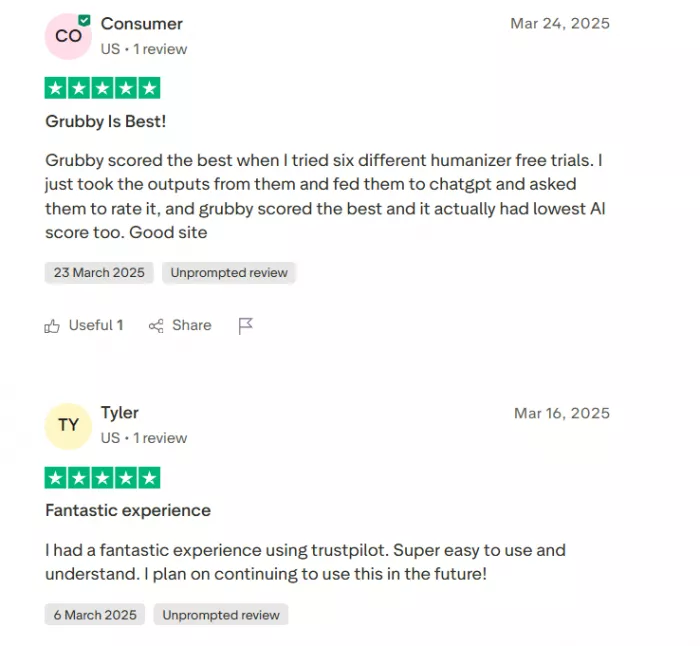
● Produces more natural text for casual or low‑stakes content.
● Offers a free option and comparatively affordable pricing.

Negative reviews, on the other hand, frequently complain about:
● Outputs that sometimes “don’t make sense” or distort the original message.
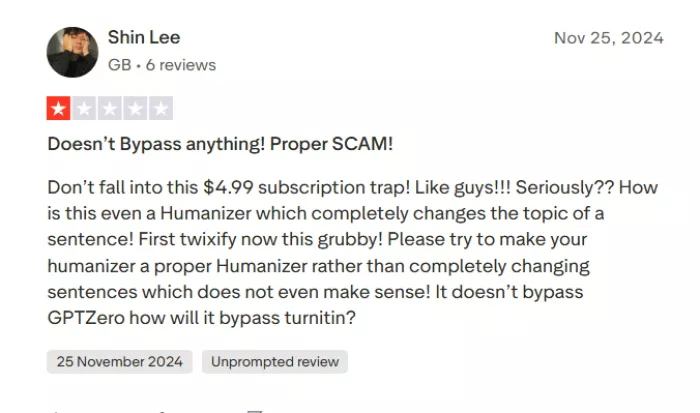
● Refund or billing issues and slow or unsatisfactory customer support.
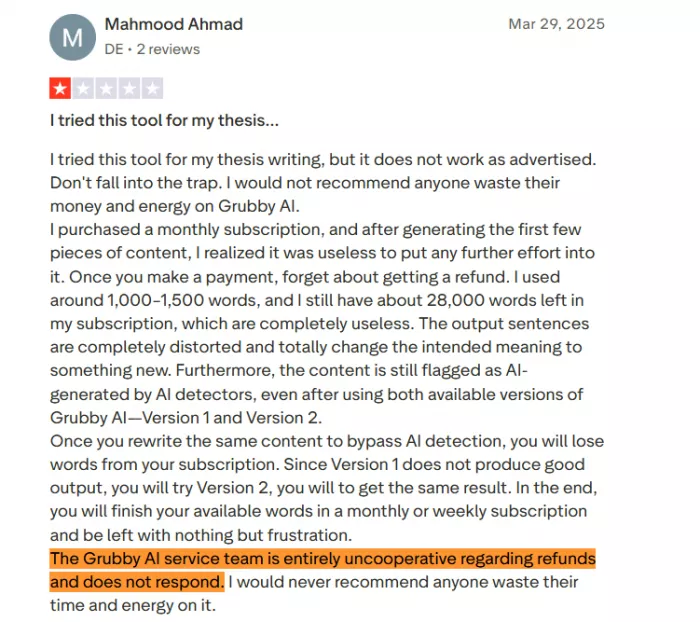
● Overpromised claims about fully beating AI detection.
Sentiment overview table
| Source | Overall tone | Common positives | Common negatives |
| Trustpilot | Mixed, around “Average” (~3.3/5) | Helpful for basic emails and simple drafts | Quality issues, refund disputes, poor support. |
| Niche AI blogs / reviews | Mixed to cautiously positive. | Can significantly lower AI scores on some detectors; reasonable price for light users | Inconsistent results; weak against GPTZero; not foolproof. |
9. Ethics, compliance, and responsible use
Any tool marketed for AI‑detector evasion sits in an ethical gray zone. The key distinction is how you use Grubby AI.
Legitimate vs risky use cases
Safer and more defensible uses include refining AI-generated drafts for your own blog posts or marketing materials when AI assistance is transparent or explicitly permitted. It can also be used as a style-enhancement tool to improve clarity, readability, and flow especially when followed by careful manual editing to ensure the final content reflects your voice and intent.
Riskier uses involve submitting AI-processed essays as entirely original work in academic environments with strict integrity policies. It can also create legal or professional issues if used to bypass contractual restrictions that prohibit AI-generated content for clients or employers.
Even if Grubby helps you evade a particular detector today, policy violations can still be discovered in other ways, and penalties can be severe. A responsible stance is to treat Grubby as a style and quality enhancer, not as a cheating tool.
10. Alternatives to Grubby AI
A. Undetectable AI: A premium humanizer focused on stronger detector resistance, long‑form content, and team workflows. Best for creators and agencies willing to pay more for higher reliability.

B. StealthWriter: Built for agencies and high‑volume publishers who need batch rewriting for full articles and campaigns. Works well when you regularly process long SEO or marketing pieces.
C. Humbot: Offers clear light/medium/aggressive modes so you can control how much the text changes. Good fit if you want a budget‑friendly humanizer with decent flexibility in one tool.
11. Final verdict: should you use Grubby AI?
Grubby AI delivers on part of its promise: it does make many AI‑generated texts look and feel more human, and it can significantly lower AI detection scores in a wide range of scenarios, especially on detectors like Originality.ai and some commercial tools. At the same time, it is not magic, GPTZero and other robust systems often still flag its outputs, quality can be inconsistent, and user experiences around refunds and support are uneven.
If you’re a content creator or SEO writer who uses AI transparently and simply wants smoother, more natural-sounding drafts, Grubby can be a reasonably priced tool provided you still edit carefully by hand. However, if you’re a student or professional hoping to use it mainly to bypass AI detection where AI is banned, you’re taking ethical and practical risks, as detection isn’t guaranteed and policy violations can carry serious consequences.
For agencies that need scalable, compliant AI workflows, it’s wiser to compare Grubby with more enterprise-focused solutions rather than relying on it as your sole safeguard.
Used thoughtfully, Grubby AI is a capable humanizer with real but limited detector‑evasion benefits; used recklessly, it can create a false sense of security in situations where honesty and policy compliance matter more than any AI score.
Comments