Table of Contents
Quick Rating Overview
| Category | Score (Out of 5) | What It Reflects |
| Ease of Use | 4.1 | Fast to start, no complex setup |
| Features | 3.4 | Covers basics but lacks depth |
| Output Quality | 3.1 | Inconsistent with detailed prompts |
| Transparency | 2.4 | Limited information about team and data |
| Value | 3.6 | Free access is useful, paid usage adds up |
| Overall | 3.3 | Works for casual use, not reliable for serious work |
Why Unlucid AI Is Getting Attention
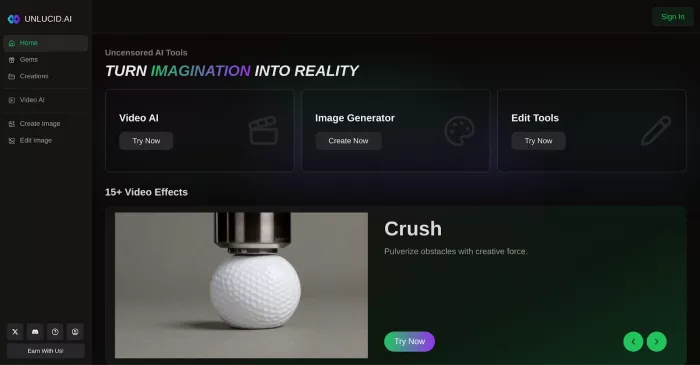
Unlucid AI has built its reputation around one idea that stands out in the current AI landscape. It does not restrict what users can generate.
While many platforms filter prompts or block certain types of content, Unlucid allows users to experiment more freely. That approach has attracted attention in online communities, especially among creators who feel limited by moderation on other tools.
The platform itself focuses on three main things. Generating images from text, adding motion to visuals, and making small edits through simple instructions.
At a glance, it feels open and accessible. But that first impression does not fully reflect how the platform behaves over time.
Getting Started Feels Effortless
One of the reasons people try Unlucid is how quickly it works.
You open the website, type a prompt, and get a result within a short time. There is no complicated setup or onboarding process. For new users, this makes the tool easy to explore.

The interface is simple enough that most people can start generating content without any guidance. That simplicity is one of its strongest advantages.
However, ease of access also means limited control. The platform does not provide many advanced settings, so users rely heavily on prompt wording to influence results.
How the Gem System Shapes the Experience
Unlucid uses a credit system called gems. Every action costs a certain number of gems, including generating images or creating short animations.
Free users receive a small daily allocation. This allows basic testing, but it does not support continuous use.
Here is how the pricing structure typically looks:
| Plan | Price | Gems | Notes |
| Free | $0 | Daily allocation | Watermarked output |
| Starter | $8.99 | ~120 | Removes watermark, faster queue |
| Pro | $29.99 | ~450 | Higher output quality options |
| Higher Tier | $59.99+ | 1000+ | Intended for frequent use |
The system is flexible in the sense that users can pay only when needed. But it also creates friction.
If outputs are inconsistent, users may need multiple attempts to get a usable result. Each attempt consumes gems, which increases the cost quickly.
This makes the platform suitable for short sessions but harder to justify for long creative work.
What the Tool Does Well
Unlucid performs best in situations where speed matters more than precision.
Simple prompts often produce decent visuals. The platform is also capable of generating stylized or abstract images that do not require strict accuracy.
The animation feature adds short motion effects to images. These are usually limited to a few seconds but can be useful for quick content creation.
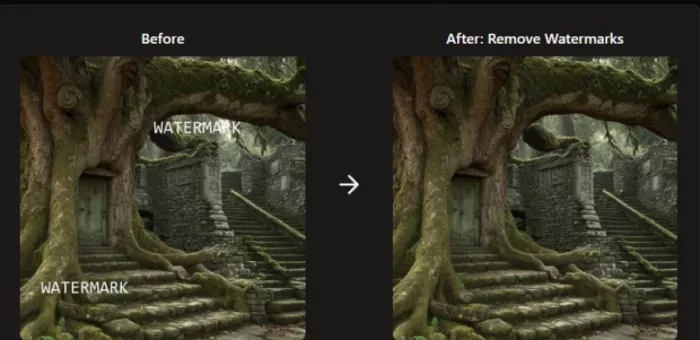
The editing tools are basic but accessible. Users can remove or replace elements by describing changes in text, which lowers the barrier for beginners.
For casual users, these features are enough to keep the platform engaging.
Where the Limitations Become Clear
The issues start appearing when expectations increase.
More detailed prompts do not always translate into better results. The system sometimes ignores parts of the input or produces images that lack coherence.
Consistency is another problem. Two similar prompts can produce very different levels of quality.
The animation feature, while interesting, is limited in duration and often lacks smooth motion. It works more as a quick visual effect rather than a reliable video tool.
Longer sessions also reveal performance issues. Rendering speed can slow down when servers are busy, and occasional errors interrupt the process.
User Feedback Shows a Clear Divide
User reviews reflect a mix of curiosity and frustration.
Some users appreciate the freedom the platform offers. They mention being able to generate ideas without restrictions, which is something not all tools allow.
Others focus on the inconsistencies.
Here are a few real sentiments that appear across forums and review sites:
“It lets you create anything, but the results are unpredictable.”
“Good for experimenting, not something I would rely on.”
“Fun to use, but I end up wasting credits trying to fix outputs.”
Another recurring concern is reliability. Users report slow performance at times and occasional glitches during generation.
There are also concerns about support and communication. Some users mention that responses to issues are delayed or unclear.
Transparency and Trust Concerns
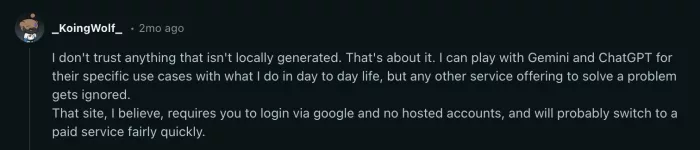
One of the biggest unanswered questions is who is behind the platform.
There is limited public information about the team, company structure, or development background. Privacy details are also not explained in depth.
For a creative tool, this might not seem critical at first. But it becomes more relevant when users upload content or create sensitive material.
Without clear documentation, users are left to rely on assumptions.
This does not confirm any misuse, but it does reduce confidence compared to platforms that provide more transparency.
Performance in Real Use
In terms of speed, Unlucid performs reasonably well for simple tasks. Most images are generated within a short time.
However, performance drops when prompts become more complex or when traffic increases. Errors, delays, and incomplete outputs are not uncommon.
The platform runs entirely in the browser. There is no dedicated desktop or mobile app, which limits flexibility for users who prefer offline or app-based workflows.
Conclusion
Unlucid AI stands out because it removes restrictions that many other platforms enforce. That freedom is the main reason people try it.
But freedom alone does not guarantee quality.
The platform is easy to access and capable of producing interesting results, especially for simple or experimental use. At the same time, it struggles with consistency, control, and transparency.
For casual creators, it can be an engaging tool to explore ideas. For anyone looking for reliability or professional output, it may feel limited.
In the end, Unlucid AI works best when treated as a creative playground rather than a dependable production tool.
Comments