What you'll learn?
- Leverage GitHub Copilot to boost productivity and reduce coding time.
- Write, refactor, and document code efficiently across multiple programming languages using AI-powered suggestions.
- Integrate Copilot into popular IDEs, including Visual Studio Code, for an improved developer experience.
- Understand Copilot’s strengths, limitations, and how to maximize code quality and accuracy.
- Customize Copilot suggestions through context, comments, and prompt tuning.
- Apply Copilot in real-world projects, from debugging to rapid prototyping and test generation.
- Understand the ethical considerations and best practices for collaborating with AI-powered tools.
- Navigate licensing, security, and intellectual property concerns when leveraging Copilot in commercial projects.
Course Modules
Introduction to GitHub Copilot
- What is GitHub Copilot and How Does It Work?
- History and Evolution of AI-Powered Code Assistance
- Copilot’s Role in Modern Software Development
- Supported Programming Languages and Use Cases
- Understanding Copilot’s Underlying AI (OpenAI Codex)
Getting Started: Installation and Setup
- Setting Up Copilot in Visual Studio Code
- Integrating with Other IDEs (JetBrains, Neovim, etc.)
- Activating and Managing Your Copilot Subscription
- Configuring Preferences and Keybindings
- Troubleshooting Common Setup Issues
Navigating the Copilot Interface
- Understanding the User Interface Elements
- Triggering Copilot Suggestions
- Using Inline and Block Completions
- Managing Multi-Line Suggestions
- Accepting, Rejecting, and Cycling Code Proposals
Harnessing Copilot in Daily Coding
- Writing Functions and Classes with AI Assistance
- Generating and Completing Logic
- Auto-Documenting Code with Copilot
- Accelerating Test Writing and Coverage
- Improving Code Consistency and Readability
Advanced Prompt Engineering for Coders
- How Prompts Influence Copilot's Suggestions
- Contextual Hints: Comments, Docstrings, and File Structures
- Manipulating Suggestion Scope with Editor Placement
- Prompt Patterns for Specific Frameworks (e.g., React, Django)
- Generating Boilerplate vs. Complex Implementations
- Overcoming Common Copilot Misunderstandings
Refactoring and Debugging with Copilot
- Using Copilot for Code Refactoring Tasks
- Debugging Support and Troubleshooting Assistance
- Identifying and Mitigating Faulty AI Outputs
- Integrating with Linters and Static Analysis Tools
- Iterative Development with AI Feedback
Collaboration and Workflow Enhancements
- Copilot in Pair Programming and Code Review
- Working with Teams—Best Practices
- Integrating Copilot in Version Control Workflows
- Managing Merge Conflicts with Copilot
- Automating Documentation and Changelogs
Copilot in Real-World Projects
- Case Studies: From Ideas to MVPs
- Rapid Prototyping with AI Suggestions
- Generating Unit and Integration Tests
- Streamlining Large Codebase Maintenance
- Scaling with Copilot in Enterprise Environments
Customization and Copilot Labs Features
- Introduction to Copilot Labs
- Custom Snippets and Templates
- Experimental Features and Feedback Channels
- Fine-Tuning Copilot with User Data
- Shortcuts, Plugins, and Extensions
Security, Privacy, and Legal Considerations
- Understanding Copilot’s Usage Policies
- Intellectual Property and Code Licensing
- Mitigating Security Risks with AI-Generated Code
- Data Privacy and Developer Confidentiality
- Best Practices for Safe, Responsible Adoption
Ethics and the Future of AI in Coding
- AI-Assisted Development: Opportunities and Challenges
- Bias, Fairness, and Transparency in AI
- Attribution and Acknowledgment of AI Contributions
- Preparing for a Hybrid Developer-AI Future
- Navigating Job Roles and Upskilling in the Age of Copilot
Capstone: Building with Copilot
- Selecting a Realistic Project
- Planning and Structuring Your Workflow
- Applying Copilot Across the Project Lifecycle
- Documenting and Presenting Your Outcomes
- Reflecting on Copilot’s Impact on Productivity
What is unique about this training program?
- Provides in-editor code completion trained on large-scale public code patterns
- Optimized for real-time suggestion flow rather than post-write code review
- Supports multiple programming languages within the same development session
- Context-aware recommendations adapt to existing file structure and comments
- Reduces boilerplate and repetitive coding compared to snippet-based tools
- Designed for developer workflow acceleration, not standalone code generation
Certification
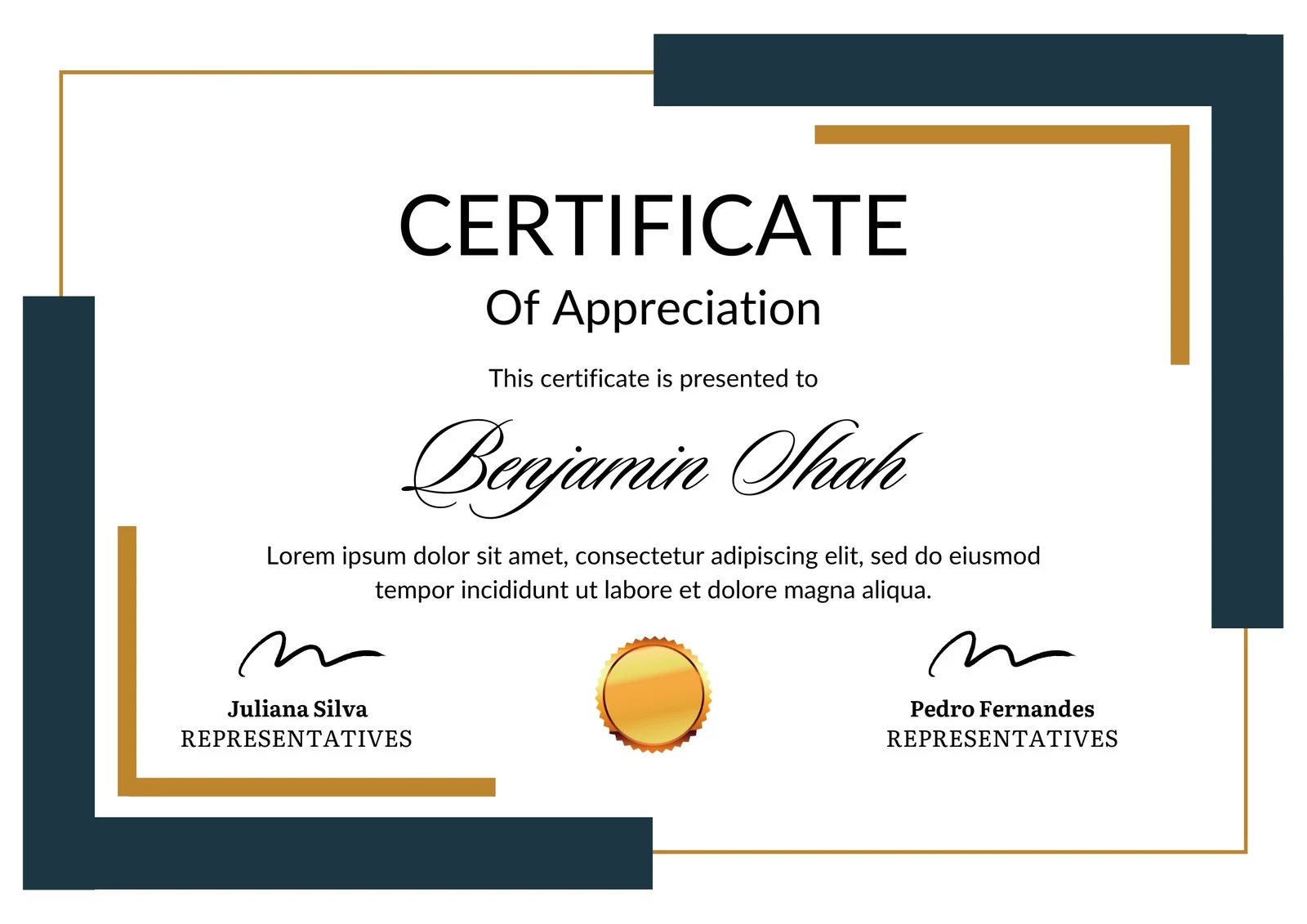
This is how the NSDC and Skill India certificate will appear under the current approved format (subject to updates by the authorities).

Vinod Mehra
Software Development | Tech & Gadgets Enthusiast<p>Vinod Mehra is an AI Tools Strategist, Tech Entrepreneur, and Business Consultant with 22+ years of experience in digital transformation, software development, and growth strategy.</p><p>Over the p...
Course Reviews
No reviews yet for this course!