What you'll learn?
- Confidently navigate the HeyGen platform and optimize workspace settings.
- Design engaging video scripts and storyboards for diverse content needs.
- Select, customize, and animate realistic AI avatars and digital presenters.
- Master voice cloning and multi-language voiceovers for global audience reach.
- Integrate dynamic backgrounds, text overlays, and visual effects for compelling narratives.
- Apply advanced editing techniques, transitions, and music for polished video production.
- Develop efficient video creation workflows for rapid content generation.
- Produce high-quality AI videos for marketing, training, education, and entertainment.
Course Modules
Introduction to HeyGen & Your Creative Hub
- What is AI Video Generation and Why HeyGen?
- Setting Up Your HeyGen Account: First Steps
- Navigating the HeyGen Dashboard & Workspace
- Understanding Key Features and Limitations
- Essential System Requirements and Best Practices
- Your First Project: A Quick Overview
Crafting Compelling Scripts & Storyboards
- The Art of Scriptwriting for AI Video
- Structuring Your Message: Openings, Body, Closings
- Integrating Visual Cues into Your Script
- Best Practices for Engaging Narration
- Utilizing AI Script Assistants and Templates
- Basic Storyboarding for Video Flow
Mastering AI Avatars & Digital Presenters
- Exploring HeyGen's Avatar Library: Types & Styles
- Customizing Avatar Appearance: Clothing, Hair, Accessories
- Understanding Avatar Expressions and Gestures
- Creating Your Own Custom Avatar (Photo/Video Upload)
- Tips for Realistic Avatar Performance
- Avatar Placement and Scene Composition
Voice & Audio: The Sound of Professionalism
- Choosing from HeyGen's Voice Library
- Leveraging Voice Cloning: Principles and Process
- Adjusting Voice Tone, Pitch, and Speed
- Adding Background Music and Sound Effects
- Audio Synchronization and Lip-Sync Best Practices
- Troubleshooting Audio Issues
Dynamic Backgrounds & Visual Elements
- Selecting and Uploading Custom Backgrounds
- Utilizing HeyGen's Background Templates
- Working with Green Screen and Chroma Key Effects
- Adding Images and Videos to Your Scenes
- Layering Visual Elements for Depth
- Creative Use of Stock Media
Text, Call-to-Actions & On-Screen Graphics
- Adding Text Overlays: Titles, Subtitles, Captions
- Customizing Fonts, Colors, and Animations
- Integrating Call-to-Action (CTA) Elements
- Displaying Logos and Branding Assets
- Using Dynamic Text Variables
- Kinetic Typography for Engagement
Advanced Video Editing & Scene Transitions
- Splitting, Trimming, and Merging Scenes
- Understanding Scene Duration and Pacing
- Applying Professional Transitions Between Scenes
- Animating Objects and Elements within Scenes
- Working with the Timeline Editor for Precision
- Previewing and Iterating Your Video
Multi-Language Video & Global Reach
- Translating Scripts within HeyGen
- Leveraging Multi-Language Voiceovers
- Best Practices for Localized Content
- Understanding Cultural Nuances in AI Video
- Automated Subtitle Generation and Editing
- Reaching International Audiences Effectively
Workflow Optimization & Batch Processing
- Saving and Organizing Your Projects
- Creating and Using Templates for Efficiency
- Batch Processing Multiple Videos
- Collaborative Features and Team Workflows
- Keyboard Shortcuts and Productivity Hacks
- Managing Credits and Subscription Plans
Real-World Applications & Project Deep Dives
- Creating Explainer Videos for Businesses
- Developing Engaging E-Learning Content
- Producing Marketing & Social Media Ads
- Generating News & Factual Broadcasts
- Building Personalized Video Campaigns
- Case Studies: Successful HeyGen Implementations
Exporting, Sharing & Performance Tracking
- Understanding Export Options and Resolutions
- Optimizing Videos for Different Platforms (YouTube, TikTok, etc.)
- Sharing Your HeyGen Videos Directly
- Embedding Videos on Websites and Platforms
- Basic Video Performance Metrics (Views, Engagement)
- Gathering Feedback and Iterating
Ethical AI, Future Trends & Career Pathways
- Understanding Ethical Considerations in AI Video
- Deepfakes and Responsible AI Use
- Copyright and Attribution in AI-Generated Content
- Future Trends in AI Video Technology
- Building a Portfolio with HeyGen
- Career Opportunities in AI Content Creation
What is unique about this training program?
- Script-to-video workflows tested with real marketing use cases
- Voice and lip-sync accuracy evaluated across different languages
- Avatar selection exercises based on audience and brand context
- Turnaround time optimization for bulk video production tasks
- Error handling for mispronunciations and unnatural expressions
- Platform export testing for ads, LMS, and social formats
- Ethical use scenarios discussed around synthetic presenters
- Multi-language voiceovers for global audience
Certification
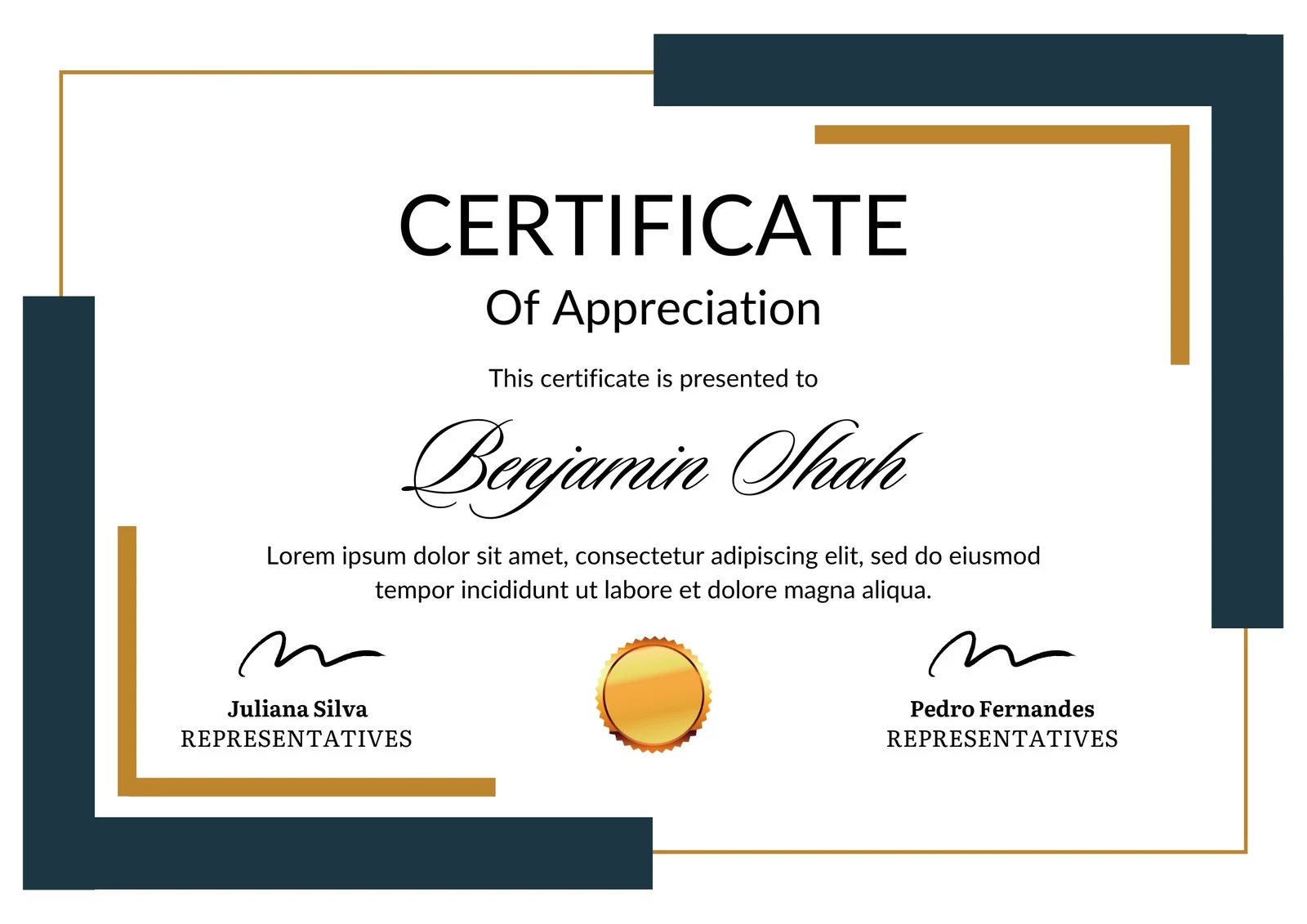
This is how the NSDC and Skill India certificate will appear under the current approved format (subject to updates by the authorities).

Vinod Mehra
Software Development | Tech & Gadgets Enthusiast<p>Vinod Mehra is an AI Tools Strategist, Tech Entrepreneur, and Business Consultant with 22+ years of experience in digital transformation, software development, and growth strategy.</p><p>Over the p...
Course Reviews
No reviews yet for this course!