What you'll learn?
- Generate high-quality, compelling video content directly from text prompts.
- Master advanced prompt engineering techniques to control visual style, motion, and composition.
- Achieve character and object consistency across multiple video clips.
- Integrate Kling AI generated footage seamlessly into professional video editing workflows.
- Develop short narrative videos and commercial content using AI.
- Understand the ethical implications and best practices for creating AI-generated video.
- Optimize your workflow for efficient video generation and iterative refinement.
- Explore advanced parameters and settings for fine-tuning video output.
Course Modules
Module 1: Getting Started with Kling AI
- Introduction to AI Video Generation
- What is Kling AI? Capabilities and Limitations
- Setting Up Your Workspace and Account
- Navigating the Kling AI Interface
- Understanding Basic Terminology (Prompts, Seeds, Styles)
Module 2: The Art of Prompt Engineering for Video
- Anatomy of an Effective Video Prompt
- Descriptive Language for Visuals and Motion
- Specifying Subject, Action, and Environment
- Using Keywords and Modifiers for Impact
- Experimenting with Prompt Variations and Iteration
Module 3: Controlling Video Style and Aesthetics
- Defining Artistic Styles (Photorealistic, Animated, Abstract)
- Influencing Lighting, Color Schemes, and Mood
- Camera Angles, Movement, and Shot Composition
- Controlling Motion Dynamics and Pacing
- Implementing Negative Prompts for Refinement
Module 4: Achieving Consistency in Video Generation
- Maintaining Character and Object Identity Across Clips
- Ensuring Scene Cohesion and Continuity
- Techniques for Consistent Visuals and Environments
- Working with Seed Values for Reproducibility
- Strategies for Multi-Shot Sequences and Narratives
Module 5: Advanced Parameters and Fine-Tuning
- Exploring Advanced Generation Settings and Controls
- Understanding Aspect Ratios, Resolutions, and Frame Rates
- Controlling Video Length and Clip Duration
- Utilizing Weighting and Prompt Blending
- Batch Generation and Workflow Optimization
Module 6: Iterative Design & Problem Solving
- Analyzing Generated Videos for Improvement
- Iterative Prompt Refinement and Feedback Loops
- Troubleshooting Common Generation Issues
- Debugging Prompts and Parameter Adjustments
- Leveraging Community Resources and Best Practices
Module 7: Storytelling Through AI-Generated Video
- From Concept to AI-Generated Scene
- Storyboarding Principles for AI Video Projects
- Generating Sequential Clips for Narrative Flow
- Pacing, Transitions, and Flow in AI Video
- Developing Short Video Concepts and Scenarios
Module 8: Post-Production Workflow & Integration
- Integrating Kling AI Outputs into Video Editors (e.g., DaVinci Resolve, Premiere Pro)
- Basic Video Editing for AI Clips (Trimming, Joining, Sequencing)
- Adding Sound Design and Music to AI Videos
- Color Grading and Visual Enhancements
- Exporting and Sharing Your Creations
Module 9: Practical Applications & Use Cases
- Creating Explainer Videos and Animations
- Generating Marketing and Social Media Content
- Developing Short Films and Art Projects
- Personalized Video Content Creation
- Exploring Niche and Commercial Applications
Module 10: The Business & Ethics of AI Video
- Copyright, Ownership, and Licensing in AI-Generated Content
- Ethical Considerations in AI Video Production
- Bias, Representation, and Responsible AI Use
- Monetization Strategies for AI Video Creators
- The Future Landscape of AI Video Technology
Module 11: Optimizing Performance & Troubleshooting
- Understanding GPU Usage and System Requirements
- Tips for Faster Generation and Efficiency
- Managing Resources and Storage Effectively
- Common Error Messages and Solutions
- Staying Updated with Kling AI Developments and Features
What is unique about this training program?
- Prompt-to-video structuring for consistent cinematic motion outputs
- Shot control exercises using camera movement and scene timing
- Frame artifact correction through iterative prompt adjustments
- Duration and aspect ratio optimization for platform-specific videos
- Motion realism evaluation using side-by-side frame comparisons
- Workflow integration for ads, reels, and short-form content
- Failure analysis of distorted characters and scene continuity
Certification
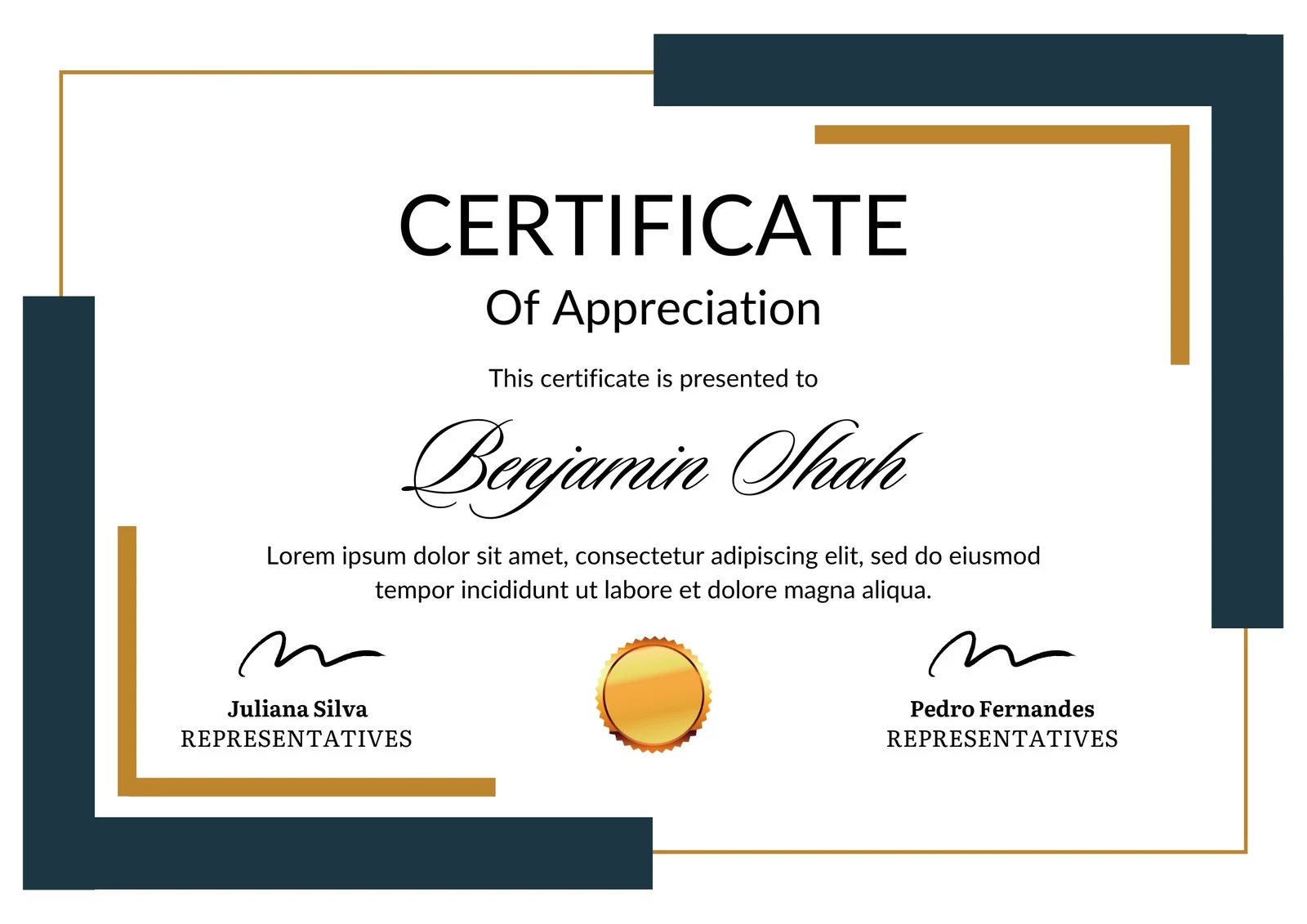
This is how the NSDC and Skill India certificate will appear under the current approved format (subject to updates by the authorities).

Vinod Mehra
Software Development | Tech & Gadgets Enthusiast<p>Vinod Mehra is an AI Tools Strategist, Tech Entrepreneur, and Business Consultant with 22+ years of experience in digital transformation, software development, and growth strategy.</p><p>Over the p...
Course Reviews
No reviews yet for this course!