What you'll learn?
- Master the fundamentals of Krea AI and its user interface.
- Generate high-quality AI images and vectors for diverse creative projects.
- Leverage advanced prompt engineering to refine style, detail, and composition.
- Utilize custom data uploads and image editing features to personalize content.
- Integrate Krea AI outputs seamlessly with leading design software.
- Develop workflows for batch generation, upscaling, and creative automation.
- Understand real-world project applications in branding, marketing, and digital art.
- Apply ethical best practices and position yourself for creative industry opportunities.
Course Modules
Getting Started with Krea AI
- Overview of Krea AI and Its Capabilities
- Creating and Managing Your Krea AI Account
- Navigating the Dashboard and Interface
- Exploring Pricing Plans and Feature Tiers
- System Requirements and Setup Tips
Fundamentals of Generative Design
- Understanding Generative AI Principles
- Types of Outputs: Images, Vectors, and More
- Key Tools: Canvas, Prompt Bar, and Output Settings
- Prompt Structures: Text, Style, and Mood
- First Project: Generating Your Initial Artworks
Prompt Engineering Mastery
- Building Effective Text Prompts
- Controlling Style and Composition
- Using Visual References and Image Inputs
- Prompt Chaining and Variations
- Real-Time Parameter Tweaks and Iteration
- Troubleshooting Prompt Results
Advanced Image Creation Techniques
- Custom Data Uploads and Training
- Using Masks and Layers for Detail Control
- Inpainting, Outpainting, and Smart Editing
- Batch Generation and Batch Editing Workflows
- Managing Versions and Revisions
- Upscaling Outputs for Professional Quality
- Watermarking and Export Options
Vectors and Creative Assets with Krea AI
- Generating Vectors and SVGs
- Optimizing Designs for Print and Digital
- Editing and Refining Vector Outputs
- Custom Templates and Asset Libraries
- Exporting and Integrating with Illustrator/Figma
- Branding Kits and Logo Creation
Integration with Design Ecosystems
- Connecting Krea AI with Photoshop, Figma, and Canva
- Cross-Platform Asset Management
- Setting Up Collaborative Workspaces
- Using Krea AI for Team Projects
- APIs, Plugins, and Automation Tools
Real-World Projects and Workflows
- Developing a Portfolio Project (Branding, Posters, Social Media)
- Client Brief Interpretation and Krea Workflow Mapping
- Iterative Feedback and Client Collaboration
- Creative Automation in Marketing Campaigns
- Designing for Web, Print, and Social
Ethics, Copyright, and Career Opportunities
- AI Ethics in Creative Work
- Understanding Copyright and Usage Rights
- Attribution and Responsible AI Use
- Navigating Industry Trends and Future Prospects
- Showcasing Work and Building a Creative AI Portfolio
Certification
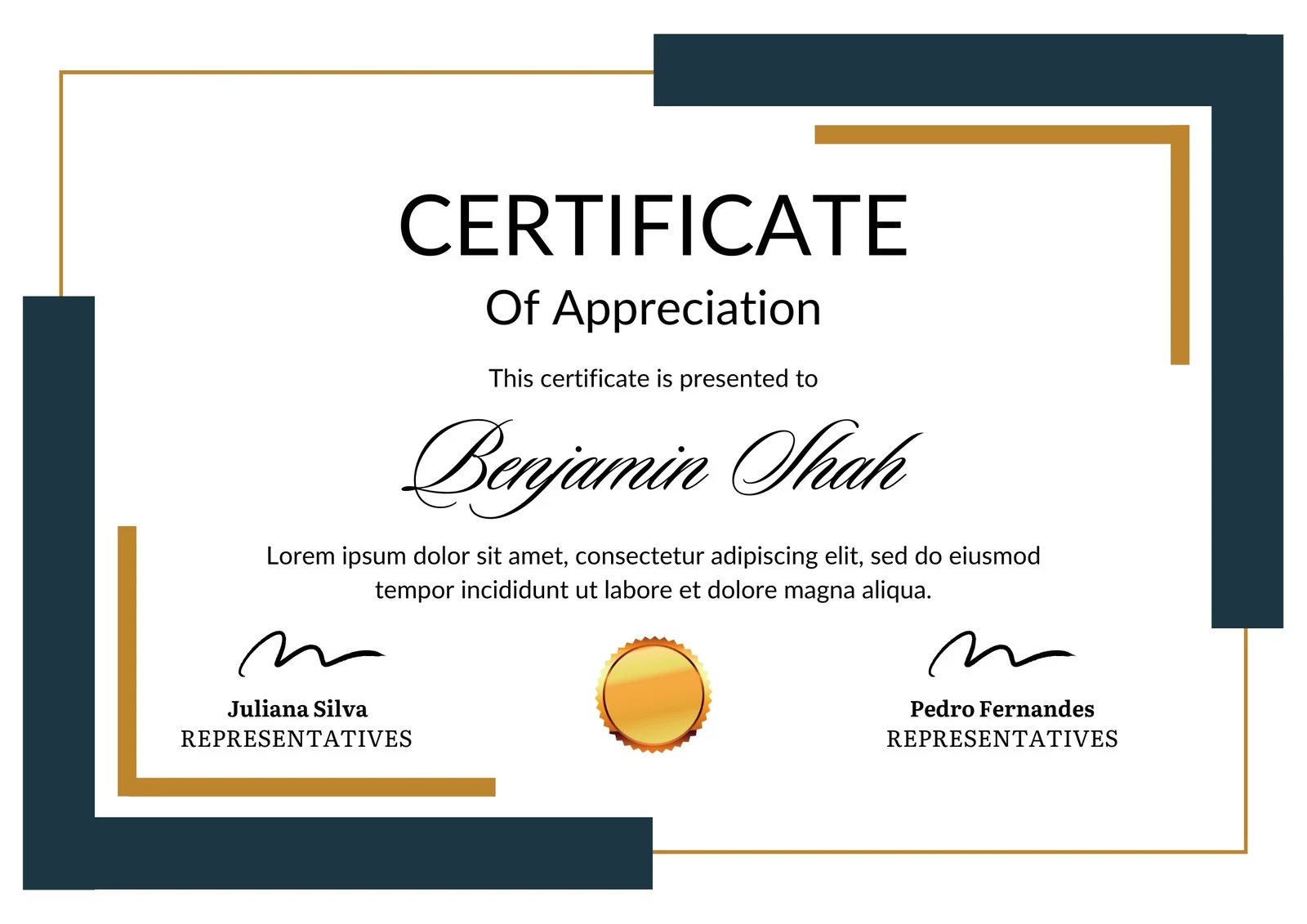
This is how the NSDC and Skill India certificate will appear under the current approved format (subject to updates by the authorities).
Vinod Mehra
Software Development | Tech & Gadgets EnthusiastVinod Mehra is an AI Tools Strategist, Tech Entrepreneur, and Business Consultant with 22+ years of experience in digital transformation, software development, and growth strategy.Over the p...
Course Reviews

Mandeline M
Batch generation module. This is a game-changer. I created fifty social assets in one afternoon. The upscaling process is seamless, no pixelation, the Figma plugin is easy to use and the export is instant. The client's turnaround time went from one week to two days. My portfolio looks outstanding, and this was the best investment for this quarter.
David Bretton
I just finished the bootcamp in 3 evenings and have already updated my portfolio with 5 new works. Batch generation workflow is a great time saver for social media content creation. Now I am able to design a month's worth of posts in a single sitting! The certificate got uploaded to my linkedin and already had 2 recruiters inquire about my AI design skills. Definitely a worthwhile investment.