The short version

Skipit AI claims to turn long videos, PDFs, and web pages into short summaries you can chat with. The idea is strong and the price looks fair. The catch is that almost everything sits behind a payment screen, and on our test that screen blocked us before we could try it.
• Our score: 6.5 / 10. A strong idea with a rough first run.
• Best for: people who watch a lot of long video for work or study.
• Pricing: free to sign up, then paid from about $9 a month.
• Strength: summaries you are meant to be able to ask follow up questions about.
• Watch out: a payment screen that blocks access until you subscribe.
What it is, in one line
Skipit AI is described as a tool that reads long content for you and hands back the key points.
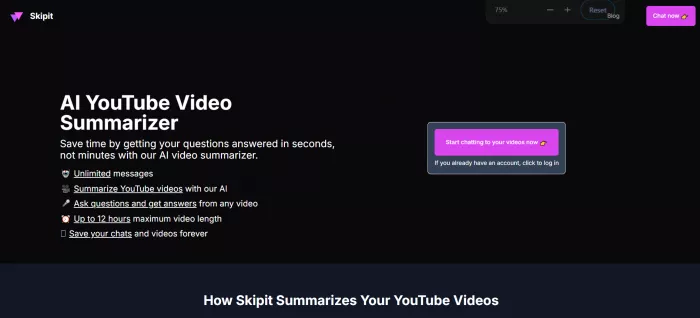
According to its product pages, instead of watching a full hour of video or reading a dense report, you paste a link and it returns a short summary in seconds. You can then ask questions about it, like a quick chat.
It is worth clearing up one thing early, because the name can mislead. By its own description, Skipit AI is a summarizer, not a downloader. It is said not to save video files to your device. When people say they use it on a video, they mean they paste a link so it can read the transcript and sum it up.
Think of it less like a video player and more like a fast reader that is meant to watch the thing for you and report back.
How it works
Skipit describes the flow in three simple moves.
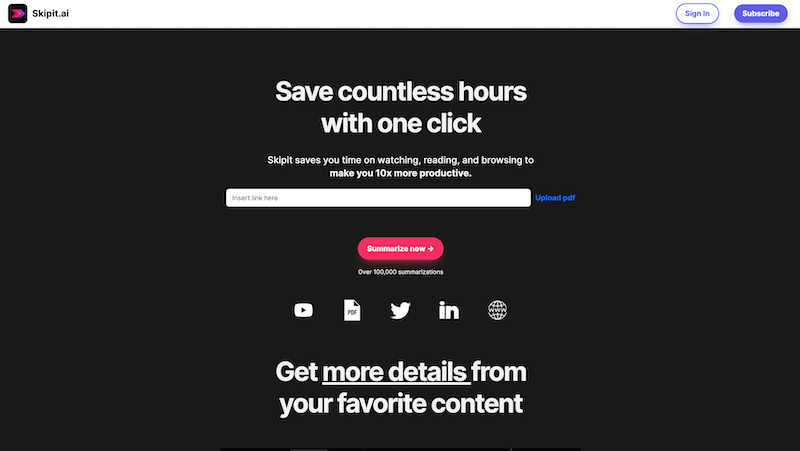
1. Paste a link. Drop in a YouTube URL, an article, or a document.
2. Get the summary. It is said to read the content and pull out the main points, usually in a few seconds.
3. Ask anything. You can keep chatting to dig into a detail, pull a number, or simplify a section.
That last step is the part reviewers tend to like most. A plain summarizer gives you one block of text and stops. Skipit is built to keep the conversation open, so the summary feels more like a chat with the material than a printout.
The company also says it saves your sessions, so old summaries and chats stay around. Over time that is meant to turn into a searchable archive of everything you have run through it.
What you get
Going by its own pages and third party listings, Skipit claims a short and focused feature set.
• Summaries for videos, articles, PDFs, and web pages.
• Follow up chat so you can question the content, not just read it.
• Long videos said to be handled, up to around twelve hours.
• Many formats, from YouTube and tweets to Word and EPUB files.
• Saved history that is meant to build into a searchable archive.
• English focused, based on what current listings show.
None of these are rare on their own. The mix is what gives Skipit its identity: a tool aimed at people who treat video and documents as research, not just something to watch.
What it costs
Sign-up is free, the company says, but that mostly gets you in the door. The useful parts sit behind a payment screen.
| Plan | Price | What it means |
|---|---|---|
| Free sign-up | $0 | Gets you an account, but the useful features stay locked behind the payment screen. |
| Monthly | About $12.99 / month | Reported entry price for full access, per third party listings. |
| Annual | About $99 / year | Reported annual option, said to be roughly twenty percent cheaper than paying monthly. |
The price is fair for a productivity tool. The issue is not cost, it is the gate. Because the good parts are locked, your first impression depends entirely on that payment step. As our test shows, that is exactly where it tripped.
We tried it. Here is what happened
The plan was simple: sign up, get in, paste a link, and see how the summaries and chat held up.
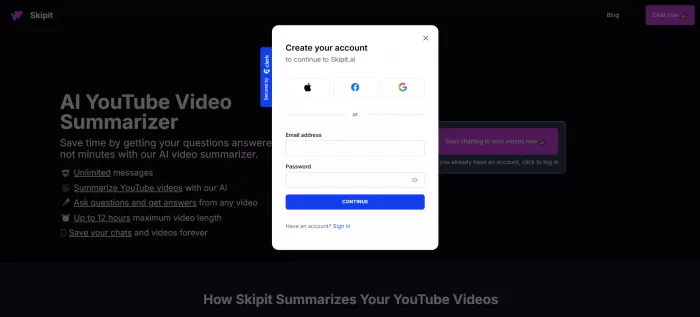
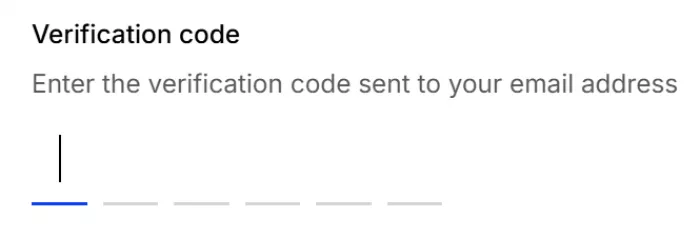
The start went fine. We signed up with an email, got a one time code, and verified without any trouble. So far, a normal web app.
Where our test stopped
Right after logging in, we landed straight on a payment screen instead of a workspace. That alone is normal for a paid tool. What was not normal: there was no way to leave or close it without subscribing. No skip, no dismiss, no path back to any usable screen from anywhere we looked.
So we never reached the part that matters. No pasting a link, no summary, no chat. We are telling you this plainly rather than describing results we did not see.
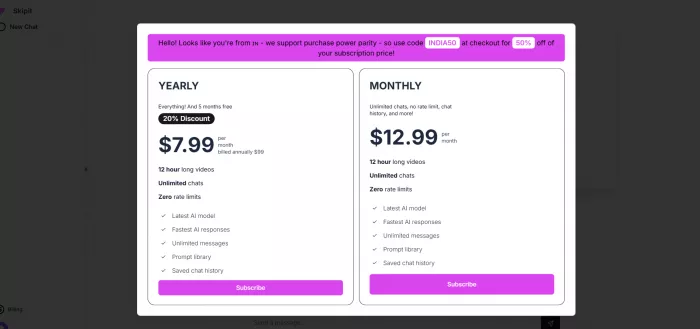
We never got past the payment screen, so we judged the idea, not the output.
To be clear, nothing about the tool itself failed for us. The single reason we could not test it was that payment screen.
To be fair, charging for features is a normal business choice. The real problem is the missing exit for a first time visitor who just wants a look before deciding. A small, clear way to step back from that screen would change the whole first impression. As it stood, the payment gate ended our test.
What other reviews say
Set your expectations here. Skipit AI has a thin footprint on the big review sites, so there are no large rating pools to lean on. Here is how the ratings shake out.
| Source | Star rating | What it reflects |
|---|---|---|
| Apple App Store | Not rated | No Skipit AI app on the store. The apps named Skip are other companies. |
| Google Play | Not rated | No Skipit AI app on the store either, same picture as Apple. |
| Capterra | Not rated | No review listing found at the time of writing. |
| G2 | Not rated | A listing exists, but no user reviews yet. |
| AIChief (editorial) | Not rated | Listed with a write up, but no user score posted. |
| GeniusFirms (editorial) | ★★★★☆ 4 / 5 | One reviewer's hands-on score, broadly positive on the idea. |
Most major platforms have no rating for Skipit AI yet, so those rows show no score rather than a number we made up. The only rating we found is one editorial review, shown here as four stars.
The pattern in the editorial coverage is consistent. Writers like the clean interface, the follow up chat, and the long video support. They note that summary quality is said to depend on the content, and that the tool stays narrow next to a full assistant.
The honest takeaway: there is not yet a big pool of verified reviews. Lean on a trial and on editorial coverage, and be wary of any article that shows confident star ratings from these platforms, because the data behind them is not there right now.
Pros and cons
Here is the balance, side by side.
| What works | What holds it back |
|---|---|
• Simple and focused, with almost nothing to learn. • Follow up chat is said to beat a single fixed summary. • Claims to handle very long videos, up to twelve hours. • Covers videos, documents, web pages, and social posts. • Saved sessions are said to build a searchable archive. • Company says it does not sell or share your content. | • Almost everything sits behind a payment screen. • That payment screen can block first time access. • Summary quality is said to depend on the source. • Described as built mainly for English content. • Narrow next to all rounders like ChatGPT or Claude. • Few verified user reviews to rely on. |
The pattern is clear. The strengths are about the idea and the everyday experience. The weaknesses are mostly about access and trust, and both could improve quickly if the payment gate eased up and real reviews arrived.
Who gets the most out of it
Skipit is a narrow tool, so it rewards some people far more than others. A few clear fits stand out.
• Students. Turn a long lecture or recorded class into review notes, then ask it to explain the parts you missed before an exam.
• Researchers and analysts. Move through recorded talks, interviews, and webinars faster, pulling figures and points without scrubbing a timeline.
• Busy professionals. Catch up on industry videos, town halls, and long calls in a few minutes between meetings.
• Creators and marketers. Summarize competitor videos and long articles, then reuse the key points as a starting outline.
• Anyone with a backlog. Finally clear the pile of saved videos and tabs you keep meaning to watch but never do.
How it stacks up against ChatGPT and Claude
The obvious question is why not just use a general assistant, which can already summarize. It comes down to focus.
• A dedicated space. Skipit is built around one job, so there is no prompt wrangling. You paste and read.
• A saved archive. Your summaries and chats are meant to stay organized in one place over time, rather than scattered across threads.
• The trade off. A general assistant can also write, plan, and code, and if you already pay for one, summarizing is effectively free.
If long video is a daily habit, the focused tool can earn its place. If summarizing is only occasional, a general assistant probably covers you already.
Should you use it?
Worth a look if you watch a lot of long video for work or study and keep wishing you could get the gist without the hour. Students with lectures, researchers with recorded talks, and busy professionals all fit here.
Look elsewhere if you want one tool to write, plan, code, and summarize. A general assistant that summarizes as one of many tricks will serve you better. Skipit does one job and aims to do it well.
If you do want a dedicated summarizer, a few names worth a glance are Skimming AI, Gist AI, and Summary Box, while ChatGPT, Claude, and Notion AI cover summarizing inside a wider plan.
Before you hit subscribe
A short checklist can save you a wasted payment. Run through it before you commit.
• Confirm the current price on the official site, since figures move.
• Expect a payment screen right after sign-up, so have your decision ready.
• Check that the formats you actually use are supported before paying.
• If your content is not in English, test a sample first.
• Read the cancellation terms up front, because we could not test them.
• Plan to judge it on the first real video you summarize, not the marketing.
Privacy and your data
On privacy, the company says it does not keep your content to sell or share it, and that it only saves your chat history so you can return to past summaries. That is a reasonable claim for a tool you might feed work documents into.
Still, treat any sensitive material carefully and read the current privacy policy before you upload it, since terms can change over time.
What we hope improves
A few changes would move our score up quickly, and most of them are about access rather than the core tool.
• A real free tier or a clear trial, so you can judge the summaries before you pay.
• An obvious way to close or step back from the payment screen on a first visit.
• A presence on the major review sites, so buyers have real ratings to read.
• Clearer public pricing and cancellation terms shown on the site itself.
• Broader, confirmed support for languages beyond English.
The bottom line
6.5 / 10
Our verdict: Promising idea, rough first run.
The idea 8.8 / 10
Features 7.5 / 10
Value 7.0 / 10
Getting started 4.0 / 10
Trust right now 5.5 / 10
Scored on what we could actually assess. Because the payment screen blocked our test, these marks reflect the concept, pricing, and first run experience, not the quality of the summaries themselves.
My honest recommendation
I wanted to like Skipit AI, and on paper I do. Feeding a long video into a tool and walking away with the gist is exactly the kind of shortcut I reach for on a busy day, and the chat layer that lets you keep asking questions is a genuinely smart touch.
But I have to be straight with you. I never actually got to use it, and the reason was simple: a payment screen stopped me the moment I logged in, with no way past it without subscribing. That single gate is the main thing standing between this tool and a much higher score from me. I cannot rate summaries I was never allowed to see.
So here is where I land. If you live in long videos, lectures, or recorded calls, I think it is still worth a careful trial, because the core idea is good and the price is not the problem. If you mostly want a do everything assistant, I would point you to something broader instead and let summarizing be one feature among many.
Go in expecting a payment screen early, confirm the current pricing before you commit, and judge it on the first summary you get past that screen. If that first run improves, my score goes up with it.
Comments