Table of Contents
- What Akool AI actually is
- First impressions: sign-up and the interface
- Testing the tools: what I actually got
- Image-to-Video
- How Akool performs: my scorecard
- What real users say across review platforms
- Is Akool safe and legitimate?
- Pricing: the credit system you should understand
- Who Akool is best for
- Final verdict
If you have been comparing AI video tools lately, Akool AI has almost certainly shown up on your list. It promises a lot in one place: face swapping, talking avatars, text-to-image, image-to-video, and real-time video translation across more than 150 languages. The pitch is that you can run an entire video production stack from a browser tab instead of stitching together five different apps.
But promises and performance are two different things. So I signed up, paid attention to the small stuff, and actually ran the tools. This review mixes that hands-on testing with what real users are saying on G2, Capterra, Trustpilot, Reddit, and trust-checking sites like Scamadviser, so you get a grounded picture before you spend anything.
What Akool AI actually is
Akool is a generative AI platform built mostly around video and visual marketing. Founded by Jiajun Lu in 2022, it reports a user base north of two million people and around 10,000 companies, including a number of Fortune 500 names. The company is based in Palo Alto, and its tools lean toward marketing teams, sales outreach, agencies, and corporate communications rather than casual TikTok creators.
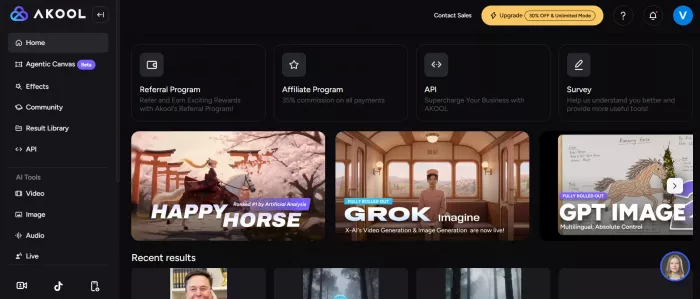
The core feature set is wide. Its headline features are face-swap technology, talking avatar generation, and AI-powered video personalization at scale. This is useful for sales teams running outreach and marketers producing high volumes of customized content. On top of that you get text-to-image generation, image-to-video animation, background replacement, voice tools, and a real-time face swap engine that can run live on a webcam feed into Zoom or Teams.
It is fully web based, which is a genuine convenience: nothing to install, accessible on any device. That said, do not expect total automation. You still choose settings, upload assets, and adjust inputs before getting usable results.
First impressions: sign-up and the interface
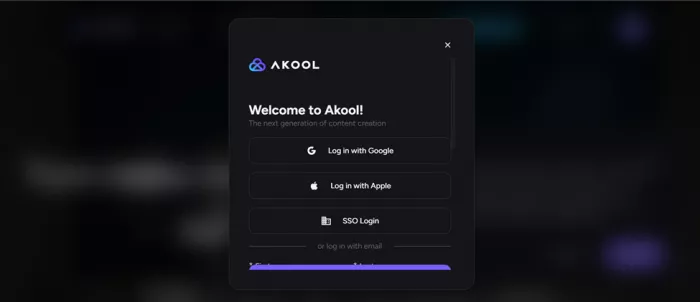
Getting in was painless. The login screen offers email, Google, Apple, and SSO options. I went with email, and the platform sent a one-time passcode to my inbox to verify. Quick and standard, no friction.
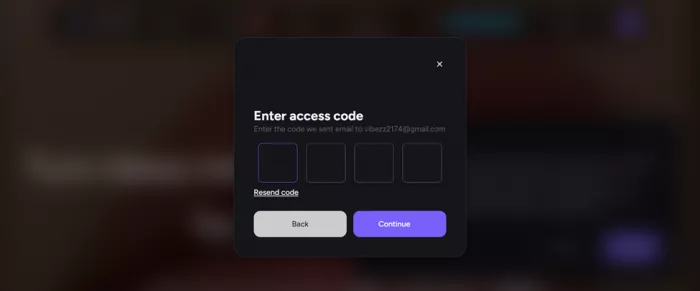
Then came the part worth flagging. Almost immediately after logging in, I was hit with a yearly subscription page before I had even touched a single tool. It is a hard upsell that arrives before you have seen what the product can do, and it sets a slightly pushy tone for an otherwise smooth onboarding. You can navigate past it, but new users should know it is coming.
Once you are inside, the dashboard is clean and approachable, and this is consistently the thing people praise most. The interface is intuitive and beginner-friendly. Tools are laid out by function, the asset libraries are easy to browse, and you do not need any video editing background to find your way around. For a platform packing this many features, the lack of clutter is a real strength.
Testing the tools: what I actually got
I focused on three features that represent the platform well: face swap, text-to-image, and image-to-video. Each tool below has its own result slot, so the visual sits right next to what I wrote about it.
Face Swap
Verdict: Underwhelming

I started with face swap because it is the feature Akool is most known for. I picked a clip straight from their library, and there were genuinely a lot to choose from, so finding a usable base video was easy. Then I uploaded an image of Elon Musk to swap onto the clip.
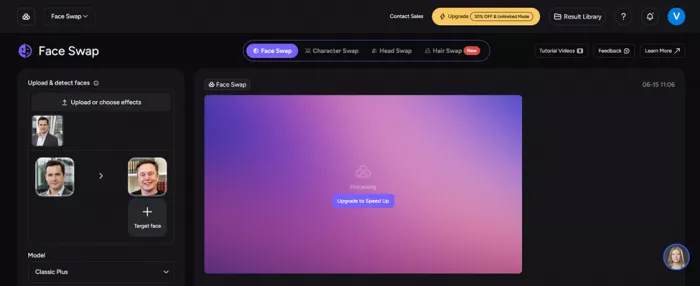
Face swap output using a library clip and an Elon Musk source image.
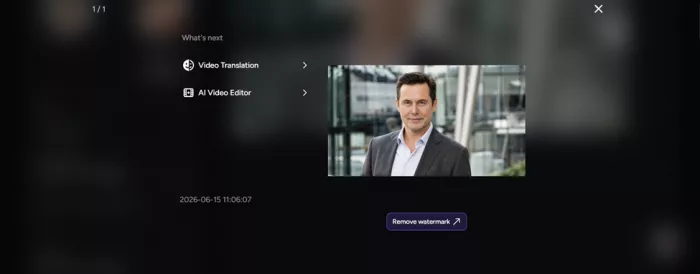
The result was, honestly, just okay. It processed fine and the output was watchable, but the face did not fully match Elon Musk. It looked like a different person who happened to share some features. Not broken or glitchy, just not convincing. That tracks closely with reviewers who keep noting the face-swap feature is not yet premium-grade, even as some report it handles lighting and motion better than rivals. My static-image-to-clip swap landed on the weaker end of that range.
Text-to-Image Generation
Verdict: Standout
This is where Akool surprised me in the best way. I used the prompt:
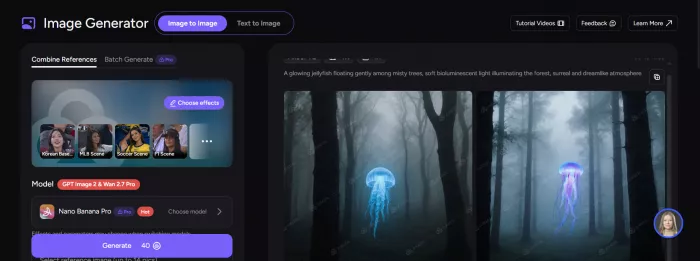
PROMPT USED A glowing jellyfish floating gently among misty trees, soft bioluminescent light illuminating the forest, surreal and dreamlike atmosphere |
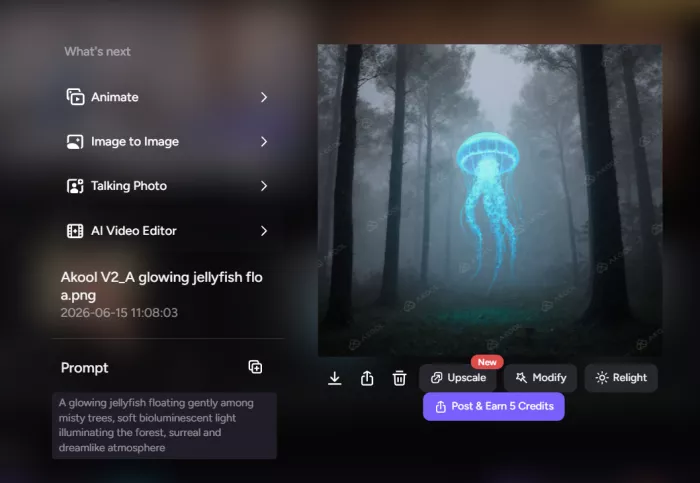
Generated from the jellyfish forest prompt above.
The generated image was excellent. It was accurate to the prompt, the lighting felt intentional, the mood matched what I described, and it just looked clean and polished. No notes. This lined up with independent testing too, where reviewers found the image generator and background-change tools produce some of the platform's strongest results.
Image-to-Video
Verdict: Solid, with a catch
For the last test I uploaded the same Elon Musk image and used the prompt:
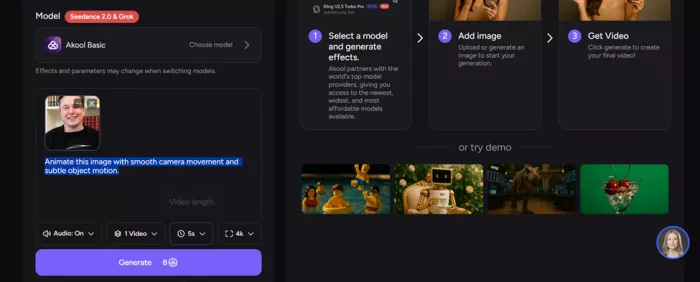
PROMPT USED Animate this image with smooth camera movement and subtle object motion. |
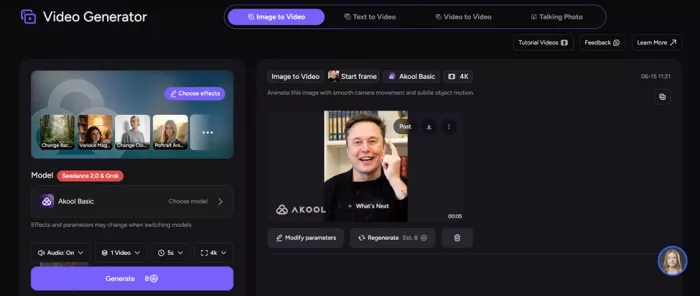
A still from the animated image-to-video output of Elon Musk
The output was good. The motion felt natural and the clip looked real rather than obviously synthetic. The one drawback was the frame rate. It felt like roughly 15 FPS, which gave it a slightly choppy, less fluid quality on close inspection. The animation itself was convincing, but the smoothness was not quite there. This connects to a recurring theme in user feedback: the technology impresses, but polish and render speed can lag.
How Akool performs: my scorecard
Here is how the three tools, plus the experience around them, stacked up in my testing.
| Feature tested | Rating | Quick take |
|---|---|---|
| Text-to-Image | ★★★★★ | Accurate, polished, looked genuinely great |
| Image-to-Video | ★★★★☆ | Natural motion and realism, but low FPS hurt smoothness |
| Face Swap | ★★★☆☆ | Functional, but the likeness was off, not convincing |
| Interface & ease of use | ★★★★★ | Clean, beginner-friendly, easy to navigate |
| Onboarding | ★★★☆☆ | Smooth login, but an aggressive upsell right away |
The pattern is clear and matches the wider consensus. Image generation is a standout, video animation is solid with minor quality caveats, and face swap is the weakest link despite being the headline feature.
What real users say across review platforms
One hands-on session only tells part of the story, so here is what the aggregate user data shows across the major review sites.
| Platform | Rating | Volume | What it reflects |
|---|---|---|---|
| G2 | 4.8 / 5 | ~542 | Business software users, skews positive |
| Capterra | 5 / 5 | ~138 | Mixed small-business feedback |
| Trustpilot | 4.8 / 5 | ~1,219 | 80% five-star, consumer-facing |
| Scamadviser | 79–84 / 100 | trust score | Site safety and legitimacy |
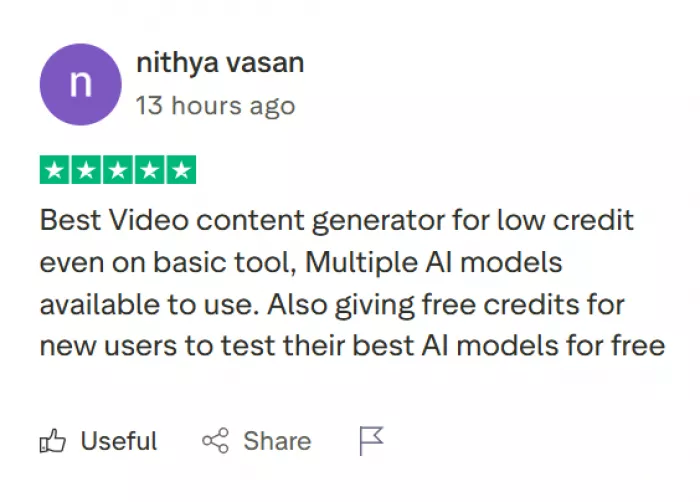
On the strongest end, Akool holds 4.8/5 on G2 from around 542 reviews and 4.8/5 on global Trustpilot from roughly 1,219 reviews, about 80% of them five-star. Geography matters, though: regional Trustpilot scores diverge, with Canada near 3.3/5 and Sweden near 3.5/5.
G2 is useful because it surfaces what people mention most. The platform's tagged themes lean heavily on ease of use, quality, features, and video creation. One reviewer summed up the appeal for small teams by saying it generates high-quality marketing assets from a text prompt and has been a big productivity boost.
But the same data shows the friction points, and they are consistent: slow performance, expensive cost, slow rendering, and pricing issues are the most-cited complaints. Digging deeper, dozens of G2 mentions cite slow rendering for videos over 10 minutes during peak hours, and a similar number call the pricing high versus competitors.
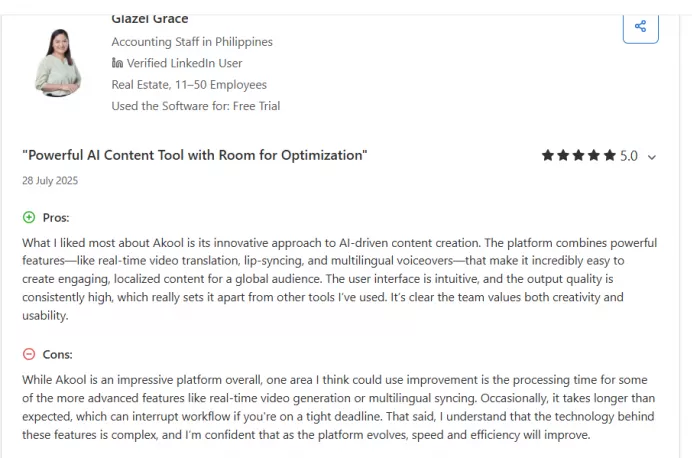
Capterra leans more critical, sitting lower than G2 and Trustpilot, which is a normal pattern since business-review sites skew positive while broader feedback captures more billing and support complaints. On the upside, Capterra reviewers highlight the translation and localization tools as a real cost-saver for international campaigns. Reddit feedback is more conversational: a video-editing thread praised Akool for helping creators reach non-English audiences quickly, while noting that translations still need fine-tuning for technical content.
Is Akool safe and legitimate?
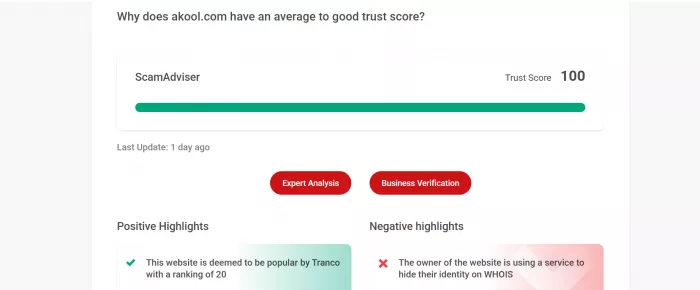
Given that you will be uploading images, paying a subscription, and possibly handling client content, the trust question matters. The signals here are reassuring.
| SAFE | Scamadviser rates the main domain as very likely legitimate and reliable, backed by a long operating history, a valid SSL certificate, and a strong Tranco popularity ranking. A separate security scanner reached the same conclusion: no major malware or phishing detected. |
| WATCH | There are lookalike domains floating around. Scamadviser flags akool.shop as a possible scam with a low trust score, so make sure you are on the official akool.com and not a copycat shop domain. |
Pricing: the credit system you should understand
This is where you need to pay attention, because the most common complaint across every platform is about cost and the credit model. When you sign up for a monthly plan, you get credits, not minutes.
| Plan | Price | Credits | Highlights |
|---|---|---|---|
| Free | $0 | Trial | Watermark, 720p output |
| Pro | $30/mo | 600 | ~20 min of 1080p video, no watermark |
| Pro Max | $119/mo | 2,400 | 4K, 45-min videos, API access |
| Business | $500/mo | 12,000 | Studio Avatar, 1TB storage |
| Enterprise | Custom | Custom | VIP processing, dedicated support |
To make the credits concrete: individual tasks deduct from your balance, with face swap costing a few credits per image and video creation running about 10 credits per 10 seconds. The catch that frustrates people is that credits can expire monthly, which makes budgeting unpredictable if your output is uneven, so you might feel like you are on a budget-friendly plan until you run out mid-project.
There are a couple of nice extras. Eligible faculty and researchers can get a multi-month free trial of the top Studio plan plus a sizable discount on annual licenses, and the free tier, watermarked and capped at 720p, is genuinely enough to test the waters before committing.
Who Akool is best for
After testing it and reading widely, the ideal user is pretty specific. Akool shines for marketing teams, sales outreach, and agencies producing personalized video at volume, especially anyone who needs multilingual localization without re-recording. The avatar and translation tools are where it has earned its strongest reputation, and the image generator is a legitimately excellent bonus.
It is a weaker fit if your main goal is flawless face swapping, or if you are a solo creator on a tight, unpredictable budget who will be annoyed by expiring credits and slower renders during busy hours. The platform was built around a narrower enterprise and marketing workflow, so casual creators sometimes outgrow or misjudge its purpose.
Final verdict
Capable and legitimate, held back by a few rough edges.
The interface is excellent, the image generation is a standout, and the video animation produces convincing results. My hands-on testing matched the broader consensus almost exactly: text-to-image earns full marks, image-to-video is strong aside from a low frame rate, and face swap is the underwhelming one despite being the marquee feature.
If you fit the marketing or localization use case, start with the free tier. Test the tools you actually need, watch how fast your credits drain, and only commit to an annual plan once you know the value holds up for your workflow. The platform is safe and the quality is real. Going in clear-eyed about the credit system and the face-swap limitations will save you the frustration that shows up most in user reviews.
Comments