Table of Contents
- Why AI study tools went from optional to essential
- How these tools were evaluated
- The modern student's AI stack, in one picture
- Best for writing and editing
- Best for research and sources
- Best for notes and organisation
- Best for math and STEM problem solving
- Best for active recall and exam prep
- Best for productivity and visuals
- The honest verdict after a full semester
Somewhere around week six of every semester, the wheels come off. Readings pile up, three browser tabs become thirty, and the cup of coffee that was supposed to be a treat turns into a survival ritual. That late-night, problem-set-is-due-tomorrow moment is exactly when most students still discover AI tools the wrong way: pasting a vague question into ChatGPT at 1am and hoping the answer is correct.
The students actually doing well in 2026 stopped doing that long ago. They treat AI less like a magic button and more like a small team: one tool that explains, one that writes, one that revises, one that keeps the schedule from collapsing. I spent last semester stress-testing the loudest apps on real coursework, including a 90-page biochemistry PDF and a problem set that broke two well-known chatbots before lunch. What follows is the short list that survived.
Why AI study tools went from optional to essential
Adoption is no longer a trend, it is the baseline. According to the Digital Education Council, student AI usage jumped from 66 percent in 2024 to 92 percent in 2025, and by early 2026 around 86 percent of higher-education students report using AI as a primary research and brainstorming partner. The AI in education market itself has crossed 10.4 billion dollars and is projected to reach 32 billion by 2030, per Precedence Research.
That growth has done two useful things. The tools stopped being glorified chatbots and started behaving like specialised study partners that understand active recall, spaced repetition, and citation accuracy. And competition pushed prices down to the point where most students can build a complete stack for less than a campus lunch each month.
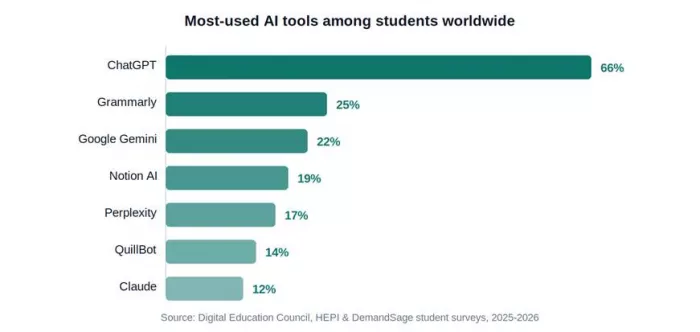
Figure 1: Most-used AI tools among students worldwide (sources: DEC, HEPI, DemandSage 2025–2026).
How these tools were evaluated
Marketing pages are useless. Real coursework is not. Every tool here was tested against the same five materials: an organic chemistry chapter, a 40-page legal case, a calculus problem set, a literature essay, and a one-hour lecture recording. Each was scored across five dimensions:
•Accuracy. Does it hallucinate facts, miscalculate, or invent citations?
•Depth. Does it explain reasoning, or just dump an answer?
•Workflow fit. Does it slot into how students already study?
•Free tier. Can a real student work without a credit card?
•Trust. Does it cite sources and play nicely with academic-integrity rules?
The modern student's AI stack, in one picture
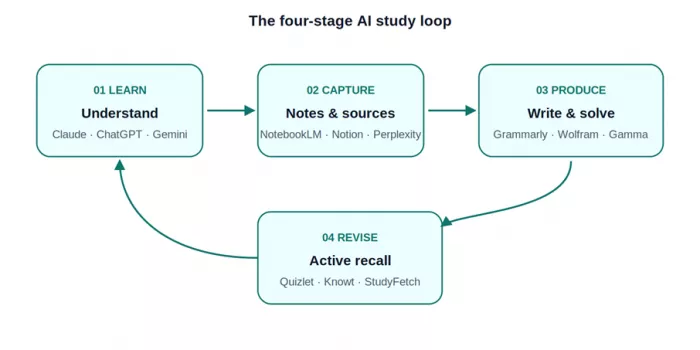
Almost every successful study workflow in 2026 follows the same four-stage loop: understand the material, capture it cleanly, produce the work, then revise for retention. Trying to make one tool do all four is exactly where most students go wrong.
Best for writing and editing
Claude (Anthropic)
For essays, research papers, and anything that calls for nuance, Claude has become the default among humanities, law, and graduate students. The writing reads less like a chatbot and more like a careful editor: arguments hold together across long passages, and the tone refuses corporate filler.
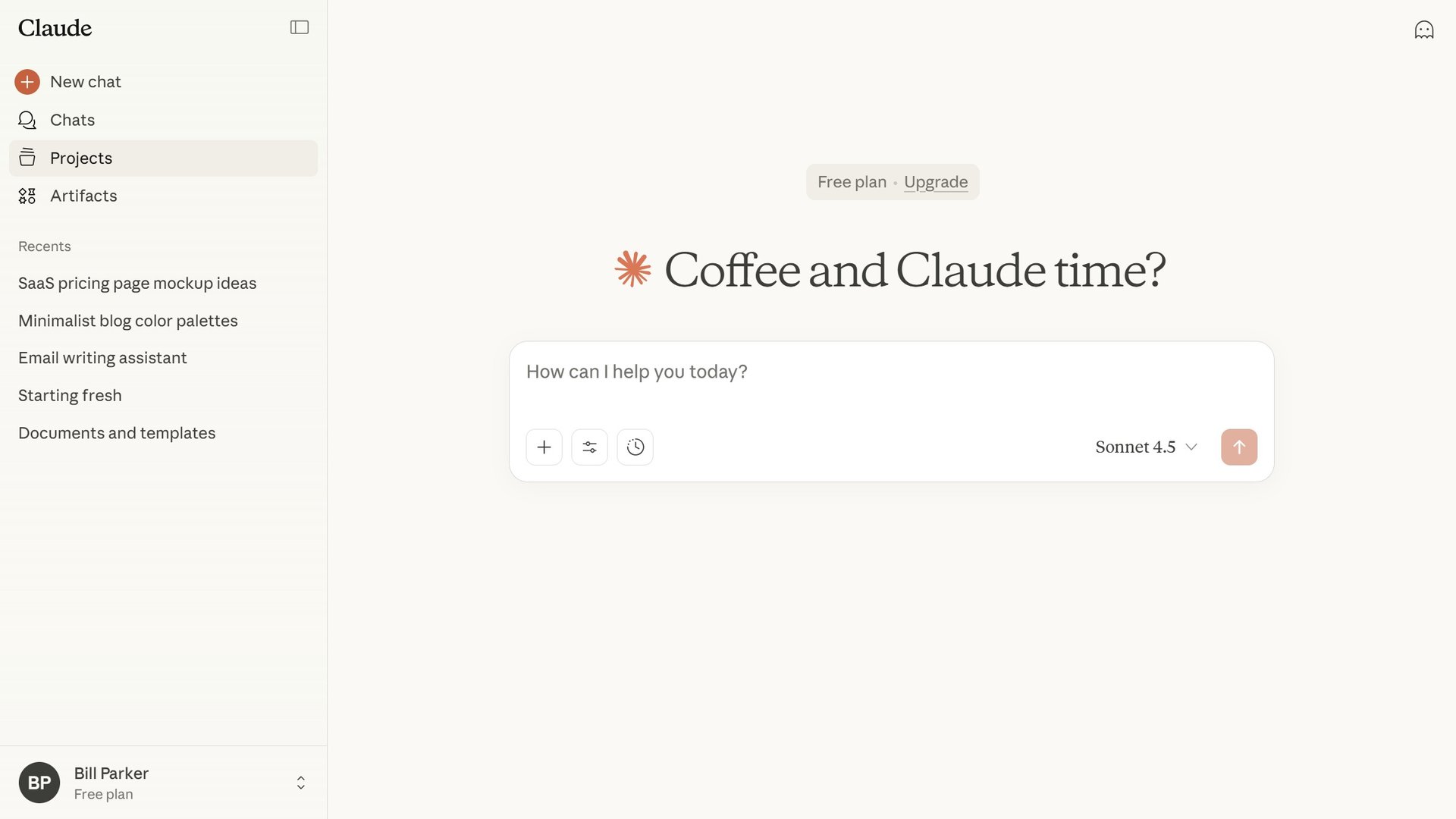
A 200K-token context window swallows entire textbooks, Projects keep coursework organised, and Artifacts render code and documents alongside the chat. File uploads handle PDFs, Word docs, images, and spreadsheets directly, and the free tier now includes file analysis.
| Best for | Long essays, source-heavy writing, document analysis |
| Pricing | Free: generous daily limits with file uploads. Paid: Pro $20/mo |
| Watch out for | No image generation; no real-time web search on the free tier |
ChatGPT (OpenAI)
Still the most-used AI tool among students worldwide, with 66 percent reporting regular usage. It remains the most versatile general assistant for brainstorming, explaining concepts, drafting fast, and translating between languages. The easiest tool to pick up cold, which is why it became the default.
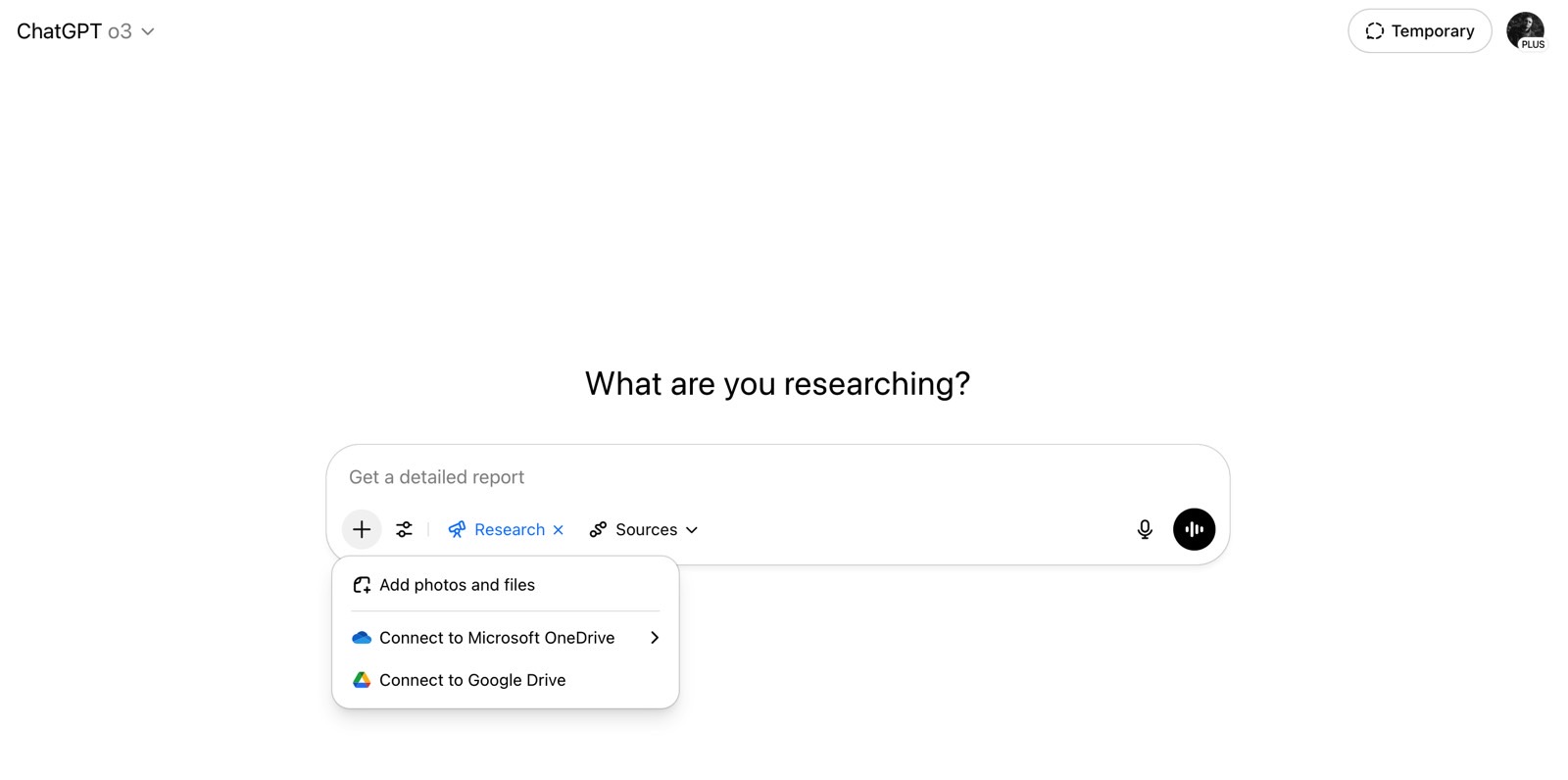
The 2026 lineup adds GPT-5 reasoning models, voice mode, DALL-E image generation, and custom GPTs for niche subjects. The free tier offers limited access to the latest models before falling back. Hallucination rates remain higher than Claude or Perplexity on niche topics.
| Best for | Brainstorming, quick explanations, coding help, image generation |
| Pricing | Free: limited GPT-5 access then smaller model. Paid: Plus $20/mo or Pro $200/mo |
| Watch out for | Higher hallucination risk on academic citations and niche topics |
Grammarly
A full editing layer that catches tone issues, flabby sentences, and unsupported claims. The browser extension works inside Google Docs, Word, Gmail, and most LMS platforms, so feedback appears where the writing actually happens. For non-native speakers, the polish is meaningful.
Pro adds generative rewrites, paragraph restructuring, tone shifts, and plagiarism flagging against billions of web sources. The free version covers grammar, clarity, and tone, and is genuinely usable for most undergraduate work.
| Best for | Editing essays, polishing tone, catching grammar slips inside other apps |
| Pricing | Free: solid grammar and clarity. Paid: Premium from $12/mo |
| Watch out for | Aggressive rewrites can flatten distinctive voice and rhythm |
QuillBot
The cleanest paraphrasing tool in the category, with seven rewriting modes from formal to creative. Most useful for non-native English speakers and anyone tightening sentences without losing meaning. Changed and unchanged words appear in different colours, doubling as a vocabulary lesson on every paste.

The free tier covers two paraphrasing modes, grammar checking, summarising, and citations in APA, MLA, Chicago, and Harvard. Premium unlocks all seven modes, longer text limits, and a plagiarism checker.
| Best for | Paraphrasing, summarising, citation generation in multiple styles |
| Pricing | Free: two modes plus grammar and citations. Paid: Premium $9.95/mo |
| Watch out for | Aggressive paraphrasing can drift from the original meaning |
Best for research and sources
Perplexity AI
What ChatGPT should have been from the start: a research engine that cites everything. Every answer arrives with linked sources, making it possible to verify claims, follow primary literature, and build a reading list in minutes.

Pro Search handles multi-step research, Academic Focus pulls scholar-style sources, and Spaces enables shared research threads with classmates. The free tier covers most undergraduate work with five Pro Searches per day. Pro adds unlimited Pro Searches and file uploads up to 25MB.
| Best for | Sourced research, fact-checking, building literature reviews |
| Pricing | Free: 5 Pro Searches/day. Paid: Pro $20/mo for unlimited |
| Watch out for | Sources are real but not always the strongest available |
NotebookLM (Google)
The standout research tool of 2026, and the only one here with a near-guarantee against hallucinations. Upload up to fifty sources, including PDFs, slides, lecture transcripts, and YouTube links, and ask questions strictly grounded in those documents.
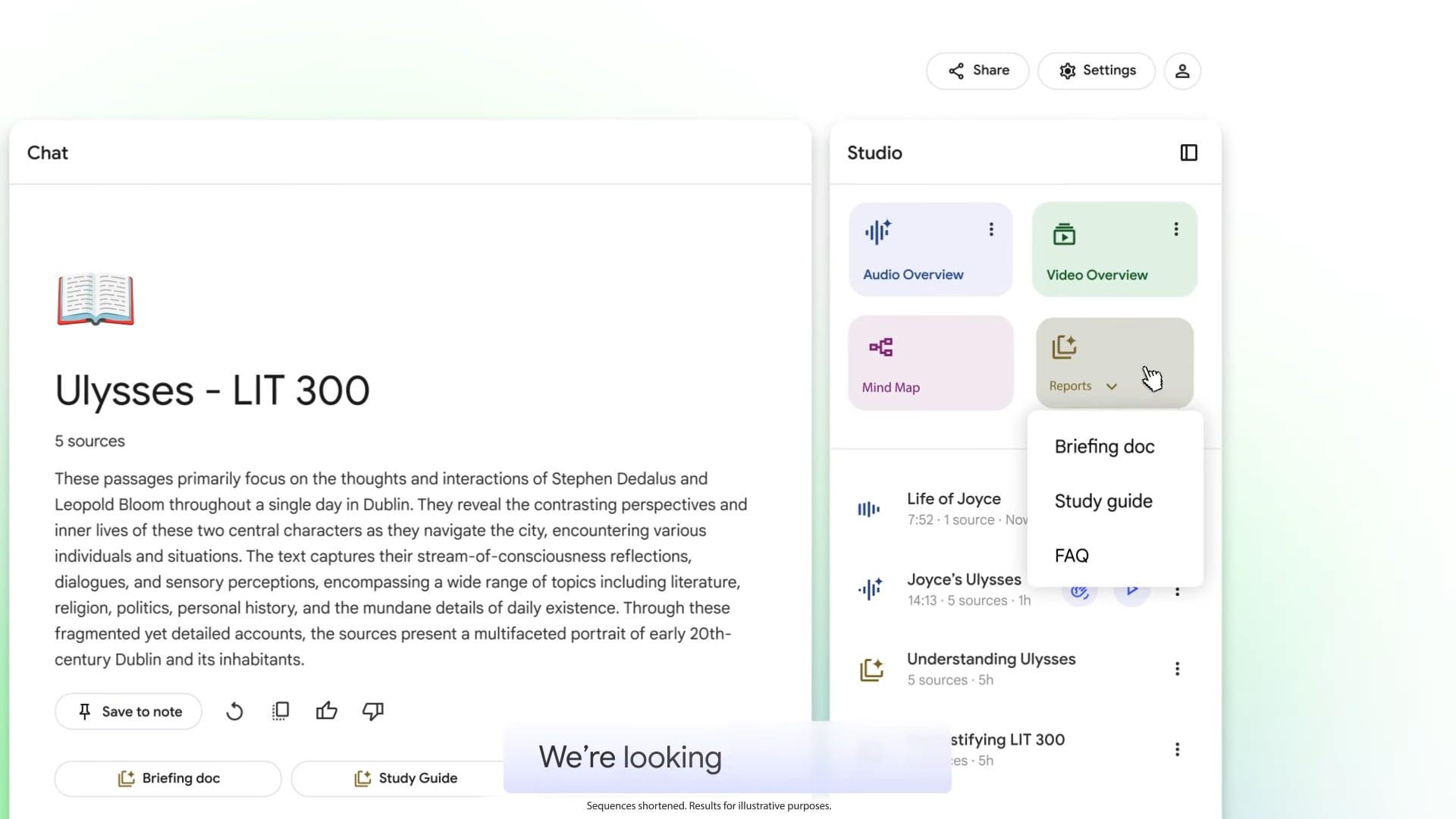
The audio overview turns sources into a podcast-style discussion between two AI hosts, perfect for review on a commute. The mind map visualises connections across sources. Every answer cites the exact source passage, so verification is one click away.
| Best for | Working from your own sources, dissertation research, lecture review |
| Pricing | Free: full feature set, up to 50 sources. Plus via Gemini Student Plan |
| Watch out for | Only as good as the sources uploaded; bad inputs, bad outputs |
Best for notes and organisation
Notion AI
Best as the central hub where notes, tasks, project plans, and reading lists live together. The AI layer summarises long pages, drafts outlines, generates action items, and answers natural-language questions across an entire workspace. For students who think in databases, it pulls everything else into something searchable.
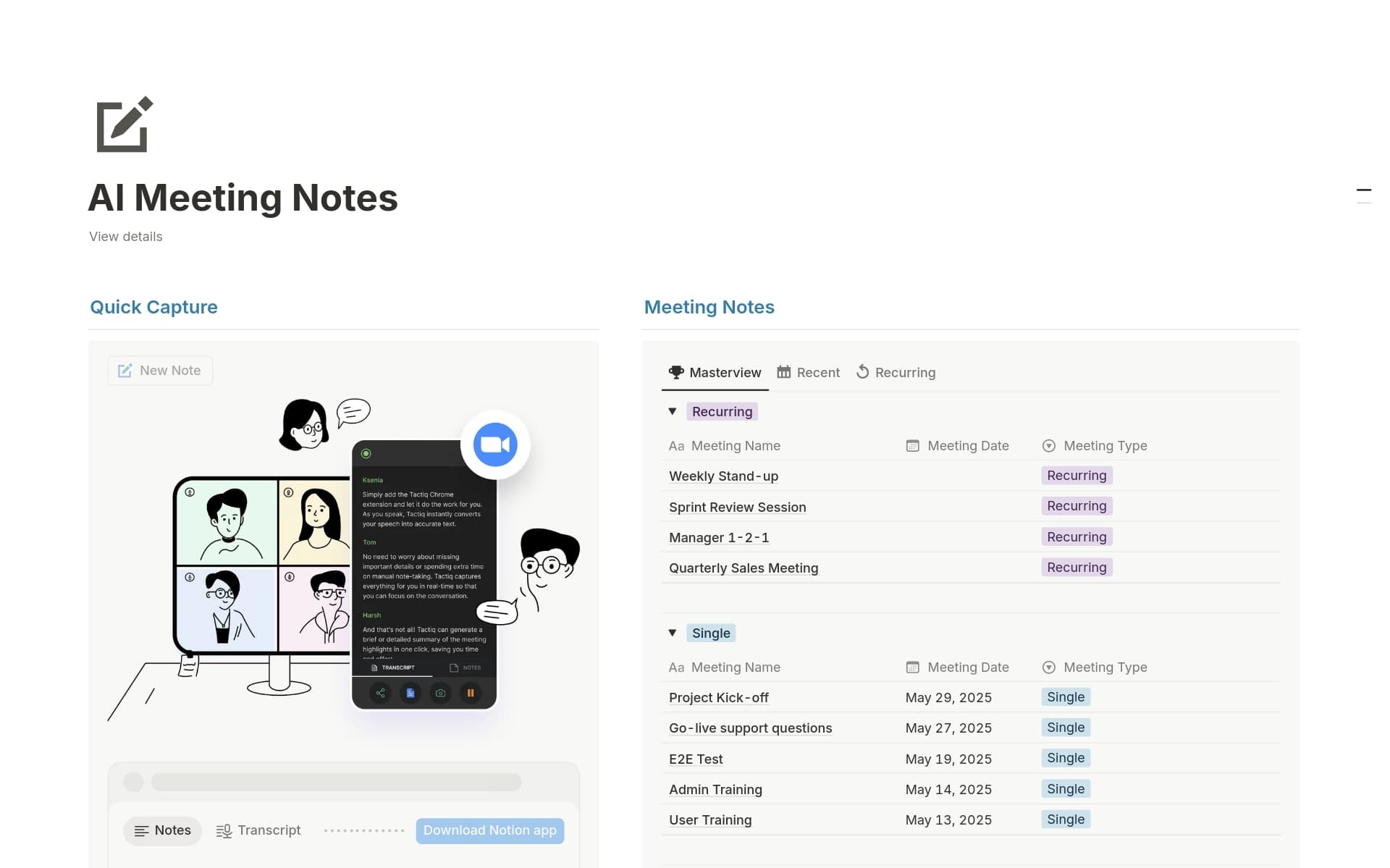
Notion AI Q&A answers questions like "what did I write about Foucault last semester?" with links to the source pages. Templates for syllabus tracking, assignment dashboards, and citation libraries remove most of the setup pain.
| Best for | Centralised notes, task management, semester-long project planning |
| Pricing | Free: full workspace, limited AI. Paid: AI add-on $8–$10/mo per user |
| Watch out for | Setup overhead can be steep for students new to databases |
Best for math and STEM problem solving
Wolfram Alpha
While general AI chatbots still hallucinate equations and miscalculate basic statistics, Wolfram Alpha remains mathematically precise. It does not just hand over an answer, it shows the working, which is what matters when learning rather than copying.
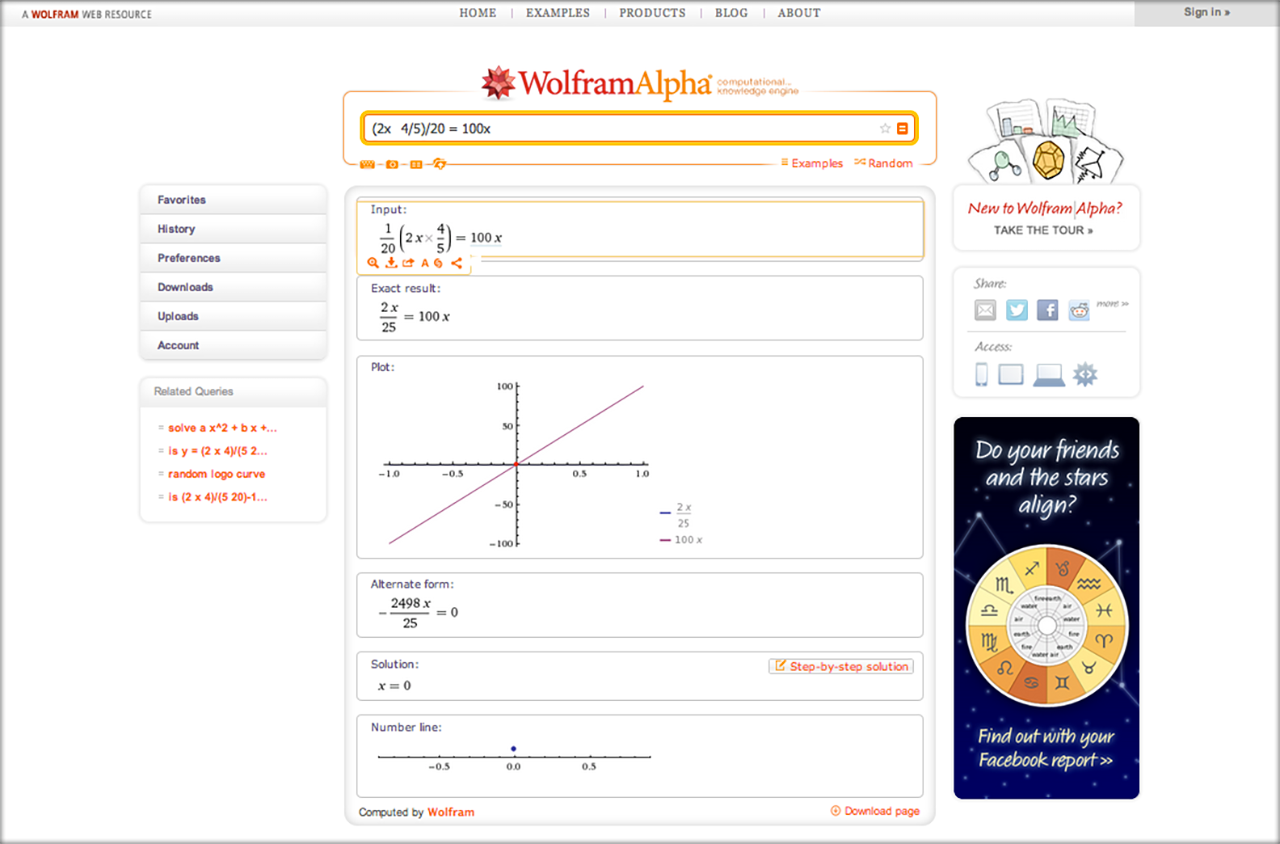
It covers algebra, calculus, linear algebra, differential equations, chemistry, physics, and statistics with equal confidence. Pro unlocks step-by-step solutions that genuinely teach, expanded computation time, and data uploads. The student price of $7.25 per month is among the cheapest in the category.
| Best for | Mathematics, physics, chemistry, engineering, statistical analysis |
| Pricing | Free: direct answers and basic hints. Paid: Pro $7.25/mo (students) |
| Watch out for | Limited help with conceptual or word-heavy problems |
Best for active recall and exam prep
Quizlet
The flashcard veteran, now with AI generation that turns notes, slides, or PDFs into ready-made study sets in under a minute. A 2026 Clinical Teacher meta-analysis confirmed that active recall and spaced repetition produce large effect sizes for retention, and Quizlet's Learn mode automates both.

Magic Notes builds structured study guides, Q-Chat offers tutor-style explanations on any card, and adaptive tests adjust difficulty based on performance. Plus unlocks unlimited AI, offline access, and removes ads. For courses with shared sets from past students, the free tier alone can carry an entire semester.
| Best for | Flashcards, vocabulary drilling, structured practice tests |
| Pricing | Free: functional with daily AI caps and ads. Paid: Plus $7.99/mo |
| Watch out for | Ads on the free tier interrupt study flow |
Knowt
The strongest fully-free alternative to Quizlet, built by students for students. AI flashcard generation has no daily limits, study guides come from notes or PDFs in seconds, and the interface mirrors Quizlet closely enough that switching takes minutes.
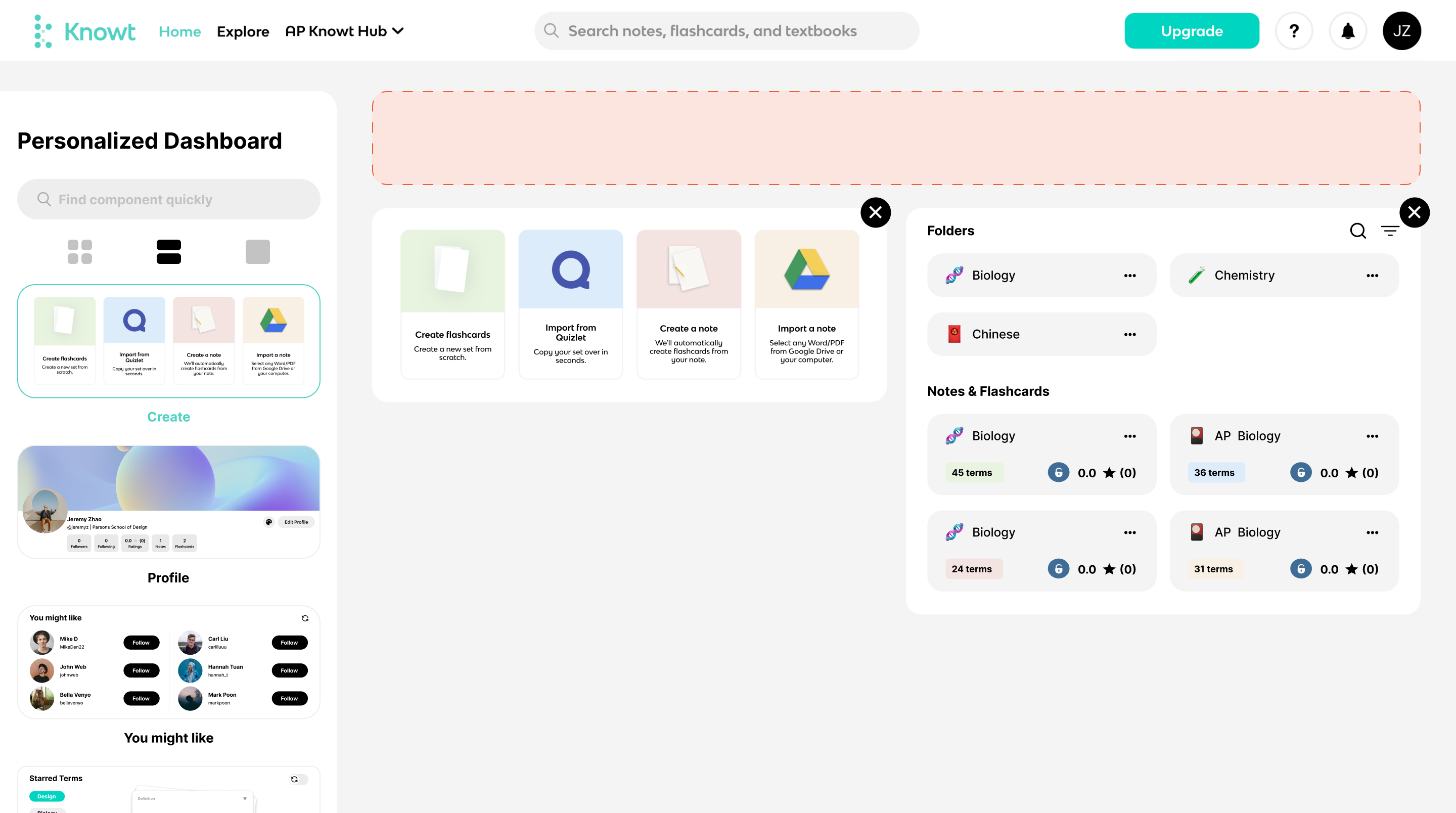
The 2026 product adds AI practice tests, voice-mode review, and a growing library of community sets aligned to AP and IB syllabi. The catch is a smaller community than Quizlet, so niche courses often require generating sets from notes.
| Best for | Free flashcards, unlimited AI study guides, AP and IB review |
| Pricing | Free: everything, no caps, no ads. Paid: no paid tier exists |
| Watch out for | Smaller community library than Quizlet for niche courses |
Best for productivity and visuals
Google Gemini (Student Plan)
The standout student deal of the year. Verified students with a school email can claim Gemini 3.1 Pro, Deep Research, NotebookLM Plus, and 2TB of Google Drive storage at no cost in supported regions. For a research-heavy semester, this one offer replaces four or five paid subscriptions.

Inside Google Docs and Slides, Gemini drafts, rewrites, and summarises directly in the editor, removing the copy-paste friction of standalone chatbots. Deep Research runs multi-step investigations across hundreds of sources and returns structured reports.
| Best for | Google Docs and Slides users, deep research, .edu account holders |
| Pricing | Free: full Student Plan in eligible regions. Paid: AI Pro $19.99/mo retail |
| Watch out for | Regional eligibility and shortened terms in some markets |
Gamma
For presentations, posters, and visual reports, Gamma generates polished slide decks from a prompt or document in under a minute. The output still needs cleanup, but it removes the painful first hour of any group presentation and works well for poster sessions and lab reports.
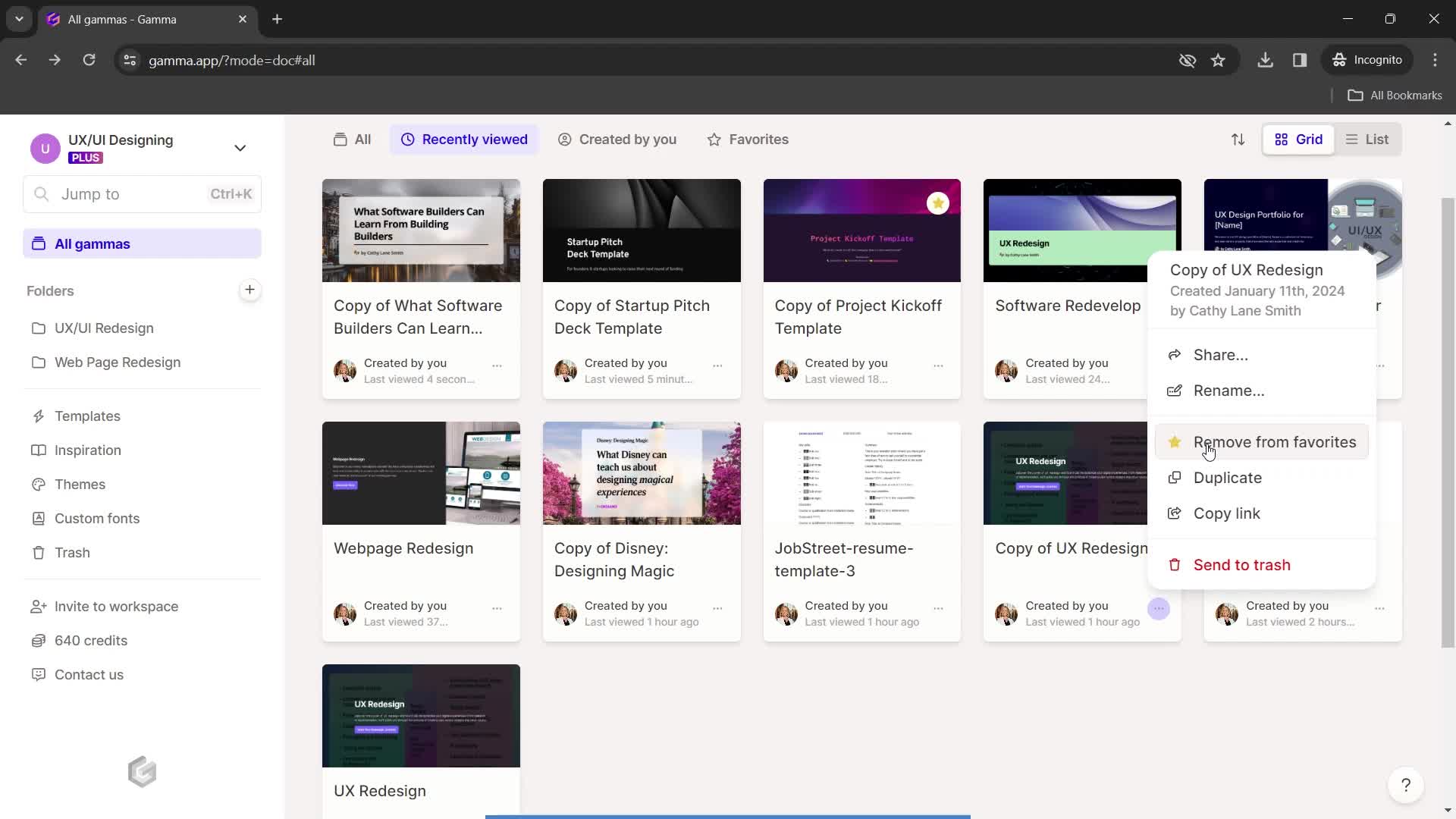
It handles slides, documents, and webpages from one workflow, with AI image generation, layout suggestions, and one-click theme swaps. The free tier's 400 credits cover two or three full decks; Plus at $8 per month removes the cap and adds custom branding.
| Best for | Presentations, posters, lab reports, group project slides |
| Pricing | Free: 400 credits (2–3 decks). Paid: Plus $8/mo for unlimited |
| Watch out for | Output looks generic without manual edits and theme tweaks |
Full comparison at a glance
| Tool | Best for | Free tier | Paid plan | Hallucination risk |
|---|---|---|---|---|
| Claude | Essays, nuanced writing, long PDFs | Generous | Pro $20/mo | Low |
| ChatGPT | General help, brainstorming | Solid | Plus $20/mo | Medium |
| Gemini | Research, Google Docs | Strong | Free Student Plan | Low–Medium |
| Perplexity | Sourced research, fact-checking | 5 Pro/day | Pro $20/mo | Very Low |
| NotebookLM | Your own sources | Full features | Plus via Gemini | Effectively zero |
| Grammarly | Editing and tone | Good | Premium $12/mo | N/A |
| QuillBot | Paraphrasing, summarising | Good | Premium $9.95/mo | Low |
| Notion AI | Notes, tasks, planning | Limited AI | Add-on $8–$10/mo | Low |
| Wolfram Alpha | Math, physics, statistics | Basic | Pro $7.25/mo | Effectively zero |
| Quizlet | Flashcards, practice tests | Capped | Plus $7.99/mo | Low |
| Knowt | Free flashcards, unlimited AI | Everything | No paid tier | Low |
| Gamma | Presentations, posters | 400 credits | Plus $8/mo | Low (visual) |
How to pick the right combination
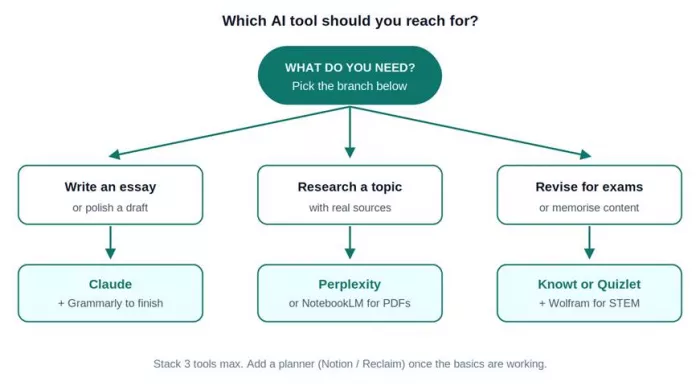
Most students do not need twelve tools. They need three or four that cover the loop above: one general assistant (Claude or ChatGPT) for explaining and drafting, one research tool with citations (Perplexity or NotebookLM), one active recall tool (Quizlet or Knowt), and one organisational hub (Notion, or Google with the Gemini Student Plan).
Three mistakes that quietly waste a semester
Treating AI like a search engine. Asking a single vague question and copying the first answer is the slowest possible way to use these tools. Better outputs come from specific prompts that include source material, audience, word count, and desired tone.
Skipping verification on cited claims. Generative tools still invent sources occasionally, especially for niche topics. Perplexity and NotebookLM reduce this risk dramatically, but every citation should still be opened and read before it lands in a final paper.
Outsourcing the thinking. The 2026 OECD Digital Education Outlook warned that AI use which substitutes for cognitive effort produces worse outcomes than no AI at all. These tools work best when they compress busywork, leaving energy for the part of studying that builds knowledge.
The honest verdict after a full semester
If only one tool could survive on my laptop, it would be Claude for writing and reasoning, paired with NotebookLM for anything source-heavy. Between them, they cover roughly eighty percent of what a serious student needs in a week, with the lowest hallucination risk in the category. Perplexity rounds out the research side when sourced answers matter, and Knowt takes over the moment exam revision begins. That four-tool stack cost nothing for an entire semester.
The bigger lesson, after all the testing, is that the best AI tool is the one that quietly disappears into the work. Students who feel impressed by what their AI just produced usually got a thinner output than they realised. The ones who barely notice the tool, because it slotted into a real study habit, walk into exams calmer and finish papers earlier. That is the bar in 2026, and it is the only one worth aiming for.
Comments