BarberGPT solved a very specific, very real problem: it lets you see a haircut on your own face before you commit to it. Upload a selfie, outline your hair, pick a style, and a few seconds later you get a photorealistic preview. For a guy deciding between a fade and a buzz cut the week before a barber visit, that is genuinely handy.
But “great at one thing” is also the catch. BarberGPT leans heavily toward short men’s cuts, asks you to mask your hair by hand, and (as of writing) doesn’t do women’s styles, beards, or hair color. If any of that is a dealbreaker, or you simply want to compare options, there are strong alternatives that cover different needs. This guide walks through eight of them: what each one is good at, where each one will let you down, and which to choose for your situation, so you can decide based on facts instead of hype.
| A quick note on freshness. This guide is based on hands-on testing notes and each tool’s publicly available product information as of mid-2026. AI tools change fast: styles, limits, and pricing get updated constantly, so treat the specifics here as a starting point and confirm details on each tool’s own site before you pay for anything. |
First, an honest look at BarberGPT
Before jumping to alternatives, it helps to be clear about what BarberGPT actually does and doesn’t do. That tells you which “missing piece” you’re really shopping for.
| What BarberGPT does well | Where it falls short |
|---|---|
| Photorealistic previews of short men’s cuts (fades, buzz, crew) | Built mainly for men’s styles; little support for women’s looks |
| Cheap per use, credit-based, with a few free tries | Manual hair masking: fiddly, especially on a phone |
| Runs in the browser, no app, with a strong privacy stance | Struggles with long, curly, or braided hair |
| Great for the “show my barber what I want” moment | No hair color or beard simulation (as of writing) |
What makes a good hairstyle AI?
Almost every tool here promises the same headline: “try any hairstyle instantly.” The real differences are in the details. Here’s what actually matters when you choose one:
• Face-awareness, not stickers. The best tools regenerate hair based on your face shape, lighting, and angle instead of pasting a flat overlay that ignores your hairline.
• Auto vs. manual. Some detect your hair automatically; others (like BarberGPT) make you outline it. Auto is faster and far easier on a phone.
• Coverage. Men’s, women’s, or both? Short cuts only, or long, curly, and braided too? Does it do color and beards?
• Input style. A preset gallery (tap a card) is foolproof; text prompts (describe what you want) give more control if you know how to phrase a style.
• Pricing model. Free, freemium, or credits. “Free” often means watermarks or limited resolution, so check before you rely on it.
• Privacy. You’re uploading your face. Favor tools that process in-browser or delete images quickly and don’t train on your photos.
• Output quality. Resolution and realism matter if you want to actually show a stylist or post the result.
The alternatives at a glance
Here’s the short version. The deep dives follow, with pros, cons, and a quick-facts table for each tool.
| Tool | Best for | Free tier | M / W | Sign-up | Standout |
|---|---|---|---|---|---|
| YouCam AI Hairstyle | Polished, salon-grade try-ons | Freemium | Both | For full use | Big style + color library, mature AR |
| Vheer Hairstyle Changer | A free, no-login BarberGPT swap-in | Yes | Both | No | 60+ tap-to-try presets |
| BeArt AI | Free multi-tool: hair, color, head swap | Yes | Both | No | No watermark, privacy-first |
| Fotor Hairstyle Changer | Hair try-on inside a full editor | Freemium | Both | Some features | Familiar all-in-one editor |
| Krea Hairstyle Changer | Face-aware, prompt-driven previews | Yes (basic) | Both | Optional | Reads face shape & skin tone |
| Hotpot AI | Headshots + editing (hair is a bonus) | Freemium* | Both | For headshots | 8+ tools in one suite |
| OpenArt Hairstyle Changer | High-quality, diverse styles | Trial credits | Both | Yes | Face-shape recommendations |
| Cutout.pro Hairstyle Change | Big library for salons / creators | Trial credits | Both | Yes | Re-renders to your lighting |
*Hotpot’s free outputs carry watermarks. It’s included as a broader “more than hair” option. See its section for the caveat.
The 8 best BarberGPT alternatives
YouCam AI Hairstyle (by Perfect Corp)
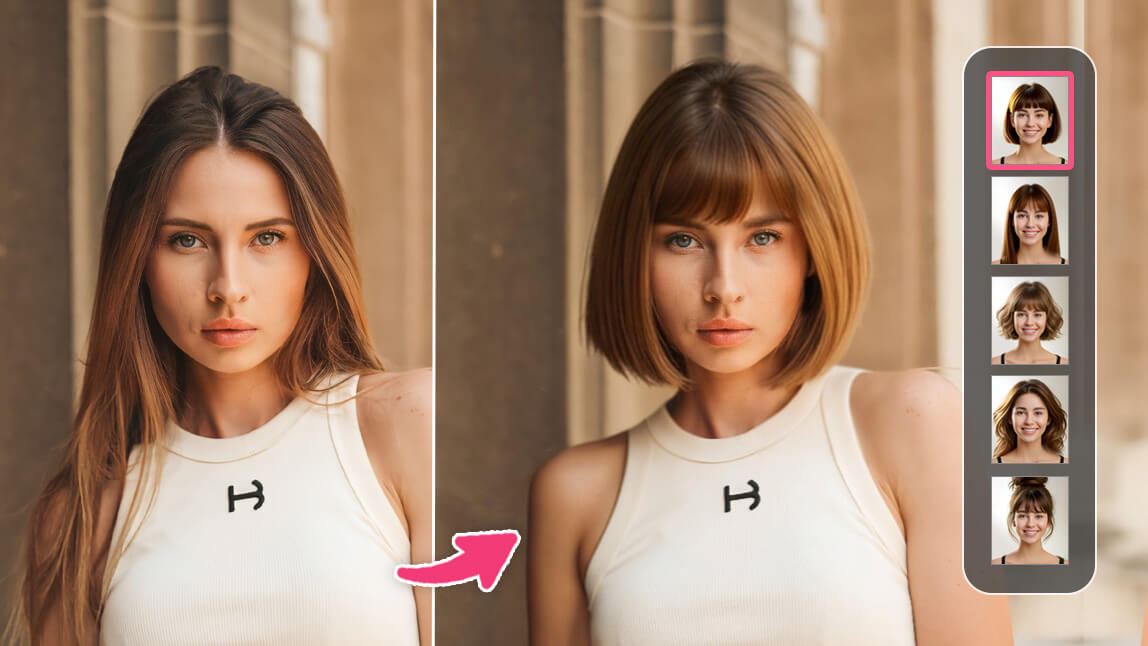
If BarberGPT feels bare-bones, YouCam is the opposite. It’s the slick, beauty-app end of the spectrum. Perfect Corp has been doing augmented-reality makeup and hair try-ons for years, and it shows. You get a large library of cuts and colors for both men and women, the previews look clean and “ready to post,” and it lives mainly in the YouCam mobile apps plus a web try-on, a natural fit if you’re doing this on your phone.
| Best for | Polished previews and color try-ons, especially on mobile |
| Platform | Web + iOS / Android apps |
| Free tier | Yes, with premium features behind a subscription |
| Men / Women | Both |
| Standout | One of the largest style and color libraries, on a mature AR engine |
| Watch-out | Best results and unlimited use usually need a paid plan |
What’s good
• One of the biggest style and color libraries here, north of 150 looks covering trendy and classic cuts.
• Strong on hair color: test blonde, copper, pastel, or bold fantasy shades, not just cuts.
• Genuinely mobile-first, so the upload-and-tap flow is smooth on a phone (exactly where BarberGPT struggles).
• Popular with salons and stylists for fast, professional-looking client previews.
Where it falls short
• The free tier is limited; serious use nudges you toward a subscription.
• The look can feel a touch “beauty-filter,” which isn’t ideal for a strictly realistic haircut decision.
• App-centric, so it’s less convenient if you prefer to stay in a browser.
Bottom line: if you’re comparing a balayage with a lob, or you just want the smoothest phone experience, this is the most “finished” option on the list.
Vheer AI Hairstyle Changer

Of everything here, Vheer is the closest spiritual swap-in for BarberGPT’s core job, except it’s free, needs no account, and skips the manual masking entirely. Upload a portrait, tap a style card, and it generates the look while keeping your face intact. It covers both men and women, with trendy cuts (fades, pompadours, undercuts) and color combinations baked into the presets.
| Best for | A free, no-login alternative for quick try-ons |
| Platform | Web (browser) |
| Free tier | Yes, free to use |
| Men / Women | Both |
| Standout | 60+ ready-made presets, applied with a single tap (no prompting) |
| Watch-out | Preset-based, so less fine control than prompt-driven tools |
What’s good
• Completely free with no sign-up, so you can try a look in under a minute.
• Preset cards mean zero learning curve; you don’t need to describe anything.
• Covers the men’s-short-cut territory BarberGPT focuses on, plus women’s styles and colors.
• Uses facial recognition to keep your features consistent across different styles.
Where it falls short
• You’re limited to the presets on offer, with no custom “exactly this length and texture” control.
• It sits inside a broader free AI-tools site, so expect some upsells and cross-promotion.
• Quality varies by photo; very long or unusual styles can be hit-or-miss.
Bottom line: this is my default suggestion for “I just want BarberGPT, but free and faster.” Start here, then graduate to a paid tool only if you actually need more.
BeArt AI

BeArt is less a single hairstyle app and more a free toolbox where hairstyle is one of several tricks. Alongside an AI hairstyle changer and hair-color editing, it offers a head-swap tool you can use to preview a completely different look, plus general AI photo editing. The pitch is “free, no watermark, and we delete your files quickly,” which makes it appealing if privacy is on your mind.
| Best for | Free experimentation across hair, color, and head swaps |
| Platform | Web (mobile, tablet, desktop) |
| Free tier | Yes, no watermark on outputs |
| Men / Women | Both |
| Standout | Several tools (hairstyle + head swap + photo editor) under one roof |
| Watch-out | Jack-of-all-trades breadth rather than one laser-focused tool |
What’s good
• Free with no watermarks, which is rare for this category.
• Privacy-forward: uploads are removed shortly after processing and not shared with third parties.
• More than hair: change color, retouch the photo, or swap looks entirely.
• No account needed to start.
Where it falls short
• Because it does many things, the hairstyle feature isn’t as specialized as a dedicated changer.
• The head-swap approach differs from in-place hair editing and can look less natural if photos don’t match well.
• As with any free tool, results lean hard on a clean, well-lit input photo.
Bottom line: a good pick if you want to experiment broadly: try a new cut, recolor it, and clean up the photo, without paying or installing anything.
Fotor AI Hairstyle Changer
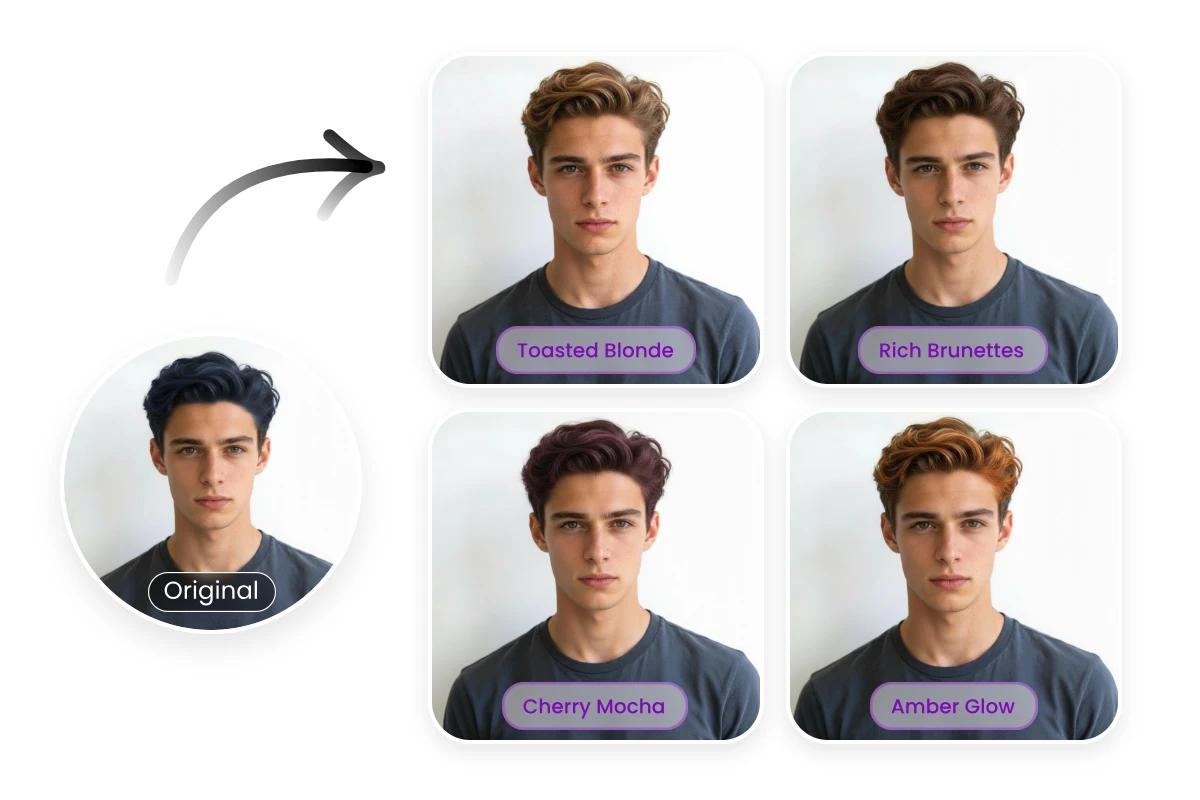
Fotor is a long-running, mainstream online photo editor, and its hairstyle changer rides on that familiarity. If you already trust Fotor for cropping, retouching, and quick edits, adding a hairstyle preview is a low-friction extra. It handles men’s and women’s cuts plus color, and everything sits next to a full editing suite.
| Best for | People who want a hair try-on inside a general editor |
| Platform | Web + apps |
| Free tier | Freemium (limits and a watermark on the free plan) |
| Men / Women | Both |
| Standout | A trusted all-in-one editor with a deep feature set |
| Watch-out | Best output and exports usually require Fotor Pro |
What’s good
• Familiar, beginner-friendly interface, especially if you’ve used Fotor before.
• The hairstyle tool plugs into a full editor: crop, enhance, and finish in one place.
• Covers both cuts and colors for men and women.
Where it falls short
• The hairstyle module is one of many features, so it’s broad rather than deep.
• Free use brings the usual watermark and resolution limits; you’ll likely meet a paywall.
• Realism is solid but not class-leading next to face-aware specialists.
Bottom line: sensible if you want one subscription that covers everyday editing and the occasional hairstyle preview, rather than a standalone tool.
Krea AI Hairstyle Changer
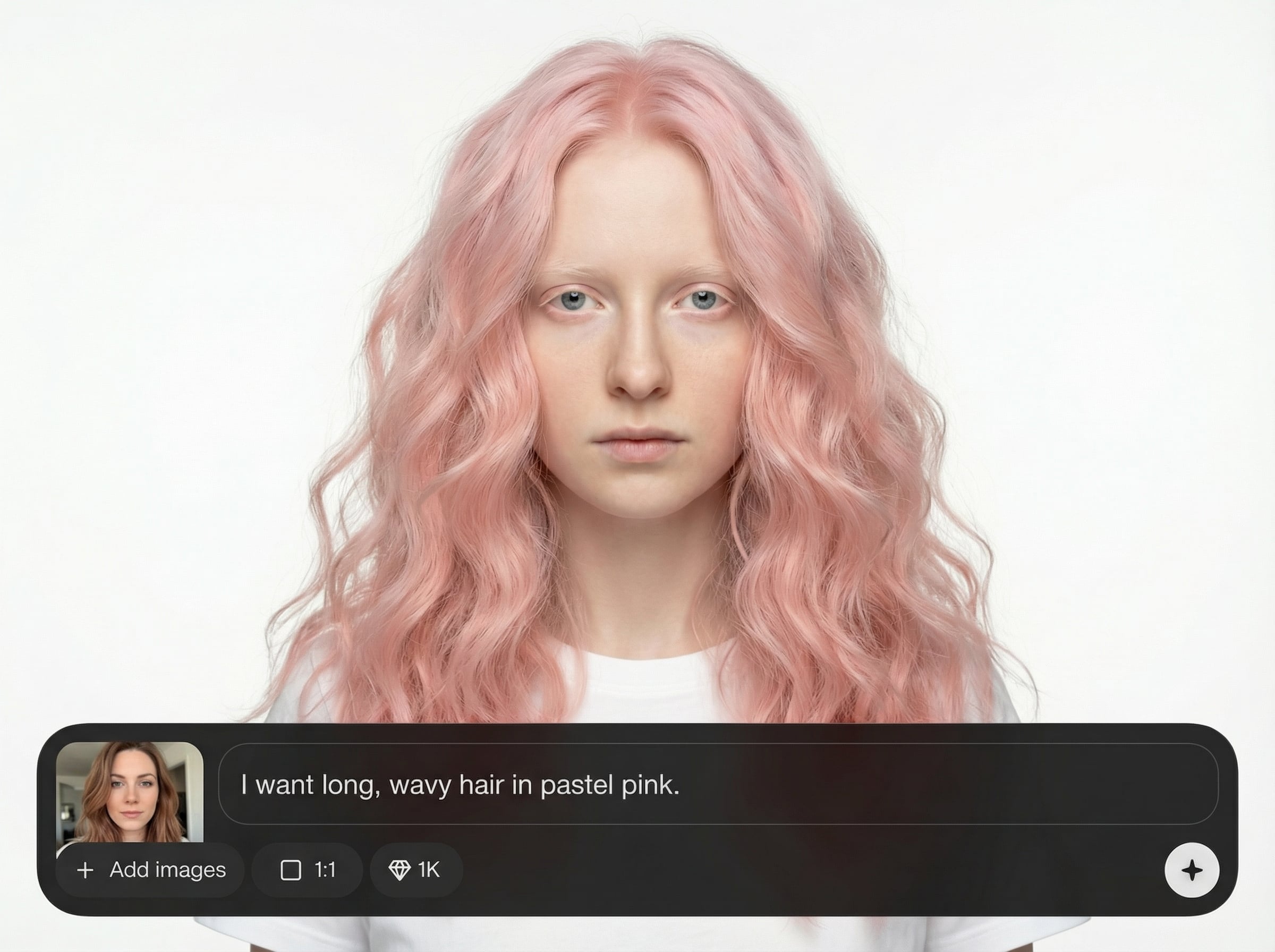
Krea takes the generative, prompt-driven route. Instead of tapping a preset, you describe what you want, like “shoulder-length bob with side-swept bangs” or “men’s textured crop, copper”, and it generates a preview tuned to your face shape and skin tone. It’s free for basic use, and it’s refreshingly honest about helping you see what actually suits you rather than just dropping a wig on top.
| Best for | Face-aware, customizable previews via text prompts |
| Platform | Web (browser) |
| Free tier | Yes, basic use, no account required to start |
| Men / Women | Both |
| Standout | Reads face shape, skin tone, and lighting for natural-looking results |
| Watch-out | You need to describe styles well; it sits in a larger creative suite |
What’s good
• Analyzes your facial structure and skin tone, so previews feel personalized, not generic.
• Prompts give you fine control: exact length, texture, bangs, and color.
• Free to try, with both natural shades and bold fantasy colors supported.
• Great for the “would this even work on me?” gut-check before a big change.
Where it falls short
• Prompt-driven means results are only as good as your description, so vague prompts give vague looks.
• It’s part of Krea’s broader generative platform, which has paid tiers for heavier use.
• Generative output can occasionally drift from your real proportions, so treat it as a guide.
Bottom line: best when you have a specific look in mind and want it on your face shape, or when you’re torn and want an honest “does this suit me?” read.
Hotpot AI
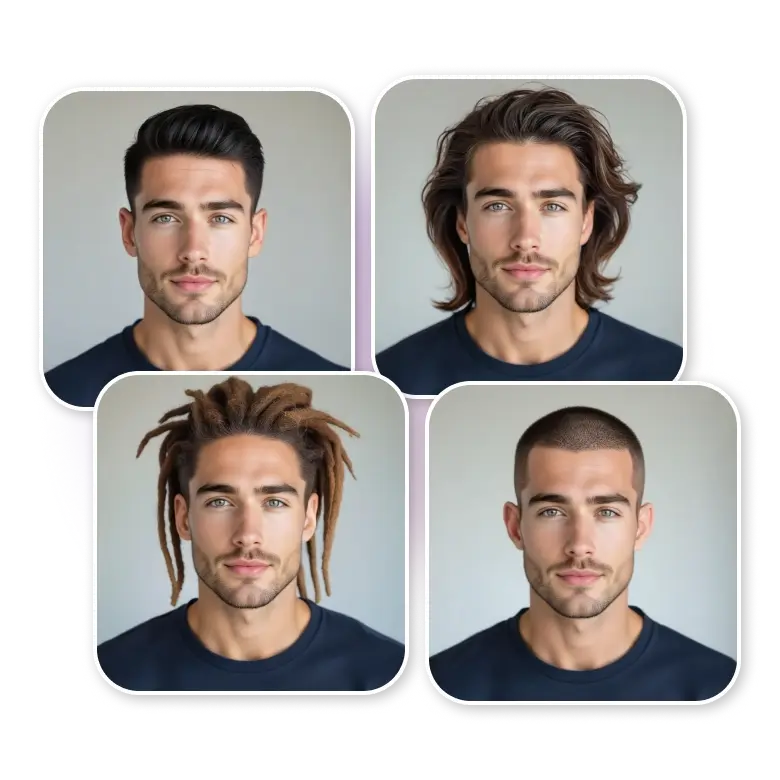
Hotpot is the odd one out, and it’s here on purpose. It’s not a dedicated hairstyle previewer. It’s a budget all-in-one AI suite known for headshots, photo restoration, background removal, and image generation. Hair mostly shows up as an option when you generate AI headshots, not as a precise face-preserving try-on. So think of it as the right tool for a slightly different job: “I want polished professional photos (and a fresh look) without hiring a photographer.”
| Best for | Professional headshots + broad photo editing, with hair as one variable |
| Platform | Web (browser) |
| Free tier | Freemium, free outputs carry watermarks |
| Men / Women | Both |
| Standout | Eight-plus tools (headshots, restore, upscale, remove, generate) on one credit system |
| Watch-out | Not a dedicated hairstyle try-on; hair is chosen during headshot creation |
What’s good
• Genuinely versatile: headshots, restoration, colorization, background removal, and more in one place.
• Budget-friendly, with a free tier and cheap per-image credits.
• Great if your real goal is a LinkedIn-ready photo, not just a haircut preview.
Where it falls short
• It won’t give you BarberGPT’s precise “this exact cut on my exact face” preview.
• Quality is broad but mid-tier; headshot resemblance can drift, and free outputs are watermarked.
• User feedback on support and refunds is mixed, so read the current terms before paying.
Bottom line: choose Hotpot when hair is part of a bigger makeover (a new headshot, a cleaner photo, a fresh profile pic) rather than a standalone haircut decision.
OpenArt AI Hairstyle Changer
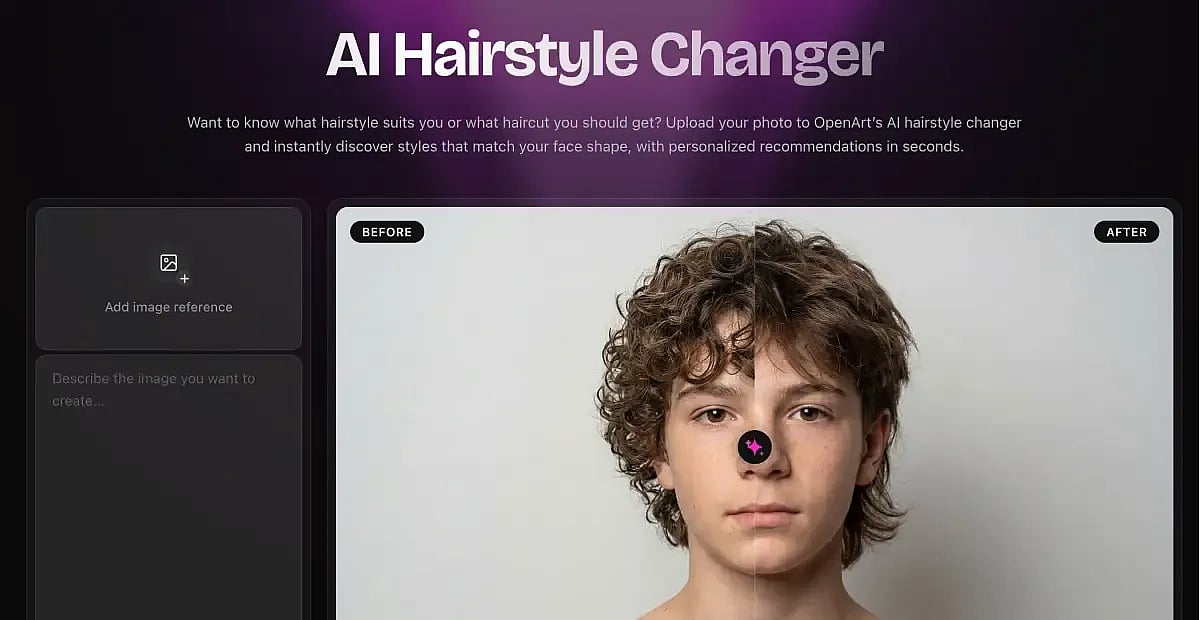
OpenArt is another generative option, but it leans into quality and style diversity. It detects your face shape and suggests cuts that balance your proportions, and its library spans modern trends plus culturally diverse and textured styles, including braids and detailed looks that simpler tools fumble. It’s account-based with trial credits, so it’s a half-step toward “premium.”
| Best for | High-quality previews and a diverse, inclusive style range |
| Platform | Web (browser) |
| Free tier | Limited trial credits |
| Men / Women | Both |
| Standout | Face-shape detection paired with style recommendations |
| Watch-out | Credit-based after the trial; part of a larger generative platform |
What’s good
• Strong rendering quality that preserves lighting, texture, and natural hair flow.
• Face-shape analysis gives recommendations, not just a wall of random options.
• Handles diverse and textured styles (braids, culturally specific looks) better than most.
• Works for both subtle everyday changes and bold experiments.
Where it falls short
• The free trial is limited; ongoing use means buying credits.
• As a generative tool, you get the most from thoughtful prompts and good inputs.
• It’s wrapped inside OpenArt’s wider creative suite, which can feel like a lot if you only want hair.
Bottom line: worth it if you care about output quality and want styles that respect your hair texture and face shape, not just a generic overlay.
Cutout.pro AI Hairstyle Change
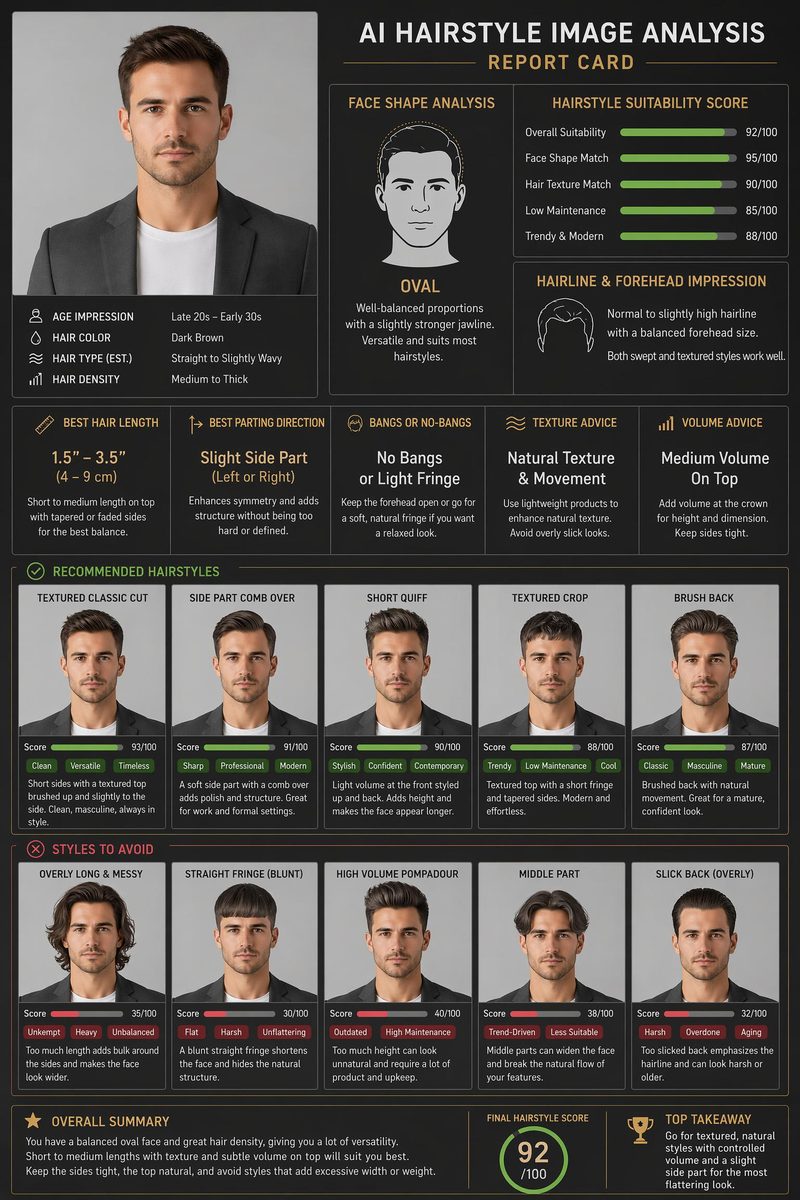
Cutout.pro positions its hairstyle tool as a salon-and-creator workhorse. You browse a large template library filtered by length, gender, and style, and the AI re-renders the look to match your lighting and angle rather than pasting it flat. It’s part of a broad one-stop AI photo platform, clearly aimed at people producing content or consulting with clients.
| Best for | A big template library for stylists and content creators |
| Platform | Web (browser) |
| Free tier | Limited trial credits |
| Men / Women | Both |
| Standout | Re-generates styles to fit your lighting, not a flat overlay |
| Watch-out | Credit-based, and it lives inside a very large multi-tool platform |
What’s good
• A large, well-categorized template library (filter by length, gender, and style).
• Uses facial keypoint detection and lighting matching for more natural blends.
• Built with salons and creators in mind, handy for on-the-spot client demos.
• Sits alongside other useful tools (background removal, upscaling, headshots).
Where it falls short
• Credit-based pricing, so heavy use adds up.
• Some templates skew stylized rather than strictly true-to-life.
• The sheer size of the platform can feel overwhelming if you only want a quick preview.
Bottom line: a solid choice for stylists who want to show clients options on the spot, or creators batching before-and-after content.
How they compare at a glance
If you’re a visual thinker, the map below places each tool on two axes that tend to matter most: how simple versus flexible it is to drive, and how free versus premium it leans. It’s a rough editorial guide to help you orient, not a benchmark or a set of measured scores.
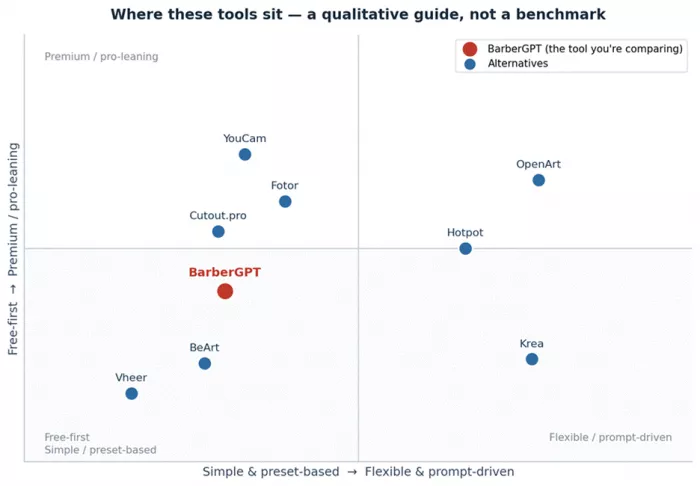
Figure 1. A qualitative positioning guide: general orientation, not measured benchmarks.
Reviews snapshot across platforms
Star ratings move around a lot and differ from one platform to the next, so instead of chasing a single number, here is the gist of what people tend to say about each tool: what wins them over, and what frustrates them.
| Tool | Where it lives | What users praise | Common gripes | Sentiment |
|---|---|---|---|---|
| BarberGPT | Web | Realistic short men’s cuts; cheap per try; fast | Credit cost feels steep for casual use; fiddly masking on phone; men-only | Mixed to positive |
| YouCam | Web, iOS, Android | Big style and color range; polished and mobile-friendly | Top features paywalled; can look a bit “filtered” | Mostly positive |
| Vheer | Web | Free, no sign-up, fast presets | Preset limits; results vary by photo | Positive |
| BeArt | Web | Free, no watermark, privacy-friendly | Not a specialized hair tool; head-swap can look off | Positive |
| Fotor | Web, apps | Familiar editor; easy for beginners | Watermark and limits on free; realism not class-leading | Mostly positive |
| Krea | Web | Face-aware, customizable, free to try | Needs good prompts; can drift from real proportions | Mostly positive |
| Hotpot | Web | Versatile, budget all-in-one suite | Mid-tier quality; mixed support and refund reports | Mixed |
| OpenArt | Web | High-quality, diverse and inclusive styles | Limited free credits; slight learning curve | Mostly positive |
| Cutout.pro | Web | Large template library; salon-friendly | Credit-based; some templates look stylized | Mostly positive |
A qualitative read of common user feedback, not aggregated star scores. Exact ratings vary by platform and change over time, so check current scores before you decide.
So which one should you actually pick?
“Best” depends entirely on what you’re trying to do. Match your situation to a tool in the table below, then read the plain-language version underneath it.
| Your situation | What matters most | Best-fit picks |
|---|---|---|
| Previewing a men’s haircut before the barber | Realistic short cuts, quick, low cost | BarberGPT, Vheer |
| Trying women’s cuts and colors | Large style and color library | YouCam, Krea |
| Free, no sign-up, no watermark | Low cost and privacy | Vheer, BeArt |
| The most realistic, face-aware results | Face-shape and skin-tone awareness | Krea, OpenArt |
| Barber or stylist client consultations | Speed, big library, quick demos | YouCam, Cutout.pro |
| Professional headshots plus a fresh look | Headshots and photo editing | Hotpot, Fotor |
| Textured, curly, or braided hair | True-to-texture rendering | OpenArt, Cutout.pro |
| Bold or fantasy hair colors | Flexible color try-on | YouCam, Krea, Vheer |
| Content creation (before-and-after posts) | Batch output you can share | Cutout.pro, BeArt |
The same guidance in plain language:
- BarberGPT’s exact job, but free and faster: Vheer is the best starting point because it needs no login, includes presets, and covers men’s hairstyles well. BeArt is a close free alternative, especially when hair color changes and head swaps also matter.
- Comparing women’s cuts and colors: YouCam offers the smoothest mobile experience, while Krea and OpenArt are better for face-aware, customizable results.
- Privacy, no watermark, and no account requirement: BeArt and Vheer are the strongest options.
- Most realistic, face-aware previews: Krea works well for free prompt-based edits, while OpenArt delivers higher-quality results through a credit-based system.
- Barber or stylist client consultations: YouCam and Cutout.pro are better suited because they offer larger hairstyle libraries and quick demo workflows.
- Professional headshots and broader makeover edits: Hotpot is a strong choice, while Fotor works better when hair try-on needs to sit inside a general editing tool.
- Textured or braided hair: OpenArt and Cutout.pro are better options because they usually handle texture more effectively than simple overlay-based tools.
Tips for getting realistic results (with any of these)
AI hairstyle tools are only as good as what you feed them. A few simple habits make a big difference:
• Use a clear, front-facing photo. Look straight at the camera, with your whole hairline visible.
• Get the lighting right. Even, natural light beats harsh shadows or strong backlight every time.
• Keep the background simple. A plain wall helps the AI separate you from the scene.
• Pull long hair back if you’re testing a shorter cut, so the tool can read your face shape.
• Be specific with prompts (on tools like Krea and OpenArt): “low taper fade, textured top” beats “short hair.”
• Try several looks. Don’t judge a style on a single render; generate a few and compare.
• Reality-check the volume. AI loves to add thickness your hair may not actually have. Before you commit, ask your barber or stylist: “can my hair density really do this?”
• Save the result to show your stylist. A picture ends the “that’s not what I meant” conversation fast.
A quick word on privacy and responsible use
| Every tool here asks you to upload your face, so it’s worth a 30-second gut-check. Favor tools that process images in the browser or delete them quickly, and skim the privacy policy for whether your photos are used to train models. If you plan to post or use a result commercially, confirm the license and watch for watermarks on free tiers. And the obvious one: only upload photos of yourself, or of people who’ve agreed to it. Face-editing tech is fun, but it’s still someone’s face. |
The bottom line
BarberGPT is good at one narrow, useful thing (realistic short men’s haircut previews), and if that’s all you need, it’s still a fine tool. But the moment you want women’s styles, hair color, an easier mobile flow, no sign-up, or simply more options, the alternatives pull ahead.
If you want a single recommendation: try Vheer first for a free, no-login swap-in; reach for YouCam when you want the most polished cuts-and-color experience; and use Krea or OpenArt when you want face-aware results you can fine-tune. Match the tool to your situation, feed it a good photo, and you’ll skip the haircut regret, without paying for something you don’t need.
Comments