I went looking for Muke AI expecting a normal image generator. What I found was something else. The tool is built around “undress” and face-swap features that alter photos of real people, and almost all of the chatter around it points to exactly that use. That is not a category anyone should recommend, so if you are here searching for a safe alternative, you have already made the smart call.
I spent the better part of two weeks running the same set of prompts through the image generators that people actually trust for creative work. Product mockups, character portraits, poster art with real headlines, a few brand-style illustrations. Some tools surprised me. A couple frustrated me in ways their marketing pages never mention. What follows is the honest rundown of what earned a spot, who each one is really for, and where each one lets you down.
None of these will digitally strip a photo of a real person, and that is the whole point. What they will do is turn a text prompt into something you can publish, sell, or build on without legal or ethical baggage hanging over it.
What “safe” really means before you pick a tool
The word “safe” gets thrown around loosely, so here is what I actually mean by it. Every pick below clears the first three points, and I flag any data-handling quirks tool by tool.
• Consent and subject matter: no tool built to manipulate a real person’s body or face without permission.
• Commercial clarity: you can use the output for work, with licensing that does not leave you guessing.
• Content policy: real guardrails that keep you on the right side of platform rules and the law.
• Data handling: reasonable transparency about what happens to your prompts and uploads.
The 6 best safe Muke AI alternatives at a glance
If you only have a minute, this table covers the shortlist. The deep dives below explain the trade-offs behind each row.
| Tool | Best for | Free tier | Paid from | Standout strength |
|---|---|---|---|---|
| Adobe Firefly | Commercial-safe visuals | Yes (limited) | ~$9.99/mo | Licensed data + Photoshop |
| Midjourney | Striking, artistic images | None | $10/mo | Top-tier image quality |
| Leonardo AI | Characters and all-round work | Yes (150/day) | ~$12/mo | Custom training + live canvas |
| Ideogram | Images that contain text | Yes (~10/day) | ~$7/mo | Best text rendering |
| SeaArt AI | Anime and model variety | Yes (daily) | ~$9.99/mo | Huge model library |
| Tensor Art | Free open-model tinkering | Yes (~100/day) | ~$9.90/mo | Open models + LoRA training |
The six tools, reviewed in depth
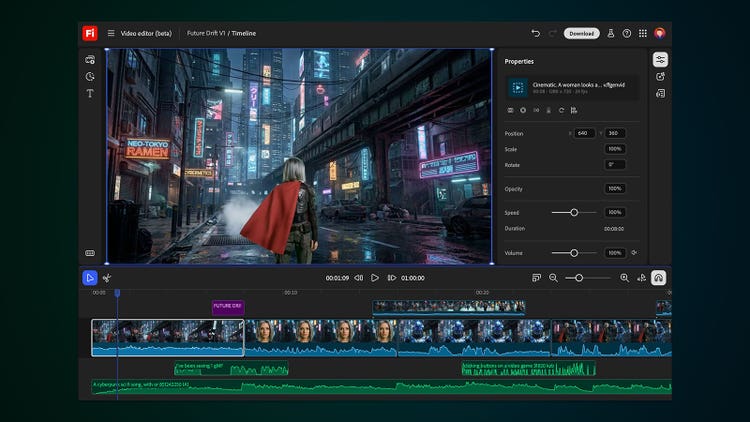
Adobe Firefly: the safest choice for commercial work
Firefly is Adobe’s own generative AI, and its training data is the entire story. It is built only on Adobe Stock, licensed material, and public-domain content. That choice is why Adobe offers legal indemnification to business customers, and why agencies reach for it the moment a client asks, “can we actually use this?”
| Detail | Summary |
|---|---|
Best for Marketers, agencies, and anyone who needs images cleared for commercial use without a lawyer on speed dial. | |
| Type | Web app, plus built into Photoshop, Illustrator, and Express |
| Latest model | Firefly Image Model 5, with native 2K and upscaling |
| Free tier | Yes, a small monthly credit allowance (watermarked) |
| Paid from | About $9.99/month for the Standard plan |
| Commercial use | Yes, with indemnification on business plans |
| Signature feature | Generative Fill inside Photoshop |
Standout features
• Generative Fill and Expand let you edit or extend real photos inside Photoshop, which is where a lot of practical work actually happens.
• Content Credentials tag every output as AI-assisted, keeping you compliant on platforms that now flag AI content.
• It pulls in partner models from Google, OpenAI, and Runway, so you are not locked into one look.
• Standard-resolution generations do not burn credits on paid plans, so ordinary workflows rarely hit a wall.
| What works | Where it falls short |
• Cleanest commercial-use story in the category • Deep Photoshop and Illustrator integration • Predictable, brand-safe output • Free tier to test before paying | • Artistic flair trails Midjourney on ambitious prompts • Free-tier images carry a watermark • Credits do not roll over month to month • Best value assumes you already use Creative Cloud |
In practice I asked it to turn a founder headshot into a watercolor for an about page, and it gave me clean, slightly conservative results on the first try. Where it really shone was on a real product photo: Generative Fill removed a distracting object in the background and matched the lighting better than I expected. |
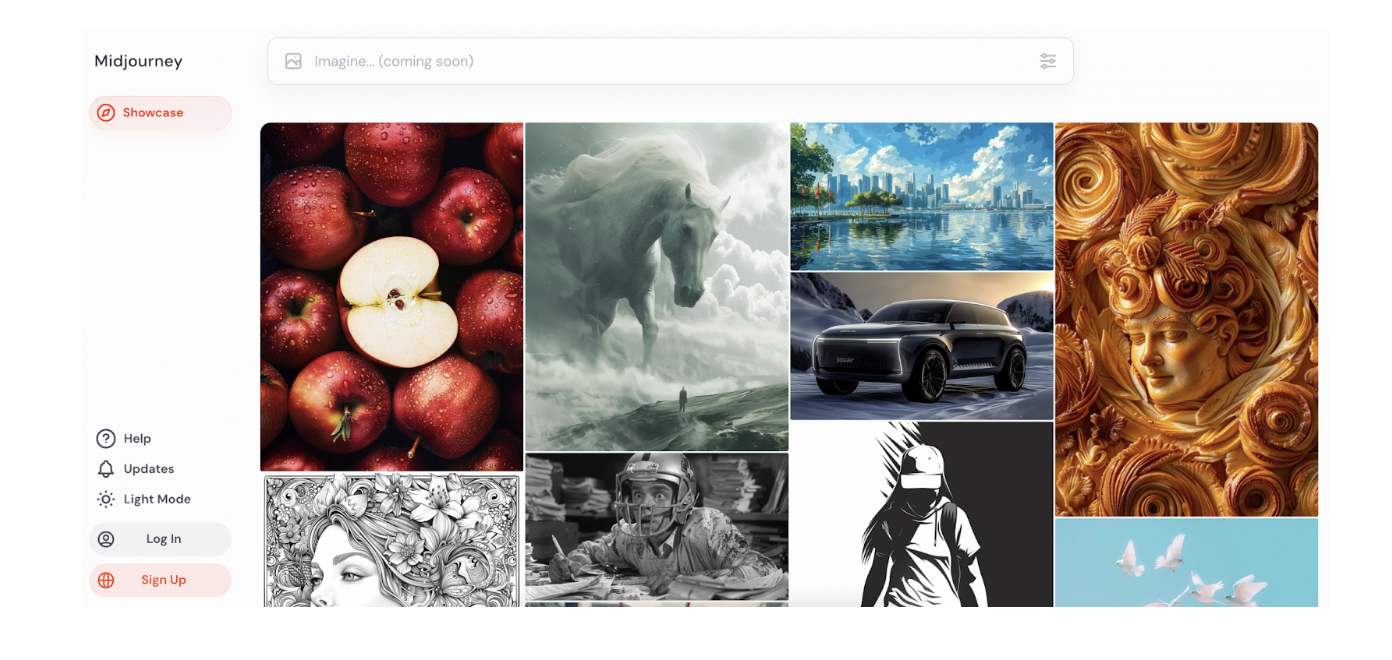
Midjourney: the quality benchmark everyone measures against
Midjourney is the independent studio that set the bar for AI image quality. If you have seen a jaw-dropping AI image on social media, there is a decent chance it came from here. Version 7 is the current default, with newer V8 models rolling out to users who set up a personalization profile.
| Detail | Summary |
|---|---|
Best for Creators and art directors who care more about how striking an image looks than about hitting the lowest possible price. | |
| Type | Web app plus a Discord bot |
| Version | V7 default, with V8 models arriving |
| Free tier | None, and no free trial |
| Paid from | $10 Basic, $30 Standard, $60 Pro, $120 Mega (per month) |
| Billing model | Fast GPU time, not a fixed image count |
| Commercial use | Included on every plan |
Standout features
• Omni Reference keeps a character consistent across multiple images, which used to be the hardest thing to pull off.
• Draft Mode generates roughly ten times faster at about half the cost, so you can explore widely before committing.
• Relax Mode on Standard and up gives unlimited slower generations, which changes the math for heavy users.
• Stealth Mode on Pro and above keeps your generations private.
| What works | Where it falls short |
• Best-in-class look and photorealism • Strong character consistency with Omni Reference • Huge, active community for prompt ideas • Commercial rights on every tier | • No free tier and no trial • GPU-hour billing confuses new users, and Turbo mode burns time fast • Weak at exact text, rigid layouts, and precise edits • Private generation is locked behind the $60 Pro plan |
In practice For a cinematic poster of a lighthouse in a storm, nothing else came close. The mood, the light, and the composition all landed. Then I asked it to print the words NIGHT WATCH on the poster and it gave me NGHT WACH. That is the trade in one sentence: beautiful images, unreliable text. |
Leonardo AI: the versatile all-rounder
Leonardo balances serious control with a friendly interface. It runs its own model families, Lucid and Phoenix, and lets you swap in a long list of third-party models without juggling separate subscriptions. That flexibility is what keeps it on my bar.
| Detail | Summary |
|---|---|
Best for Game artists, avatar and concept work, and anyone who wants one workspace for generation, editing, and light video. | |
| Type | Web app plus an API |
| Own models | Lucid Origin, Lucid Realism, Phoenix, plus many third-party models |
| Free tier | Yes, 150 tokens per day that refresh daily |
| Paid from | Around $12/month, lower with annual billing |
| Signature feature | Real-time Canvas and custom model training |
| Commercial use | Yes, including a non-exclusive license on the free tier |
Standout features
• Real-time Canvas updates your image as you sketch or type, which is genuinely fast and fun for iteration.
• You can train a custom model on your own images for a consistent style or character.
• Background removal, upscaling, and image guidance all live in the same place.
• The 150 daily free tokens reset every day, so casual use can stay free for a long time.
| What works | Where it falls short |
• Genuinely useful free tier that refreshes daily • Big feature set: editing, training, video, canvas • Access to many models through one login • Clear commercial licensing | • Token math takes a while to internalize, since one generation can cost wildly different amounts • Older models can look a little plastic on skin • Advanced refiners drain tokens quickly • Refunds are strict once tokens are spent |
In practice Leonardo was my favorite for character work. I trained a quick style on a handful of reference images and got consistent concept art across a dozen poses, and the Canvas made small fixes painless. The catch is watching your token balance evaporate the second you switch on the fancy refiners. |
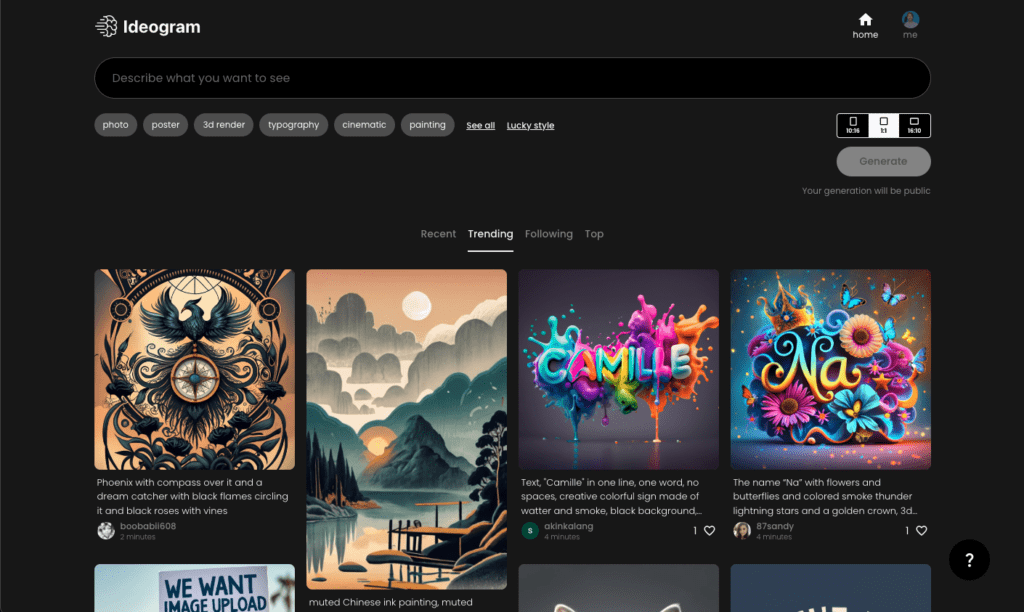
Ideogram: the one that actually spells
Ideogram was built by ex-Google Brain researchers to solve the problem everyone else ignored: readable text inside images. If your image needs words, this is the tool to open first. Its text lands correctly roughly 90 to 95 percent of the time, where most rivals still garble longer words.
| Detail | Summary |
|---|---|
Best for Logos, posters, ads, book covers, signage, and social graphics where the typography has to be correct. | |
| Type | Web app plus an API |
| Text accuracy | Roughly 90 to 95 percent, well ahead of most rivals |
| Free tier | Yes, about 10 prompts a day, each producing 4 images |
| Paid from | Around $7 to $8/month |
| Signature feature | Text rendering, plus Canvas and Magic Fill |
| Commercial use | Limited on free and Basic, full on higher tiers |
Standout features
• Text rendering that reliably produces legible, on-brand words, which no other major model matches as consistently.
• Magic Fill for selective inpainting and Remix for guided iteration on an existing image.
• Custom brand model training from as few as 15 reference images.
• A free tier that is big enough to genuinely test the thing before you pay.
| What works | Where it falls short |
• The clear leader for text-in-image work • Very affordable entry price • Useful, low-friction free tier • Editable text layers on some outputs | • Pure photorealism trails Midjourney and FLUX • Complex multi-character scenes can look stilted • Full commercial rights need a paid tier • Its lead has narrowed as rivals improve at text |
In practice I made a mock event poster with a headline, a date, and a tagline. Ideogram nailed all three on the first pass, work that would have taken a dozen frustrating attempts anywhere else. For a plain portrait with no text, though, I still preferred the output from Midjourney or Leonardo. |
SeaArt AI: the community model library
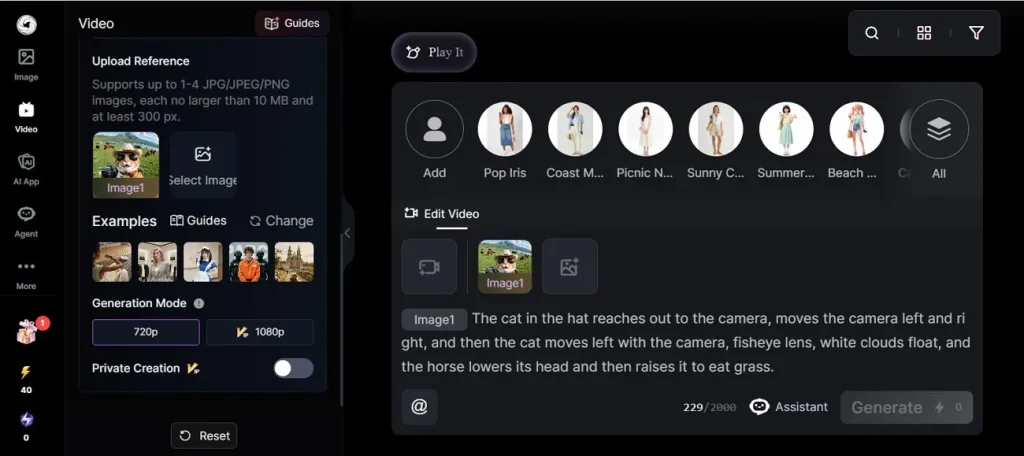
SeaArt is a browser-based platform built on Stable Diffusion, with one of the largest model libraries anywhere and a busy community feed. That feed is quietly its best feature, because you can see exactly which prompts and models produced the good stuff and copy the approach.
| Detail | Summary |
|---|---|
Best for Anime and stylized art, hobbyists on a budget, and anyone who values variety and community over raw polish. | |
| Type | Web app, with the full feature set best on desktop |
| Model library | Hundreds of thousands of community and official models |
| Free tier | Yes, with a daily credit allowance |
| Paid from | Around $9.99/month |
| Signature feature | LoRA training from 20 to 30 images, plus video and face tools |
| Commercial use | Available on paid tiers |
Standout features
• A model catalog that covers nearly every style you can name, from photoreal to niche anime.
• LoRA training with a low barrier, needing only 20 to 30 reference images.
• Extras like 4K upscaling, inpainting, background removal, and short clips through SeaArt Flow.
• A community gallery that doubles as a shortcut for learning prompts.
| What works | Where it falls short |
• Enormous model variety in one place • Low cost with a usable free tier • Strong for anime and stylized looks • Easy custom training | • The interface is cluttered, with ad-style popups • Output quality swings a lot by model • Photorealism trails the premium tools • Free queues slow down at peak hours |
In practice SeaArt is where I went when I wanted options. Fifteen minutes in the model browser turned up three distinct anime styles I never would have found on my own. The flip side is the interface, which throws a lot at you and nudges you toward upgrading at every turn. |
Tensor Art: the free Stable Diffusion playground
Tensor Art runs thousands of community Stable Diffusion and FLUX models on its own servers, so you can experiment without owning a powerful graphics card. Think of it as a free sandbox with a large model hub attached, aimed squarely at people who like to tinker.
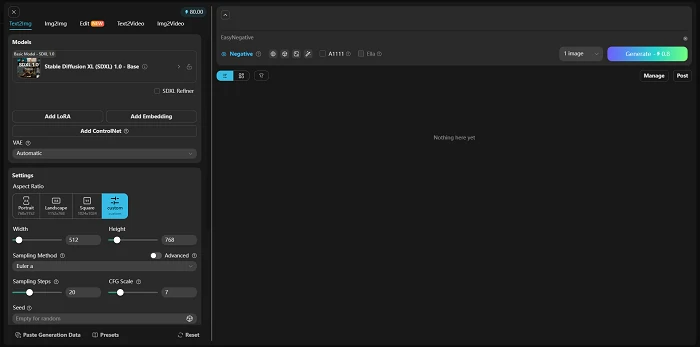
| Detail | Summary |
|---|---|
Best for Tinkerers, students, and developers who want to explore open-source models without a local install. | |
| Type | Web app plus an API |
| Models | Thousands of community models, one of the bigger open ecosystems |
| Free tier | Yes, around 100 daily credits, with a watermark |
| Paid from | Around $9.90/month, which removes the watermark |
| Signature feature | Online LoRA training and ComfyUI-style workflows |
| Commercial use | On paid plans |
Standout features
• Online LoRA training that handles the heavy computation for you, work that normally needs 8 to 12 GB of local VRAM.
• A ComfyUI-compatible node editor for people who want granular control over the pipeline.
• An API with instant key generation, handy for wiring generation into an app.
• Daily free credits that reset, so casual experimenting stays free.
| What works | Where it falls short |
• Genuinely useful free playground • Huge open-source model selection • Online training with no local hardware • Developer-friendly API | • Free-tier images carry an obvious watermark • Server queues drag during busy hours • Consistency lags the premium tools • The free tier clearly pushes you toward Pro |
In practice As a place to learn how Stable Diffusion models behave, Tensor Art is hard to beat for the price. I burned through my daily credits fast once I started chaining LoRAs, and the watermark on free output means it is for experimenting, not publishing, until you upgrade. |
Side by side: how the six tools compare
Pricing compared
Prices move often in this space, so treat these as a snapshot rather than a promise. The number that matters most for most people is the entry plan, since that is where you actually start.
| Tool | Free tier | Entry plan | Higher tiers | Commercial rights |
|---|---|---|---|---|
| Adobe Firefly | ~25 credits/mo | $9.99/mo | $19.99 and $199.99/mo | Yes, with indemnification |
| Midjourney | None | $10/mo | $30, $60, $120/mo | Yes, on every plan |
| Leonardo AI | 150 tokens/day | ~$12/mo | ~$24 to $60/mo | Yes, even on free |
| Ideogram | ~10 prompts/day | ~$7/mo | ~$15 to $20/mo | Full on paid tiers |
| SeaArt AI | Daily credits | ~$9.99/mo | Up to ~$49.99/mo | On paid tiers |
| Tensor Art | ~100 credits/day | ~$9.90/mo | Quarterly and yearly bundles | On paid plans |
Features compared
This matrix is the quickest way to spot the right fit. Read across the column you cannot live without, rather than down a single tool. Ratings for text reflect how reliably each one renders readable words in an image.
| Tool | Text in image | Custom training | Video | Photo editing | API |
|---|---|---|---|---|---|
| Adobe Firefly | Good | Limited | Yes | Strong | Yes |
| Midjourney | Weak | No | Yes | Basic | No |
| Leonardo AI | Fair | Yes | Yes | Yes | Yes |
| Ideogram | Best | Yes | No | Yes | Yes |
| SeaArt AI | Fair | Yes | Yes | Yes | No |
| Tensor Art | Fair | Yes | Yes | Yes | Yes |
How to choose the right one
The honest version is that there is no single best tool, only the best tool for the job in front of you. Here is how I would decide.
| If you need | Reach for | Why |
|---|---|---|
| Commercial images with zero legal worry | Adobe Firefly | Licensed training data and indemnification |
| The most striking, share-worthy art | Midjourney | Unmatched aesthetic quality |
| Character consistency and one workspace | Leonardo AI | Custom training plus canvas and editing |
| Readable text inside the image | Ideogram | 90 to 95 percent text accuracy |
| Anime and variety on a budget | SeaArt AI | A vast library of community models |
| A free sandbox for open models | Tensor Art | 100 daily credits and online training |
Six quick tips for better results
A few habits saved me time across all six tools. None of them are complicated.
• Describe the shot like a director. Lens, lighting, angle, and mood beat “make it look good.” Try “35mm, soft window light, shallow depth of field.”
• Put the important words first. Most models weight the front of your prompt more heavily than the tail.
• Work in batches. Generate several options, pick a winner, then refine that one instead of tweaking a single image forever.
• Keep a prompt file. Save the prompts that work so you can reuse and remix them later.
• For text in an image, keep it short. Spell the words out in quotes and avoid long phrases.
• Check the license before you publish. Free tiers often mean personal use only, so confirm commercial rights first.
Using these tools responsibly
One thing is worth saying plainly. The reason Muke AI is a problem is not the technology, it is the use. Generating intimate or nude images of a real person without their consent is image-based sexual abuse, and it is now illegal in a growing number of places. Every tool on this list has content policies against that for good reason. Use them to create, not to violate someone. If that sounds obvious, good.
My verdict after two weeks
If I had to keep only one, it would be Adobe Firefly, and not because it makes the prettiest pictures. It does not. It wins because I never once had to wonder whether I could use the output, and the Photoshop integration quietly saved me more time than any single generation trick. For a business, that peace of mind is worth more than a slightly flashier render.
If the goal is pure visual impact, Midjourney is still the one to beat, as long as you make peace with its billing quirks and never trust it with text. For character and concept work, Leonardo earned a permanent place on my bar. When an image needed words, Ideogram was the only tool I trusted. And for pure experimenting and finding unexpected styles, SeaArt and Tensor Art gave me more to play with than I expected, clutter, watermarks, and all.
The best AI image generator is the one that fits the job and respects the people in the frame. Any of these six clears that bar. Muke AI does not, and now you have six better places to spend your time and money.
Comments