I have been paying for Claude Pro and working out of it almost every day for the past few months: writing and editing, cleaning up messy documents, reviewing code, and thinking through problems out loud. This is not a feature list lifted off a pricing page. It is what the plan is actually like to rely on in 2026, the work it quietly made faster, and the one limit that genuinely got in my way often enough to matter.
OVERALL SCORE 4.2/5 ★★★★☆ | PRICE $20/mo $17/mo billed yearly | BEST FOR Writers and coders Quality over volume |
The short version
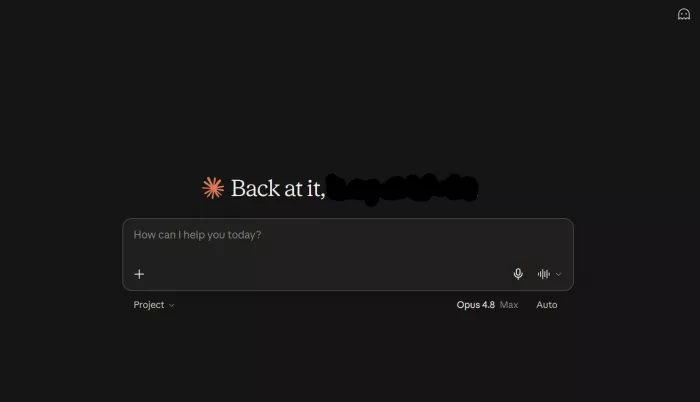
Claude Pro is the strongest AI assistant you can buy for writing, long-document work, and careful coding, and $20 a month is a fair price for that quality. What holds it back from a straight recommendation is the usage limit. On busy days of heavy work, Pro's session cap can stop you before you are finished, and the only way up is a large jump to the $100 Max plan. If you value output quality and work in focused bursts, Pro is excellent. If you run Claude all day without pause, read the usage section carefully before you commit.
What Claude Pro is in 2026
Claude Pro is Anthropic's $20 individual plan for its Claude assistant. The free tier is fine for occasional questions, but Pro is where Claude turns from a chat window into something you can build a workday around. You get access to Claude's Haiku, Sonnet, and Opus models, far more usage than the free plan, and the full set of tools that most people are really paying for. Here is what sits under the hood.
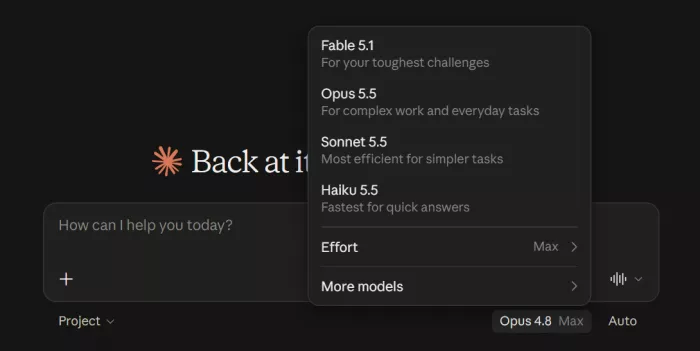
| Writing and analysis The standout. A large context window lets it hold long documents in mind, and its prose is consistently the most natural in the category. | Claude Code An agentic coding tool for the terminal, VS Code, and JetBrains, included at the $20 tier. It can read a repo, write, and fix code. | Projects and Skills Persistent workspaces that remember context and instructions between sessions. Pro removes the free plan's five-project cap. |
| Research mode Runs multi-step web research and returns an organised answer with sources attached. Useful when a single search will not do. | Claude Cowork A desktop agent for non-coding knowledge work that can take multi-step actions on files and tasks on your behalf. | Integrations Connects to Google Workspace and Microsoft 365, plus Claude in Chrome, so it can read and act on your own documents and email. |
What Pro does not include
Worth knowing before you subscribe for the wrong reason. Claude Pro has no built-in image generation and no voice mode, so it is a text, code, and document tool, not a media studio. The subscription also does not include API access: Pro covers claude.ai and Claude Code chat usage only, and building on the API is billed separately per token. The newest top-tier Fable model is not inside the Pro allowance either. It runs on pay-as-you-go usage credits rather than the flat plan.
Claude Pro pricing in 2026
Pricing moved around more than once this year, so here is the current individual and team lineup. These are the US rates from Anthropic and can vary by region.
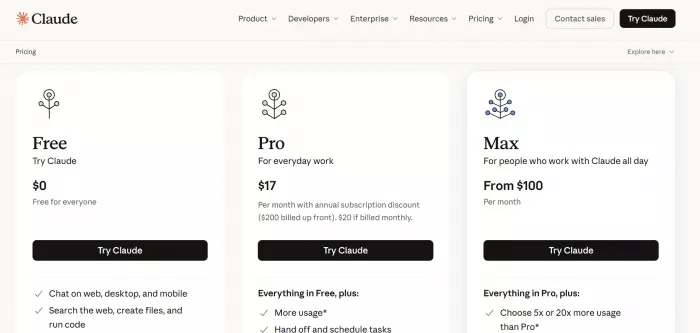
| Plan | Price (US) | Who it suits |
| Free | $0/mo | Occasional use. Core chat and models, tight limits, up to 5 Projects, no Claude Code. |
| Pro | $20/mo ($17 annual) | Daily professionals. About 5x Free usage, Claude Code, Cowork, unlimited Projects, Research, integrations. |
| Max 5x | $100/mo | Power users who keep hitting Pro limits. Five times Pro's session usage. |
| Max 20x | $200/mo | Heavy all-day use and long Claude Code sessions. Twenty times Pro. |
| Team | $25/seat ($20 annual) | Groups needing shared admin and billing. Two-seat minimum. |
My read after living on it: Pro is the right starting point for almost everyone who uses Claude daily, and the annual rate of $17 a month makes it an easy call if you already know you want it. The awkward part of the ladder is above Pro. The next step is Max at $100, a steep jump with no middle option, so you either accept Pro's ceiling or pay five times as much the moment you outgrow it.
The usage limits, explained plainly

| ⚠ This is the single most common complaint about Pro, so it deserves its own section rather than a footnote. |
Claude Pro usage resets on a rolling five-hour session window, with a separate weekly cap across all models. The caps are measured by tokens rather than a fixed message count, so long documents and big coding tasks burn through your allowance faster than short chats. In practice, heavy users report hitting the ceiling on the most capable model after roughly forty to fifty substantial messages in a five-hour window. Anthropic doubled the five-hour limit earlier in 2026, which helped, but on a full day of serious work I still bumped into it more than once. For light and moderate use you will rarely notice it. For continuous, all-day sessions it is a real constraint.
How your usage and credits get spent

Because Pro's limits are measured in tokens and not message count, no two tasks cost the same. The more text that goes in and comes back, the faster your allowance drops. Here is roughly how different work draws it down, which is useful to know if you are studying, building, or just trying to make a session last.
| What you are doing | Usage weight | Why |
| Asking for an explanation or learning a concept | Light | Short prompts and short answers barely move the needle |
| Drafting or editing short text | Light | Modest input, moderate output |
| Extended thinking on a hard problem | Medium | Deeper step-by-step reasoning spends more tokens |
| Research mode across many pages | Medium | Each step and retrieved page adds to the total |
| Analysing a long document or large file | Heavy | Big files load a lot of input tokens at once |
| Agentic coding with Claude Code | Heaviest | Reading a repo and iterating over many turns adds up fast |
The pattern is simple once you see it. Short, focused exchanges cost almost nothing, so learning and quick drafting stretch a long way. What empties the tank is volume of text: re-reading large files, long research runs, and coding sessions that keep the whole project in context across dozens of turns.
| ☀ A typical day on Pro A morning of asking questions, learning something new, and drafting a few emails barely touches the limit. I can run that for hours. The afternoon is where it tips: load a thirty-page report for analysis, then open a Claude Code session on a real project, and that single five-hour window is where the cap finally shows up. Same subscription, completely different burn rate depending on what the work actually is. |
| ● How credits work when you run out When you pass your included allowance, you can switch on usage credits and keep working. These are billed at standard pay-as-you-go API rates rather than a flat fee, so you pay only for what you use, up to a high daily redemption cap (around $2,000 a day). Two things are worth remembering. The newest Fable-tier model sits outside the Pro allowance entirely and runs on these credits from the very first message, in the region of $10 per million input tokens and $50 per million output. Pro also includes a small monthly credit pool (about $20) for Agent SDK automation if you build with it. |
💡 Make your allowance last
|
How it performs in real tasks
Scores are easy to type and harder to earn, so here is what each one is actually based on after real use.
| Category | Score | Rating |
| Writing and analysis | 4.8 | ███████████████████░ |
| Coding (Claude Code) | 4.6 | ██████████████████░░ |
| Ease of use | 4.7 | ███████████████████░ |
| Large documents and context | 4.7 | ███████████████████░ |
| Feature breadth | 4.0 | ████████████████░░░░ |
| Value | 4.0 | ████████████████░░░░ |
| Usage headroom | 3.2 | █████████████░░░░░░░ |
Writing is where Claude Pro earns its place for me. It produces the cleanest first drafts I have had from any assistant, and it is unusually good at reshaping tone once I tell it who the reader is and what the piece is for. Long documents are the other standout: I can drop in a messy report or a long thread of notes and get back something structured and genuinely usable, without the thing losing the plot halfway through. Claude Code turned a rough idea into working code twice this month, though like any coding assistant it still needs me reading over its shoulder on anything intricate. The interface deserves a mention too. It is calm and uncluttered, with no configuration maze, which sounds minor until you compare it to tools that bury the work under panels and prompts.
The weak spots are honest ones. There is no image generation or voice, so it is not a one-stop creative suite. It can occasionally be over-cautious and refuse something harmless in a way that feels fussy. And the usage limit, covered above, is the thing most likely to interrupt a good run.
What people are saying
I am one reviewer with one workflow, so here is how sentiment stacks up across trusted, independent sources. The ratings are real figures, and I have paraphrased the recurring themes rather than cherry-picking a single glowing line.
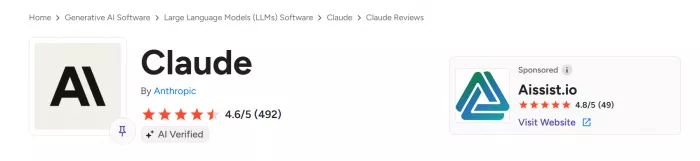
| G2 · 4.7/5 Across hundreds of verified reviews, users single out document-analysis accuracy and long-form writing quality as clearly ahead of rival tools. | Independent test · 8.2/10 A hands-on scorecard rates output quality 9.2 and ease of use 9.0, but marks value down to 6.5 because of the Pro usage caps. |
| 60-day hands-on A reviewer who used Pro daily for two months called it the best AI writing assistant of the year for long-form content, crediting Projects for keeping a consistent voice. | Trustpilot · loyal users Fans report they tried the alternatives and came back, saying nothing else matches Claude for their kind of writing and analysis work. |
| Reddit and forums The common line is almost a slogan: best writing model available, but the Pro limits bite if you lean on it hard during the day. | The contrarian take Heavy users push back hard, describing the Pro caps as unsustainable and saying they hit session limits before finishing the work they started. |
Pros and cons
What works
| What falls short
|
Claude Pro vs the main alternatives
All three sit at the same $20 price, so the choice is about what you do most, not what you pay.
| Feature | Claude Pro | ChatGPT Plus | Gemini |
| Price | $20/mo | $20/mo | $20/mo |
| Writing quality | Excellent | Very good | Good |
| Long documents | Best | Good | Good |
| Coding | Excellent | Excellent | Good |
| Image generation | No | Yes | Yes |
| Voice mode | No | Yes | Yes |
| Usage limits | Tighter | More generous | Generous |
In plain terms: pick Claude Pro for the best writing and long-document work, ChatGPT Plus for the widest feature set including images and voice, and Gemini if you live inside Google apps. Many heavy users keep Claude Pro alongside one of the others and switch by task. At the same price, that is a reasonable thing to do.
Which plan to pick if you code
If coding is your main use, the choice comes down to how many hours a day you run Claude and how much token spend that implies. Claude Code is not on the free tier, so Pro is the real entry point. Here is the simple version.
| Plan | Right for this kind of coder | Rough daily budget |
| Free | Learning the basics and reading or explaining code. No Claude Code access. | Not applicable |
| Pro $20 | A few hours a day on one repo, steady everyday building and debugging. | Under about $0.67/day in tokens |
| Max 5x $100 | You hit Pro's five-hour cap before the afternoon is out and have to stop. | Under about $3.33/day |
| Max 20x $200 | All-day agentic coding across multiple repos and long autonomous runs. | Under about $6.67/day |
| Beginner or student Start on Free to ask questions and read code. Move to Pro the moment you want Claude Code in your editor. | Daily developer (most coders) Pro is the sweet spot for a few focused hours a day on one project. Best value on the ladder. | Heavy or agentic If you run long Claude Code sessions all day, go Max. The jump is steep, but Pro's cap will stop you cold. |
Final verdict
After months of daily use, Claude Pro is the tool I reach for when the quality of the words or the code actually matters. Nothing else I have tried writes as cleanly or holds a long document together as well, and at $20 the price is right for what you get. The honest catch is the usage limit, which is the only thing that regularly interrupted my best stretches of work, and the jump to Max is a big one. If you work in focused sessions and care most about output quality, Pro is an easy recommendation. If you plan to run Claude non-stop all day, go in with your eyes open or budget for Max. I came in expecting to cancel after the test and I am still paying, which is the most honest endorsement I can give.
Score: 4.2 / 5 ★★★★☆
Comments