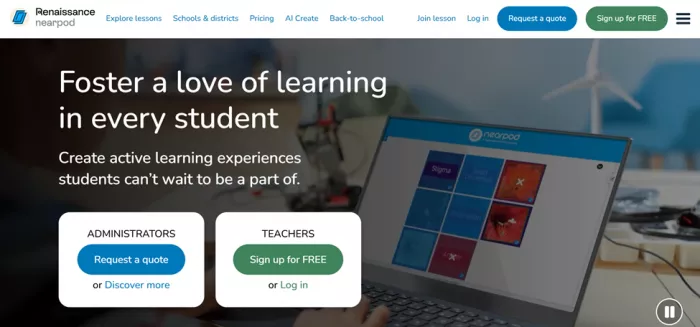
Opening Nearpod for the first time in 2026, the first surprise is the logo. The platform now signs in as Renaissance nearpod, a reminder that the tool teachers once knew as a scrappy independent startup now sits inside Renaissance's ed-tech family. The second surprise is how quickly a lesson comes together. This review is based on a full run through the free Silver plan: creating an account, working through the lesson builder, pulling a Grade 8 algebra activity out of the premade library, uploading a slide deck, and launching a Time to Climb game to see what students actually experience on their side of the screen.
Nearpod sells itself on a single promise, turning passive slides into lessons every student takes part in. The sections below cover what it is, how the workflow really feels, the features that carry the product, honest pros and cons drawn from classroom feedback, current pricing, and what verified reviewers on G2, Capterra, and Common Sense Education say after living with it.
At a glance
| Aspect | Verdict |
|---|---|
| Rating | 4.6 out of 5 |
| Best for | K-12 teachers who lecture and want live participation |
| Free plan | Silver, 300 MB storage, up to 40 students per session |
| Standout feature | Time to Climb, paired with real-time reports |
| Main watch-out | Needs one device per student and a steady connection |
What is Nearpod?
Nearpod is an interactive instructional platform that merges real-time formative assessment with dynamic media for live and self-paced learning, inside the classroom or at home. In plain terms, it takes a presentation and layers quizzes, polls, drawings, videos, and games on top, then feeds the teacher live data on who understood what.
The company was founded in 2012 and built its reputation on fast, organic adoption among teachers. Renaissance, the maker of Accelerated Reader and Star Assessments, acquired it for roughly 650 million dollars in a deal that closed in early 2021, and Nearpod continues to run under its own brand. Much of its ready-made content is built with partners such as Common Sense Education and the Smithsonian.
| Metric | Figure |
|---|---|
| Founded | 2012 |
| Renaissance acquisition | About 650 million dollars, closed 2021 |
| Premade resources | 22,000+ standards-aligned lessons, videos, and activities |
| Student insights last year | 1.5 billion |
How Nearpod works: a step-by-step walkthrough
Setting up a usable account and reaching a launchable lesson took under ten minutes during testing. Here is the path, start to finish.
Getting in
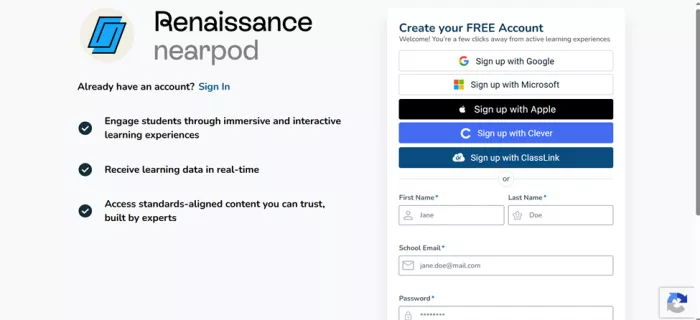
Step 1: Create a free account. Sign-up runs through Google, Microsoft, Apple, Clever, or ClassLink, or a plain email form. No credit card is asked for.
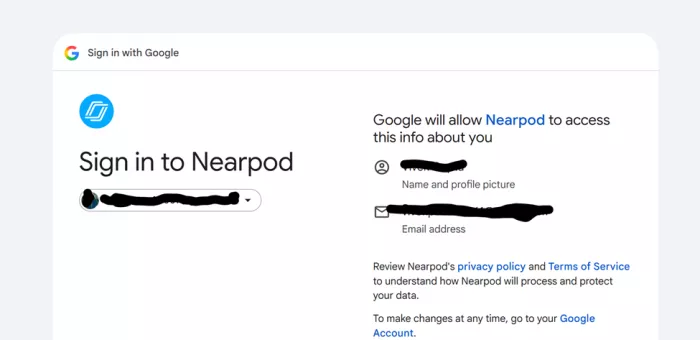
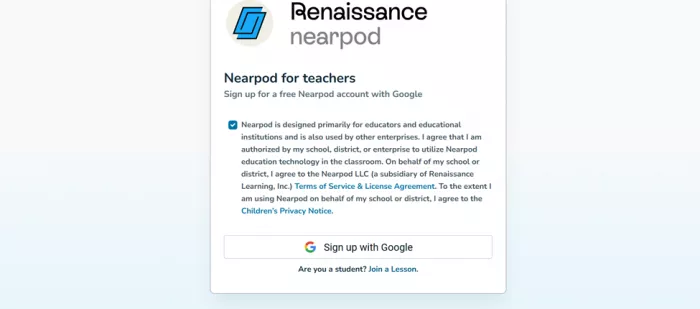
Step 2: Sign in and accept the teacher terms. The single-sign-on handoff is standard, followed by a checkbox confirming you are authorized to use Nearpod and agree to its Children's Privacy Notice.
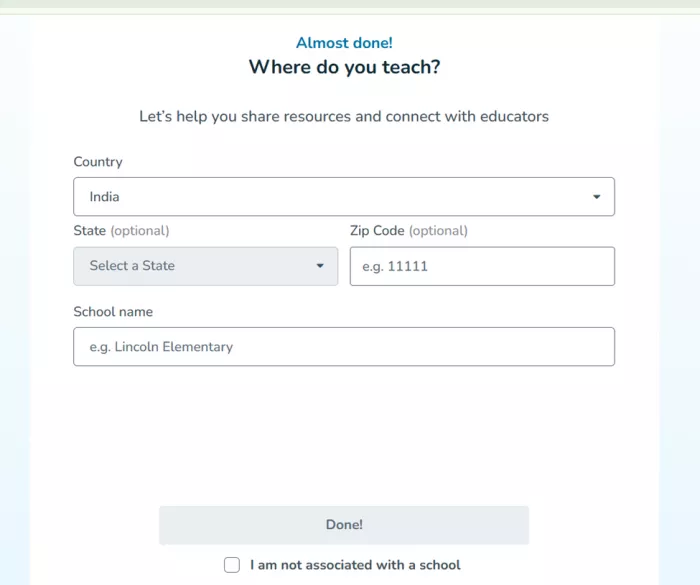
Step 3: Add a few teaching details. Country, an optional state and zip, and a school name. Non-classroom users can tick a box to skip the school field.
Starting a lesson
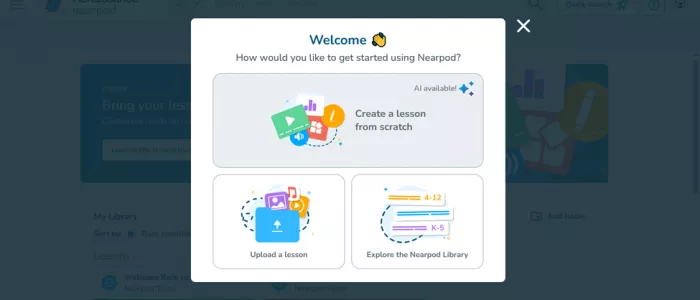
Step 4: Pick a starting point. A welcome prompt offers three routes: build from scratch with AI help, upload an existing lesson, or explore the Nearpod Library.
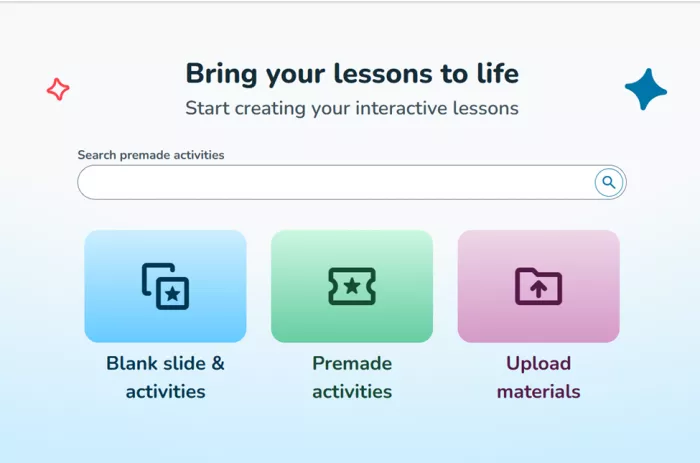
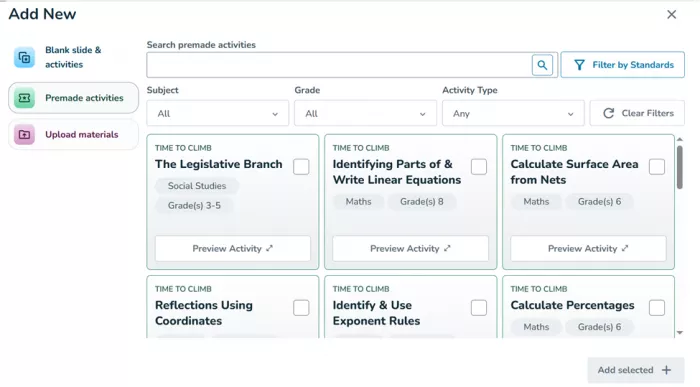
Step 5: Open the lesson builder. The builder lays out three clear options: blank slides and activities, premade activities, or uploaded materials, with a search bar across the top.
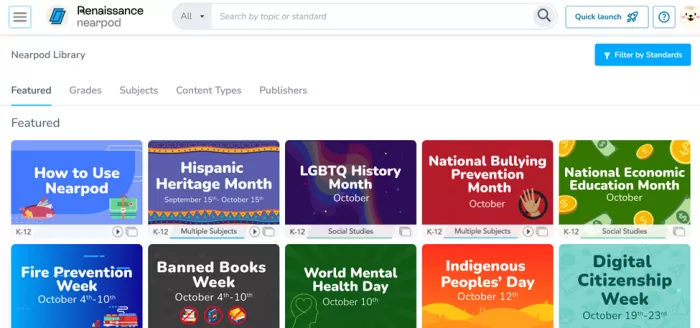
Step 6: Browse premade activities. Thousands of ready activities can be filtered by subject, grade, activity type, and even a specific standard.
Preview, upload, and launch
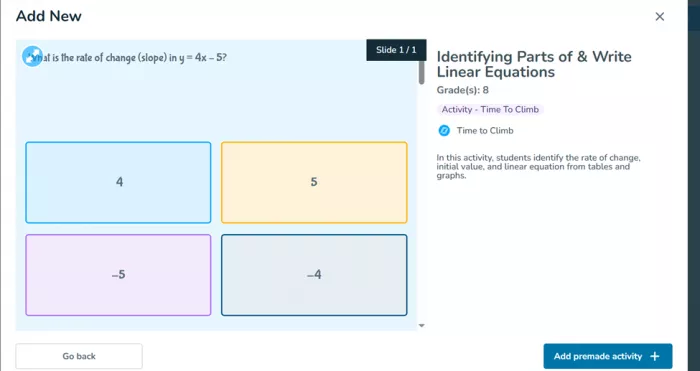
Step 7: Preview before adding. Every activity can be opened and played slide by slide first. Testing pulled up a Grade 8 game on identifying parts of linear equations, playable before committing it.
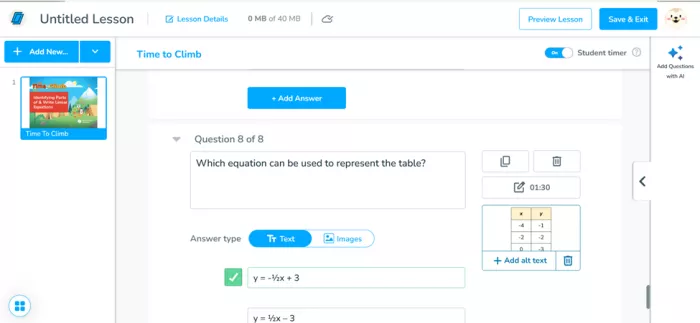
Step 8: Upload your own materials. Existing PowerPoint or PDF files can be dropped in. They process in the background while you keep editing.
Step 9: Launch live or assign it. Start a Live session that you pace yourself, or send a self-paced link. Students join at join.nearpod.com with a code, and most lessons need no student account.
Key Nearpod features
| Feature | What it does |
|---|---|
| Time to Climb | A gamified multiple-choice quiz where students climb a mountain by answering correctly. It runs live or self-paced with instant feedback, and doubles as an exit ticket or a bell ringer. |
| Interactive video | Drop questions into a video, or pull from more than 10,000 ready clips, so students respond as they watch. |
| 20+ formative assessments | Open-ended responses, polls, quizzes, Matching Pairs, Draw It, Drag and Drop, Fill in the Blanks, and a Collaborate Board. |
| Dynamic media | Virtual field trips, 3D models, and simulations, several built with partners like the Smithsonian. |
| 22,000+ premade resources | A standards-aligned library of lessons, videos, and activities, searchable by subject, grade, and standard. |
| AI Create | Generates a full lesson or a batch of questions from a prompt in under a minute. It runs on OpenAI's GPT-4o mini, keeps teachers in the review seat, and does not use classroom data to train the model. |
| Real-time reports | A live dashboard during class plus a saved report afterward, so misconceptions surface in time to reteach. |
| Accessibility | Immersive Reader adds text-to-speech, translation, and reading support. |
| Integrations | Works with Google Classroom, Microsoft Teams, Canvas, Clever, ClassLink, and other systems through LTI and rostering. |
Benefits in the classroom
| Benefit | Why it matters |
|---|---|
| Every student answers | Participation stops being optional. Each student responds on their own screen, so the same three raised hands no longer carry the room. |
| Data in the moment | Live responses show who is lost before the unit test does, making it easy to reteach on the spot. |
| Built-in classroom management | Live mode keeps the class on the same slide and makes off-task wandering harder to hide. |
| Less prep time | The premade library and AI Create turn an evening of slide-making into a few minutes of searching and editing. |
| Device-friendly | Runs in a browser on Chromebooks, iPads, laptops, and phones, with no heavy install. |
| Live or homework | The same lesson works as a teacher-led session or a self-paced assignment, which suits hybrid classes and catch-up. |
Nearpod pricing
Nearpod keeps one free tier and two paid per-teacher plans, with a custom license for schools and districts. The free Silver plan is genuinely usable for a single teacher, though its 300 MB storage ceiling fills quickly once videos are involved.
| Plan | Price | Storage | Students | Highlights |
|---|---|---|---|---|
| Silver | Free | 300 MB | 40 | Core activities, 22,000+ library, live and self-paced, reports |
| Gold | $159 / yr | 1 GB | 75 | Plus AI Create questions, Google Slides add-on, Drag and Drop, sub plans |
| Platinum | $397 / yr | 5 GB | 90 | Plus student notes, everything in Gold |
| Schools and districts | Custom | Expanded | Expanded | Plus Math and Social Studies programs, LMS and rostering, admin reporting |
Pros and cons
| Pros | Cons |
|---|---|
| A real, visible jump in student participation | Needs one device per student and a steady connection |
| A large, standards-aligned premade library | Occasional lag or screen freezing, usually tied to weak wifi |
| Reports that are useful for reteaching decisions | In Live mode, the pace is set by the slowest student to finish |
| Low barrier to entry, and students join with a code | Free Silver storage caps at 300 MB, which media-heavy lessons fill fast |
| AI Create cuts quiz and lesson creation to minutes | Uploading large, image-heavy presentations can be slow |
| Broad LMS, rostering, and Google or Microsoft integrations | Per-teacher Gold and Platinum seats add up for a department |
What people are saying
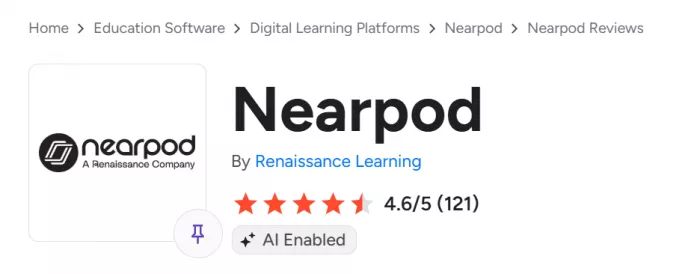
Across the major review sites, Nearpod sits in the high 4-star range. The scores and themes below come from verified educator reviews.
| Source | Score | What reviewers highlight |
|---|---|---|
| G2 | 4.6 / 5 | Real-time assessment and strong access controls that pull every student into the lesson and ease classroom management. |
| Capterra | 4.7 / 5 | Engagement and the ready-made library; the most common complaint, by a wide margin, is the price of a full subscription. |
| Common Sense Education | Teacher-reviewed | Keeping the whole class on one slide and running error analysis without singling anyone out, with occasional lag noted. |
Who is Nearpod for?
| Audience | How they use Nearpod |
|---|---|
| Elementary teachers (K-5) | Gamified activities and read-aloud support keep younger students on task. |
| Secondary teachers (6-12) | Formative assessment and reports fit content-heavy, standards-driven subjects. |
| Higher education | Lecture-style courses use it for live polling and participation at scale. |
| Schools and districts | Rostering, admin reporting, and curriculum programs suit a system-wide rollout. |
Final verdict
After building and launching lessons on the free plan, the appeal is hard to argue with. The first time a quiet class lights up during a Time to Climb round and the live dashboard fills with answers, the sales pitch stops sounding like marketing. The premade library and AI Create genuinely cut prep, and the reports turn a gut feeling about who is struggling into something a teacher can act on the next morning.
The caveats are just as real. Nearpod leans on every student having a device and a solid connection, Live-mode pacing can drag while the room waits for stragglers, and the free 300 MB disappears fast once videos enter the mix, which nudges heavy users toward Gold or a district license. For K-12 teachers who do a lot of direct instruction and want every student accountable, Nearpod earns its spot in the toolkit. For a quiz-only need on a tight budget, a lighter tool may be enough. Overall rating: 4.6 out of 5.
Comments