The 30-second answer For a solo developer already comfortable in VS Code, Cursor Pro at $20 per month is worth the switch if you lean on agents daily, because its parallel-agent workflow and in-house Composer model are genuinely ahead. If you code across JetBrains, Xcode, or Visual Studio, or you watch every dollar, GitHub Copilot Pro at $10 per month is the smarter default. Both moved to usage-based credit billing in 2026, so your real bill now depends on how hard you push frontier models, not just the sticker price. |
What actually changed in 2026
If you last compared these two in 2024, throw out your notes. The biggest shift is not a feature, it is how you pay.
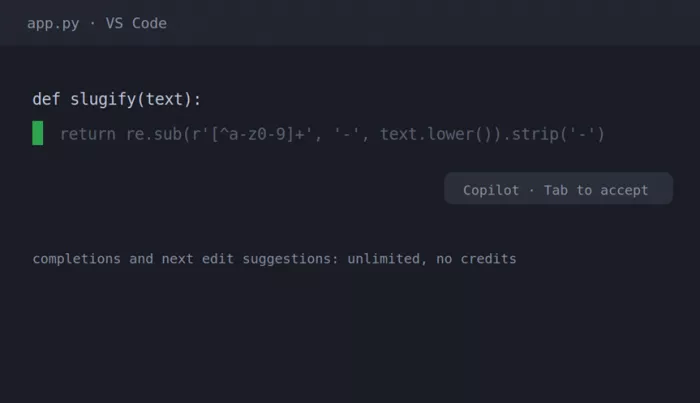
Both tools spent 2026 moving to usage-based billing. GitHub flipped Copilot to GitHub AI Credits on June 1, 2026, retiring the old premium-request model and its annual plans. One credit equals one cent. Chat, agents, code review, and the CLI draw down credits based on token consumption, while plain code completion and next edit suggestions stay unlimited and free on every paid plan. Cursor made the same move a year earlier, in June 2025, and the rollout was rough enough that the company apologized and refunded a wave of surprise charges. The billing model stayed.
The practical result is the same on both sides: your monthly cost is a floor, not a ceiling. Stay on lightweight or default models and the included allowance covers a normal week. Keep a frontier model like Opus or a GPT-5-class model pinned across large contexts and you can blow past your base credits fast. On the product side, Cursor shipped its own coding model (Composer) and a multi-agent interface, while Copilot grew a cloud coding agent, agent mode across IDEs, and the ability to hand tasks to third-party agents like Claude Code and Codex. Neither is just autocomplete anymore.
Pricing, side by side
List prices as of September 2026, taken from each vendor’s own plans page. The credit pools sit on top, so heavy frontier-model use adds metered cost.
GitHub Copilot — individual and team plans
| Plan | Price | Included credits | What you get |
|---|---|---|---|
| Free | $0 | Limited chat + agent | 2,000 completions and 50 chat requests a month, Haiku 4.5 and GPT-5 mini, CLI |
| Pro | $10 / user / mo | $15 total ($10 base + $5 flex) | Unlimited completions, model selection, cloud agent and code review, third-party agents |
| Pro+ | $39 / user / mo | $70 total ($39 base + $31 flex) | Premium models including Opus, audit logs, about 4x the Pro usage |
| Max | $100 / user / mo | $200 total ($100 base + $100 flex) | Sustained high-volume agent work, priority access to new models |
| Business | $19 / user / mo | Pooled org credits | Admin policy controls, pooled usage across seats |
| Enterprise | $39 / user / mo | Pooled org credits | SAML SSO, usage metrics, IP indemnity, GitHub.com integration, codebase indexing |
Cursor — individual and team plans
| Plan | Price | Usage pool | What you get |
|---|---|---|---|
| Hobby | $0 | Small | Limited agent requests and Tab completions, plus a short Pro trial on sign-up |
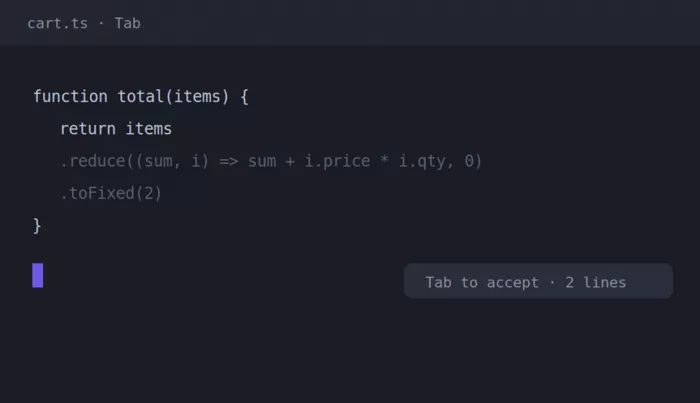
| Pro | $20 / mo | ~$20 pool (the sweet spot) | Full editor, Composer, Tab v2, per-request model choice, background agents |
| Pro+ | $60 / mo | ~3x Pro | Same features, a larger pool for heavier frontier-model use |
| Ultra | $200 / mo | ~20x Pro | Built for a full day of AI pair programming without overage math |
| Teams | $40 / user / mo | Pooled + controls | SSO, admin dashboard, org-wide privacy mode, shared rules and commands |
| Enterprise | Custom | Pooled org usage | SCIM, audit logs, AI code tracking API, granular admin and model controls |
Annual billing on Cursor typically cuts about 20 percent. Both vendors let you set a hard dollar budget for metered usage, and Copilot alerts you at 75, 90, and 100 percent of any budget you configure. The headline gap is simple: Copilot undercuts Cursor at every comparable tier, $10 against $20 for individuals and $19 against $40 per seat for teams. What you pay extra for on Cursor is a different center of gravity, which is easier to show than to tell.
Cursor up close
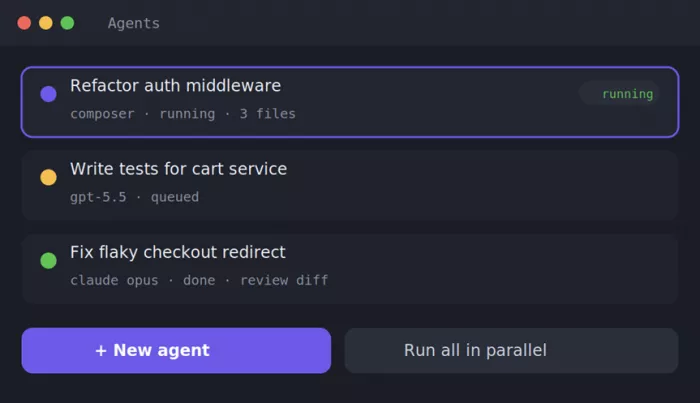
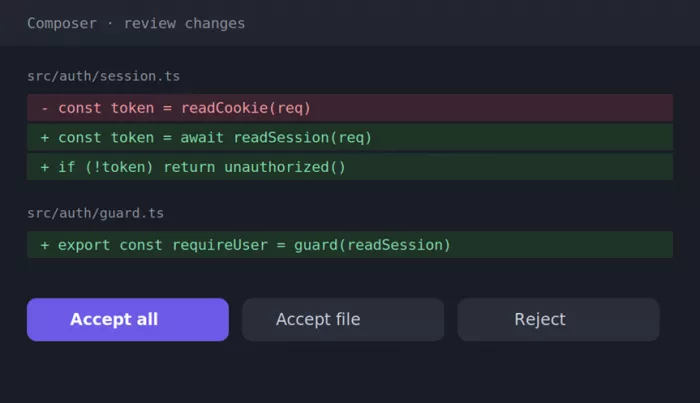
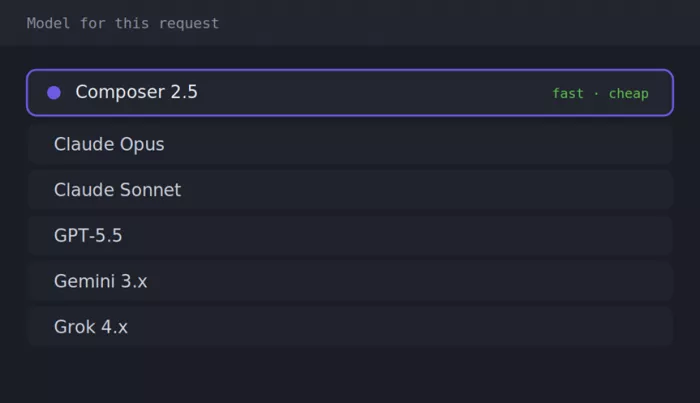
Cursor is a fork of VS Code, so the surface is familiar, but the AI is woven into the editor instead of parked in a sidebar. These four panels are where I spent most of my time.
GitHub Copilot up close
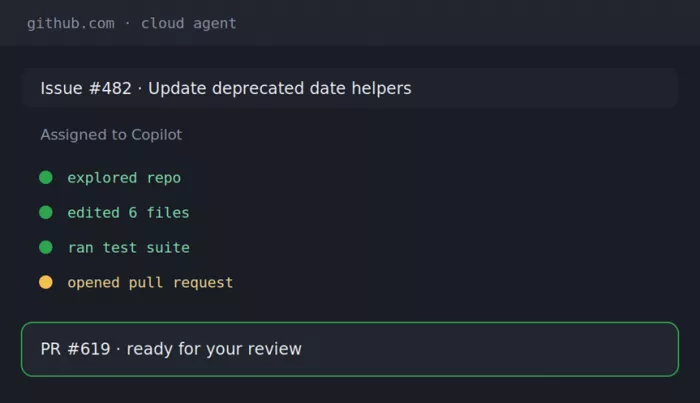
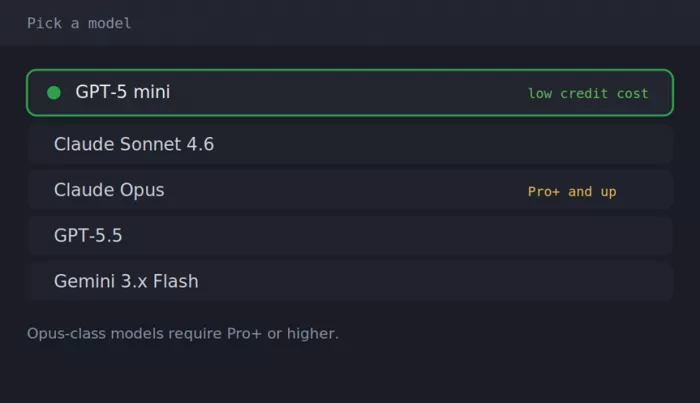
Copilot lives inside whatever editor you already use. The strength here is reach: the same assistant behaves consistently across VS Code, Visual Studio, JetBrains, Neovim, Xcode, and more.
The feature gap that matters
On paper the checklists look similar. In practice, the difference is in autonomy, reach, and how each tool treats the review step.
| Capability | Cursor | GitHub Copilot |
|---|---|---|
| Editor model | Standalone VS Code fork, AI built into the surface | Extension inside your existing editor |
| IDE reach | VS Code base, newer JetBrains plugin, iOS and Android for agents, CLI | VS Code, Visual Studio, JetBrains, Neovim, Xcode, Eclipse, Zed, more |
| Parallel agents | Up to 8 at once, each in its own git worktree | Agent mode plus a cloud agent, more workspace-bound |
| In-house model | Composer 2.5, fast and codebase-aware | Routes to partner models, no proprietary coding model |
| Model choice | Per-request swap across Claude, GPT, Gemini, Grok, Composer | Model selection present, Opus gated to Pro+ and up |
| Enterprise compliance | Privacy mode, SCIM, audit logs, code tracking API | SOC 2 Type II, ISO 27001, GDPR DPA, HIPAA on Enterprise Cloud, FedRAMP path |
| Feel | Faster, more autonomous once you frame a task | Tighter review cadence, surfaces decisions sooner |
Where Cursor genuinely wins
● Long, multi-file refactors where the agent needs to hold a whole feature in its head
● Running several tasks at once without them stepping on each other’s files
● Model flexibility, since you pick the right brain for each request
● Design-to-code loops, feeding a reference image to Composer and iterating on the render
● Raw speed, because Composer finishes most turns in well under a minute
Where Copilot genuinely wins
● Mixed-IDE teams, one assistant that behaves the same in JetBrains, Xcode, and VS Code
● Cost, at half the price of Cursor on both individual and team tiers
● Enterprise procurement, with a multi-year head start on compliance checkboxes
● GitHub-native flow, from issue to cloud agent to pull request without leaving the platform
● A safer default cadence for people who want to approve changes in smaller steps
Three ways to compare them
Same two tools, cut three different ways: how their agents behave, what models sit underneath, and how each treats your code and compliance.
Comparison 1 — Agents and autonomy
| Aspect | Cursor | GitHub Copilot |
|---|---|---|
| Parallel agents | Up to 8 at once, each isolated in its own git worktree | Agent mode plus one cloud agent, more workspace-bound |
| Background work | Background agents run tasks on cloud machines while you keep coding | Cloud agent takes an issue and returns a pull request |
| Autonomy control | Frame a task and let it run wide across files | Tighter, step-by-step cadence that surfaces decisions sooner |
| Multi-file edits | Yes, staged as an accept-per-file diff | Yes, applied then surfaced as a diff to review |
| AI code review | Built into 2.0, explains each change in plain language | Agentic review on pull requests, consumes Actions minutes |
| Best for | Long, autonomous refactors | Reviewable, incremental changes |
Comparison 2 — Models at a glance
| Aspect | Cursor | GitHub Copilot |
|---|---|---|
| In-house coding model | Composer 2.5, built on Moonshot Kimi K2.5, mixture-of-experts | None, routes to partner models |
| Frontier models | Claude, GPT-5.x, Gemini, Grok, all swappable | Claude, GPT-5.x, Gemini, Grok, Kimi, and more |
| Per-request switching | Yes, granular, one click | Yes, though routing is less granular |
| Opus-class access | Available on paid plans | Gated to Pro+ and above |
| Benchmark position | Composer 2.5 within 1 to 2 points of Opus 4.7 on SWE-bench Multilingual | As strong as whichever frontier model you pick |
| Terminal-heavy work | Pick GPT-5.5, it leads Composer by about 13 points on Terminal-Bench 2.0 | Same frontier models are available to pick |
Comparison 3 — Privacy, security and compliance
| Aspect | Cursor | GitHub Copilot |
|---|---|---|
| Keep code out of training | Privacy mode, org-wide on Teams | Business and Enterprise never train on your code, individual plans opt out in settings |
| Certifications | Privacy mode, SCIM, audit logs, org controls | SOC 2 Type II, ISO 27001, GDPR DPA, HIPAA on Enterprise Cloud, FedRAMP path |
| IP indemnity | Not a published standard commitment, confirm in enterprise terms | Yes, via Microsoft’s Copilot Copyright Commitment with the public-code filter on |
| Public-code filter | Not a headline feature | Duplication filter blocks suggestions matching public code |
| Admin controls | Admin dashboard, model controls, AI code tracking API | Policy management, budgets, usage metrics on Business and Enterprise |
| Best for | Teams wanting strong privacy defaults in an AI-first editor | Enterprises with formal compliance and procurement needs |
Cross-platform support review
Where each tool actually runs, and which one I would reach for on each platform. This is the single biggest practical divide between them.
| Platform | Cursor | GitHub Copilot | Who wins here |
|---|---|---|---|
| VS Code | Native, it is a VS Code fork | First-class extension | Cursor |
| Visual Studio | Not supported | Supported | Copilot |
| JetBrains IDEs | Plugin, newer and less mature | Mature plugin across the suite | Copilot |
| Neovim | Not supported | Supported | Copilot |
| Xcode | Not supported | Supported | Copilot |
| Eclipse | Not supported | Supported | Copilot |
| Zed | Not supported | Supported | Copilot |
| Terminal / CLI | Cursor CLI, headless | Copilot CLI | Tie |
| Mobile (iOS / Android) | Apps for chat and agent results, no editing | GitHub Mobile across plans | Copilot |
| GitHub.com native | Not a GitHub product | Native, deepest on Enterprise | Copilot |
The pattern is hard to miss. If your world is VS Code, Cursor is the better home and the switch is nearly free. Everywhere else, Copilot’s reach is the whole story, which is why mixed-IDE teams almost always land on it.
What switching actually felt like
I went in braced for a painful migration and got the opposite. Because Cursor is a VS Code fork, it offered to import my extensions, settings, keybindings, and theme on first launch, and the whole thing took under half an hour. My muscle memory carried over. The extensions I care about worked. Nothing about the base editing experience felt foreign, which lowered the stakes of the experiment considerably.
The adjustment was mental, not mechanical. Copilot trained me to work in small, reviewable steps: type, get a suggestion, accept or reject, move on. Cursor rewards the opposite instinct. You frame a task well, hand it to an agent, and let it run across several files while you think about the next thing. For the first week that felt like losing control. By the third week it felt like the point. The flip side is real: when an agent goes wide, you review a larger diff than Copilot would ever have handed you, and if you rubber-stamp it you will ship something you do not fully understand.
That is the trade in one sentence. Cursor optimizes for velocity once you trust it. Copilot optimizes for keeping you in the loop at every step. Which one is better depends entirely on how much you trust yourself to review generated code with discipline.
Who should switch, and who should not
Switch to Cursor You already work in VS Code, you use agents daily, and multi-file refactors are a normal part of your week. You want per-request model choice and can justify $20 a month, knowing heavy frontier use adds metered cost on top. | Stay on Copilot Your team spans JetBrains, Xcode, or Visual Studio, or you are on a tight budget, or you sit inside GitHub Enterprise with compliance needs. At $10 for individuals and $19 per seat, it is the cheapest serious assistant and changes nothing about your editor. |
Run both A common 2026 pattern is Cursor or Copilot for daily editing plus a terminal agent like Claude Code for the heaviest tasks. If you try this, pick one primary editor so two completion engines do not fight over the same keystroke. | Just start free Both offer a free tier with about 2,000 completions a month. That is enough to feel the difference in a weekend and not enough to build on daily. Use it to decide before you pay anyone. |
My verdict after three months
If someone stopped me in the hallway and gave me five seconds, I would say this: I switched, and I am staying on Cursor, but I would not tell everyone to follow me. The parallel-agent workflow changed how mid-sized refactors feel for me, and once Composer became the default I stopped thinking about model cost on routine work. On the specific thing I do most, moving code around a large TypeScript codebase, it is the better tool, and the $10 gap over Copilot pays for itself in a single afternoon of avoided context switching.
That is a verdict about my work, not yours. The honest truth from running them side by side is that Copilot did not lose, it just optimizes for a different developer. If I managed a team spread across JetBrains and Xcode, or I answered to a procurement department, or I simply wanted the lowest predictable bill, I would keep everyone on Copilot Pro without a second thought, and I would not feel like I was settling. It closed most of the agent gap this year, its GitHub integration is something Cursor cannot match, and $10 a month for unlimited completions plus a real agent is a hard deal to argue against.
So the real answer to whether it is worth switching in 2026 is a question back at you. If you are a VS Code developer who leans on agents and cares more about ceiling than cost, yes, and the switch itself is nearly free. If any part of your setup lives outside that description, Copilot is not the safe boring choice, it is very possibly the right one. Spend a weekend on the free tiers of both before you spend a dollar, because the only benchmark that matters is your own codebase.
Comments