Snapshot
If you want the headline before the detail: Frosting AI is a genuinely usable, affordable image generator with a friendly free tier and a clean interface. It rewards good prompting, struggles in the same places most Stable Diffusion tools do, and locks video behind a subscription.
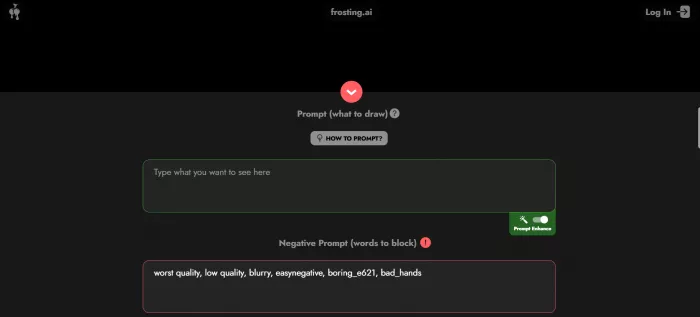
| What it is | Web-based AI image generator built on Stable Diffusion |
| Best for | Hobbyists, marketers and creators who want fast visuals |
| Entry price | Free, with paid plans reported from $7 per month |
| Standout | Negative prompts, multiple models, batch and upscaling |
| Main weakness | Faces, hands and in-image text can wobble |
| Safety read | Rated Very Likely Safe by ScamAdviser |
What is Frosting AI
Frosting AI is a browser-based tool at frosting.ai that turns written prompts into images using Stable Diffusion, the same open model family that powers many other art platforms. You type a description, choose a model, and the system renders a matching image in seconds. There is nothing to install, and you do not need to route everything through Discord the way some generators expect.
The product is operated under the name The Frosting Company. Public records show the domain was registered in March 2023, the owner identity is hidden behind a privacy service, and the site sits behind Cloudflare. It is not a tool you will see splashed across the tech press, yet it pulls a meaningful audience. Independent traffic estimates cited in reviews put it in the hundreds of thousands of monthly visits, with that audience skewing young and heavily male.
The model lineup
Rather than a single engine, Frosting AI exposes several specialised models tuned for different looks:
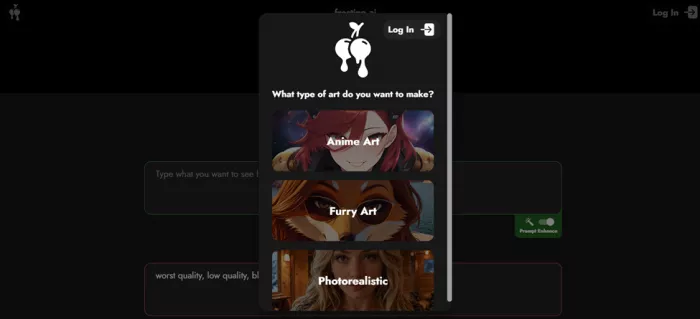
• Photoreal and general models such as the XL-class options for realistic scenes and portraits.
• Anime and illustration models for stylised character work, one of the most popular use cases on the platform.
• Furry and niche art models, reflecting a community that leans into character creation.
• A video model for short, experimental motion clips, available on higher paid tiers.
| Why the model choice matters. On Stable Diffusion tools, the model you pick changes the result more than almost any other single setting. Frosting AI puts that choice up front, which is good for control but means a beginner needs a little guidance to land the right look on the first try. |
Key features
For a free-first tool, the feature set is deeper than you might expect. The highlights:
• Text to image generation from detailed prompts, with results in seconds.
• Negative prompts so you can tell the model what to avoid, not just what to include.
• Prompt weighting for subscribers, letting you push or pull specific terms.
• Multiple aspect ratios, covering portrait, square and landscape orientations.
• Reference image and image to image support to guide composition and style.
• Batch generation, reportedly up to sixteen images at once for fast prompt exploration.
• Upscaling on paid plans to lift resolution for export.
• Seed saving and prompt strength controls for reproducibility and fine tuning.
• Experimental video generation and an in-app chat feature on the higher tiers.
The combination that stands out is negative prompts plus model choice plus batch generation. Together they give you real steering power, which is the difference between a toy and a tool you return to.
How it works
The flow is short and beginner friendly. From a cold start you can have a usable image in a few minutes:
1. Open frosting.ai in any modern browser and create an account.
2. Write a clear prompt describing the subject, setting, lighting and style.
3. Add a negative prompt to exclude unwanted elements such as blur or distorted hands.
4. Pick a model that matches the look you want, whether photoreal, anime or otherwise.
5. Optionally upload a reference image to guide the composition.
6. Set the aspect ratio to fit your final use, for example portrait for a phone wallpaper.
7. Press the DREAM button and wait a few seconds for the render.
8. Download the result, or adjust the prompt and regenerate until it lands.
| The one habit that changes everything. Prompt quality drives output quality more than the plan you are on. A vague line gives you a generic image. A specific prompt with lens, lighting and texture cues, paired with a focused negative prompt, is where Frosting AI starts to look good. |
Pricing and plans
Frosting AI runs a free tier plus several paid plans. Reviewers note one frustration here: the official site does not present a clean side by side comparison, and exact credit allowances differ between write-ups. The figures below reflect what third-party reviews report, so treat them as a guide and confirm current numbers on the site before paying.
| Plan | Reported price | What you get | Video |
|---|---|---|---|
| Free | $0 | Around 100 generations, basic models, standard settings. Enough to evaluate the tool. | No |
| Planet | $7 / mo | Higher daily credit allowance and image upscaling. The popular entry point. | No |
| Star | $25 / mo | Batch generation and higher resolution output, aimed at regular creators. | No |
| Nebula | Higher tier | Expanded limits plus access to video and the in-app chat feature. | Yes |
| Galaxy | Up to ~$120 / mo | Top tier with the fullest limits and feature access. | Yes |
Reviews also mention discounts of roughly twenty percent on annual billing and a sizeable education discount. The takeaway is simple: the free tier is generous enough for casual use, and the $7 Planet plan is the value sweet spot for anyone generating regularly.
Test 1: Image generation
This is the part that matters most, so I tested the image engine with a single, demanding photoreal portrait prompt. The goal was to see how it handles a realistic human subject, natural lighting and fine detail, the exact scenario where AI art generators tend to slip.
Test 01 / Image engine 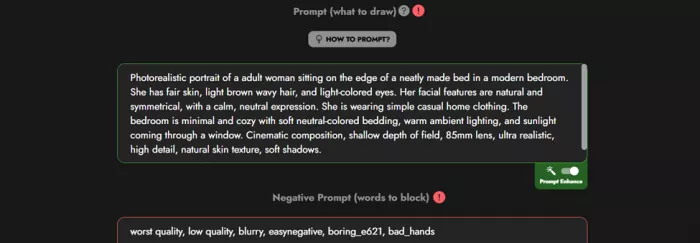 Status: Completed |
Prompt used Photorealistic portrait of a adult woman sitting on the edge of a neatly made bed in a modern bedroom. She has fair skin, light brown wavy hair, and light-colored eyes. Her facial features are natural and symmetrical, with a calm, neutral expression. She is wearing simple casual home clothing. The bedroom is minimal and cozy with soft neutral-colored bedding, warm ambient lighting, and sunlight coming through a window. Cinematic composition, shallow depth of field, 85mm lens, ultra realistic, high detail, natural skin texture, soft shadows. |
Negative prompt used worst quality, low quality, blurry, easynegative, boring_e621, bad_hands |
Test setup: realistic portrait, warm natural window light, 85mm shallow depth of field, with the focus on skin texture and facial symmetry.
Result
Generated Image 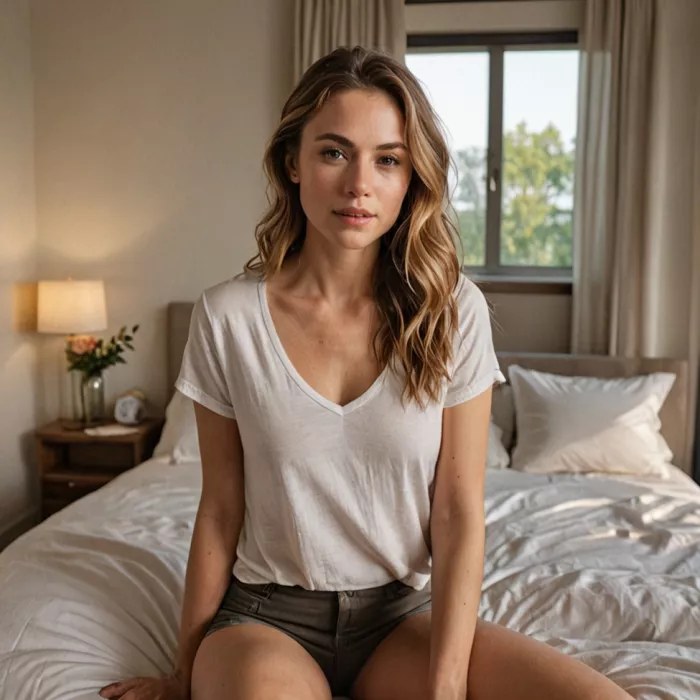 |
What I found The output looked very nice. Features came through accurately, the composition matched the brief, and the warm lighting and shallow depth of field read convincingly. There was a slight AI kick to it, the faint synthetic quality you often spot on close inspection, but it did not break the image. For a free-first tool on a single render with no retries, this was a strong showing on a difficult photoreal prompt. |
Two things stood out. First, the negative prompt clearly earned its place: calling out bad_hands and the low quality terms helped keep the common artifacts in check. Second, the result confirms the wider pattern in reviews, that Frosting AI does well on clean, well-lit single subjects and rewards a precise prompt.
Test 2: Video generation
I wanted to push past stills and try the video feature, since motion is where these tools usually show their limits. This is where the test stopped short.
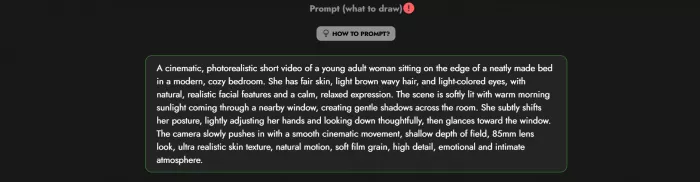 Status: Blocked by paywall |
I could not run the video test. The feature asked for a subscription, so it sits behind a paid plan rather than the free tier. Based on the plan structure, video lives on the higher Nebula and Galaxy tiers alongside the in-app chat feature.
What we know so far
• Video is toggled from the same interface, switching from image mode to video mode.
• It targets short, AI generated animation and clip styles rather than long form footage.
• Independent reviewers who have tried it describe the output as basic compared with dedicated AI video tools.
Status Untested for this review because the feature is gated behind a subscription. If you mainly want video, weigh that cost against tools built specifically for motion before committing to a higher Frosting AI tier. |
Ratings across platforms
Here is the honest picture, because it is more useful than a made-up number. Frosting AI is a niche consumer creative tool, not a business software product, so the big review platforms that catalogue SaaS do not carry meaningful scores for it yet. The signal that does exist comes from trust and safety scanners.
| Platform | Score or status | What it reflects | Notes |
|---|---|---|---|
| ScamAdviser | Very Likely Safe | Website trust and fraud risk | Old domain, valid SSL, ranks as highly popular. Flags hidden owner. |
| ScamDoc | About 76 percent, Average | Companion trust score | Legit, but suggests doing your own checks. |
| G2 | No score yet | Business user reviews | A profile exists, but not enough reviews to generate a rating. |
| Capterra | Not listed with reviews | Business software reviews | No established review profile for this consumer tool. |
| Trustpilot | No verified score found | Consumer reviews | No claimed business profile carrying a TrustScore. |
How safe is it, really
ScamAdviser lands on Very Likely Safe and backs it with positives: the domain has existed for years, the SSL certificate is valid, and the site ranks as popular, which means other sites reference it. The negatives are worth knowing too. The owner hides their identity through a privacy service, and the domain registrar carries a high share of low-trust sites. None of that points to fraud, but it is why a careful scanner stops short of a perfect score.
| Read this before you treat the table as gospel. Absence of a Trustpilot or Capterra score is not a warning sign on its own. Those platforms skew toward business software and ecommerce, so plenty of legitimate consumer AI tools have little presence there. For a tool like this, hands-on testing and community sentiment tell you more than a star average ever could. |
What users are saying
Public opinion on Frosting AI splits cleanly in two. One camp loves the ease and price. The other gets frustrated with the same artifacts that haunt most Stable Diffusion tools. The snippets below are representative of recurring themes across reviews and community discussion, paraphrased rather than tied to any one person.
★★★★★ Honestly the easiest one I have used. No download, no Discord, I had a usable image in five minutes. Hobbyist illustrator | ★★★★☆ The seven dollar plan is the best value in this space for the volume I generate every week. Marketing freelancer |
★★☆☆☆ Faces and hands still come out warped on busy scenes. You learn to fight it with negative prompts. Skeptical newcomer | ★★★★☆ Anime models are genuinely good. Photoreal is hit and miss until you dial the prompt in. Anime art fan |
The consistent praise is for accessibility, speed and price. The consistent gripes are quality variance by prompt, distorted faces and hands, weak text rendering inside images, and a video feature that feels early. That pattern matched my own testing closely.
Pros and cons
| What works | What holds it back |
|---|---|
• Clean browser interface, no install or Discord needed. • Generous free tier, enough to properly evaluate it. • Affordable paid entry, reported at seven dollars per month. • Negative prompts and prompt weighting for real control. • Multiple specialised models for photoreal, anime and more. • Batch generation and upscaling for faster, sharper output. • Fast renders and a beginner friendly learning curve. | • Image quality varies a lot with prompt skill. • Faces and hands can distort on complex scenes. • Text inside images is unreliable. • Video is experimental, basic and behind a subscription. • No clear plan comparison on the official site. • Owner identity is hidden in public records. • Permissive content policy means prompts need extra care. |
How it compares
Frosting AI sits in the accessible, affordable lane. If your priorities are different, these are the names worth weighing against it:
| Tool | Best at | Trade-off versus Frosting AI |
|---|---|---|
| Midjourney | Top tier image quality and aesthetics | More polished output, but paid only and a steeper workflow. |
| Leonardo AI | A broad creative toolkit with a free tier | More built-in tools, with a busier interface. |
| SeaArt AI | Inpainting, upscaling and animation | Deeper editing features, with more to learn. |
| Civitai | Huge library of community models | More raw model choice, less hand-holding. |
| Canva | Simple visuals inside a design suite | Easier for non-creators, less control over the AI. |
The honest summary: if you want the cleanest possible image and will pay for it, Midjourney leads. If you want a free, fast, no-fuss generator that still gives you negative prompts and model choice, Frosting AI makes a strong case.
Safety, privacy and content
A few practical points to round out the picture:
• Security basics check out. Valid SSL, Cloudflare hosting, and a domain with several years of history.
• Ownership is anonymous. The registrant is hidden behind a privacy service, which is common but worth noting.
• The content policy is permissive. The tool can produce uncensored images, so prompts deserve care, especially around real people and anything that could cross legal lines.
• Privacy positioning. Frosting markets itself around free and private creation, though as always you should read the current terms for how your data and outputs are handled.
| Use it responsibly. Do not generate content depicting real, identifiable people without consent, and never anything involving minors or other illegal material. A permissive tool puts more responsibility on the user, not less. |
Final verdict
Frosting AI does what it sets out to do. It is an accessible, affordable, browser-based image generator that gets a capable Stable Diffusion engine in front of you without friction. My single photoreal portrait test came back looking very nice, with accurate features and only a faint AI kick, which is a good result on a hard prompt with no retries. The free tier is generous, and the reported seven dollar plan is the value pick for regular use.
Temper expectations in the usual places. Faces, hands and in-image text can wobble, results lean heavily on prompt skill, and the video feature is both experimental and locked behind a subscription, which is why this review could not put it through its paces. The hidden ownership and the thin presence on mainstream review sites are worth knowing, even though the safety read is positive.
| Who should use it. Casual creators, marketers and hobbyists who want quick, flexible visuals and are happy to learn a bit of prompting. Start on the free tier, run your own prompts, and only move to a paid plan once the quality on your kind of work earns it. If video is your main goal, look at dedicated motion tools first. |
Comments