Parakeet AI makes a specific promise: a written answer on your screen while a question is still being asked, during a live interview or call. That is a big claim, so the sensible thing was to sign up, build a real mock interview, and run it from the first click to the final transcript. What follows is based on that run, not on marketing copy. You will find what the tool actually is, how a session is set up, what each paid option costs as listed in November 2026, how the assistant behaved once a real back and forth started, and what hundreds of other users report. The short version: the plumbing works. Whether it is worth the price depends on how your interviews are spread out.
At a glance
Best for Live interview answers | Response time About 2 to 4 sec | Languages 50+ (one per call) |
Free tier 10 sessions + 1 mock | Starts at $38 per credit | Trustpilot About 4.6 / 5 |
| Fast, accurate live transcription and genuinely useful answer suggestions. The catch is the pricing: single interviews are costly, so the value case rests on either the free tier or an unlimited plan during a busy search. |
What Parakeet AI actually is
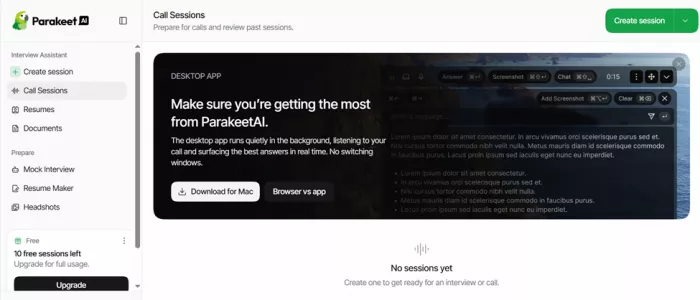
Parakeet AI, built by ParakeetAI d.o.o. and launched in March 2025, is a real-time call assistant that listens to a conversation, detects questions, and surfaces a suggested answer while the call is still live. The company reports more than 1.5 million users. It runs in a browser tab and as a desktop app, with the desktop version designed to sit quietly in the background so you are not switching windows mid answer.
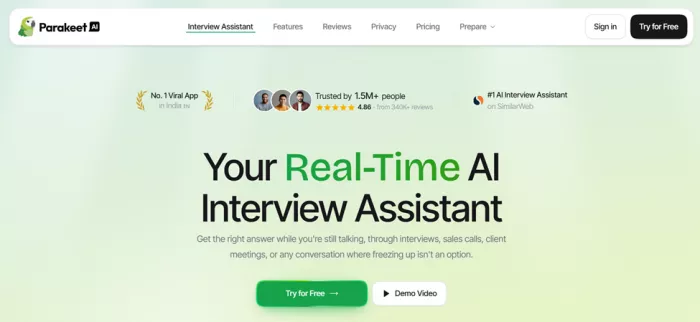
Under the hood it transcribes audio using NVIDIA Parakeet speech recognition, then writes answers using models from OpenAI, Anthropic, and Google. You pick the model per session. It supports more than 50 languages, one language at a time, and the company states it is built for conversations where AI assistance is allowed, asking users to check the rules first and offering to block employer domains on request. Beyond the live assistant, it bundles preparation tools: mock interviews, a question bank, a resume maker, and AI headshots.
How a session works
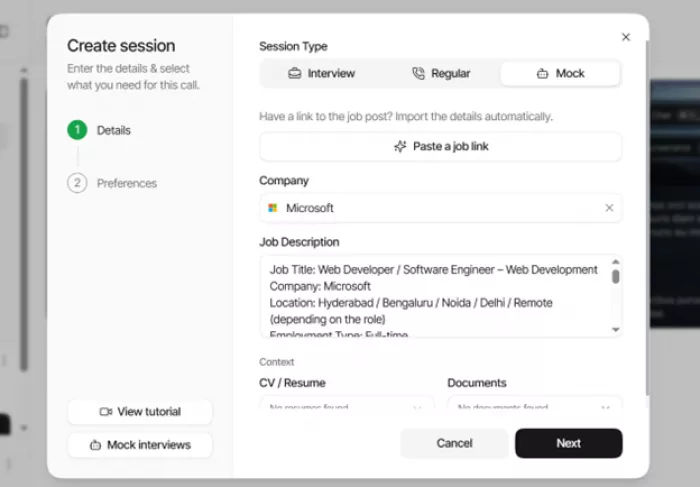
1. Create a session. Choose a type: Interview, Regular, or Mock. Add the company and job description, or paste a job link to import the details automatically. You can attach a resume and documents for context.
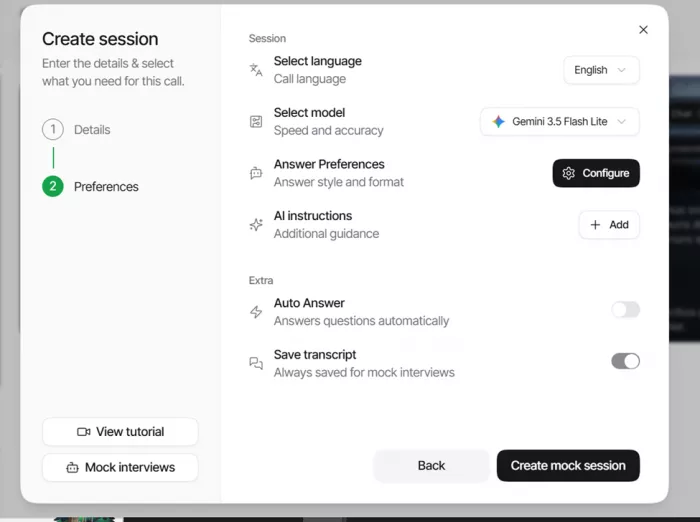
2. Set preferences. Pick the call language and the AI model (GPT, Claude, or Gemini options), tune answer style, and add custom instructions. Auto Answer and saved transcripts are toggles here.
3. Connect audio. The assistant captures the call and transcribes live with speaker labels, separating you from the interviewer in real time.
4. Get answers. When a question is detected, press Answer or let Auto Answer fire. A structured suggestion appears on screen in roughly 2 to 4 seconds.
5. Handle coding and context. Coding rounds are supported through CoderPad and HackerRank, and screenshots can be added so the answer reflects what is on screen.
Features worth knowing
The feature set leans toward the live moment first and preparation second. These are the parts that come up most in real use.
| Feature | What it does |
| Question detection + Auto Answer | Spots questions in the transcript and can reply without a key press. |
| Live transcription | On-screen text with speaker labels while the call runs. |
| Coding support | Works alongside CoderPad and HackerRank for technical rounds. |
| Documents + instructions | Upload a resume or notes and set custom guidance per session. |
| Model choice | Switch between GPT, Claude, and Gemini tiers to trade speed for depth. |
| Mock interviews | A practice interviewer that asks and reacts, with saved transcripts. |
| Prep extras | Question bank, resume maker, AI notes, and AI headshots. |
| Privacy mode | An overlay approach meant to keep talking points off a shared screen. |
Platforms and integrations
| Category | Supported |
| Devices | Windows, macOS, Linux, Android, iOS, Web, API |
| Meetings | Zoom, Microsoft Teams, Google Meet, Webex, Lark, Amazon Chime |
| Coding | CoderPad, HackerRank |
| Phone calls | Google Voice |
Pricing
Parakeet AI charges two ways: pay as you go with credits, or an unlimited subscription. One credit equals about an hour of calls, and a 30 minute block burns half a credit, so short calls round up. The figures below were listed in November 2026.
| Plan | Price | What you get |
| Free | $0, no card | 10 sessions of up to 10 minutes each, plus one 10 minute mock interview |
| Credits | From $38 for 1 credit; down to about $11.80 per credit in the 15 credit pack | Pay per use, roughly one hour of calls per credit, credits never expire |
| Unlimited (weekly) | $78 per week | Unlimited calls and mock interviews for one intense week |
| Unlimited (monthly) | $149.90 per month | Labelled the most popular plan on the site |
| Unlimited (yearly) | $599.90 per year (about $49.99 per month) | Cheapest per month, but paid upfront for the full year |
(Pricing listed here as per November 2026)
| Note on regions: prices vary by country and currency, and some regions show euro pricing instead. Treat these as the dollar figures seen in November 2026 and confirm the exact number in the app before paying. |
What it costs per interview
Because the floor is one credit and calls round up to 30 minute blocks, the real cost depends entirely on how many interviews you have and how close together they fall. This table maps the cheapest route for common situations.
| Your interview load | Best value route | Rough cost | Why |
| One interview, about an hour | 1 credit | $38 | Smallest possible purchase |
| A few rounds across a month | Credit pack | From about $11.80 per hour in the 15 pack | Credits never expire, so leftovers carry over |
| Several rounds in one week | Weekly unlimited | $78 | Beats credits once calls pass about 4 hours |
| A months long search | Yearly unlimited | $599.90 (about $49.99 per month) | Cheapest per month at high volume |
Hands-on testing
To see past the feature list, a full mock interview was created and run on the free tier. The walkthrough below follows the exact flow, screen by screen, with the screenshots dropped in at each stage.
Sign-in and the dashboard
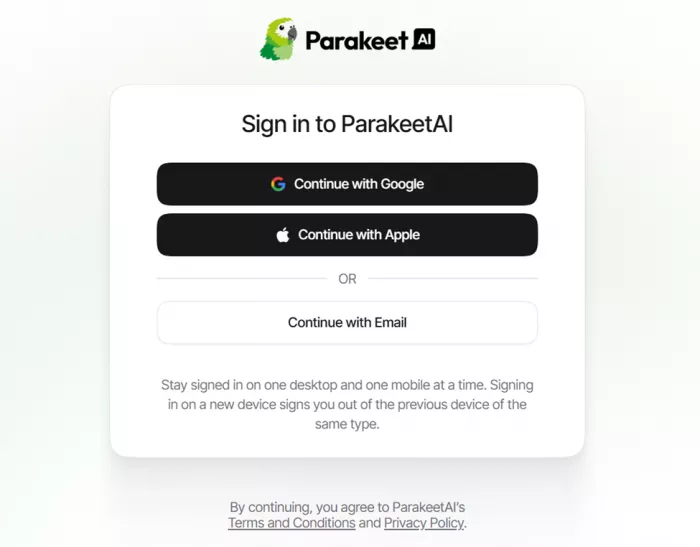
Sign-up offered Google, Apple, or email. The email route sent a six digit code within a few seconds, and that was the whole gate. One detail stood out before anything else loaded: the account stays signed in on one desktop and one mobile at a time, so logging in on a new device of the same type signs out the old one. The landing screen is the Call Sessions page, with a sidebar split into an Interview Assistant group (sessions, resumes, documents) and a Prepare group (mock interview, resume maker, headshots). A free account shows ten sessions remaining, and the page pushes the Mac desktop app hard, framing it as the quieter, no window switching option.
Creating the session
Creating a session takes two steps. On the first, the Mock type was chosen, Microsoft was entered as the company, and a Web Developer job description was pasted in. There is also a paste a job link shortcut that imports details on its own. The CV and Documents dropdowns both read empty, which is expected since nothing had been uploaded yet, and that context is optional.
Step two is preferences. The language was English, and the model defaulted to Gemini 3.5 Flash Lite, a fast and lower cost tier. Answer style and extra AI instructions are configurable, Auto Answer was off by default, and Save transcript was on, which the tool notes is always the case for mock interviews.
Starting the mock
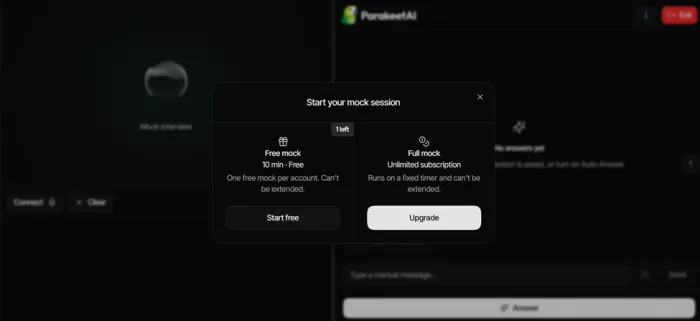
Before the room opens, a prompt splits the free mock (10 minutes, one per account, cannot be extended) from the full mock on an unlimited subscription. The free mock was the honest thing to test, and it showed one left.
Inside the interview
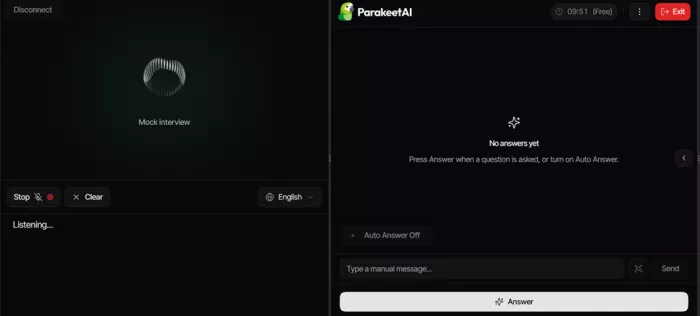
The room is a split screen. The left side holds the live transcript with an audio visual, a stop control, and the language picker, and it moved straight to Listening. The right side is the assistant panel: a countdown timer marked Free, an Auto Answer toggle, a manual message box, and a large Answer button, with a clear "no answers yet" state until a question lands. Speaking produced a transcript quickly, tagged with speaker labels, and filler words were kept intact rather than cleaned up, which makes it read like a faithful record rather than a polished one.
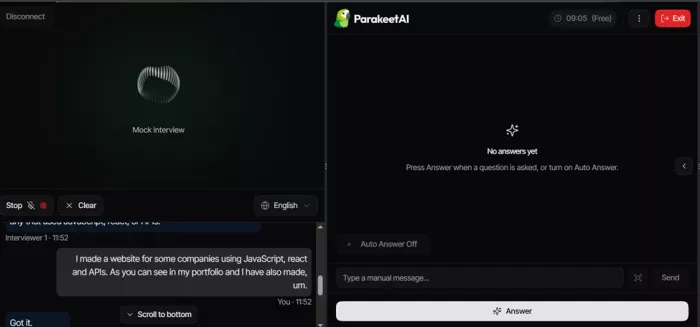
The more telling moment was the questioning. The practice interviewer did not run a flat script. After a general answer about building sites with JavaScript, React, and APIs, it asked a pointed follow-up about git workflow: if you commit on a branch, then wait a day or two, do you keep that commit or merge and adjust. That is the kind of depth probe a real engineer would throw, and it is a good sign for anyone using the mock to actually prepare rather than to feel good.
Leaving the session
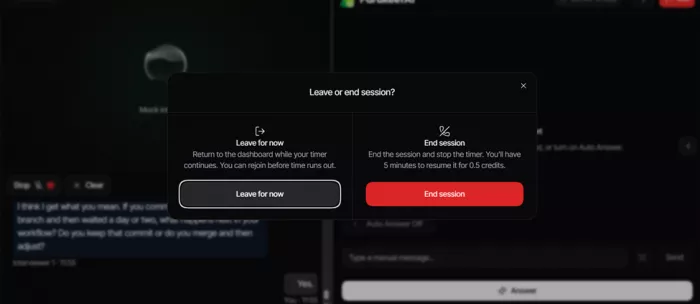
Exiting is not a single button. A dialog offers Leave for now, which keeps the timer running so you can rejoin before it ends, or End session, which stops the timer and gives a 5 minute window to resume for half a credit. It is a small thing, but it signals how the paid timer logic works everywhere, not just in mocks.
What the test showed
| Area | Result |
| Transcription speed | Fast, with text appearing close to real time |
| Speaker labels | Reliable separation of you and the interviewer |
| Transcript honesty | Filler words kept, so it reads as a raw record |
| Mock questioning | Real follow-ups that probe depth, not canned prompts |
| Free limits | Hard 10 minute cap and one mock per account |
| Nudges | Frequent prompts toward the desktop app and upgrades |
What people say online
One tester is a small sample, so the next step was to weigh the public record. Parakeet AI is reviewed across several platforms, and the picture is mostly positive with a thread of real complaints worth reading before you pay.
4.6 out of 5 Trustpilot, 500+ reviews | 5 star████████████████ 82% 4 star██ 11% 3 star█ 3% 2 star█ 1% 1 star█ 3% |
Ratings across the web
| Platform | Score | Reviews | What to know |
| Trustpilot | About 4.6 / 5 | 500+ | Heavily 5 star, but the vendor gives free credits for leaving a review |
| ToolRadar (aggregated) | 4.7 / 5 | 503 | Pulls from Trustpilot, checked October 2026 |
| Parakeet site (self reported) | 4.86 / 5 | 340K+ | The vendor's own on site figure |
| G2 | 5.0 / 5 | 1 | Sample far too small to lean on |
| Techjockey | 4.2 / 5 | 1 | Single rating, listed with a video review |

| Read the score with care: Parakeet's own help pages confirm it hands out free credits to people who post a review. The Trustpilot rating also climbed from about 2.9 in mid 2026 to the mid 4s later that year. Both facts mean the headline score reflects an incentive, not a clean independent vote, so the written complaints below carry extra weight. |
What reviewers praise and criticize
| Praised | Criticized |
| Fast answers that ease pressure in the moment | Real time help can lag at the worst moment |
| Clean, simple interface | Occasional frozen answers mid call |
| Handles follow-up context better than some rivals | Several refund and billing complaints |
| Stays invisible on screen share via the desktop app | Mobile reliability issues reported |
| Answers drawn from uploaded documents at speed | Rating partly shaped by review for credits |
In reviewers' own words
| It understood the context well for follow-up questions where other assistants fell short.Trustpilot, 5 stars |
| After downloading the app it stayed fully invisible, even during screen sharing.Trustpilot, 5 stars |
| The real time claim is misleading and it fell short in the exact moments that mattered.Critical review on the vendor feedback board |
| Answers froze mid interview and a refund was refused.Trustpilot, 1 star |
Pros and cons
Strengths
| Trade-offs
|
Who it fits
A good match
| Less of a match
|
The verdict
After setting up a session, running a full mock, and watching the transcript keep pace with a real conversation, the core experience holds up. Transcription was fast and correctly attributed, the answer panel behaved as described, and the mock interviewer earned its place by asking the kind of follow-up that exposes shallow answers. The public reviews line up with that: most people find it quick and genuinely helpful, while a smaller group reports freezes at the worst moment and friction over refunds.
The decision really comes down to timing, money, and your tolerance for the occasional miss. On the free tier it is an easy thing to try, and during a packed week of interviews an unlimited plan can pay for itself. For a lone interview, though, the floor of one credit makes it an expensive way to cover a single call, and the 30 minute blocks mean short screens still cost a full block. The sensible approach is to start free, confirm the current price in the app for your region, and only reach for credits or a subscription once your interview calendar actually fills up.
Comments