SCOPE OF THIS REVIEW I ran a single presentation on the free plan. I did not pay for Premium, test billing or cancellation, use team features, or live with the tool over time. So the score in this document is a first impression, not a full verdict, and I have kept it separate from what Slidesgo promises and what the wider market says.
At a glance
| Field | Detail |
|---|---|
| What it is | Browser-based AI slide generator on top of a large editable template library. Part of Magnific (formerly Freepik). |
| Best for | Teachers, students, freelancers, and fast internal or business decks. |
| Free plan | 3 AI presentations and 3 template downloads a month, with an attribution slide. No card needed. |
| Price (as shown to me) | About $2.00/mo, or $7.92/yr (about 67% off). Converted from the India rates I saw. |
| Export | PowerPoint (PPTX) and Google Slides. |
| My quick test | An 11-slide deck in 3 to 5 minutes, with relevant images and serviceable text. |
What is Slidesgo?
Slidesgo is an online presentation platform with two main parts. First, a large library of ready-made, fully editable templates for Google Slides and PowerPoint, covering everything from business pitches and school projects to medical and marketing decks. Second, an AI Presentation Maker that turns a short text prompt into a complete, themed slide deck in a couple of minutes. Everything runs in the browser, with no software to install.
It is built for people who need professional-looking slides without design skills: teachers, students, freelancers and small teams. You can adjust anything in Slidesgo’s own online editor, then download your deck as a PowerPoint (PPTX) file or open it in Google Slides, so it drops into whatever you already use. There is also a strong set of classroom tools, including teacher-verified Slidesclass lessons and AI generators for lesson plans, quizzes and icebreakers.
Slidesgo is part of Magnific, the AI creative platform formerly known as Freepik, which is why you now sign in to “Slidesgo by Magnific.” In practice that means it draws on the same enormous libraries of illustrations, photos and icons that power those products, and that pedigree shows up most in the quality of the visuals.
What I actually tested
Here is exactly what I did, and what came out the other side.
Signing in
Sign-up offers three doors: Google, Apple, or email. I took the email route, and the striking thing was how little stood in the way. There was no verification code and no confirmation click; entering an address dropped me straight into the app. Frictionless, yes. It is worth noting there is no two-step verification by default on that path, so treat your password seriously.
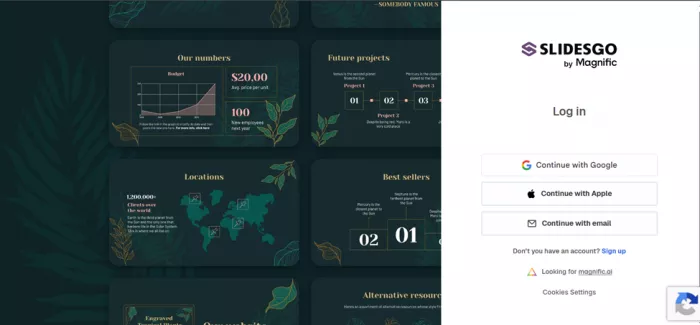
The sign-in screen, with Google, Apple and email options, now under the “Slidesgo by Magnific” brand.
The prompt
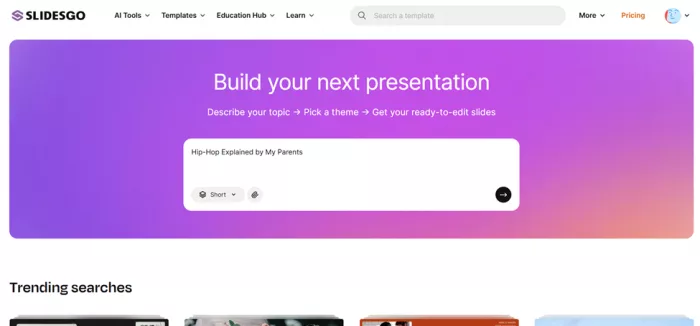
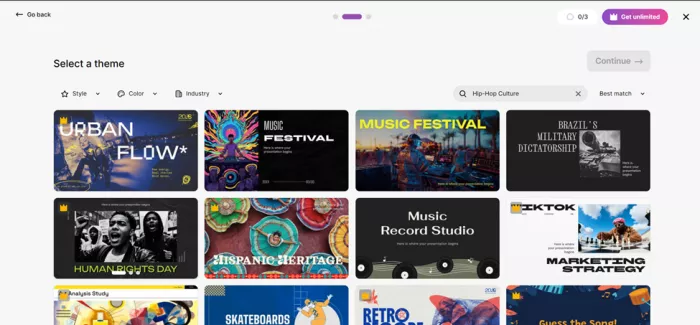
No tour, no upsell wall. I landed straight on the topic box and, to stress-test the AI rather than baby it, typed something deliberately offbeat: “Hip-Hop Explained by My Parents.” I picked a theme called Music Festival and hit generate.
What came back
Three to five minutes later I had an 11-slide deck. Here is how it broke down.

• The text was serviceable but a little “AI-ish.” Coherent and on-topic, the kind of first draft I would happily tidy up rather than rewrite from scratch.
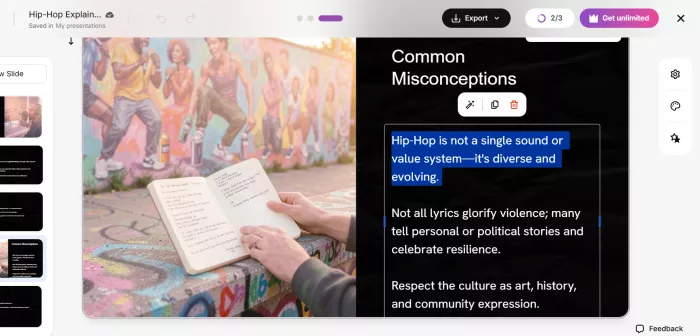
• The images were the genuine standout. They actually matched the content, with the festival theme and the hip-hop angle reflected in relevant visuals rather than random filler stock. This is where the asset-library heritage clearly earns its keep.
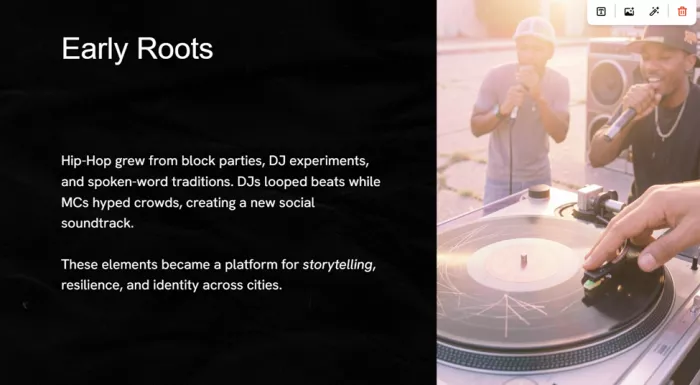
• Export was clean. Two options, PowerPoint (PPTX) and Google Slides, so you keep refining wherever you already work.
What I did not test
To be upfront, my single run did not cover any of the following, so none of it feeds my score:
• The Premium plan and its full template library
• Billing, renewals, or the cancellation process
• Team and collaboration features
• Long-term reliability, or how varied the output stays across many decks
• Whether it is worth paying for, since I did not pay
My first impression
Scoring only what one free generation let me judge:
| What I could judge from one free run | Score |
|---|---|
| Getting started (sign-up to first deck) | 4.7 / 5 |
| Generated design and images | 4.5 / 5 |
| Generated text quality | 3.3 / 5 |
| First impression overall (provisional) | 3.5 / 5 |
READING THIS SCORE Provisional, from a single free generation. It is a promising start, not a full verdict, and it deliberately leaves out value for money and billing because I did not test either.
What Slidesgo promises
These are the advertised capabilities and plans. Beyond my one free run, I am reporting what the product claims, not what I personally put through its paces.
The feature set
1. The template library, the real moat. Over 30,000 editable templates (15,000+ premium assets) across education, business, marketing, medical and creative, each running roughly 25 to 30 slides. Open them in Google Slides, download as PPTX, or open in Canva.
2. AI Presentation Maker. Type a topic, pick a theme, set tone, length and audience, then generate. You can start with up to about 14 slides and expand to as many as 85. Premium adds file upload (DOCX, PDF, TXT) so the AI builds from your own content, plus an image-style switch (Photo, Illustration, 3D).
3. Browser editor. No install. Edit text, colours and layout, and pull images and icons straight from the Magnific and Flaticon libraries without leaving the page.
4. The education toolkit. Where Slidesgo has no real Canva equivalent: Slidesclass teacher-verified lessons, plus AI generators for lesson plans, quizzes, icebreakers and exit tickets, and a PDF-to-PPT converter.
5. Tool-agnostic export. PPTX and Google Slides exports mean the output drops into whatever you and your team already use.
Plans and pricing
Slidesgo runs a classic freemium model. The free tier is a genuine trial, not a teaser: 3 AI presentations and 3 template downloads a month, from a rotating selection, with ads and a required attribution slide. Premium is advertised to remove the limits, as the table below shows.
| Feature | Free | Premium |
|---|---|---|
| AI-generated presentations / month | 3 | Unlimited |
| Template downloads / month | 3 | Unlimited |
| Full library of 30,000+ templates | No | Yes |
| Slidesclass teacher-verified lessons | No | Yes |
| Early access to new AI features | No | Yes |
| Invite and manage team members | No | Yes |
| Ad-free experience | No | Yes |
| No attribution required | No | Yes |
The figures I was shown (in India) were ₹189 a month, or ₹749 a year, an effective ₹62.42 a month, about 67% cheaper than paying monthly, with support for up to 1,000 users and bigger discounts the larger the team.
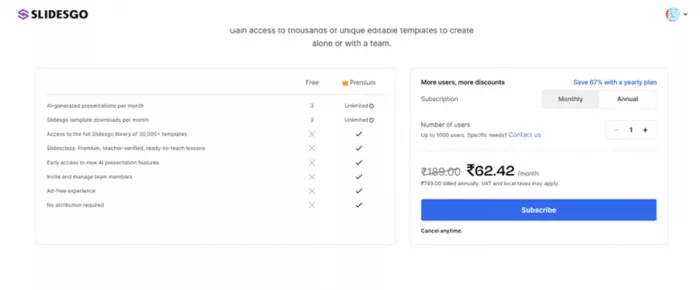
The pricing screen I was shown, on the annual plan. Note the “Save 67% with a yearly plan” and the up-to-1,000-users team option.
CONVERTED TO DOLLARS At a mid-market rate of roughly ₹94.6 to $1 (June 2026), that is about $2.00 a month, or $7.92 a year, which is close to $0.66 a month on the annual plan.
One caveat for fairness: Slidesgo localises pricing by region, and the rates I saw are unusually low. Independent checks of the published USD list put it nearer $5.99 a month, or about $35.99 a year (roughly $3 a month). All prices exclude VAT and local taxes, and Premium is advertised as refundable within 30 days if you have not downloaded a template.
What the market says
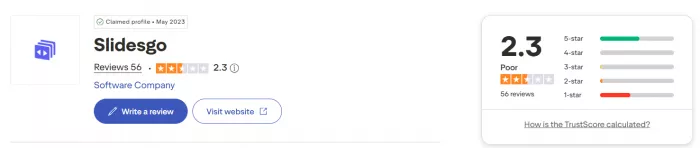
Setting my own run aside, here is how other people and platforms rate it. The ratings disagree, and that split is the real signal. Professional review sites skew very high, while Trustpilot, where unhappy subscribers tend to land, pulls the average down.
| Platform | Score | Based on | What reviewers single out |
|---|---|---|---|
| G2 | 4.7 / 5 | 18 verified reviews (about 73% five-star) | Template variety, easy editing, hours saved |
| Capterra | ~5.0 / 5 | Very small sample | Quality designs, flexible export, embedded media |
| Trustpilot | ~2.3 / 5 | About 56 reviews, polarised | Loved by educators; billing and cancellation complaints |
| SoftwareSuggest | Positive | Verified reviews | Fully online; built-in image tools handy |
| Independent hands-on tests | 3.5 to 4 / 5 | Fritz.ai, LivingSlide, Manus, Dokie | Best-in-class templates; AI content rated “mid-tier” |
What people love
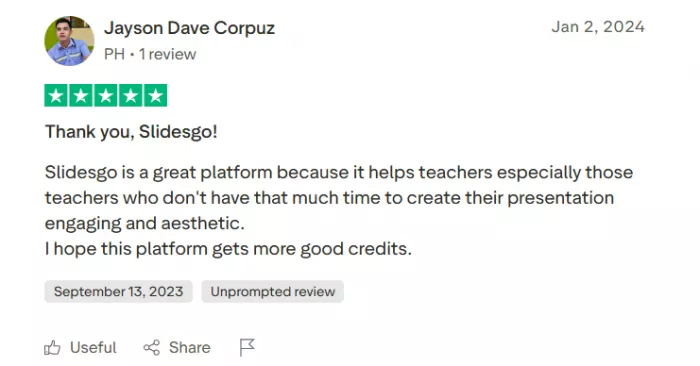
• Educators call it a time-saver, repeatedly. Ready-made themed decks and Slidesclass lessons cut hours of prep, and the tiny annual fee for unlimited educator downloads comes up again and again as outstanding value.
• Students get the grade without the design skills. Grab a polished template, swap in your content, and the deck simply looks good, a common refrain in five-star reviews.
• Support gets specific praise. Several reviewers single out fast, courteous, human email replies, sometimes arriving before the automated acknowledgement does.
• Breadth, quality and clean exports. The most consistent positives on G2 and Capterra are the range of professional designs and how easily they move into Google Slides, PowerPoint and Canva.
Common complaints, worth knowing first
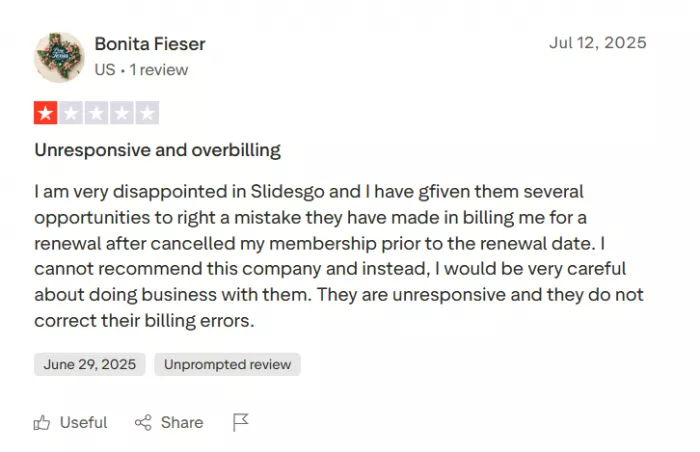
• Billing is the loudest theme on Trustpilot. Auto-renewal that is hard to stop, charges after cancelling, and slow refund resolution recur often. Slidesgo replies to many of these and says the cancel option is now more visible, but it is the single biggest caution. If you subscribe, start monthly and watch your renewals.
• The best templates are paywalled. Popular free ones get heavily downloaded, so a free deck can end up looking like a classmate’s.
• The AI writes structure better than substance. Testers agree the text needs editing for anything client- or business-critical, which was exactly my impression too.
• The fine print. “Unlimited” carries a fair-use cap around 150 a month, heavy templates can lag in the editor, and there is no brand kit for strict brand rules.
Five alternatives worth a look
Slidesgo is not the only game in town, and the right pick depends on whether you care most about the writing, design control, or budget. Here is how the main contenders stack up against it.
| Tool | Best for | How its AI works | Starts at | Versus Slidesgo |
|---|---|---|---|---|
| Gamma | Fast first drafts and link-shared decks | AI-native: writes the content and builds card-based layouts from one prompt | Free (400 one-time credits); Plus from $8/mo | Better at writing the actual content; weaker template range and no education tools |
| Canva (Pro) | Non-designers who want one tool for everything | Magic Design assists more than it generates, on a vast template library | Free tier; Pro from $15/mo (about $10/mo billed yearly) | Far broader (video, social, docs) with a brand kit; pricier and less presentation-specialised |
| Beautiful.ai | Business and sales teams needing on-brand decks | Smart Slide engine auto-formats as you type, plus prompt-based generation | From $12/mo (no free plan) | Stronger brand control and the cleanest PPTX export; smaller library, costs more |
| Visme | Data-heavy and infographic-style content | AI maker backed by strong charts and data visualisation | Free tier; Starter from about $12.25/mo | Better for data viz and interactive content; steeper to learn, pricier |
| Microsoft 365 Copilot (in PowerPoint) | Teams already living in Microsoft 365 | AI built into PowerPoint itself; drafts and edits slides in place | About $20/user per month, plus a Microsoft 365 plan | Native PPTX with no export step; far more expensive and no ready-made template library |
TWO NOTES BEFORE YOU SWITCH Prices above are approximate starting rates, some billed annually, so check each provider for current numbers. If budget is the priority, two genuinely free routes are worth knowing: Google Slides with Gemini (bundled in Workspace) and Google’s NotebookLM both generate slides at no extra cost. And a heads-up for anyone with an old shortlist: Tome, a hugely hyped pick in 2024, shut down its presentation product in 2025, so it is no longer a live option.
Who it suits, and who should skip
Use it if: you are a teacher, student, freelancer or anyone who needs a good-looking deck fast and is happy to refine the words yourself. At this price, the free tier alone is worth keeping on hand.
Think twice if: you are presenting to clients, need strict brand consistency, or expect the AI to research and write a finished, accurate deck. For that, an AI-native tool like Gamma or Beautiful.ai, or an actual designer, is the better fit.
The bottom line
Where I land
So, after a deliberately ridiculous prompt and a fair bit of digging, here is my honest read, with the three things I keep separate laid out plainly.
From my test. A genuinely good first impression, 3.5 out of 5. I tried to trip it up with “Hip-Hop Explained by My Parents” and it still handed me an 11-slide deck in a few minutes, with images that actually fit the topic, which honestly surprised me. The writing was the soft spot, fine as a starting point but a little flat, and one free run is not enough for me to call a full verdict.
What it promises. A 30,000-template library, effectively unlimited AI decks, a proper education toolkit and clean exports, all for a few dollars a month.
What the market says. Educators and review sites rate it highly (G2 4.7, Capterra near 5), while Trustpilot pulls the average down to about 3.7, almost entirely over billing and cancellation rather than the slides.
My honest take. If I were a teacher or a student, I would not think twice: I would keep the free tier on hand and upgrade when a big project landed, because at this price the value is hard to argue with. If I were building a client-facing, on-brand, fact-checked deck, I would reach for something else and not feel bad about it. Personally, I am glad it exists. It is exactly the kind of tool I would open to beat a blank page, get something presentable fast, and then make it my own. My one piece of advice, borrowed from everyone else’s reviews: enjoy the free plan, and if you do subscribe, set a reminder before it renews.
Comments