If you have used Hypernatural AI, you already know the appeal: paste a script, idea, or podcast, pick a style, and get a narrated, animated short video out the other end, with B-roll, characters, captions, and voice included. It is one of the more genuinely end-to-end tools in the AI video space, which is exactly why people look for alternatives. Maybe the pricing does not fit your volume, maybe you want a real person on camera, or maybe you need cinematic shots that Hypernatural’s style library does not cover.
This guide walks through eight tools worth considering, what each one is actually good at and, just as important, where each one will frustrate you. No invented benchmarks, no “best tool ever” hype. The goal is to help you match a tool to your real workflow, whether you are a solo creator, a marketer, or a developer wiring video generation into a pipeline.
A quick note on honesty AI video pricing and features change almost monthly. Every price below is a starting point pulled from public sources in mid-2026, and several vendors use credit systems where real cost depends on how much you generate. Treat the numbers as a ballpark and confirm on the vendor’s pricing page before you commit. |
First, what Hypernatural actually does
It helps to be precise about what you are replacing, because “AI video tool” covers wildly different things. Hypernatural is an end-to-end short-form video creator. You give it a prompt, script, or audio; it generates visuals in a chosen style, writes or uses your narration with AI voices, animates scenes into motion, and adds captions and branding, all in one workflow.
The key word is end-to-end. A lot of “alternatives” only handle one slice of that. A pure text-to-video model gives you a beautiful five-second clip but no narration, no captions, and no assembly. An avatar tool gives you a polished presenter but not animated story scenes. So the right alternative depends entirely on which slice matters most to you.
How to choose: five questions that actually matter
Before comparing logos and feature lists, answer these. They will eliminate half the options in about two minutes.
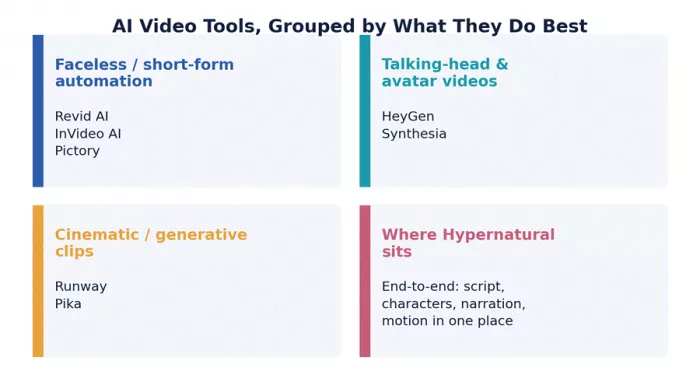
1.Do you need a face on screen? If a human presenter matters, you want an avatar tool (HeyGen, Synthesia). If not, faceless tools are cheaper and faster.
2.How much do you publish? Daily posting changes the math completely. Volume tools (Revid, InVideo) pay off; premium per-clip tools do not.
3.Do you start from a script or from a vibe? Script-first workflows suit Pictory and InVideo. Idea-first, visual experiments suit Runway and Pika.
4.How much control do you want? “Type and publish” tools trade control for speed. If you need frame-level precision, budget for manual editing too.
5.Are you automating it? If a script or app will call this on a schedule, you need an API. Runway and HeyGen have solid ones; many consumer tools do not.
The 8 best Hypernatural AI alternatives
Grouped loosely by job, not by ranking. The “best” one is whichever matches your answers above.
Revid AI: the faceless-channel workhorse
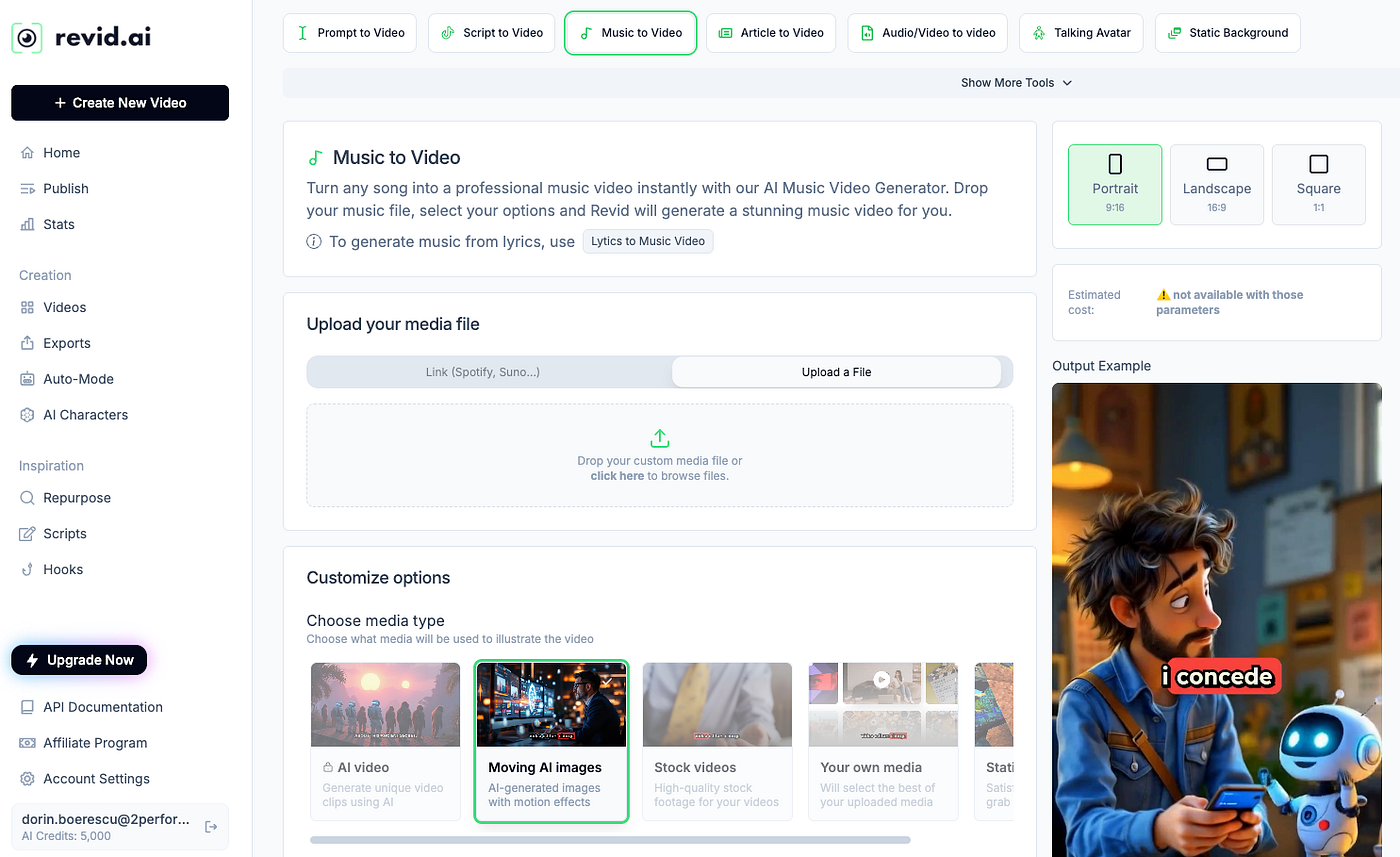
Closest in spirit to Hypernatural for high-volume short-form.
Revid is built for one thing: keeping a faceless channel fed without burning you out. You drop in an idea, a Reddit thread, or a script, and it runs a script-to-post pipeline: voiceover, captions, matched footage, and even direct posting to TikTok, Shorts, and Reels. Creators in motivational, history, and “Reddit story” niches lean on it because those formats are repetitive by design, which is exactly what automation is good at.
A realistic scenario: you run a daily AI-history Short. Instead of editing for an hour, you paste a 150-word script, pick a viral template, and have a publish-ready vertical video in under ten minutes. Over a month that is the difference between posting daily and quietly giving up.
Where it shines
•Script-to-post automation, including auto-posting and scheduling on higher tiers.
•Large library of viral, format-specific templates (Reddit stories, listicles, quizzes).
•Multilingual output for reaching audiences beyond English.
•API and automation hooks on upper plans for agencies running many accounts.
Where it falls short
•Fine editing is limited. If you want custom transitions or masking, you will hit a wall versus CapCut or Premiere.
•AI voices can sound a little robotic, though faceless viewers rarely mind.
•Credit-style limits and overage costs mean weekly-only posters can overpay.
Best for: Creators and agencies producing daily or near-daily faceless shorts who value speed over pixel-level control.
InVideo AI: type a prompt, get a full draft

The broadest “one prompt to finished video” tool, now bundling frontier models.
InVideo AI takes a single text prompt and assembles an entire video: script, stock footage, voiceover, captions, music, and transitions, with a natural-language “magic box” for edits like “make the intro shorter” or “swap the third clip.” In 2026 it also bundles access to multiple frontier generation models, which is genuinely useful if you would otherwise pay for several subscriptions.
Treat it as a rapid-drafting engine rather than a finished-product machine. The first pass is rarely perfect: scripts can feel formulaic and you will re-roll some clips. But getting from blank page to a 70%-there draft in minutes is the real value.
Where it shines
•End-to-end from one prompt; minimal learning curve.
•Natural-language editing instead of timelines.
•Access to several generation models under one plan.
•Large stock library plus avatars and voice options.
Where it falls short
•AI scripts tend toward a formula; expect to rewrite.
•Credits get consumed even on outputs you discard.
•Lowest advertised prices usually require annual prepayment.
•Manual clip-swapping is still common for polish.
Best for: Marketers, solopreneurs, and beginners who want a fast first draft from a prompt and are happy to tidy it up.
HeyGen: a presenter without a camera

The category leader for realistic AI avatars and translated talking-head video.
HeyGen is a different animal from Hypernatural. Instead of animated story scenes, it gives you a lifelike digital presenter that reads your script with accurate lip-sync, and can do it in many languages from one recording. You can even build a custom avatar from a short clip of yourself, which is powerful for personal brands and sales outreach.
Picture a SaaS team that needs the same product explainer in eight languages. Filming that is a nightmare; with HeyGen you script once, translate, and export lip-synced versions. That localization superpower is the main reason teams pick it.
Where it shines
•Best-in-class avatar realism and lip-sync.
•Voice cloning and translation across many languages.
•Custom avatars from your own likeness.
•Mature API for programmatic, personalized video at scale.
Where it falls short
•Credit-based pricing climbs quickly; premium avatars consume credits fast.
•Unused monthly credits typically do not roll over.
•It is a presenter tool, not a cinematic-scene generator.
•4K and team features sit on higher tiers.
Best for: Marketing, sales, and L&D teams that need a human-style presenter and multilingual versions without filming.
Synthesia: the enterprise training pick
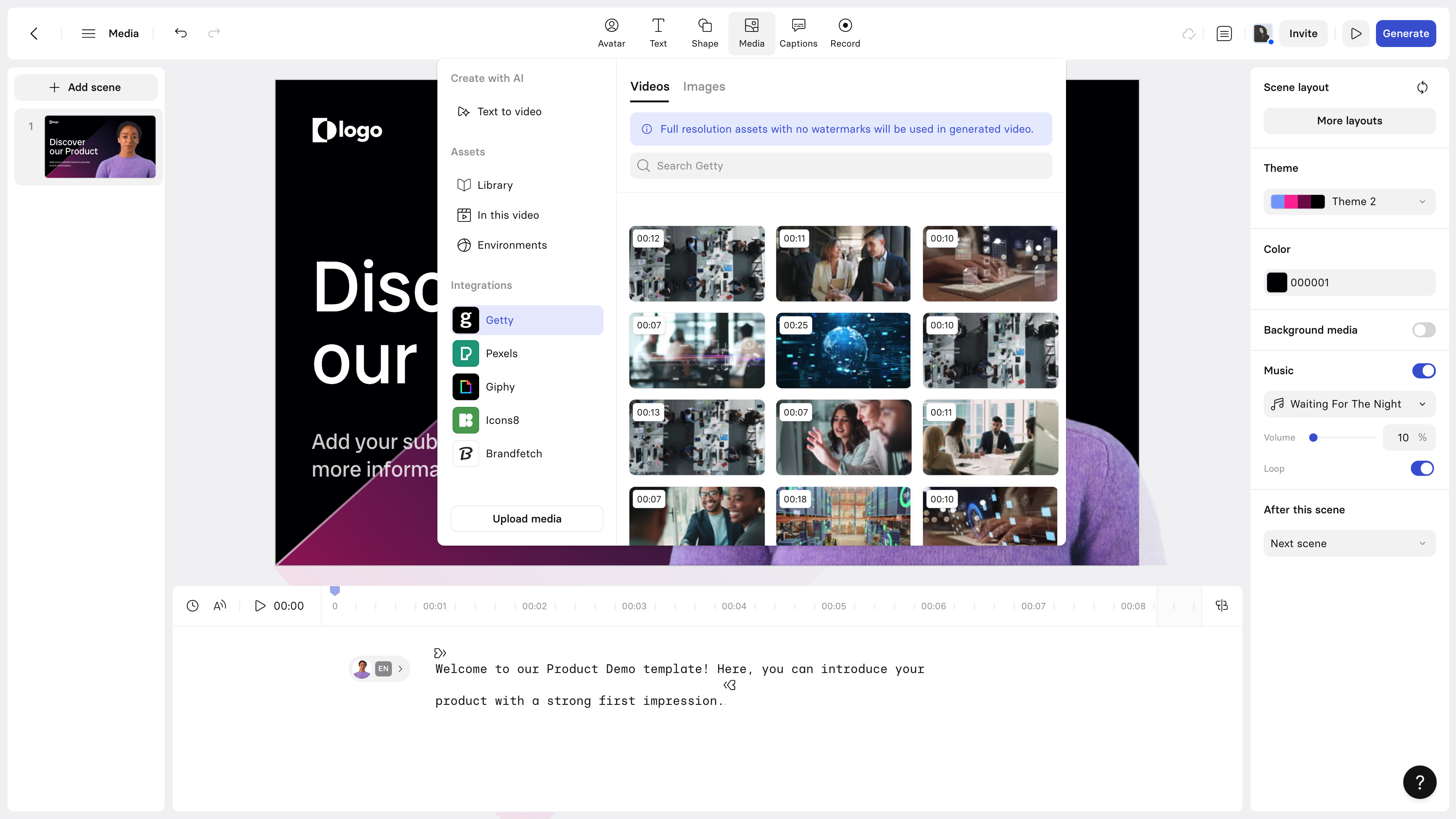
Avatar video built for corporate scale, governance, and consistency.
Synthesia overlaps with HeyGen but skews corporate. It is the tool L&D departments reach for when they need hundreds of consistent training videos, brand controls, approvals, and predictable output. The styling is more buttoned-up than fun, which is the point for compliance and onboarding content.
If your “video problem” is really a “we have 200 SOPs to turn into watchable training” problem, this is the lane Synthesia was built for.
Where it shines
•Polished, consistent avatars and templates.
•Strong governance, collaboration, and brand controls.
•Wide language support for global rollouts.
•Reliable for high-volume, repeatable corporate content.
Where it falls short
•Overkill and pricey for casual or creator use.
•Less expressive/stylised than creator-focused tools.
•Best features concentrate on higher business tiers.
Best for: Enterprises and training teams standardizing large volumes of explainer and onboarding video.
Runway: when you want cinema, not slideshows

A professional generative-video suite with serious creative control.
Runway sits at the high end. Its Gen-4 models produce short, genuinely cinematic clips with consistent characters across shots, controllable camera motion, and strong prompt adherence, the things that separate “AI slideshow” from “AI film.” It is less a one-click pipeline and more a creative studio you direct.
For a developer, the appeal is also the API: you can drive image-to-video generation programmatically, which makes Runway viable inside product features and automated content pipelines, not just the web app. The trade-off is that clips are short and you assemble the story yourself.
Where it shines
•Cinematic quality with character and scene consistency.
•Fine motion and camera control; multi-shot direction.
•A Turbo variant for faster, cheaper iteration.
•Robust API and export options (including alpha channel).
Where it falls short
•Generations are short clips; you stitch the narrative.
•Steeper learning curve than “type and publish” tools.
•Per-render cost adds up during heavy experimentation.
•Not an all-in-one narration-plus-captions workflow.
Best for: Filmmakers, agencies, and developers who need cinematic shots and creative control, and don’t mind assembling the edit.
Pika: playful, affordable clip generation
Fun, fast text- and image-to-video with creative effects.
Pika is the approachable cousin of the heavyweight generators that competes with runway globally. It turns text or images into short animated clips and is known for its effects and modifications: nudging motion, restyling scenes, lip-syncing a still image. Entry pricing is low, which makes it a great sandbox for ideas and social-ready snippets.
It is not a full production pipeline, though. You will get an eye-catching clip, then bring your own voiceover, captions, and assembly elsewhere, which is fine if a clip is what you needed.
Where it shines
•Low-cost entry; quick to learn.
•Creative effects and image-to-video modification.
•Good for stylised social snippets and idea testing.
Where it falls short
•No built-in narration, captions, or full assembly.
•Resolution and length capped on lower tiers.
•Long-form is time-intensive and not the intended use.
Best for: Creators who want striking short clips and effects cheaply, and will handle the rest of the edit themselves.
Pictory: turn writing into watchable video
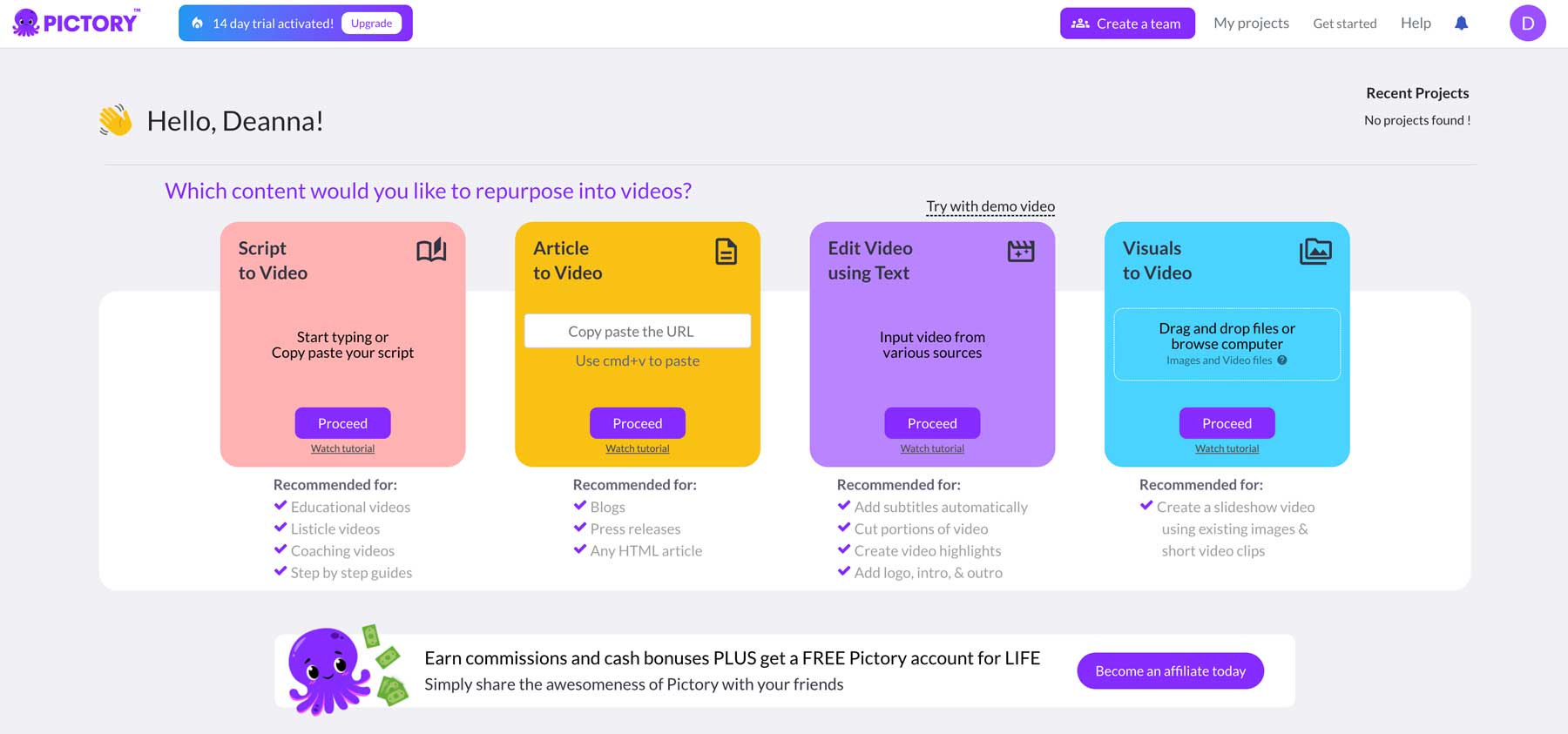
The repurposing specialist: blogs and webinars into shareable clips.
Pictory’s superpower is content repurposing. Paste a blog URL or a long script and it summarizes the key points into scenes, matches stock footage, adds captions, and generates narration. For content marketers sitting on a library of articles or webinar recordings, it is the fastest way to spin written assets into video without learning an editor.
A common play: take one 1,500-word blog post and produce a handful of YouTube Shorts and a LinkedIn clip from it in an afternoon. The look leans on stock footage, but for educational and informational content that is usually fine.
Where it shines
•Excellent blog-to-video and long-form summarization.
•Automatic caption generation and stock matching.
•Beginner-friendly; minimal learning curve.
•Good fit for repurposing existing written content.
Where it falls short
•Stock-footage aesthetic can feel generic.
•Limited avatar and cinematic options.
•Less suited to original, character-driven storytelling.
Best for: Content teams and educators repurposing articles, scripts, and webinars into social and explainer video.
Fliki: voice-first faceless video
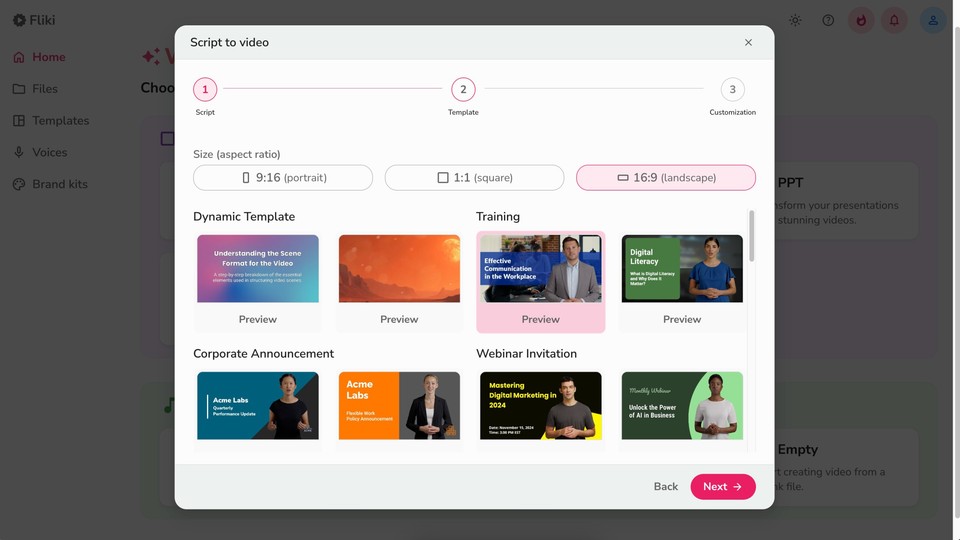
A text-to-speech-led tool for quick narrated content.
Fliki centers on voice. Its text-to-speech is strong and varied, which makes it a natural pick when narration quality matters more than visuals: audiobook-style explainers, voiceover-driven Shorts, or quick localized clips. It pairs that voice with stock visuals and captions to get you a complete, if simple, video.
If your content is essentially “great narration over relevant footage,” Fliki is a lean, lower-friction option than the all-in-one platforms.
Where it shines
•High-quality, varied AI voices and languages.
•Fast turnaround for narrated faceless clips.
•Simple workflow; gentle learning curve.
Where it falls short
•Visuals depend heavily on stock libraries.
•Not built for cinematic or character-led scenes.
•Less editing depth than dedicated video suites.
Best for: Podcasters and creators whose content lives or dies on narration, not cinematic visuals.
Side-by-side comparison
A quick reference once you have narrowed the field. Prices change often, so this table focuses on fit, strengths, and the catch, the things that don’t shift week to week.
| Tool | Best fit | Strength | Watch-out |
|---|---|---|---|
| Revid AI | Faceless shorts at volume | Script-to-post automation, viral templates, auto-posting | Less fine editing control; credit limits |
| InVideo AI | Prompt-to-video drafting | One prompt → footage, voice, captions; many models | AI scripts feel formulaic; retries burn credits |
| HeyGen | On-camera presenter without filming | Top avatar realism, voice cloning, translation | Credit costs climb fast at scale |
| Synthesia | Corporate training & L&D | Polished avatars, governance, many languages | Pricey for casual use; less “fun” styling |
| Runway | Cinematic, creative control | Gen-4 consistency, motion control, API | Clips are short; learning curve; cost per render |
| Pika | Stylised clips from text/images | Fun effects, image-to-video, affordable entry | Not a full pipeline; manual assembly needed |
| Pictory | Blogs/webinars into video | Long-form repurposing, captions, stock matching | Stock-footage look; limited avatars |
| Fliki | Voice-first faceless video | Strong TTS, many voices, quick turnaround | Visuals lean on stock; less cinematic |
Pricing intentionally omitted here because most of these tools use credit systems where real cost depends on usage. See the accuracy note at the end.
Still unsure? Start from the job
The fastest way to decide is to name the job out loud and work backward. Here is the shortcut.
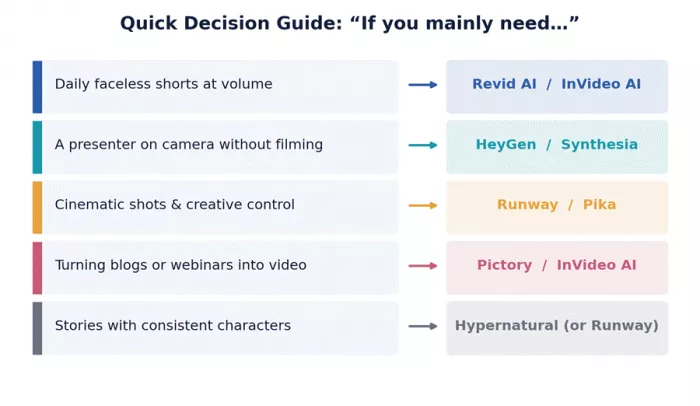
Practical tips before you commit
A few hard-won habits that save money and headaches, whether you are a creator or wiring this into software.
•Test on the free tier first. Run the same script through two or three tools and compare the actual output, not the marketing reel. Output quality on your content is the only benchmark that matters.
•Map cost to volume, not to sticker price. A $29 credit plan can be cheaper or far more expensive than a $60 “unlimited” plan depending on how much you generate. Estimate your monthly minutes first.
•Watch for watermarks and commercial rights. Free tiers often watermark exports, and commercial use can require a paid plan. Check this before you build a brand on it.
•If you are automating, confirm the API early. Many consumer tools have no public API. If a cron job or app needs to generate video, shortlist tools like Runway or HeyGen that expose one, and read the rate limits.
•Mind data and confidentiality. Most of these tools process your uploads on US servers. For NDA or sensitive material, read the terms before uploading.
•Don’t marry one tool. The strongest 2026 workflows mix tools: generate cinematic shots in one, narrate in another, assemble in a third. Pick for the job, not for loyalty.
The bottom line
There is no single “best” Hypernatural alternative, because these tools are not really competing for the same job. If you pump out daily faceless shorts, Revid AI or InVideo AI will feel like home. If you need a presenter, HeyGen and Synthesia are the grown-ups in the room. If you care about cinematic shots and control, Runway is worth the learning curve, with Pika as the playful, budget-friendly option. And if you are sitting on a pile of written content, Pictory or Fliki turn it into video fastest.
The smartest move is rarely picking a single winner. Shortlist two that match your job, run your own script through both free tiers, and judge the output with your own eyes. The tool that handles your content best, not the one with the flashiest demo, is your real answer.
How this guide was put together Tools were selected to cover the distinct jobs Hypernatural users typically need: faceless short-form automation, avatar/presenter video, cinematic generation, and content repurposing. Capabilities and pricing were checked against multiple public sources in mid-2026. Because AI video features and prices change frequently, and many tools meter usage with credits, specific numbers are given as approximate starting points only. Always verify current pricing, limits, watermarks, and commercial-use terms on each vendor’s official site before purchasing. This article is informational and not sponsored by any tool listed. |
Comments