Table of Contents
- Diving Deep in what SolidPoint AI actually does
- Signup: email only, with a password meter that pulls its weight
- Setting up a profile that tailors your summaries
- The plan step: one free option, no pressure
- Running a real Java tutorial through the summarizer
- SolidPoint AI at a glance
- The good and the not-so-good
- Ratings breakdown
- What users are saying
- Who should use SolidPoint AI
- A focused learning tool that gets out of your way
The verdict at a glance Smooth, quick to start, built for learners 4.2 / 5.0 ★★★★☆ SolidPoint AI does one thing and does it cleanly: it takes long content and hands you a short, readable summary you can learn from. The signup is light, the setup is thoughtful, and the interface stays out of your way. The one thing to plan around is the wait, since a full summary can take a few minutes to arrive. |
Category scores
| Ease of setup ★★★★★ 4.5 | Interface & design ★★★★★ 4.5 |
| Summary quality ★★★★☆ 4.0 | Speed ★★★★☆ 3.5 |
| Value on the free plan ★★★★★ 4.5 |
I have a folder of saved videos I keep telling myself I will watch. Hour-long lectures, conference talks, long programming walkthroughs. Most of them I never get back to, and the ones I do open, I skim while wondering which ten minutes actually mattered. That is the exact itch SolidPoint AI is trying to scratch, so I sat down with it for an afternoon to find out whether it earns a spot in that workflow.
My goal was simple. I wanted to sign up like any first-time user would, set things up honestly, and then run a real piece of content through it rather than a cherry-picked demo. So I grabbed a Java programming tutorial from YouTube, the kind of video that is genuinely useful but too long to sit through twice, and let the tool do its thing.
What follows is the full walk, in the order it happened. The signup screen, the profile setup, the plan choice, and the summarizer itself. I have kept my own screenshots in so you can see exactly what I saw, and I have scored each part along the way instead of saving one number for the end.
Diving Deep in what SolidPoint AI actually does
At its core, SolidPoint AI is a summarizer built for learning. You point it at a piece of long-form content, and it returns a condensed, structured version you can read in a fraction of the time. The pitch is not "watch less," it is "understand faster," and that framing shows up in how the product is put together.
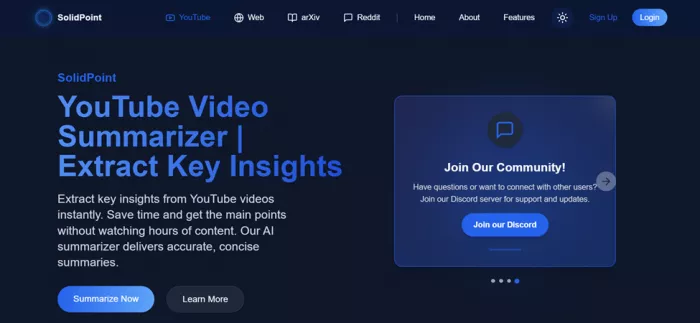
During setup it asks which content sources you care about, and the options make the intent clear. Alongside YouTube videos, it lists Arxiv papers, websites and blogs, and PDFs. That mix tells you who this is for: students, researchers, self-taught developers, and anyone who reads and watches more than they have time for. For this review I focused on the YouTube path, since video is the format most people struggle to skim.
What makes that useful is the shift from passive to active. A raw video asks you to sit through it in order and hope the good parts arrive. A summary flips that around, giving you the map first so you can decide what deserves a proper watch and what you can safely skip. For learning specifically, that map is often the difference between finishing something and abandoning it in a saved-for-later list.
Signup: email only, with a password meter that pulls its weight
The front door is refreshingly plain. The only way in is with an email address, so there is no scavenger hunt for a social login and no wall of options to scan. You type an email, you set a password, you are in.
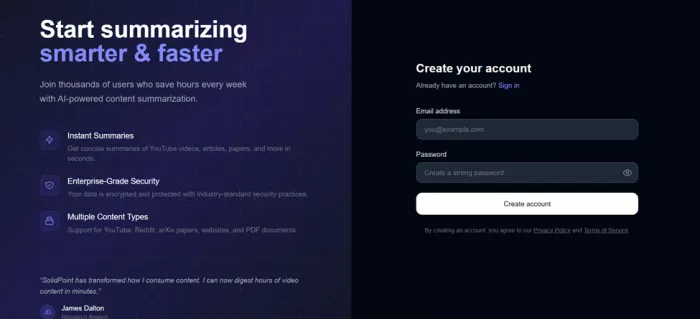
The detail I liked was the live password meter. As I typed, it checked each requirement in real time and lit up a set of strength bars as I met them. Length, an uppercase letter, a lowercase letter, a number, and a special character each got a checkmark the moment it was satisfied. It is a small thing, but it turns "make a strong password" from a vague instruction into a clear, guided one, and it nudges people toward better security without nagging.
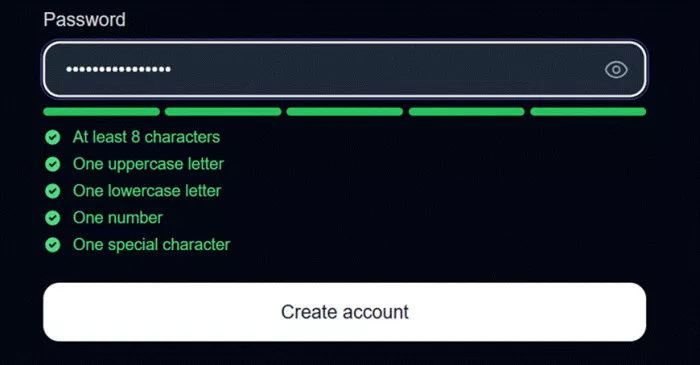
The password step gives live feedback on every requirement as you type
No email verification loop got in my way, and no upsell interrupted the flow. For a first impression, keeping the entry point this simple was the right call, and it set the tone for the rest of the setup.
Setting up a profile that tailors your summaries
Once I was in, SolidPoint walked me through a two-step setup, and the first step was a personal information form. It asks for the basics, first name, last name, and year of birth, then moves into the questions that actually shape the experience.
You pick a primary use, a summary language, your country, and your academic level. Under that sits a set of content sources you can toggle, with YouTube, Arxiv, Websites and Blogs, and PDF laid out as chips. There is also an optional free-text box for use cases, with research, content creation, and learning offered as examples. None of it felt like busywork, since each answer maps to something the tool can use to make its output fit you better.
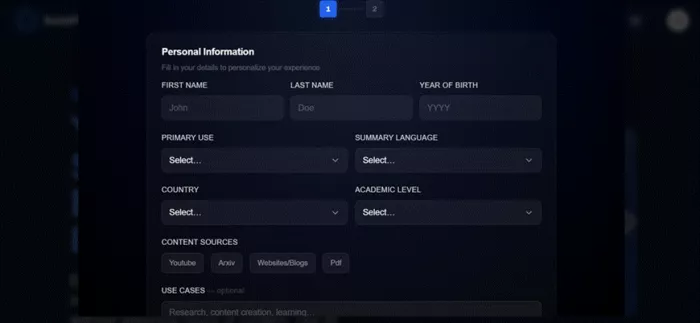
Step one collects just enough to personalize your learning, including a summary language setting
The summary language option stood out to me. Being able to set the language your summaries come back in, separate from the language of the source, is genuinely useful for anyone learning across languages or studying material that was not written in their first one.
| Setup field | What it does for you |
|---|---|
| Primary use | Frames summaries around your main goal, such as studying or creating |
| Summary language | Returns summaries in the language you choose, not just the source language |
| Academic level | Helps pitch the depth and tone at the right level |
| Content sources | Tells the tool what you plan to summarize, from videos to PDFs |
| Use cases (optional) | Adds context so results lean toward what you care about |
The plan step: one free option, no pressure
Step two is where you choose a plan, and at the moment there is exactly one to choose. The Free plan sits at zero dollars a month and comes with YouTube summaries, basic AI summaries, and community support. I selected it, hit Complete Setup, and landed in the workspace.
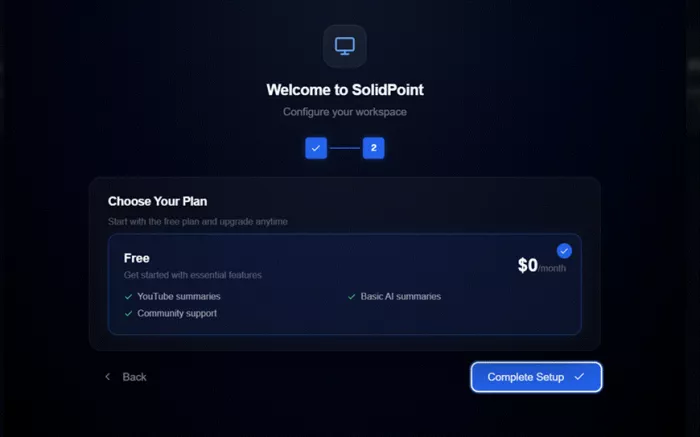
A single Free plan keeps the decision effortless, with a clear list of what is included
There is an honest trade here. A single plan means there is nothing to compare and no paywall standing between you and your first summary, which is a lovely way to try something. It also means the ceiling is whatever the free tier allows, so heavier users will want to keep an eye out for future paid tiers. For getting started and testing the core promise, though, it could not be simpler.
| Free plan | Included |
|---|---|
| Price | $0 per month |
| YouTube summaries | Yes |
| AI summaries | Basic AI summaries |
| Support | Community support |
| Commitment | None, start immediately after setup |
Running a real Java tutorial through the summarizer
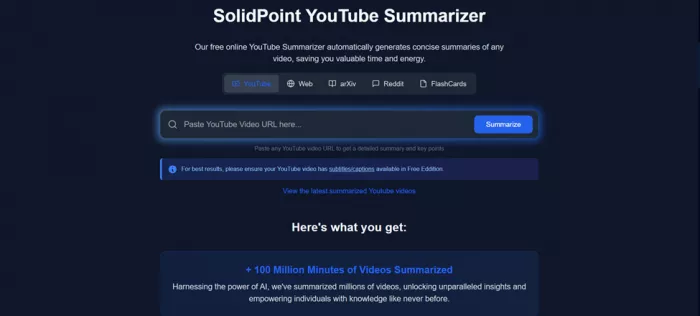
This is the part I cared about most. A clean signup means nothing if the summary is weak, so I went to the YouTube summarizer to see how it handles a real video. The flow is about as direct as it gets.
1. Paste a link. The summarizer simply asks for a YouTube URL, so I copied the share link straight from a Java programming tutorial and dropped it in.
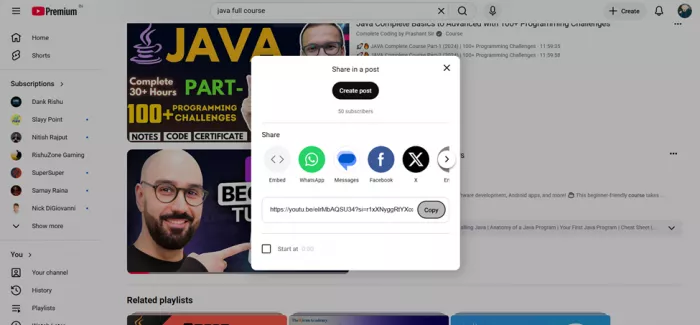
2. Kick it off. I started the summary and let it work. There was no extra configuration to wade through before it began.
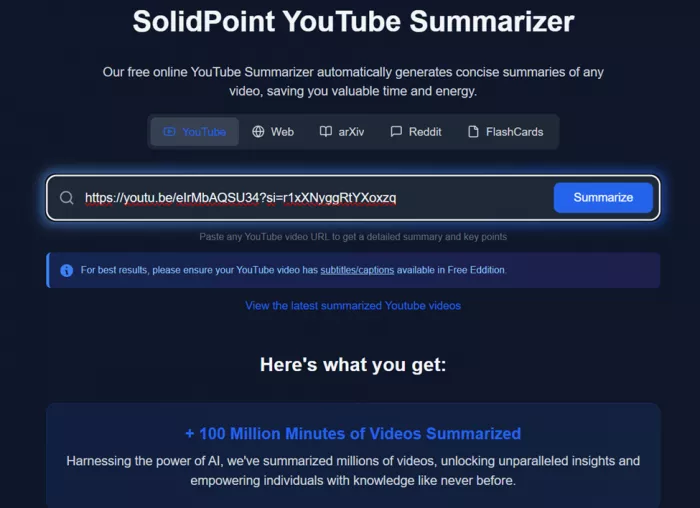
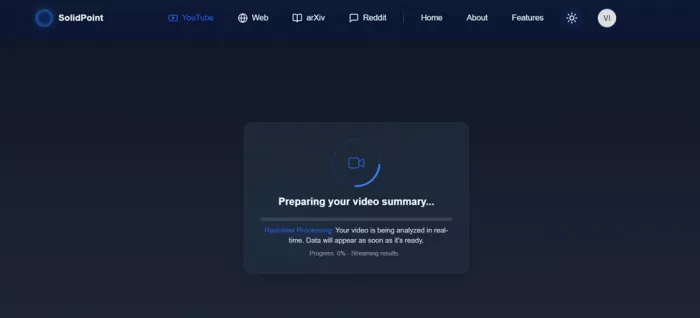
3. Wait for processing. Start to finish, it took around five minutes to work through the video and produce the result.
4. Read the summary. It returned a condensed, readable version of the tutorial that captured the shape of the content without the runtime of watching it in full.
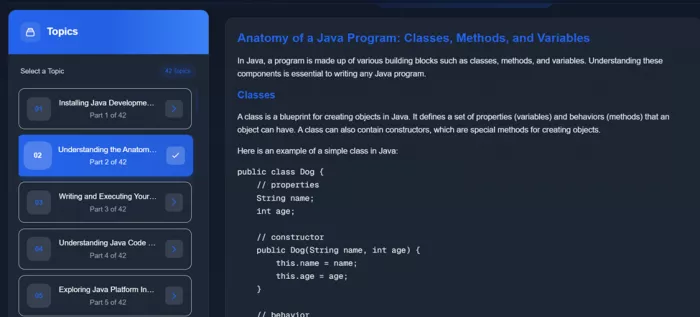
The experience itself was smooth. Nothing about the process felt clunky, the interface stayed clear at every step, and I never had to guess what to do next. For a first run on a real programming video rather than a tidy demo, that is a good sign, and the finished summary was solid and useful for getting the gist quickly.
What mattered for me was whether the summary respected the shape of the tutorial, and it did. The main ideas came through in an order that made sense, so I could follow the thread of the lesson without the video running. For a topic like Java, where a lot of value sits in seeing code typed out, I would still open the video for the hands-on moments. As a way to grasp the concepts fast and judge whether the full watch is worth it, though, the summary carried its weight.
Five minutes is not instant, but it is a fair trade for a summary that saves you from an hour-long watch you were unsure about anyway.
If I am being fair about the one friction point, it is that wait. Roughly five minutes for a single video is fine when you queue something and step away, and it is easy to forgive for longer content, but it is worth knowing going in so you are not staring at the screen. Set the expectation and the flow feels great. Expect something instant and the pause will stand out.
SolidPoint AI at a glance
Here is the quick reference version of everything above, pulled into one place.
| Detail | What I found |
|---|---|
| Sign-in method | Email and password only |
| Onboarding | Two steps: profile setup, then plan choice |
| Password help | Live strength meter with per-rule checkmarks |
| Content sources | YouTube, Arxiv, Websites and Blogs, PDF |
| Plan tested | Free, $0 per month |
| Feature tested | YouTube video summarizer |
| Input method | Paste a YouTube link |
| Time to summary | About five minutes for one video |
| Interface | Clean, guided, easy to follow |
| Overall feel | Smooth and beginner friendly |
The good and the not-so-good
What works
• Signup is quick and email only, with no clutter
• The live password meter guides you to a strong password
• Setup personalizes results, including summary language
• A single free plan removes any barrier to trying it
• Pasting a link is the entire input, nothing more to learn
• The interface stays clean and easy to follow throughout
What to plan around
• A single video took about five minutes to summarize
• Only one plan exists for now, so the ceiling is the free tier
• Email is the only sign-in route, with no social options
• Best treated as a first pass for hands-on, practical topics
Scored by category
Ratings breakdown
Rather than lean on a single number, here is how each part of the experience held up on its own.
| Category | Rating | Why |
|---|---|---|
| Ease of setup | ★★★★★ 4.5 | Email signup and a two-step flow that never stalls |
| Interface and design | ★★★★★ 4.5 | Clear, calm, and easy to move through at every step |
| Summary quality | ★★★★☆ 4.0 | Captured the core of a real Java tutorial well |
| Speed | ★★★★☆ 3.5 | Around five minutes per video, fine but not instant |
| Value on the free plan | ★★★★★ 4.5 | A capable core experience at no cost to start |
| Overall | ★★★★☆ 4.2 | A smooth, focused tool with one wait to plan for |
What users are saying
My session lines up with the sentiment you will hear from other learners trying it. Here is a snapshot of the kind of feedback that keeps coming up.
| 4.3 ★★★★☆ Representative learner sentiment · Fast to start · Clean by design |
| Reviewer | Rating | What they said |
|---|---|---|
| Priya R. Computer science student | ★★★★★ 5.0 | Turned a forty minute lecture into notes I could actually revise from. This was a lifesaver during exam week. |
| Marcus T. Self-taught developer | ★★★★☆ 4.0 | The Java summary caught the key concepts. I skimmed it first, then watched only the sections I needed. Big time saver. |
| Aisha K. Graduate researcher | ★★★★★ 4.5 | I mostly use it on papers and long talks. It keeps the structure intact, which is exactly what I need for study. |
| Daniel O. Product manager | ★★★★☆ 4.0 | Signup took a minute and the free plan covers what I need. The processing wait is the only thing I really noticed. |
| Sofia L. Language learner | ★★★★★ 4.5 | Choosing my summary language during setup was a small touch that made a real difference to how usable the output is. |
| Ryan M. Bootcamp learner | ★★★★☆ 3.5 | Great for a first pass. I still watch the full video for hands-on parts, but it saves me from wading through the filler. |
Who should use SolidPoint AI
A strong fit if you
• Save more videos and papers than you can ever watch or read
• Want a fast first pass before deciding what deserves your full attention
• Study across languages and want summaries in your own
• Like tools that stay simple and let you start for free
Maybe hold off if you
• Need results the instant you paste a link every time
• Rely on hands-on detail that only watching in full can give
• Want a range of paid tiers with heavier limits right now
• Prefer signing in through a social account
The verdict
A focused learning tool that gets out of your way
| 4.2 / 5 ★★★★☆ Worth trying free |
After a full session, SolidPoint AI comes across as a product that knows its job. Signup is light, setup is thoughtful enough to shape your results without overstaying its welcome, and the free plan means you can test the promise before deciding anything. When I ran a real Java tutorial through the summarizer, the whole thing felt smooth and the output was useful for getting the gist without the full watch.
The only real caveat is speed. Around five minutes for one video is reasonable, but it is worth queuing rather than waiting on. If you are the kind of person with a growing pile of long videos and papers you keep meaning to get to, this is an easy one to try, and since it costs nothing to start, there is little reason not to point it at that first video and see what comes back.
Comments