A quick note before you scroll
Knowledge management used to mean a static wiki nobody opened. That has changed. After spending the last several months testing platforms for the team behind this site, and comparing notes with founders and ops leaders who live inside these tools daily, one thing is clear: the gap between a good AI knowledge platform and a forgettable one is now huge. The good ones reduce search time, prevent the same questions from being asked twice, and quietly make every team member sharper. The forgettable ones just become another tab.
This guide picks seven tools that earned their spot through real user feedback, transparent pricing, and verifiable capability, not marketing claims. The structure is deliberately simple. You get the market context first, then a side-by-side snapshot, then a deeper look at each tool with its own spec table and a clear "best for" line. At the end, there is a decision matrix and a final verdict. If you only have two minutes, skim the tables. If you have ten, the deeper sections will save you a procurement mistake.
The market in numbers
Before naming tools, it helps to see how fast this category is moving. Knowledge management software is no longer a niche line item. It is one of the fastest-growing segments inside the broader productivity stack.
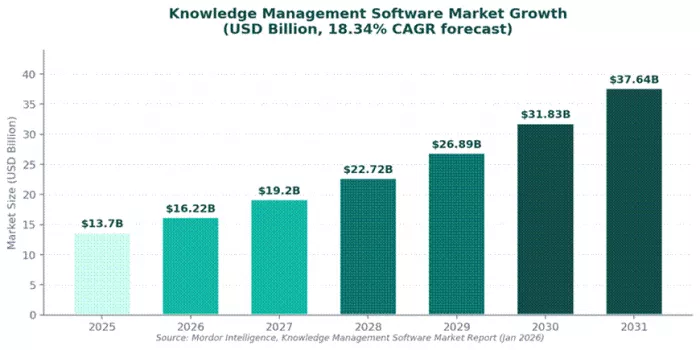
Figure 1. KM software market trajectory, 2025 to 2031.
| Market data point | Figure (2025 to 2026) |
|---|---|
| Global KM software market size (2026) | USD 16.22 billion |
| Projected market size by 2031 | USD 37.64 billion |
| Forecast CAGR (2026 to 2031) | 18.34 percent |
| Cloud deployment share of market | 62.18 percent |
| Fastest-growing functionality (CAGR) | Intelligent chatbots and agents at 21.88 percent |
| Enterprises using generative AI | Around 71 percent in at least one function |
Sources: Mordor Intelligence (Jan 2026), Business Research Insights (2026 reports).
The takeaway is that buyers are no longer choosing between "AI" and "no AI." They are choosing between approaches: enterprise search layered on top of existing tools, structured knowledge bases, or workflow-embedded answer engines. Each tool reviewed below maps cleanly to one of those approaches.
How an AI knowledge platform actually works
Most tools follow the same three-step pattern. The differences show up in how each step is executed and which integrations are first-class. The visual below makes the pipeline easy to picture.
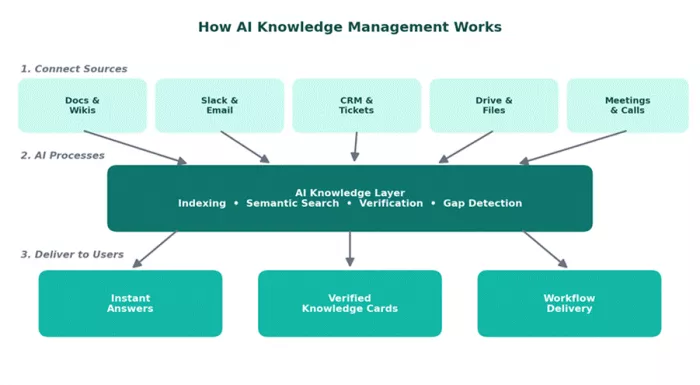
Figure 2. The connect, process, and deliver pattern shared by modern AI KM platforms.
At-a-glance comparison
This first table is the fastest way to size up the field. Pricing reflects published starting plans on the vendor sites as of May 2026. Where a vendor only offers custom pricing, the table notes that.
| Tool | Category | Starts at (USD) | G2 rating | Best for |
|---|---|---|---|---|
| Guru | AI search and wiki | $15 user/month | 4.7 / 5 | Customer-facing teams who need verified answers |
| Notion AI | Workspace and wiki | $10 user/month + AI add-on | 4.6 / 5 | Small to mid teams wanting docs and tasks in one place |
| Glean | Enterprise search | Custom pricing | 4.5 / 5 | Mid-market and enterprise with sprawling tool stacks |
| Document360 | Structured knowledge base | $199 project/month | 4.7 / 5 | Product, support, and technical writing teams |
| Capacity | KB plus AI chatbot | Custom pricing | 4.7 / 5 | HR, IT, and support teams that need self-service deflection |
| Bloomfire | Enterprise knowledge sharing | Custom pricing | 4.6 / 5 | Large teams with video, audio, and document knowledge |
| Slite | Lightweight team wiki | $8 user/month | 4.5 / 5 | Remote and distributed teams who want simplicity |
Table 1. Side-by-side snapshot of the seven tools reviewed.
Deep dive into each tool
Guru
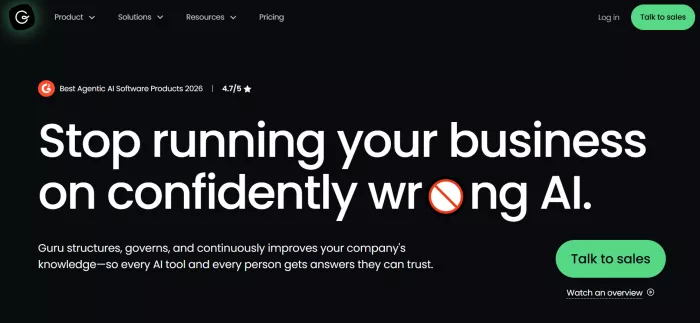
Guru is built for teams who cannot afford to give a wrong answer. Instead of asking a colleague on Slack or hunting through folders, employees get answers surfaced inside the tools they already use. The core mechanic is the verified knowledge card, with an assigned owner and a freshness date, which solves the chronic problem of documentation rotting silently.
| Best for | Customer support, sales, and operations teams needing verified answers inside Slack, Chrome, and Salesforce. |
| Standout feature | AI Assist surfaces cards inside the app you are already in, no tab switching required. |
| Integrations | Slack, Microsoft Teams, Chrome, Salesforce, Zendesk, Intercom, Google Drive, plus more than 90 others. |
| Pricing | All-in-One Plan from 15 USD per user per month. Enterprise on request. |
| G2 rating | 4.7 / 5 (2,250+ reviews) |
Key strengths
•Verification workflow: every card has an owner and an expiration, so outdated content gets flagged automatically.
•Point-of-work delivery: the Chrome extension and Slack bot answer questions without breaking flow.
•AI-generated answers: Guru drafts responses grounded only in approved cards, reducing hallucination risk.
Where it falls short
•Heavy reliance on browser extensions can feel intrusive for non-technical users.
•External help center features are weaker than purpose-built knowledge base tools.
Notion AI
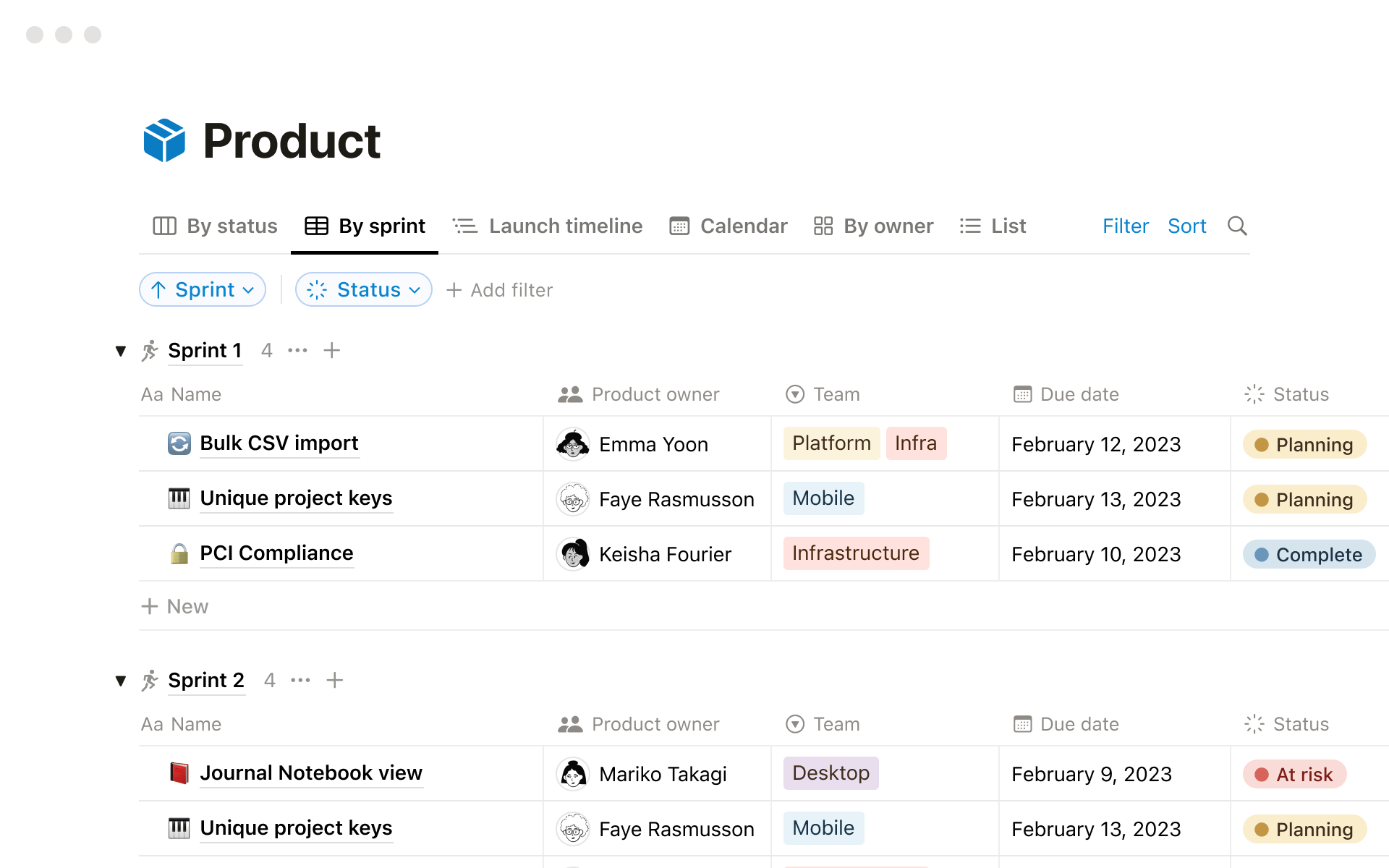
Notion needs almost no introduction. What changed in the last 18 months is that the AI layer matured into a genuine knowledge tool, not just a writing assistant. Notion AI can search across every page, summarise long threads, and answer natural-language questions about company information stored in the workspace. For teams already living inside Notion, switching on AI is one of the cheapest knowledge upgrades available.
| Best for | Small to mid-sized teams that want docs, tasks, and AI search inside one tool. |
| Standout feature | Q&A across the entire workspace, with answers citing source pages directly. |
| Integrations | Slack, GitHub, Google Drive, Jira, Figma, and Notion Sync for two-way databases. |
| Pricing | Plus plan from 10 USD per user per month, plus an AI add-on at 10 USD per user. |
| G2 rating | 4.6 / 5 (5,800+ reviews) |
Key strengths
•Flexibility: the database and page model fits almost any team workflow.
•AI Q&A: asks natural-language questions and cites the source pages, which builds trust.
•Affordable: comfortable price point for teams already using Notion.
Where it falls short
•Search across very large workspaces can still surface stale or duplicate pages.
•No formal verification system, so content freshness is on the user.
Glean

Glean is the enterprise search answer for organisations whose knowledge is scattered across more than ten tools. Built by former Google search engineers, it sits on top of the existing stack and indexes everything from Drive to Confluence to Jira, then lets employees ask questions in plain English. It is a layer, not a replacement, which is exactly what mid-market and enterprise buyers want.
| Best for | Mid-market and enterprise companies with sprawling SaaS stacks and 200+ employees. |
| Standout feature | Cross-app semantic search that learns from individual user behavior over time. |
| Integrations | 100+ enterprise connectors covering Drive, Confluence, Slack, Jira, Salesforce, GitHub, and more. |
| Pricing | Custom, typically priced per seat with annual contracts. |
| G2 rating | 4.5 / 5 (180+ reviews, 53 percent from enterprise) |
Key strengths
•Search depth: indexes far more sources than competitors out of the box.
•Personalisation: results improve over time based on each user's role and history.
•Setup speed: many enterprises are live in under two hours of admin configuration.
Where it falls short
•No public pricing makes early evaluation harder for smaller buyers.
•Less suitable for teams under 100 people, who may not justify the spend.
Document360
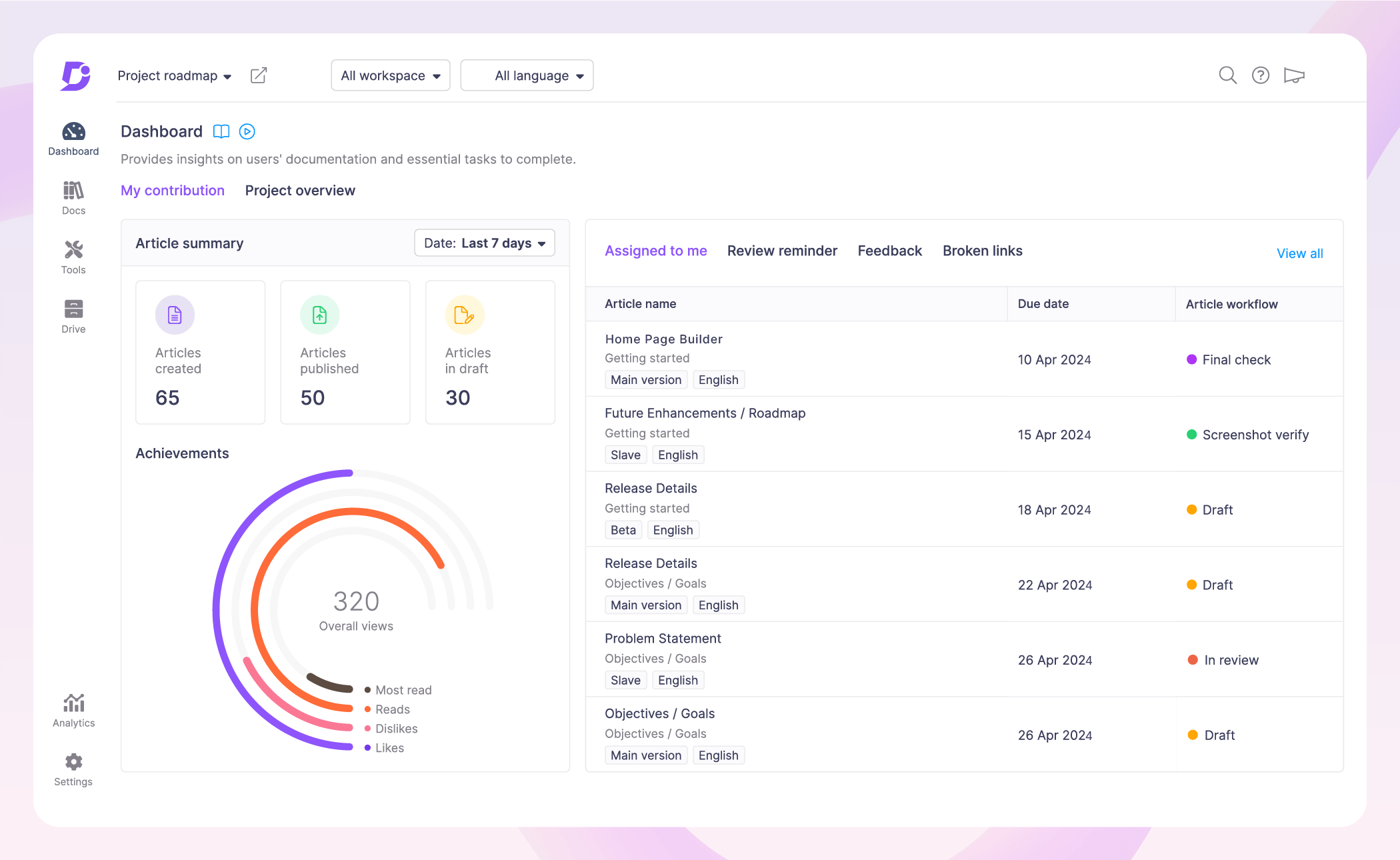
Document360 is the most polished structured knowledge base on the market right now. It is the tool to pick when the deliverable is a public help center, an API doc site, or a versioned internal manual. The AI assistant, Eddy, answers user questions using only the published documentation as its source of truth, which is ideal for compliance-heavy industries.
| Best for | Product teams, support operations, and technical writers building polished documentation. |
| Standout feature | Eddy AI search and AI Writing Agent that auto-generates structured articles from prompts. |
| Integrations | Intercom, Zendesk, Freshdesk, Drift, Slack, Microsoft Teams, plus a public API. |
| Pricing | Standard plan from 199 USD per project per month. Custom enterprise tiers available. |
| G2 rating | 4.7 / 5 (650+ reviews) |
Key strengths
•Editor quality: Markdown and WYSIWYG modes with version control on every article.
•Category manager: handles deep multi-level hierarchies that other tools mangle.
•SEO automation: auto-tagged metadata and glossaries improve discoverability of public help.
Where it falls short
•Pricing can feel steep for small teams or single-product startups.
•Real-time collaborative editing is limited compared to Notion or Google Docs.
Capacity
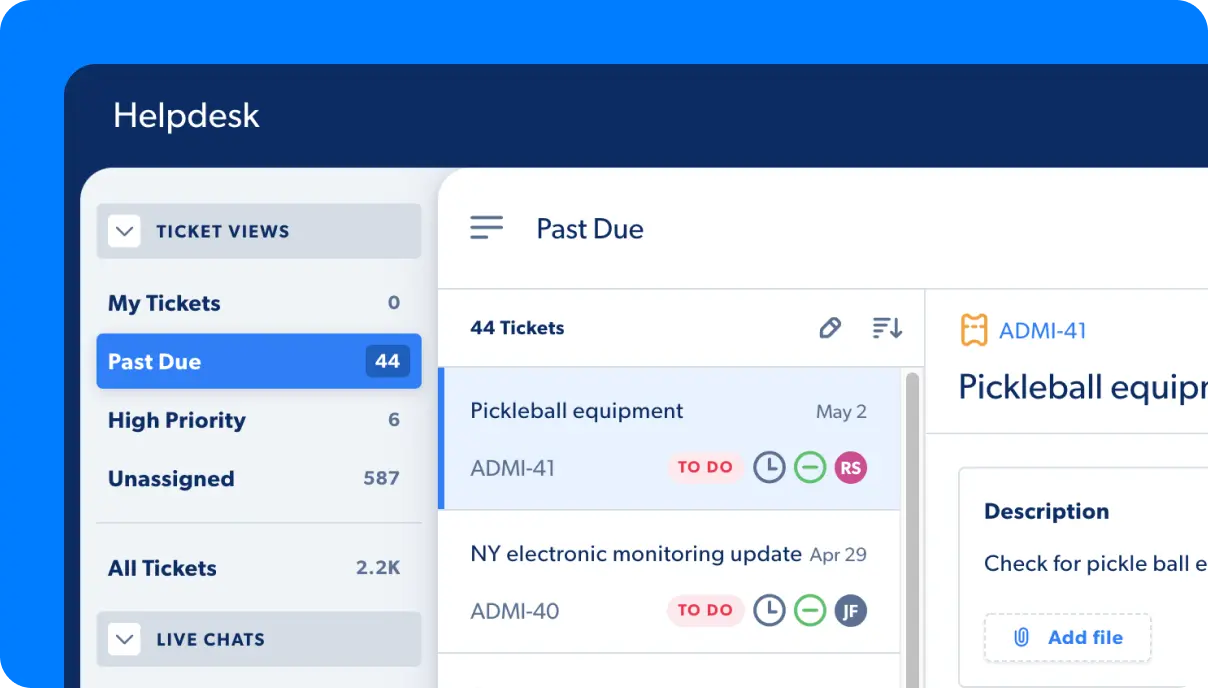
Capacity blends a centralised knowledge base with an AI chatbot that sits in front of it. Employees or customers ask questions in natural language, and the bot pulls verified answers from policies, FAQs, and connected systems. For HR and IT teams drowning in repetitive tickets, the deflection rate alone justifies the price.
| Best for | HR, IT, and customer support teams that need 24/7 self-service deflection. |
| Standout feature | Conversational AI front end that automates RPA workflows alongside answering questions. |
| Integrations | Slack, Teams, email, ITSM tools, HRIS platforms, and 150+ enterprise systems. |
| Pricing | Custom pricing based on user volume and automation depth. |
| G2 rating | 4.7 / 5 (400+ reviews) |
Key strengths
•Deflection-first design: built to remove repeat tickets, with reporting that proves ROI.
•Workflow automation: RPA features handle routine tasks like password resets or PTO requests.
•Enterprise security: strong access controls, SSO, and compliance options.
Where it falls short
•Chatbot persona requires upfront tuning to feel natural for end users.
•Less suited for external customer-facing help centers compared to Document360.
Bloomfire
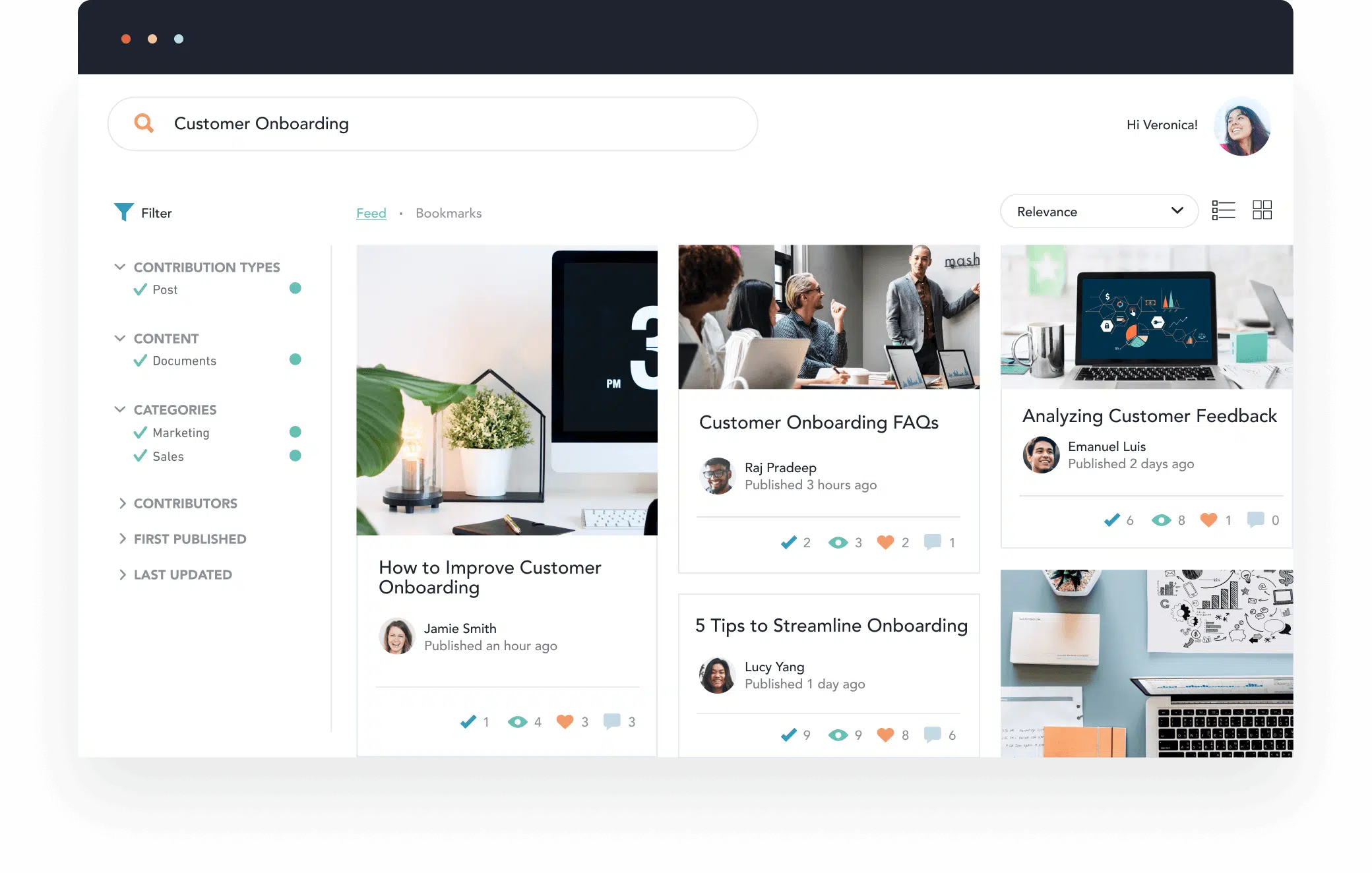
Bloomfire is the strongest choice when your knowledge lives in formats beyond text. It transcribes video, audio, and slides, then makes every word inside them searchable. For sales enablement, training, and field-services teams sitting on hours of recorded calls and walkthroughs, that capability is a quiet superpower.
| Best for | Large organisations with rich multimedia knowledge: training videos, recorded calls, webinars. |
| Standout feature | Deep search inside video and audio transcripts, with timestamp jumps to the exact moment. |
| Integrations | Salesforce, Slack, Teams, Zoom, Google Workspace, and SSO providers. |
| Pricing | Custom pricing, typically annual contracts. |
| G2 rating | 4.6 / 5 (510+ reviews) |
Key strengths
•Multimedia indexing: treats video and audio as first-class content, not afterthoughts.
•Engagement analytics: shows which content is actually used, by whom, and how often.
•Community feel: Q&A and contributor activity help knowledge stay alive.
Where it falls short
•UI feels less modern than newer entrants and takes longer to learn.
•Pricing is enterprise-tier and not friendly for small teams.
Slite
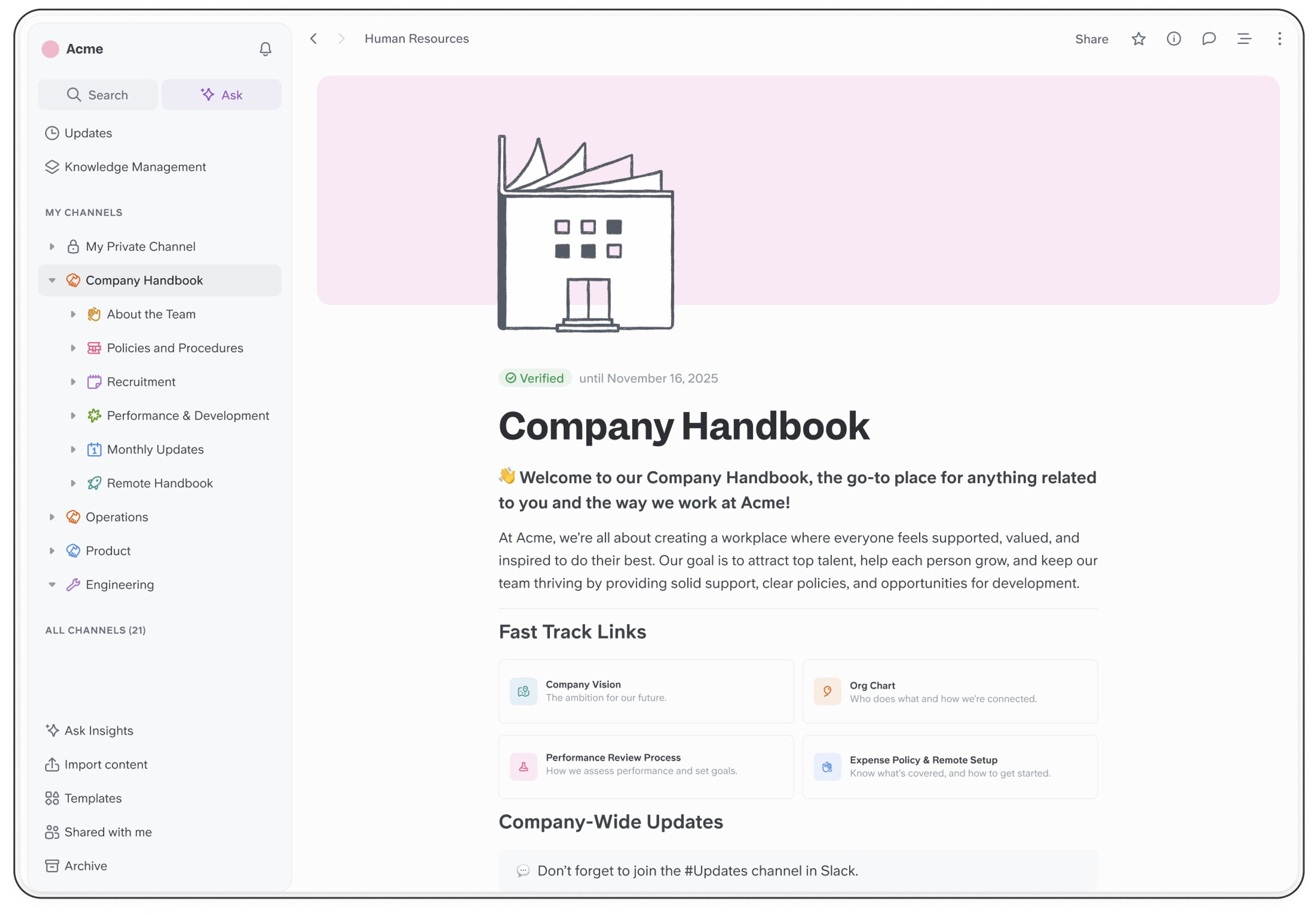
Slite is the tool to recommend when a team is frustrated by Confluence complexity but still wants a real wiki. The editor is fast, the AI search is sharp, and the "Ask" feature answers questions using the workspace as the source. For remote-first or distributed teams of around 10 to 200 people, it strikes a careful balance between simplicity and capability.
| Best for | Remote and distributed teams that want a clean, low-friction wiki with AI search. |
| Standout feature | "Ask" feature delivers concise natural-language answers grounded only in workspace docs. |
| Integrations | Slack, Google Drive, Notion import, Linear, Trello, GitHub. |
| Pricing | Standard plan from 8 USD per user per month. AI add-on included on higher tiers. |
| G2 rating | 4.5 / 5 (230+ reviews) |
Key strengths
•Speed: editor and search feel instant, even on large workspaces.
•Clean structure: channels and collections keep content organised without friction.
•Reasonable AI: summaries and Q&A are useful without feeling oversold.
Where it falls short
•Lighter integrations than Glean or Guru, so it works best as a primary doc home rather than a search layer.
•Customisation is intentionally limited, which large teams may find restrictive.
Pricing and plan comparison
Pricing is often the deciding factor once the shortlist is down to two. The table below normalises the starting plan for each tool and notes any obvious caveats.
| Tool | Free tier | Entry plan | Mid tier | Enterprise |
|---|---|---|---|---|
| Guru | Free for up to 3 seats | $15 user/month | $23 user/month | Custom |
| Notion AI | Free personal use | $10 + $10 AI | $15 + $10 AI | Custom |
| Glean | Not available | Custom | Custom | Custom |
| Document360 | Free for 2 team accounts | $199 project/month | $399 project/month | Custom |
| Capacity | Not available | Custom | Custom | Custom |
| Bloomfire | Not available | Custom (from ~$25 user) | Custom | Custom |
| Slite | Free for up to 50 docs | $8 user/month | $12.50 user/month | Custom |
Table 2. Pricing snapshot, May 2026. All figures in USD.
Use-case decision matrix
If pricing and ratings start to blur, this matrix is the single most useful artifact in the article. Find the scenario closest to yours, and the right answer is almost always one of the top two picks listed.
| Scenario | Top pick | Runner-up |
|---|---|---|
| Customer support team needing verified answers in Slack | Guru | Capacity |
| Building a public help center or API documentation | Document360 | Notion |
| Small team wanting docs, tasks, and AI in one workspace | Notion AI | Slite |
| Enterprise with 15+ tools and scattered knowledge | Glean | Guru |
| Self-service deflection for HR or IT tickets | Capacity | Guru |
| Video, audio, and recorded-call knowledge | Bloomfire | Glean |
| Distributed remote team wanting a fast, simple wiki | Slite | Notion AI |
Table 3. Pick a row, save a week of evaluation.
How users rate them
Beyond marketing pages, the most reliable signal is what real buyers say after six months of use. The chart below pulls verified G2 review ratings, with review counts shown alongside each score for context.
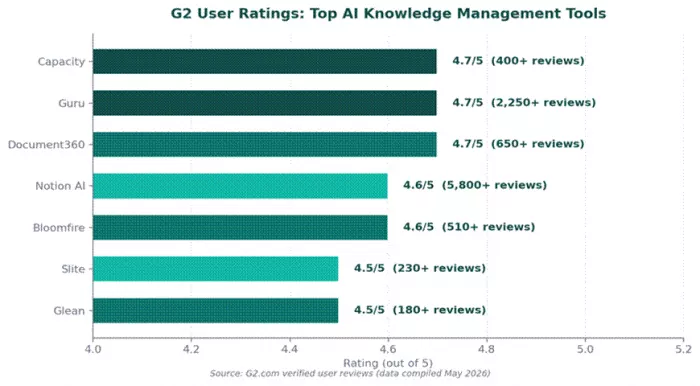
Figure 3. G2 ratings across the seven shortlisted tools.
Final verdict
Here is the honest take after weeks of side-by-side testing. There is no universal best tool in this category, and any review that names one is either lazy or selling something. The right pick depends entirely on whether your knowledge problem is search-shaped, structure-shaped, or workflow-shaped.
If forced to recommend a default for a typical 50 to 200 person company starting fresh in 2026, the answer is Guru for internal teams plus Document360 for external documentation. That pairing covers roughly 80 percent of real-world knowledge needs without overspending. For teams already invested in Notion, switching on the AI add-on is the easiest win in this list and probably the right move before evaluating anything else. For enterprises feeling the pain of search across many tools, Glean earns its premium quickly, but only above a certain scale.
Whichever path you choose, the rule that matters most is freshness. The best tool in the world cannot fix a knowledge base full of outdated content. Pick the platform whose verification, ownership, and gap-detection features match how your team actually works, then commit to keeping it alive. That is the part no AI can do for you, at least not yet.
Comments