I have spent a fair few evenings with Skipit AI, mostly pasting in hour-long conference talks and dense PDFs I lacked the patience to read end to end. The pitch is simple and it mostly delivers. You drop a link, get a summary, then keep chatting to pull out the parts you actually need. For YouTube especially, asking what someone said about pricing around the 40 minute mark, instead of scrubbing a timeline, is a small daily relief.
After a few weeks, the limits show. Skipit leans entirely on the transcript, so a video with messy captions gives a mushy summary. The free plan is really a doorway, and the paid plan sits near 12.99 dollars a month. If your days are not all long YouTube videos, you start wondering whether something cheaper, freer or more specialized would fit.
That is why I pulled together six tools I have tested against the same content, and I will be straight about where each wins and falls short. No invented scores, just what they are good for and what they cost.
Skipit AI in a nutshell
Here is the baseline you are comparing against.
| What it does | Summarizes long content and lets you chat with it to pull out specifics |
| Formats | YouTube (up to 12 hours), PDFs, Google Docs, articles, websites, tweets, LinkedIn posts |
| Standout feature | Chat-with-a-video Q and A, plus saved chat history |
| Free plan | Limited, mostly a way to try before you buy |
| Paid from | Around 12.99 dollars a month |
| Watch out for | Summary quality depends on transcript quality, and nuance in complex talks can slip |
How I chose these alternatives
I filtered for tools that do the same core job but suit different kinds of user:
• Same core job. Each turns long content into something you can skim or question.
• A mix of all-rounders and specialists. Some go wide, some go deep.
• A usable free option where one exists. Free access often matters more than headline price.
• Honest about accuracy. Every tool here depends on transcripts and text, so I flag where that bites.
A note on prices: figures reflect mid-2026 and change often, so treat each as a starting point and confirm on the official site before you pay.
The six alternatives at a glance
| Tool | Best for | Handles | Free tier | Starts at |
|---|---|---|---|---|
| Skipit AI | Chat with videos and docs | Video, PDF, web, social | Limited | ~$12.99/mo |
| NoteGPT | Studying and revision | Video, PDF, PPT, audio | ~15 credits | ~$9/mo |
| NotebookLM | Trustworthy research | PDF, Docs, video, audio | Generous | Free / $19.99 |
| Monica AI | One browser assistant | Web, video, PDF, text | 30 to 40/day | ~$8.30/mo |
| ChatPDF | Long documents | PDF (Word, PPT on paid) | 2 PDFs/day | ~$5/mo |
| Eightify | YouTube triage | YouTube only | 3-day trial | ~$4.99/mo |
| iAsk AI | Sourced web answers | Web, documents | Unlimited basic | Free / $9.95 |
The chart below lines up the cheapest paid plan for each tool. It is only half the story, since several free tiers are ones people never outgrow.
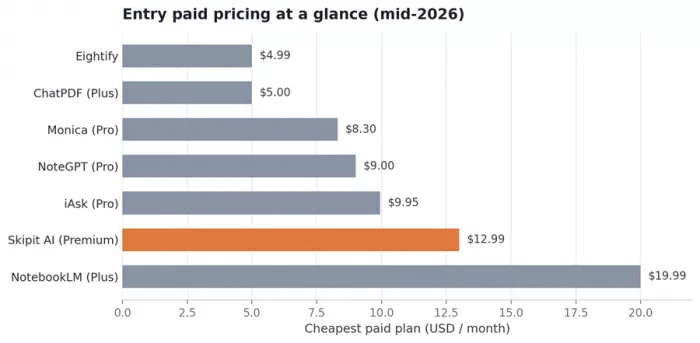
Cheapest paid plan per tool. Most of these also offer usable free tiers.
NoteGPT: the closest all-rounder
If you want one tool that does what Skipit does and more, this is it. NoteGPT turns any source into study material, so it feels more like a learning assistant than a summarizer.
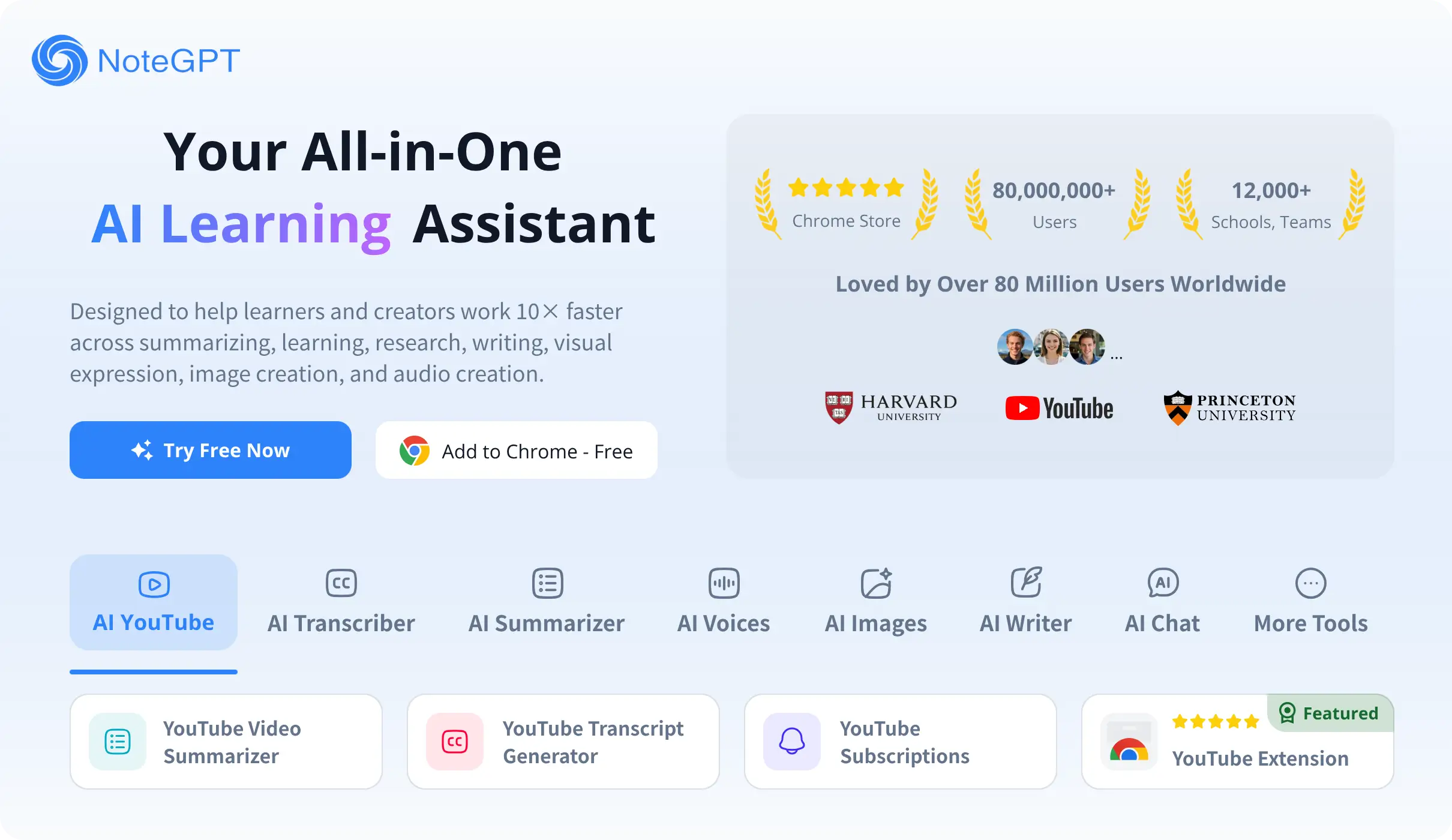
Best for Students and self-learners who want to remember content, not just skim it.
| Formats | YouTube, PDF, Word, PPT, articles, web pages, images, audio |
| Study extras | Flashcards, mind maps, quizzes, slide decks, a saved notes library |
| Models in chat | ChatGPT, Claude, Gemini and DeepSeek |
| Free plan | Around 15 credits, which is tight and closer to a trial |
| Paid from | About 9 dollars a month (Pro), with an Unlimited tier near 29 dollars |
| Extensions | Chrome and Edge, with a summary sidebar right on YouTube |
Pros
- Handles more formats than Skipit, including audio files and slide decks
- The study tools are the real reason to pick it over a summarizer
- Summarizes videos up to about 150 minutes even without subtitles, and batches several at once
Cons
- The free tier runs out almost immediately, so you test on fumes
- Heavy daily use pushes you to pricier plans
- The pile of features feels like a lot if you only wanted a summary
| Try this: Revising for an exam? Paste a lecture recording, summarize it, then turn that into flashcards. That workflow is where NoteGPT beats a plain summarizer. |
Google NotebookLM: the free research pick
NotebookLM only answers from the sources you give it, and every answer is tied to the exact passage it came from. It never touches its training data or the open web, so it is unusually trustworthy for research.
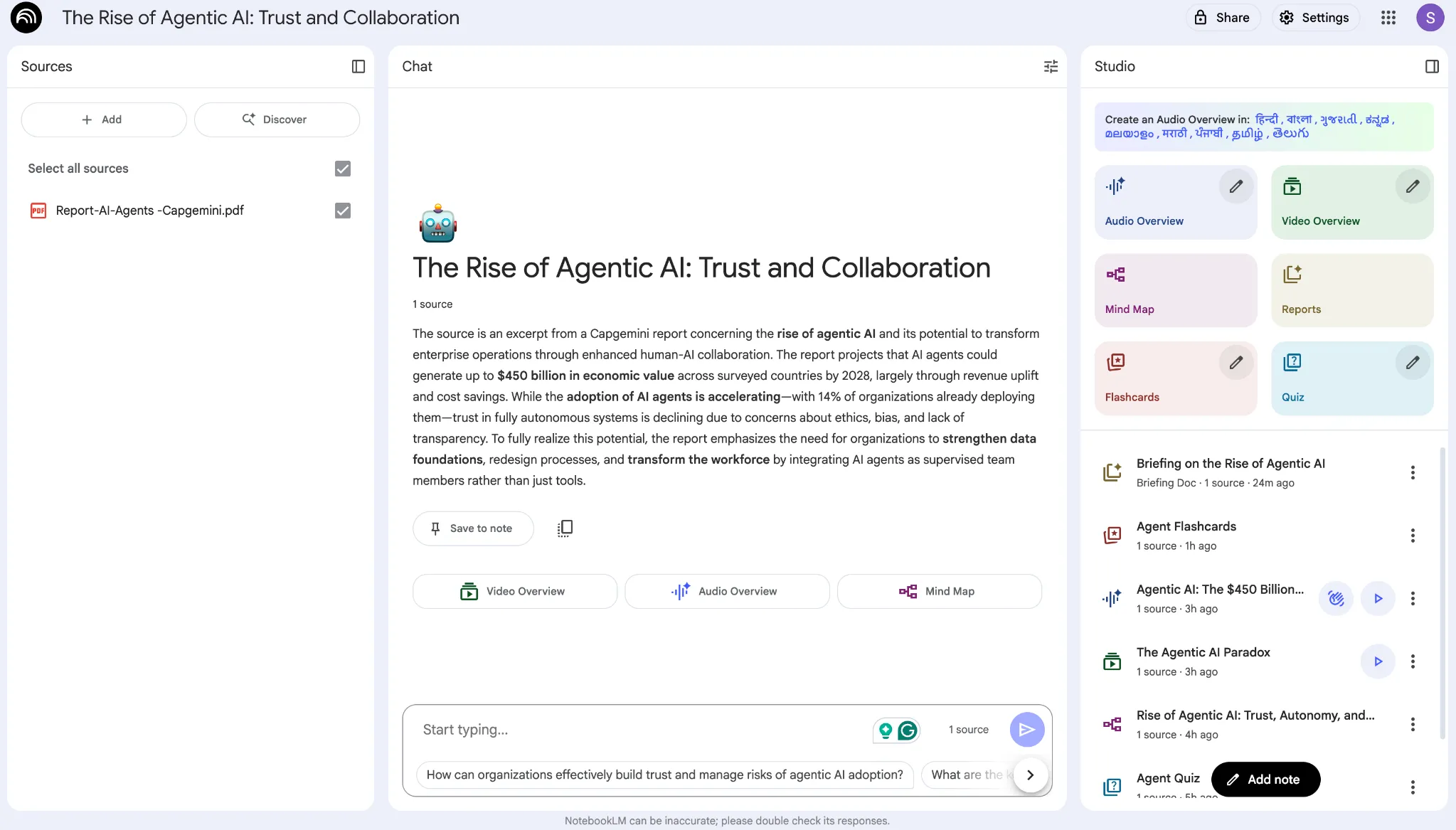
Best for Anyone doing real research who wants answers they can verify.
| Sources | PDF, Google Docs and Slides, YouTube URLs, websites, pasted text, audio, images, CSV |
| Standout | Audio Overviews, a podcast-style chat between two AI hosts about your material |
| Grounding | Every answer cites its source and says so when the answer is not there |
| Free plan | 100 notebooks, 50 sources each, 50 questions a day, 3 audio overviews a day |
| Paid from | Plus, bundled with Google AI Pro at about 19.99 dollars a month, for higher limits |
Pros
- The most generous free tier here, and enough for most people
- Citations make it easier to trust than a black-box summary
- Audio Overviews turn a reading pile into something you can play on a walk
Cons
- Files sit on Google servers, a poor fit for confidential material
- No sidebar and no offline mode, so it is a destination not a companion
- The audio can glitch or get a small detail wrong
- By design it will not search the open web, so it is not a general Q and A tool
| Try this: For a group project, drop everyone's readings into one notebook and generate an Audio Overview. You get a shared briefing nobody had to write. |
Monica AI: the everything assistant
Monica lives in your browser sidebar and hands you several top models in one place. It summarizes pages, videos and PDFs, translates, and helps you write wherever you type, so it suits people who want one companion for the whole browser.
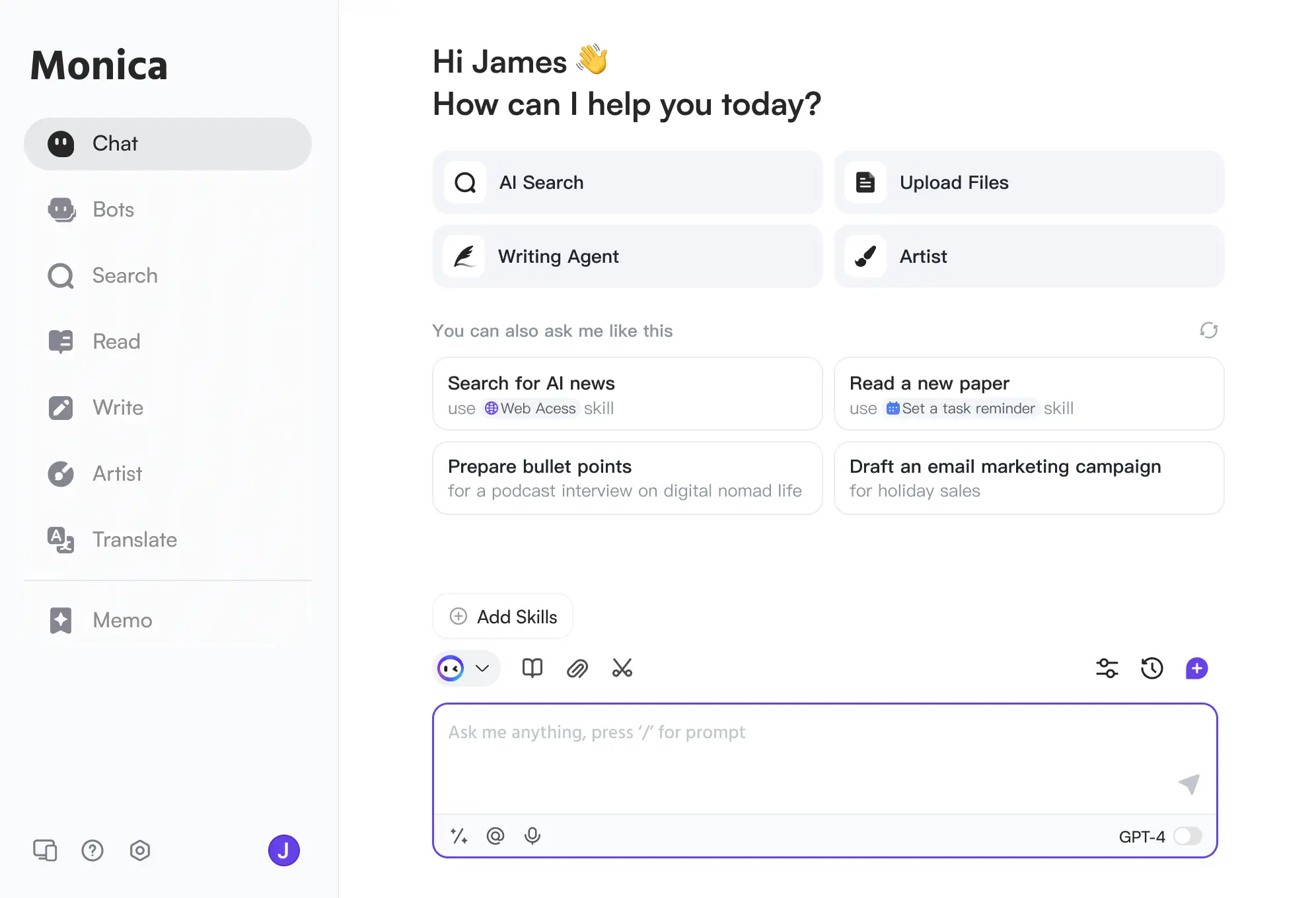
Best for People who want one AI across everything they do online.
| Models | GPT, Claude, Gemini, DeepSeek and Perplexity, switchable as you like |
| Does | Web and YouTube summaries, chat with PDF, translation, writing help, image generation |
| Where | Chrome and Edge extension, plus web, desktop and mobile apps |
| Free plan | A set number of basic queries a day, roughly 30 to 40 |
| Paid from | Pro near 8.30 dollars a month billed yearly, Pro Plus around 19.90 dollars |
Pros
- One of the cheapest routes to a multi-model setup, often below a single chatbot plan
- The sidebar lets you summarize a page or video without leaving it
- Does far more than summarize, replacing two or three other tabs
- The free tier is usable for light daily work
Cons
- The extension is Chrome and Edge only, so Firefox and Safari users miss out
- Giving an extension broad access to your pages is not for everyone
- Like every tool here, it cannot summarize a video that has no captions
| Try this: Highlight any confusing paragraph and ask Monica to put it in plain terms. Faster than copying text into a separate summarizer. |
ChatPDF: for people who live in documents
ChatPDF made talking to a PDF feel normal. Upload a document, ask questions in plain language, and get answers with page citations you can check. If your day is documents rather than videos, this is the specialist to beat.

Best for Students and professionals buried in contracts, papers and manuals.
| Handles | PDFs, plus Word and PowerPoint on paid plans, with page-level citations |
| Free plan | 2 PDFs a day, up to about 120 pages each, 50 questions a day, no account needed |
| Paid from | Around 5 dollars a month (Plus), with a higher tier for very large files |
| Nice extra | Can translate its own answers into other languages |
Pros
- Almost no friction, you are asking questions within seconds
- Page citations make answers easy to verify
- Ideal when the problem is one long contract, paper or manual
Cons
- It only does PDFs, so it is no Skipit replacement for video
- Very long documents past a few hundred pages drop in quality
- Answers still need checking, especially on scanned or messy files
- Pricing has moved between roughly 5 and 20 dollars this year, so confirm the current numbers
| Try this: Reviewing a contract? Ask it to list every clause on termination or fees, then click through to the cited pages. You keep the receipts. |
Eightify: built for YouTube and nothing else
Eightify drops an AI summary panel right onto the YouTube page. Open a video and you get key points, timestamps and a chapter breakdown next to the player, no copying links into another tool. The on-page integration is the whole appeal.
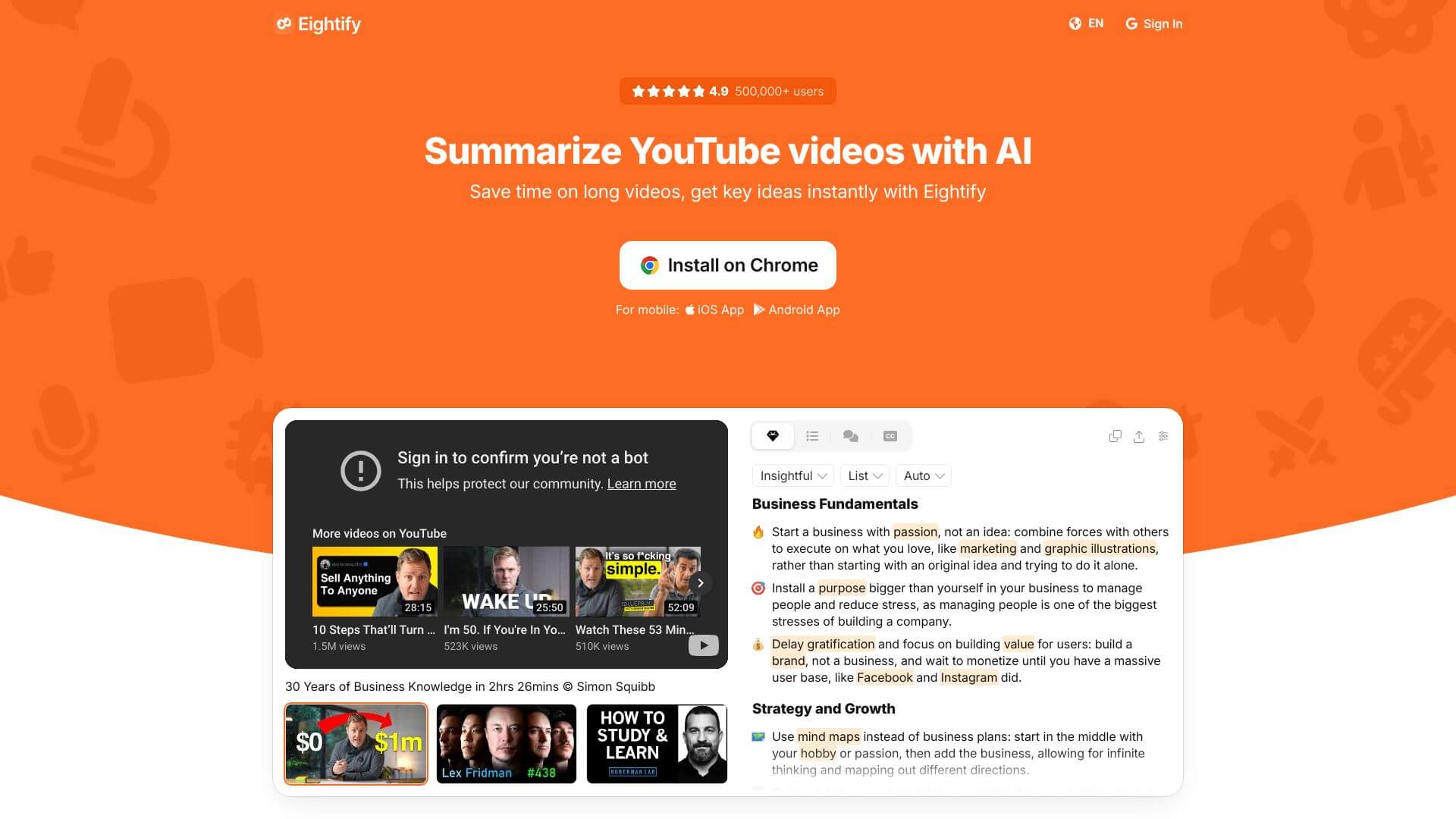
Best for People who watch or research a lot of YouTube and want to triage fast.
| Works on | YouTube only |
| Gives you | Key points, timestamps, chapter breakdown and a choice of summary formats |
| Languages | Multiple, based on the video's transcript |
| Free plan | A short trial of roughly 3 days, with no permanent free plan |
| Paid from | Around 4.99 dollars a month, though reports vary by billing |
Pros
- The on-page panel is low-friction, so people keep using it
- Great for scanning a niche before committing to one video
- Clean summaries with timestamps you can jump to
Cons
- YouTube only, so it cannot touch your PDFs, articles or docs
- No lasting free tier, unlike several tools here
- Needs a decent transcript, so heavy accents can trip it up
- YouTube is rolling out its own summaries in places, which narrows the gap
| Try this: Making content? Skim ten videos on a topic in the time it took to watch two, then jump to the timestamps worth quoting. |
iAsk AI: when you want answers from the whole web
iAsk is an answer engine. You ask a question in plain language and get a factual, cited answer from authoritative sources. It also summarizes web content and analyzes documents, so it overlaps with Skipit without being a direct swap.

Best for Quick, sourced answers from across the web rather than deep questioning of one file.
| Core | Natural-language answers with citations |
| Also does | Web summarization, document analysis, image generation, grammar help |
| Free plan | Unlimited basic searches, with ads |
| Paid from | Pro around 9.95 dollars a month for the top model, more daily searches and no ads |
| Student perk | A free year of Pro with a valid school email |
Pros
- The free tier gives unlimited everyday searches, which is rare
- Answers come with sources, so you are not taking them on faith
- The document and web summaries cover some of Skipit's ground
Cons
- It is a crowded space, and rivals like Perplexity have more testing behind them
- Community feedback and benchmarks are thin, so temper expectations
- Niche questions can come back shaky
- It is built for web-wide answers, not drilling into one long video
| Try this: Use it as your explain-and-cite tool for research questions, then switch to a dedicated summarizer to interrogate a single source in depth. |
What each tool can read
| Tool | Video | PDFs and docs | Web and social | Cited answers |
|---|---|---|---|---|
| Skipit AI | Yes | Yes | Yes | No |
| NoteGPT | Yes | Yes | Yes | No |
| NotebookLM | Yes | Yes | Yes | Yes |
| Monica AI | Yes | Yes | Yes | No |
| ChatPDF | No | Yes | No | Yes |
| Eightify | YouTube only | No | No | No |
| iAsk AI | No | Yes | Yes | Yes |
How far the free plan goes
| Tool | What the free plan gives you | The catch |
|---|---|---|
| Skipit AI | A limited taste, mostly a way to try before you buy | Built to nudge you onto the paid plan |
| NoteGPT | Around 15 credits to start | Runs out fast, closer to a trial |
| NotebookLM | 100 notebooks, 50 sources each, 50 questions and 3 audio overviews a day | Files sit on Google servers |
| Monica AI | Roughly 30 to 40 basic queries a day | Premium models burn through credits |
| ChatPDF | 2 PDFs a day, about 120 pages, 50 questions, no account | PDFs only, and very long files degrade |
| Eightify | A short 3-day trial | No permanent free tier |
| iAsk AI | Unlimited basic searches | Ads, and the strongest model is paid |
What the paid plan adds
| Tool | Paid from | What upgrading adds |
|---|---|---|
| Eightify | ~$4.99/mo | Unlimited YouTube summaries once the trial ends |
| ChatPDF | ~$5/mo | More PDFs a day, bigger files and more questions |
| Monica AI | ~$8.30/mo | Premium models and far higher daily limits |
| NoteGPT | ~$9/mo | More credits, with an Unlimited tier near $29 |
| iAsk AI | ~$9.95/mo | The top model, more daily searches and no ads |
| Skipit AI | ~$12.99/mo | Full-length summaries and saved chat history |
| NotebookLM | ~$19.99/mo | Higher limits, bundled with Google AI Pro |
Which one should you pick?
No single winner, only the right fit for what you feed it most.
| If this sounds like you | The pick | Why it fits |
|---|---|---|
| Study from videos and lectures | NoteGPT | Summaries plus flashcards and mind maps in one place |
| Do research you need to trust | NotebookLM | Cited answers and a free tier that actually lasts |
| Want one assistant for the browser | Monica AI | Several models, low cost, always in the sidebar |
| Read long PDFs and contracts | ChatPDF | Fast, cited, document-only focus |
| Live on YouTube | Eightify | Summaries right on the video page, no tab switching |
| Want sourced answers from the web | iAsk AI | Free unlimited basic searches with citations |
My final verdict
After bouncing the same videos, PDFs and articles between all six, here is where I landed. If I could keep only one and wanted it free, NotebookLM wins, since the citations make me trust it and the Audio Overviews changed how I clear a stack of reading. For pure studying, NoteGPT is the real upgrade over Skipit, because turning a lecture into flashcards sticks as a habit. And if you want an assistant that does a bit of everything for almost nothing, Monica is hard to beat.
Skipit itself is not bad. It is clean, quick, and the chat-with-a-video flow is the thing it does well. But it is a summarizer with a subscription, and every tool above either does more, costs less, or is free. Match the pick to what you feed it most, and you will get more out of the switch than you might expect. Whatever you land on, they all lean on transcripts and text, so keep the original close when the details truly matter.
Comments