Table of Contents
- Bad audio is a credibility problem, not a cosmetic one
- What AI actually does differently
- Seven tools, with numbers you can trust
- A fifteen-minute cleanup that actually works
- Where AI noise removal falls apart
- The cheapest fix is still the room
- Match the tool to your moment
- Clean enough beats perfect
It always happens at playback. The interview went well, the take felt natural, and then you put on headphones and hear it: the refrigerator two rooms away, the laptop fan that spun up around minute six, the low electrical hum of a building that never agreed to be quiet. The recording is good. The room was not.
A few years ago, fixing that meant learning what a noise profile was, gating your audio until it breathed strangely, and accepting a slightly underwater version of your own voice as the price of silence. That era is quietly over. Modern AI models do not filter noise so much as they learn what a human voice is, then rebuild yours without everything around it. The best of them now cost nothing.
This is the guide I wanted when I first started cleaning up my own recordings: every price and limit checked against official pricing pages and documentation instead of recycled from other posts, a workflow you can run in the next fifteen minutes, and a straight answer about the situations where AI will make your audio worse.
IF YOU ONLY READ ONE BOX
• Free and easiest: Adobe Podcast Enhance. One hour of processing a day at no cost, straight from the browser.
• Live calls: your meeting app's built-in toggle first, then Krisp (60 free minutes a day) or NVIDIA Broadcast (free if you own an RTX card).
• Offline and private: Audacity with Intel's OpenVINO plugins. Free, open source, and nothing ever leaves your machine.
• Serious control: iZotope RX 12, from a one-time $99.
Bad audio is a credibility problem, not a cosmetic one
In 2018, researchers Eryn Newman and Norbert Schwarz published a pair of experiments in the journal Science Communication that should unsettle anyone who records their own voice. They played 97 people short clips of real conference talks about physics and engineering. Same speakers, same words, same content, trimmed to two or three minutes. The only variable: one version had clean audio, the other was deliberately degraded.
Same words. Worse sound. Less trust.
With identical content, listeners rated the degraded-audio version as a worse talk, by a less intelligent speaker, about less important research.
The results were not subtle, and a second experiment using interviews from NPR's Science Friday found the same pattern. Nothing about the substance changed. Only the sound did, and it dragged everything else down with it.
Psychologists call the mechanism processing fluency: when information is hard to take in, people trust it less, and they quietly blame the messenger rather than the microphone. Which reframes what noise removal is actually for. You are not polishing audio for aesthetics. You are protecting how competent people believe you are.
What AI actually does differently
Traditional noise reduction, the kind built into audio editors for decades, is subtraction. You feed it a few seconds of pure noise, it builds a frequency fingerprint, and it subtracts that fingerprint from the entire recording. It handles a steady hum reasonably well, falls apart on anything that changes, and collapses into a swirling, metallic warble the moment you push it hard.
AI noise removal is separation, and the difference comes from how the models are trained. Microsoft's Deep Noise Suppression Challenge, the benchmark series that has driven this field since 2020, gives a sense of the scale involved: its training sets grew to more than 760 hours of clean speech, mixed against 181 hours of noise spanning roughly 150 categories across more than 60,000 clips, and convolved with over 118,000 room impulse responses to simulate real spaces. Models train on millions of these synthetic noisy-and-clean pairs until they internalize what a voice is, then reconstruct the voice and discard the rest. The winning systems are judged not by math alone but by panels of human listeners scoring how natural the result sounds.
That training recipe explains both the magic and the failure modes, and we will get to the failures. First, the comparison in plain terms:
| CAPABILITY | CLASSIC NOISE REDUCTION | AI SEPARATION |
|---|---|---|
| Needs a noise-only sample | Yes | No |
| Steady hum (fridge, AC, fan) | Decent | Excellent |
| Changing noise (traffic, keyboards, chatter) | Poor | Strong |
| Room echo and reverb | No | Often yes |
| Artifact when pushed too far | Watery swirl | Smoothed, robotic voice |
| Where you meet it | Audacity's built-in Noise Reduction | Adobe Enhance, Krisp, RX Dialogue Isolate |
Seven tools, with numbers you can trust
These seven cover nearly every situation, from free browser uploads to the suite Hollywood dialogue editors use. Prices and limits below come from official pages, current as of July 2026.
Adobe Podcast Enhance
BEST FIRST STOP · FREE, PREMIUM $9.99/MO
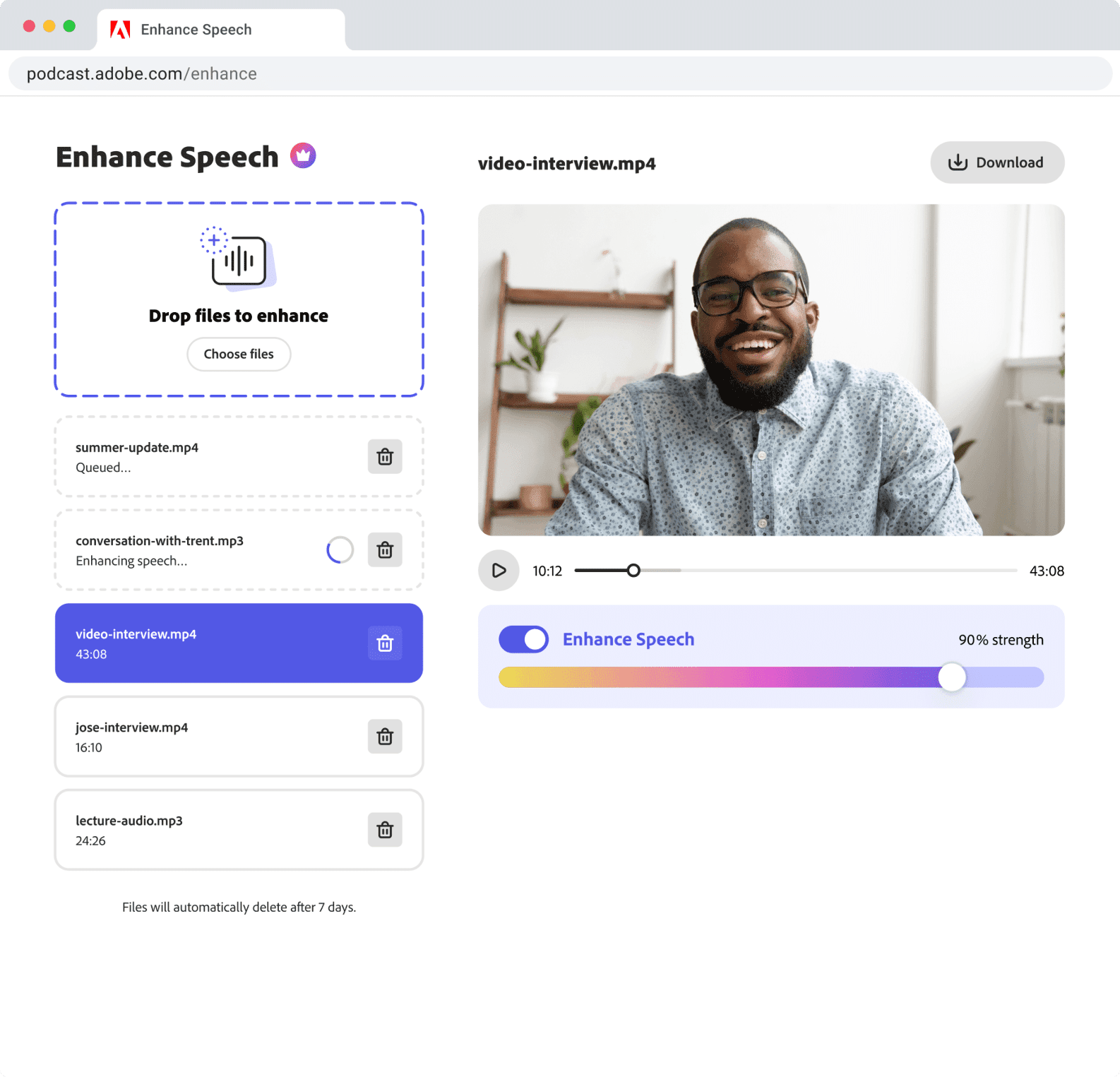
Upload a file at podcast.adobe.com, download it cleaned. The free tier processes one hour per day, capped at 30 minutes and 500 MB per file, audio only. Premium ($9.99 a month or $99.99 a year) raises that to four hours daily, two-hour files, video support, bulk uploads, and a strength slider. That slider matters more than it sounds: free processing runs at full strength whether your audio needs it or not.
ElevenLabs Voice Isolator
SURGICAL SINGLE FILES · 1,000 CREDITS/MIN
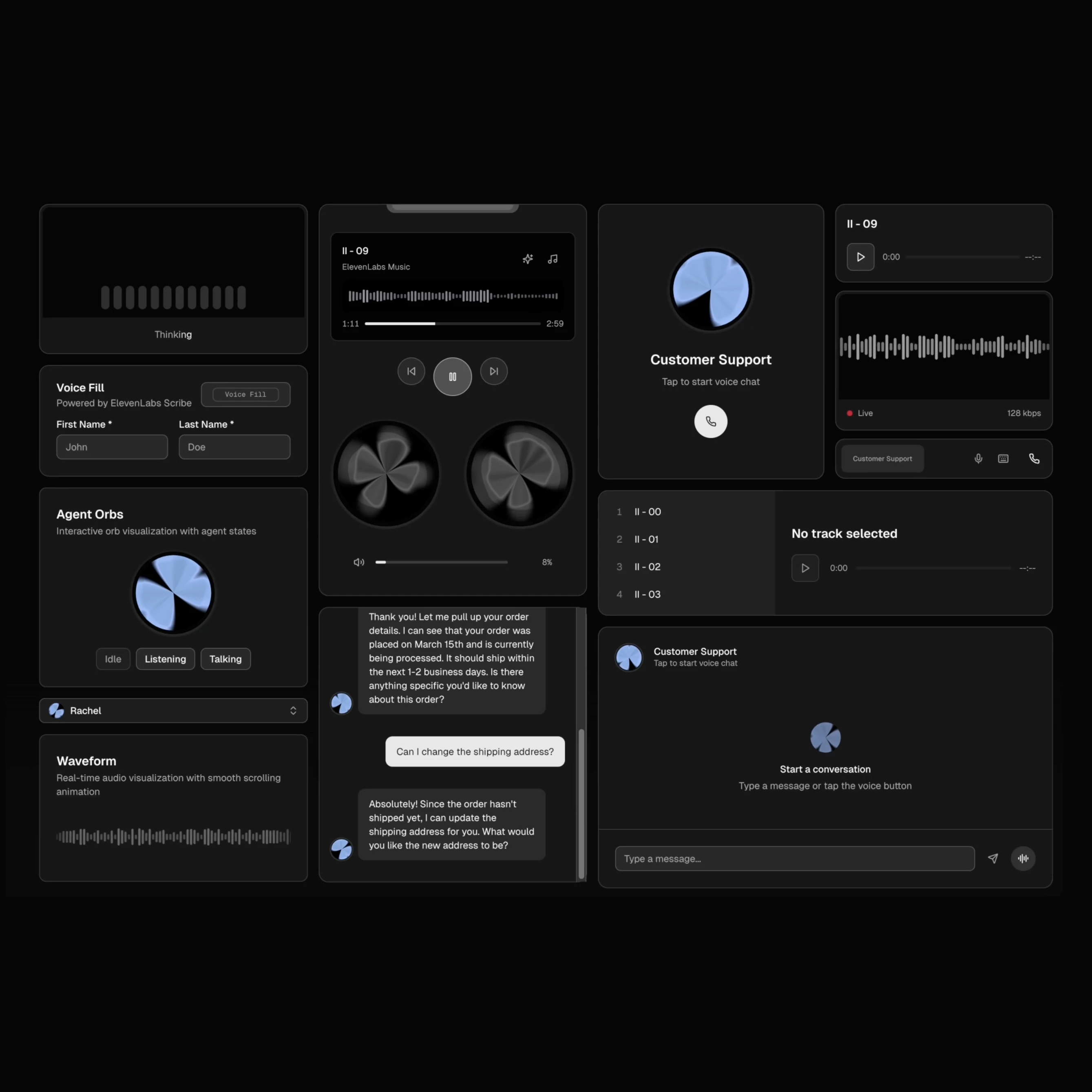
Built for pulling usable dialogue out of genuinely hostile environments: wind, crowds, echoing halls. Pricing runs on credits at 1,000 per minute of audio, so the free plan's 10,000 monthly credits buy about ten minutes, the $6 Starter about thirty, and the $22 Creator roughly two hours. Files up to 500 MB or one hour. Speech only, and it will cheerfully delete any music you meant to keep.
Krisp
LIVE CALLS · 60 MIN/DAY FREE
A virtual microphone that scrubs noise in both directions during real calls, cleaning what you hear as well as what you say. The free plan includes 60 minutes of noise-free audio a day; Pro removes the cap for about $8 a month billed annually. Because it sits at the system level, it works in Zoom, Meet, Discord, and anything else that lets you choose a mic.
NVIDIA Broadcast
STREAMERS AND GAMERS · FREE WITH RTX
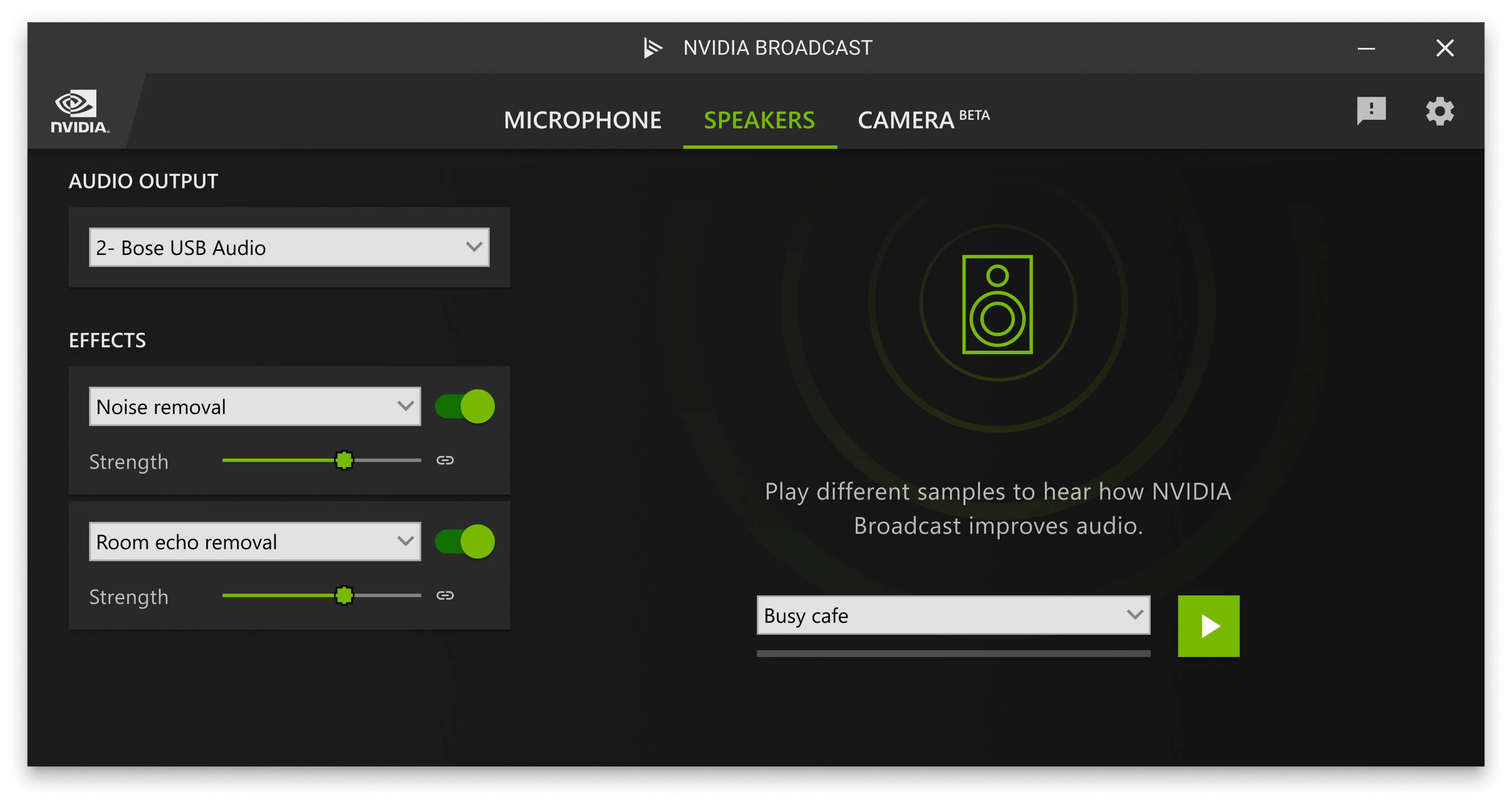
Free, runs locally on the Tensor Cores of a GeForce RTX card (RTX 2060, Quadro RTX 3000, or newer), and installs as a virtual mic and speaker that OBS, Discord, and Zoom can all see. Removes keyboard clatter, fans, and room echo in real time with no per-minute meter anywhere. Windows only, and the GPU requirement is non-negotiable.
Descript Studio Sound
EDITORS WHO HATE EDITING · FROM $16/MO

Studio Sound is one toggle inside Descript's text-based editor: it strips noise and reverb and nudges voices toward a studio character in a single pass. The free tier (60 media minutes a month, watermarked video) is really a trial; sustained use starts at Hobbyist, $16 a month billed annually or $24 month to month. Worth it if you want transcription, editing, and cleanup living in one tool.
Auphonic
SET-AND-FORGET FINISHING · 2 HRS/MONTH FREE
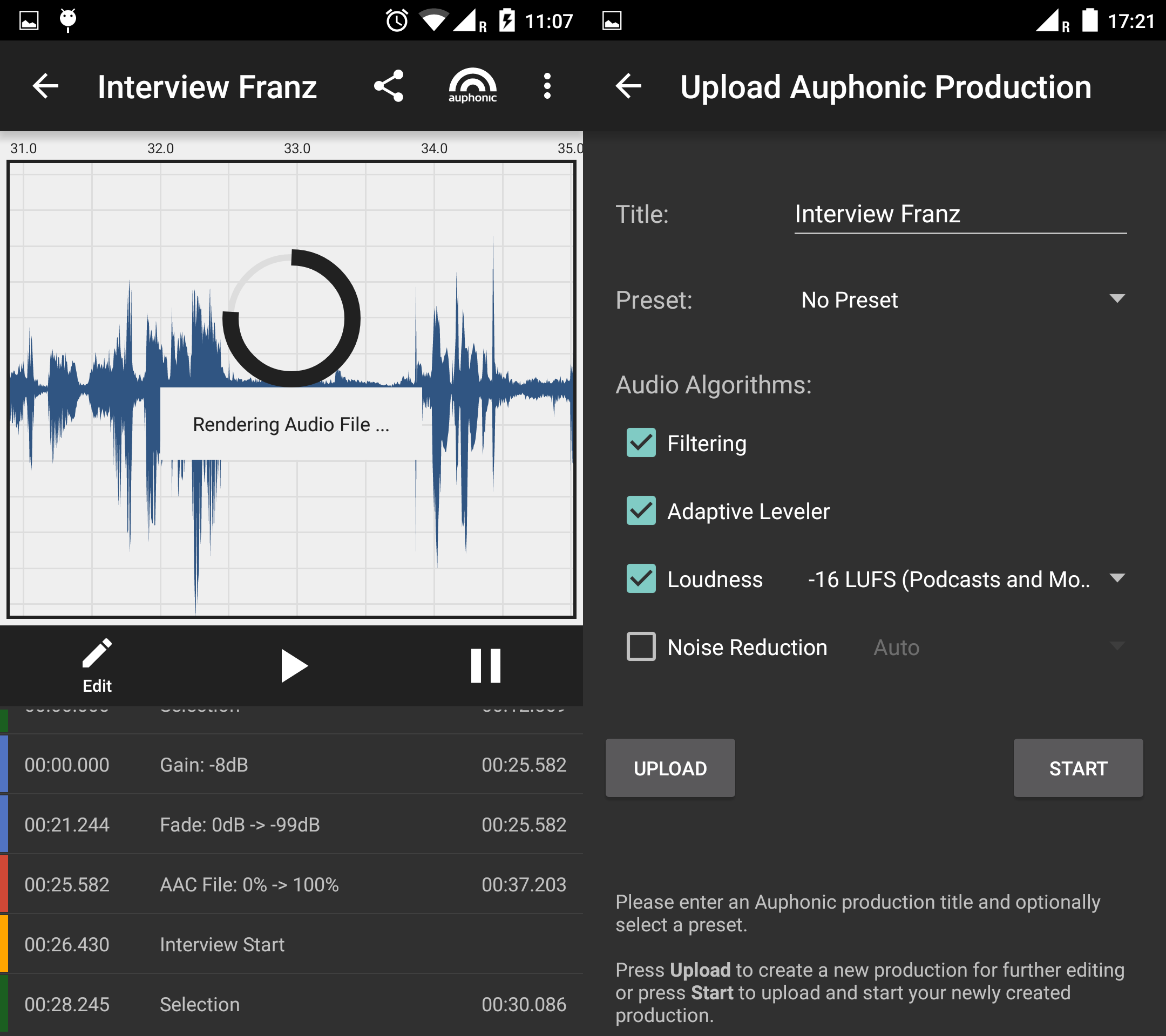
Less a noise remover than an automated finishing pass: one upload levels your speakers, hits broadcast loudness targets, and reduces noise and reverb together. The free tier covers two hours a month with a short jingle attached; the S plan is $11 a month billed annually for nine hours. One catch straight from its own pricing FAQ: recurring monthly hours never roll over, though one-time credit packs never expire.
iZotope RX 12
THE PROFESSIONAL'S TOOLBOX · $99 TO $1,399 ONCE
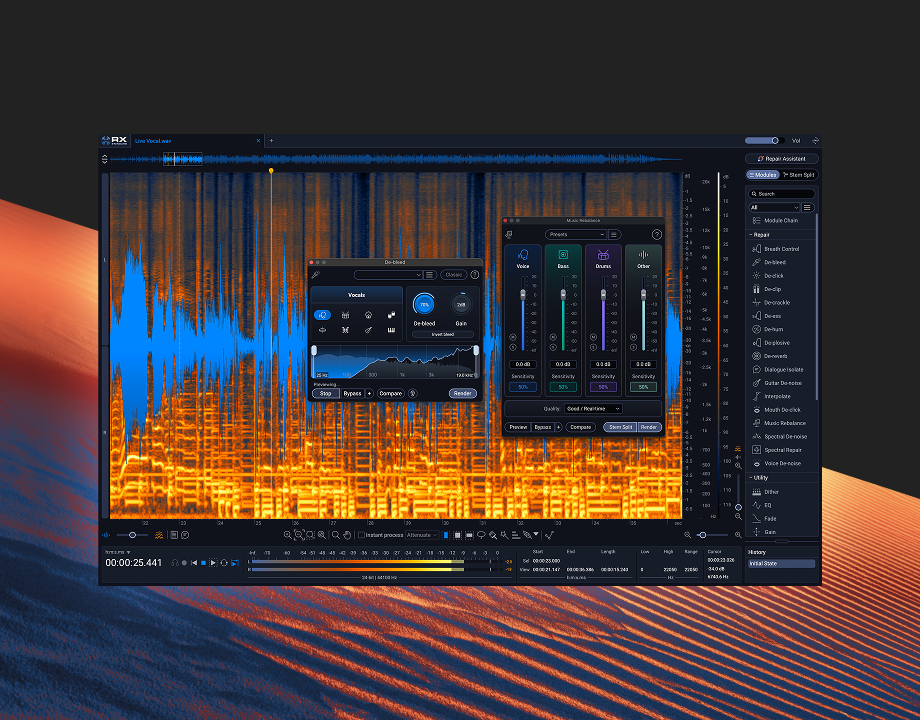
The repair suite that film and podcast post houses actually run, refreshed in spring 2026. Elements ($99, perpetual license) bundles six essentials including Voice De-noise and De-hum. Standard ($399) adds the spectral editor and Dialogue Isolate. Advanced ($1,399) is for people who fix audio for a living, with tools like Scene Rebalance that split a clip into separate dialogue, music, and effects. Overkill for a weekly podcast; unmatched when one recording truly matters.
Already paying for an editor? Premiere Pro ships the same Enhance Speech technology inside the app, DaVinci Resolve's paid Studio edition includes Voice Isolation, and Zoom and Teams both hide capable AI suppression behind a settings toggle. Check what you already own before adding a subscription.
| TOOL | WORKS | FREE ALLOWANCE | PAID FROM | BEST FOR |
|---|---|---|---|---|
| Adobe Podcast Enhance | Browser, after recording | 1 hr / day | $9.99 / mo | Podcasts, voiceovers |
| ElevenLabs Voice Isolator | Browser or API | ~10 min / mo | $6 / mo | Rescuing rough field audio |
| Krisp | Desktop, live | 60 min / day | ~$8 / mo annual | Meetings and calls |
| NVIDIA Broadcast | Desktop, live | Unlimited | Free · RTX GPU | Streaming, gaming |
| Descript Studio Sound | Desktop editor | 60 media min / mo | $16 / mo annual | Editing plus cleanup |
| Auphonic | Browser, after recording | 2 hrs / mo | $11 / mo annual | Hands-off finishing |
| iZotope RX 12 | Desktop, after recording | None | $99 one time | Professional repair |
A fifteen-minute cleanup that actually works
The steps below assume the free Adobe route because it is the most common path, but the logic holds for any tool on the list.
1. Export an untouched copy. Save the raw recording as a WAV before any processing, and keep it. Every decision from here should be reversible, and AI cleanup is destructive by nature.
2. Diagnose before you process. Listen for ten seconds and name the enemy. A steady hum behaves differently from traffic, and echo is a different problem from both. Constant hum alone can even be handled by classic reduction; changing noise and reverb are where AI earns its keep.
3. Run one pass at defaults. Upload, wait, download. Resist the urge to stack tools. Two noise removers in a row do not cooperate; they compound each other's artifacts.
4. A/B against the original, on headphones. Match the volumes and switch back and forth. Artifacts hide in sibilants, breaths, and the tails of sentences, exactly the places a quick laptop-speaker check will miss.
5. Dial it back from perfect. On Adobe's Premium slider, 60 to 80 percent almost always sounds more human than 100. On the free tier there is no slider, so use the editor's trick instead: lay the enhanced track over the original and blend a little of the raw recording back underneath, around 15 to 20 percent, to restore natural room tone.
6. Denoise first, everything else after. EQ and compression come after noise removal, never before. Compressing first raises the noise floor and hands the model a harder, stranger signal to separate.
Prefer to stay offline? Audacity plus Intel's free OpenVINO plugins runs modern noise-suppression models (DeepFilterNet3 among them) entirely on your own CPU, GPU, or NPU, on Windows and macOS. Nothing uploads anywhere, which matters for interviews under NDA, legal recordings, and client work.
Where AI noise removal falls apart
• The over-processed voice. Push any of these tools hard and speech turns smooth, airless, and faintly synthetic. User feedback on Adobe's Enhance V2 documents this consistently. If a clip sounds noticeably "AI cleaned," it has already gone too far; back off and blend.
• It deletes atmosphere you wanted. Voice-focused models treat every non-voice sound as the enemy, including the cafe ambience or birdsong that made a scene feel alive. Filmmakers should keep ambience on a separate track, or reach for pro tools built to rebalance rather than erase.
• Overlapping speakers confuse it. Adobe's own guidance notes that Enhance cannot reliably untangle voice bleed between people sharing one track. Record each speaker to a separate track and this problem never exists.
• Clipping is not noise. If the recording distorted because the gain was too hot, no denoiser will help. That is a different repair (de-clip), and one of the few jobs where RX genuinely earns its price.
• Music breaks voice tools. Ask a speech isolator to clean a song and it will hollow out the instruments. For separating vocals from music, use a purpose-built stem separator such as Meta's open-source Demucs instead.
The cheapest fix is still the room
Every decibel of noise you avoid at the source is a decibel no model has to guess about, and guessing is where artifacts are born. Five minutes of preparation routinely outperforms an hour of processing:
Mic 15-20 cm from your mouth · Fridge, AC, and notifications off · Soft room beats empty room · Record 10 s of room tone · Phone in another room · Voice loud, gain sane
Match the tool to your moment
| YOUR SITUATION | START HERE |
|---|---|
| Weekly podcast, zero budget | Adobe Podcast Enhance, free tier |
| Client calls in a loud apartment | Your app's built-in toggle, then Krisp |
| Streaming with an RTX card | NVIDIA Broadcast |
| One ruined, irreplaceable interview | ElevenLabs Voice Isolator, then RX if it matters enough |
| Editing video anyway | Enhance Speech in Premiere, or Descript's Studio Sound |
| Confidential or NDA recordings | Audacity + OpenVINO, fully local |
| Audio is your profession | iZotope RX 12 Standard |
Clean enough beats perfect
Here is the perspective worth keeping: three years ago, results like these required a paid plugin, a quiet room, and a trained ear. Today the distance between a noisy phone recording and something genuinely listenable is about four minutes of upload and download, and the free tiers alone will carry a weekly show without spending anything.
So keep the ambition modest and the standards honest. Get the room quiet-ish, run one restrained pass, and blend until your voice still sounds like a person in a place rather than a waveform in a lab. The research says listeners will find you more credible for it. Your own ears will simply say it sounds right, and that is the better compliment.
Comments