Small business sites may store more than a menu and an address. Some may store customer emails, order history, payment information, and admin logins. Attackers know small sites are easier to crack than large sites, and one bad blow can cost sales and trust. Website security requires little dedicated IT staff. It requires just a few tools used consistently. This guide reviews each of these tools from the essentials to the situational, and explains where resources such as VPNOverview fit.
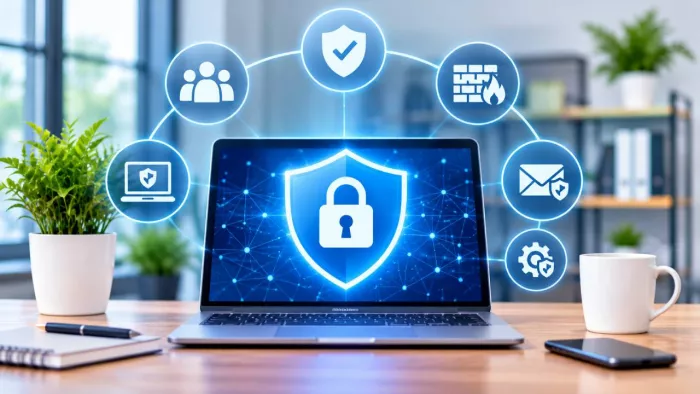
Start With the Foundations of Website Security
The majority of everyday attacks can be fought with three essentials:
● HTTPS everywhere. An SSL/TLS certificate encrypts data between your visitors and your site. Most hosts include one for free. Your site should redirect all traffic to the secure version.
● Update promptly. Old themes, plugins, and core software contain known flaws that attackers scan for. Turn automatic updates on where possible, and uninstall plugins you don't use.
● A reliable backup. Keep backups automatically made away from your host. If you find out that your site has been hacked or infected, you can make a clean backup in a matter of minutes.
Lock Down Logins
Stolen passwords cause more breaches than clever exploits. Set up a password manager to create a long, unique password for each admin account. Don't share passwords between admins. Give each employee only the access they need to do their job.
Add a second step. The simplest way is to turn on multifactor authentication. As CISA advises, it protects you against attackers who have your password but can’t get your second factor. Set it up on your hosting account, website dashboard, domain registrar, and email. Email resets everything else.
Add a Firewall and Monitoring
A web application firewall filters malicious requests before they reach your site. Many hosts and CDN services provide one as a setting. The firewall can be combined with limiting login attempts or monitoring server uptime to help you catch problems before customers do. Review user accounts every few months and delete those who no longer need access.
Write down a short incident plan too. Include who you should call, how to take the site offline, where to store the latest clean backup, and how to notify affected customers. One page of a checklist will be plenty – and it will save you time if something goes wrong.
Treat Customer Privacy as Part of Security
Only ask for the information you need, such as a birthdate or home address. The less data you store, the less vulnerable you are to a security breach. Give visitors a copy of your privacy policy, use a cookie consent form if you serve visitors in countries that require one, and send payment information off your site to a third-party processor.
The Federal Trade Commission has a resource section for owners at ftc.gov/cybersecurity that includes tips and quizzes to train staff in good data-handling practices.
Where a VPN Fits: What VPNOverview Covers
A VPN protects your internet connection, not the website. This distinction is important. It’s most valuable for small businesses. If you or your staff work on the site from a cafe, airport, or shared office, a VPN protects the data and hides your IP address. Other people sharing the network cannot see what you’re doing.
This site lists what these tools do and how they compare. On its home page, VPNOverview explains that VPNs encrypt your traffic and redirect it through an external server so nobody on the path can see what you send. You can also read VPNOverview’s VPN reviews to narrow your list and confirm the details yourself.
Choose carefully, says the Electronic Frontier Foundation in its guide to choosing a VPN. A VPN shifts your trust from your Internet provider to the VPN provider, so look for a clear no-logs policy and a reputable company. Avoid free services whose business model is built on selling your data.
Which Tools Come First?
If your budget and time are limited, work down this list:
| Tool | What it protects against | Priority |
| HTTPS certificate (the padlock) | People spying on visitor data | Essential |
| Password manager | Weak or reused logins | Essential |
| Two-step login (multifactor authentication) | Someone taking over your account | Essential |
| Automatic backups | Ransomware, hacks, and plain mistakes | Essential |
| Firewall for your site (WAF) | Bad traffic and bot attacks | High |
| VPN for staff | People watching admin logins on public Wi-Fi | Situational |
A Monthly Security Routine
● Install any pending updates and remove all unused plugins.
● Test whether a backup restores correctly.
● Review user accounts and permissions.
● Check your site for broken padlock warnings or unexpected pages.
● Remind them to report suspicious emails as soon as they notice them.
Safer Habits Beat Expensive Tools
Website security is really much more about your own habits than it is about spending. Encrypt the connection, protect your logins, keep your software updated, back up regularly, and collect as little data as possible. Use a VPN for remote work where appropriate and check out independent sites (e.g., VPNOverview) to compare providers. Keep that list updated on a monthly basis and you'll be in a far safer position for your customers to do business.
Comments