Imagine describing a scene in words and watching it materialize as a stunning image or video moments later. This is not science fiction; it is the daily reality for thousands of creators using Dreamina AI.
As part of the CapCut ecosystem, Dreamina promises to democratize visual content creation by removing technical barriers and replacing them with simple language prompts.
The Idea Behind Dreamina
Dreamina emerged from ByteDance’s CapCut division, already known for reshaping mobile video editing. The goal was not just to add another AI tool, but to create a unified creative suite where multiple forms of content generation live in one place.
Instead of relying on separate tools, Dreamina combines:
- text-to-image generation
- image-to-video animation
- AI avatar creation
- soundtrack generation
The philosophy is straightforward. Creative output should depend on ideas, not technical skill or expensive software. Whether you are a marketer, filmmaker, or content creator, the same interface adapts to your needs.
What Real Users Are Noticing
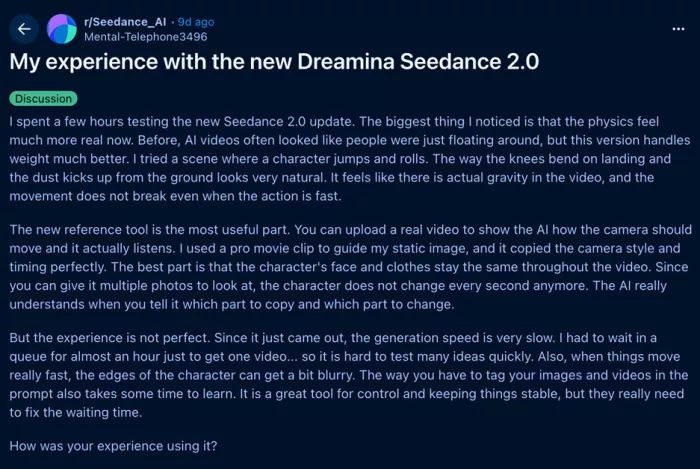
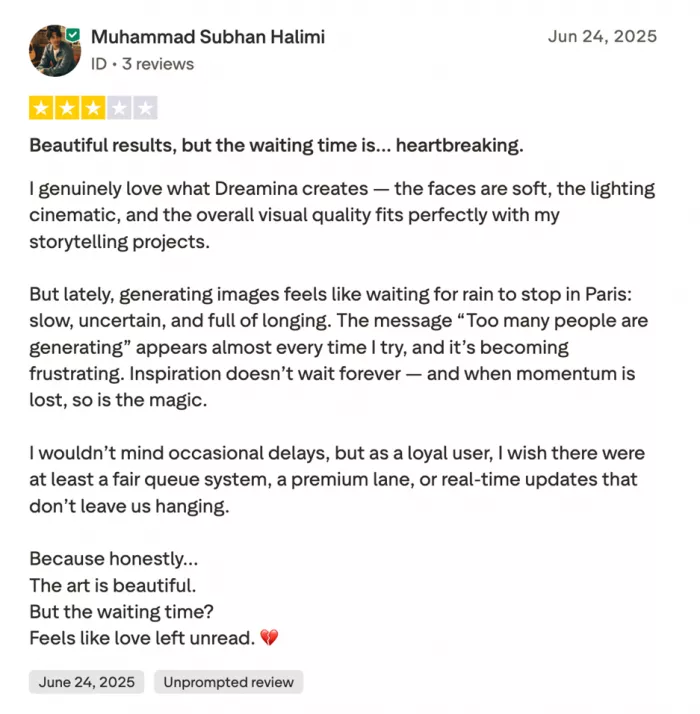
User feedback paints a balanced picture of what Dreamina does well and where it struggles.
"The quality and creativity of AI-generated visuals are incredible. I created a week's worth of social media content in an afternoon."
"Character consistency is the biggest weakness. When I create a character using a prompt, there does not seem to be an option to save and reuse it across multiple generations."
"Character consistency: When I create a character using a prompt, there does not seem to be an option to save and reuse it."
Across platforms like Product Hunt and Reddit, a pattern appears. Dreamina performs strongly for single outputs and quick visual generation, but maintaining consistency across multiple assets remains a challenge.
Core Capabilities Explained

Text-to-Image Generation
The core feature of Dreamina is its ability to convert written prompts into detailed visuals. The system responds best to structured, descriptive prompts.
A simple input like “a sunset” leads to generic results.
A more refined prompt such as:
“a golden sunset over a Mediterranean coastal village, warm orange and purple tones, cinematic lighting, shot on 35mm film, slight lens flare”
produces significantly richer output.
Dreamina also supports multiple aspect ratios and resolutions, making it usable for:
- social media posts
- YouTube thumbnails
- presentation visuals
- print materials
Higher resolutions are available, though they require more credits.
Image-to-Video Animation
Dreamina extends static visuals into motion using AI-generated animation. Users can upload an image and apply movement through two distinct models:
- Video S2.0 Pro focuses on realism, smoother motion, and better lip-sync
- Video 1.0 prioritizes speed and lower credit usage
The second model includes camera controls such as pan, zoom, and tilt, allowing creators to simulate cinematic movement without manual editing.
While effective for short-form content, longer clips can reveal visual artifacts and motion inconsistencies.
AI Avatar Creation
Dreamina allows users to generate AI avatars that can speak, animate, and sync with voice input.
Creators can:
- generate avatars from prompts or photos
- upload audio for lip-sync animation
- create virtual presenters or characters
The results are convincing at medium distances, though close-ups sometimes expose AI-generated imperfections.
Soundtrack Generation
Instead of browsing stock libraries, users can describe a mood and generate original audio.
The AI aligns music tone and pacing with visual content automatically. This removes licensing concerns and provides royalty-free soundtracks tailored to each project.
How Dreamina Fits Into Real Workflows
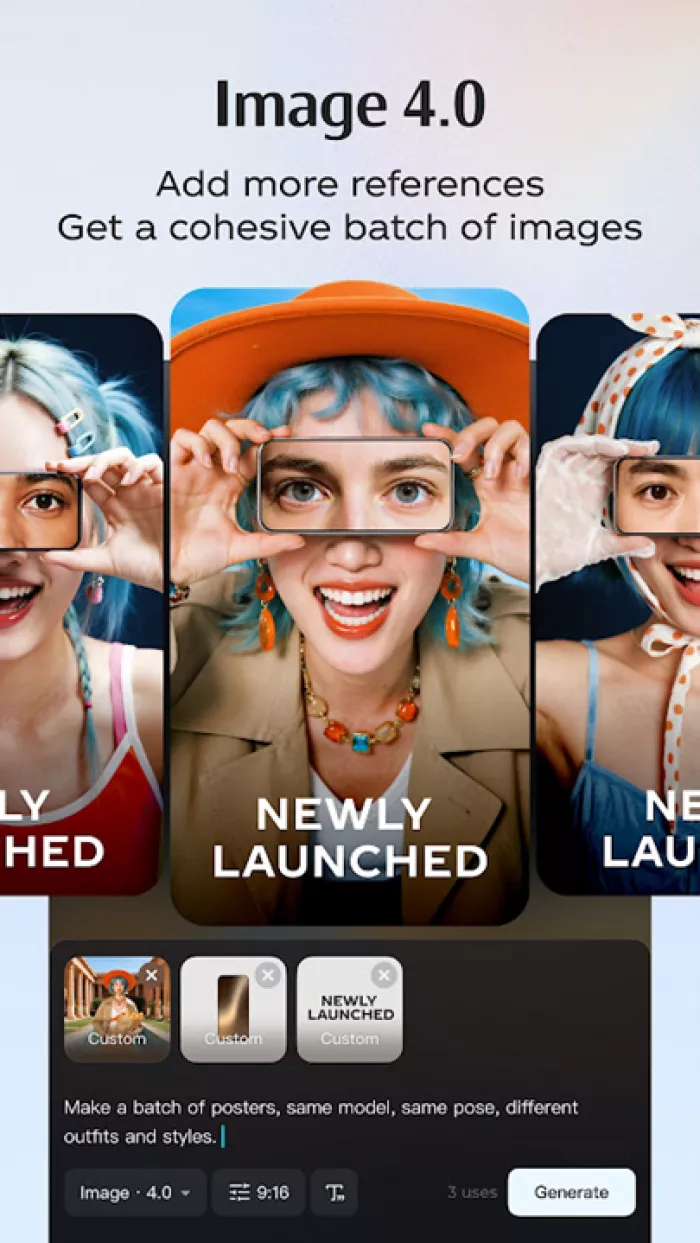
For many creators, Dreamina replaces multiple steps in the content pipeline.
A YouTuber, for example, can generate a thumbnail by describing:
“excited gamer reacting to victory, neon gaming setup background, dramatic lighting, photorealistic style”
If adjustments are needed, the prompt evolves rather than the workflow becoming more complex.
Similarly, instead of licensing B-roll footage, creators can generate scenes like:
“flying through a cyberpunk cityscape at night, neon signs, rain, cinematic camera movement”
This shift explains why AI tools like Dreamina are gaining traction. The benefits come down to:
- speed
- cost reduction
- creative flexibility
Pricing Structure
| Plan | Monthly Price | Annual Price | Features |
| Free | $0 | $0 | Limited daily credits, basic features |
| Basic | $9.99 | $7.99/month | More credits, priority generation |
| Creator | $19.99 | $15.99/month | Full access, commercial license |
| Business | $49.99 | $39.99/month | Team features, API access |
The free tier is sufficient for experimentation, while paid plans unlock higher usage and commercial rights.
Strengths and Limitations
| Strengths | Limitations |
| Seamless CapCut integration | Weak character consistency |
| Strong text-to-image output | Video artifacts in longer clips |
| Multiple creative tools in one platform | Requires prompt refinement |
| Fast content generation | Not suitable for high-end production |
Dreamina stands out because of its ecosystem advantage, but it is still evolving in areas like continuity and realism.
Final Thoughts
Dreamina AI feels less like a finished product and more like a fast-moving creative layer that sits on top of traditional workflows. When you use it for what it’s good at, quick visuals, concept generation, and short-form content, it delivers real value without much friction.
But the moment you push it toward consistency, long-form storytelling, or production-level polish, the limitations become obvious. The lack of control over recurring elements like characters or fine visual details makes it harder to rely on for anything that needs continuity.
What stands out most is not just what Dreamina can do, but how quickly it lets you move from idea to output. That shift matters. It changes how creators experiment, iterate, and even think about content creation. Instead of planning everything upfront, you generate, adjust, and refine in real time.
For now, the best way to approach Dreamina is to treat it as a creative accelerator, not a replacement for skill or process. It can handle the first draft of your ideas faster than any traditional tool, but the final layer of quality still depends on human input.
If your work depends on speed and volume, Dreamina fits naturally into your workflow. If your work depends on precision and consistency, it still feels like a tool that is evolving rather than one you can fully rely on.
Comments