Table of Contents
- What Jungle AI actually is
- Getting started took under a minute
- What happens to files you upload?
- The hands-on test: quizzing myself on C++
- The features that carry it
- Pricing, in plain terms
- Pros and honest watch-outs
- What students say
- Ratings from trusted sources
- Would I keep using it? Yes, with clear eyes
| Best for | Learning by doing practice questions |
| Price | Free tier plus paid plans |
| Works on | 11 content types, including video |
| Platforms | Web, iOS, and Android |
| Our verdict | Worth a free try; useful, not magic |
The short version: worth a free try If you learn best by answering questions and getting corrected, Jungle earns a spot in your routine. It is fast, it references the exact source of every answer, and the free tier is usable. It is not flawless: an occasional question reads oddly, and heavy users hit the free limits fast. Test it on your own material before you pay. Student ratings across the app stores land in the range of roughly 4.2 to 4.6 stars. |
Why I trust my own first impression
I did not just read the marketing page. I created an account, pasted in a real YouTube tutorial, and worked through the questions it generated, including the ones I got wrong on purpose to see how it responds.
The moment it clicked for me was small but telling. I picked a wrong answer, and instead of a cold notice that just said incorrect, Jungle showed me why it was wrong and pointed back to where the right answer came from. That loop of attempt, miss, and understand is the whole reason a tool like this is worth using.
What Jungle AI actually is
Jungle AI (formerly Wisdolia) is an AI study tool with one clear job: take material you already have and turn it into practice questions. You upload a file or paste a link, and within seconds it generates flashcards, multiple choice questions, written response prompts, case questions, and even questions built from diagrams.
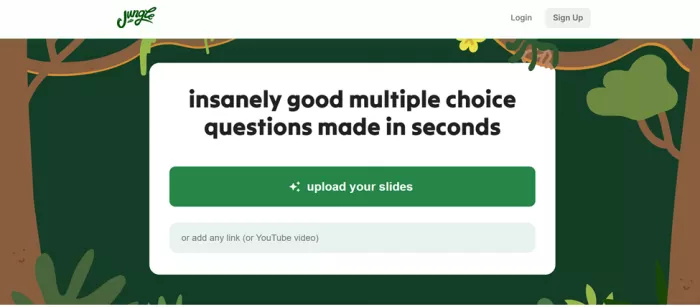
The company says more than a million students have signed up. Independent trackers put the number of active users lower, in the hundreds of thousands. Either way, it is a real, widely used product rather than a weekend experiment, and the app carries thousands of ratings on both major app stores.
One framing matters before we go further: Jungle is a study-support tool, not a teacher. It works after you have watched the lecture or read the chapter, as a way to test what stuck and expose what did not. Treat it as a substitute for actual learning and the limits show quickly. Treat it as an active-recall engine and it is genuinely handy.
Getting started took under a minute
Signing up was refreshingly low friction. I logged in with email, it asked for my name, then asked what grade or level I am in, and that was it. There was no long verification and no forms to fight through. You are dropped straight into a screen where you can upload a document or paste a link.
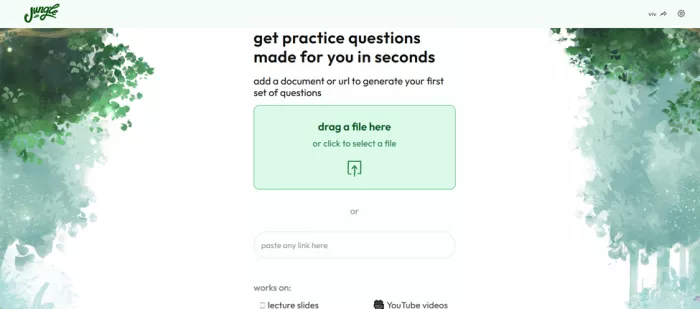
That speed is a real plus when you just want to test a tool before committing. The flip side is worth naming plainly: a frictionless sign-up means you should still bring your own judgment about what you upload, the same as with any web app. For getting from curious to quizzing yourself, though, it is about as smooth as these tools get.
What happens to files you upload?
This matters more than it first appears because Jungle is built around uploading personal study material. Lecture slides may be harmless, but recordings, class notes and documents can sometimes contain names or information we would rather not send to another service without thinking about it.
On Google Play, Jungle's developer says the app may collect basic account information such as a name and email address. Files and documents, photos and audio can also be collected when we choose to use those features. The same disclosure states that data is encrypted in transit and that users can request deletion.
Google Play currently says the developer does not share user data with third parties. That is a developer-provided disclosure, not an independent security certification, so I would still avoid uploading confidential coursework, unpublished research or anything containing sensitive personal information unless it genuinely needs to be there.
For normal lecture slides, public PDFs and study videos, the workflow is less concerning. The sensible rule is simple: give a study tool the material it needs, not every file we happen to have.
What you can feed it
This breadth is Jungle's strongest selling point. Most flashcard apps expect you to type cards or upload a PDF. Jungle takes a much wider net, including video and audio, which is unusual in this category.
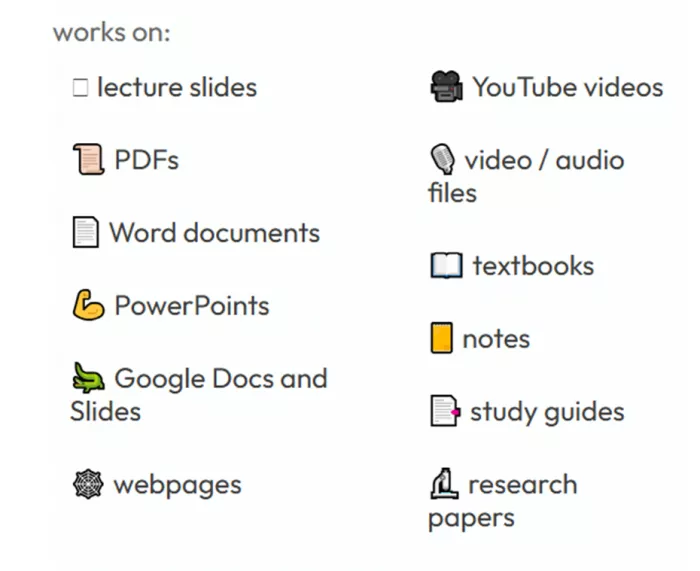
| Category | Formats it accepts |
|---|---|
| Documents and slides | Lecture slides, PDFs, Word documents, PowerPoints, Google Docs and Slides |
| Media | YouTube videos, video and audio files |
| Reading and reference | Textbooks, research papers, study guides, notes, webpages |
The hands-on test: quizzing myself on C++
To pressure test the part people care about most, which is question quality, I skipped the sample content and used a real video: the popular tutorial titled C++ Tutorial for Beginners: Learn C++ in 1 Hour. I pasted the link and let Jungle do its thing.
1. Pasted the YouTube link. Jungle pulled the video and started generating questions from it, with no download and no transcript wrangling on my end.
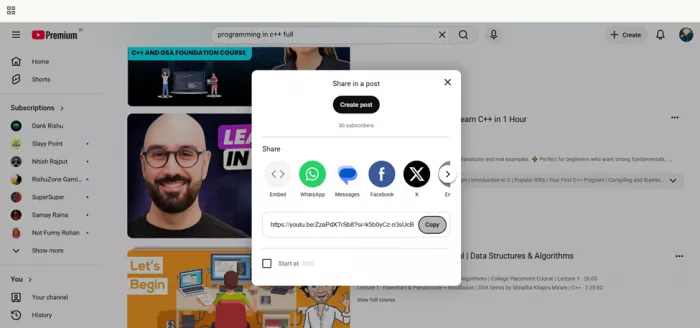
2. Got a set of questions. They tracked the actual content of the tutorial rather than generic C++ trivia, which is the difference between useful practice and busywork.
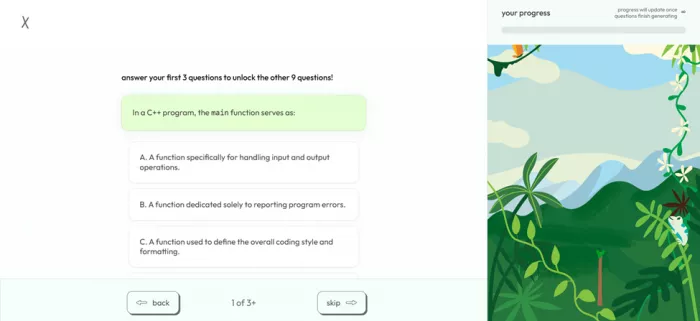
3. Missed one on purpose. When I chose a wrong answer, it flagged it and explained the reasoning behind the correct one instead of just marking it red.
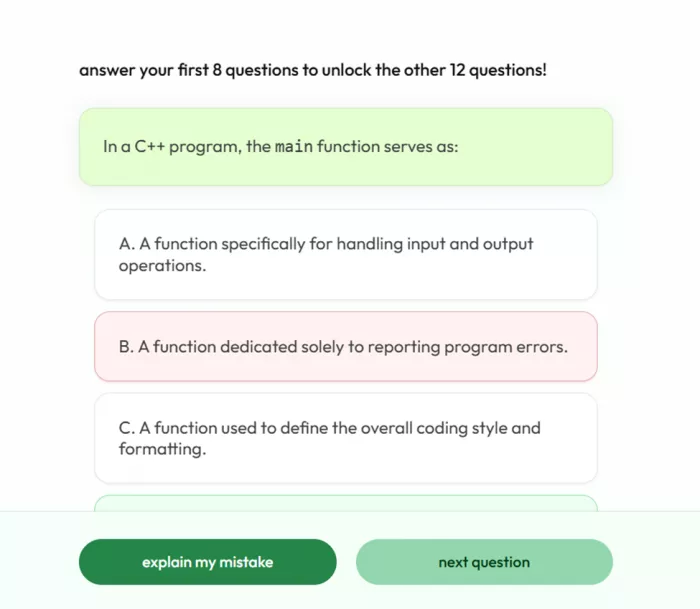
4. Understood the gap. That explanation is the feature that made me like it. It turns a wrong guess into a small lesson.
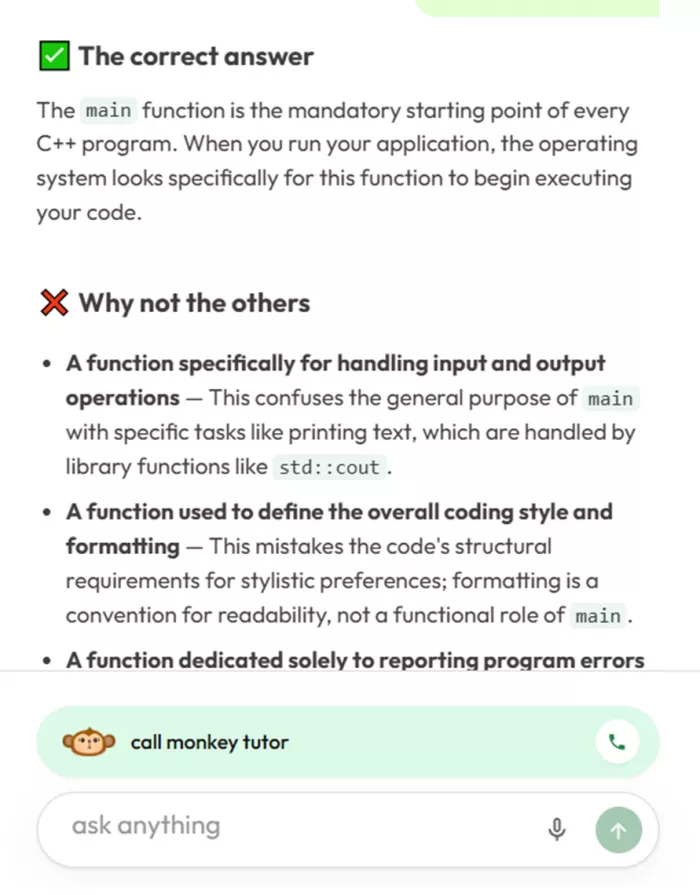
The questions were relevant, the feedback was specific, and the whole loop felt closer to a patient study partner than a random quiz generator. That matches what a lot of students report, too.
The features that carry it
Jungle is more than a card generator. A few features do the heavy lifting. Here is what each one actually gives you.
| Feature | What it does for you |
|---|---|
| Instant generation | Turns a slide deck, PDF, or video into a full practice set in seconds, so the busywork of writing cards disappears. |
| Question variety | Multiple choice, written response, case-based, and diagram questions, so you can practise the way you will actually be tested. |
| Explain my mistake | After a wrong answer, it explains the reasoning. This was the standout in my testing. |
| Source reference | Shows the exact slide or passage an answer came from, so you can verify instead of trusting blindly. |
| Chat with your material | Ask follow-up questions about the document or video when something is still fuzzy. |
| Spaced repetition | Resurfaces hard cards more often and easy ones less, in the same spirit as Anki. |
| Progress and gamification | You grow virtual trees and earn XP as you review, small hooks that make it easier to come back. |
| Anki export | Send generated cards to Anki on the paid tier if that is your long-term system. |
Pricing, in plain terms
Jungle is free to try, but the free version now makes more sense as a testing tier than a full-semester study plan. According to Jungle's current web pricing page, free users get three generations per month, up to 30 pages per document and up to 30 minutes per video. The plan also limits diagram questions and AI explanations or chats.
The paid picture is slightly less straightforward because Jungle's website and mobile storefront can show different plan options.
| Plan | Current listed price | What matters |
|---|---|---|
| Free | $0 | 3 generations per month, 30 pages per document, 30 minutes per video, limited diagram questions and 8 AI explanations or chats per hour |
| Mega Mind | $7.99/month or $59.99/year on the U.S. App Store | Lower-cost paid option listed through Apple's in-app purchases |
| Super Learner | $12/month or $72/year on the U.S. App Store | Jungle's web pricing page lists unlimited generations, unlimited pages and video minutes, unlimited diagram questions, more questions per set, document chat and Anki export |
| Elite | $30/month or $179.99/year on the U.S. App Store | Higher-priced in-app subscription currently listed by Apple |
There is an important catch here: Jungle's web checkout and mobile app do not always present subscriptions in exactly the same way. Regional App Store prices can also differ. I would therefore treat the table as a current reference rather than assume every account will see the same checkout screen.
Is Jungle AI free enough to use regularly?
For occasional revision, possibly. Three generations are enough to find out whether Jungle understands a particular lecture deck, PDF or video well enough to be useful.
For daily studying, the limit becomes restrictive quickly. A student uploading material from several lectures each week could use all three generations before getting through one course. The free plan therefore works better as a real product trial than as an unlimited alternative to a paid study app.
The good part is that Jungle does not hide its main workflow behind the subscription. We can still test the quality of generated questions, feedback and source-based studying before deciding whether the paid limits are worth it.
Pros and honest watch-outs
What works • Fast, since hours of card making collapse into seconds. • Wide input support, including YouTube, audio, and diagrams. • Questions stay relevant to your material, not generic filler. • Every answer links back to its source slide or passage. • Wrong answers come with an explanation, not just a red X. • Ad free on every tier, with a free plan that is actually usable. • Gamified progress makes it easier to build a habit. | Where it trips • An occasional question reads oddly or has a weak answer choice. • Some users report lag or loading bugs, a few at bad moments before a test. • Free-tier caps get used up fast during a heavy study week. • The feature-rich interface can feel busy if you just want simple cards. • It does not verify accuracy, so you review outputs for high-stakes subjects. • A minority find the upgrade prompts a little insistent. |
| When a question is off, Jungle lets you flag it on the spot and rewards you with XP for doing so. It does not erase the annoyance, but it means bad questions feed back into the system rather than just wasting your time. |
What students say
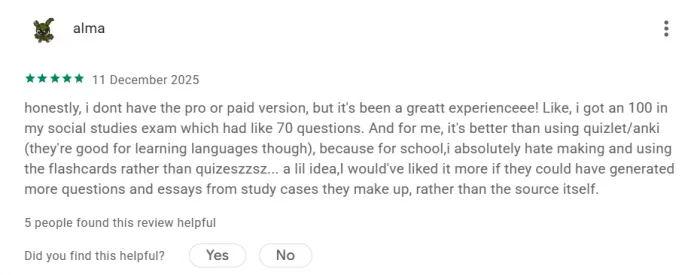
These are paraphrased from public reviews on the App Store and Google Play, a deliberate mix of praise and criticism so you get the full picture, not a highlight reel.
| Reviewer | Rating | What they said (paraphrased) |
|---|---|---|
| Google Play, high-school student | 5 / 5 | A student who never rates apps made an exception here. Some of the questions Jungle generated actually showed up on their real test, and it fit every assignment and exam. |
| App Store, college student | 5 / 5 | An anatomy and physiology student found the questions authentic and close to their real exams, and valued having a free option instead of yet another subscription. |
| App Store, switched apps | 5 / 5 | One reviewer moved from pricier flashcard apps and was surprised how affordable and accurate Jungle was, rarely needing to edit the generated cards. |
| Google Play, critical review | 3 / 5 | A fan of the concept hit bugs, including a flashcard set that would not load right before a test. They called it a great, motivating idea held back by reliability hiccups. |
| Google Play, supplement user | 4 / 5 | A pragmatic user liked the interactive interface and flagging unclear questions for XP, but treats Jungle as a quick fire testing companion alongside a main study app. |
| Google Play, free-plan user | 5 / 5 | Another student, on the free version, credited Jungle with helping them ace a 70 question social studies exam and preferred it to building flashcards by hand. |
Ratings from trusted sources
Ratings move as new versions roll out, so current store data is more useful than a fixed score copied from an older review.
| Source | Current signal | What it tells us |
|---|---|---|
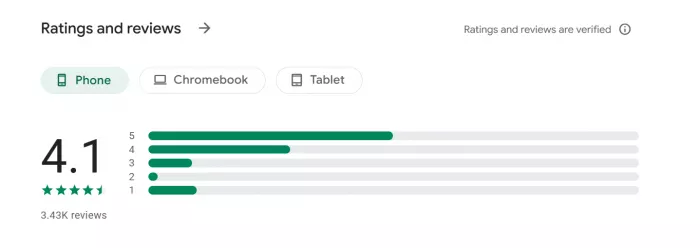
| Google Play | 4.1 stars, about 4.32K reviews and 100K+ downloads | Overall sentiment remains positive, although recent reviews still include complaints about login, uploads and reliability |
| Apple App Store | Free app with in-app purchases; ratings vary by regional storefront | Jungle remains actively distributed on iPhone and iPad, but one regional rating should not be presented as a global score |
| Jungle | Says more than 1 million students use the platform | Useful as a measure of claimed reach, but it is a company figure rather than independently verified active-user data |
The recent Google Play reviews are also a useful reminder that question quality is only half of the experience. Some users still report failed PDF uploads, login trouble or other app issues. That does not mean everyone will encounter them, but reliability deserves a place beside the more positive comments about question generation and study feedback.
Who it is for, and who should skip it
A good fit if you
• Learn best by answering questions and getting corrected
• Have lots of slides, PDFs, or lecture videos to convert
• Study dense, high-volume subjects like biology, nursing, or medicine
• Want practice built from your own material, not generic decks
• Like a bit of gamification to stay consistent
Maybe look elsewhere if you
• Just want a simple, minimal flashcard app
• Need a huge library of ready made community decks, where Anki wins
• Study rarely and will not get past the free-tier caps
• Cannot tolerate the occasional off question in a pinch
• Want deep, chart-level analytics on your progress
A practical combo a lot of students land on: use Jungle to generate questions from your material, then export the good ones to Anki for long-term review. You get Jungle's speed and Anki's mature retention system without choosing one forever.
Would I keep using it? Yes, with clear eyes
After actually putting Jungle through its paces, a real YouTube tutorial, deliberate wrong answers, and a scroll through what a million plus students report, my take is simple. Jungle does one thing genuinely well: it turns passive material into active practice, fast, and then helps you understand what you missed. The C++ test sold me on the feedback loop, and the source-reference feature is the kind of small, trust-building detail that most tools skip.
It is not perfect, and I will not pretend otherwise. You will meet the odd clunky question, the free tier runs dry in a busy week, and, like every AI tool, it needs you to keep your judgment switched on for anything high stakes. None of that outweighs the core value for the right student.
My honest recommendation Start on the free plan, run it against your own hardest subject, and see if the questions hold up for you. That single test will tell you more than any review, including this one, ever could. |
Comments