| DETAIL | WHAT YOU NEED TO KNOW |
|---|---|
| What it is | A game-based learning platform. Teachers build quiz sets (Kits) and host them as live multiplayer games or self-paced assignments. |
| Made by | Josh Feinsilber, who started it as a high school project in 2017. Now run by Gimkit with co-founder Jeff Osborn. |
| Best for | Review days, test prep, vocabulary, and any content that benefits from repeated recall. K-12 first, but used well past that. |
| Free plan | Yes, forever. Unlimited students in the rotating free modes. Premium modes cap at 5 players until you upgrade. |
| Paid plan | $14.99 per month or $59.88 per year for Gimkit Pro. 14-day trial, no card required to start. |
| Who needs an account | Only you, the host. Students join with a code at gimkit.com/join, no login. |
So I Hosted Gimkit For Real
I went in confused, and I will admit that upfront. The first time I landed on Gimkit it read like a plain study site: a blank Home screen, an Assignments panel telling me there was nothing due, a tab called Kits. Then I clicked into a game and a cartoon character in a hard hat started climbing a platformer level while I answered vocabulary questions, and I sat there thinking, wait, is this a study tool or a video game?
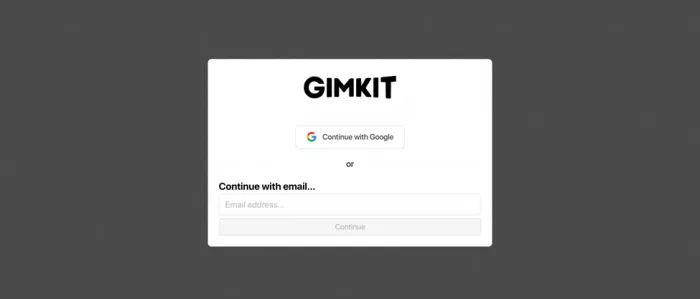
The answer is both, on purpose, and once that clicked the whole thing made sense. Gimkit is a quiz platform wearing a game costume. You feed it questions, and it hands those questions back to your class inside game modes that look and feel like something students would actually choose to play at home. I spent a couple of weeks hosting live sessions across different class periods to see whether the fun holds up under real classroom pressure or falls apart the moment thirty teenagers get a join code. Here is what I found, with every price, limit, and setting I could verify.
CLEARING UP THE CONFUSION
Study Site or Game? Both.
If you found Gimkit and could not tell whether it was a learning tool or a gaming site, you are not misreading it. The confusion is baked into the design, and it is the entire point of the product. Here is how the two halves fit together.
THE STUDY HALF You supply the questions A Kit is just a set of multiple-choice questions on your topic. You can type them yourself, import a spreadsheet, copy a public Kit, or use the built-in AI Question Generator that Gimkit added in August 2025 to draft a set from a topic and grade level. | THE GAME HALF Gimkit supplies the fun Those same questions get wrapped in a game mode. Students answer to earn in-game cash, then spend it to climb, build, fish, or outrun classmates. The academic content never changes, but the delivery turns review into something they push to keep playing. |
The mechanism is simple. Students answer more questions when each answer unlocks something they want, so they get more repetitions in the same class period. It looks like a game because that is what keeps a room of teenagers answering long division or Spanish conjugations without groaning.
WHERE IT CAME FROM
Built by a Teenager
The backstory is genuinely part of why the product feels the way it does. Josh Feinsilber built the first version in 2017 as a junior at Gibson Ek High School, a project-based public school in Issaquah, Washington. He was tired of repetitive classroom quiz games and figured he could make a better one. It was originally called Gimlet, and he first posted it on Product Hunt at the end of October 2017 with a modest goal: convince ten teachers to try it.
He passed ten fast. By May 2019 it was reaching roughly three million monthly active users, a figure co-founder Jeff Osborn shared publicly. The company still runs independently rather than on outside funding, and it ships new modes every year. Knowing a student built it to fix a student problem explains why the game half feels designed by someone who sat through boring review games himself.
How to Host a Game
This is the part that surprised me. Getting a live game running is fast, and it follows the same five steps every time regardless of the mode. Straight from Gimkit’s own hosting flow, here is the sequence.
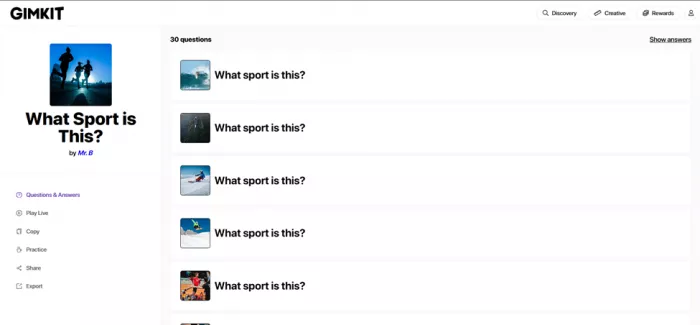
1. Pick a Kit. From your dashboard, choose the question set you want to review. It can be your own Kit or any public one from Discovery, though game reports only generate for Kits you own.
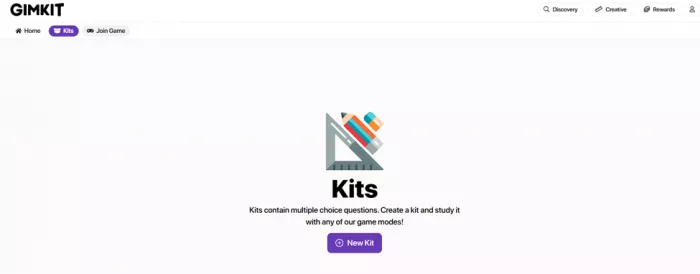
2. Click Play Live and choose a mode. Hit the Play Live option, then select a game mode. Each mode shows its duration, complexity, and whether it is player-versus-player or team-versus-team before you commit.
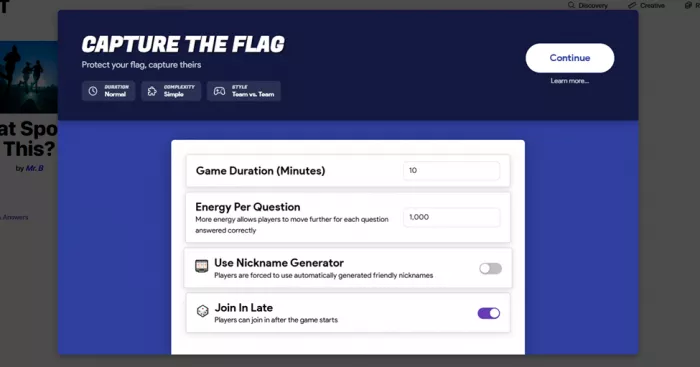
3. Set your game options. Adjust things like game length, energy per question, the Nickname Generator, and whether latecomers can join. The options change depending on the mode you picked.
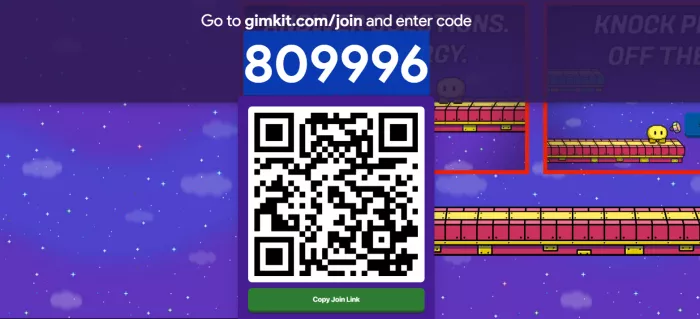
4. Share the join code. A lobby opens with a code. Students go to gimkit.com/join and enter it, or scan the QR code that appears when you hover over the number. No account needed on their end.
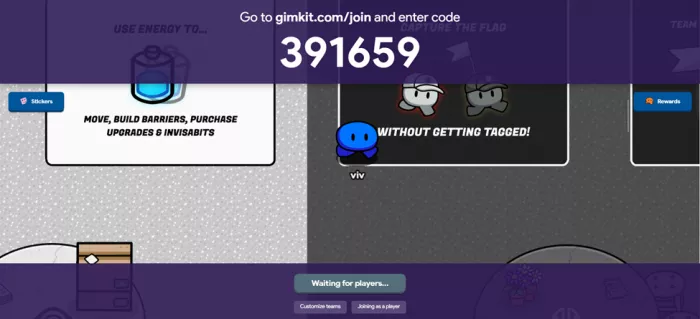
5. Start the game. Once the lobby fills, press Start Game. The button sits in the lower center for 2D modes and the upper right for the rest. Everyone drops into the game together.
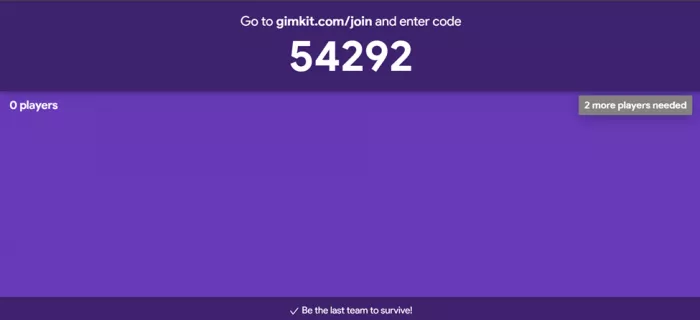
Go to gimkit.com/join and enter the game code A fresh code is generated for every session and expires when it ends. |
Keeping the Room in Line
The real challenge in a live game is not the questions, it is thirty students with a text box and an audience. A few host controls decide whether a session is smooth or chaos. These are the ones I leaned on most.
▸ Nickname Generator: assigns safe random names students cannot edit. The single fastest fix for inappropriate nicknames.
▸ Join in Late: leave it on when students trickle in, switch it off when you want a locked roster and zero interruptions.
▸ QR and Instant-join: hover the code for a scannable QR. If you use Classes, Instant-join skips code entry and name typing entirely.
▸ Kick a player: hover a name in the lobby or mid-game to remove anyone who joined by mistake or with a bad name.
▸ Read to Me: reads each question aloud on the student’s own device, which helps younger students and mixed-ability groups.
▸ Live leaderboard: the host screen updates after each answer, so you can spot who is struggling and pause to reteach.
One number worth knowing: Gimkit’s help center lists a hard cap of 500 students in a single live game. That is far more than a classroom needs, but it means you can run a whole-grade review or an assembly session without hitting a wall.
The Game Modes
The mode you pick changes the entire feel of the session. Some are quick and calm, some turn into a loud event. Here are the ones I hosted most, and what each is good for.
| MODE | STYLE | BEST FOR |
|---|---|---|
| Classic | Solo | The default. Steady cash for correct answers. Low chaos, easy first session. |
| Team Mode | Team | Pooled scores. Good for collaboration and mixed-ability grouping. |
| The Floor is Lava | Solo | Earnings shrink over time, so slow answers cost you. Adds urgency. |
| Capture the Flag | Team vs Team | A full 2D map. High energy, best once students know the basics. |
| Don’t Look Down | Player vs Player | A climbing platformer. Simple to grasp, very replayable. |
| Fishtopia / Trust No One | 2D / Social | Exploration and a social-deduction mode. Great as an end-of-unit reward. |
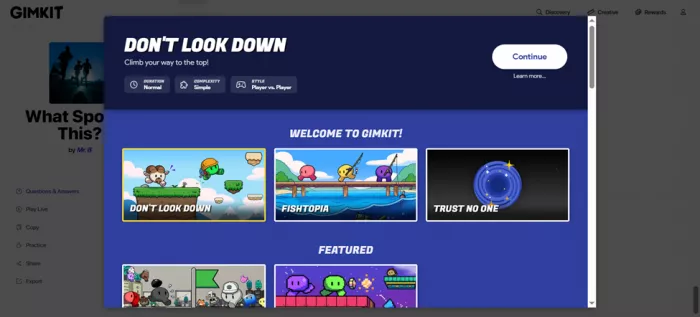
Note the catch that matters for hosting: the polished 2D modes are usually Pro Exclusive. On the free plan they appear in the picker and you can launch them, but the session caps at five players, which is not enough for a class. The three rotating free modes are always full-size.
WHAT IT COSTS IN 2026
Pricing, No Guesswork
Gimkit’s pricing is refreshingly simple once you separate the teacher plans from the student cosmetics, which is where most of the confusion online comes from. Here are the current numbers.
| PLAN | PRICE | WHAT YOU GET |
|---|---|---|
| Gimkit Basic (free) | $0 | Unlimited students in the 3 rotating free modes, class rosters, and reports. Premium modes are capped at 5 players. |
| Gimkit Pro | $14.99/mo $59.88/yr | Every mode with no player cap, Assignments for homework, image and audio in questions, and the ability to copy other teachers’ Kits. |
| Department | $650/yr | Pro for up to 20 teachers, managed through Gimkit Groups. Accepts purchase orders. |
| School | $1,000/yr | Pro for every teacher in a building. Works out to a low per-teacher cost at scale. |
Annual wins fast. Four months of monthly billing already costs more than a full year of annual. If Gimkit is in your rotation past one semester, the $59.88 annual plan is the only sensible pick, roughly $4.99 a month.
Do not confuse the $5 Season Ticket. The Season Ticket you may have seen is a one-time $5 student pass. It unlocks cosmetics, a higher weekly XP cap, and Creative items. It is not the teacher plan and it does not unlock hosting features.
What I Loved, What Bugged Me
STRONG POINTS ▪ Engagement is real. Students stayed answering through a full period without prompting. ▪ Zero-friction joining. A code and a name gets anyone in. No accounts, no reset-password detours. ▪ Mode variety. Rotating modes keep the same review Kit feeling new week to week. ▪ Live and post-game data. Per-student accuracy and question-level stats you can act on. ▪ Fair per-teacher price. The free tier is usable and Pro undercuts most rivals. | WEAK POINTS ▪ The best modes are paywalled. Premium 2D modes cap at 5 players until you buy Pro. ▪ Thin feedback. It shows the correct answer but not why it is correct, so you reteach misses yourself. ▪ The economy can distract. A few students chase upgrades and power-ups more than the content. ▪ You play what is featured. The free plan rotates three modes, so your favorite is not always available. ▪ Cosmetic nudges. Season Tickets and GimBucks push purchases that some communities have pushed back on. |
What Others Are Saying
My take is one classroom’s worth. Here is how the picture holds up across trusted reviewers and the wider teacher community, paraphrased from their assessments.
Common Sense Education’s reviewer summed it up as group game-show fun combined with independent study, and singled out its minimal setup and the fact that it gives students more agency than rival tools. Common Sense Education · Editorial review by Melissa Powers |
eSchool News reported that the platform can boost engagement, reinforce learning through interactive play, and foster collaboration, with particular praise for its real-time data. eSchool News · Classroom technology coverage, 2025 |
Teachers in the community reviews repeatedly note that games run longer than a typical Kahoot round and reward teamwork, while pointing out you can always end a session early if it runs long. Teacher community reviews · Aggregated educator feedback |
A recurring point, echoed in a 2025 academic study on game-based learning, frames the strength as motivation and self-determination, while the honest gripe elsewhere is the unpredictable in-game power-ups. Research and mixed feedback · Balanced view from study and users |
A note on sourcing: Common Sense Media’s edtech review program formally paused in 2025 after running from 2013, so its Gimkit review reflects earlier pricing. The qualitative assessment still holds up, but always check the current plan figures against Gimkit directly.
How I Rated It
Scored the way I would grade any tool I bring into a classroom, based on the weeks I spent hosting.
| CATEGORY | RATING | SCORE |
|---|---|---|
Ease of hosting Setup to first question in under two minutes | ██████████ | 4.8 |
Student engagement The part it clearly does best | ██████████ | 4.9 |
Game mode variety Enough range to keep review fresh | █████████░ | 4.6 |
Reporting and data Solid live and post-game stats, light on the why | ████████░░ | 4.2 |
Free plan value Usable, but the good modes sit behind Pro | ███████░░░ | 3.6 |
Value for money Pro is well priced against the field | █████████░ | 4.4 |
LEARNED THE HARD WAY
Tips for a Smoother Session
▸ Turn on the Nickname Generator. For any class you do not fully trust yet, this removes the biggest source of disruption before it happens. Switch it off later once names stop being a problem.
▸ Start with Classic, graduate to 2D. Run the first session in a calm solo mode so students learn the answer loop. Save Capture the Flag or Don’t Look Down for later.
▸ Show the QR code, not just the number. Hover the code for a scannable QR. It removes the typos and the two students who always claim the code does not work.
▸ Review the misses after the game. Gimkit shows the right answer but not the reasoning, so spend the last few minutes on whatever the leaderboard shows most students got wrong.
Would I Keep Using It?
Yes, and I already have. After a couple of weeks of hosting, the thing that stuck with me is how little I had to fight the tool. I picked a Kit, shared a six-digit code, and a room that usually drags through review was suddenly leaning toward their screens trying to answer faster than the person next to them. That is the whole job, and Gimkit does it better than the review games I used before it. It is not flawless. The free plan dangles the best modes and then caps them at five players, which feels a little like a demo, and the feedback is shallow enough that you still have to reteach the tricky questions yourself. The in-game economy is a genuine strength for engagement and a genuine distraction for a handful of students, depending on the day. My honest read: if you host review sessions most weeks, the annual Pro plan at roughly five dollars a month is an easy call, and the free tier is a fair way to test whether your students bite before you spend anything. For the specific job of getting a whole class to willingly grind through recall practice, this is the most convincing tool I have put in front of them. Verdict: 4.4 / 5 Free to try, worth paying for if you host often. |
Comments