Table of Contents
I review a lot of study apps, and most of them fall into one of two buckets: a flashcard maker wearing an "AI" badge, or a chatbot that spits out a wall of text and calls it a summary. I went into Studley AI expecting the first one. I spent the better part of a week with it instead, mostly because the one feature I came to test, turning a YouTube lecture into usable notes, actually worked the first time I tried it.
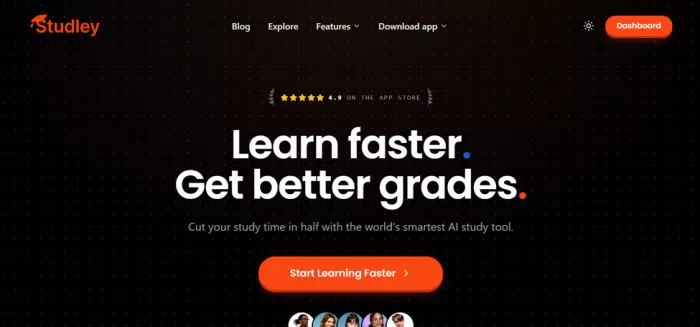
This is not a press-release rewrite. Below is a plain account of what Studley does, what it charges, where it genuinely saved me time, where it got in my way, how it stacks up against the alternatives, and what other users are reporting. If you are deciding whether it deserves a spot in your study routine, that is the question I tried to answer.
Quick verdict
Studley AI scores a 7.8 / 10 in my testing. It is an AI study platform that turns your own content into interactive study material, and it is at its best when you need lecture videos, PDFs, or slides converted into something you can actively revise with.
| Overall score | 7.8 / 10 |
| Best for | Turning lectures, PDFs, and videos into study sets |
| Standout feature | YouTube and recording to editable notes |
| Free plan | Yes, one study set to trial the platform |
| Paid from | ~$7.99/week or ~$97.99/year |
| Study methods used | Active recall, Bloom's Taxonomy, Feynman Technique |
| Platforms | Web, iOS, Android |
| Watch out for | Weekly billing framing; always verify AI output |
What Studley AI actually is
Studley AI is a study platform built by Studley AI Inc. that takes content you already have and converts it into interactive study material. You give it a source, class notes, a textbook chapter, a PDF, a webpage, a YouTube video, a lecture recording, or pasted text, and it builds what the app calls a "study set" out of it.
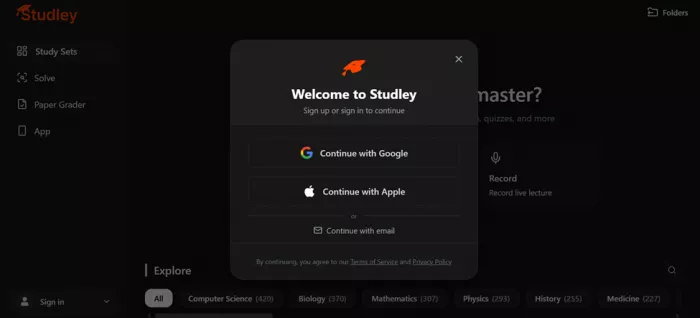
A single study set can contain several study formats generated from the same source, so one upload gives you more than one way to revise. The platform describes itself as being built around three learning methods that most learning scientists would recognise: active recall (forcing retrieval instead of re-reading), Bloom's Taxonomy (questions that climb from recall up to analysis), and the Feynman Technique (explaining a concept simply to expose gaps). Whether every generation lives up to those labels is a separate question, but the intent behind the design is clear.
It runs in the browser and has dedicated iOS and Android apps, with reported monthly traffic in the region of 1.7 million visits, so this is a reasonably established product rather than a weekend project.
The features that matter
Studley bundles a lot into one dashboard. These are the pieces I actually used and leaned on during the week.
| Feature | What it does |
|---|---|
| Study set generator | The core engine. Upload or paste anything and it produces notes, flashcards, quizzes, and more from a single source. |
| Flashcards and quizzes | Every card and question is generated from your content, not a generic deck. Items get tagged by mastery as you go. |
| Tutor lessons | A guided, teacher-style walkthrough of the material rather than a raw summary dump. |
| Record and transcribe | Record a live lecture in-app and turn the recording straight into notes and study material. |
| Solve (photo helper) | Snap a photo of a homework problem in the Solve tab and get step-by-step explanations. |
| Paper grader | Upload your writing with a rubric and get targeted feedback and improvement suggestions. |
| Audio lessons | Converts a source into an audio lesson with voice personalities for passive revision. Subscription-gated. |
| Workspace chat | A side-panel AI you can question about the material you uploaded, grounded in your own content. |
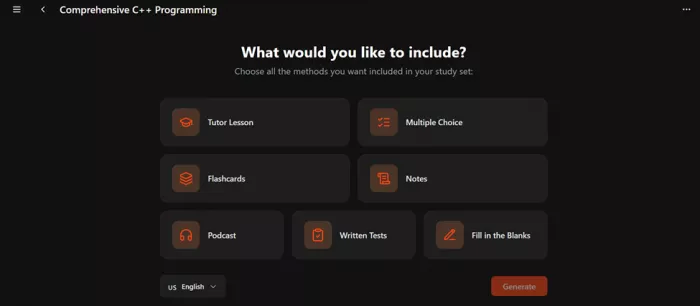
The "choose what to generate" screen is where this stops feeling like a plain summariser. After you add a source you pick exactly which outputs you want, Tutor Lesson, Multiple Choice, Flashcards, Notes, Podcast, Written Tests, Fill in the Blanks, and it builds only those. That control is more useful than it sounds, because it means you are not wading through four formats when you only wanted two.
One honesty note: I did not test Paper Grader or the audio lessons in depth, so I am not scoring them. My time went into the study set generator, because that is the feature the entire product is built around.
My hands-on test: turning a YouTube lecture into notes
The claim I most wanted to stress-test was "upload anything and get interactive notes." The messiest, most realistic version of that for a student is a long YouTube lecture, the kind of video you would normally scrub through at 1.5x while frantically pausing to type. So that is exactly what I threw at it: a full-length programming lecture pasted in as a link, with the study set named Comprehensive C++ Programming.
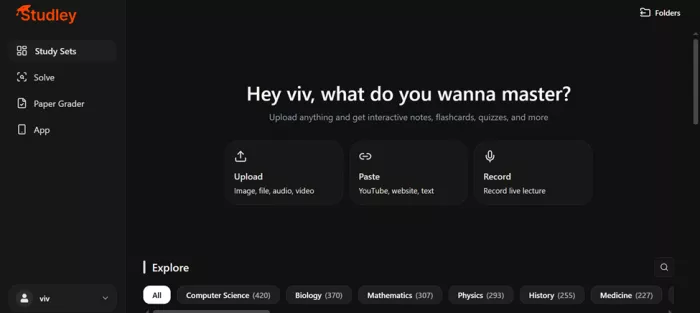
Getting in was quick. The dashboard gives you three obvious entry points, Upload (image, file, audio, video), Paste (YouTube, website, text), and Record (live lecture). There is also an Explore library of pre-made sets across subjects like Computer Science, Biology, Mathematics, and History if you want to see the output quality before committing your own content.
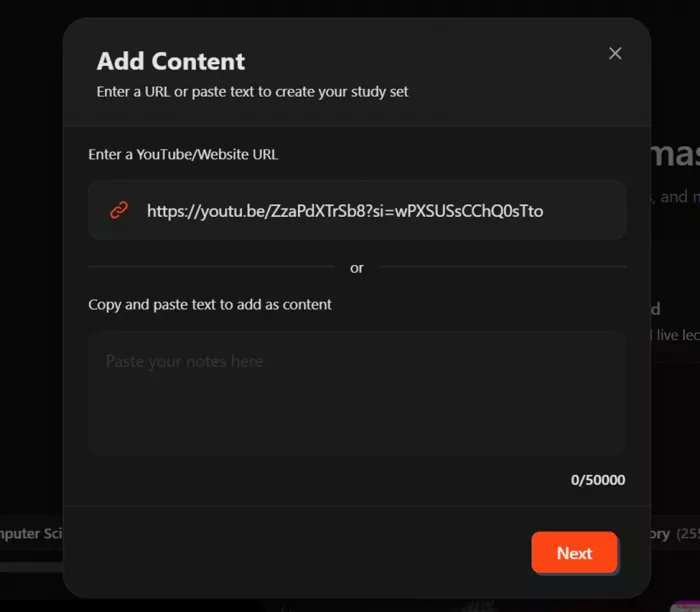
Step 1 — Paste the YouTube link. I used the "Add Content" box, dropped in the YouTube URL, and hit Next. There is also a paste field that takes up to 50,000 characters if you prefer raw text.
Step 2 — Pick the outputs. On the "What would you like to include?" screen I selected Notes (it also offers Tutor Lesson, Multiple Choice, Flashcards, Podcast, Written Tests, and Fill in the Blanks). You can set the output language here too.
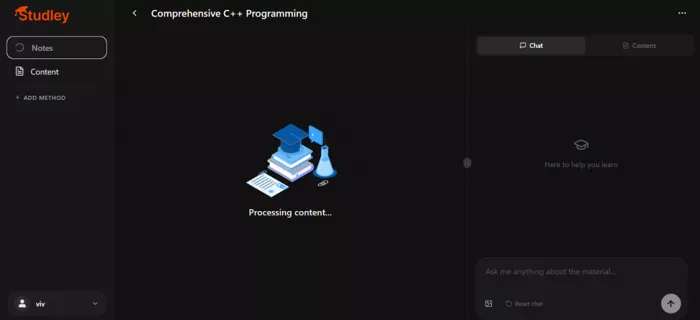
Step 3 — Let it process. It showed a "Processing content" state while it pulled the transcript and generated the set. For a full lecture this was a short wait, not an instant trick, which honestly made me trust the output more.
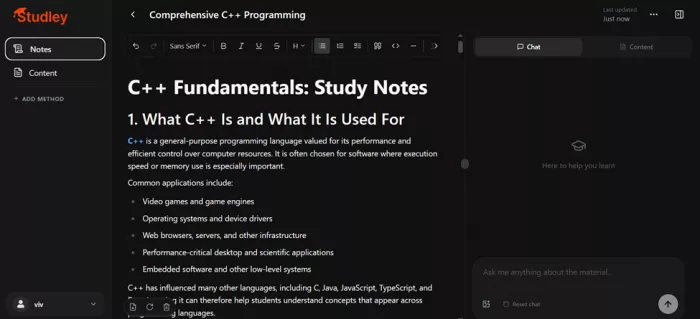
Step 4 — Review and edit the notes. It dropped me into a full rich-text editor with the notes already written, headings, bullet points, bolded key terms, and a chat panel docked on the right.
What the notes actually looked like
This is where I expected the usual letdown, a transcript lightly reworded. Instead the C++ set came back structured like something a decent TA would hand you. It opened with "What C++ Is and What It Is Used For," gave a clean one-paragraph definition, then listed real application areas, game engines, operating systems and device drivers, browsers and server infrastructure, performance-critical desktop and scientific software, and embedded systems. It even added a line about C++ influencing C, Java, JavaScript, and TypeScript, framed as a reason the concepts transfer to other languages.
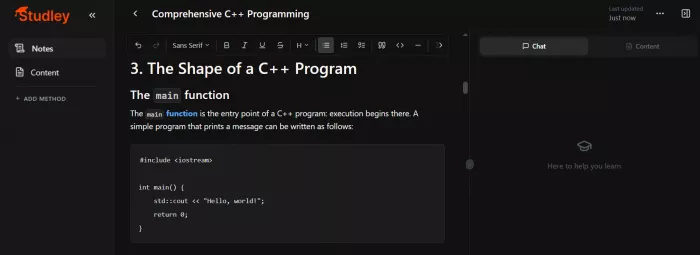
That last touch is the kind of thing that tells me the model understood the video rather than just transcribing it. Key terms were highlighted, the heading hierarchy was sensible, and the whole thing was editable in place, so I could delete the filler and keep the spine of the lecture.
Where it wobbled
Two honest flags. First, the generated notes are a starting draft, not gospel. On a technical subject like C++ I would still check any specific claim against the source before trusting it in an exam, and Studley's own documentation agrees that AI output should be reviewed for accuracy. Second, the workspace chat is handy but only as good as the material you gave it, ask it something the lecture never covered and it will reach, like any chatbot.
Net result of the test: the YouTube-to-notes pipeline is the real deal. It turned a video I would have spent an hour taking notes on into a clean, editable set in a couple of minutes, and the structure was good enough that editing it felt like trimming rather than rewriting.
Pricing, broken down honestly
Studley runs a freemium model, and the pricing is the part you should read twice because it is framed in weekly terms. The free plan lets you create a study set to trial the platform, which is enough to judge output quality on your own content before paying.
| Plan | Typical price | What you get |
|---|---|---|
| Free | $0 | Trial a study set and browse the Explore library; limited generation |
| Unlimited (weekly) | ~$7.99 to $9.99 / week | Unlimited study sets, Solve tab, and all formats |
| Unlimited (monthly) | ~$13.99 to $19.99 / month | Same, billed monthly |
| Unlimited (yearly) | ~$97.99 to $129.99 / year | Lowest effective weekly cost; full access |
Prices vary by platform, region, and whatever promotion is running, so treat these as the ranges I saw on the App Store and comparison sites rather than fixed numbers. One third-party directory lists the unlimited plan as roughly $3.74 per week billed monthly or $1.88 per week billed annually, which is the cheapest framing and shows how much the headline weekly figure can bounce around. The practical takeaway: if you decide Studley is for you, the yearly plan is far and away the best value, and the weekly plan exists mainly to catch cramming students who need it for one exam.
Spending tip: use the free study set first. If the output on your own material is good, go straight to annual. Paying weekly month after month is the most expensive way to use this app.
How Studley compares to the alternatives
No study tool exists in a vacuum, and the question I kept getting from other students was simple: is this better than what I already use? Here is how Studley stacks up against the names it is most often measured against, scored on the things that actually matter when you are short on time before an exam. Scores are out of 10 and reflect my own weighting of input flexibility, output quality, pricing clarity, and how much of the useful stuff sits behind a paywall.
| Tool | Input range | Output quality | Pricing clarity | Overall |
|---|---|---|---|---|
| Studley AI | 9 (video, audio, PDF, web, text) | 8.5 | 6.5 (weekly framing) | 7.8 |
| Quizlet | 6 (mostly manual or text) | 7 (AI behind paywall) | 7 | 7.2 |
| Generic chatbot (summariser) | 7 (text and some files) | 6 (unstructured) | 8 (often free) | 6.8 |
| Flashcard-only AI makers | 5 (text and docs) | 7 (one format) | 7.5 | 6.9 |
The headline difference is input range. Where Quizlet shines for shared, pre-made public decks, Studley's whole pitch is that every card and question is generated from your own content, and it swallows far more input types, video and audio included. A plain chatbot can summarise a transcript, but it will not hand you tagged flashcards, a quiz, and a tutor lesson from one upload, and it will not track which items you have mastered.
Where Studley loses points is pricing clarity. The weekly billing framing makes it look cheaper than the true term cost, and the best formats sit behind the Unlimited subscription. If raw value and a free tier are your top priority, a general chatbot or a free flashcard maker still has a place. If you want one tool that turns your specific lectures into several study formats with the least friction, Studley is the strongest of this group.
Who should use it, and who should skip it
After a week, I stopped thinking of Studley as a tool and started thinking of it as a fit question. It is excellent for some study styles and genuinely wasteful for others. Here is the honest breakdown by learner type.
| Learner type | Verdict | Why |
|---|---|---|
| Video-heavy students | Strong fit | The YouTube and recording to notes pipeline is the single best reason to use it. If your course lives on lectures, this saves hours. |
| PDF and slide crammers | Strong fit | One upload becomes notes, flashcards, and a quiz, so revision week starts with material already built. |
| Active-recall learners | Good fit | Quizzes and flashcards are generated from your content and tagged by mastery, which suits retrieval practice. |
| Budget-first students | Mixed | The free study set is useful, but anything sustained needs Unlimited. A free chatbot may be enough. |
| Offline or low-connectivity users | Poor fit | Everything runs through the cloud; there is no offline mode. |
| Single-deck minimalists | Poor fit | If you only ever want one flashcard set, a free maker does that without a subscription. |
If you see yourself in the top three rows, Studley is likely to earn its subscription within a single exam season. If you are in the bottom three, trial the free set, but do not expect it to replace a cheaper or free habit you already have.
The clearest win is for anyone currently rewatching lectures to take notes by hand. That is the exact job Studley does best, and it is the use case I would point a friend to without hesitation.
Pros and cons
What I liked
• The YouTube and recording to notes pipeline genuinely works and saves real time.
• One source produces multiple formats, so you are not re-uploading for each.
• Output is fully editable in a proper rich-text editor, not locked.
• Questions and cards are built from your content, which beats generic decks.
• The free study set lets you judge quality before paying a cent.
• Clean, fast interface on both web and mobile.
What held it back
• Generated material needs fact-checking on technical subjects before you trust it.
• The weekly-billing framing makes the real cost easy to underestimate.
• The best features sit behind the Unlimited subscription.
• Audio lessons are subscription-only, with no free taste.
• Workspace chat can overreach when asked beyond the source material.
• It needs an internet connection; nothing works offline.
What other users are saying
My week is one data point. Here is how the tool lands with the wider pool of students and reviewers, drawn from app-store listings and independent AI directories.
| Source | Rating | What they highlight |
|---|---|---|
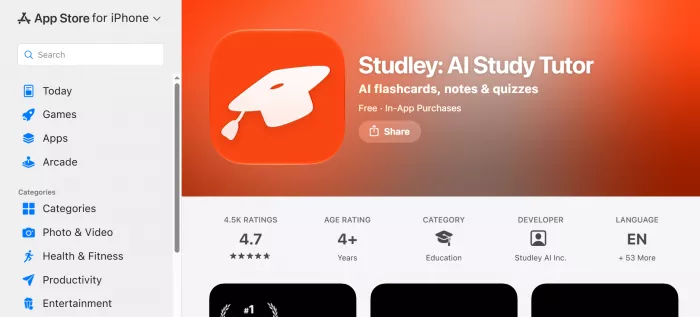
| App Store user reviews | 4.7 / 5 | The iOS app that turns lectures, YouTube videos, and voice memos into summaries and flashcards is praised most for the time it saves on note-taking. |
| AIChief | 4.4 / 5 (A-) | Independent reviewers score it strongest on writing quality and editing control, slightly lower on language support. |
| Trending AI Tools | Editor pick | Students most often highlight the AI-generated flashcards, quizzes, the AI tutor, and progress tracking, and report better understanding of difficult subjects. |
| App Store description and reviews | Common theme | Positioned as a Quizlet alternative where every question is made from your own content rather than a shared public deck, a recurring reason students switch. |
The criticism is consistent too, and it matches mine: full access requires a subscription, and anything AI-generated should be verified before you rely on it. Nobody I found was calling the output untrustworthy, the complaints were about cost and the sensible caution that applies to every AI study tool.
How I scored it
These are my scores after the week, weighted toward the features I actually used.
| Category | Score |
|---|---|
| Core generation quality | 8.6 / 10 |
| Ease of use | 9.0 / 10 |
| Range of study formats | 8.8 / 10 |
| Accuracy and trust | 7.4 / 10 |
| Value for money | 7.0 / 10 |
| Overall | 7.8 / 10 |
The scores track the story of the week: the generation and the interface are the strong suits, while accuracy (because you must verify) and value (because of the subscription framing) are where it gives points back.
Final verdict
After a week of feeding it the kind of content I actually study from, I came away convinced Studley AI earns its keep for one job above all: converting passive material into something you can revise with. The YouTube-to-notes test is what sold me, I handed it a full C++ lecture and got back structured, editable notes in minutes, complete with sensible headings and the small sign of comprehension, noting how C++ influenced other languages, that separates a real summary from a reworded transcript.
It is not magic and it should not be treated as such. On technical subjects I kept a hand on the wheel and verified specifics, and the weekly pricing is framed to look cheaper than it is over a term. But if you are a student drowning in lecture videos, PDFs, and slides, and you want one tool that turns all of it into flashcards, quizzes, and notes without starting from scratch, Studley is a genuinely strong pick. Try the free study set on your own material first, then go annual if the output holds up, which for me it did.
Who should use it: students juggling lots of video and reading who want fast, editable study sets. Who should skip it: anyone who needs offline access, or who only wants a single flashcard deck and would rather not pay a subscription.
Comments