Table of Contents
- Start With the Purpose
- What the AI Captures
- Instant or Professional Cloning
- Five Voice-Cloning Tools
- 1. ElevenLabs : Best for Voice Fidelity
- 2. Descript : Best for Recording Corrections
- 3. VEED : Best for Social Videos
- 4. Murf AI : Best for Professional Narration
- 5. Resemble AI : Best for Custom Systems
- Prepare the Recording Space
- Build a Useful Sample
- Create the First Clone
- Test More Than Similarity
- Fix Weak Results
- Write for Spoken Delivery
- Multilingual Voice Cloning
- Move Into Production
- Consent and Security
- When Cloning Is Wrong
- Final Take
AI voice cloning can produce a recognisable version of a person’s voice from a surprisingly small recording. Creating the model is often the easy part. The real work lies in recording the right sample, testing more than one type of script and correcting the small pronunciation and pacing problems that make synthetic speech sound artificial.
This guide covers the complete process, from choosing a suitable cloning tool to preparing the final audio for videos, podcasts, courses and other projects.
Start With the Purpose
Before recording anything, decide what the cloned voice will be expected to do. A model created for 20-second social clips does not need the same range as one intended to narrate a ten-hour course.
Short-form creators usually need energy, speed and clear pronunciation. A YouTube narrator needs consistency across several minutes. Course creators need a measured delivery that can handle technical terms, while audiobook production demands a much wider emotional range.
The intended use also determines how much control is necessary:
● A quick clone may be sufficient for correcting individual words, adding short voiceovers or testing whether the technology suits the workflow.
● A higher-fidelity clone is more appropriate when the voice will appear regularly across long videos, paid courses, podcasts or branded content.
● A developer-focused platform becomes relevant when the voice must operate inside a game, application, customer-support system or interactive character.
● A video-based platform may be more practical when narration, subtitles, footage and final export need to remain inside one editor.
Starting with the intended output prevents a common mistake: choosing the most advanced platform when a simpler one would complete the job faster.
What the AI Captures
A voice clone is not merely a copy of pitch. The model studies several characteristics that together make a voice recognisable, including its tone, accent, rhythm, pronunciation habits, pauses and changes in energy.
Short-sample systems generally create a voice profile from the acoustic characteristics found in the uploaded recording. More advanced cloning methods train or fine-tune a dedicated model using a larger collection of speech. The second approach takes longer, but it has more information from which to reproduce unusual accents, emotional variation and long-form consistency.
The model does not understand the speaker in the same way that a human listener does. It learns from the sound it receives. If the recording is rushed, flat or unusually formal, the clone may reproduce that performance rather than the speaker’s normal voice.
This is why a clean sample is not enough. It must also represent how the voice should sound in the finished content.
Instant or Professional Cloning
Most commercial tools offer either instant cloning, professional cloning or a variation of both. An instant clone works from a short recording and becomes available quickly. It is useful for social videos, draft narration, corrections and early experiments. The trade-off is that the model has limited evidence of how the person speaks across different sentence structures and emotional states.
Professional cloning uses a longer dataset and usually involves a training or verification process. It can capture more vocal detail, but the additional preparation is only worthwhile when the voice will be used regularly.
Choose an instant clone when speed matters more than perfect similarity. Move towards professional cloning when the voice must remain stable across longer scripts or represent a recognisable public-facing identity.
Five Voice-Cloning Tools
Pricing and plan features can change, so confirm the final amount before subscribing. The figures below reflect the official information available on 29 July 2026.
1. ElevenLabs : Best for Voice Fidelity
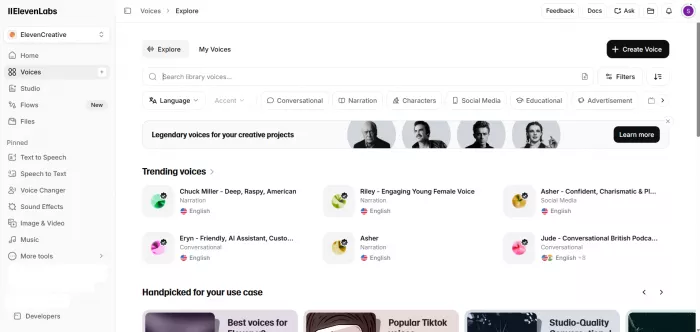
ElevenLabs offers a clear progression from a quick voice profile to a model trained specifically on a larger collection of the speaker’s recordings. This makes it suitable for creators who want to test voice cloning without ruling out more serious production later.
| Overview | Details |
| Cloning options | Instant Voice Cloning and Professional Voice Cloning |
| Audio needed | Around 1–2 minutes for Instant; 30–180 minutes for Professional |
| Main workflow | Text-to-speech, dubbing, long-form projects and API generation |
| Starting price | Instant cloning from $6 per month; Professional cloning from $22 per month |
| Notable strength | A direct upgrade path from quick cloning to a dedicated voice model |
Instant Voice Cloning uses a short sample to estimate the speaker’s vocal identity and is available on the Starter plan. Professional Voice Cloning trains a dedicated model and requires the Creator plan or higher. ElevenLabs recommends consistent, single-speaker audio without room echo, background interference or large changes in tone.
The main advantage is flexibility. A creator can build a simple model for short videos, then move to the professional option if accent accuracy or long-form stability becomes important. However, the model closely follows the source material. ElevenLabs notes that the accent and tone cannot simply be corrected after cloning; changing them normally means changing the training samples and creating the model again.
Best for: YouTube narration, podcasts, audiobooks, courses and creators who expect their voice-cloning needs to grow.
2. Descript : Best for Recording Corrections
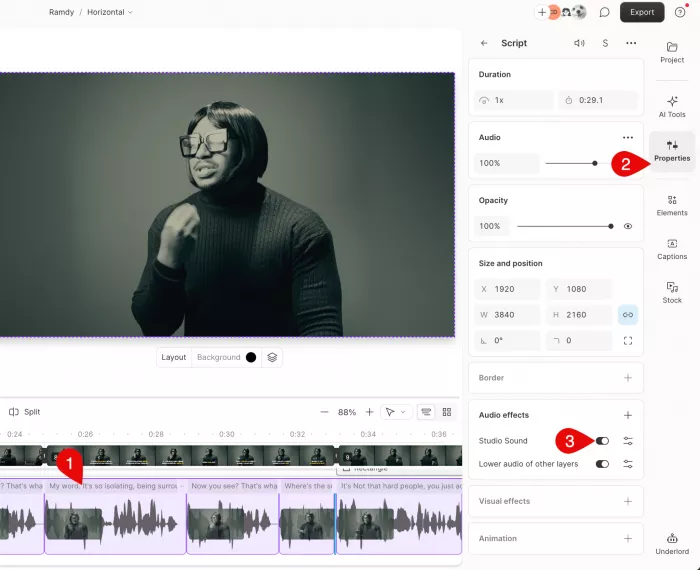
Descript treats the cloned voice as part of an editing system rather than a separate voice generator. Its Custom AI Speaker can create new narration, replace misspoken words and repair sections of a recorded podcast or video from the transcript.
| Overview | Details |
| Cloning option | Custom AI Speaker |
| Setup requirement | A recorded training and authorisation statement |
| Main workflow | Transcript editing, text-to-speech and audio or video regeneration |
| Starting price | Limited free access; Hobbyist starts at $16 per person monthly when billed annually |
| Notable strength | Replaces selected lines without rebuilding the complete recording |
Once a Custom AI Speaker has been authorised, text can be assigned to that speaker inside the script. Descript can also use Regenerate to replace a phrase in existing audio, making it useful when a date changes, a name was mispronounced or one line needs to be rewritten after recording.
This workflow is particularly efficient for podcasts, tutorials and talking-head videos because the clone is used precisely where a correction is needed. It is less compelling as a standalone narration service if no other Descript editing features are required. Descript also warns that longer or more complex generations can show shifts in tone, volume, accent or speaker identity, so lengthy narration should be reviewed paragraph by paragraph.
Descript requires explicit recorded authorisation from the voice owner before creating a custom speaker, which adds a useful consent check to the setup.
Best for: Podcast corrections, tutorial updates, video editing and replacing small sections without returning to the microphone.
3. VEED : Best for Social Videos
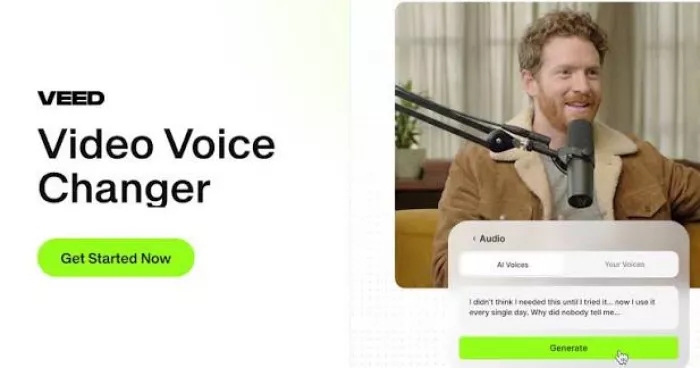
VEED places voice cloning inside a browser-based video editor. The voice can be recorded, saved as a profile and added directly to a video alongside footage, captions, music and other production elements.
| Overview | Details |
| Cloning setup | Read seven supplied sentences to create a voice profile |
| Project allowance | Up to 2,000 characters of cloned speech per video project |
| Main workflow | Voiceover generation inside an online video editor |
| Starting price | Free trial available; Lite starts at $12 per month and Pro at $29 per month |
| Notable strength | Narration and video editing remain in one workspace |
VEED is useful when the finished product is a Reel, advertisement, product demonstration or YouTube video rather than a standalone audio file. After recording the supplied script, the saved profile appears inside the text-to-speech controls and can be reused across projects.
The seven-sentence setup removes much of the preparation required by professional platforms, and the broader editor reduces file transfers between separate services. VEED also offers audio cleaning, automatic subtitles, stock media and music in the same environment.
The compromise is scale. Its current cloned-voice allowance is limited to 2,000 characters per video project, which is manageable for short and medium-length pieces but restrictive for chapters, long podcast segments or complete courses.
Best for: Reels, marketing clips, short tutorials, explainers and creators who want to finish the video in the same tool.
4. Murf AI : Best for Professional Narration
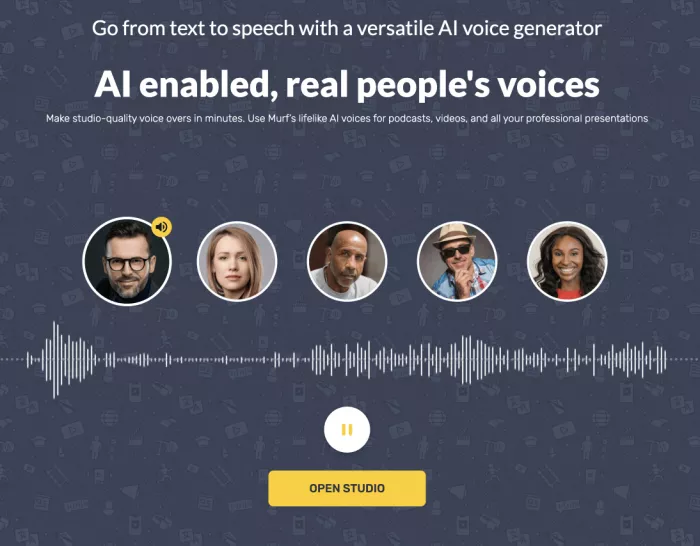
Murf AI takes a more production-led approach to voice cloning. Its custom voice service is designed for organisations and creators who need a controlled model for training, advertising, audiobooks, podcasts or longer narration projects.
| Overview | Details |
| Cloning approach | Professionally trained custom voice model |
| Audio needed | Less than 90 minutes of clean, high-quality recordings |
| Expected process | Managed recording, training and delivery rather than instant setup |
| Starting price | Studio plans start at $19 per month; custom cloning is an Enterprise add-on |
| Notable strength | Emotional and multilingual production controls |
Murf says its professional cloning process can use up to 90 minutes of noise-free speech and may take up to four weeks to produce the completed model. The resulting voice can support emotional delivery and is aimed at use cases where consistency matters more than immediate availability.
The broader Murf environment includes pronunciation editing, voice styles, timing controls and support for more than 20 languages in its cloning offering. Its standard Creator plan starts at $19 per month when billed annually, although custom voice clones are listed as an Enterprise add-on and require contact with the company.
This is not the natural first choice for someone testing a 30-second social voiceover. It becomes more relevant when the model will be used across a substantial course library, brand campaign or repeatable professional production.
Best for: E-learning libraries, commercial narration, audiobooks, advertising and organisations commissioning a managed voice model.
5. Resemble AI : Best for Custom Systems
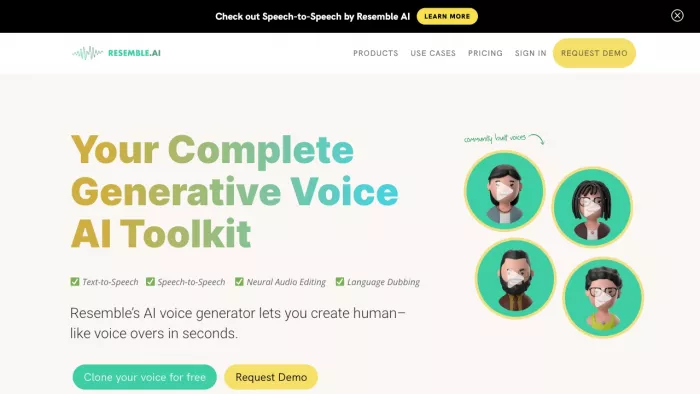
Resemble AI is designed for cases where the cloned voice needs to operate inside an application, game, agent or interactive experience. It combines rapid voice creation with professional training, streaming tools and synthetic-media security features.
| Overview | Details |
| Cloning options | Rapid Clone and Professional Clone |
| Audio needed | 10 seconds for Rapid; 10–25 or more minutes for Professional |
| Main workflow | APIs, SDKs, real-time streaming and production integrations |
| Starting price | Flex starts at $0 per month with usage-based billing |
| Notable strength | Voice creation and synthetic-media protection in one platform |
Rapid Clone can create a model from around ten seconds of audio and return it in under a minute. Professional Clone uses a longer recording and is intended to capture broader emotional range and greater similarity.
The platform becomes more useful when the voice must respond dynamically rather than read a fixed script. APIs and streaming options allow it to be connected to voice agents, interactive characters and other real-time systems. Resemble AI also develops watermarking, identity and deepfake-detection products, giving technical teams additional options for managing synthetic voice assets.
Its developer-focused structure can feel excessive for occasional content narration. A creator who only wants a monthly YouTube voiceover will probably reach the finished result faster in a simpler editor.
Best for: Voice agents, games, interactive characters, applications and production systems that require programmatic voice generation.
Prepare the Recording Space
The source recording affects the clone more than the microphone’s price. A modest microphone in a quiet, soft room usually produces a better training sample than expensive equipment placed in an empty room with echo.
Choose a location with curtains, carpets, upholstered furniture or other materials that absorb reflections. Turn off fans, air conditioners and devices that introduce a steady hum. Traffic, keyboards and distant conversation can also become part of the sample even when they do not seem loud while recording.
Keep the microphone position fixed. Moving closer and farther away changes the balance of bass, room sound and volume, making the voice appear inconsistent. The recording should contain one speaker only, with no music, effects or artificial reverb.
ElevenLabs specifically recommends clear single-speaker recordings with consistent volume, tone and microphone quality, while VEED advises recording in a room with soft surfaces to reduce echo.
A practical recording checklist includes:
● Record a 20-second test and listen through headphones before completing the full script.
● Leave a small, consistent distance between the mouth and microphone to reduce volume changes.
● Use the normal speaking voice that will appear in the finished content rather than an exaggerated presenter style.
● Record several clean takes instead of trying to repair a heavily flawed file with aggressive noise reduction.
● Save the original recording so the voice can be recreated if the account, model or platform changes.
Build a Useful Sample
A technically clean recording can still produce a poor clone if every sentence has the same rhythm. The sample should demonstrate how the speaker handles different sounds and sentence structures.
Include statements, questions, short phrases and longer explanations. Add numbers, dates, names and words containing varied consonant combinations. A small change in emotional energy is useful, but avoid jumping from whispering to shouting unless those styles are needed in the final project.
For a general-purpose clone, the script could include material such as:
I usually review the important details before deciding what to do next. Some explanations work best with a calm, measured voice, while others need more energy. On Thursday, 17 September, I recorded three versions of this sentence. Did the second version sound clearer? The final report includes audience growth, production costs and results from Bengaluru, Edinburgh and São Paulo.
This sample contains a question, a date, numbers, place names and changes in sentence length. It also moves between conversational and informative delivery without becoming theatrical.
For a niche-specific clone, add terms that will appear regularly. A technology creator should record product names and abbreviations. A finance narrator should include percentages, currencies and company names. A medical or educational voice may need technical terminology that exposes pronunciation weaknesses early.
Create the First Clone
The interface differs between platforms, but the underlying workflow is similar.
1. Choose the cloning level. Start with an instant model unless the project clearly requires a professionally trained voice.
2. Read the consent requirements. Confirm that the recording belongs to the account holder and understand where the generated voice may be used.
3. Upload or record the sample. Use the cleanest take, not necessarily the longest one. Consistent audio is more valuable than extra minutes containing noise or changes in delivery.
4. Label the voice clearly. Include the language and intended style in the name when several versions may eventually be created.
5. Generate a short test. Begin with two or three sentences rather than a complete article or video script.
6. Compare it with the original. Listen for identity, accent, pacing and pronunciation rather than asking only whether the output sounds realistic.
7. Save the source files. Commercial platforms may store the model inside their own service and may not allow it to be exported. ElevenLabs, for example, states that voice clones remain usable within its platform rather than being downloadable as independent models.
Do not commit a full project to the first result. A convincing ten-second sample can hide problems that become obvious after several paragraphs.
Test More Than Similarity
The first test should not be a simple sentence written to flatter the model. It should expose the situations in which synthetic speech normally breaks.
1. The Identity Test
Use a phrase that is spoken frequently in real life or content. Familiar wording makes it easier to notice whether the clone captures the speaker’s natural rhythm or merely resembles the general pitch.
2. The Pronunciation Test
Include proper names, numbers, abbreviations and technical words. These often reveal misplaced stress, missing syllables or unnatural pauses.
A useful test line might be:
The campaign begins on 12 August, with reports covering SEO, CRM performance and quarterly growth across Bengaluru and Manchester.
3. The Emotion Test
Generate the same line in neutral, serious and energetic forms when the platform supports delivery controls. Listen for genuine changes in emphasis rather than a simple increase in speed or pitch.
4. The Long-Form Test
Generate at least 150 to 250 words. Listen for voice drift, rushed endings, repeated melodic patterns and changes in accent between paragraphs. Descript’s documentation, for example, notes that longer or more complex AI speech can show continuity changes in tone, volume and speaker identity.
5. The Pause Test
Use sentences containing commas, brackets, quotations and paragraph breaks. The output should pause where the meaning requires it, not simply wherever punctuation appears.
Keep the test script unchanged when comparing platforms or new training samples. A fixed script makes it easier to identify whether the model improved or whether the text merely became easier.
Fix Weak Results
A disappointing clone does not always require a new tool. The cause may be the recording, script or generation settings.
1. The Voice Sounds Flat
The source sample may contain only one restrained reading style. Record a replacement that includes controlled changes in emphasis while preserving the same microphone position and overall tone.
2. The Accent Changes
Instant models can struggle with less common accents or samples containing mixed pronunciation. Use a longer, more consistent recording or move to a professionally trained option. ElevenLabs specifically notes that distinctive voices and accents may need Professional Voice Cloning rather than its instant method.
3. The Words Sound Clipped
Break the script into shorter paragraphs and add punctuation where a speaker would naturally breathe. Long blocks with several clauses can cause rushed transitions and weak sentence endings.
4. The Voice Drifts
Generate the narration in sections rather than as one long file. Review each section before moving it to the editor, then keep the accepted clips instead of regenerating the complete script every time one line fails.
5. Names Sound Wrong
Use a pronunciation editor when available. Otherwise, rewrite the name phonetically, separate difficult syllables or replace abbreviations with the words they represent.
6. The Clone Sounds Processed
Return to the original sample. Heavy noise reduction, compression and reverb can create metallic textures that the model then reproduces. A quieter natural recording is generally easier to clone than an aggressively repaired one.
Write for Spoken Delivery
A script written for silent reading is not automatically suitable for generated speech. Voice models respond to sentence structure, punctuation and paragraph length, so script editing is part of the audio process.
1. Use Shorter Sentences
A long sentence may look acceptable on a page but become difficult to follow aloud. Split it at the point where a human narrator would naturally take a breath or change emphasis.
2. Spell Out Difficult Numbers
A tool may read “2026” as “two thousand and twenty-six,” “twenty twenty-six” or individual digits. Write the intended pronunciation directly when consistency matters.
The same applies to currency, dates, measurements and percentages. The script should tell the system what to say, not merely show the most compact written form.
3. Guide Names Carefully
Brand names, surnames and regional place names often need adjustment. Save successful phonetic forms in the platform’s pronunciation library when that option is available.
4. Use Paragraph Breaks
Paragraphs can help reset the delivery and prevent one emotional direction from carrying too far into the next section. They also make failed audio easier to regenerate without affecting accepted material.
5. Avoid Visual Formatting
Slashes, brackets, symbols and abbreviations may be interpreted unpredictably. Replace visual shorthand with words unless the tool has already been tested with it.
The best AI voice script is not necessarily the most elegant written version. It is the version that produces clear, controllable speech with the fewest corrections.
Multilingual Voice Cloning
A cloned voice speaking another language may preserve its general identity without preserving the exact way the person would naturally speak that language.
Pronunciation systems differ between models, and translated speech can alter rhythm, stress and sentence timing. A voice may remain recognisable while sounding less natural to native listeners. Multilingual output should therefore be tested with language-specific names, numbers and common expressions before an entire project is generated.
Avoid assuming that support for a language guarantees perfect delivery. Murf lists more than 20 languages for its voice-cloning service, while several other platforms combine voice cloning with multilingual text-to-speech or dubbing. The practical result still depends on the language pair, training sample and pronunciation demands of the script.
For important public content, ask a fluent speaker to review the output. Correct translation and natural spoken delivery are separate quality checks.
Move Into Production
Once the clone passes the test script, place it inside a controlled production sequence:
Final script → pronunciation edit → section-by-section generation → audio review → corrections → video or podcast edit → captions and music → final export
Review the narration before timing captions, visuals and music. Fixing a pronunciation after the complete video has been edited can force unnecessary changes to several other layers.
Generate manageable sections and use clear filenames. A structure such as 01-intro-approved, 02-features-v2 and 03-closing-approved makes revisions easier than exporting one large file repeatedly.
Keep a record of successful settings, phonetic spellings and common corrections. The clone becomes more efficient once these decisions are reused rather than rediscovered for every project.
Consent and Security
Voice cloning should begin with ownership and permission, not after the audio has already been published.
Clone only a voice that belongs to the account holder or for which clear, informed permission has been obtained. Several platforms require recorded authorisation or verification. Descript requires an explicit recorded statement from the consenting speaker, while ElevenLabs verifies that Professional Voice Clones belong to the person creating them.
Practical safeguards include:
● Keep original recordings, login credentials and API keys away from public folders or shared project links.
● Review whether the subscription permits commercial use before publishing monetised or client work.
● Delete unused voice models from services that are no longer part of the workflow.
● Do not generate approvals, endorsements or personal statements that were never spoken or authorised.
● Disclose synthetic narration when the context could cause an audience to believe it is a fresh human recording.
● Restrict team access when the voice represents a founder, spokesperson, instructor or other recognisable individual.
The concern is not limited to impersonating another person. A clone of one’s own voice can still be misused if account access, source recordings or API credentials are poorly protected.
When Cloning Is Wrong
Voice cloning is valuable when it removes repetitive recording, simplifies corrections or supports a larger production system. It is less useful when the generated result requires more editing than a normal recording.
A human recording remains the better choice when the message depends on spontaneous emotion, personal sincerity or precise acting. It may also be faster for a short script containing many unusual names, unfamiliar languages or rapidly changing information.
Avoid using a clone for sensitive personal announcements or situations where listeners reasonably expect a current, direct statement. Synthetic narration can preserve the sound of a voice, but it does not replace the context and intention of the person speaking at that moment.
Final Take
Cloning a voice with AI can take only a few minutes, but building one that remains recognisable across real content requires more care. The strongest results come from a representative source recording, a tool suited to the intended workflow and a test script that exposes pronunciation, pacing and long-form consistency before production begins.
ElevenLabs is the most flexible all-round choice, while Descript is stronger for correcting existing recordings. VEED fits short video production, Murf suits managed professional narration, and Resemble AI is built for voices that need to operate inside technical systems.
Whichever platform is selected, the source audio and script preparation will shape the result as much as the model itself. A useful voice clone is not the one that sounds impressive for ten seconds. It is the one that remains clear, recognisable and controllable after the novelty has worn off.
Comments