Table of Contents
- The quick comparison
- What “good text” means
- 1. Ideogram: Best for AI-generated typography
- 2. Adobe Express: Best for practical flyers
- 3. Canva: Best all-round choice
- 4. Recraft: Best for design control
- 5. Kittl: Best for typography control
- 6. Microsoft Designer: Best for quick personal designs
- Which tool wins?
- Generated text has limits
- What to check before printing
- Choosing the right tool
- The Verdict
AI can now produce a striking poster in seconds. The harder test is asking it to spell the event name correctly, keep a date readable, preserve a phone number and make five lines of copy look intentional rather than squeezed into random corners.
That is why choosing an AI poster tool based only on image quality misses the point. For posters and flyers, text accuracy, editability and hierarchy matter just as much as the artwork. The six tools below take different approaches to that problem, from generating typography directly inside an image to building editable layouts where every important word can still be corrected before publishing.
The quick comparison
| Tool | Best for | Text approach | Editability | Main strength |
| Ideogram | Creative text-heavy posters | Generates text inside artwork | Very good | AI typography |
| Adobe Express | Business and event flyers | Editable text in generated templates | Excellent | Finished marketing layouts |
| Canva | Everyday poster and flyer work | Editable AI-generated designs | Excellent | Complete workflow |
| Recraft | Design-led posters and branded graphics | Generated or manually added text | Very good | Visual and vector control |
| Kittl | Typography-focused posters | AI generation plus live text | Excellent | Advanced typography |
| Microsoft Designer | Quick personal graphics | AI images plus editable text | Good | Simplicity |
What “good text” means
There are actually two different problems hiding behind the phrase AI that handles text well.
The first is text rendering. You ask the image model to create a poster saying “MIDNIGHT MARKET,” and those letters become part of the generated artwork. Ideogram and Recraft can work this way.
The second is editable typography. AI creates the composition, but headlines, prices, dates and descriptions remain normal text elements that can be changed afterward. Adobe Express, Canva and Kittl are particularly useful here.
For a real flyer, the second capability can matter more. A perfectly rendered three-word headline is impressive, but an event flyer also needs accurate supporting information. A useful poster workflow should therefore handle several things well:
● Headlines should remain readable without losing the visual character of the design. Decorative lettering is useful only if someone can understand it immediately.
● Dates, addresses, prices and calls to action should be easy to correct. Regenerating an entire poster because the AI changed “August 28” to “August 26” is an inefficient workflow.
● The layout needs a clear information hierarchy. The event name, supporting information and CTA should not compete at the same visual weight.
● Final output needs enough control for publishing or printing. Resolution, PDF or vector exports, brand fonts and commercial-use rights become much more important once the design leaves the idea stage.
Those criteria change the ranking considerably. The prettiest AI image generator is not automatically the best flyer maker.
1. Ideogram: Best for AI-generated typography
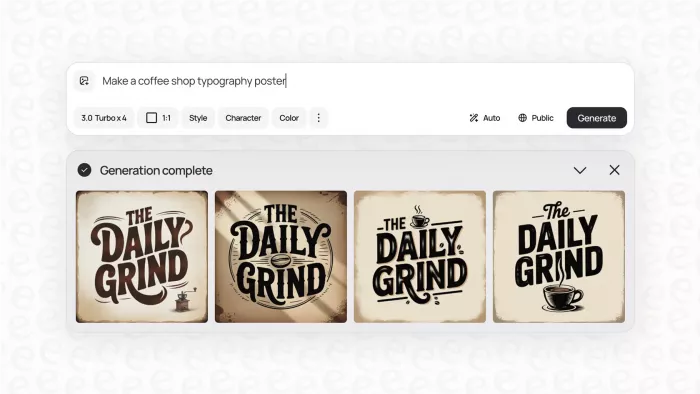
Best for: Creative posters where words are part of the artwork
Text handling: Excellent
Pricing: Free; Plus $20/month or $15/month billed annually; Pro $60/month or $42/month billed annually; Team $30/user/month or $20/user/month with annual billing.
Ideogram deserves its place because text rendering is a core part of the model rather than an extra editing feature. It currently claims 95% text-rendering accuracy and is designed for formats such as posters, signage, packaging and book covers.
That makes it particularly strong for big headlines, stylized event names and typography that needs to interact with the artwork. Its Layerize Text feature also tackles an old AI-image problem by extracting generated words into editable layers, letting you change wording, font or size without rebuilding the entire visual.
Limitation: Highly decorative lettering and dense information can still be less convenient than building the smaller copy as conventional text.
Best for: Posters where typography is part of the visual concept rather than simply information placed over a background.
2. Adobe Express: Best for practical flyers
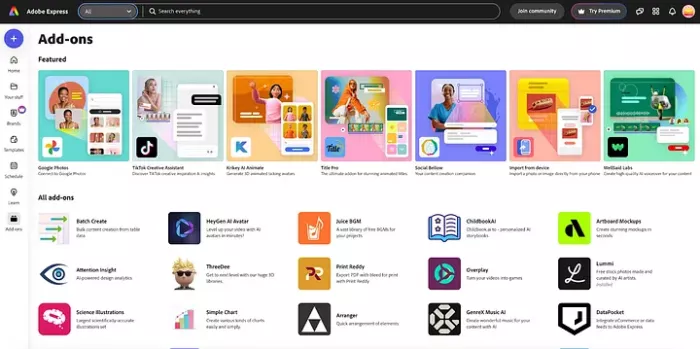
Best for: Business promotions, events and information-heavy flyers
Text handling: Very good
Pricing: Free plan available; Premium costs approximately $4.17/month including GST; Teams currently costs about $4.38/month per licence excluding GST for the introductory period, rising
Adobe Express takes a more practical route. Its AI template generator can turn a description into an editable poster or flyer template, so the generated layout is a starting point rather than a flattened picture. You can then change text, fonts, branding and imagery normally.
That difference becomes important once a flyer contains several pieces of factual information. You are not depending on an image generator to reproduce a telephone number or event date perfectly because those details can remain editable. PDF export, Adobe Fonts, Brand Kits, resizing and integrated Adobe Stock also make Express better suited to finished marketing material than tools focused mainly on generation.
Limitation: It is less exciting than Ideogram when you want experimental lettering generated directly into the artwork.
Best for: Anyone who values an accurate, editable finished flyer more than a visually adventurous first generation.
3. Canva: Best all-round choice
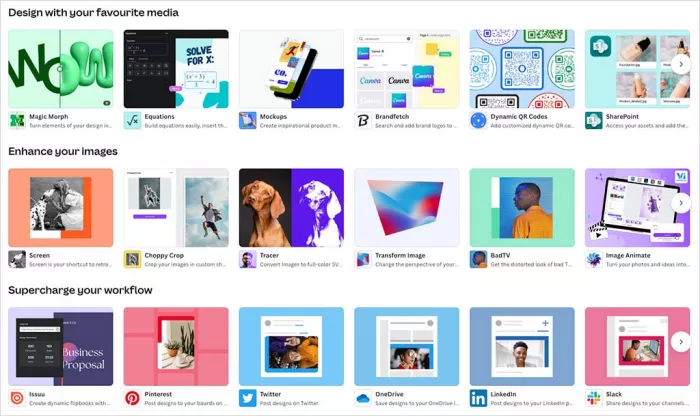
Best for: Small businesses, marketers and frequent non-designers
Text handling: Very good
Pricing: Free plan available; Pro costs approximately $41.78/year for one person; Business costs approximately $71.03/year per person; Enterprise uses custom pricing.
Canva's advantage is the amount of work that can happen after the AI generates the first idea. Its flyer maker combines templates, AI-generated media, normal typography, resizing and print-oriented exports inside the same editor.
The more interesting development in 2026 is Canva's push toward layered AI design. Canva AI 2.0 is designed to generate structured, editable designs rather than treating every output as a flat image, while Magic Layers can separate text and visual elements from an existing flat design so they can be adjusted individually.
For poster work, that means an AI-generated draft does not have to remain frozen. A headline can be rewritten, a font changed, an offer updated or an image repositioned without throwing away the complete composition.
Limitation: Canva offers a huge number of templates and AI options, so producing something distinctive still requires stronger visual choices from the user.
Best for: People who want one tool for drafting, editing, branding, resizing and exporting posters regularly.
4. Recraft: Best for design control
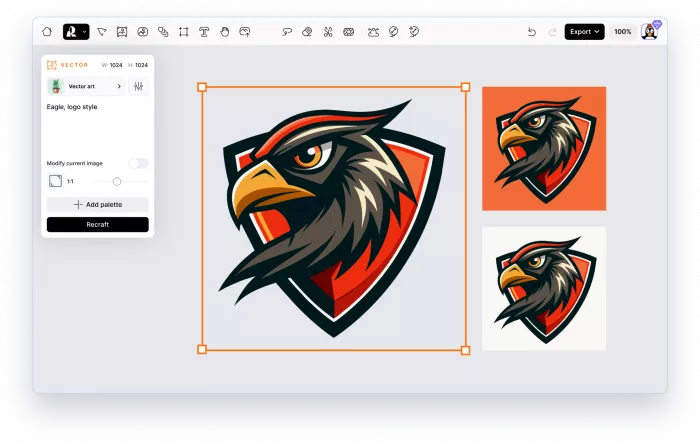
Best for: Brand graphics, vectors and more design-led posters
Text handling: Very good
Pricing: Free; Basic $12/month or $10/month billed annually for 1,000 credits; Pro starts at $20/month or $16/month annually for 2,000 credits; Teams starts at $22/user/month or $18/user/month annually.
Recraft sits somewhere between an AI image generator and a visual design workspace. Text can be included directly in image prompts, added manually as editable typography or positioned inside a frame to influence an AI-generated composition. That flexibility is useful when a poster combines illustrations, branding and structured copy.
Its manual text controls cover font, spacing, line height, alignment and positioning, while the broader platform is particularly strong for scalable illustrations and vectors. Recraft itself notes an important limitation: very small AI-generated text can become distorted, so essential information is better kept as manual text rather than embedded into the generated image.
Limitation: It requires a little more design judgement than Canva or Adobe Express, and the credit system becomes relevant if you generate heavily.
Best for: Designers who want AI assistance but still want to control the construction of the final visual.
5. Kittl: Best for typography control
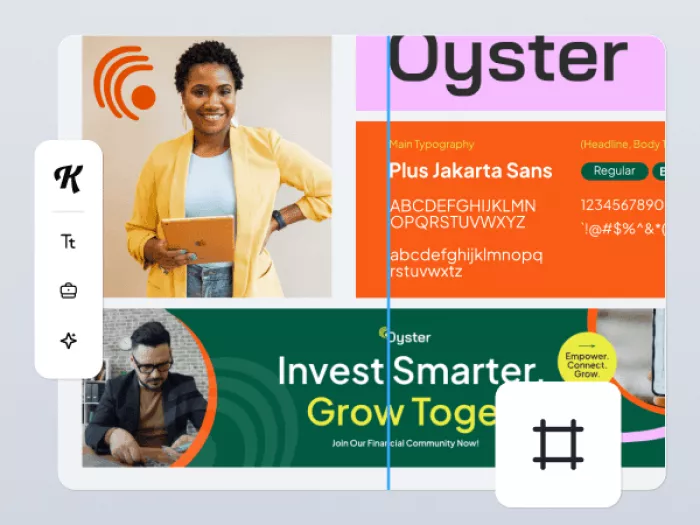
Best for: Posters built around expressive headlines and lettering
Text handling: Excellent
Pricing: Free; Pro $19/month; Expert $45/month. Annual bundles currently price Pro at $180/year and Expert at $360/year.
Kittl is particularly convincing when the poster needs more than a standard headline in a clean sans-serif font. Its live text engine keeps lettering editable while supporting curved text, distortion, custom meshes, outlines, textures, shadows and other transformations. Kittl currently lists more than 1,400 fonts in its typography system.
AI is layered into that traditional design workflow rather than replacing it. Kittl provides several image models and specifically identifies models such as Ideogram as useful for typography and layout, while the editor lets you replace uncertain generated lettering with controlled live text.
That combination is particularly useful for concert posters, merchandise-style graphics, retro flyers and bold promotional designs where type is a major visual element.
Limitation: The free plan is restrictive for serious production, including low-resolution output and personal-use limitations.
Best for: Anyone who wants more typography control than a typical template editor provides.
6. Microsoft Designer: Best for quick personal designs
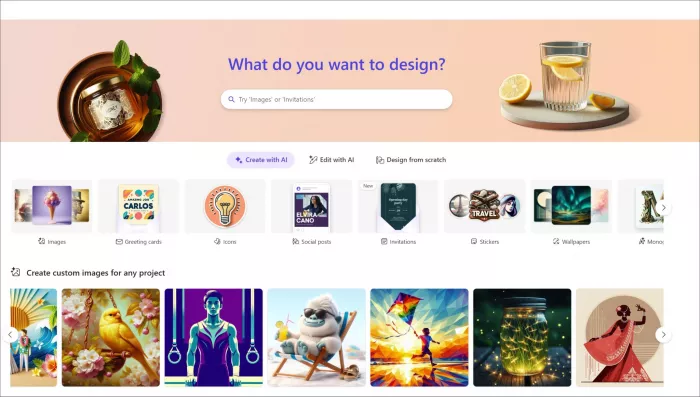
Best for: Invitations, announcements and simple personal posters
Text handling: Good
Pricing: Designer can be used free with a Microsoft account. Microsoft 365 Personal costs approximately $7.20/month or $72.06/year; Family $8.55/month or $85.64/year; Premium $20.88/month or $208.90/year.
Microsoft Designer is the easiest tool here to underestimate. It can generate images, suggest layouts and then let users add or edit text, shapes, fonts and other elements on the canvas. For someone already living inside Microsoft's ecosystem, it is a quick route from an idea to a usable announcement or social graphic.
There is an important text caveat, though. Microsoft explicitly warns that text generated inside AI images can contain spelling errors. The sensible workflow is therefore to use AI for the visual and keep important wording as editable text on the canvas.
There is an even bigger limitation for business users: Microsoft's current Designer FAQ describes the consumer product as licensed for personal, non-commercial use.
Limitation: That licensing restriction makes it a poor choice for commercial campaign flyers despite its convenient design tools.
Best for: Personal events, school-style graphics, invitations and casual promotional-looking designs that are not being created for commercial use.
Which tool wins?
There is no useful single winner unless the type of poster is defined first. A music poster with three dramatic words has very different requirements from a restaurant flyer containing an address, offer code, opening hours and booking details.
| What you are making | Strongest choice | Why |
| AI artwork with prominent lettering | Ideogram | Strong direct text rendering with editable text extraction |
| Business or event flyer | Adobe Express | AI-generated layouts remain practical to edit |
| Regular marketing materials | Canva | Strong combination of AI, templates, brand tools and publishing |
| Illustrated or vector poster | Recraft | Better control over generated visual assets and composition |
| Typography-led creative poster | Kittl | Deeper live typography and text-effect controls |
| Simple personal graphic | Microsoft Designer | Easy generation and editing without a specialist workflow |
The important pattern is that the most dependable tools do not force users to choose between AI generation and manual control. They let AI establish the direction, then allow the person making the poster to correct the details.
Generated text has limits
There is a tempting way to evaluate these tools: type a phrase into six generators, count the spelling errors and crown whichever model gets every letter right.
That test is useful, but it does not reflect how real flyers work. A promotional poster might contain a five-word headline. A functional flyer can contain a headline, description, date, time, location, price, URL, email address and disclaimer. Accuracy requirements rise quickly because a beautifully rendered typo in an address is still a bad flyer.
For that reason, a sensible production workflow separates visual text from information text. Use generated typography for words that behave like artwork, such as a festival name, campaign slogan or large decorative headline. Keep details that people must act on, such as dates, prices, URLs, phone numbers and addresses, as editable text whenever possible.
The difference becomes even clearer with tools built for different types of control. A closer Recraft vs Ideogram comparison shows why Ideogram is stronger when readable text is central to the composition, while Recraft makes more sense when vectors, reusable graphics and design flexibility matter.
This also makes revisions easier. If ticket prices change tomorrow, editing one text layer is considerably safer than asking the AI to recreate an otherwise finished poster.
What to check before printing
AI makes the first draft faster, but it does not remove the final production check. Before a poster or flyer goes to print, several details deserve attention. Output quality also depends heavily on what goes into the generator. Learning how to write better AI image prompts can improve composition, typography placement and visual direction before the design reaches the editing stage.
● Read every piece of text rather than checking only the headline. AI spelling errors often appear in smaller secondary copy where they are easier to overlook.
● Check factual details separately from the artwork. Dates, prices, URLs, addresses and contact numbers should be verified from their original source rather than trusted because the layout looks finished.
● Inspect small text at its final physical size. Something readable at 150% zoom on a laptop may become uncomfortable to read on an A5 flyer.
● Keep important wording editable until the final export. Last-minute changes are common in promotional work, and editable typography makes them routine instead of destructive.
● Use an appropriate export format. High-resolution PDF or suitable print output is preferable to enlarging a low-resolution AI-generated JPEG and hoping it survives the printer.
This is also why a tool such as Adobe Express, Canva or Kittl can beat a technically stronger image model for everyday flyer production. Generation quality matters, but correction cost matters too.
Choosing the right tool
If most of the poster is visual and the wording is short, start with Ideogram. It is the strongest option in this group when the letters themselves need to look generated as part of the artwork.
If the design carries real business information, Adobe Express is a safer choice because the AI-generated template remains something you can edit. Canva is the more flexible all-rounder for people producing posters alongside social graphics, advertisements and other recurring marketing assets.
Kittl becomes particularly interesting when typography is the design. Recraft is better suited to users who care about vectors, branded visual systems and more precise construction. Microsoft Designer remains convenient for quick personal work, although its current consumer licensing makes it difficult to recommend for commercial flyers.
The Verdict
The best AI poster tool in 2026 is not simply the one that can generate the prettiest image. Posters and flyers have a job to do: communicate information clearly enough that somebody can read it, remember it and act on it.
Ideogram is the standout for generating typography directly inside artwork. Adobe Express is the strongest practical choice for information-heavy flyers, while Canva offers the best balance for repeated everyday design work. Kittl deserves attention when lettering itself is the visual focus, and Recraft gives more control to users who want to construct rather than simply generate a design.
The broader lesson is more useful than the ranking. AI-generated text is improving rapidly, but editable text remains the safer choice for information that cannot afford to be wrong. The strongest poster workflow therefore uses AI where it saves creative time and conventional typography where accuracy still matters most.
Comments