Picture the state of a laptop in week 14. Roughly forty lecture PDFs, three folders named "new folder", a photo roll full of whiteboard shots, two hours of recorded lectures nobody has replayed, and a document that stops abruptly somewhere around week 6. That pile is where most semesters quietly go to die, and it is exactly the mess four AI tools were handed for this review.

The same material, a real term from an undergraduate course, went into Google NotebookLM, Notion AI, Obsidian with its community plugins, and ChatGPT. Each one got the raw dump, a week of daily use, and the same question at the end: can it turn scattered capture into something a person can actually revise from. What follows is what held up and what cracked, tool by tool, with the free limits and prices that matter in 2026.
A folder of files is storage, not a study system
Storage answers one question: where is the file. A study system answers harder ones. What connects to what. What is likely to be on the exam. What has not been looked at since week 3. The jump from one to the other is where AI earns its keep, and it is also where a little AI literacy pays off. Knowing what these models can and cannot do with your notes is what decides whether you trust the output or lose a weekend fixing it.
The four tools at a glance
| Tool | Best for | Free tier | Standout feature |
| NotebookLM | Turning a fixed set of sources into revision material | Generous, free with a Google account | Cited answers plus audio overviews of your own notes |
| Notion AI | Students whose whole academic life already lives in one workspace | Limited AI trial only | Ask Notion plus AI meeting notes for study groups |
| Obsidian + plugins | Owning your notes as local files and adding AI on your terms | Core app free forever | Private, local AI over a Markdown vault |
| ChatGPT | Fast quizzing with a tool you probably already have open | Yes, with message and upload caps | Study mode and free Projects |
Google NotebookLM
Best for source-grounded revision
NotebookLM is the one tool here built from the ground up for exactly this job. It is free with any Google account, runs on Gemini, and holds up to 50 sources per notebook across as many as 100 notebooks, with each source taking up to 500,000 words. Everything it says is grounded strictly in what you upload, and every claim links back to a sentence in a source, so the usual worry about a model inventing facts mostly falls away.
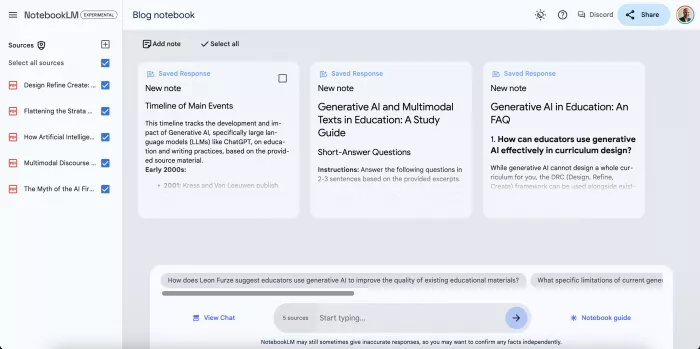
The payoff is in the Studio outputs. Drop a term of readings into one notebook and it will spin up a Mind Map of how concepts connect, a Study Guide with flashcards and quizzes, written reports, and the feature it became famous for: an Audio Overview, a ten to twenty minute discussion between two synthetic hosts that works surprisingly well as something to replay on a commute. In the test, feeding it eight weeks of lecture notes and asking it to build a weighted summary took minutes, and answering specific questions from your material came back with citations you could click to verify. The limits to watch: the usage budget refreshes every five hours, the three daily audio overviews on the free plan can run out during an intense session, and the Mind Map is missing from the mobile app.
| Where it shines | Where it slips |
| Answers grounded only in your sources, with citations | Daily caps can bite during exam-week crunch |
| Audio and video overviews turn dense notes into review you can listen to | Mind Map not available in the mobile app |
| Free tier covers an entire undergraduate course | 50 sources per notebook forces you to split large courses |
| Price: Free. Paid tiers (via Google One AI plans) lift source caps and daily quotas, up to 600 sources per notebook on Ultra at $249.99/month. | Verdict in one line: the least effort for the most usable revision material. |
Notion AI
Best for an all-in-one workspace
Notion is a single workspace for notes, databases, and tasks, and plenty of students already run their entire academic life inside it with templates for class notes, grade tracking, and reading lists. Notion AI layers on top of that. Ask Notion answers questions across everything you have written, so a query like "what did the week 5 lecture say about enzyme kinetics" searches your own pages. AI Meeting Notes records and transcribes a session, then produces a summary with decisions and action items, which turns out to be genuinely useful for study-group calls and recorded seminars. There is also a multi-step Notion Agent and inline writing help, and the system can draw on several underlying models.
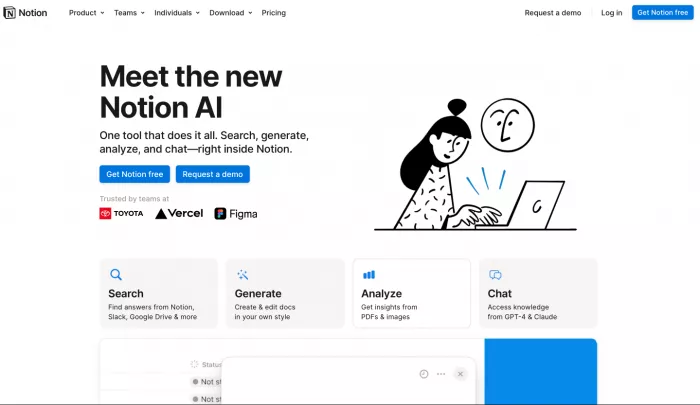
The catch is pricing, and it changed in 2026. The old standalone add-on is gone. Full Notion AI now sits inside the Business plan at $20 per user each month billed annually, or $24 billed monthly. Free and Plus accounts get only a limited trial, so a student cannot lean on it heavily without paying. One quirk surfaced quickly in testing: on a long, loosely structured page the summaries grabbed the wrong points. Adding headings and bullet lists first, then summarizing, made a large difference. Students should also check whether their status unlocks a free Plus plan before committing.
| Where it shines | Where it slips |
| Q&A and search run across your whole workspace at once | Full AI is gated behind the Business tier |
| Meeting notes capture study groups and recorded seminars | Summaries miss the point on unstructured pages |
| Notes, tasks, and databases live in one place | Does not ingest external PDFs as cleanly as NotebookLM |
| Price: Free and Plus ($10/user/month) get a trial only. Full AI requires Business at $20/user/month (annual). | Verdict in one line: the pick when the notes already live in Notion and a group shares them. |
Obsidian with AI plugins
Best for ownership and privacy
Obsidian takes the opposite stance to the cloud tools. The core app is free for personal use and stores every note as a plain Markdown file on your own device, which means you own the files outright and nothing leaves the machine unless you send it. There is no built-in AI. Instead you add it from a community library that now runs past 6,500 plugins. Two do most of the work. Smart Connections builds a semantic index of your vault with a local embedding model, needs no API key, and surfaces notes that are conceptually related even when you never linked them by hand. Copilot for Obsidian is a chat panel where you bring your own model, whether that is OpenAI, Anthropic, Google, or a local model served through Ollama.
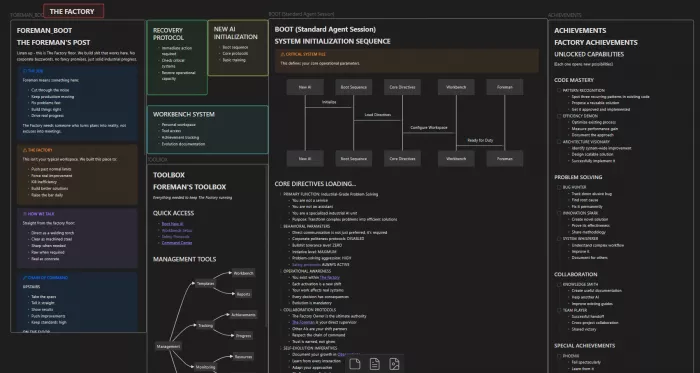
That Ollama path is the quiet advantage: run a capable model on your laptop and the AI over your notes becomes free and fully private. An importer plugin also pulls existing notes out of Apple Notes, OneNote, Evernote, Notion, and Google Keep, so moving a semester in is painless. The trade is effort. Nothing is pre-assembled, initial setup runs around fifteen minutes, PDF handling depends on the plugin you choose, and the AI only ever knows what is in your vault. For a student who treats notes like source code, that control is the whole appeal.
| Where it shines | Where it slips |
| Notes stay as local files you fully own | You assemble the AI stack yourself |
| Local models via Ollama make the AI free and private | PDF support varies by plugin |
| Semantic search finds links you never made manually | The AI only knows your vault, nothing outside it |
| Price: App free for personal use. Optional Sync from $4/month. AI plugins free; cloud model use runs roughly $2 to $10/month, or $0 with a local model. | Verdict in one line: maximum control for the student willing to build it. |
ChatGPT
Best for minimal setup
ChatGPT is not a note app, yet it does real organizing work and it has one advantage none of the others can claim: it is probably already open. Projects, now available on the free plan, group related conversations, files, and instructions under one topic and keep the context between them, so a "Biology 201" project remembers your syllabus and uploaded slides across sessions. Free accounts can attach up to five files per project, and Plus raises that to twenty-five. Study Mode, available globally across web, iOS, and Android on every plan, walks through material with guiding questions rather than handing over a finished answer, which is the difference between revising and copying.
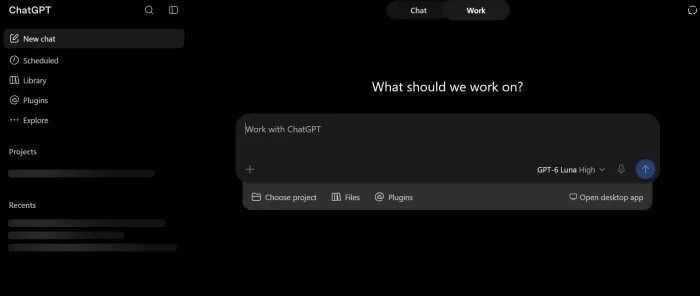
A workflow that held up well in the test: start a project per course, upload the syllabus and lecture notes, then ask it to build a revision plan that prioritizes topics by exam weighting and your weak spots, with a short quiz at the end of each session. The honest limits are the free-tier message and upload caps, which arrive fast in a long session, and the fact that ChatGPT is not grounded only in your sources. It can blend in outside knowledge, so answers need a second look before they go into revision notes.
| Where it shines | Where it slips |
| Projects and Study Mode need almost no setup | Free message and upload caps arrive quickly |
| Builds weighted revision plans and quizzes from your files | Not grounded only in your sources, so verify answers |
| Already familiar to most students | Files sit inside a project, not a lasting note vault |
| Price: Free plan with caps. Go at around $8/month and Plus at $20/month lift limits and add models. | Verdict in one line: the quickest way to self-quiz the night before. |
A workflow that survives finals week
The tool matters less than the routine around it. The same five steps worked no matter which of the four was doing the heavy lifting.
STEP 1 Capture into one inbox, not ten Pick a single landing spot and send everything there the day it happens: whiteboard photos, slide decks, voice memos. Scattered capture is what creates the week-14 pile in the first place. |
STEP 2 Centralize every Friday Run a fifteen-minute weekly pass. Move the week's files into your chosen tool, name them by week and topic, and write a one-line summary of each while the lecture is still fresh. |
STEP 3 Tag by exam weighting, not just topic Mark which weeks carry the most marks. NotebookLM and Notion both let you filter and query by those tags, and this single habit is what stops anyone over-revising a low-stakes week. |
STEP 4 Generate, do not just store Turn each unit into something active: a NotebookLM study guide or audio overview, a Notion summary, an Obsidian connections map, or a ChatGPT quiz. A folder you never reopen teaches nothing. |
STEP 5 Review on a schedule the tool enforces Play audio overviews on commutes, space flashcards and quizzes across the weeks, and let the system prompt the repetition. Spaced review is the part humans skip and software remembers. |
| One habit above all: do the weekly Friday pass. Every tool here rewards notes that arrive tagged and summarized, and punishes a term dumped in during the last 48 hours. |
Which one fits your situation
| Your situation | The tool to start with |
| Fixed reading list, want cited summaries and audio to replay | NotebookLM |
| Notes and group work already live in Notion | Notion AI |
| Privacy matters and you want to own every file | Obsidian + plugins |
| You want near-zero setup and already use ChatGPT | ChatGPT |
| Strictly zero budget | NotebookLM free or Obsidian with a local model |
The honest cost picture
Three of the four tools here have a free tier that genuinely covers an entire undergraduate course, which makes the paid question narrower than it looks. Before upgrading anything, it is worth reading which free study tools are worth paying for and which free ones suffice. The short version from this test: NotebookLM and Obsidian can carry a full semester at no cost, ChatGPT's free plan works if you batch your sessions around the caps, and Notion AI is the one that effectively requires a paid plan to use its AI in earnest.

The verdict after a full term
Running the same notes through all four for a complete term makes the split clear. For the specific job of turning a semester of sources into revision a person will actually use, NotebookLM did the most with the least effort. Drop the readings in, get cited summaries, a mind map, and an audio overview for the bus, all on the free plan.
Notion AI is the call when the notes already live there and a study group shares them, though the real AI sits behind the Business tier. Obsidian rewards the student who wants to own every file and run AI privately, in exchange for building the setup. ChatGPT stays the fastest way to quiz yourself the night before, as long as its answers get a second look.
None of them replaces reading the material. What they replace is the dread of opening a folder in week 14 with no idea where to start.
Comments