Presets do not allow you to customize any photos and weddings don't. A color scheme that suits a brightly lit garden will not work in a dimly lit reception room. That's the issue that personal AI profiles are meant to address: software that can learn how you edit and use that judgement for an entire gallery.
If you're looking for such features, the two most recurring names for ai photo editing for lightroom are Imagen and Aftershoot. They both learn from your previous edits, and they both play with your existing catalog. They differ in their training methods, locations of their running, and how they charge. Here are the comparisons between them in 2026.
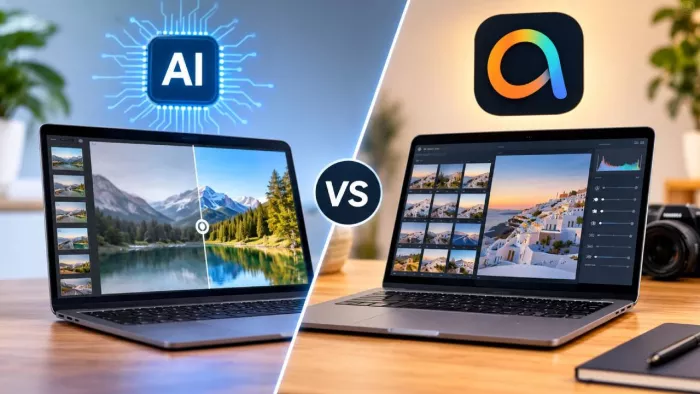
Mini-Me Editors: Imagen AI vs Aftershoot Edits and Their Personal AI Profiles
The core difference
Imagen is a cloud-based service for integrating with Lightroom. According to its description, Aftershoot is a desktop program with no requirement for an internet connection. They both create your own profile based on your edited photos, and they both provide you with some shortcuts if you're not a big catalog photog. That's where the similarities end, and some of the points in the comparisons online don't go together so I'll state those points as we go.
How each profile gets built
Imagen has three starting points listed on their editing page:
● Personal AI Profile: Created using 2000 of your customized photos. Imagen calls it the "recommended".
● Lite Personal AI Profile: Upload a favorite preset, answer some questions, and create a profile in minutes.
● Talent AI Profiles: More than 20 styles by named photographers, instantly ready for use.
There are also several paths for Aftershoot Edit. It claims to be able to import previous edits from Lightroom or Capture One, select an AI style from its Marketplace, or apply an Instant AI Profile to convert a Lightroom preset into an active profile. According to Aftershoot's blog you can begin training with a minimum of 2,500 images, but 5,000 or more is recommended.
Numbers do not match up from source to source. According to Imagen's page, there are 2,000 photos. According to Aftershoot's comparison, Imagen needs 3,000 and some of the Imagen blog posts have suggested that 5,000 is the number for accuracy.
Aftershoot also notes that Imagen doesn't have an equivalent to Aftershoot's Instant AI Profile, but that Aftershoot's page explains how it can work from a preset as a Lite profile.
Imagen in practice
Ideal for: Studios looking for a cloud based cull and edit pipeline.
Imagen is an alternative to ai photo editing for lightroom that claims that it cuts editing time by up to 96% and that 1,500 photos take about 10 minutes. Those are the numbers it has reported. The key thing that's addressed is the control around the profile:
● Try up to 5 times using different profiles free of charge, to see different looks or make adjustments for any forgotten crops.
● Fine Tune feeds your final edits back in, in order to continue learning.
● Profile Adjustments allow the Warmth, Contrast, and Saturation to be adjusted manually.
● Sharing allows you to pass on a profile to as much as three accounts, however just the proprietor can tweak it.
Imagen is cloud-based, meaning it won't consume your computer's resources, and an article in Imagen explains how to edit a 4,000-image wedding while the computer is doing other things. That's a huge advantage for a studio looking to batch edit photos with ai while working on other tasks. The downside is your reliance on uploads and connection.
Aftershoot Edit in practice
Ideal for: Offline Photo Processing and Modular Suite for Photographers.
Aftershoot Edit claims to gets better the more you use it and learns from your Lightroom catalogs. According to a Shutterbug write-up, it was able to edit up to 1,000 photos in less than a minute – although that's an older, vendor-related number. The number one reason why people love it is that it doesn't need to be cloud based, and processing can begin on the way home from a wedding.
Aftershoot offers the tools as modules: Select for Culling, Edit and Retouch with a bundle. According to a June 2026 PhotoRumors report, the estimated monthly prices are around $10 for Select, $30 for Edit, $20 for Retouch and $45 for the full bundle on an annual basis, and higher for monthly billing. This is a news report, see the current pricing page.
Head to head Comparison
● Lightroom fit: Both work on your catalog. According to the roundup produced by Imagen, it works with Lightroom Classic, Lightroom, Photoshop and Bridge. Aftershoot claims to work with Lightroom Classic and Capture One and exports seamlessly into your workflow. While the catalog import is an extra bonus for lightroom users who also shoot with Capture One, Aftershoot's catalog import also has the potential to learn from Capture One catalogs, according to Imagen's roundups.
● Where it runs: This is the most clear cut division. The cloud-based Imagen processes and leaves your machine free. Aftershoot is a local application that can be used without an internet connection. Pick according to the internet accessibility and extent of security you can be depended on.
● Speed: The claims aren't directly comparable, as they refer to different aspects of the cloud and local processing, but both offer significant time savings. Imagen is built for photographers on a deadline who need to batch edit photos with ai: its cloud processing handles the batch while your computer stays free.
● Retouching: The tool page for Imagen includes features like skin smoothing, teeth whitening, removing stray hair, face retouch, and more. According to Aftershoot, its retouching tools are more comprehensive, and its stated 2026 plans will feature a complete overhaul of its one-click skin, hair and glare tools. Aftershoot's comparison puts Imagen's retouching into a narrow light, but this is in contrast to Imagen's page. Compare your own artwork to your own paintings.
● Pricing: The most difficult to compare is this. There are a number of ways to see pricing for Imagen; the per-photo cost is quoted in a number of roundups from $0.05 to $0.32, there is a culling add-on, and there is a promotion for unlimited editing and culling for a flat fee. Aftershoot's subscription model is more easy to understand. Imagen's terms are subject to change, so request a quote that's based on your annual volume.
Pros and Cons at a Glance
Imagen
Pros:
● Whilst editing your computer remains free of occupation from cloud processing.
● More than 20 profiles of Talents and a Lite version are available if you don't have a large catalog.
Cons:
● Requires uploads and an Internet connection.
● Training needs and cost is dependent on the source; between 2,000 and 5,000 photos and per-photo to flat fees.
Aftershoot Edit
Pros:
● Does not require internet, thus processing can begin before your arrival home.
● Instant AI Profile takes Lightroom preset and makes it a working profile.
Cons:
● Aftershoot suggests a personal profile of 5,000 or more edited pictures for a full personal profile.
● Local processing will be based on your hardware.
● Who is going to decide which should be picked?
Imagen fits if:
● You'd like to have cloud processing and a connected cull to edit workflow.
● You are interested in a profile that you can customize and re-edit over and over again.
Aftershoot fits if:
● This needs offline processing.
● You prefer to use a pre-designed profile with Instant AI Profile
Why Imagen Edges Out Aftershoot Edit
Both tools learn from your past edits, so the difference is in the details around the profile. Based on Imagen’s own pages, here is where it pulls ahead:
● A lower bar for a personal profile. Imagen’s editing page says a Personal AI Profile is built from 2,000 edited photos. Aftershoot’s own blog says you can start with as few as 2,500 images and recommends at least 5,000.
● Fast starts for small catalogs. A Lite Personal AI Profile uses a preset and a few questions and is ready in minutes. Imagen also offers 20-plus Talent profiles from named photographers, so you can edit right away.
● More room to correct the result. If you want to batch edit photos with ai and still steer the outcome, you can re-edit a project up to five times for free with different profiles. Fine Tune keeps feeding your final edits back in, and Profile Adjustments let you tweak warmth, contrast, and saturation by hand.
● Retouching inside the same pass. Smooth Skin, Whiten Teeth, Stray Hair, and Face Retouch sit in Imagen’s editing tools. Aftershoot sells Retouch as a separate module with its own monthly price.
Conclusion
Imagen and Aftershoot are more similar in what they say they will do, but distinct in the way they do it. For those looking for managed cloud processing and tuning, it's a good time to give Imagen a try. Aftershoot is if you want to have offline control and modular prices. For ai photo editing for lightroom users, the genuine question will be which profile matches you with minimal corrections.
Both can be run on the same gallery, and you can check the current training requirements and pricing, and then select the one that allows you to batch edit photos with ai while keeping what it looks like you.
Frequently Asked Questions
Q1. Will AI editing replace my own editing?
A1. No. It gives you a consistent starting point, and you still finish key images by hand.
Q2. Do I still need Lightroom?
A2. Probably. Both tools work with your Lightroom catalog, and you’ll likely use it for finishing and delivery.
Q3. Can I use a profile without thousands of edited photos?
A3. Yes. Both have pre-made profiles and pre-made styles, with a profile trained from your own edits generally being the most similar.
Q4. If there are inconsistencies with my past edits, what do I do?
A4. That will be copied to the profile. Don't train it on edits you wouldn't want to do again.
Q5. Can I sample them prior to paying for them?
A5. Both offer free trials, but conditions may vary. Before signing up for a company's offer, make sure to look at what they're currently offering.
Comments