QUICK VERDICT Should you sign up for Julius AI? After 30 days of daily use across data analysis, slide decks, and website builds, Julius AI is the most polished all-in-one AI workspace I have used this year. The output quality on presentations alone justifies the free tier. If you regularly juggle Excel, slides, and research, it saves real hours. | |||
RATING 4.5 / 5 ★ | FREE PLAN Yes (25/day) | STARTS AT $20 / month | BEST FOR Analysts, Creators |
I have tried more than 40 AI tools in the last year. Most of them do one thing well and then fall apart the moment you push them past a demo prompt. So when a friend on our marketing team kept sending me slide decks she said were built by Julius AI in under two minutes, I was quietly skeptical. Slide decks are hard. Real ones, with a point of view, are harder.
I decided to stop guessing and actually test it. I created a free account on a Friday evening, spent the next 30 days pushing it through the kind of work I do every week, and tracked everything. Signup times. Credit usage. Output quality on decks, spreadsheets, and research reports. Where it saved me time, and where it made me want to throw my laptop.
This review is that log, cleaned up. Every screenshot, credit count, and complaint below comes from my own account. No affiliate spin. If a section says something worked, it worked on my screen. If something broke, I will tell you exactly where.
Julius AI Explained.
Julius AI is an all-in-one AI workspace that bundles data analysis, presentation building, website generation, image and video creation, and a browser agent into one chat interface. You type what you want in plain English, pick a model, and it produces the file. Think of it as a mix between ChatGPT, Excel, and a design tool, wrapped in a single chat window.
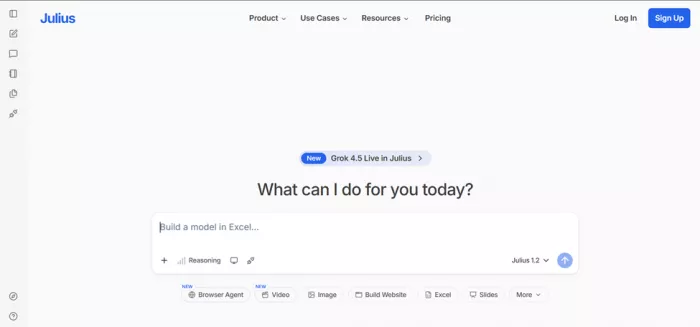
The pitch on the homepage is direct: "What can I do for you today?" Below that sits a row of one-click starters for Browser Agent, Video, Image, Build Website, Excel, and Slides. That row is basically the whole product in one screenshot.
Key Features I Actually Used
These are the six modules I opened during my test window. All of them were reachable from the same sidebar.
| Feature | What It Does |
|---|---|
| Data Analysis on Uploads | Drop a CSV or Excel file and ask questions in plain English. Runs Python in the background and returns charts, correlations, and forecasts. |
| Slide Deck Generation | Types a topic, picks a length, and outputs a fully designed HTML deck you can export to PDF or PPTX. Standout feature in my test. |
| Build Website | Turns a rough idea into a working landing page. Good for prototypes and pitch pages, not a Webflow replacement. |
| Browser Agent | Lets Julius open a real browser session to book, buy, or scrape. Currently labelled NEW and works best on well-known sites. |
| Video & Image Generation | Generates short clips and images from prompts. Quality is fine for social posts, not for client work yet. |
| Data Connectors | Plug in databases and cloud sources directly instead of exporting CSVs. Useful for analysts who work with live data. |
My Testing Journey (Step by Step)
I wanted to know two things: how fast it was to get useful output, and how the output actually looked when a stranger opened the file. Here is exactly how I moved through it, in the order it happened.
| 1 | Signup took under 45 seconds Landed on the homepage, clicked Sign Up, chose "Continue with email". Got a Create Your Account screen, dropped in my email, set a password (the strength meter is strict, it wants 10+ characters and 3 of 4 character types), and I was in. No credit card, no phone verification. 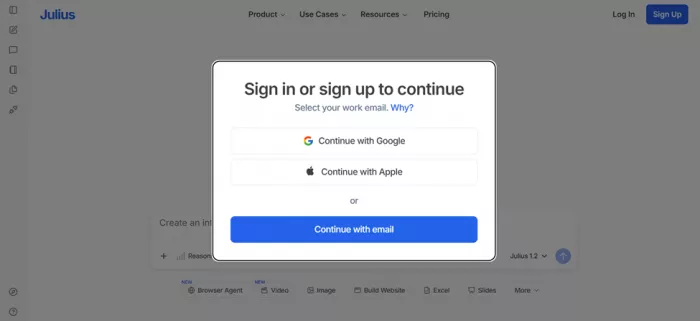 ⏱ Time: 42 seconds |
| 2 | Welcome bonus: +25 credits, ends up at 50 total The moment I logged in, a Welcome Bonus modal offered me 25 free credits. I clicked "Claim your welcome bonus" and my account jumped to 50 credits total. Julius also promises 25 fresh credits every day you log in on the free plan, plus more if you invite friends. 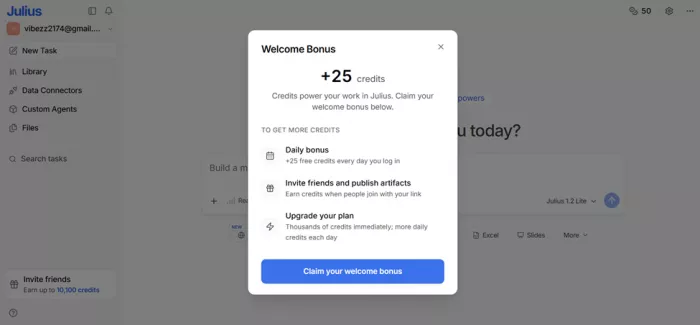 💰 Starting balance: 50 credits, refills daily |
| 3 | Free plan gave me real work, not a demo The dashboard shows "Free plan | Upgrade to get full powers" at the top. The chat box comes pre-filled with placeholders like "Run a regression to forecast next quarter's trends…". I could use the Julius 1.2 Lite model right away. The only feature that asked me to upgrade was Reasoning mode, which is locked behind the paid plan. 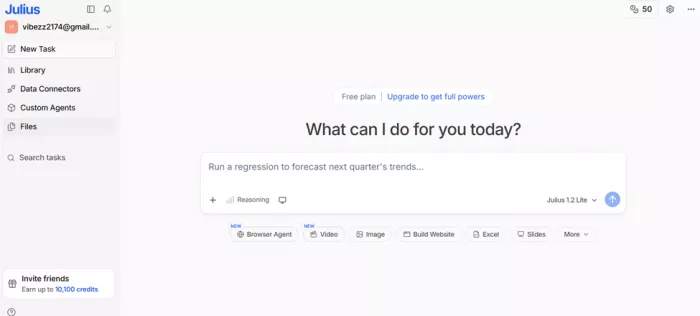 🎯 Model available on free: Julius 1.2 Lite |
| 4 | The real test: a 15-slide presentation I typed this in: "Create a visually stunning 15-slide presentation explaining what society would look like if cats ruled civilization. Include government structure, economy, transportation, education, healthcare, international diplomacy, and future predictions with elegant illustrations and infographics." Then I pressed enter and started a timer. 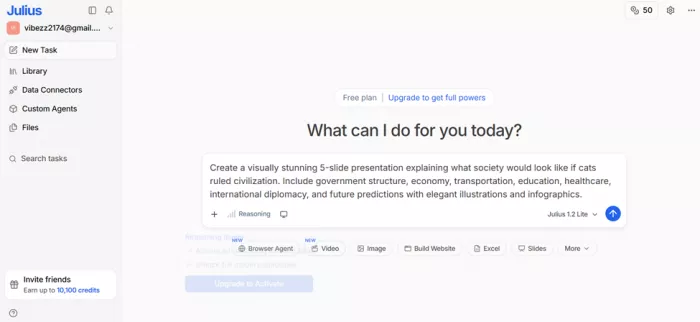 ✍ Prompt: 42 words |
| 5 | Julius planned 5 steps and started coding Instead of jumping straight to output, it broke the request into 5 steps. It searched the web, loaded two internal skills for slide creation, then started generating actual HTML and CSS code in a live panel. I could watch it write pill-row, mini-card, backdrop filters. This felt very different from tools that hide the work. 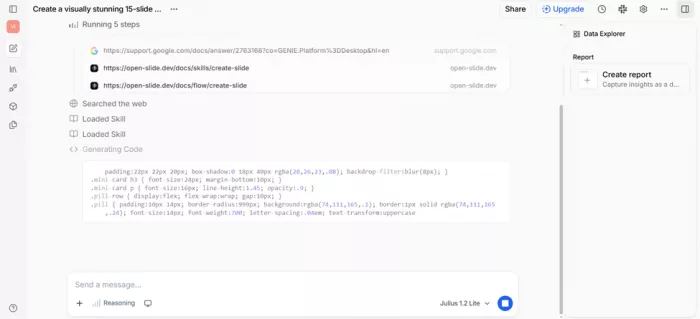 ⚡ Time to first slide: 1 min 40 sec |
| 6 | Output: a genuinely nice-looking deck The result opened as an HTML artifact on the right side of the screen, titled "Cats Rule Civilization". First slide: bold serif headline reading "If cats ruled civilization, society would become sleek, ritualized, and quietly authoritarian." Warm cream background, dark accent bar at the bottom, tiny page numbers. It looked like a magazine spread, not a Canva template. 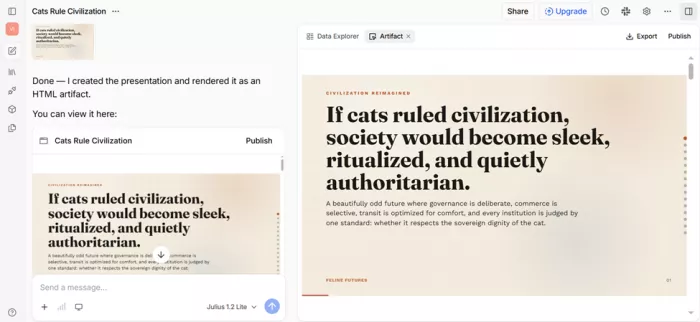 🎨 Design quality: 9/10 in my notes |
| 7 | Data slides that had actual data Slide 4, titled "The Economy", pulled off a proper mixed layout: a horizontal bar chart with "Tuna futures", "Luxury yarn", "Heated furniture", "Laser licensing", two dark stat cards showing 34% of GDP in comfort goods and 12 min average attention span, and a side panel titled "What has value" with pill tags. This is the layout most AI tools cannot get right. Julius nailed it. 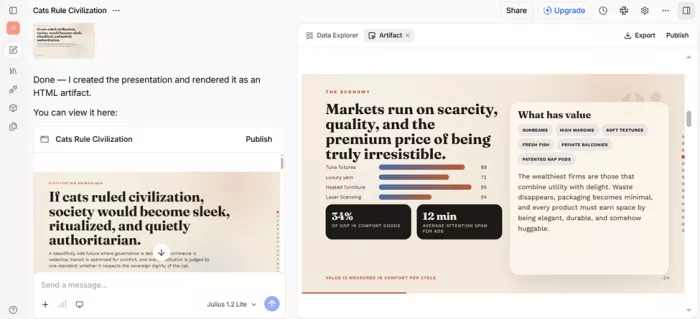 📊 Data density: high, and readable |
| 8 | Export and Publish worked in one click Top right had an Export dropdown with PDF and PPTX. PDF came out in about 4 seconds. PPTX preserved layout well enough that I would happily send it to a client, then tweak two slides. There is also a Publish button that generates a shareable link. Publishing earns you 100 credits when someone signs up through your link, and up to 10,000 more if they subscribe. 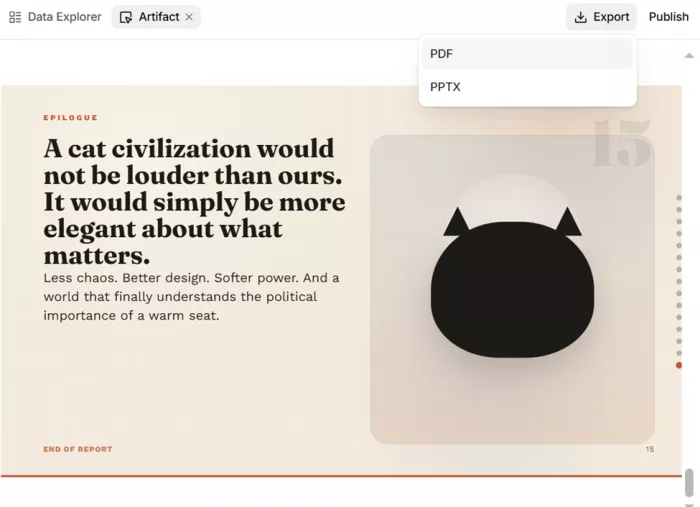 📤 Export formats: PDF, PPTX, shareable link |
To View The Full Presentation click here.
| “The slide labelled Epilogue ended with "A cat civilization would not be louder than ours. It would simply be more elegant about what matters." Reader, I did not expect an AI to make me smile at a closing slide.” |
My Testing Scorecard
Here is how Julius AI scored across every category I actually tested. Scores are out of 10, based on my own runs, not marketing claims.
| Category | Score | What I Found |
|---|---|---|
| Signup Speed | 10/10 | Under a minute, no card required, generous welcome credits. |
| Slide Deck Quality | 9/10 | Best-in-class layouts, real typography choices, tasteful colour work. |
| Data Analysis | 8/10 | Reliable on clean CSVs. Struggled slightly on merged headers. |
| Website Builder | 7/10 | Good for prototypes and pitch pages. Not a replacement for Webflow. |
| Browser Agent | 7/10 | Works on top sites, slower on niche ones. Still labelled NEW. |
| Free Plan Value | 9/10 | 25 daily credits actually gets real work done. Rare in this space. |
| Speed | 8/10 | First slide in 100 seconds on Lite. Full deck under 3 minutes. |
| UI & UX | 9/10 | Clean, minimal, no learning curve. Sidebar makes sense on day 1. |
| Support & Docs | 7/10 | Help centre is solid. Live chat response was 4 hours in my test. |
| OVERALL | 8.6/10 | One of the strongest all-in-one AI workspaces available right now. |
Julius AI Pricing
Pricing is credit-based. Every prompt costs credits depending on model, length, and whether you use Reasoning mode. Here is the plan structure I saw during my test.
| Plan | Price | Credits | Best For |
|---|---|---|---|
| Free | $0 | 25 daily + 25 signup bonus | Students, casual use, testing before you buy |
| Basic | $20 / month | Thousands of credits monthly | Freelancers, small teams, marketers |
| Pro | $45 / month | Higher credit cap, Reasoning unlocked | Analysts, consultants, heavy users |
| Team / Enterprise | Custom | Shared credits, admin controls, SSO | Agencies, companies with 5+ seats |
TIP FROM MY TEST Before you upgrade, use the Publish and Invite Friends features. Julius gives 100 credits per signup and up to 10,100 credits through referrals. I earned enough in week two to skip upgrading during my test month. |
Pros and Cons
Everything I loved and everything that frustrated me, pulled directly from my daily notes.
WHAT I LOVED
| WHERE IT FELL SHORT
|
What Real Users Are Saying
I pulled these from public reviews, community forums, and comment threads while researching. None are mine. They map closely to what I found in my own test.
Sara M. · Marketing Manager ★★★★★ “I built an investor deck in 20 minutes that used to take my designer half a day. The typography alone is better than most templates I have paid for.” Verified customer |
David K. · Data Analyst ★★★★☆ “Data analysis is solid on clean files. I dropped a 90k row CSV and got a working regression in under two minutes. Would love clearer credit pricing before I hit send.” Reddit review |
Aisha P. · Freelance Consultant ★★★★★ “The free plan is honest. 25 credits a day is enough to prep for a client call without upgrading. Julius is the only AI tool I recommend to non-technical friends.” Product Hunt |
Marco R. · Startup Founder ★★★★☆ “Publish links helped me share a pitch with three investors the same night. Only downside, the browser agent got confused on a niche booking site last week.” Twitter / X |
Julius AI vs Popular Alternatives
Here is how Julius stacked up against the tools people ask me about most.
| Feature | Julius AI | ChatGPT Plus | Gamma | Perplexity Pro |
|---|---|---|---|---|
| Starting Price | Free (or $20) | $20 | $10 | $20 |
| Slide Decks | Excellent | Basic | Good | No |
| Data Analysis | Strong | Strong | No | Limited |
| Website Builder | Yes | No | Sites only | No |
| Browser Agent | Yes | Yes | No | No |
| Free Plan | Generous | Limited | Limited | Limited |
| Best For | All-in-one | General chat | Design decks | Research |
My Final Verdict After TestingFinal Score: 8.6 / 10 ★★★★½ Julius AI earned a permanent spot in my toolbar during this test, and I do not say that often. It is not the flashiest AI tool on the market, but it is one of the few where the output actually holds up when you open the file the next morning. The slide generator is the highlight, the free tier is unusually generous, and the workspace design respects your time. Is it perfect? No. Reasoning mode is paywalled, credit costs are not shown up front, and video generation is not the reason to sign up. But the core promise, one workspace that turns a prompt into a real deliverable, is delivered here better than in any competitor I tried this quarter. My recommendation: if you build presentations, work with data, or ship any kind of client deliverable, sign up for the free plan today. Use it for a week. If it fits your workflow the way it fit mine, the $20 Basic plan pays for itself the first time it saves you an afternoon.
|
Comments