Credit cost at a glance
| Action | Credits | Relative spend |
| Standard image | ~5 credits | Low ██ |
| Standard video | ~10 credits | Moderate ████ |
| Premium video | ~90 credits | High ██████████ |
The first real test of MeiGen AI was not a spreadsheet. It was a Tuesday night, a half-finished product page, and a balance of ten free credits that vanished in about two generations. That moment taught more about how this platform charges than any pricing table could. MeiGen does not sell a monthly seat and wave you through. It sells credits, and every image, every clip, and every retry quietly spends them at a rate that shifts depending on the model and resolution picked.
That design is the single most important thing to understand before paying anything. Get the credit math wrong and a cheap tool turns expensive by the weekend. Get it right and MeiGen becomes one of the more flexible ways to touch a dozen top image and video models without juggling a dozen subscriptions.
This breakdown walks through every plan, what credits actually buy, where the costs hide, and who ends up getting real value versus who should walk away.
THE SHORT VERSION
MeiGen runs on credits, not flat access. Start free, pay once for credits that never expire, or subscribe for a monthly refill at a lower per-credit rate. Images are cheap. Video is where budgets disappear. The free tier is a taster, not a trial.
How MeiGen AI pricing actually works
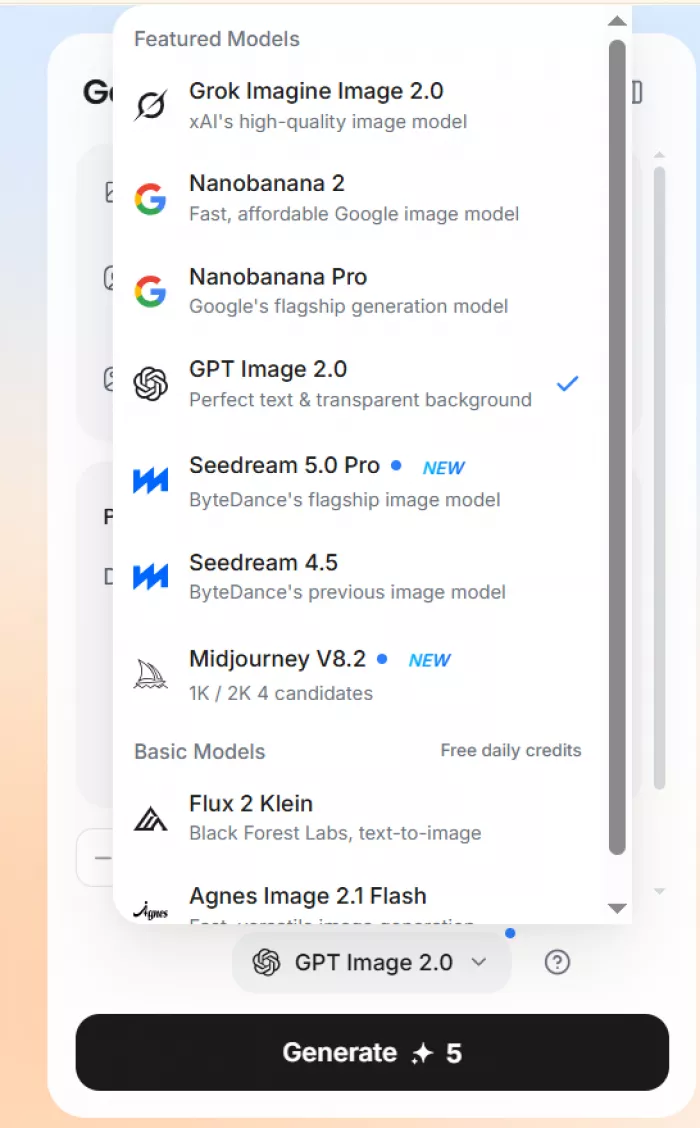
MeiGen is a front end, not a model of its own. When you hit generate, the request is handed to an outside engine such as GPT Image 2, Nano Banana 2, Seedream, Midjourney, Seedance, or Veo. Each of those engines costs a different amount to run, so MeiGen passes that difference straight through as a variable credit charge.
There are two ways to fund an account, and they behave very differently:
| Funding method | How it is billed | Credit lifespan | Best for |
| Subscription | Monthly or yearly, refills each cycle | Current cycle only, no rollover | Steady, repeat usage |
| Pay-as-you-go pack | One-time purchase, no recurring charge | Credits never expire | Occasional, project work |
The distinction matters more than most buyers expect. Subscription credits reset when the cycle renews, so unused ones are lost. Pay-as-you-go credits sit in the account indefinitely. One rewards consistency; the other rewards patience.
One point in MeiGen's favor sits in the fine print: the platform states there is no auto-renewal on its credit purchases, a rare bit of honesty in a category stuffed with silent monthly billing. For a deeper, hands-on account of how that no-renewal promise holds up across a real everyday workflow (timtis.com/blog/meigen-ai-a-practical-look-at-images-video-pricing-and-everyday-workflow), it is worth seeing how the credits move during an actual project rather than on paper.
The free tier: a sample, not a safety net
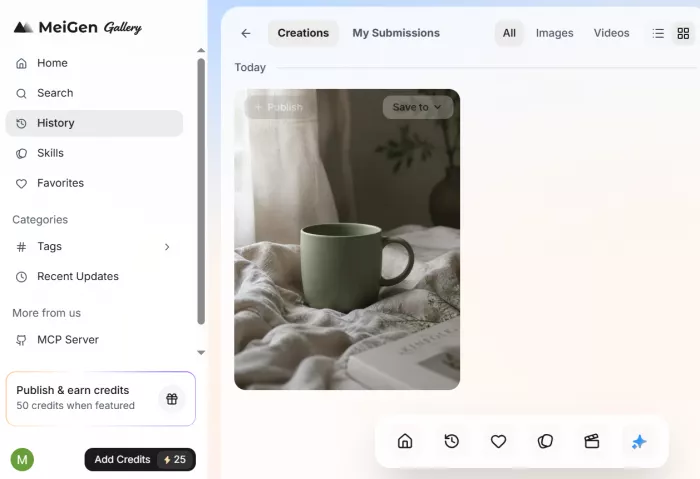
Every new account gets free credits, and MeiGen hands out a small daily allocation on top of the signup bonus. A Google login drops a starter batch of credits into the account with no card required.
Here is the honest read on what free covers:
| What free gives you | The catch |
| Signup credits | Stretch to roughly two standard images before the wall appears |
| Daily free credits | Refresh the balance in small amounts, enough for a short test or two |
| Resolution | Capped, with 4K and multi-image output locked behind paid plans |
| Output per request | One image at a time, so batch generation waits until you upgrade |
The free tier works as reconnaissance. It confirms the tool runs, lets you browse the prompt gallery freely, and gives a feel for the interface. It does not run a project. Anyone expecting to finish real work on free credits alone will hit the ceiling within the first session.
Subscription plans compared
For repeat users, subscriptions bring the per-credit price down and refill the balance automatically each cycle. The structure lands in three tiers, with the yearly commitment lowering the effective monthly cost.
Basic ~$7.50 /mo yearly 1,000 credits / month
|
MOST POPULAR Pro ~$24.17 /mo yearly 5,000 credits / month
|
Studio ~$49.17 /mo yearly 11,000 credits / month
|
| Plan | Monthly (yearly) | Credits/mo | Images | Videos | Per 100 cr. |
| Basic | ~$7.50 | 1,000 | ~50 | ~16 | ~$0.75 |
| Pro | ~$24.17 | 5,000 | ~250 | ~80 | ~$0.48 |
| Studio | ~$49.17 | 11,000 | ~550 | ~177 | ~$0.45 |
Image and video counts assume roughly 20 credits per image and 62 credits per standard video. Actual output varies by model and resolution.
The pattern is the usual volume discount: the more credits bought up front, the cheaper each one gets. Basic costs the most per credit, Studio the least. The real question is not which tier is best but which matches genuine monthly usage, because unused subscription credits do not carry over.
Pay-as-you-go credit packs
For anyone who works in bursts rather than a steady rhythm, the one-time packs are the smarter buy. They skip the subscription entirely, carry no recurring charge, and the credits never expire. A starter pack can be bought for a single project and left to sit until the next one.
The trade-off is a higher price per credit than a subscription of equivalent size. Pay-as-you-go buys flexibility; subscriptions buy a discount. The decision comes down to one honest question:
| Will this account be used most months, or only now and then? Regular use favors a subscription. Sporadic use favors packs. |
A reasonable middle path for new users is to buy a small pay-as-you-go pack first, run a real project through it, measure how fast the balance actually drops, and only then decide whether a monthly refill is worth committing to.
What credits actually cost per generation
This is where pricing gets slippery, because the headline plan price tells only half the story. The real cost is how many credits each action burns, and that swings hard by model and resolution.
| Action | Approx. credit cost |
| Standard image, 1K (GPT Image 2) | ~4–5 credits |
| Higher-resolution image (2K / 4K) | Meaningfully more per image |
| Background removal | ~1 credit |
| Image vectorization | ~5 credits |
| Standard video (Seedance 2.0) | ~10 credits per short clip |
| Veo 3.1 video generation | ~10 credits standard |
| Premium video generation | ~90 credits per clip |
Two lessons jump out of that table. First, images are genuinely cheap. A standard 1K image costs a handful of credits, so even the Basic plan stretches across dozens of them. Image-heavy workflows get strong value here.
Second, premium video is the budget killer. A single top-tier video clip can run around 90 credits, more than a full week of image generation for many users. That is not a flaw so much as a warning label: video turns experimentation into a luxury that has to be rationed.
The practical move is to lock a video concept on a cheaper model first, nail the framing and length, and only spend premium credits once the shot is certain. Treat the expensive engine as a finishing tool, never a sandbox.
The models behind the price
Because MeiGen routes to different engines, the model chosen changes both the result and the cost. Here is how the main options stack up for everyday work:
| Model | Strength | Typical use |
| GPT Image 2 | Balanced, reliable defaults, up to 4K | Everyday first pass |
| Nano Banana 2 / Pro | High fidelity to reference photos, fast | Matching a real product |
| Seedream | Punchy, stylized, high-impact frames | Hero images, mood over accuracy |
| Midjourney | The most polished, designed aesthetic | Posters and decorative work |
| Seedance 2.0 | Stable, believable short-clip motion | Cheap, reliable video concepts |
| Veo 3.1 | Strong motion and coherence | Higher-quality video output |
The value of a multi-model front end is the ability to run one idea across several engines in a single sitting and pick the winner, rather than committing to one model and hoping. That comparison is the strongest practical reason to pay for MeiGen instead of going straight to a single engine.
Features gated by plan
Price is not only about credit volume. Several features sit behind the paid tiers, and they often matter more than the raw credit count.
Unlocked on paid plans
|
Free on every tier
|
The gallery and its tools are the genuine draw, and they are free to explore. What payment unlocks is the ability to use the output professionally, at quality, and in volume.
Value verdict: who should pay for what
After running real projects through MeiGen, the value picture sorts cleanly into a few camps. Here is the plain-spoken recommendation for each.
| User type | Best option | Why |
| Just testing the waters | Free tier | Confirms fit with no spend |
| Occasional project work | Pay-as-you-go pack | Credits never expire, no recurring charge |
| Steady image creator | Basic or Pro | Lower per-credit cost, monthly refill |
| Frequent commercial creator | Pro | Best balance of volume, support, price |
| Teams and studios | Studio | Lowest per-credit cost, priority queue |
| Heavy video pipeline | Reconsider | Premium video burn gets expensive fast |
The standout strength is flexibility: one interface, many models, and two honest funding paths that each suit a different rhythm of work. The standout weakness is just as clear, as video pricing escalates quickly, and anyone planning a high-volume video operation on a fixed budget will feel the meter.
Where MeiGen earns its price
|
Where the cost bites
|
A note on look-alike domains
Verify the site before you pay MeiGen has a sprawl of near-identical sites across different domains, and several quote different free-credit offers, plan prices, and support contacts. Pick one address, confirm the pricing on that exact site before buying, and never enter card details anywhere the URL quietly changes. The numbers above can shift between clones, so always check the live figures first. |
Final verdictTwo weeks of real use settled the question of whether MeiGen's pricing is fair, and the answer is a qualified yes. For a person making a handful of polished images with the occasional short clip, the credit model is priced sensibly, the free exploration is generous, and the no-auto-renewal policy removes the dread that usually comes with signing up for anything in this space. The honest caveat never changes. This is a tool priced for measured output, not a production line. Images are where the value lives. Video is where the budget goes if it is not rationed. The smartest approach is to start free, buy a small pay-as-you-go pack to learn the real burn rate, and only graduate to a subscription once monthly usage is predictable enough to justify the refill. Buy deliberately, match the plan to genuine usage rather than ambition, and MeiGen turns into one of the quietly useful line items in a creative budget. Buy on impulse and treat premium video as a playground, and the meter will catch up fast. |
Comments