If you've landed here, you've probably already tried Grubby AI, the browser-based “AI humanizer” where you paste robotic AI text and it rewrites it to sound more natural and slip past AI detectors. It's cheap, it's simple, and for quick rewrites it's fine. But most reviews land on the same verdict: its rewrites tend to stay surface-level, and its detector-dodging is hit-or-miss, especially against the heavyweights like Turnitin and Originality.ai. It also works best in English, despite broader claims.
So the natural question is: what should you use instead? Below are five alternatives that cover the realistic reasons you'd switch: more reliable rewriting, a proper all-in-one writing suite, or simply a free option. Two of them (Wordtune and Toolbaz) solve an adjacent problem and earn their place precisely because they're honest about what they are.
One promise up front: no made-up benchmarks. Almost every “99% bypass rate” stat floating around the web is published by a tool trying to sell you something. We'll keep the claims grounded and tell you where the limits actually are.
First, what you're replacing: Grubby AI in 30 seconds
Quick baseline so the comparisons make sense. Grubby AI is a single-purpose humanizer. It's good at being simple and cheap, and weaker the moment your stakes go up.
| What it is | Browser-based AI humanizer / text rewriter |
| Best for | Light, casual rewrites like emails and short blog drafts |
| Free tier | Limited free words (reports vary); paid from roughly $4–$8/mo |
| Biggest strength | Easy to use; fast surface-level rewriting |
| Biggest weak spot | Inconsistent against strong detectors; shallow rewrites; English-first |
| Website | grubby.ai |
The 5 best Grubby AI alternatives at a glance
Skim this first, then jump to the full review of whichever tool fits your situation.
| Tool | Type | Free tier | Start price* | Best for |
|---|---|---|---|---|
| Undetectable AI | Dedicated humanizer + detector | ~250-word trial | ~$9.99/mo | Tunable, reliable rewriting with readability & purpose modes |
| QuillBot | Writing suite + humanizer | Yes (~125 wds/run) | ~$8/mo* | One tool for paraphrase, grammar, summarize & citations |
| WriteHuman | Dedicated humanizer | A few uses/day | ~$12/mo | The simplest possible paste-and-go rewrite |
| Wordtune | Rewriting / clarity editor | ~10 rewrites/day | ~$7/mo* | Clearer emails, posts & reports (great for ESL writers) |
| Toolbaz | Free AI writing toolbox | Yes (no login) | Free / ~$10/mo | Free first drafts & light rewriting on a budget |
*Lowest tier may require annual billing; figures are approximate and change often, so verify current pricing.
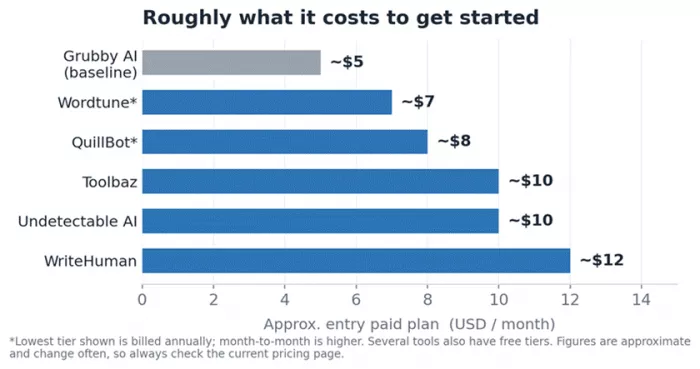
Approximate entry prices. Cheaper isn't automatically better. Fit for your task matters more than the monthly figure.
Undetectable AI: the category default for dedicated humanizing
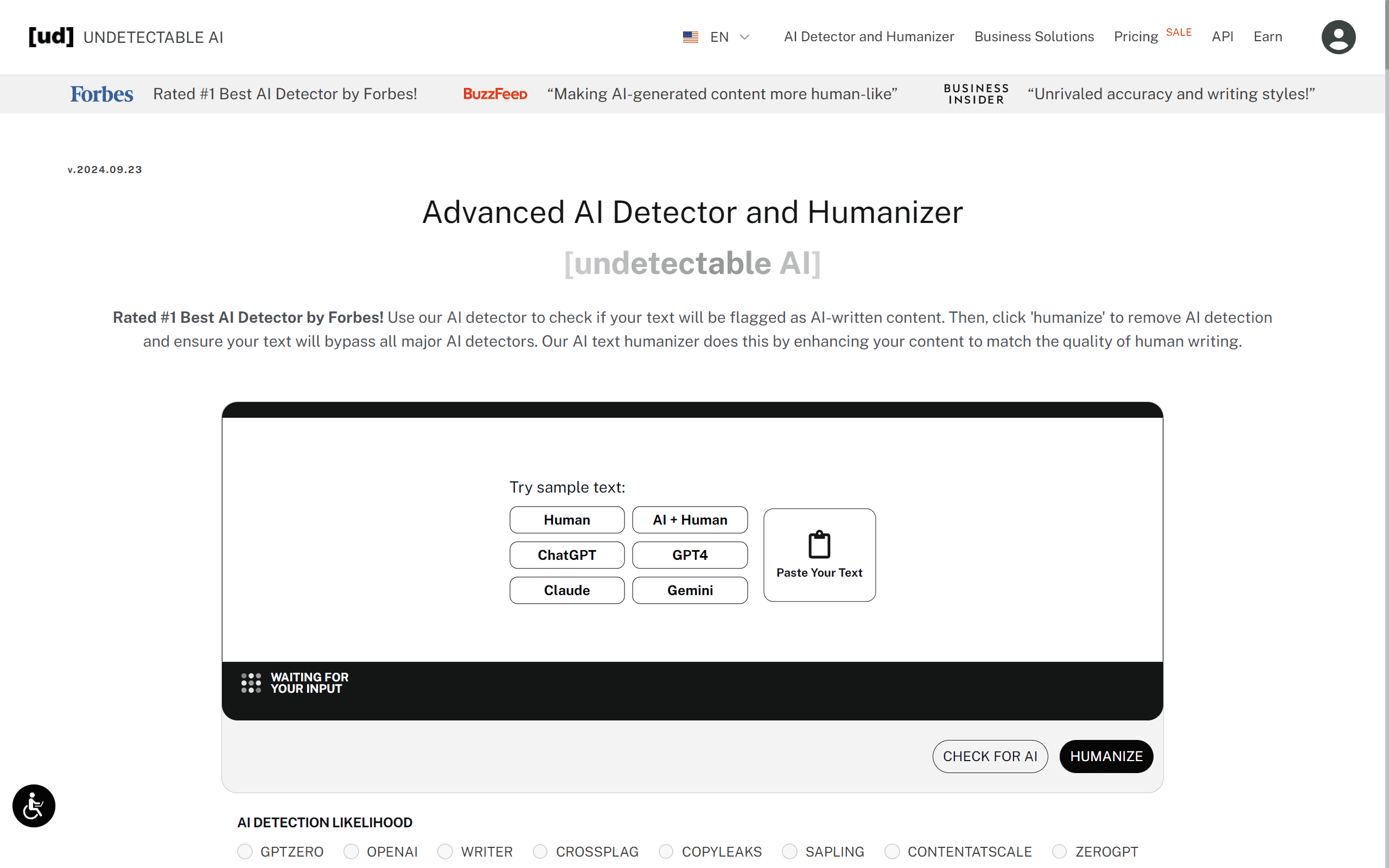
If any tool is the benchmark in this space, it's this one. Launched in 2023, Undetectable AI is what most “vs” articles measure everything else against. You paste your text, choose a readability level and a purpose (essay, marketing, email, general), and it rewrites while showing a built-in detection score, so you see the before-and-after in one place.
| Type | Dedicated AI humanizer with a built-in detector |
| Best for | Bloggers & content teams who want tunable, repeatable rewriting |
| Free tier | Tiny trial (~250 words), not enough to fully judge it |
| Starting price* | ~$9.99/mo (entry, ~10k words); ~$19/mo for ~50k words |
| Platforms | Web app, API, browser extension |
| Standout | Readability + purpose modes, in-app score, refund-if-flagged guarantee |
| Website | undetectable.ai |
Pros
- The most mature, widely supported option, easy to find guides, integrations, and help.
- Readability and purpose controls let you tune output differently for an essay vs. marketing copy.
- Shows a detection-risk score before and after, so you're not bouncing to a separate checker.
- Money-back / credit guarantee if the output gets flagged adds some peace of mind.
- Scales cleanly from individual to agency volumes via word-count tiers.
Watch-outs
- The free trial is too small to properly evaluate. Expect to pay before you can really judge it.
- Its in-house score tends to be more optimistic than independent detectors like Originality.ai.
- At the most aggressive “more human” settings, phrasing can read slightly off and needs editing.
- Credits typically don't roll over month to month.
Who it's for: a blogger publishing several AI-assisted posts a month who wants tunable rewriting and a built-in score. Scenario: you draft a 1,500-word post with ChatGPT, run it on “More Readable,” then hand-edit the two paragraphs that still sound robotic before publishing.
Verdict: the safe default if you specifically want a dedicated humanizer with real controls. Just don't treat its in-house “human score” as the final word.
QuillBot: the all-rounder writing suite (with a humanizer baked in)
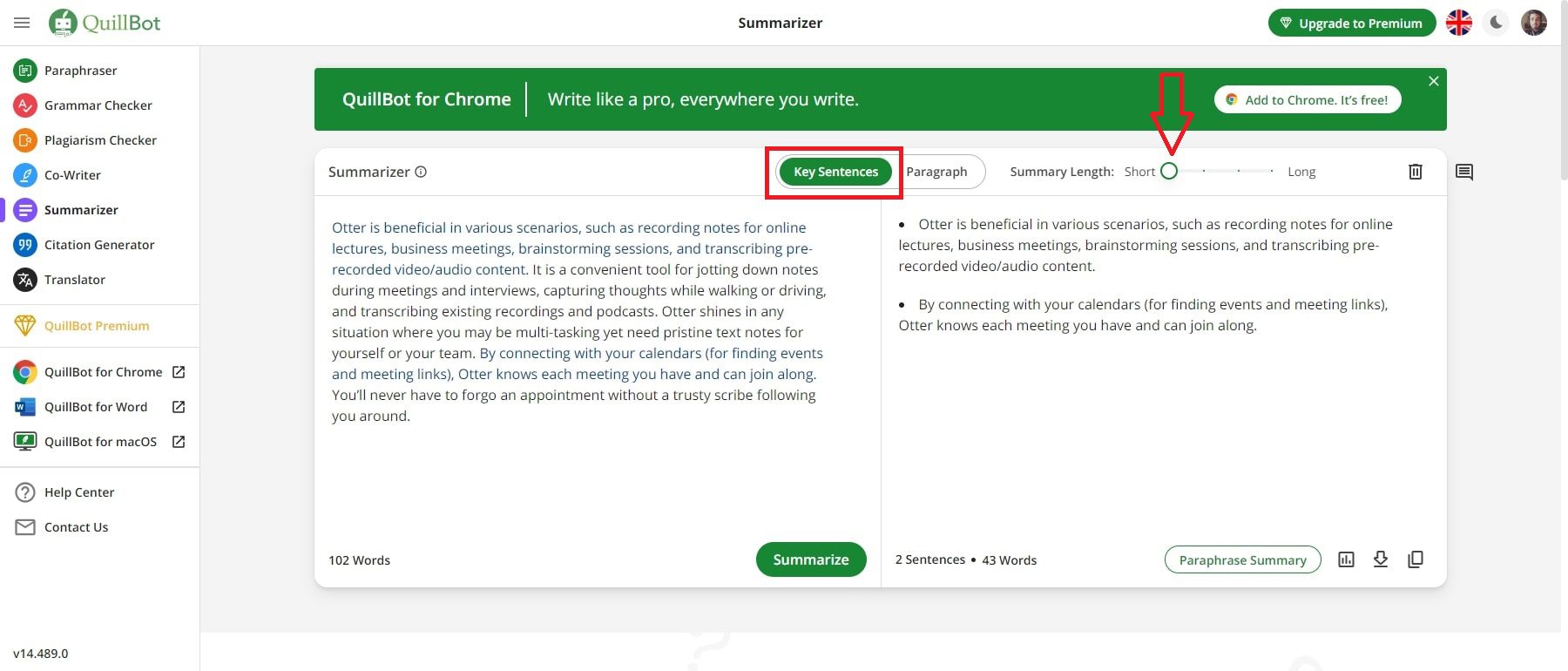
QuillBot is less a humanizer and more a full writing suite that happens to include one. It's been around since 2017, is used by tens of millions, and bundles a paraphraser, grammar checker, summarizer, AI detector, citation generator, and translator, with a “Humanize” mode living inside the paraphraser. If you want one login for everything, this is the value play.
| Type | Paraphrasing & writing suite with a humanizer mode |
| Best for | Students, ESL writers, anyone wanting paraphrase + grammar + summarize in one place |
| Free tier | Genuinely usable (about 125 words per paraphrase run) |
| Starting price* | ~$8/mo on annual billing (~$19.95 month-to-month) |
| Platforms | Web, Chrome extension, Microsoft Word, Google Docs |
| Standout | Shows changed words inline; broad, mature, trusted toolset |
| Website | quillbot.com |
Pros
- Best-in-class paraphraser with multiple modes (Standard, Fluency, Formal, Academic, and more).
- One subscription replaces several tools: grammar, summarize, cite, detect, translate.
- Inline highlighting of changes, so you can see and approve every edit it makes.
- Strong integrations (Chrome, Word, Google Docs) and a broadly trusted brand.
- The free tier is good enough for light, real work, not just a teaser.
Watch-outs
- Its humanizer reads more like aggressive paraphrasing than a deep structural rewrite.
- Not engineered for hard detector-bypass, so heavily AI-sounding prose can still get flagged.
- The free tier's per-run word limit makes long documents impractical without Premium.
- Check its data-storage policy if you regularly paste sensitive material.
Who it's for: a student polishing essays and citations, or a non-native English writer smoothing phrasing. Scenario: you paste a clunky paragraph, run “Fluency,” nudge two awkward spots with the synonym slider, then generate a citation, all without leaving the page.
Verdict: the best all-rounder on this list. If your real goal is “write better and faster,” QuillBot beats a single-purpose humanizer on sheer value.
WriteHuman: the no-frills, paste-and-go humanizer
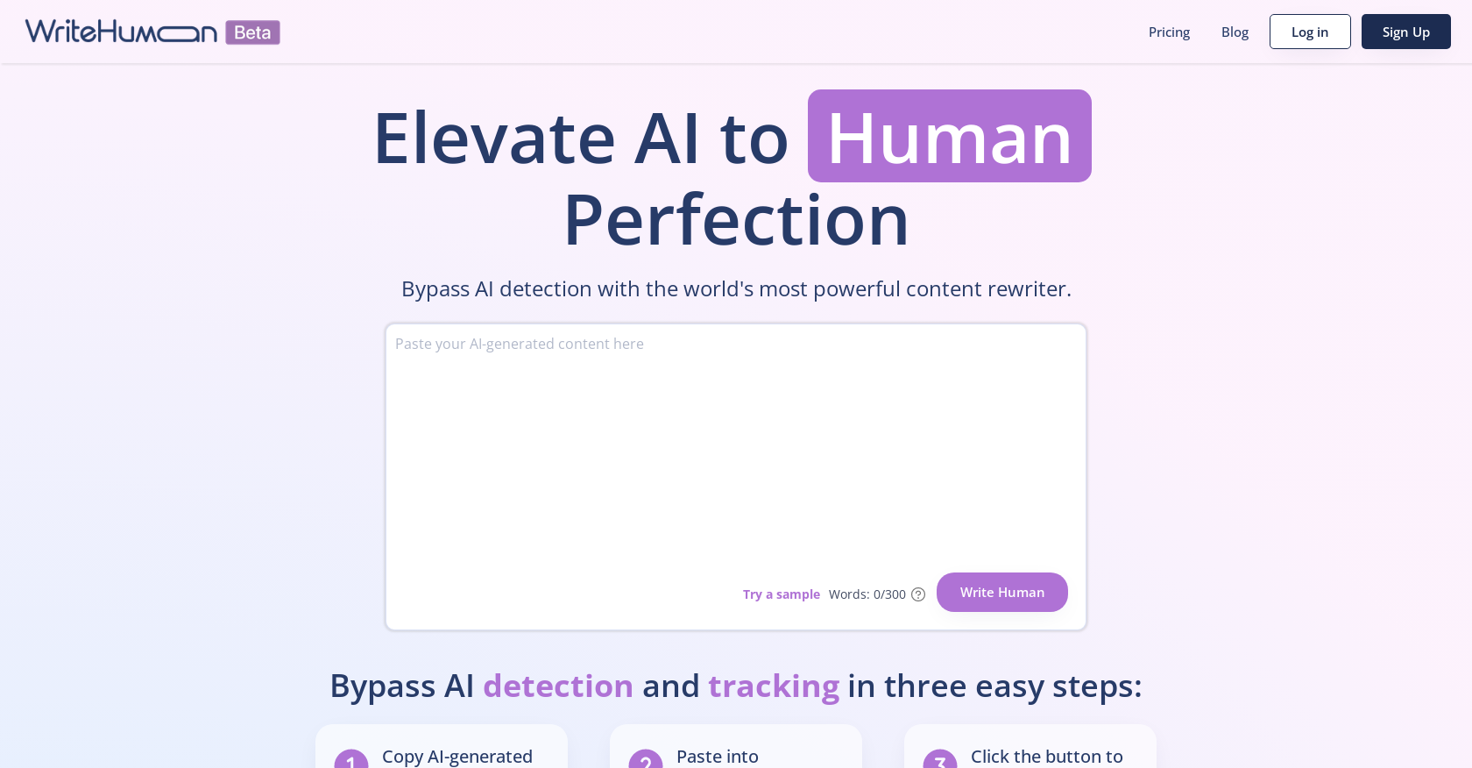
WriteHuman is a small, focused tool that does exactly one thing: paste text, click humanize, get a more natural-sounding version, complete with an on-screen “human score.” There are no tone dials or rewrite modes, and that minimalism is the entire pitch.
| Type | Dedicated AI humanizer (minimalist) |
| Best for | People who want the simplest possible rewrite, with zero setup |
| Free tier | A few free uses per day (small) |
| Starting price* | ~$12/mo (Basic); ~$18 (Pro); ~$36 (Ultra, unlimited) |
| Platforms | Web app |
| Standout | Bare-bones UI, in-app human-score check, one-click retry |
| Website | writehuman.ai |
Pros
- Dead simple, with nothing to configure, which suits non-technical users.
- Built-in score plus a retry button keep everything in a single workflow.
- Reasonably consistent across different text types in third-party testing.
- Competitively priced at the entry tier for what it does.
Watch-outs
- No tone or intensity controls, so you get little say over the result.
- Reviewers report it can introduce grammar slips, particularly in academic prose.
- Its in-house score runs optimistic compared with independent detectors.
- Recurring Trustpilot complaints about billing and cancellation, so read the terms first.
Who it's for: a casual user who finds full suites overwhelming and just wants a quick rewrite. Scenario: you paste a short LinkedIn post that reads too “AI,” hit humanize, skim it for errors, and post.
Verdict: fine for quick, low-stakes rewrites if you value simplicity over control, but proofread the output and keep an eye on the billing.
Wordtune: best for polishing, not for dodging detectors

An honest reframe up front: Wordtune isn't a detection-bypass tool and never claims to be one. It's an AI rewriting companion (from AI21 Labs) that shines at making your own sentences clearer, tighter, or more formal. If your real problem is “my writing reads awkwardly” rather than “I need to beat a checker,” it absolutely belongs on this list.
| Type | Sentence-level rewriting & clarity assistant |
| Best for | Polishing emails, posts, and reports, especially for non-native speakers |
| Free tier | About 10 rewrites per day |
| Starting price* | ~$7/mo on annual billing; ~$19.99/mo for the Unlimited tier |
| Platforms | Web, Chrome, Word, Gmail, Google Docs |
| Standout | Clean rewrite suggestions, instant tone control, “Spices” for examples/counterpoints |
| Website | wordtune.com |
Pros
- Excellent at clarity and tone: rephrase, shorten, expand, or switch formal/casual in a click.
- Works right inside Gmail, Docs, and Word, so it fits how you already write.
- Especially helpful for ESL writers building fluency and confidence.
- Suggestions tend to preserve your meaning while reading more naturally.
Watch-outs
- Sentence-level by design, not built for full-paragraph or document-scale rewriting.
- No AI detection or “bypass” feature whatsoever.
- No grammar-only checker, plagiarism scanner, or citations, so it's not an all-in-one.
- Recurring user complaints about billing/cancellation; the free tier is quite limited.
Who it's for: a professional who wants sharper emails and documents, or a non-native speaker. Scenario: you draft a blunt client email, select a stiff sentence, choose “Make it more formal,” and pick the version that sounds like you on a good day.
Verdict: the right pick when the real issue is clarity, not detection. Pair it with a dedicated humanizer only if you specifically need that extra step.
Toolbaz: the free, no-login Swiss-army knife
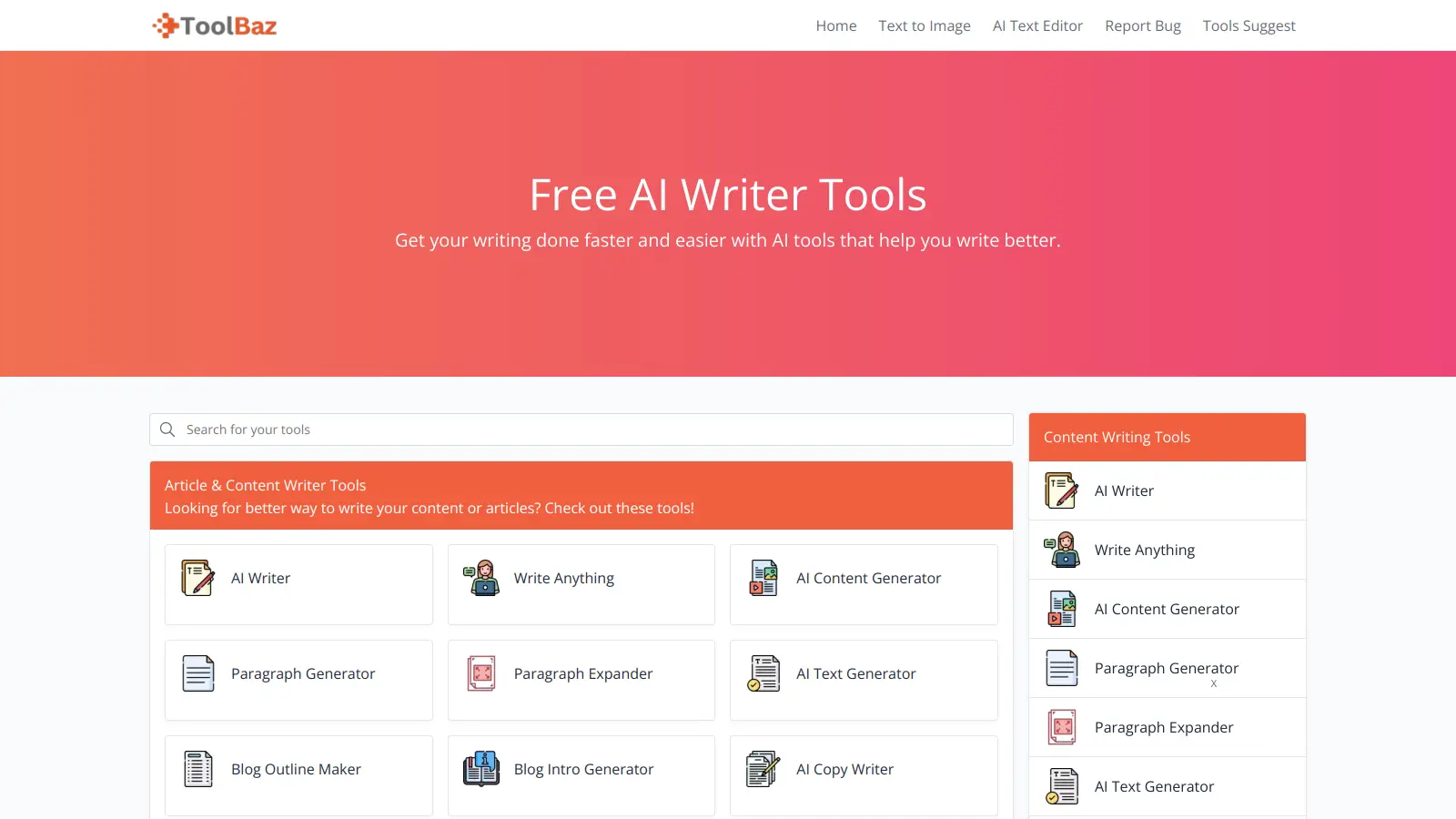
Toolbaz is a sprawling, mostly-free toolbox: 75-plus AI writing and content tools (writer, story and essay generators, email writer, paraphraser, summarizer, image generator, voiceover, even code) that you can use on its .com site with no login. It's not a precision humanizer, but as a zero-cost starting point for drafting and rough rewriting, free is hard to argue with.
| Type | Free all-in-one AI writing toolbox |
| Best for | Quick drafts, brainstorming, and light rewriting on a budget |
| Free tier | Core tools free, no signup required |
| Starting price* | Paid plans from ~$9.99/mo |
| Platforms | Web |
| Standout | Huge spread of tools, no-login access, runs on major AI models |
| Website | toolbaz.com |
Pros
- Genuinely free, no-login access to a wide range of writing tools.
- One place for drafting, paraphrasing, summarizing, images, and more.
- Minimal, beginner-friendly interface that's fast to try.
- Handy for ideation and rough first drafts.
Watch-outs
- Output quality is hit-or-miss and usually needs a solid human edit.
- Mixed third-party ratings and fairly thin user feedback.
- Not a focused humanizer, so don't expect reliable detector-dodging or polished long-form.
- At its paid tier you're up against stronger, better-reviewed tools.
Who it's for: a student or hobbyist who wants free help and doesn't mind editing. Scenario: you generate a free outline and rough draft, then move the text into QuillBot or Wordtune to tighten it.
Verdict: a solid free playground for drafts and ideas. Treat its output as raw material, not a finished product.
How to choose the right one for you
There's no single “best” here. The right tool depends entirely on what's actually going wrong with your text. Match your situation to the picks below.
• You want a dedicated humanizer with controls → Undetectable AI. Pick WriteHuman instead if you'd rather have the simplest possible paste-and-go.
• You want one tool for everything (paraphrase, grammar, summarize, cite) → QuillBot. It's the best value if “write better” matters more than “beat a detector.”
• English isn't your first language, or you just want clearer writing → Wordtune or QuillBot.
• You're on a tight (or zero) budget → Toolbaz for free drafting, or QuillBot's free tier for light polishing.
• You publish AI-assisted content at volume → Undetectable AI's word-count tiers, with a real human edit before publishing.
• Before you pay anything → read the cancellation terms. Billing complaints come up repeatedly for several humanizers.
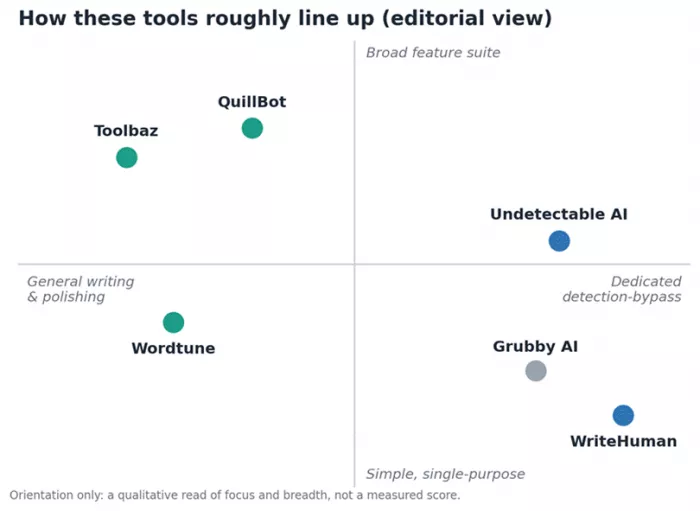
An editorial read of focus (polishing vs. dedicated bypass) and breadth (single-purpose vs. full suite). Orientation, not a scoreboard.
The honest truth about AI detectors and humanizers
This is the part the marketing pages skip. Read it before you spend money or stake anything important on a tool's output.
• No tool reliably beats every detector. Detection and humanizing are a constant cat-and-mouse. Turnitin's 2026 updates, for example, specifically target AI-paraphrased text, and results swing with length, topic, and which model wrote the draft.
• Detectors are probabilistic, not proof. They produce false positives on genuinely human writing, too. A “pass” or “fail” is a signal, not a verdict, which is also why relying on them to police writing is shaky.
• Humanizing can quietly break things. Rewrites sometimes introduce errors, mangle facts, or flatten your nuance. Always reread, fact-check, and edit the output as you would any first draft.
• A humanizer won't do the thinking. It can't invent ideas, arguments, or sources that weren't in your input, and it won't remove plagiarism. Garbage in, polished garbage out.
• Use it responsibly. Academic and workplace policies on AI vary widely. When in doubt, disclose, and never use these tools to misrepresent authorship.
And for the SEO-minded: Google's guidance rewards helpful, people-first content. It doesn't penalize content simply for being AI-assisted, nor does “passing a detector” earn you rankings. Aim for writing that genuinely helps a reader. That's what survives algorithm updates; a clean detector score won't save thin, unhelpful copy.
5 practical tips for better, more human output
1. Start with a strong draft. Good input beats any rewrite. Give the AI specifics, structure, and your own angle before you humanize anything.
2. Rewrite in small passes. Work paragraph by paragraph rather than dumping a whole document. You'll catch weirdness and keep the meaning intact.
3. Edit by hand and read it aloud. Add a concrete example, a real opinion, or an aside. Those human touches do more than any tool setting.
4. Verify the facts yourself. Rewriting doesn't make claims true. Check names, numbers, dates, and any citations before you publish or submit.
5. Treat detector scores as hints. If you check one at all, don't over-optimize until the text reads like nonsense. A natural, accurate sentence beats a “100% human” one that no longer makes sense.
The bottom line
If you want a true Grubby AI replacement in the same lane, Undetectable AI is the more capable dedicated humanizer, and WriteHuman is the simpler, cheaper-to-start cousin. But for most people the smarter move is to step back from “beating a detector” entirely: QuillBot gives you a full writing suite at unbeatable value, Wordtune makes your own writing genuinely clearer, and Toolbaz lets you draft for free.
Whichever you choose, remember the throughline of this entire guide: a tool can polish your words, but it can't supply the substance, the accuracy, or the judgment. Keep a human in the loop, and the output will be better, and far more durable, than any score on a checker.
Comments