Quick verdictViggle is one of the quickest ways for a beginner to get a moving, watchable clip out of a still image, and the free daily credits are real. Expect reference images to steer harder than your words, and expect Remake, the tool the home screen is built around, to sit behind a paywall.
|
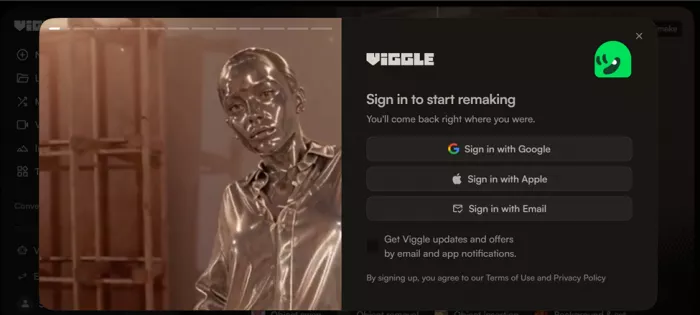
The first thing Viggle asks for is not a photo. It is an account. The sign-in window offers Google, Apple or email, and the email route adds a verification code plus a Cloudflare check before the green Sign Up button works. The box for marketing emails comes unticked, a small courtesy more apps should copy.
Then the app does something playful. A foil pack drops onto the screen, labelled Daily pack, 2 free credits, with a prompt to tap it open. That pack sets the budget for everything a free beginner can do in a day, and in this test it bought exactly one video. This guide is built around that single attempt, a blocked first try, and the verified facts a beginner needs before spending money.
Viggle AI at a glance
| Made by | Viggle AI (app publisher WarpEngine), Toronto, founded in 2022 by Hang Chu |
| Funding | $19M Series A in August 2024, led by Andreessen Horowitz |
| Reach | Viggle claims 50M+ creators; its Discord passed 4M members in 2024 |
| In-house model | JST-2, a physics-native 3D world model launched October 19, 2026 |
| Video models inside | MiniMax H3, Veo, Wan, Seedance (Live plan and up) and others |
| Where it runs | Web, iOS, Android, Discord, API and MCP |
| Free plan | Daily credits, watermark, 7-day storage |
| Paid plans | From $7.99/mo billed yearly ($4.99/mo in the Black Friday offer) |
What Viggle actually does in 2026
Viggle made its name with one trick: give it a photo of a character and a clip of someone moving, and the character copies the motion. TechRadar's 2025 explainer described it as a motion transfer tool that could not make new video from text alone. That is no longer the case. The current app adds a Video tab that runs third-party models from a written prompt, plus a chat-based agent called Remake that edits footage you already shot.
Mix Photo plus a motion clip. Your character copies the moves in the reference video. | Video Prompt plus optional image or video references, using models like MiniMax H3. | Remake Video-to-video agent. Recast people, swap objects, change the set. Paid only. |
Tools Object swap, object removal, object insertion, background and set. | Real-Time Swap Live character swap. 5 minutes on Free, 6+ hours on Live. | PINOC and JST-2 Rigged 3D characters and motion, billed separately from the video app. |
Early access note: the test account ran Viggle's new interface, marked Early access in the sidebar with a Switch back link to the classic layout. Menu names may differ if your account still shows the old design.
Hands-on test: two reference images, one long prompt
The goal was a 5-second cinematic shot of an original armored hero on a ruined rooftop at dusk, with the helmet transforming on a timed schedule. Here is every step of the run on a free account, including the one that hit a wall.
Attempts 2 | Credits spent 2 of 2 | Clips produced 1, 5 seconds | Result Usable, off-brief |
| 1 | Claim the free daily pack Right after sign-up, a green foil pack labelled Daily pack, 2 free credits drops over the plans screen. Tapping it adds the credits, and the sidebar balance changes to 2. That balance is the full budget for the day on a free account. 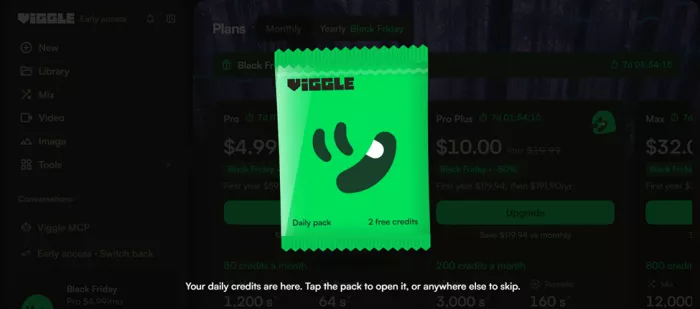  |
| 2 | Prepare the prompt and two references The prompt described an original hero called Vanguard, a ruined rooftop at dusk with ash in the air, a pale ceramic helmet for the first 1.5 seconds, then a transformation. It ended with a negative prompt asking for no blur, no logos and no watermark. Two stills went in as references: Marvel's Iron Man and Doctor Doom. 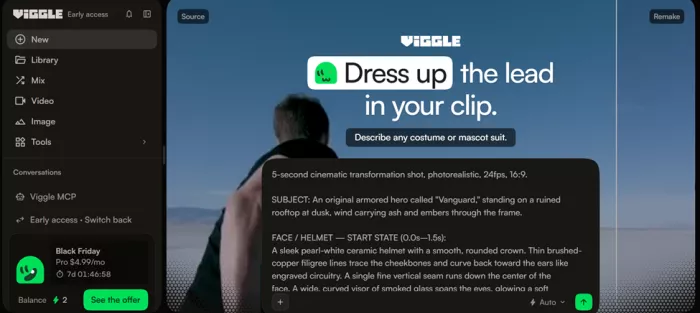 |
| 3 | Try Remake first Blocked Remake is the screen Viggle opens on, with a headline inviting you to dress up the lead in your clip. After pasting the prompt and pressing send, a lock bar appeared: Remake Agent is for subscribers, with Not now and Upgrade buttons. No credits were taken. A free account cannot test Remake at all. 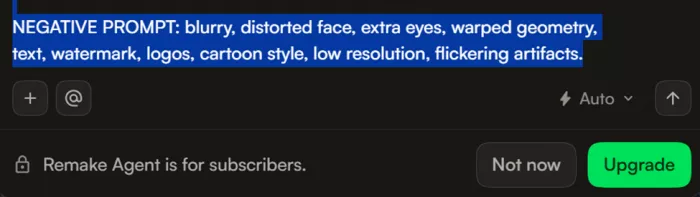 |
| 4 | Switch to the Video tab and add the references The Video tab accepts the same prompt plus uploads, which show up as image1 and image2. A note under the uploads explains that the video draws people, things and style from your references. A Use frames switch sits next to it for first-and-last-frame control. 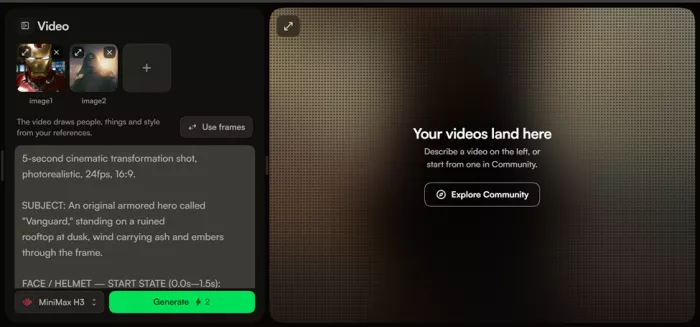 |
| 5 | Pick MiniMax H3 and generate MiniMax H3 was the selected model, and the Generate button showed a cost of 2 credits, the whole daily pack. After pressing it, the preview area blurred and a Video, MiniMax H3, Generating badge stayed on screen until the clip was ready. 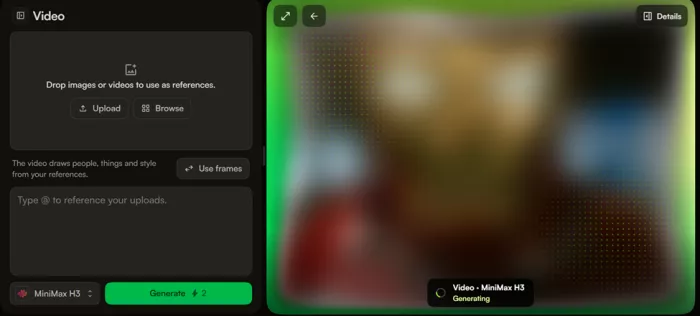 |
| 6 | Compare the clip against the prompt
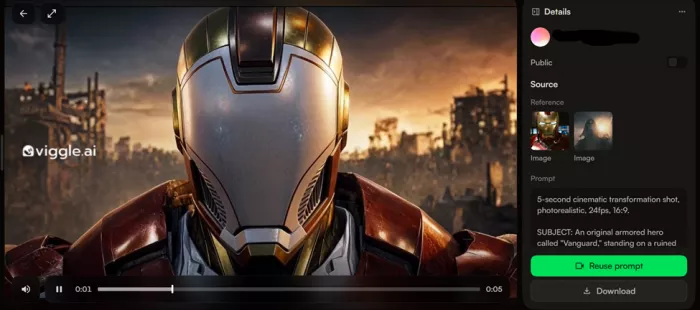 |
| 7 | Check the Details panel and download The Details panel lists both references, the full prompt, a Public switch set to off, and a Reuse prompt button for a quick retry. The player shows a 7 days left badge, because free storage lasts 7 days, so the Download button is the step not to skip. |
What the test showed The text prompt was clearly read: the setting, length and transformation all landed. The references were not balanced. The first image took over the hero's design, and the second disappeared. On a free account, that lesson costs a full day of credits. |
Before your next attempt
Tag references with @ The prompt box says to type @ to reference uploads. Write @image1 for the body and @image2 for the helmet so each image has a job. | Use frames for a transformation Set the start look as the first frame and the end look as the last. Viggle says H3 fills in the motion between them. |
One reference per character Two strong characters competing for one body produced one winner in this test. | Shorten the brief Lead with the subject and the one change that matters. A 5-second clip has little room for a timed, multi-part spec. |
How to animate a photo with Viggle Mix
Mix was not part of this test run, so these steps follow Viggle's own pages and TechRadar's walkthrough.
|
Lighting matters: TechRadar noted Viggle struggles with darker footage where the subject's outline is hard to read. Bright, plain backgrounds give cleaner results.
Viggle AI pricing in November 2026
| Plan | Price | Credits/mo | Key limits |
| Free | $0 | Daily only | Watermark, 1 job at a time, 7-day storage, 1-minute uploads |
| Pro | $7.99/mo yearly, $9.99 monthly | 80 | No watermark, 4 jobs at once, all models except Seedance |
| Live (Pro Plus in the app) | $15.99/mo yearly, $19.99 monthly | 200 | 6 jobs at once, Seedance, 6+ hours of Real-Time Swap |
| Max | $63.99/mo yearly, $79.99 monthly | 800 | 10 jobs at once, unlimited Real-Time Swap |
Black Friday offer seen during testing (November end) The in-app plans screen ran a 7-day countdown on yearly plans: Pro at $4.99/mo, Pro Plus at $10.00/mo (first year $119.94, then $191.90 a year) and Max at about $32/mo. The discount covers the first year only, so check the renewal price before paying. |
One free H3 clip 2 credits 5 seconds, in this test | Pro monthly pool 80 credits App shows ~1,200 s of Mix or 64 s of Remake | Remake test jobs 6 to 10 credits each, per Viggle | Paid daily bonus 5 credits on Pro, Live and Max |
Monthly plan credits expire on your billing date. Credits bought separately do not expire, but they only work while a subscription is active.
Pros and cons
What works
| What holds it back
|
What trusted sources are saying
TechCrunch, August 2024 CEO Hang Chu called the tech "a new type of graphics engine, but purely with neural networks." The same report covered questions over YouTube videos in training data, which the company later said came from public sources. | Radiance Fields, October 2026 Reported that JST-2 builds characters and scenes from persistent Gaussian splats, so a result can be viewed from any angle without running the model again. |
Viggle's own Remake page Lists its own limits openly: chrome and glass look approximate, a hand sweeping across a face can briefly merge with it, small text on new objects is unreliable, and output is 720p. | App Store user review A long-time user warned that clips made from templates ran into copyright problems after posting, even though the app's share feature made sharing feel safe. |
Viggle AI review scorecard
| Category | Score | Notes from testing |
| Ease of use | 4.5 / 5 █████████ | Clear sidebar, plain-language panels, results saved in Library |
| Output quality | 3.5 / 5 ███████ | Cinematic light and setting; watermark on free clips |
| Prompt accuracy | 2.5 / 5 █████ | Second reference ignored, first reference copied too closely |
| Free plan value | 3.5 / 5 ███████ | Daily credits are real, but one clip used them all |
| Pricing | 4 / 5 ████████ | Under $10 a month to start, lower during Black Friday |
| Feature range | 4.5 / 5 █████████ | Mix, Video, Remake, edit tools, API and MCP in one place |
| Overall | 3.8 / 5 █████████ | Beginner-friendly, generous to try, loose with references |
Who should use Viggle, and who should skip it
Good fit
| Look elsewhere
|
A note on famous characters: this test used well-known comic characters only to see how references behave. Viggle's terms bar users from breaching intellectual property rights, as TechRadar points out. For anything you post or sell, use your own face, your own character art or an original design.
Final verdict
After a full session, from sign-up to a finished clip in the player, Viggle comes across as one of the friendliest doors into AI video right now. Nothing in the flow needs a tutorial. The free credits are real, the Details panel remembers everything, and the clip that came back had cinematic light, a believable ruined city and a genuine transformation beat.
The catch showed up in that same clip. Two references went in, one came out, and the "original" hero looked borrowed. That is fixable with @ tags and frame control, but a free account gets one attempt a day to learn it, and Remake never opened at all without a subscription.
For a beginner who wants to see a photo move tonight, Viggle is worth the sign-up. For a creator who needs the prompt followed closely, Pro's 80 monthly credits, or the Black Friday price while it lasts, buys enough attempts to get there.
| 3.8 | Recommended for beginners and social creators. Wait for a sale or pick Pro if prompt accuracy matters more than price. |
Comments