Table of Contents
- Why Most Study Schedules Fail Before Friday
- What AI Actually Fixes in a Study Schedule (and What It Doesn't)
- Step by Step: How to Build a Study Schedule With AI
- A Sample Week That Survived Contact With Real Life
- Three Prompts That Produce Usable Schedules
- Mistakes That Quietly Kill AI Study Schedules
- Tools Worth Pairing With the Schedule
- Final Verdict After a Full Semester of AI Scheduling
The first study schedule ChatGPT generated for this experiment died on a Thursday. It looked immaculate: color blocks, eleven subjects, reviews timed to the hour. It also assumed a 6 am pharmacology session would happen after a closing shift, and it collapsed the moment real life showed up. Building a study schedule with AI is genuinely easy. Building one that survives week three of a semester, a part-time job, and a bad bout of flu took a full term of testing, broken plans, and rewritten prompts.
What follows is the system that eventually held: the brief that makes ChatGPT or Claude produce realistic plans, the exact prompts worth copying, a sample week that survived midterms, and the research explaining why most timetables fail by Friday. The drafting takes forty seconds. The following part is a separate skill, and that skill is what this guide is actually about.
Quick answer: Track your real free hours for three days, give ChatGPT or Claude a full brief with deadlines, fixed commitments, and energy levels, then request 25 to 50 minute blocks with buffer time built in. Cut the draft by about 25 percent, export it to your calendar, and run a short review prompt every Sunday.
Why Most Study Schedules Fail Before Friday
Blaming discipline is the standard move after a schedule collapses. The research points somewhere earlier: the plan itself. In a classic 1994 study, psychologists Roger Buehler, Dale Griffin, and Michael Ross asked 37 students to estimate how long their honours theses would take. The gap between prediction and reality became the textbook example of the planning fallacy, a bias first named by Kahneman and Tversky in 1979.

| 33.9days students predicted their thesis would take |
| 55.5days it actually took on average |
| ~30%finished within their own estimate |
Even the students' worst-case guesses came in a week short of reality. That same bias sits inside nearly every hand-made timetable, joined by three structural flaws:
Plans for a fantasy selfThe person writing Sunday's schedule is rested and motivated. The person facing Tuesday 9 pm statistics is neither. Plans written by the first get ignored by the second. |
Zero slackA timetable with every hour assigned breaks the first time a lab runs long. One missed block becomes three, and by Thursday the week feels unsalvageable. |
No recovery ruleSchedules define what happens when things go right. Almost none define what happens after a miss, so one bad day quietly ends the whole system. AI cannot remove these biases on its own. Pointed at them deliberately, though, it becomes the cheapest planning assistant available. |
What AI Actually Fixes in a Study Schedule (and What It Doesn't)
A chatbot is a drafting engine, not a discipline engine. Knowing which jobs to hand over saves weeks of disappointment.
| AI handles this well | Still your job |
| Distributing 14 topics across 19 days without arithmetic mistakes | Sitting down when the reminder fires |
| Rescheduling an entire week in a single message | Giving honest inputs about free time and energy |
| Spacing reviews at sensible intervals before an exam | Protecting blocks from shifts, friends, and phones |
| Producing a first draft with zero blank-page resistance | Keeping AI in a support role so you study without skipping the actual learning |
Treat every output as a draft from a fast, slightly overconfident assistant. The steps below are the editing process that turns that draft into something a real week can absorb.
Step by Step: How to Build a Study Schedule With AI
Step 1. Audit real hours before writing a single prompt
Skip the guess. For three ordinary days, note when free time actually appears and what energy looks like inside it. The numbers are usually humbling: a "free evening" often holds 90 usable minutes, not four hours. Feed the AI those observed figures, not aspirations. A plan built on two honest hours beats one built on five imaginary ones, because the honest version survives Tuesday. Every block the AI places downstream inherits the quality of this input.
Step 2. Write a complete brief, not a one-line request
Vague request in, generic grid out. A usable brief covers:
- Exam dates and how much each counts toward the grade
- Every fixed commitment, including travel, meals, and shifts
- The observed free windows from step 1
- Weakest and strongest subjects, named honestly
- Preferred block length (25 to 50 minutes) and break style
- A hard daily cap and one guaranteed day off
Paste it all in one message. The difference between "make a study plan for finals" and a 150-word brief is the difference between a template and a schedule.
Step 3. Schedule methods, not just subjects
"Biology, 7 to 8 pm" is a weak instruction because it defaults to rereading notes. A major 2013 review led by John Dunlosky rated ten common techniques and found practice testing and distributed practice the only two with high utility, while rereading and highlighting landed near the bottom. So have the AI assign a method to every block: past-paper questions, self-quizzing, flashcard reviews. For the review blocks, a dedicated spaced repetition app like Anki or Knowt handles the timing better than any chatbot, and for lecture-heavy courses, tools that turn recordings into question sets make the testing blocks much faster to run.
Step 4. Cut the first draft by a quarter
Every model tested produced the same flaw: it schedules whatever fits, and on paper everything fits. Reply with one line: "Reduce total study time by 25 percent, protect the two weakest subjects, and add a 15-minute buffer after any block longer than 45 minutes." The plan that comes back looks less impressive and works far better. Undershooting creates completed days, completed days create momentum, and momentum is the entire contest by week three.
Step 5. Convert the blocks into if-then sentences
A calendar entry states a hope. An if-then sentence states a trigger: "If it is 6 pm on Tuesday, then the statistics problem set starts at the kitchen table, phone in the drawer." Psychologists call these implementation intentions, and a meta-analysis of 94 studies with more than 8,000 participants found they improve goal follow-through with a medium-to-large effect. Ask the AI to rewrite its own schedule in this format, and demand one line for failure too: "If a block is missed, then the next block proceeds as planned and the missed topic moves to Saturday's catch-up slot."
Step 6. Put the schedule where your eyes already go
A plan living in a chat log is already abandoned. Request the schedule as a CSV, import it into Google Calendar or Notion, and set notifications 10 minutes before each block. Anyone juggling asynchronous classes should anchor study blocks to fixed daily events like meals or commutes, since those courses supply no external structure of their own. A strict site blocker helps too; it removes the decision to resist distractions rather than asking willpower to win it repeatedly.
Step 7. Run a ten-minute reset every Sunday
Schedules decay. Deadlines move, a topic turns out harder than expected, a new shift appears. Every Sunday, paste last week's plan back into the chat with three facts: which blocks happened, which did not, and why. Ask for next week's version adjusted accordingly. This ritual kept the whole system alive for a full term. A schedule revised weekly bends. A schedule set in September snaps.
A Sample Week That Survived Contact With Real Life
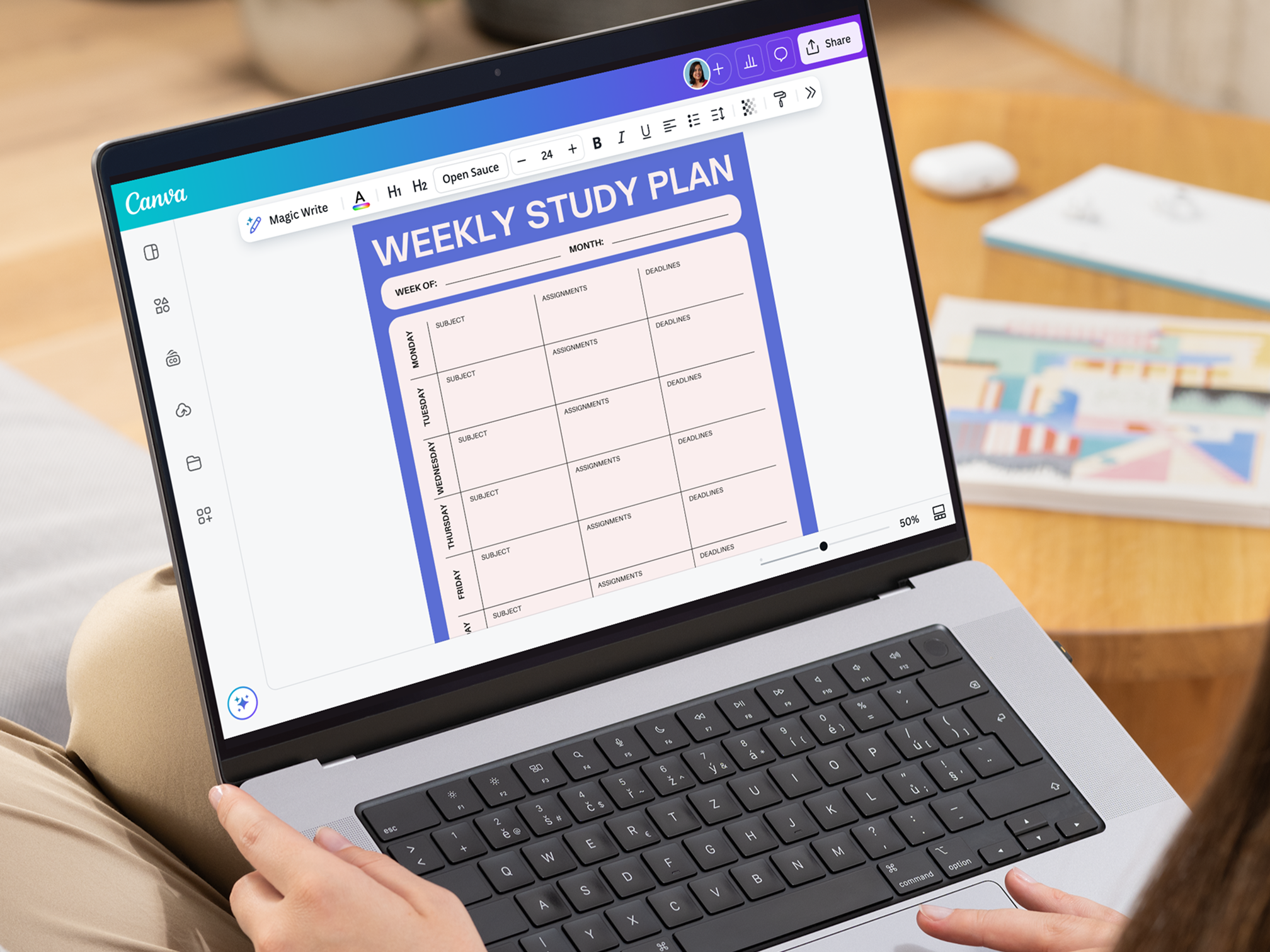
Here is one real week from the test semester, built around four courses and three evening job shifts. Notice what it is not: it is not full.
| Day | Time | Block | Method |
| Monday | 7:30 to 7:55 am | Biochem flashcards | Spaced recall, 20 cards |
| Monday | 6:00 to 6:50 pm | Statistics problem set | Practice testing |
| Tuesday | 5:30 to 6:20 pm | Biochem lecture notes | Self-quizzing from notes |
| Wednesday | One 30-min slot | Catch-up buffer | Overflow only |
| Thursday | 6:00 to 7:50 pm | Essay outline, then statistics | Writing sprint, past questions |
| Friday | Work break | 15-minute flashcard pass | Spaced recall |
| Saturday | 10 am to 12 pm | Hardest topic of the week | Past papers, self-marking |
| Sunday | 5:00 to 5:10 pm | Weekly reset with AI | Review prompt |
Total scheduled study: just over eight hours. The 14-hour version from the week before had collapsed by Wednesday.
Three Prompts That Produce Usable Schedules
Copy these, swap in your details, and keep the whole brief in one message.
The builderAct as a study planner. Build a weekly schedule from this brief: [paste your full brief from step 2]. Rules: blocks of 25 to 50 minutes, a named study method for every block, no sessions after 10 pm, one full day off, and 20 percent of total time left unscheduled as buffer. Output as a table, then rewrite every block as an if-then sentence.
The repairerThree blocks were missed this week: [list them and the reasons]. Do not rebuild the schedule. Redistribute only the highest-priority missed material across the remaining days, keep every day under the stated cap, and say clearly what should be dropped entirely.
The Sunday reviewHere is last week's plan and what actually happened: [paste both]. Identify the pattern behind the missed blocks, adjust next week's schedule to fix that pattern, and keep total hours the same or lower.
Mistakes That Quietly Kill AI Study Schedules

- Accepting draft one. The first output optimizes for looking complete, not for being survivable. Two rounds of cuts and corrections should be the norm, not the exception.
- Measuring hours instead of outcomes. Six scheduled hours of passive rereading lose to ninety minutes of self-testing. If sessions feel long but exam results stay flat, the method is the problem, something this guide to the fastest way to learn new information unpacks in detail.
- Rebuilding after every bad week. Starting over resets habits and usually reproduces the original overload. Repair, never rebuild.
- Letting the planner become the student. An AI that schedules essay time is a tool. An AI that writes the essay is a problem. Planning and self-quizzing stay on the right side of that line; submitted work does not.
- Scheduling against your own energy. Putting the hardest subject at 10 pm because the slot was empty guarantees a skipped block. Hard material goes where focus already lives.
Tools Worth Pairing With the Schedule
| Job | Pairing | Why it earns the slot |
| Drafting and weekly repairs | ChatGPT or Claude | Handles long briefs and conversational revisions |
| Hosting the plan | Google Calendar or Notion | Notifications arrive where attention already is |
| Review timing | Anki or Knowt | Spaced repetition algorithms beat manual spacing |
| Focus during blocks | A strict site blocker | Removes a hundred small decisions to resist |
| Lecture processing | NotebookLM or similar | Converts recordings into testable material |
Final Verdict After a Full Semester of AI Scheduling
Honest accounting first. Three parts of this system survived the entire term: the Sunday review prompt, the 25 percent cut, and the if-then rewrite. Three parts quietly died: hour-by-hour weekend plans, AI-generated motivational notes, and every block scheduled before 8 am. The schedule that worked by December looked nothing like the elegant one from September, and that evolution was the point.
The time cost is real but small: roughly 40 minutes of setup once, then 10 to 15 minutes each week. The payoff was not more study hours. Total hours actually dropped compared with the previous, AI-free semester. What changed was the hit rate: around four in five scheduled blocks actually happened, up from maybe half before, and exam prep stopped being a two-week panic because the spacing had been running since week one.
Anyone who already follows a paper planner happily can skip all of this. AI adds revision speed, not magic, and a working system needs no replacement. But for everyone who has written five beautiful schedules and followed none of them, the combination of an honest brief, a deliberately underfilled plan, and a ten-minute weekly reset is the version of this idea that finally holds. The robot writes a better plan than you will. Showing up to it is still, stubbornly, a human job.
Comments