Table of Contents
- Two ways to learn with AI that look identical from the outside
- What the research actually found (and what it did not)
- The method I settled on: generate last, not first
- Turning the assistant into a tutor instead of an autocomplete
- Which tools fit which stage of learning
- The fundamentals you do not get to offload
- A weekly loop that keeps fundamentals sharp
- Signs you are renting skill instead of building it
- Final verdict
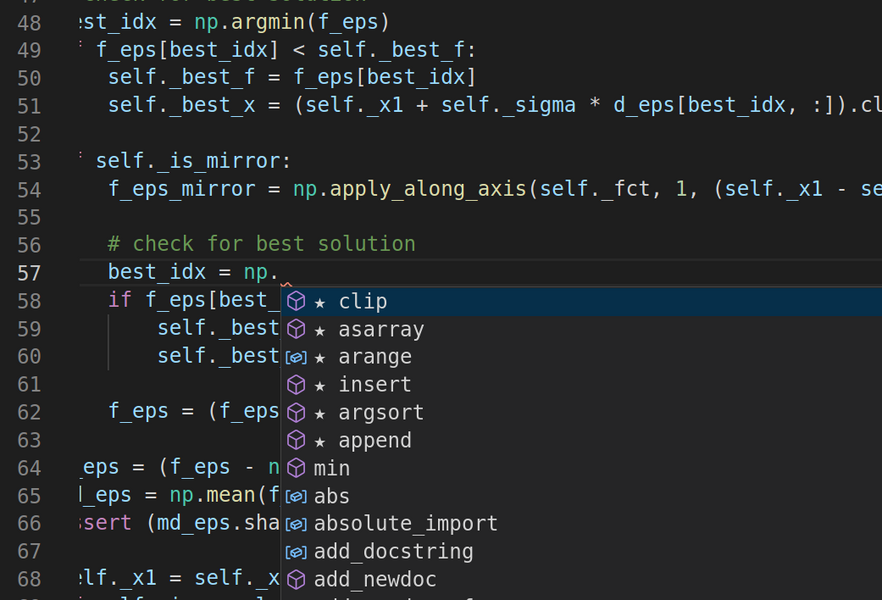
For about six weeks last winter I thought I was flying. I was building a small booking app, the assistant was suggesting whole functions before I finished typing, and every evening I closed the laptop feeling like a developer. Then my Wi-Fi went out for an afternoon and I sat in front of a blank file, trying to write a plain loop that filtered a list of dates, and I could not do it without help. I knew what I wanted. I could not produce it. That gap, between recognising good code and being able to generate it, is the whole subject of this article.
Here is the honest version of what I learned. An AI assistant is the most patient tutor I have ever had, available at 1 a.m., never annoyed by the fourth version of the same question. It is also the fastest way to feel competent while learning almost nothing, if you let it do the part of the work that was supposed to change your brain. The difference is not the tool. It is a handful of habits, and most of them run against what the tool nudges you to do.
Two ways to learn with AI that look identical from the outside
Both learners ship the same app. Both have green tests. Six months later one of them can start a new project on a blank screen and the other one cannot. The split happens in the small decisions nobody sees.
The dependent path
• Asks for the full solution first, then reads it
• Accepts code that runs, even when a line is unclear
• Prompts again the moment something breaks
• Measures a good session by how much got done
• Can explain what the code does, not why it is written that way
The assisted path
• Attempts the solution first, then asks for a review
• Refuses to keep any line they cannot explain out loud
• Sits with an error for a few minutes before asking
• Measures a good session by what they can now do unaided
• Uses AI to check understanding, not to replace it
Notice that the dependent path is not lazy. It is efficient. It optimises for the thing that feels like progress today, which is exactly why it is dangerous. The rest of this guide is about deliberately choosing the slower column.
What the research actually found (and what it did not)
I am wary of studies that get quoted to sell a product, so here is what the strongest recent work says, with the caveats attached.
19%: Slower task completion for experienced devs using AI in METR's 2025 trial, despite feeling faster n=54: MIT Media Lab EEG study where the AI-writing group showed the weakest brain connectivity and the poorest recall of their own work 33%: Share of developers who trust AI output accuracy in Stack Overflow's 2025 survey, down from 43% the year before, even as usage rose to 84% |
The METR trial studied experts on giant, mature codebases, not beginners, so the 19 percent figure will not transfer directly to someone learning a first language. The lesson that does transfer is the perception gap: the developers were confident and wrong about their own speed. Confidence is not a reliable signal that learning is happening.
The MIT Media Lab study led by Nataliya Kosmyna measured brain activity while people wrote essays. The group that leaned on a chatbot showed reduced neural engagement, felt less ownership of the result, and struggled to quote back writing they had produced minutes earlier. The authors called the effect "cognitive debt." A separate 2025 study by Michael Gerlich, covering 666 participants, found a clear negative link between frequent AI use and critical thinking, with the effect strongest in younger users and running through a mechanism researchers call cognitive offloading: handing a mental task to a tool so completely that the task never touches you.
Offloading is not automatically bad. You already offload arithmetic to a calculator without harm, because you learned to add first. The damage comes from offloading the specific skill you are trying to build, before you have built it. For a learner, generating code is not a chore to remove. It is the training.
The one idea that reorganised how I study
The most useful thing I read all year was not about AI at all. It was the work of cognitive psychologist Robert Bjork on what he calls "desirable difficulties." The core distinction is between performance and learning. Performance is what you can do right now, during practice. Learning is the durable change that still shows up next week on an unfamiliar problem. The two are not the same, and conditions that boost one often damage the other.
Storage strength versus retrieval strength
Bjork describes every memory as having two values. Retrieval strength is how easily you can reach it right now. Storage strength is how deeply it is wired in. When an assistant hands you a working function, your retrieval strength for that pattern spikes: it is right there on screen. Your storage strength does not move at all, because you never had to reconstruct anything. That is why the session feels productive and the knowledge evaporates by morning.
There is a directly related finding called the generation effect, first shown by Slamecka and Graf in 1978: people remember material far better when they produce it themselves, even when they produce it badly and get corrected, than when they simply read the correct version. This is the single most important sentence for anyone learning to code with AI. The struggle to produce a line yourself is not the price of learning. It is the learning. When you let the tool skip that struggle, you are not saving time, you are deleting the part that counts.

The method I settled on: generate last, not first
- After the blank-file afternoon I inverted my workflow. The assistant is no longer the first thing I reach for. It is the last. Here is the exact loop I run on every new concept or feature.
- Attempt it cold, badly, on purpose. Write your version first, even a broken one. This triggers the generation effect and shows you precisely where your model of the problem is wrong. A wrong attempt is a targeted question in disguise.
- Get stuck for a set amount of time. I use a fifteen-minute rule. If I am still stuck after fifteen honest minutes, I am allowed help. Before that, no. The stuck time is where storage strength is built.
- Ask for a hint, not the answer. Request the next small step, the concept name, or a question that points at your bug. Reserve the full solution for when a hint genuinely is not enough.
- Explain the fix back before you keep it. Say out loud, or type in a comment, why the working version works. If you cannot, you have not learned it yet, you have only pasted it. Delete lines you cannot defend.
- Rebuild it from memory the next day. Close the assistant and the old file. Recreate the tricky part from scratch. This spaced retrieval is what converts a lucky fix into a skill you own.
Steps one, four and five are the ones people skip, and they are the entire point. Steps two and three just keep you from cheating yourself out of them.
Turning the assistant into a tutor instead of an autocomplete
The tool will happily be either. The wording of your prompt decides which one you get. Below are the swaps that changed the most for me. The left column keeps you passive. The right column keeps your brain in the loop.
Prompts that teach versus prompts that just deliver
| Instead of asking | Ask this | Why it works |
| "Write a function that removes duplicates from this list." | "I wrote this to remove duplicates but it keeps the last copy, not the first. Ask me a question that would help me spot why." | Forces you to bring an attempt and keeps the diagnosis yours. |
| "Fix this error." | "Explain what this error means in plain language. Do not fix it. I want to try first." | You learn to read errors, the single most transferable debugging skill. |
| "Give me the code for user login." | "List the steps a login flow needs, then let me implement each one and check my work step by step." | You build the mental model of the system, not just one file. |
| "Is this good code?" | "Here is my version. Give me three specific weaknesses and let me rewrite it before you show yours." | Turns review into a second attempt, which is a second generation. |
| "Explain closures." | "Ask me to explain closures, then correct my explanation and quiz me with one tricky case." | Retrieval and self-testing beat re-reading a definition every time. |
End the day by asking the assistant to quiz you on what you built, with the code closed. Five questions, no notes. Getting one wrong tonight is worth more than getting all five "right" by reading. That discomfort is the same desirable difficulty Bjork describes, running on your own project.
Which tools fit which stage of learning
I have coded inside most of these at some point this year, and the pattern is consistent: the more a tool does for you, the more careful you have to be with it early on. None of them is bad. They are built for different moments. Before the comparison, here is where the AI actually sits in four common setups, from a plain chat window to a fully agentic editor.
AI coding tools, judged by how they affect learning rather than raw speed
| Tool | How it works | Where it helps a learner | Where it can hurt |
| Chat assistantsChatGPT, Claude, Gemini | A conversation window kept separate from your editor. You paste code and ask questions. | Best fit for early learning. Ideal for plain-language explanations, hints, and quizzing you with the code closed. | Will write the whole solution the instant you ask. The discipline has to come from you. |
| GitHub Copilot | Autocomplete that lives inside your editor and suggests the next lines as you type. | Useful once syntax is familiar and you want to move faster through boilerplate. | For a beginner it finishes your thought before you have had it, which quietly removes the generation step. |
| Cursor | An AI-native editor, forked from VS Code by Anysphere. It pairs Tab autocomplete with an Ask chat panel and with Agent and Composer modes that plan, write and edit across many files and can run terminal commands on their own. | Excellent once your fundamentals are solid. Ask mode is a strong in-context tutor, and you can point it straight at your own project. | Agent and Composer can build entire features you never wrote a line of. For a beginner that is the dependence trap in its purest form. |
| Replit | A code editor that runs entirely in the browser with an AI agent built in, and no local setup. | Great for absolute beginners who want to start coding today without wrestling with installs. | Its agent will happily scaffold a whole app, so the generate-last rule still applies. |
| Terminal agentsClaude Code, Aider | Autonomous agents that work from the command line and edit your files directly. | Powerful for shipping real projects once you already know what good output looks like. | They do the most for you of anything here, which makes them the worst place to begin learning. |
How I would sequence them
For the first stretch, a plain chat assistant used for hints and quizzing, paired with an ordinary editor you type into yourself, beats any agentic tool. In Cursor specifically, I keep Agent and Composer switched off while learning something new and stay in Ask mode, then turn the heavier features on once I can rebuild the concept unaided. The order matters: earn the fundamentals first, then let the tools accelerate what you already own.
The fundamentals you do not get to offload
You can lean on AI for boilerplate, syntax reminders, and unfamiliar library calls with a clear conscience, as long as a foundation is already in place underneath. These are the pieces that foundation is made of. If AI is doing your thinking here, you are building on sand.
What to master yourself versus what AI can reasonably assist
| Skill area | Own it yourself | Fine to get help with |
| Control flow and logic | Yes | Rarely |
| Reading and reasoning about errors | Yes | Explanations, not fixes |
| Data structures: when to use which | Yes | Syntax lookups |
| Breaking a problem into steps | Yes | Sanity-checking your breakdown |
| How your program actually runs | Yes | Diagrams and analogies |
| Library and framework syntax | Eventually | Yes |
| Boilerplate and config files | Roughly | Yes |
| Regex and one-off string formatting | Roughly | Yes |
A simple test for the left column: could you explain it to another beginner, with the screen off, using your own words and a scrap of paper? If not, that concept is not assist-eligible yet. Keep working it by hand until it is.
A weekly loop that keeps fundamentals sharp
Skill fades without spaced practice, so I stopped studying in one long AI-assisted blur and split the week instead. This is roughly what mine looks like now. Adjust the hours, keep the shape.
A balanced week: build, but keep proving you still can unaided
| Focus | What you do | AI role |
| New concept | Attempt small exercises cold, then compare with a reviewed version | Hints and review only |
| Project work | Build a real feature, use the generate-last loop | Reviewer and rubber duck |
| Debug day | Break something on purpose and fix it, or fix an old bug from memory | Error explanations only |
| Unplugged session | One coding session per week with the assistant fully closed | None, by design |
| Recall check | Rebuild last week's hardest piece from a blank file | Quiz you at the end |
The unplugged session is the one I would fight hardest to keep. It is the only honest measurement you have. Everything else can feel like progress. A session with the tool off tells you the truth about what actually stuck.
Signs you are renting skill instead of building it
These are the warnings I wish someone had handed me in week one. Tick the ones that sound like a recent session. More than two or three, and it is worth changing how you work before the habit sets.
☐ You reach for the assistant before you have read the problem twice.
☐ You keep code that works even though a line or two is a mystery.
☐ A blank file with no assistant makes you anxious rather than curious.
☐ You can describe what your code does but not why it is built that way.
☐ Your first move on any error is to paste it in and ask for the fix.
☐ You measure a session by lines shipped, never by what you can now do alone.
☐ You have not rebuilt anything from memory in over a week.
☐ You attempt before you ask, most of the time.
☐ You delete lines you cannot defend out loud.
☐ You can read a stack trace and form a guess before pasting it anywhere.
☐ You code with the tool off at least once a week without dread.
☐ You use AI to quiz and correct you, not just to produce.
Final verdict
Is it worth learning to code with AI? Yes, if you hold it the right way.
Eight months in, I would not give up the assistant, and I would not go back to how I used it at the start. On the good days it is the tutor I could never have afforded: it explains the same idea five different ways, invents practice problems on demand, and reviews my messy first drafts without a hint of impatience. On the bad days, the ones where I let it lead, I finished more and understood less, and I could feel the difference the next time I opened a blank file.
The tool did not decide which kind of day it was. My habits did. When I generated first and asked for review last, when I refused to keep code I could not explain, when I kept one weekly session with the assistant closed, my skill grew and the tool made it grow faster. When I let it autocomplete my thinking, I built an app and stayed a beginner. Both felt like progress in the moment. Only one of them was.
The one rule I would give a beginner: let AI check your thinking, never do it for you. If you would not be able to rebuild it tomorrow with the screen off, you have not learned it yet, no matter how well it runs today.
Comments