I didn't sit down with Cursor as a believer or a skeptic. I sat down as someone who's a little wary of any tool that promises to write my code for me, and who wanted to see how it behaved before trusting it with anything that mattered.
So I did what I do with every new product: I signed up with a throwaway email I keep for exactly this, and I paid attention to the small stuff first. How does it handle my login? What does it switch on by default? Where does it draw the line between “free” and “give us your card”? Those little moments usually tell you more about a company than any landing page does.
This is a write-up of that evening: the sign-up screen, the settings, the security, and the wall I ran into when I actually tried to use it. Everything here is what happened to me, not what the marketing says should happen.
What Cursor actually is
If you've never touched it: Cursor is an AI code editor. Under the hood it's a fork of VS Code, so it looks and feels like the editor a lot of developers already live in. The difference is that the AI isn't a bolted-on plugin; it's wired into the core. You can ask it to write, explain, or refactor code, and it can read across your whole project instead of just the file you happen to have open.
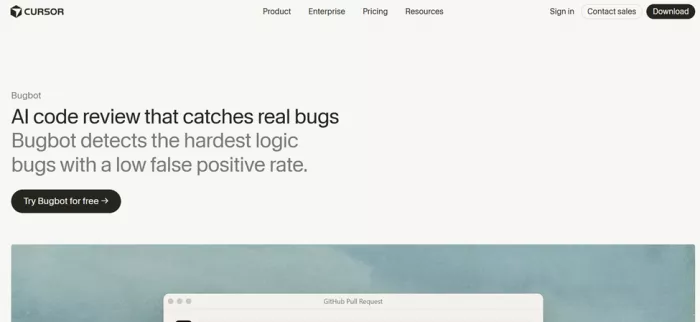
It's built by a company called Anysphere, and it has grown quickly: over a million paying developers, with teams at places like Stripe, OpenAI, and Figma using it day to day. So this isn't a curiosity. It's one of the tools setting the pace in this space right now.
| WHAT IT IS | AI code editor, built on a fork of VS Code |
| MADE BY | Anysphere |
| BEST FOR | Developers who want AI woven into their editor, not sitting beside it |
| MODELS | Claude, GPT, and Gemini in one place, plus Cursor's own models |
| PRICE RANGE | Free · Individual from $16/mo · Teams from $32/user · Enterprise custom |
| TESTED ON | The web app, free tier, fresh account |
3.5 / 5 overall rating A genuinely capable AI editor wrapped in a free web experience that feels more like a locked showroom than a test drive. Strong once you're paying. Just read the billing fine print, and check one privacy toggle before you start. + Enforced login security + Real codebase awareness ! Data sharing on by default ! Credit-based billing |
The sign-up, and a criticism that fell apart
The first screen offered the usual buttons (Google, GitHub, Apple) plus plain email. I went with email on purpose. Social logins are convenient, but I wanted to see how Cursor handled the boring, important parts of account security on its own.
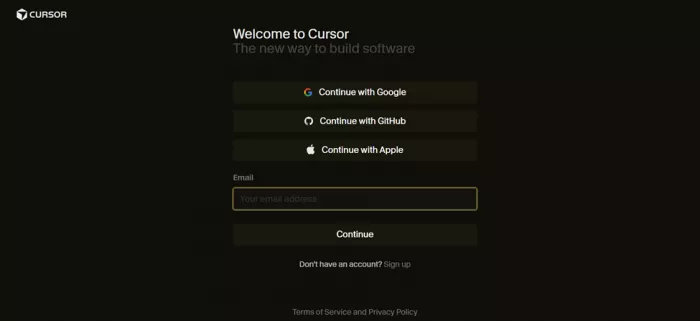
After entering my address, it gave me two ways in: a one-time code sent to my inbox, or setting a password. Here's where I'll admit my bias. I chose the password route half-expecting to catch the app letting me straight in with nothing but a password, the kind of shortcut I could point to and use to knock the company for cutting a corner.
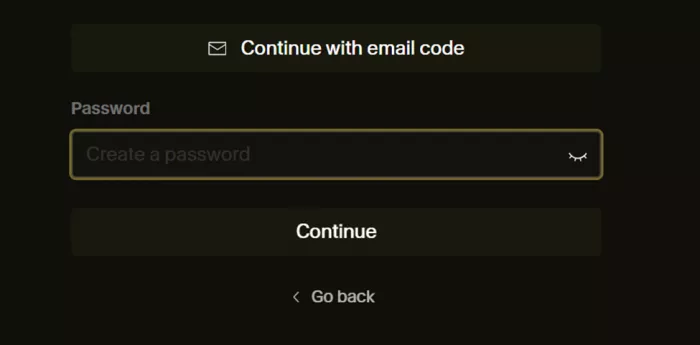
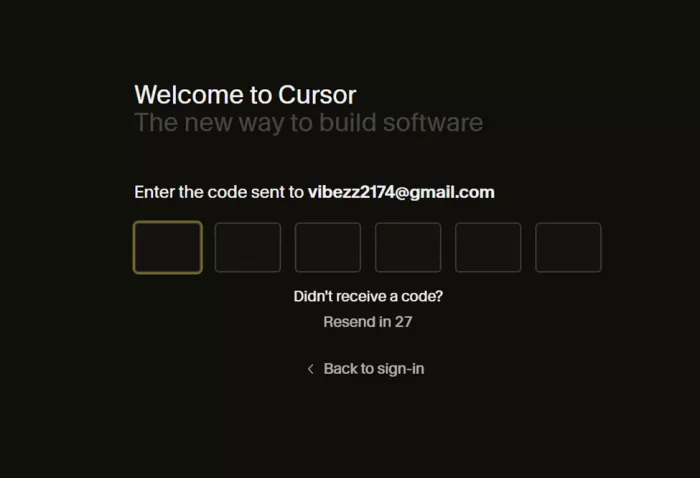
That's not what happened. Even after I set a password, it still asked for a one-time code from my email before it let me through. So the criticism I'd already lined up in my head quietly went away. Email verification is enforced either way, which is a small thing that a surprising number of products get lazy about. Credit where it's due.
Setting up the account
Once I was in, Cursor walked me through a short setup. It's quick, but a couple of these steps are worth slowing down on rather than clicking past.
Just for me, or for my team
First it asks how you'll use it: personal usage and individual settings, or collaboration features and shared context for a team. I picked the individual path.
Which role describes you
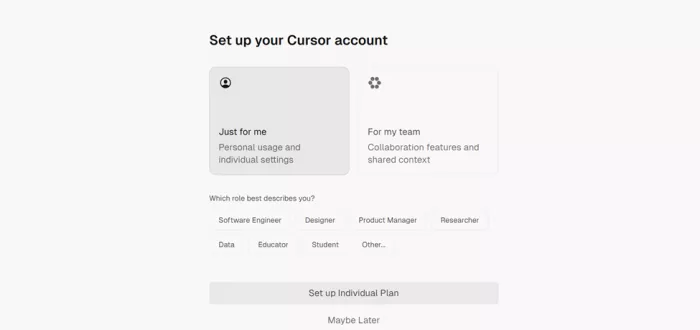
Then a row of tags: Software Engineer, Designer, Product Manager, Researcher, Data, Educator, Student, Other. Standard “help us understand you” segmentation. Harmless enough.
Start your Pro plan to continue
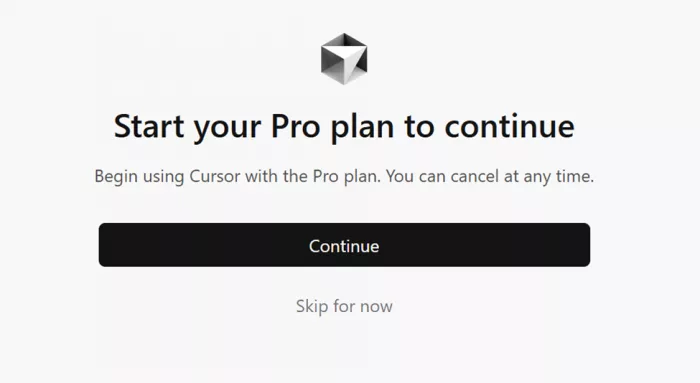
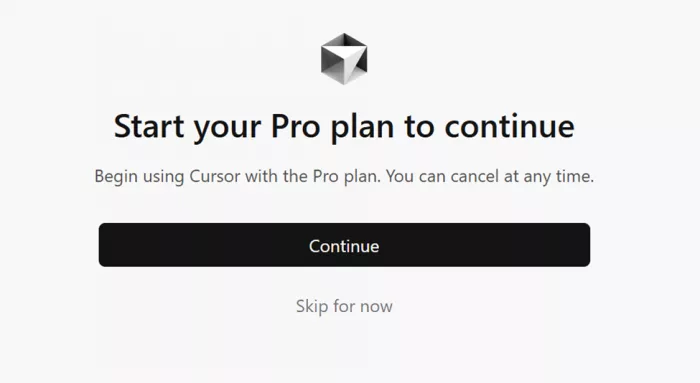
Next comes a full-screen nudge toward the paid plan: a bold Continue button, and a much quieter Skip for now underneath. You can absolutely skip it. It's just deliberately not the loud option.
Data sharing
The last step is the one I'd actually stop and read, so it gets its own section below.
The toggle that was already switched on
Cursor shows a “Share Data” screen with a single switch and a friendly line: let Cursor learn from how you code, chat, and work to make the AI better for everyone. The switch was already flipped on when I got there.
Privacy Mode changes the data-sharing picture
The onboarding toggle is only half of the privacy story. Cursor also has a separate Privacy Mode, and the distinction matters if real company code is going into the editor.
With Privacy Mode enabled, Cursor says customer code is not used to train its models or the outside model providers it works with. The company also says it maintains zero-data-retention arrangements with supported providers, although automated risk and abuse systems can create limited exceptions when activity triggers their safety checks. Team administrators can enforce Privacy Mode across a workspace rather than relying on each developer to switch it on individually.
There is also an important Cloud Agent distinction. Normal AI requests send the necessary prompt and code context to the model infrastructure, but Cloud Agents need temporary access to a repository while they work. Cursor says those agents run in isolated environments and that repository copies are removed after the agent completes. That is a much more useful privacy distinction than treating every Cursor feature as if it handles code in exactly the same way.
THE NUANCE To be fair, it's clearly labeled, it tells you that you can opt out anytime in settings, and it links straight to the privacy policy and security page. But it's opt-out, not opt-in. The default is that your coding activity helps train the product unless you turn it off yourself. That's a common pattern, not a scandal. Still, if you write anything sensitive or work under an NDA, this is the first toggle to check before you do anything else. |
Then I hit the wall
With setup done, I landed on the dashboard. It cheerfully told me I'd used 0% of my usage, which, as I was about to learn, would stay 0% no matter what I tried.
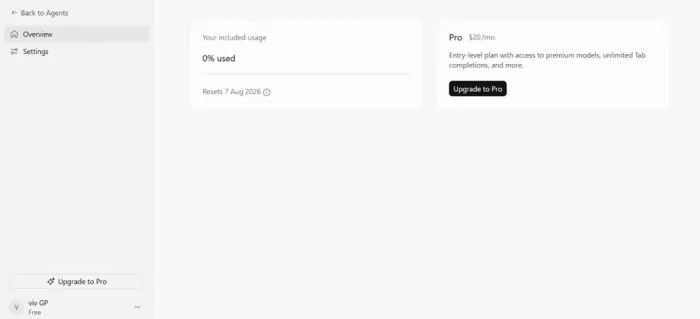
I clicked into the agent to type my first prompt. The input box wouldn't take anything. A banner told me Cloud Agents requires a Pro account. Fair enough, I thought. Maybe cloud agents are the premium bit. So I went hunting for a free model I could actually run. I opened the model picker (Sonnet 4.6 was sitting right there) hoping for something lightweight that wouldn't need a subscription. Same wall.
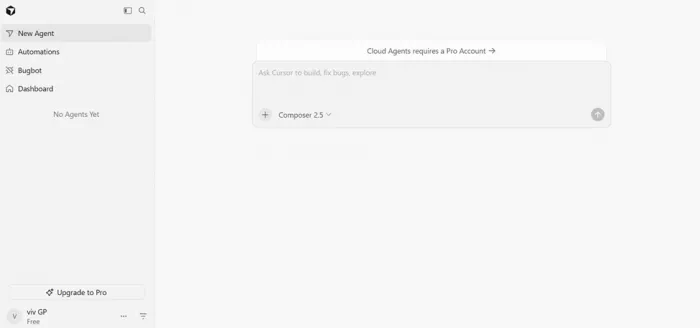
Then I tried Bugbot, its code-review feature. Upgrade to Pro. Automations? Upgrade to Pro. Every door I pushed on in the web app led to the same place: a payment screen. For a first-time user trying to kick the tires, it's a frustrating loop.
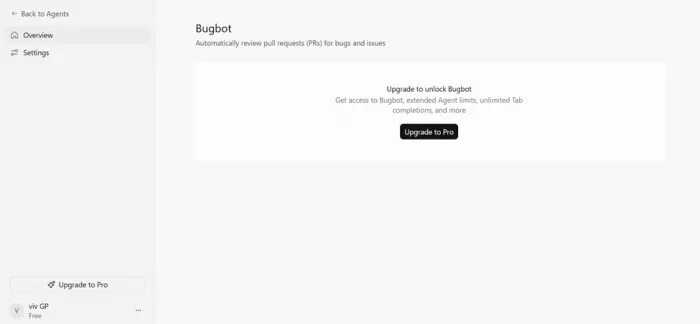
IN FAIRNESS Here's the part the frustration hides. The free “Hobby” tier isn't really designed to live in this web dashboard. The actual free usage, the Tab autocomplete and a limited number of agent requests, happens inside the downloaded desktop editor. The web surface I was poking at is built around Cloud Agents and team features, which are Pro-and-up by design. |
So the wall is real, but it's specific. If you sign up expecting to try the product in your browser, you'll feel handed a locked showroom. If you download the desktop app, there's a genuine (if limited) free experience waiting. The onboarding just never makes that clear, and that gap is where a lot of the early frustration comes from. It's a signposting problem more than a bait-and-switch.
What it costs, and the catch
Cursor keeps the plans themselves simple: four tiers, from a free Hobby plan up to Enterprise, with a Monthly or Yearly toggle where yearly takes roughly 20% off. The part worth reading twice is the billing underneath the paid tiers.
Since a change in mid-2025, paid plans run on a credit system. Your monthly fee comes with a matching pool of usage credits. An “Auto” mode that picks a model for you is unlimited and doesn't touch that pool. But the moment you hand-pick a top-tier model, you start drawing it down, and heavy users can spend past their plan and pay overage on top. That 2025 change landed badly at the time. The company apologized and issued refunds, and the community is still a little wary of it.
| PLAN | MONTHLY | YEARLY | WHAT'S INCLUDED |
|---|---|---|---|
| Hobby | Free | Free | No credit card needed. Limited Agent requests and limited Tab completions. The free experience lives in the desktop app, not the web dashboard. |
| Individual | $20/mo | $16/mo | Everything in Hobby, plus extended Agent limits, access to frontier models, MCPs, skills and hooks, cloud agents, and Bugbot on usage-based billing. |
| Teams | $40/user | $32/user | Everything in Individual, plus centralized billing and admin, agentic code reviews with Bugbot, shared team context, usage analytics, team-wide privacy mode, and SAML/OIDC SSO. |
| Enterprise | Custom | Custom | Everything in Teams, plus pooled usage, invoice/PO billing, SCIM seat management, access controls, audit logs, an AI code tracking API, and priority support. |
Prices shown are the base tiers (Pro for Individual, Standard for Teams); yearly billing runs about 20% under monthly. Pro+ and Ultra are higher Individual tiers for heavier usage, and Bugbot runs on usage-based billing. Figures are from Cursor's pricing page in 2026 and can change, so check before you buy.
Self-hosted execution gives teams another security option
There is also a newer option for organizations that are uncomfortable letting agent tool execution happen entirely on infrastructure they do not control. Cursor now supports self-hosted machines for Cloud Agents.
With that setup, the codebase, build outputs and secrets can remain on machines inside the company's own environment while Cursor's agent sends its tool calls to those workers. A developer can attach an individual laptop or virtual machine, while larger teams can create pools of workers that accept jobs as capacity becomes available.
This does not make every Cursor data flow local, and it should not be confused with an entirely offline version of the product. What it does change is where the agent actually executes commands and interacts with internal systems. For companies with private services, unusual build environments or stricter infrastructure requirements, that is a more substantial capability than another model option in the picker.
What it gets right, and where it grates
Gets right • If you know VS Code, you already know the interface, so there's nothing to relearn. • Full-codebase awareness and multi-file edits are the real draw, not just single-line completion. • Tab autocomplete is fast and often predicts the exact edit you were about to make. • Model choice (Claude, GPT, Gemini) all in one editor. • The security basics, like enforced email verification, are handled properly. | Grates • The web onboarding paywalls almost everything, with no clear “here's your free path.” • Credit-based billing makes your real monthly cost hard to predict. • Data sharing is switched on by default. • At $20, it's double what some capable alternatives charge. • The free tier people actually praise lives somewhere the web sign-up never points you to. |
What other users say
My evening is one data point. Here's how the broader developer crowd tends to talk about it, boiled down.
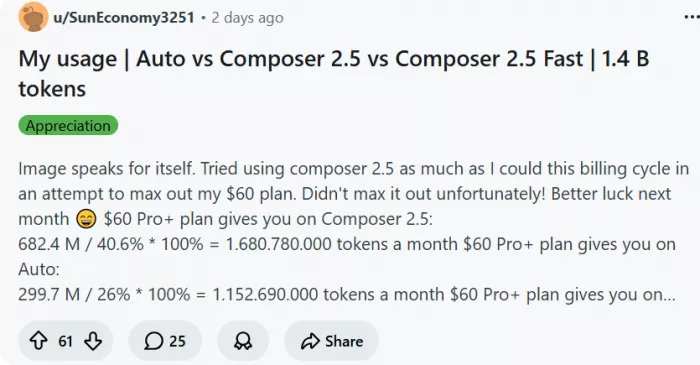
“Most productive tool I've used” Developers working in large codebases often rate it as the most productive AI coding setup available, mostly because it understands the whole project rather than just the open file. COMMUNITY SENTIMENT | “The pricing change stung” A real chunk of the community pushed back on the 2025 shift to credit billing, and some moved over to cheaper alternatives like Windsurf in response. R/CURSOR THREADS |
“Watch the overages” Power users report bills landing well above the $20 sticker once they rely on premium models all day, which is the credit system doing exactly what it does. REVIEWER REPORTS | “Is it worth double Copilot?” The recurring debate is whether Pro justifies costing twice GitHub Copilot's individual plan. Where people land usually comes down to how much multi-file, codebase-wide work they actually do. ONGOING DEBATE |
How it broke down for me
Scored on what I could actually test from a fresh free account on the web, not on features locked behind the paywall.
| CATEGORY | RATING | WHY |
|---|---|---|
| Onboarding | 3.0 / 5 | Fast and clean, but the free path is never signposted. |
| Security & login | 4.5 / 5 | Email verification enforced even on the password route, with clear policy links. |
| Privacy defaults | 3.0 / 5 | Data sharing is on by default, opt-out rather than opt-in. |
| Free tier (web) | 2.0 / 5 | Nearly everything on the dashboard is Pro-gated. |
| Value (paid) | 3.5 / 5 | Strong editor, but unpredictable credit billing keeps it from a higher mark. |
| Overall | 3.5 / 5 | A capable tool whose free web experience oversells what you can do without paying. |
My honest take after an evening with it
I like Cursor more than I expected to, and I trust its onboarding a little less than I'd like. Both of those things are true at once, and I don't think that's a contradiction.
The product itself is the easy part to recommend. If you write code for a living and you're already comfortable in VS Code, Cursor feels less like learning a new tool and more like your editor growing a very capable extra pair of hands. The codebase-wide understanding is the thing that actually earns the attention, and the autocomplete quietly does a lot of work in the background.
What I'd go in with eyes open about is everything around the editor, not the editor itself.
The free tier, at least on the web, is closer to a locked showroom than a test drive. You'll want the desktop app to feel the real thing. The billing rewards you for staying in Auto mode and can surprise you if you don't watch it. And a data-sharing toggle that's on by default is the kind of default I'd rather see flipped the other way.
So here's where I land. If you're ready to pay $20 a month (or $16 billed yearly) and you'll use it daily, it's a strong buy and probably worth the premium over cheaper options, as long as you keep half an eye on your credits. If you just want to try it for free, download the desktop app rather than judging it from the web dashboard, and don't expect the browser version to let you do much without a card.
I came in ready to be unimpressed. I left thinking it's a good tool wrapped in an onboarding that undersells its free side and quietly opts you into more than it needs to. Neither of those is a dealbreaker. Just know which one you're signing up for.
Comments

Jerry Lesner
2 weeks agoStill do not understand the credit system. Auto mode unlimited but picks models for me. Manual selection drains credits. One day I used $12, next day $3 for same workload. Unpredictable costs make budgeting impossible. The tool is excellent when it works but the billing anxiety is real. Set spend alerts, watch it like a hawk. Article warned me, I did not listen.
Login To Reply ↪
Mary M
2 weeks agoLearned to live in Auto mode. Unlimited, no credit stress, picks appropriate models. Sometimes slower, sometimes less capable, but predictable costs. Manual selection for specific tasks only. The article's advice is spot on. Once you accept Auto mode, the tool becomes manageable. Still expensive at $20 but justifiable for daily use.
Login To Reply ↪