Table of Contents
- Review snapshot
- What Canva for Education is?
- Pricing: what free really covers
- Who qualifies, and who does not
- The features that earn their place
- Devices and gadgets it runs on
- How it stacks up against the usual classroom tools
- How teachers are actually using it
- Getting set up without the delay
- The honest pros and cons
- Final verdict
Spend a full planning weekend inside Canva for Education and the appeal stops being theoretical. A blank worksheet becomes a graded, branded handout in about ten minutes. A flat slide deck turns into something a class will actually look up at. The platform has grown into one of the most used tools in K-12 classrooms, with more than 60 million teachers and students signed up worldwide by 2026. Everything below comes from real time in the Education dashboard: building lesson decks, inviting a test class, pushing work through assignments, and running the AI tools until their edges showed.
Review snapshot
| Measure | Detail |
|---|---|
| Verdict | 4.6 out of 5 |
| Best for | K-12 teachers and schools |
| Price | Free for verified educators |
| Plan level | Full Canva Pro features |
| Storage | About 1 TB per user |
| Templates | More than 80,000 education designs |
What Canva for Education is?
Canva for Education is a free version of Canva built for primary and secondary schools. It is not a stripped-back freebie with the good features locked away. Verified teachers and their students receive what amounts to the full Canva Pro toolkit, plus a layer of classroom features that standard Canva accounts never see: virtual class spaces, assignment handoffs, submission review, and direct hooks into the learning platforms schools already run.
Think of it as two products stacked together. Underneath sits the familiar drag-and-drop design editor used for posters, presentations, documents, videos, and print. On top sits a lightweight classroom manager that turns that editor into something a teacher can actually run a lesson through.
Pricing: what free really covers
There is no trial clock and no upsell waiting three designs in. For anyone who qualifies, the Education plan is free and stays free. For context, an individual Canva Pro subscription runs about 15 dollars per month, so the gap between paying and qualifying is real money across a staff room.
| Plan | Who it fits | Price | Highlights |
|---|---|---|---|
| Canva for Education | K-12 teachers, students, schools, districts | Free | Full Pro features, class spaces, LMS links, 80,000+ templates |
| Canva Free | Any individual | Free | Basic templates and assets, no classroom tools |
| Canva Pro | Individuals, small teams | About 15 dollars per month | Premium assets, Magic Studio AI, brand kits, about 1 TB |
| Canva for Campus | Colleges and universities | Custom, paid | Institution-level higher-education deployment |
Worth knowing: the free Education plan and paid Canva Pro share the same design engine. The Education version adds the classroom layer on top, which for most teachers makes it the more capable option, not the lesser one.
Who qualifies, and who does not
Eligibility is the part that trips people up, so it is worth being exact. Access is tied to active K-12 teaching status, confirmed against accreditation records.
| Eligible | Not eligible |
|---|---|
| Active certified teachers at primary or secondary schools | Colleges, universities, and their lecturers or staff |
| School librarians and learning support staff | Individual college students, even with a .edu email address |
| Curriculum specialists and technical or vocational teachers of K-12 students | Continuing, further, and adult education institutions |
| Students, but only through a teacher invite or an approved school or district | Homeschool parents without a recognized teaching credential in some regions |
| Departments of education and accredited school organizations |
Higher education is pointed toward Canva for Campus, a separate paid product arranged at the institution level. The cleanest signal of eligibility is the email domain: sign up with a verified school domain and access usually opens straight away. Without it, the system asks for official teacher identification and reviews it manually. Verification is renewed every three years, and the service is available across roughly 190 countries and more than 130 languages.
The features that earn their place
| Feature | What it does |
|---|---|
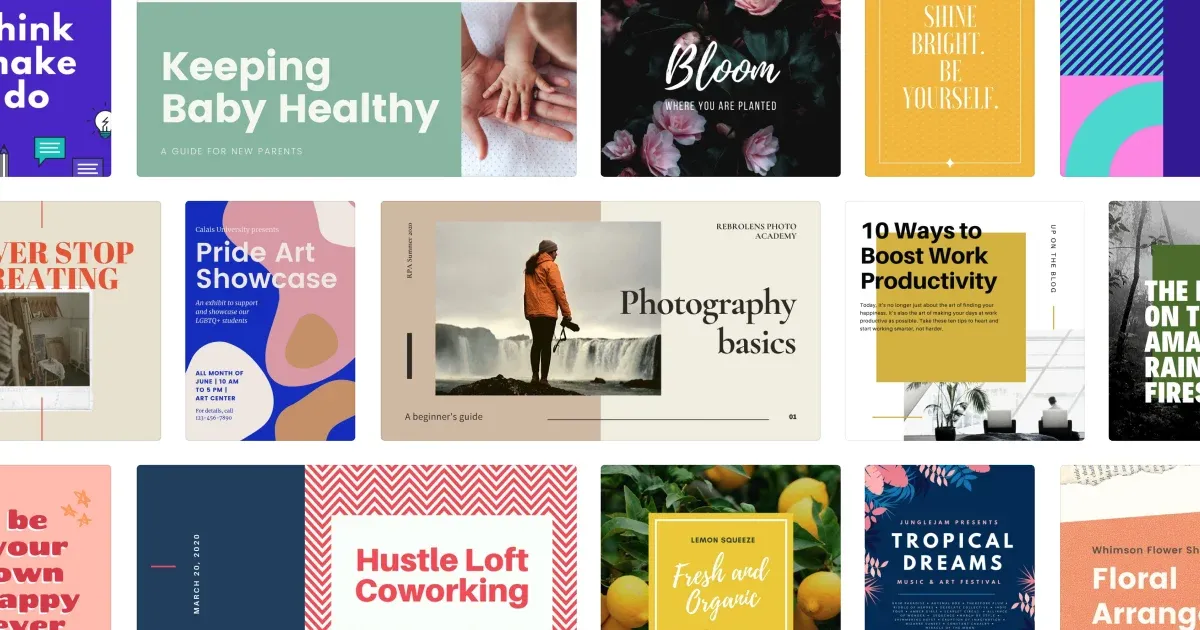
| Templates | Over 80,000 education designs covering lesson plans, worksheets, quizzes, infographics, and project materials, sorted by subject and grade. Most need light editing rather than a build from scratch. |
| Real-time collaboration | Students co-author the same poster or deck at once. Teachers drop comments and visual sticker feedback, which lands better with younger classes than a page of written notes. |
| Classroom management | Create classes, invite students, organize folders, set work, collect submissions, and track progress. It behaves like a light learning platform rather than a plain design app. |
| LMS integrations | Direct links to Google Classroom, Microsoft Teams, Canvas, and Moodle mean assignments and feedback move through tools a school already uses. |
| Accessibility | Captions, reading-order controls, and WCAG-aligned design checks help make student-facing material usable for more of the room. |
| Safe-for-school setup | FERPA, COPPA, and GDPR compliant, with content filtered for classroom use and student-safe AI defaults. |
The AI tools, and the honest caveat
Magic Studio is the AI suite that ships with the Education plan. Magic Write drafts text for slides and worksheets, Magic Media generates images, and Magic Design turns a rough idea or an uploaded file into a styled layout. During 2026 the kit grew again: Magic Layers breaks an AI-generated poster back into editable pieces, Magic Activities spins up classroom-ready tasks from a topic, and Canva Code produces small interactive widgets students can click through.
These genuinely cut build time. A quiz slide that used to take fifteen minutes takes two. The caveat is the same one every classroom AI carries: a student can turn a prompt into a finished, polished graphic in seconds, so the skill worth teaching alongside the tool is knowing when AI should draft and when it should step back. Treated as a drafting assistant it saves hours. Treated as an answer machine it quietly removes the thinking the lesson was meant to build. Output also needs a human read before it reaches a class, since generated text and images still slip in the odd mistake.
Devices and gadgets it runs on

Canva for Education is browser-first, which keeps the hardware question simple. The same account follows a teacher or student across machines, and a 2026 offline mode lets the app keep working when a connection drops mid-lesson.
• Windows laptops and desktops
• MacBook and iMac
• Chromebooks, the classroom standard
• iPad with the iOS app, stylus friendly
• iPhone for quick edits on the move
• Android tablets and phones
• Interactive whiteboards and smartboards
• Any device with a modern web browser
How it stacks up against the usual classroom tools
| Feature | Canva for Education | Google Slides | PowerPoint (school) |
|---|---|---|---|
| Cost | Free for verified K-12 | Free | Varies by license |
| Template depth | 80,000+ education designs | Limited | Moderate |
| Live collaboration | Yes, with sticker feedback | Yes, basic comments | Yes, via Teams |
| Classroom management | Built in | Via Google Classroom | Via Teams |
| AI tools | Magic Studio, full | Limited | Copilot, license based |
| Student output types | Video, posters, infographics, portfolios | Slides only | Slides, some video |
| Storage per user | About 1 TB | 15 GB shared drive | 1 TB via OneDrive |
Google Slides still wins on raw simplicity and PowerPoint on school-wide familiarity. Where Canva pulls ahead is the range of what a student can produce and how little time a teacher spends making it look finished.
How teachers are actually using it
:max_bytes(150000):strip_icc()/GettyImages-2198619297-93c71526eb414c6e92921d0d9f32c076.jpg)
| Use case | In practice |
|---|---|
| Lesson delivery | Whiteboards, decks, and short video stitched into one self-paced or flipped sequence students can revisit. |
| Multimodal projects | Research posters, infographics, digital portfolios, and group slide decks instead of another text-only handout. |
| Formative assessment | In-progress review and sticker or comment feedback let students revise a design before it is marked. |
| District rollout | Admin controls, domain deployment, and safeguarding settings let whole school systems run one toolset. |
Getting set up without the delay
1. Open the Education sign-up page directly on the Canva site rather than the standard account page.
2. Verify with a school email domain for instant access, or upload official teacher identification if the domain is not recognized.
3. Create a class space and invite students by link, code, or an LMS sync.
4. Connect your learning platform such as Google Classroom or Teams so assignments flow where students already look.
5. Build or adapt a template and set it as an assignment to test the full loop before a real lesson.
Timing tip: manual verification can take several days in peak back-to-school weeks. Applying one to two weeks before term starts avoids launching a lesson with no class access.
The honest pros and cons
| Strengths | Trade-offs |
|---|---|
| Genuinely free, with full Pro-level features for verified users | Closed to higher education and individual college students |
| Enormous, grade-sorted template library that saves real planning time | Students cannot self-enroll; a teacher or school must open the door |
| Classroom tools and LMS links reduce the number of apps in play | Manual verification can lag during busy enrollment periods |
| Student output goes well beyond slides | AI output always needs a human check before class |
| Accessibility and compliance handled sensibly for schools | Template reliance can make unrelated classes look oddly similar |
Final verdict
After running a term's worth of worksheets, a group project, and a run of graded assignments through it, the conclusion lands cleanly. For a verified K-12 teacher, Canva for Education is close to a default yes. The price is zero, the feature set matches a paid Pro plan, and the classroom layer removes friction that other free tools push back onto the teacher. The time saved on materials is not marginal; a weekly planning block shrinks noticeably once the templates and AI drafting become habit.
The honest limits are structural, not quality problems. Higher education is locked out, students depend on a teacher to let them in, and the AI needs supervision like any other. None of that undercuts the core case. For primary and secondary classrooms that want one tool to design, teach, collect, and give feedback, this is one of the strongest free options available in 2026, and the application is worth filing before the next term begins.
Details drawn from Canva's official Education help and eligibility pages, Canva Create 2026 feature announcements, and independent 2026 usage reporting. Features and figures were accurate at the time of writing and may change.1
Comments