It was 11 p.m. on a Tuesday. Slide 4 of the deck I was about to send to a client had three people in blazers shaking hands over a boardroom table. I had not put them there. Gamma had. I clicked accept because I was tired, because the demo call was in nine hours, and because good enough had rounded down to done. The client wrote back at 9 a.m. He was polite about it. "Did you use AI to make this?" He was not being complimentary.
That was eighteen months ago. I have since generated somewhere north of ninety decks across Gamma, Beautiful.ai, Canva AI, Microsoft Copilot in PowerPoint, Slidesgo, and briefly Tome, before Tome shut down its presentation product in March 2025. I have made almost every mistake the research says people make with these tools. I have also spent enough time with each to know that "AI slides look bad" is not a fact about AI. It is a habit.
This is a working guide to breaking that habit. It draws on six weeks of side-by-side testing, pricing verified in June and July 2026, and research from Stanford, BetterUp Labs, and roughly a dozen software benchmarks. Everything I recommend I have used. Everything I criticize I have shipped and regretted. A scoring section near the end puts five tools against the same brief and settles which one I actually keep paying for.
If you have five minutes, this is the whole article.
→ Gamma if speed matters and you can live with a rough PowerPoint export.
→ Beautiful.ai if design consistency matters and you know what to say.
→ Canva AI if value matters and a recognizable aesthetic is fine.
→ Slidesgo if you are a student, educator, or on a strict budget.
→ Microsoft Copilot if PowerPoint is your final format and you already pay for it.
40% of workers received low-quality AI-generated work in the past month. STANFORD / BETTERUP, SEPT 2025 | 1:56 average time to fix each incident of AI "workslop" they received. HBR, SEPTEMBER 2025 | 47SEC average audience attention on one point on a screen before it drifts. VISME / SLIDEUPLIFT, 2025 |
Why AI decks look like AI decks.
Before you can fix the problem, you have to be honest about it. A September 2025 study by BetterUp Labs and Stanford's Social Media Lab surveyed 1,150 U.S. desk workers. Forty percent said they had received AI-generated content in the past month that was unhelpful, low-effort, or low-quality. The researchers named it workslop. Each incident took nearly two hours to fix. Fifty-three percent were annoyed to receive it, twenty-two percent offended, and close to half thought less of the coworker who sent it.
That is the real cost of a bad AI deck. It is not the deck. It is what the deck signals about you.
The visual tells are consistent, and I have made every one of them. An April 2026 SlideGMM benchmark covering Gamma, Tome, Beautiful.ai, and Canva across twelve use cases found the failure modes cluster tightly:
- Stock photography with no argument. Smiling teams in blazers, generic office backgrounds, puzzle pieces for "solutions," lightbulbs for "ideas." The image has no relationship to the point on the slide.
- Repeated layouts every three or four slides. The model reuses its favorite templates. Reviewers pick this up within thirty seconds, whether they realize it or not.
- Font pairings that do not match your brand. Even when you set a brand kit, most tools apply your color to slide one and drift by slide five.
- Charts with numbers that were never real. AI will fabricate a statistic with total confidence. Autoppt's September 2025 audit flagged this as one of the seven most common AI slide errors, and it has not improved much since.
- Openings and closings that state a topic instead of making a claim. "AI in Healthcare" is a title. "AI cut our triage time by 34%" is a headline. The AI reliably writes the first one.
The prompt that fixes half of it.
The single highest-leverage change is not the tool. It is the prompt. In the outline-first workflow that Beautiful.ai launched in March 2026 as "Context-Aware AI Workflow" (and that Gamma's Agent now mirrors), the model writes a text outline first, you edit that outline, and only then does it design slides. This alone removes the "first output lottery" that makes so many AI decks feel arbitrary.
The prompt structure I use, adapted from a Prezent AI enterprise-deck framework, has five parts:
WORKING PROMPT TEMPLATE
Role: Act as a senior product marketer preparing a launch review for the executive team.
Task: Draft a 12-slide outline. Not full slides yet. Just the argument arc.
Business context: Convince the exec team to approve a three-month price test in the small-business segment.
Audience: The CFO is skeptical of pricing experiments. She has asked twice about churn risk.
Constraints: One idea per slide. Headlines under eight words. Assume the audience does not know the small-business revenue mix and needs one slide to catch them up.
Compare that to "Make me a deck about pricing." The second prompt will produce a beautifully designed deck about nothing in particular. The first will produce something you can actually argue from. This is not a design problem. It is a briefing problem, and it is the one the tools cannot solve for you.
“Workslop may feel effortless to create but exacts a toll on the organization. Rather than saving time, it leaves colleagues to do the real thinking and clean-up.”
The tools I actually use.
Pricing verified June to July 2026. Vendors change plans quickly, so confirm before committing.
Gamma
gamma.app
FREE · PLUS $9-10/MO · PRO $15-20/MO · ULTRA $90-100/MO
BEST FOR: Fast first drafts, web-share sales decks
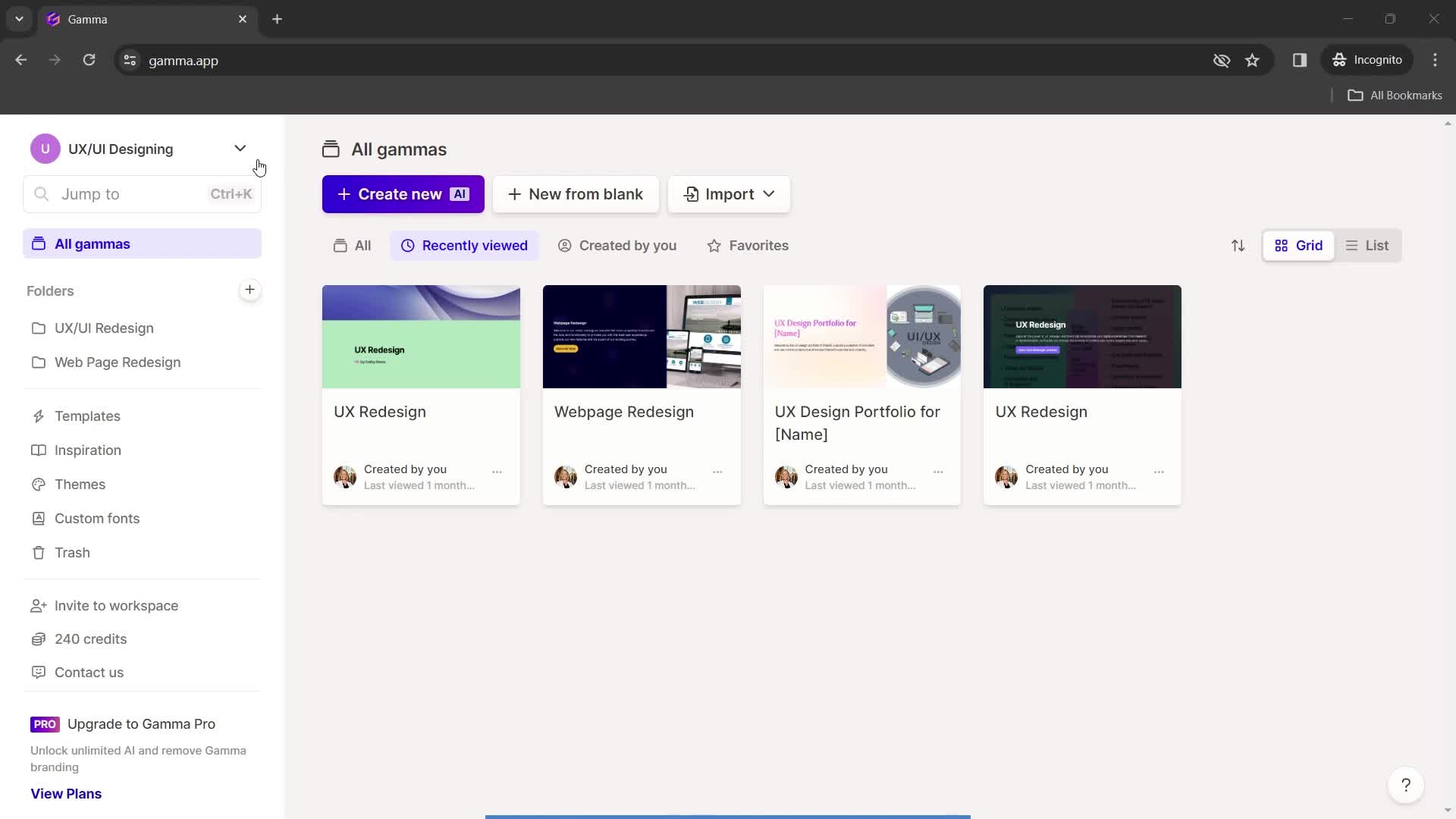
The free tier gives 400 lifetime credits, not monthly. A single AI deck runs about 40 credits, so you get roughly ten before the paywall. Gamma is the fastest first-draft tool on the market, and its share-link analytics (views, time per card) are genuinely useful for sales decks. The weakness, flagged in an estimated 38 percent of Reddit threads per SlideEgg's November 2025 analysis, is PowerPoint export: layouts flatten, fonts substitute, text sometimes exports as images. If .pptx is your final format, budget cleanup time.
Beautiful.ai
beautiful.ai
PRO $12/MO · TEAM $40/MO · ENTERPRISE CUSTOM
BEST FOR: Teams needing design consistency at scale
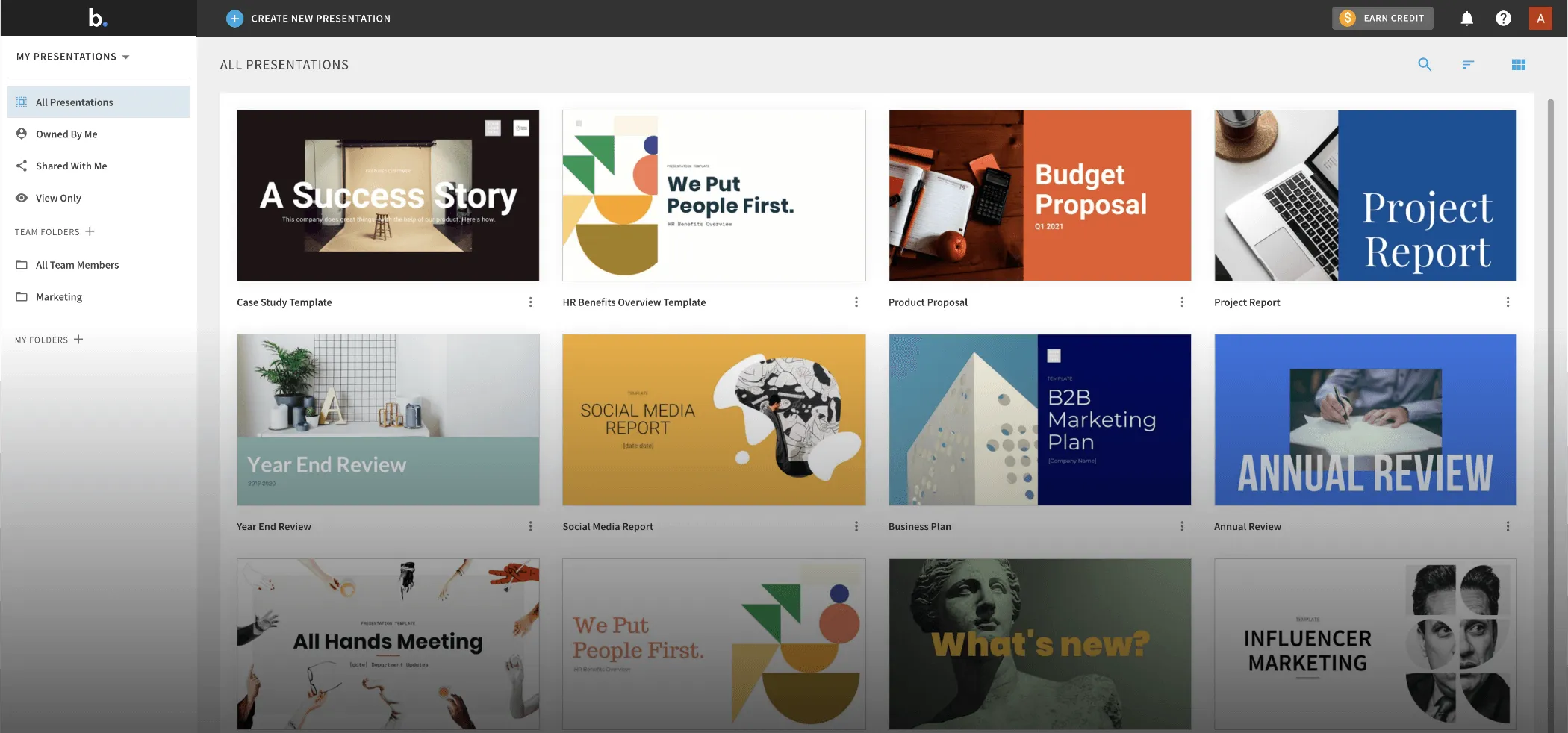
Design-first, content-second. Smart Slides enforces good layout as you add content, so it is nearly impossible to produce a bad-looking slide (and harder to produce a distinctive one). The Create with AI workflow, updated March 2026, is the best structured-generation flow I have used. Best for teams that need brand consistency and cannot afford one person doing it wrong. Weakness: content generation is thinner than Gamma or Copilot. Beautiful.ai works best when you already know what you want to say.
Canva AI (Magic Design)
canva.com
FREE TIER · PRO $15/MO · TEAMS FROM $10/USER/MO
BEST FOR: Best value; free-tier iteration
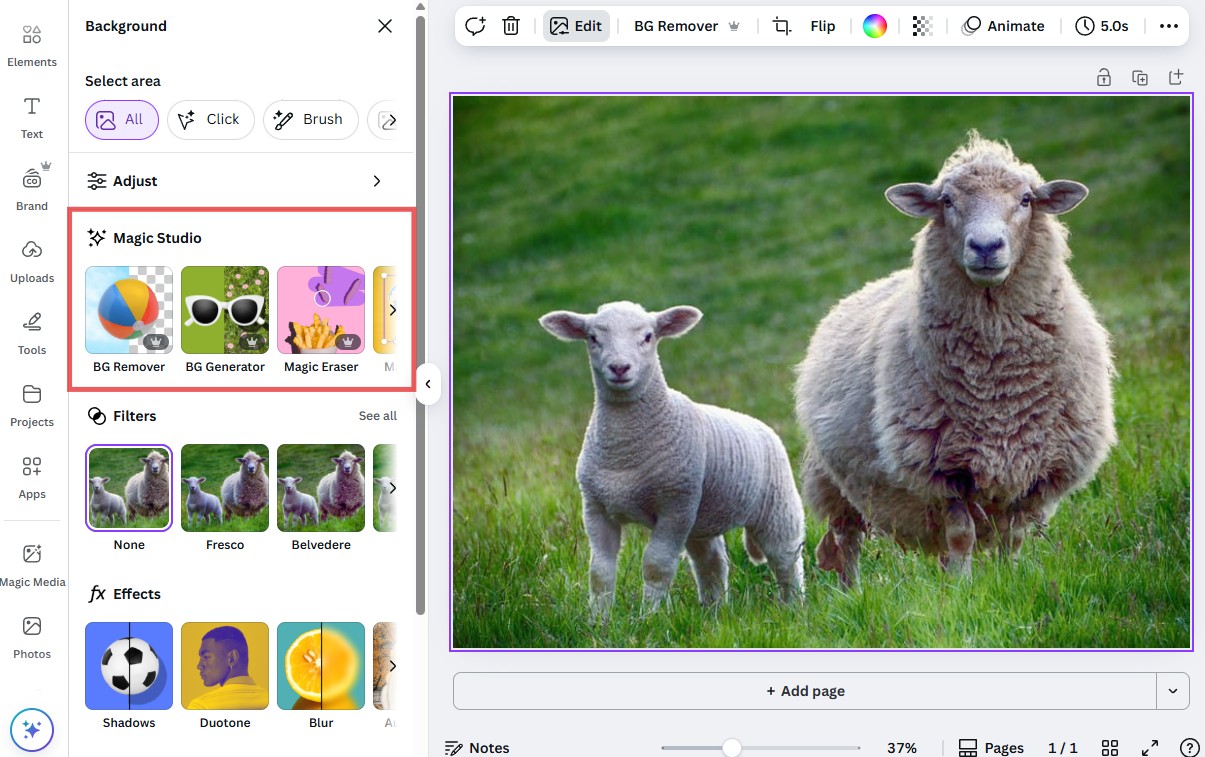
The most flexible option here and the most useful free tier. Magic Design generates full decks; Magic Write handles copy; Brand Kit binds fonts, colors, and logos across everything. Trade-off: a recognizable Canva aesthetic that design-literate audiences will clock. Content generation is shallower than Gamma or Beautiful.ai. Best value for money by a clear margin.
Microsoft Copilot in PowerPoint
microsoft.com/copilot
$30/USER/MO WITH MICROSOFT 365 COPILOT
BEST FOR: Zero-friction PowerPoint deliverables

Native PowerPoint output means zero export step. For consulting and finance teams that live in .pptx, that alone justifies the price. Generation quality is weaker than Gamma and design defaults are unremarkable, but if the deck has to land in a client's PowerPoint edit history, this is the lowest-friction path.
Slidesgo (by Freepik)
slidesgo.com
FREE TIER (ATTRIBUTION REQUIRED) · PREMIUM FROM $4.99-6.99/MO
BEST FOR: Students, educators, budget-first work
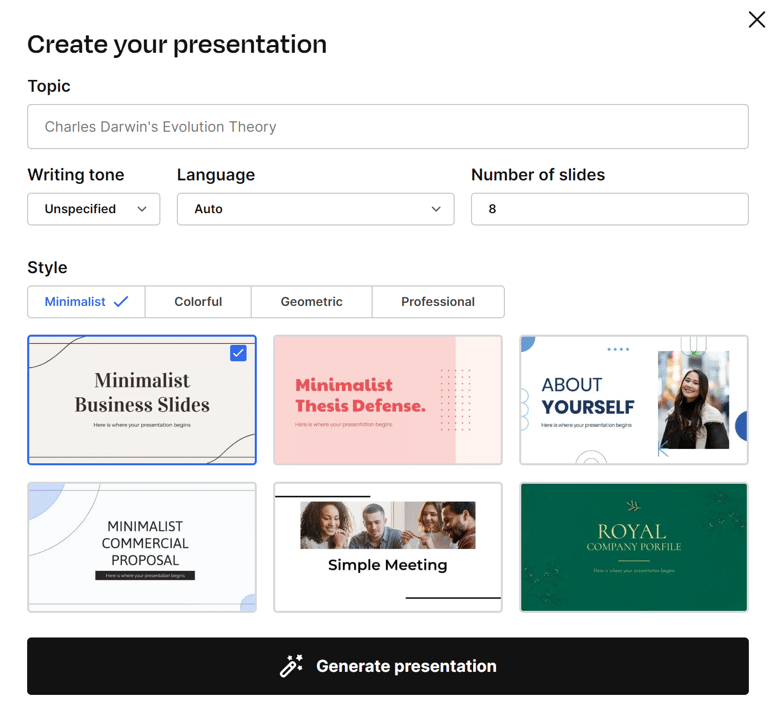
Template-first, not generation-first. The AI picks from Slidesgo's library of over 10,000 professionally designed templates (Freepik's catalog) and populates the winner with topic-relevant text, rather than designing from scratch. Generation runs 30 to 60 seconds. Best of anything I tested for education, academic, and student decks. Two gotchas: free-tier decks require an attribution credit to Slidesgo on your slides, which is a real problem for client work; and content quality is thin because the AI is filling placeholders, not thinking about your argument. Output goes to both Google Slides and PowerPoint.
Presentations.ai & Plus AI
presentations.ai · plusdocs.com
PRESENTATIONS.AI PRO $20/MO · PLUS AI $10-20/USER/MO
BEST FOR: Pitch decks (Brand Sync) · Google Workspace teams
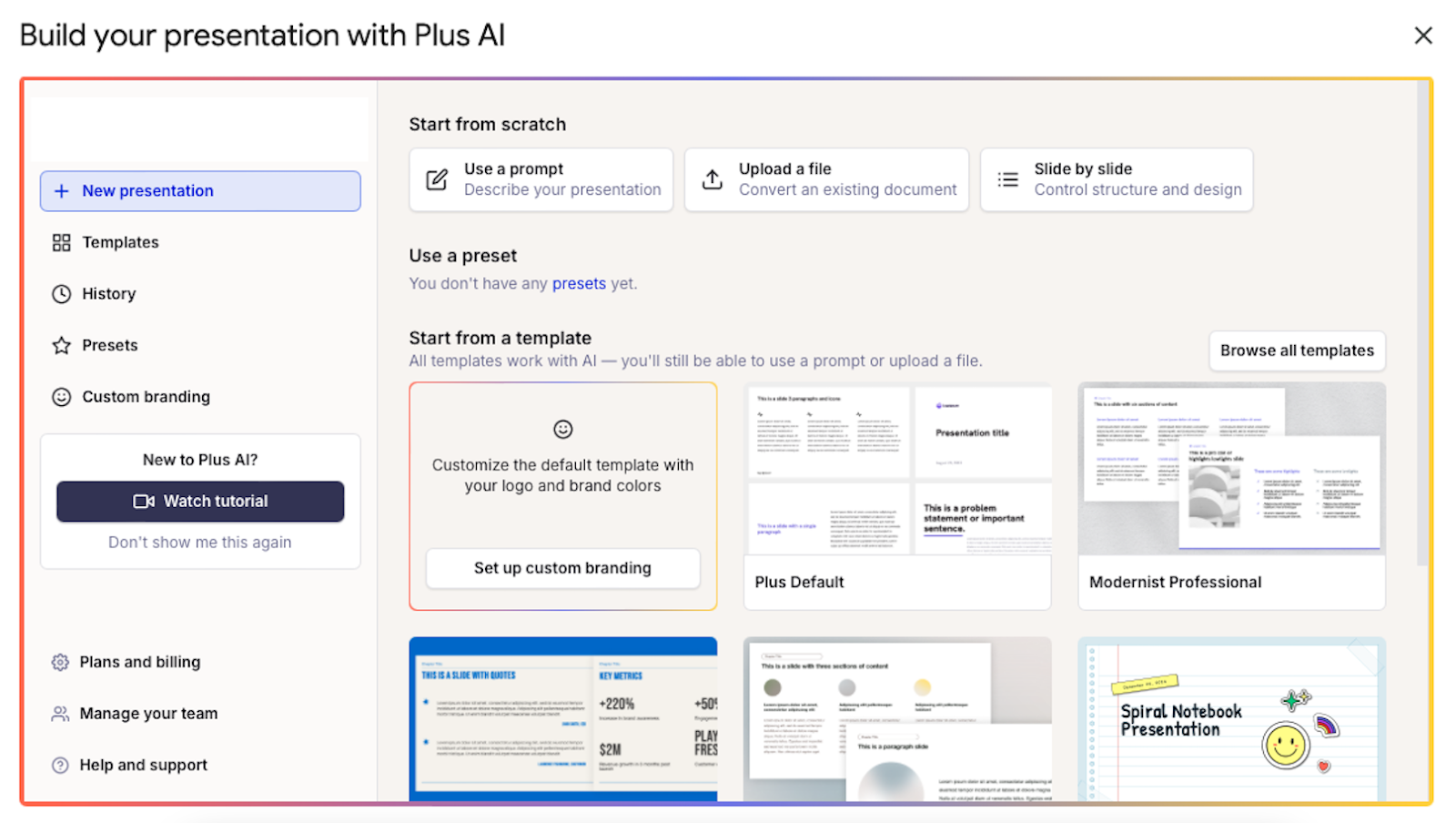
Presentations.ai's Brand Sync is the standout feature: upload assets once and the AI respects them across the deck. Worth a look for pitch decks. Plus AI runs inside Google Slides as an add-on, which removes the export problem entirely for Google Workspace teams. Both are underrated.
I do not recommend Tome for new work. The presentation product was sunset in March 2025 after the company pivoted to sales automation. If you have decks in Tome, export them.
Six design moves that save an AI-generated deck.
Even with a good outline and the right tool, the deck will still look AI-shaped until you do these six things. I do all six on every deck I ship.
- Kill the stock photography. Replace every generic "team in a meeting" photo with something specific: a product screenshot, a real chart, a photo from your own work, or nothing. A 2020 3M study found presentations with visual aids 43 percent more persuasive, but only when the visual is relevant. Random photos are noise, not visuals.
- Enforce your brand kit at the theme level. SlideSpeak's June 2026 guide put this bluntly: telling the model "use my brand colors" in a prompt causes the color to apply to slide one and drift by slide five. Every tool that supports themes (Gamma, Beautiful.ai, Canva) will apply the palette globally if you set it there. Do that.
- One idea per slide. Speakwise's April 2026 attention aggregation pegs average attention on a single screen point at 47 seconds. If your slide has three ideas, two will not land. Split it.
- Replace default charts with real ones. AI-generated charts are the fastest tell in the deck. If the numbers matter, build the chart in a spreadsheet and paste it in as an image. Never let the model pick the chart type.
- Tighten the copy. AI decks lean on words like leverage, empower, unlock, and solutions because the training data is full of marketing pages. Delete them. Rewrite in plain verbs and specific nouns. This one habit does more for perceived professionalism than any layout change.
- Fix the opening and the closing. The AI gives you a title slide that states a topic and a final slide that says "Thank you." Both are wasted. Open with the claim you want the audience to remember. Close with the specific decision you want them to make.
The same brief. Five tools. Blind scoring.
Draft a 12-slide product-launch review for a mid-market SaaS company. Audience: executive team. Business context: request approval for a three-month pricing test in a specific customer segment. Constraints: one idea per slide, headlines under eight words, executive tone. Same input given to all five tools. Outputs scored before I could see which tool had produced them.
| TOOL | FIRST DRAFT | DESIGN CONS. | EXPORT | BRAND KIT | SPEED | PRICE | TOTAL /60 |
|---|---|---|---|---|---|---|---|
Gamma gamma.app | 9 | 7 | 4 | 6 | 10 | 6 | 42 |
| NOTE Fastest first draft I have used. Under 60 seconds for a 12-card deck. The .pptx export was the biggest pain point: text on two slides converted to images, one chart lost its labels. | |||||||
Beautiful.ai beautiful.ai | 6 | 10 | 8 | 9 | 6 | 6 | 45 |
| NOTE The deck that needed the least design cleanup and the most content cleanup. Smart Slides genuinely prevents bad layout. If a designer will not review the deck, this is the safest pick. | |||||||
Canva AI canva.com | 7 | 6 | 8 | 8 | 8 | 9 | 46 |
| NOTE Highest overall score, largely because the free tier is generous enough that iteration is nearly free. Aesthetic is recognizable, so design-literate audiences will clock it. Best value for money. | |||||||
Slidesgo slidesgo.com | 7 | 8 | 9 | 4 | 8 | 10 | 46 |
| NOTE Tied with Canva at the top on entirely different strengths. Templates make the deck look polished immediately, and premium is the cheapest plan I paid for. Two catches: free-tier decks require a Slidesgo attribution credit on your slides, and content leans generic because the AI fills template placeholders rather than reasoning about your argument. Best pick for classroom, not boardroom. | |||||||
MS Copilot powerpoint / m365 | 6 | 6 | 10 | 8 | 5 | 7 | 42 |
| NOTE Native PowerPoint output means no export step at all. Worth every dollar if your team already pays for Microsoft 365 and the final format is .pptx a client will edit. | |||||||
Scoring rubric: 10 = production ready straight from the tool. 7-9 = usable with light editing. 4-6 = usable with substantial editing. 1-3 = start over. Scores are one tester's judgment across one brief. Your workflow will move some scores by a point or two in either direction.
How to run this test in an afternoon.
You do not need six weeks. One brief and one afternoon is enough.
- Write one brief. Not a topic. A specific business context with a named audience and a decision the deck needs to drive. Save it as a text file.
- Pick two or three tools. One fast (Gamma), one design-safe (Beautiful.ai, Canva, or Slidesgo), and one native to your final format (Copilot for PowerPoint, Plus AI for Google Slides).
- Feed the same brief into each. Do not tune the prompt for each tool. That is the test.
- Score before you look at branding. Open all outputs in tabs, hide the source, and rate each on the six criteria above.
- Time your cleanup. Pick your top-scoring output and note how long it takes to make client-ready. That editing time is the real cost, not the sticker price.
The tool that wins on your brief may not be the one that won on mine. What matters is making the trade-off deliberately, based on your workflow, not on which platform had the loudest marketing campaign this quarter.
The Final Draft
Not one of these tools ships a professional deck.
Six weeks of testing. Twelve decks per tool. Here is where each one earns its place, sorted by score:
| TOOL | SCORE | PICK IT WHEN |
|---|---|---|
| Canva AI | 46/60 | Value matters and a recognizable aesthetic is fine. |
| Slidesgo | 46/60 | You are a student, educator, or on a strict budget. |
| Beautiful.ai | 45/60 | Design consistency across many decks matters most. |
| Gamma | 42/60 | Speed matters and the deck lives as a web share link. |
| MS Copilot | 42/60 | PowerPoint is your final format and Microsoft 365 is paid. |
Pick by the third column, not the number. A 46 for Canva does not beat a 42 for Copilot if your deck has to land in a client's PowerPoint edit history tomorrow. Score is honest but incomplete; your workflow is the tiebreaker.
The rest of the job is yours. Rewrite three headlines. Delete two slides. Fix the opening. That is what makes a deck look professional. The tool is just how you get to the point where an extra hour is enough.
Comments