Table of Contents
- Why Look Beyond Leonardo AI?
- 1: Midjourney -Best for Artistic and Cinematic Visuals
- 2: Adobe Firefly: Best for Commercial Design
- 3: Ideogram: Best for Text and Poster Designs
- 4: Recraft AI: Best for Brand Assets
- 5: FLUX: Best for Developers and APIs
- 6: Canva AI: Best for Social Media Design
- The Best Alternatives to Leonardo AI: Quick Comparison
- How to Choose the Right Leonardo AI Alternative
- Final Verdict
Leonardo AI has earned its following for good reason. It handles AI image generation, concept art, game assets, product visuals, and open-ended creative exploration in one place, which makes it a natural home base for a lot of creators. But popular and right-for-you aren't the same thing. Depending on what you produce, you may want something Leonardo doesn't quite nail -sharper photorealism, cleaner text inside images, tighter integration with your design tools, more editing control, stronger commercial-safety guarantees, or just a faster path to a finished social post.
That's why it's worth knowing the Best Alternatives to Leonardo AI before committing to a single platform. The market has matured into a set of specialized tools, each strongest at a particular part of the creative visual workflow rather than trying to win everything at once. Some are pure AI image generators built for beauty; others are AI design tools wrapped around templates and collaboration; a few are text-to-image engines aimed at developers who want API access and model control.
The honest takeaway up front: there's no universal winner, and no tool here is perfect for everyone. The best Leonardo AI alternative is the one that matches what you create most often. This guide walks through six of them -what each does well, who it suits, and where it falls short -so you can choose based on your work, not the hype.
Why Look Beyond Leonardo AI?
Leonardo is versatile, but versatility has limits. A few practical reasons creators start shopping around:
You need stronger photorealism or cinematic style. If your work leans on dramatic lighting, mood, and editorial polish, dedicated models often produce more convincing, art-directed results with less fiddling.
You want reliable text inside images. Most AI image generators still mangle words. If you make posters, ads, thumbnails, packaging, or logos, accurate typography becomes the deciding factor -and it's a known weak spot for general-purpose tools.
You want a tool that fits an existing design workflow. If your day already runs through Photoshop, Illustrator, or a team design platform, a generator that plugs into that pipeline saves far more time than a marginally better standalone image.
You need more control over editing, inpainting, or brand consistency. Generating an image is only step one. Refining specific regions and keeping brand visuals consistent across a campaign are where tools either shine or stall.
You want a simpler tool for quick social content, or deeper customization. Sometimes you just need a branded post in five minutes. Other times you need API access, open models, and self-hosting that consumer apps don't offer.
1: Midjourney -Best for Artistic and Cinematic Visuals
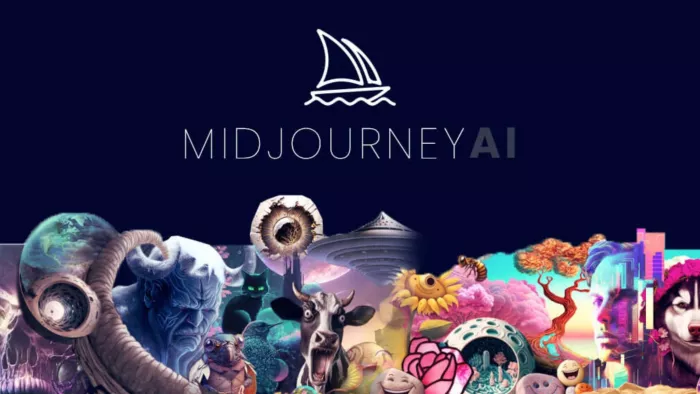
Midjourney is the tool to beat when the image itself is the deliverable. It consistently produces the most beautiful, atmospheric output among AI image generators -work where lighting, composition, and art direction feel intentional rather than accidental. For concept art, posters, fantasy scenes, cinematic frames, moodboards, and premium editorial imagery, it sets the standard.
Why it's a strong Leonardo AI alternative: Pure aesthetic quality. Leonardo's models are capable and more controllable, but Midjourney's outputs more often land at "publishable" on the first try. Style references and seed control let you hold a look across a series, which suits how art direction actually works -iterating on a feeling.
Who should use it: Concept artists, illustrators, art directors, and anyone whose priority is the most visually striking image possible.
Where it may be weaker: Midjourney isn't a workflow suite. Precise region editing, brand-controlled production, layout, and team workspaces are thin or absent, and each subscription is single-user. If your process needs refinement, brand systems, or collaboration, treat it as the strongest first step in a longer pipeline, not the whole pipeline.
Pricing: Subscription tiers run roughly $10, $30, $60, and $120 per month, with about a 20% annual discount and no free tier. Check current pricing before subscribing, as plans and limits change often.
2: Adobe Firefly: Best for Commercial Design
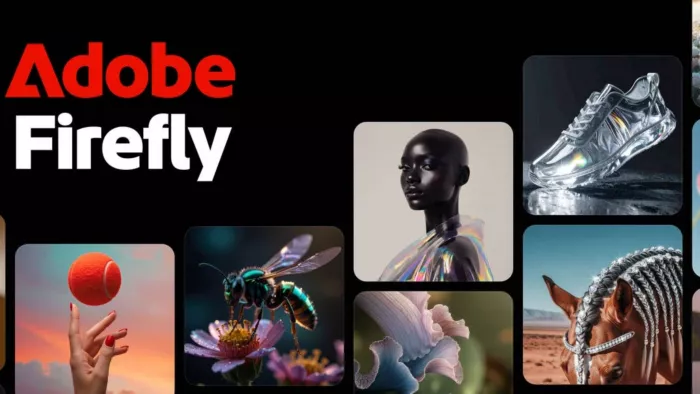
Adobe Firefly is built less to dazzle and more to fit. It lives inside Creative Cloud -Photoshop, Illustrator, Adobe Express -and is positioned around commercial safety, since it's trained on licensed and public-domain content. For designers, marketers, and teams already in Adobe's ecosystem, that combination is hard to walk away from.
Why it's a strong Leonardo AI alternative: First, integration: features like generative fill and generative expand are native operations inside the tools designers already use, so there's no awkward export-and-import dance. Second, peace of mind for paid work -Adobe backs enterprise customers with IP indemnification, a layer of commercial reassurance Leonardo doesn't formally match. For brand visuals and client deliverables, that can matter more than raw image quality.
Who should use it: Designers, retouchers, and marketing teams working in Photoshop or Illustrator, and any organization that needs AI output it can defend commercially.
Where it may be weaker: Firefly's images tend to read as competent rather than spectacular. For highly artistic or fantasy outputs, Midjourney and Leonardo's own models often produce more characterful results. Its value also depends heavily on already being an Adobe user.
Pricing: There's a free tier for testing, with standalone Firefly plans starting around $10/month. If you already pay for Creative Cloud (roughly $60/month for All Apps), a generous pool of Firefly credits is bundled in. Check current Adobe plans, since credit allowances are adjusted frequently.
3: Ideogram: Best for Text and Poster Designs
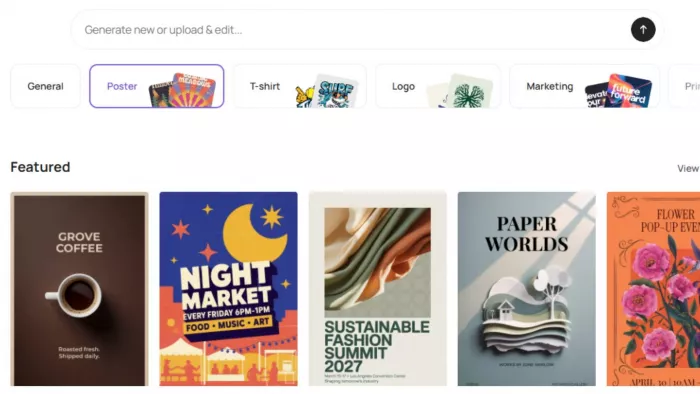
Ideogram solves the problem most generators ignore: text. Built by researchers who set out specifically to render legible type, it reliably produces images where words are spelled correctly and integrated into a real layout. That makes it the standout choice for posters, social announcement graphics, packaging mockups, signage, logo exploration, ads, and thumbnails.
Why it's a strong Leonardo AI alternative: Typography accuracy is in a different league. Where Leonardo and most text-to-image tools turn embedded text into garbled shapes, Ideogram treats it as language that must be correct -put a phrase in quotes and it dependably appears. It also adds practical touches like an infinite canvas, inpainting and outpainting, color-palette control, and editable text layers.
Who should use it: Marketers, social media creators, freelancers, and small businesses producing text-heavy graphics, plus designers exploring logo and poster concepts quickly.
Where it may be weaker: Overall image quality sits slightly behind Midjourney, and it's not a full production-editing or complex brand-system tool. AI-generated logos are best treated as directional concepts that still need vector refinement in Illustrator. There's also no video.
Pricing: A free tier offers a daily allotment of generations. Paid plans start around $7–8/month, with mid and pro tiers climbing to roughly $15–20 and $42–48, and annual billing cutting costs significantly. Check current pricing, as the credit-based structure is regularly tweaked.
4: Recraft AI: Best for Brand Assets
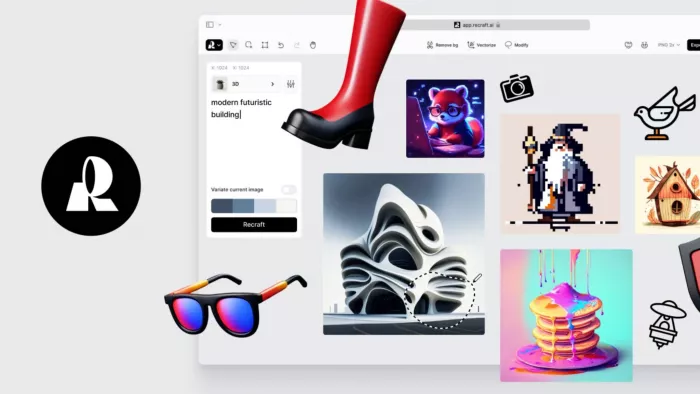
Recraft AI is a better fit for creators who want AI visuals that feel closer to usable design assets rather than one-off AI art. It is especially useful for brand graphics, vector-style illustrations, icons, product mockup directions, social visuals, and clean marketing assets.
Why it's a strong Leonardo AI alternative: Recraft focuses on design control and reusable creative output. Where Leonardo is strong for concept art and open-ended image generation, Recraft is useful when you need graphics that can fit into a brand system, landing page, presentation, app interface, or marketing campaign. It is less about dramatic AI art and more about structured visual work.
Who should use it: Brand designers, marketers, product designers, UI designers, small businesses, and creative teams that need icons, illustrations, mockups, campaign graphics, and reusable design assets.
Where it may be weaker: Recraft may not be the strongest choice for cinematic fantasy art, atmospheric concept scenes, or highly dramatic image generation. Midjourney is stronger for pure visual beauty, while Leonardo may still feel broader for game assets and creative exploration.
Pricing: Recraft offers different plan options, and pricing can change over time. Check the official pricing page before subscribing, especially if you need commercial usage, vector exports, higher limits, or team features.
5: FLUX: Best for Developers and APIs
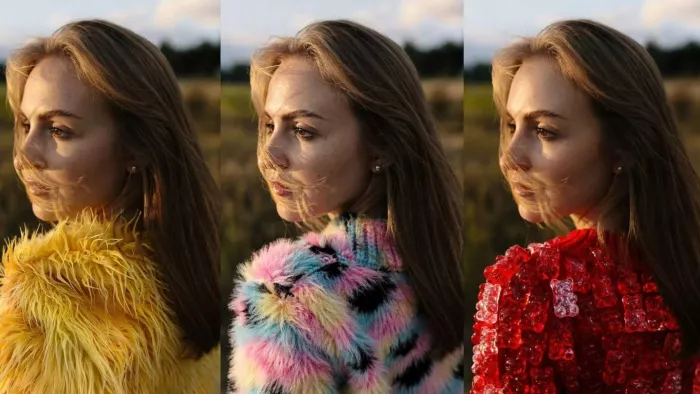
FLUX is the choice for people who want to build with image generation rather than just click a button. Its FLUX.2 family delivers frontier-quality, photorealistic output with strong prompt adherence and typography, but its real differentiator is openness and control: open-weight models you can fine-tune and self-host, a clean API, and conversational editing through FLUX Kontext.
Why it's a strong Leonardo AI alternative: Flexibility and ownership. Developers, agencies, and AI builders get pay-as-you-go API access, multi-reference control to pin characters or products across generations, and open weights they can run on their own infrastructure -a genuinely open path that closed tools, including Leonardo, don't offer. It suits automated pipelines, product photography variants at scale, and custom creative workflows.
Who should use it: Developers, technical agencies, AI product teams, and advanced creators who want custom workflows, predictable per-image costs, or self-hosted control.
Where it may be weaker: It's the least beginner-friendly option here. There's a browser playground, but the real power lives in the API and self-hosting, which assume technical comfort. If you want a polished, turnkey creative app, Leonardo or Canva will feel far more approachable.
Pricing/API note: FLUX uses simple credit-based, pay-as-you-go API pricing (scaling with output resolution), a free playground for experimentation, and open-weight licenses for teams shipping at volume. Costs depend on usage and resolution, so check current API rates and licensing terms before building on it.
6: Canva AI: Best for Social Media Design
Canva AI takes the opposite approach to a model lab. Instead of just generating an image, its Magic Media tools sit inside a full design platform, so a generated visual can become a finished post, ad, thumbnail, presentation, or piece of brand content in the same workspace. (Worth knowing: Canva owns Leonardo, so this is really a choice between two philosophies from the same company -a design environment versus a dedicated generative studio.)
Why it's a strong Leonardo AI alternative: End-to-end production. Text-to-image generation, background removal, image expansion, and resizing all connect to templates, brand kits, and a publishing pipeline. Brand-kit enforcement keeps logos, fonts, and colors consistent across everything you make, and real-time collaboration makes it a true team tool -areas where Leonardo is fundamentally a solo studio.
Who should use it: Marketing teams, social media managers, small-business owners, and non-designers who need a steady stream of on-brand content across many formats.
Where it may be weaker: Generative depth. Canva's image models are shallower and less tunable than Leonardo's, so for advanced realism, deep model control, or high-end concept art, you'll hit a ceiling quickly.
Pricing: A usable free tier covers light work. Canva Pro runs around $15/month for full Magic Studio access and brand kits, and team collaboration sits on the Business tier at about $20 per user per month. Check current pricing, as AI credit limits and tiers change.
The Best Alternatives to Leonardo AI: Quick Comparison
| Tool | Best For | Main Strength | Best User Type | Why Choose It Over Leonardo AI |
| Midjourney | Artistic, cinematic imagery | Top-tier aesthetic quality | Concept artists, art directors | More striking, art-directed images with less effort |
| Adobe Firefly | Commercial design work | Commercial safety + Adobe integration | Designers, marketing teams | IP-safe output built into Photoshop and Illustrator |
| Ideogram | Text-heavy graphics | Accurate text and typography | Marketers, freelance designers | Reliable, legible text inside images |
| Recraft AI | Brand visuals and design-ready assets | Vector-style graphics, icons, reusable control | Brand designers, marketers, UI/product designers | Better for structured brand graphics, mockups, and reusable visual assets |
| FLUX / Black Forest Labs | Advanced/custom workflows | API access and open-weight control | Developers, technical agencies | Open models, self-hosting, and custom pipelines |
| Canva AI / Magic Media | Social and marketing design | All-in-one design + collaboration | Social media and marketing teams | Turns images into finished, on-brand content fast |
How to Choose the Right Leonardo AI Alternative
Choose by outcome, not popularity. Start from what you make most often:
For cinematic, artistic visuals: Midjourney.
For commercial design workflows and brand visuals: Adobe Firefly.
For text-heavy graphics, posters, and logos: Ideogram.
For brand visuals, vector-style graphics, icons, and reusable design assets: Recraft AI.
For advanced technical and API-driven workflows: FLUX.
For fast social media and marketing content: Canva AI.
Before subscribing to anything, run the same prompt through two or three contenders and compare the results yourself -output quality varies wildly by use case, and a tool that wins for one creator loses for another. Try a controlled test like this:
"A premium skincare bottle on a marble surface, soft natural light, clean editorial product photography, minimal background, luxury brand aesthetic."
Notice which tool nails the lighting and realism, which keeps the composition clean, and which would let you edit or brand the result afterward. That ten-minute test will tell you more than any review.
Final Verdict
Leonardo AI remains a strong, flexible creative platform, and for many people it's still the right home base. But the best alternative always depends on your workflow, not a leaderboard. If visual quality and cinematic art lead your work, Midjourney is the standout. For professional design teams that need commercial safety, Adobe Firefly fits naturally. Ideogram wins for text and poster-style visuals, Recraft AI is stronger for brand graphics and design-ready assets, FLUX gives developers and advanced users the most control, and Canva AI is the fastest route to polished marketing assets.
No single tool does it all well, and many creators end up using two or three in combination -pairing a strong generator with a dedicated editor or design platform. Match the tool to your output, test before you commit, and you'll land on the right pick from among the Best Alternatives to Leonardo AI.
Comments