| Report Card · Knowt, free plan, web | |
Signing up and getting in Login choices, the code, the questionnaire | B+ |
The upgrade screen Countdown, swag hook, the free exit | C |
AI chat (Kai) Explaining a real concept on request | A− |
File upload and Summarize The headline feature, in practice | INC |
Free plan value How much you get for zero dollars | A |
Overall grade: B Worth using for free, with a little patience. A genuinely helpful chat and a generous free tier, pulled down by a broken upload and a pushy sales screen. | |
I have tried enough study apps to be a little suspicious of the ones that promise everything for free. So instead of reading Knowt's pitch, I went straight to the site, made an account, and started clicking around like a student would the night before a quiz. What follows is the honest play-by-play: the parts that worked, the part that did not, and where the free plan quietly ends and the paid one begins.
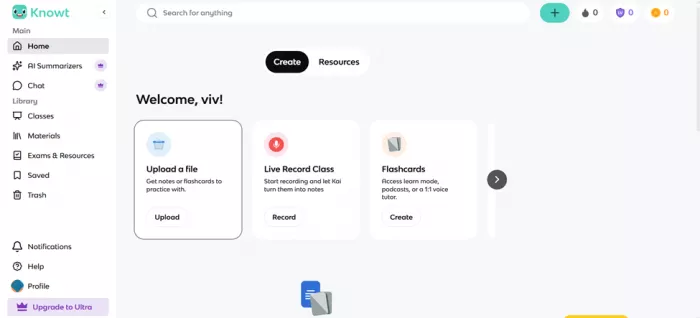
For context, Knowt sells itself as the study tool you do not have to pay for. The promise is that you can hand it your own material (notes, PDFs, slides, even a lecture video) and it will spin that into flashcards, practice tests, and study guides. It also ships an AI study buddy called Kai that answers questions about your material. Its own upgrade screen claimed 7,850,304 learners while I was signing up, so plenty of people are already inside. I stayed on the free tier the whole time, because that is the version most students will actually use.
Getting in was the smoothest part
The front door is welcoming. Knowt gives you a wide spread of ways to sign in, including the school-friendly options that matter if your class already runs on a district login. I went with email, and here is the first small win: instead of forcing me to invent yet another password, it sent a one-time code to my inbox and let me in with that. Low friction, nothing to forget later.
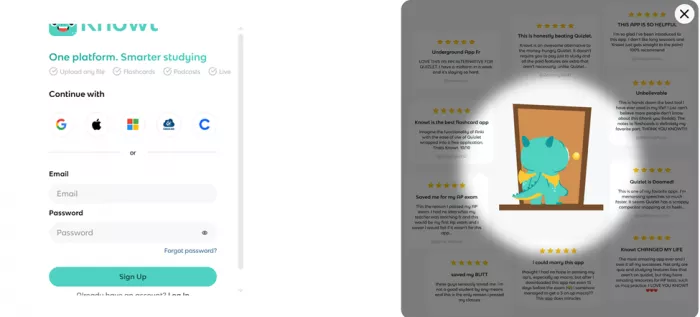
| Way to sign in | Notes from my session |
|---|---|
| What I used. Sends a one-time code (OTP), so there is no new password to create. | |
| Standard one-tap account sign-in. | |
| Apple | Handy on iPhone and Mac. |
| Microsoft | Useful if your school runs on a Microsoft account. |
| Clever | The district single sign-on many US schools use. |
| ClassLink | Another school portal login for managed accounts. |
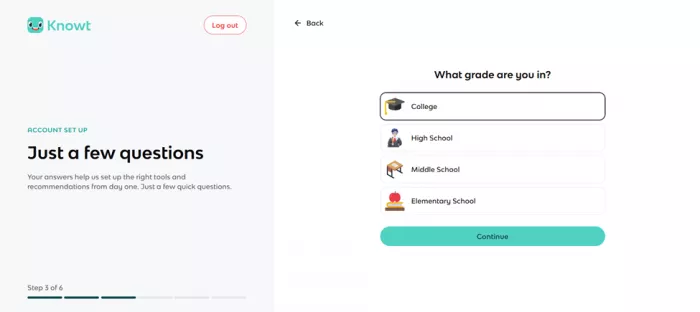
Once I was in, Knowt ran me through a short setup questionnaire: my name, a username, my age, whether I was a student or a teacher, and my grade level. It closed with a quick tour of the main features, including a walkthrough of how to upload a file to turn it into study material. It is a friendly onboarding, though it does ask for a fair bit about you before you have made anything. One reviewer bluntly pointed out that a flashcard app does not need this much personal detail. It is standard for edtech, but the observation is fair.
Then, before I had made a single flashcard, the paywall
Right after the tour, Knowt slid its Ultra upgrade screen in front of me, and it is a whole production. There is a countdown timer telling you the offer expires in a few minutes. There is a three-day trial laid out day by day: instant access today, your card charged on day three, and swag on day five if you go annual. There is even a line dangling a free hoodie if you invite two friends to your plan. Here is a stripped-down recreation of what greeted me:
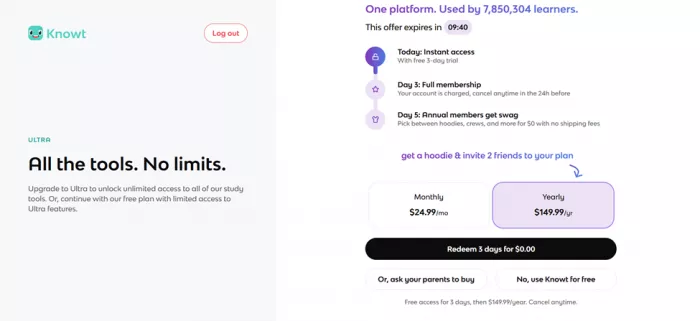
What the upgrade screen showed All the tools. No limits. This offer expires in 09:40 Day 1, instant access: starts a free 3-day trial Day 3, full membership: your card is charged, cancel any time before Day 5, annual members get swag: pick a hoodie or crew, shipped for $0 Monthly $24.99/mo Yearly $149.99/yr (selected) Buttons: Redeem 3 days for $0.00 / Or, ask your parents to buy / No, use Knowt for free |
I want to be fair here, because the exit does exist and it is not hidden. But the combination of a ticking clock, a day-three charge, and an “ask your parents to buy” button tells you two things at once: the audience skews young, and the growth playbook is turned up to full volume. It is a lot to throw at someone who has not created anything yet. The saving grace is the button in the corner. I tapped “No, use Knowt for free,” it cost nothing, and the full free app opened right up. So I did not have to pay a cent to keep going, which is exactly what most students will want to do.
What the tiers actually cost
For reference, here is how the plans break down, using the prices Knowt showed me and what its own listings describe. The short version: the free plan is the real product, and the paid tiers are for heavy AI users and teachers.
| Plan | Price | What you get |
|---|---|---|
| Free | $0, no card required | Flashcards, notes and study modes Import sets from Quizlet Learn Mode, practice tests, spaced repetition A daily allowance of AI chat and summaries Ad-supported |
| Premium | $5/mo, or about $35/yr | Advanced learning stats Early access to new AI features Extra quiz customization A premium badge and, per listings, a lighter ad load |
| Ultra | $149.99/yr, or $24.99/mo, 3-day trial | Unlimited Kai chat Unlimited AI summaries Teacher tools and auto-graded assessments Annual-member swag |
Two features, two very different results
With the free app open, I went after the two things that define Knowt: turning my own file into study material, and asking its AI for help. One of them fell flat. The other genuinely impressed me.
The Summarize and upload feature, which would not budge
This is the marquee trick, the thing the onboarding tour specifically walked me through: hand Knowt a file and get study material back. So I went to Summarize and tried to upload. Nothing advanced. I tried again. Still nothing. I tried a few more times, and each attempt hit the same invisible wall, with no clear message explaining what had gone wrong or what to do about it. For the single feature that the whole product is built around, that was the low point of the afternoon.
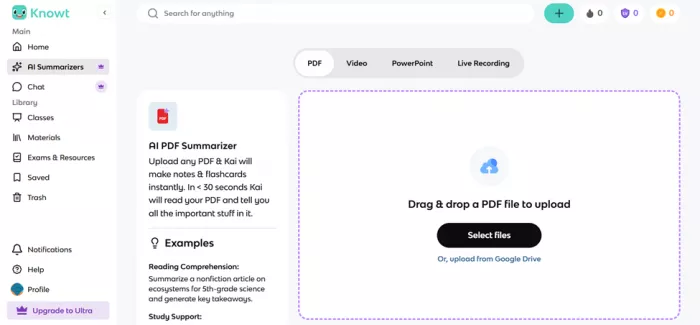
Where it broke The upload simply would not proceed past selecting the file, with no error to guide me. To be fair, this could be a browser hiccup, a file-type quirk, or a temporary glitch rather than a permanent flaw. I am also not the only person to run into rough patches: other reviewers mention content that fails to save and pages that load slowly. So if you sign up, test the upload early, before you rely on it for a real deadline. |
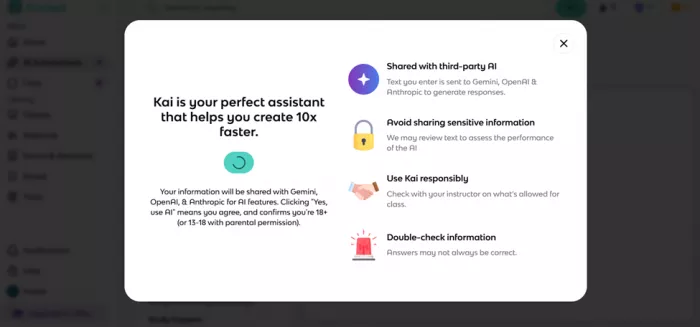
The AI chat (Kai), which actually delivered
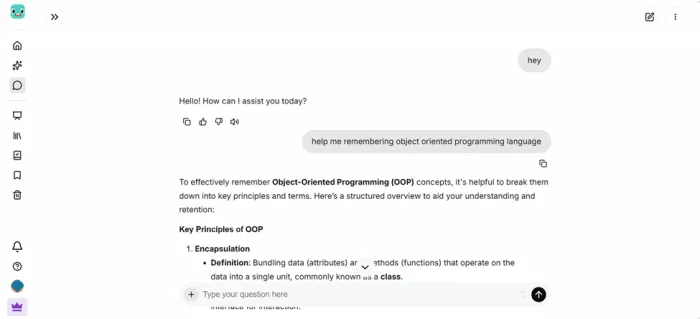
Since the app would not let me upload, I went where it would let me go: the chat. I asked Kai to explain object-oriented programming, a topic that is easy to explain badly. It came back with a clear, correct overview. Then I asked it to go deeper, and it expanded with more detail without wandering off or losing the plot. For a free-tier study chat, that is genuinely useful. It is the kind of on-demand explainer you would otherwise open a separate AI tab to get, sitting right inside the study app.
Worth knowing Free users get a limited number of Kai messages per day, and unlimited chat is one of the main reasons to pay for Ultra. It also works best when it is grounded in notes you have uploaded, so it can point at your actual material. For quick concept questions like mine, though, the free allowance did the job nicely. |
Everything Knowt says it does, and what's free
I could only fully exercise a slice of the app in one session, so here is the broader feature set, marked by what sits on the free plan and what needs a paid tier. This is drawn from Knowt's own materials and from other hands-on reviews, so you can see where the ceiling is before you invest your time.
| Feature | What it does | Free? |
|---|---|---|
| AI flashcard maker | Turns notes, slides, PDFs and videos into flashcard sets in seconds. | Free |
| Import from Quizlet | Brings your existing Quizlet sets over, usually in a click. | Free |
| Learn Mode | Adaptive review that leans into what you keep missing. | Free |
| Practice tests | Generates exam-style questions from your material. | Free |
| Spaced repetition | Schedules reviews to help things actually stick. | Free |
| AI summaries | Condenses long notes, PDFs and lectures into study guides. | Free, capped |
| AI chat (Kai) | Answers questions about your notes and explains concepts. | Daily limit |
| Note-taking | Faster note capture, including from lecture recordings. | Free |
| AP and exam guides | Ready-made study guides and practice for standardized tests. | Free |
| Teacher tools | Rubrics, lesson prompts, and auto-graded assessments. | Some Ultra |
| Cross-device sync | Your material follows you between web and mobile apps. | Free |
| Rewards and swag | Points, coins and streaks you can trade for perks and merch. | Free |
Beyond my session
What other users keep saying
One afternoon is a single data point, so I read through the app stores and review sites to widen the picture. The pattern is consistent: people love that the core is free and fast, and the loudest complaint by far is about ads on the free plan. Here is a balanced slice of that feedback, kept in the spirit of what reviewers actually wrote.
| Source | Rating | What they say |
|---|---|---|
| App Store | ★★★★★ | It turns studying into a game, with points, coins and streak freezes, and you can even trade rewards for real merch. It finally made me want to open my notes. |
| Google Play | ★★★★☆ | Miles ahead of Quizlet on free features. The one real gripe is search, which seems to match only the first letter of whatever you type. |
| Google Play | ★★★☆☆ | It used to be the generous free option. Lately more things sit behind a paywall, and the ads have gotten heavy enough to slow the app down. |
| Trustpilot | ★★☆☆☆ | The ads are the dealbreaker. On flashcards they sometimes sit right over the check and cross buttons, and the pop-up videos make it hard to focus. |
| Review sites | ★★★☆☆ | Turning class notes into flashcards feels like magic and the interface stays simple, but the auto-generated quiz questions can be too basic and need editing. |

| What people praise most | What people complain about most |
|---|---|
| The core is genuinely free, no bait and switch on the basics | Intrusive ads on the free plan, sometimes over the buttons |
| Notes into flashcards in seconds saves real hours | A few once-free features have drifted behind paid tiers |
| Strong spaced repetition and Learn Mode | Occasional glitches, like content not saving or slow loads |
| One-click Quizlet import and fun rewards | Written answers can demand exact wording to be marked right |
My pros and cons, from this session
| What worked for me | What held it back |
|---|---|
| The free plan is real and useful, not a locked demo | The upload and Summarize feature would not work at all for me |
| Kai explained a tricky concept clearly, then went deeper on request | The upgrade screen is pushy, with a countdown and a day-three charge |
| Wide sign-in options, including school portals | Free Kai chat is capped, so heavy users will hit the ceiling |
| Email login uses a code, so there is no new password to forget | The free tier carries ads that many users find distracting |
| Skipping the paywall was one honest tap and cost nothing | Onboarding asks for a lot before you have made anything |
Who Knowt fits, and who it doesn't
| Reach for it if you are | Look elsewhere if you |
|---|---|
| A student who wants free flashcards and study modes | Need a fully ad-free screen without paying |
| Anyone leaving Quizlet because of its paywalls | Will blow past the free AI limits quickly |
| Someone after a quick, on-demand explainer for a concept | Want deep, Anki-level customization |
| Motivated by streaks, points and little rewards | Must have the upload feature working on day one |
The verdict, based on my session
A promising free tool I'd keep, and go into with patience
Here is where I landed after actually using it. The free plan is not a teaser, it is the product, and that alone puts Knowt ahead of a lot of study apps that lock the basics away. The AI chat was the real surprise of the day: I asked it to explain something genuinely easy to botch, and it explained it well, then went deeper when I pushed. That is a study companion I would come back to.
The letdowns were just as real. The upload and Summarize feature, the very thing the app is built around, would not work for me no matter how many times I tried, and that is a hard thing to overlook. The upgrade screen also leans on a countdown clock and an “ask your parents” button, which feels like a lot of pressure to aim at students before they have made a single card. So I would not rush to pay on day one, and neither should you.
My honest advice: make the account, tap past the paywall, and lean on the chat and flashcards. Treat the file upload as a bonus until it proves it works on your device, and only think about Ultra once you know you are hitting the free AI limits and love the app enough to want more of it.
Final verdict Overall grade: B Recommended for free use, with eyes open. Great value and a strong AI chat, dinged by a broken upload and pushy monetization. Test the features that matter to you before you trust a deadline to it. |
Comments