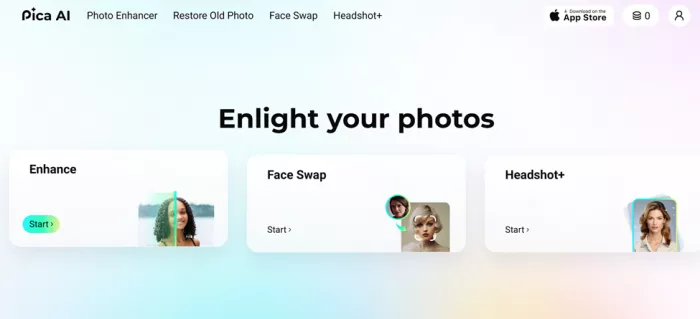
Type "Pica AI" into a search bar and the pitch sells itself: swap any face in a click, turn a handful of selfies into studio headshots, breathe color back into a faded family photo, all from a browser tab, no software, no skills required. The homepage leans hard into that effortlessness, and for a tool aiming at people who have never opened a photo editor in their lives, it's an appealing promise. But a slick landing page and a working product are two different things, and the gap between them usually shows up the moment you actually start clicking. So that's what this review does: sign up, spend the free credits, and put each headline feature through a real test to see how much of the promise survives contact with the paywall.
5.5 / 10 | THE VERDICT, IN ONE LINE It's a friendly front door to AI photo editing, but nearly every interesting room is locked, and the free samples that do open don't make a strong case for the key. |
A Login That Wastes No Time
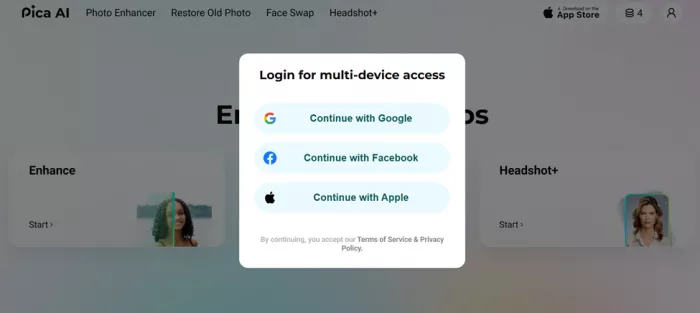
Signing up takes seconds, and the platform leans entirely on social login. Google, Facebook, and Apple are the three doors on offer, with no traditional email-and-password path in sight. Picking the Google option dropped straight into the dashboard with no verification email, no confirmation link, and no waiting around. For a casual user who just wants to see what the tool can do, that frictionlessness is a genuine plus. It also quietly means the account is tied to a third-party identity from the very first second, which is worth keeping in mind for anyone who prefers to keep throwaway logins separate from their main Google or Apple account.
What landed in the account afterward sets the tone for everything that follows: four credits. That number isn't a fluke of one session. It's the standard free allocation, and other reviews report the exact same figure, several of them noting that the balance stays stubbornly at four even after logging out and back in. The credits don't quietly top up overnight in the way some rival tools refresh a small daily allowance, so the four you start with are effectively the four you get to spend before a decision about money has to be made.
The math matters here because it shapes the entire trial. A single-person face swap costs one credit, and a multi-person swap costs two. In other words, four credits stretch to roughly two or three meaningful attempts before the well runs dry. That is enough to form a first impression, but nowhere near enough to iterate, compare styles, or test the tool against the variety of photos a real user would throw at it.
THE TAKEAWAY The free tier isn't really a trial. It's a single taster bite, designed to tell you whether you're hungry enough to pay for the meal. |
3 LOGIN OPTIONS: GOOGLE, FACEBOOK, APPLE | 4 FREE CREDITS GRANTED ON SIGN-UP | 1–2 CREDITS PER FACE SWAP |
Three Tools, Three Outcomes
Rather than take the marketing copy at its word, each headline feature got a direct test using recognizable faces. Famous faces make a good stress test, because any flaw in the result jumps right out at you. Here's exactly what happened.
TOOL 01 · FACE SWAP
Drake onto a child, and it shows
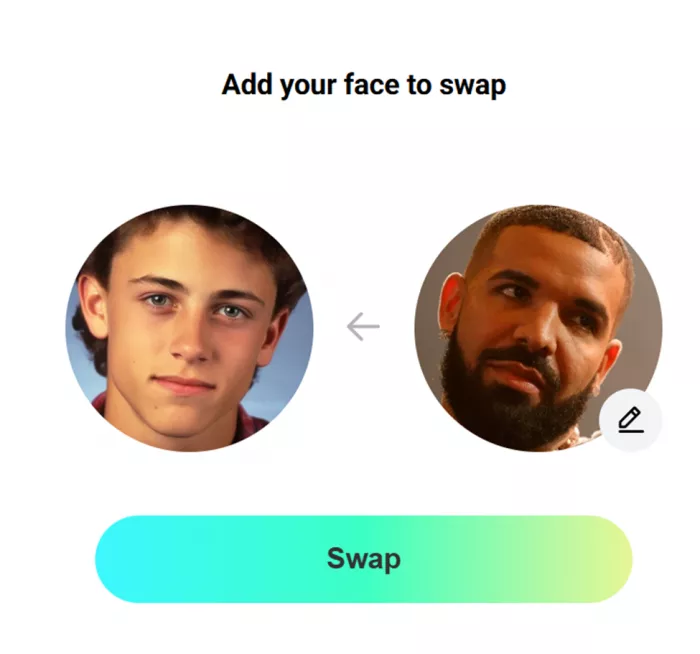
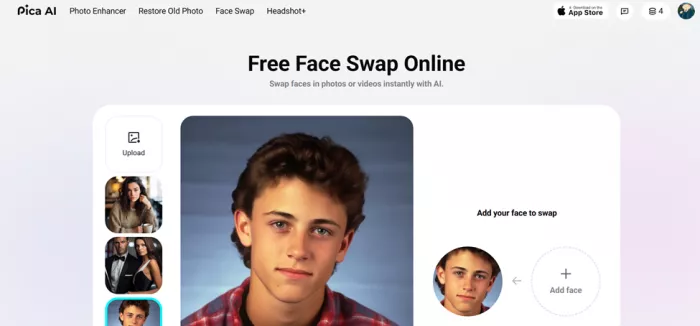
The tool opened with a preloaded photo of a kid as the base, the kind of friendly sample image meant to get a newcomer clicking. The swap brought in Drake's face. The output landed somewhere in uncanny territory. Instead of a believable blend, the new face read as pasted on, like a layer floating on top of the original rather than settling into its lighting, skin tone, and proportions.
The edges where the new face met the original head never fully dissolved, the lighting on the swapped face didn't match the scene it had been dropped into, and the overall effect was of a sticker rather than a seamless transplant. The promised “fit-in” simply never happened. To be fair, face swaps between a grown adult and a child are an unusually hard case, since the underlying face shapes are so different, but a tool that markets itself on realistic results invites exactly that kind of test, and it stumbled.
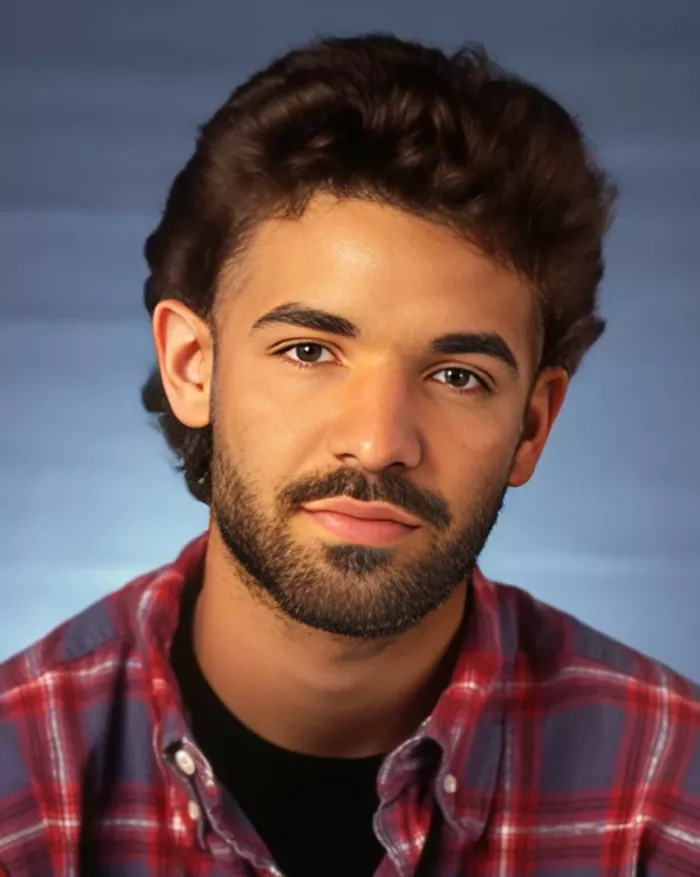
| RESULT: COMPLETED, BUT UNCONVINCING |
TOOL 02 · AI HEADSHOT GENERATOR
Six photos of Brad Pitt, then a wall
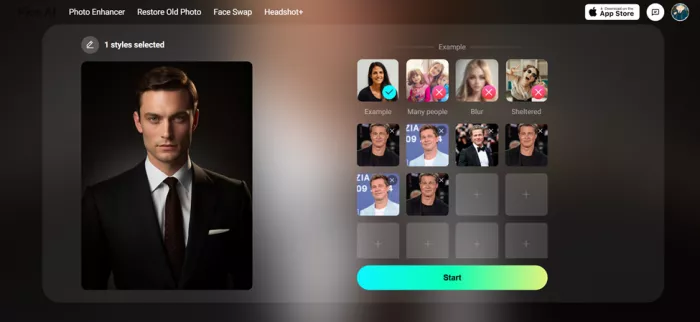
The headshot generator is the feature with the most obvious real-world appeal, so it got the most thorough attempt. The flow asks for a style first, presenting a grid of preloaded sample portraits that show the kind of polished, professional look the tool is aiming for, from corporate-neutral backdrops to softer lifestyle setups. After picking one style, the next step asks for six to seven of your own images so the model has enough angles and expressions to learn a face from.
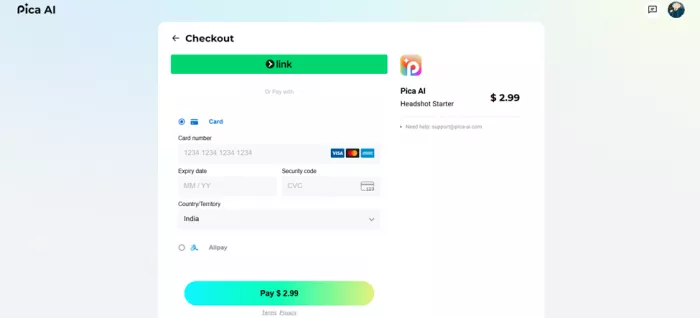
Six photos of Brad Pitt went in, one at a time, and the Start button was the natural next click. That button led not to a generating screen, not to a progress bar, but to a payment page. Every bit of the setup ritual, choosing a style and uploading a full set of training images, happened before the paywall revealed itself. There was no preview, no watermarked sample, no single free result to judge the quality against. The effort was front-loaded and the reward was gated, which is the most frustrating possible order for a user who has just invested several minutes of uploading.
| RESULT: BLOCKED AT CHECKOUT, NO OUTPUT |
TOOL 03 · PHOTO ENHANCER
A redirect to an entirely different site
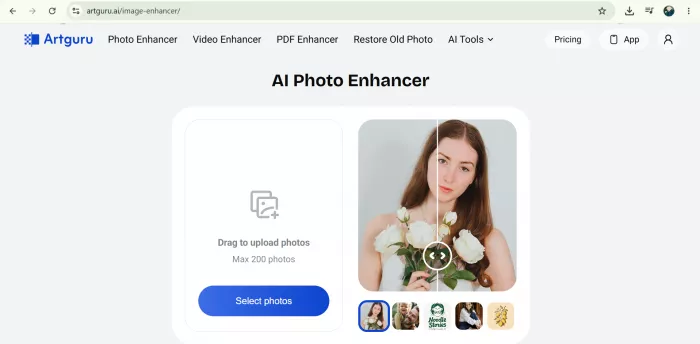
Clicking the Photo Enhancer produced the strangest moment of the whole session. It didn't stay on Pica AI at all. Instead, it handed off to Artguru, a completely separate website with its own branding and its own layout. This isn't a glitch or a misclick. Pica retired its in-house enhancer and migrated the feature over to Artguru in late October 2025, a change the site itself flags with a small notice. The trouble is that the handoff is jarring from a user's point of view: you click a tool inside one product and find yourself on another company's domain without much warning. And the destination greeted the visit with its own subscription wall, which made any actual enhancement impossible to test on the free tier. Two products, two paywalls, and still no enhanced photo to show for it. For anyone who came specifically for photo enhancement, the most prominent tool on the homepage, this is the least satisfying path of the three.
| RESULT: REDIRECTED OFF-SITE, THEN PAYWALLED |
THE THREE TESTS AT A GLANCE
| TOOL | WHAT WAS TRIED | RAN FOR FREE? | OUTCOME |
|---|---|---|---|
| Face Swap | Drake's face onto a preloaded photo of a child | Yes | Completed, but looked pasted on |
| AI Headshots | One style chosen, six Brad Pitt photos uploaded | No | Blocked at a payment page |
| Photo Enhancer | Clicked the enhancer to upscale an image | No | Redirected to Artguru, then paywalled |
The Free Tier Is a Trailer, Not a Demo
Put the three tests side by side and a clear shape emerges. The features that ran for free produced mediocre results, and the features that might have impressed were gated before producing anything at all. The face swap, which was free to use, was the one that disappointed. The headshot generator, which might well have produced something polished, never got the chance to prove it because the paywall arrived first. Four credits is just enough to surface the weakest output while keeping the strongest output safely behind a card form.
The face swap was free enough to disappoint. The headshots were polished enough to charge for. The free tier shows just enough to make the upgrade tempting, and just little enough to make it feel necessary.
This isn't a quirk of one bad session, either. Other reviewers describe the same monetization friction and arrive at the same caveat: results hold up reasonably well for casual, well-lit selfies, but they fall apart on harder material like celebrity likenesses or low-light photos, where lighting and proportion mismatches become glaring. One long-time user quoted in a review complained that after a product update they had to pay again to remove a watermark they had already paid to lose, a sign that the monetization has only tightened over time. The paywall, the four-credit ceiling, and the off-site enhancer handoff are all consistent, repeatable parts of the experience rather than one-off stumbles, which makes them fair to judge.
It's worth naming what the tool does get right in this same breath, because the friction isn't the whole story. The interface is clean and uncluttered. The preloaded samples genuinely lower the barrier for someone who has never used an AI editor and wouldn't know where to start. Nothing about the experience felt broken or buggy in the way half-finished apps often do. The problem is not competence; it is generosity. The product is built to convert curiosity into a subscription as quickly as possible, and it spends very little of its free allowance actually demonstrating that the paid version is worth having.
The Price of Getting Past the Wall
Since the paywall is the gatekeeper to almost everything interesting, it's worth understanding what sits behind it. Pica AI runs on a freemium credit model layered with subscriptions. Here is roughly what the tiers look like:
| OPTION | ROUGH PRICE | WHAT YOU GET |
|---|---|---|
| Free tier | $0 | Four credits total, basic access, watermarked or limited output |
| One-time pack | from ~$2.99 | A single batch of results with no recurring charge |
| Entry plan | ~$5.99 / mo | Higher caps and better output, but no commercial rights |
| Top tier | ~$39.99 / mo | Highest caps plus commercial usage rights |
The detail that catches people out is that commercial usage rights are reserved for the top tier. A solo creator who wants to put a swapped image or a generated headshot in an advertisement, on a product, or anywhere money is involved would need the premium plan, not the cheapest one.
For the use case most people land on this kind of tool for, a single round of professional-looking headshots, the cheapest sensible route is a one-time pack or a single month of the entry plan, cancelled afterward. There is no need to commit to an annual subscription to find out whether the output is any good.
WATCH OUT FOR One user reported a product update reintroduced a watermark on content they'd already paid to keep clean. Confirm exactly what your tier removes before paying for anything public-facing. |
Context helps explain the aggressive monetization. AI photo editing has gone mainstream, and AI headshots in particular became a minor craze through 2025 and into 2026, with people happily paying a few dollars for studio-style portraits rather than booking a photographer. Pica AI is one of many tools riding that wave, and the crowded field is part of why the free tier is kept so thin. It's also why the legal backdrop is tightening: new 2026 regulations in places like Texas and the European Union are pushing AI image tools toward mandatory labelling of synthetic media and clear disclosure of deepfakes, which is part of why every face-swap product now ships with watermarks and terms-of-service warnings attached.
What Works and What Doesn't
IN ITS FAVOR + Onboarding is genuinely fast, with social login and no email verification gauntlet. + The interface is clean and the tool layout is easy to navigate. + Style presets and preloaded samples make the first click effortless for newcomers. + Plenty of breadth on paper: swap, headshots, enhancement, and restoration. | WORKING AGAINST IT – Only four free credits, which isn't enough to evaluate the tools honestly. – Face-swap quality looked pasted on rather than blended. – The headshot paywall appears only after you've done all the uploading work. – The Photo Enhancer punts you to a third-party site, Artguru, with its own subscription. – No email-based signup, since everything is tied to a social account. |
Worth a Look, Not Yet Worth a Card
Pica AI is approachable, quick to start, and visually tidy, and that counts for something with people who have never touched an AI photo tool before. The login is painless, the layout makes sense, and the sample-driven design means a complete beginner can produce their first result without reading a single instruction. But approachability is where the goodwill runs out. The free experience answers almost none of the questions a cautious buyer would actually ask, because the moment a feature gets interesting, it either asks for money or sends you somewhere else entirely.
The face swap, the one tool that ran from start to finish, didn't make a convincing argument for the paid plans. The result looked pasted on rather than blended, which is exactly the impression a tool selling realism cannot afford to leave. And getting bounced to a separate website for photo enhancement chips away at the feeling that this is one cohesive product, rather than a landing page bundling a few different services together under one logo.
SO WHO IS IT ACTUALLY FOR?
The answer depends entirely on what you walked in wanting. Here's the quick read:
| IF YOU ARE | VERDICT | WHAT TO DO |
|---|---|---|
| Just here for fun | Worth a look | The free credits cover a laugh or two. Use an easy, well-lit photo and keep expectations low. |
| After pro headshots | Proceed with care | Pair a one-time pack or a single cancellable month with sharp, evenly-lit source images. Test before you trust. |
| Needing commercial use | Budget up | Only the top tier grants commercial rights, so price that in from the start and confirm the watermark is gone. |
THE BOTTOM LINE, IN SHORT
+ Treat it as a curiosity worth a few minutes, and judge it only on what runs without a checkout screen.
+ If the free swaps don't impress, and they may not, don't assume the locked features will do better.
+ The tool isn't bad so much as it is stingy, and in a crowded market that's a hard way to win a skeptic over.
The bottom line: a smooth front door to a house where most of the rooms are locked, and the one room left open isn't the one that sells the place.
Comments