Table of Contents
- How these were judged
- The 30-second cheat sheet
- 1. NovelAI : the anime purist's pick
- 2. Niji Journey : the cinematic stylist
- 3. Stable Diffusion : the control freak's playground
- 4. Leonardo AI : the all-in-one studio
- 5. Adobe Firefly : the commercial-safe professional
- 6. Recraft : the vector illustrator
- How to actually choose
- The real shift in 2026
There is no single "best" AI art tool and anyone who tells you otherwise is selling something. There is only the best tool for the style in your head. A crisp manga panel, a cinematic anime key-visual, a flat vector mascot, and a brand-safe editorial illustration are four different jobs, and no single model wins all four.
So this list is built backwards from the usual ranking. Instead of crowning a champion, each tool below is matched to the aesthetic it actually nails, plus the honest trade-offs that come with it. Find the style you're chasing, and the tool picks itself.
How these were judged
Every tool was weighed on five things that actually matter once you're past the first pretty render:
● Style fidelity : how faithfully it produces the look, not just a look
● Control: can you steer pose, composition, and character consistency, or only re-roll and pray?
● Learning curve : minutes to first good result vs. weeks to mastery
● Value : real cost per usable image, not the headline price
● Rights : who owns the output, and is it safe to sell?
Ratings are broken into sub-scores (Style / Control / Ease / Value) because a tool that's a 9 for one creator is a 4 for another. Read the sub-scores, not just the average.
The 30-second cheat sheet
| If you want | Reach for | Why |
| Clean anime & manga linework | NovelAI | Purpose-built anime model, tag-level control |
| Cinematic, painterly, "wallpaper" anime | Niji Journey | The most beautiful one-click output |
| Total control & custom styles (free) | Stable Diffusion | Open-source, infinite models and LoRAs |
| Game art, concept art & an all-in-one suite | Leonardo AI | Browser studio with posing, editing, presets |
| Brand-safe illustration you can legally sell | Adobe Firefly | Licensed training data + indemnification |
| Editable vector art, icons & logos | Recraft | The only one that outputs true SVG |
Now the full breakdowns.
1. NovelAI : the anime purist's pick
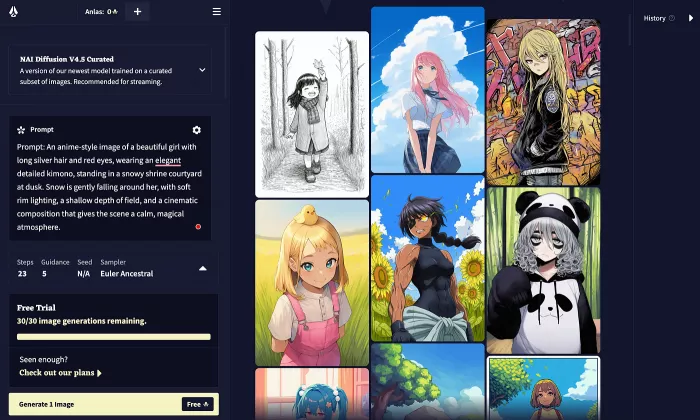
Verdict: The tool that treats anime as a first language, not an afterthought.
Signature style: Clean, high-fidelity anime and manga illustration character portraits, expressive poses, illustration-style scenes. Its NAI Diffusion models are trained specifically on anime and illustration datasets, so it hits a style accuracy that general-purpose tools chase but rarely match. It's a specialist, not a generalist.
Key features:
● Purpose-built anime diffusion models (current line: Anime V4)
● Danbooru-style tag prompting with fine-grained negative control you compose by anime tags, not plain sentences
● Image-to-image and inpainting to refine a piece instead of re-rolling from scratch
● Permissive content policy and end-to-end encrypted storage even staff can't read your work
● Bundled with a full AI story-writing suite, so it doubles as a fiction toolkit
Workflow: Describe a character or scene in anime tags (traits, mood, framing, background) → generate → iterate by adjusting tags or using img2img/inpainting to fix hands, faces, and composition. The catch: precise, tag-heavy prompts produce sharp portraits, while vague prompts give softer, muddier line art. The real skill is learning the tag vocabulary.
Pros & Cons:
| Pros | Cons |
| Best-in-class for the specific anime aesthetic | Anime-only useless for realistic or photographic work |
| Strong privacy and creative freedom | Tag system takes real time to learn |
| Great combined value if you also write stories | No public API for external workflows |
| Fast iteration with img2img and inpainting | Lower tier caps image resolution and speed |
Pricing (2026): Free Paper tier with roughly 30 image generations a month. Paid: Tablet $10/mo, Scroll $15/mo, Opus $25/mo. Images run on Anlas credits (Tablet gives 1,000/mo; Opus gives 10,000 plus effectively unlimited standard-size single images). No annual discount.
Best for: Anime artists, manga creators, and indie visual-novel or game devs who want the anime look done right and who value privacy.
Skip it if: You want realistic, painterly, or general illustration, or you need a plain-English prompt box. The tag system will frustrate you.
Rating: Style 9/10 · Control 8/10 · Ease 6/10 · Value 8/10
2. Niji Journey : the cinematic stylist
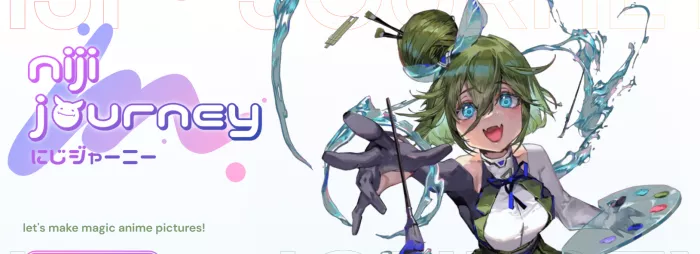
Verdict: When you want a picture that looks like an anime studio's promotional key-visual, this is the shortcut.
Signature style: Lush, painterly, atmospheric anime dramatic lighting, rich color, "I'd set that as my wallpaper" polish. It spans chibi, action scenes, expressive portraits, and scenic landscapes without breaking a sweat. It trades a little literalism for a lot of beauty.
Key features:
● Built by Spellbrush + Midjourney specifically for anime and illustration
● Runs on the same subscription as Midjourney switch to anime with a single --niji 7 flag
● Style references (--sref) for carrying a look across a set of images
● Latest Niji 7 model (launched January 2026) sharply improved eyes, hands, and line quality
● Commercial use included on every paid plan
Workflow: Prompt in natural language (Discord or the web app), append --niji 7, generate four variations → upscale the winner or vary it further → use style references to keep a consistent look across a series. It's the fastest path from idea to something genuinely beautiful. The weakness shows when you demand precise control of in-image text and complex mechanical objects still trip it up, and character consistency drifts as prompts get more demanding.
Pros & Cons:
| Pros | Cons |
| Arguably the most beautiful anime output available | No true free tier (only a small mobile trial) |
| Extremely low effort for a stunning first result | Weaker fine control than tag-based or local tools |
| Huge stylistic range in one model | Lower plans make your images public by default |
| Commercial rights on all paid plans | You pay for GPU speed, not a set number of images |
Pricing (2026): No free tier. Basic $10/mo, Standard $30/mo, Pro $60/mo, Mega $120/mo 20% off billed annually. Niji is bundled into all of them. Basic includes ~3.3 fast GPU hours (a few hundred images); unlimited "relax mode" generation kicks in at Standard; privacy (Stealth) starts at Pro.
Best for: Illustrators, concept artists, and content creators who want gorgeous anime art fast and don't need surgical control.
Skip it if: You need editable output, exact character consistency across dozens of images, or a free way to work.
Rating: Style 10/10 · Control 6/10 · Ease 9/10 · Value 7/10
3. Stable Diffusion : the control freak's playground
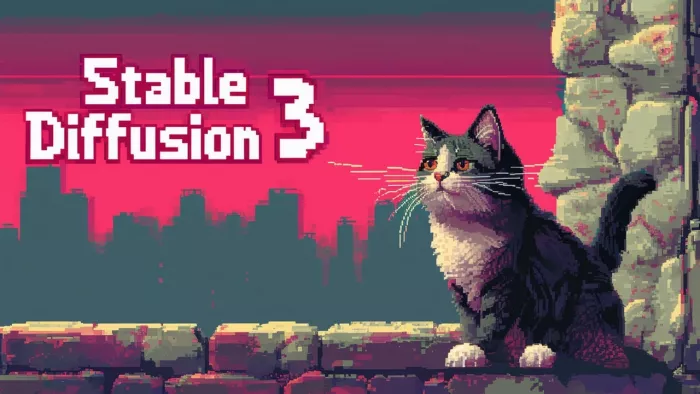
Verdict: The most powerful and most demanding option is a bare engine you bolt your own dream car onto.
Signature style: Whatever you want. With community anime checkpoints like Illustrious XL, Pony Diffusion V6, Animagine, and NoobAI, plus thousands of LoRAs, you can dial in a look from webtoon-clean to painterly to a specific artist's vibe. Nothing else matches this range if you put in the work.
Key features:
● Free and open-source; run it locally or on a rented cloud GPU
● Enormous ecosystem of specialized anime models and LoRAs on Civitai
● ControlNet for exact pose, depth, and composition control
● Interfaces from beginner-friendly (Forge, A1111) to node-based power tools (ComfyUI)
● Fully private and offline-capable nothing leaves your machine
Workflow: Pick a base model for your target style → write a tagged prompt → optionally add a LoRA for a character or aesthetic, and ControlNet for a locked pose → generate, inpaint, upscale. Once your pipeline is dialed in, you get repeatable, professional results no subscription tool can touch. Getting there means installing software, managing models, and learning settings. This is a hobby before it's a shortcut.
Pros & Cons:
| Pros | Cons |
| Unlimited style range via community models & LoRAs | Steep setup and learning curve |
| Free to run and completely private | Needs a capable GPU (or paid cloud time) |
| Deepest control of any tool (ControlNet, inpainting) | Check model licenses before selling some restrict commercial use |
| No subscription, ever | You are your own tech support |
Pricing (2026): The software is free. Real cost is hardware (a GPU with roughly 8GB+ VRAM for SDXL models) or cloud GPU rental if you don't own one. No per-image fees.
Best for: Technically comfortable creators who want maximum control, custom styles, character consistency, and zero recurring cost.
Skip it if: You want to type a prompt and get a great image in 30 seconds with no setup. This isn't that.
Rating: Style 10/10 · Control 10/10 · Ease 3/10 · Value 9/10
4. Leonardo AI : the all-in-one studio
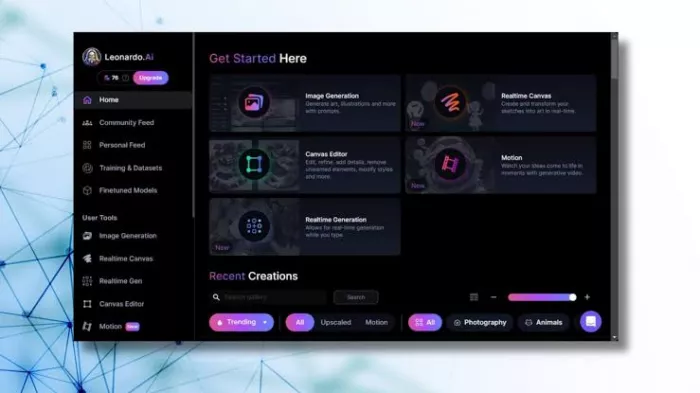
Verdict: The comfortable middle ground most of Stable Diffusion's control, none of the install headaches.
Signature style: Versatile, leaning toward game art, concept illustration, and character design. Dedicated presets (including a native Anime mode, Concept Art, and Illustrative) let you swing between looks, and it now hosts frontier third-party models alongside its own. A generalist that's genuinely good at illustration.
Key features:
● Browser-based studio no Discord, no local install
● Style presets plus ControlNet-style posing and edge control
● Real-time canvas for iterating as you sketch
● Custom model training on your own images (paid tiers)
● Now Canva-owned, bundling multiple models under one subscription
Workflow: Choose a preset or model → prompt in plain language → refine with image guidance, posing, or the real-time canvas → upscale and edit in-app. The preset-driven approach makes it far more approachable than raw Stable Diffusion while keeping much of the control. Output quality leans heavily on picking the right preset, so early results vary until you learn which mode fits your goal.
Pros & Cons:
| Pros | Cons |
| Powerful control with a friendly browser UI | Token system makes cost less predictable |
| Strong for game/concept art and character design | Not as specialized for pure anime as NovelAI or Niji |
| Genuinely useful free tier | No editable vector output |
| Custom training + built-in editing tools | Heavy/video use burns tokens fast |
Pricing (2026): Free tier with 150 tokens/day (public images). Paid: Essential $12/mo, Premium $30/mo, Ultimate $60/mo, roughly 20% off annually. Paid plans include unlimited generation on Leonardo's own models; tokens mainly gate premium third-party models and video. Commercial rights on all paid plans.
Best for: Game developers, concept artists, and designers who want strong control and an all-in-one toolkit without technical setup.
Skip it if: You want the single most beautiful anime render (Niji) or fully offline, unlimited local generation (Stable Diffusion).
Rating: Style 8/10 · Control 8/10 · Ease 8/10 · Value 8/10
5. Adobe Firefly : the commercial-safe professional
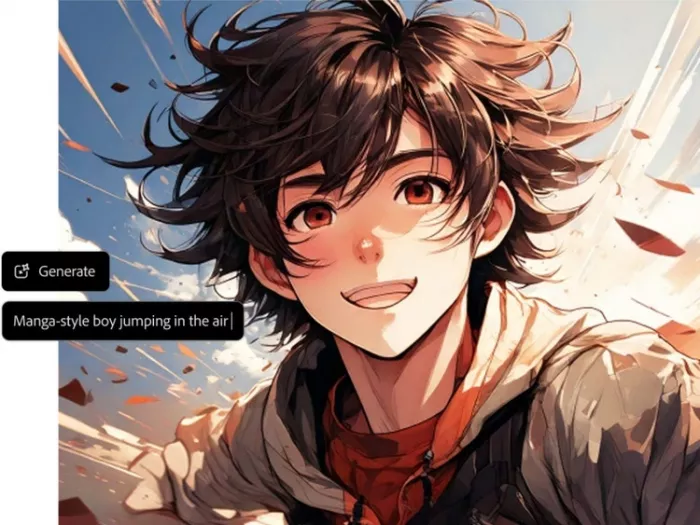
Verdict: The one you use when a lawyer might one day ask where the image came from.
Signature style: Clean, controlled, brand-friendly illustration and design. Firefly won't win a beauty contest against Niji for stylized anime, but it delivers predictable, professional, commercially defensible results and it lives right inside Photoshop and Illustrator.
Key features:
● Trained only on Adobe Stock, licensed, and public-domain content every output is cleared for commercial use, with enterprise indemnification
● Deep Creative Cloud integration (Generative Fill in Photoshop, Generative Recolor in Illustrator)
● Text-to-image, vector, video, and sound generation in one family
● Content Credentials for provenance and transparency
● Custom brand models for enterprise consistency
Workflow: Generate in the Firefly web app or straight inside your Adobe tools → refine with Generative Fill/Expand → finish in Photoshop or Illustrator without leaving your pipeline. For anyone already living in Creative Cloud, it's the least disruptive AI in this list. The trade-off is expressive range: it favors safe and on-brand over daring and experimental, so it's weaker for edgy or highly stylized anime.
Pros & Cons:
| Pros | Cons |
| Commercially safe licensed data + indemnification | Less striking/artistic than Midjourney or Niji |
| Seamless Photoshop & Illustrator integration | Weaker for stylized or experimental anime |
| Standard image generation is unlimited on paid plans | No custom style/model training for individuals |
| Provenance built in for professional transparency | Best value only if you're already in Creative Cloud |
Pricing (2026): Free tier with 25 credits/mo. Standalone: Standard $9.99/mo, Pro $19.99/mo, up to Premium $199.99/mo for studios. Also bundled into Creative Cloud All Apps (~$60/mo). On paid plans, standard image generation doesn't consume credits credits are for premium features like video.
Best for: Agencies, marketers, and Creative Cloud users who need legally safe illustration integrated into a professional workflow.
Skip it if: You want maximum artistic punch or specialized anime output, and commercial safety isn't a concern.
Rating: Style 7/10 · Control 8/10 · Ease 9/10 · Value 8/10
6. Recraft : the vector illustrator
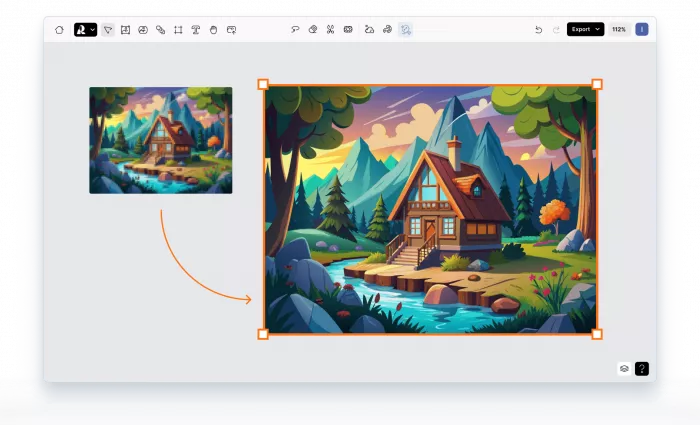
Verdict: The odd one out, and the only right answer for a whole category everyone else ignores.
Signature style: Flat, graphic, brand-forward illustration icons, logos, mascots, editorial spot art. Its superpower isn't the render; it's the format. Recraft outputs true, editable SVG vectors, so a design scales cleanly from favicon to billboard and opens straight in Illustrator or Figma.
Key features:
● Native SVG vector generation genuinely rare among AI image tools
● Brand kits that store colors, style, and identity, applied across every asset
● Custom style training for repeatable, on-brand output
● Style references and mixing for cohesive sets
● Editing suite: vectorize, background removal, inpainting, upscaling
Workflow: Set up a brand style (upload references or train a custom style) → prompt with specific, graphic descriptions ("flat line-art icon," exact hex colors) → generate a matching set → export editable vectors and finish in your design tool. For icon sets and brand illustration, the consistency system is the whole point. It's not built for painterly anime scenes, it's built for design systems.
Pros & Cons:
| Pros | Cons |
| Only major tool with true editable SVG output | Not suited to painterly or detailed anime scenes |
| Excellent brand/style consistency across a set | Vector exports sometimes need manual cleanup |
| Strong text rendering for design work | Free-tier images are public |
| Useful free tier to test it | Learning curve to get repeatable brand results |
Pricing (2026): Free tier with ~50 daily credits (public images). Paid plans start around $10–12/mo (roughly 1,000 generations, commercial rights, private output), scaling up with more credits, multiple brand kits, custom style training, and API access. Tiers and prices vary by source confirm on Recraft's pricing page.
Best for: Product and brand designers, marketers, and illustrators who need scalable, editable, on-brand vector art.
Skip it if: You want detailed anime characters or scenes. This is a design tool, not an anime engine.
Rating: Style 7/10 · Control 9/10 · Ease 7/10 · Value 8/10
How to actually choose
Skip the ranking anxiety and answer three questions:
1. What's the style? Clean anime → NovelAI. Cinematic anime → Niji. Anything, if you'll tinker → Stable Diffusion. Game/concept art → Leonardo. Brand-safe → Firefly. Vector → Recraft.
2. How much control do you need? Type-and-pray → Niji or Firefly. Steer everything → Stable Diffusion or Leonardo.
3. Will you sell it? Then licensing matters most: Firefly for indemnified safety, and always check model licenses before selling Stable Diffusion output.
Match those three and your tool is already chosen.
The real shift in 2026
Raw image quality stopped being the differentiator a while ago nearly every tool here can produce a beautiful single frame. The battle has moved to control and consistency: keeping the same character across a comic's worth of panels, holding a look across an entire brand, editing a result instead of re-rolling it.
That's why the field is quietly splitting into two camps. On one side, "one-click aesthetic" tools that hand you instant beauty and little else. On the other, "deep-control" tools that make you work but let you build something repeatable and truly yours. The most interesting creators in 2026 aren't loyal to one tool they draft in the beautiful one, refine in the controllable one, and finish in the editable one.
Pick the tool that matches the picture in your head. Then learn a second one for everything the first can't do.
Prices and model versions were accurate as of writing ( August 2026) but changed frequently verify each tool's current plan on its own pricing page before you publish or subscribe.
Comments