Table of Contents
- What VidRush AI is
- How it works in three steps
- My hands-on test: how far I got before the paywall
- Features that matter if you teach
- VidRush AI pricing in October 2026
- What one lesson costs on Starter
- Where VidRush fits a teaching workflow, and where it does not
- What people are saying
- Review table
- Pros and cons
- Final verdict
Quick verdict
| Editorial score | 3.8 out of 5 |
| Best for | Narrated explainers and documentary-style lessons on topics with plenty of public footage |
| Skip if | You teach software, lecture from slides, or need to try before you buy |
| Starting price | $99 a month, or $83 a month billed yearly |
| Free plan or trial | None. I hit the plan picker before generating anything |
I went into VidRush expecting to come out with a finished lesson video. I came out with a plan picker instead.
Over two sittings on October 2026, I typed a brief into the box on the homepage, signed in with Google, answered four onboarding questions, watched the welcome clip, and landed on a screen asking me to choose between four plans. There was no sample render, no starter credits, and no trial toggle anywhere on that page. The cheapest option was $83 a month on yearly billing.
So this review is split in two. The first part covers what I clicked, typed, and saw with my own eyes, screenshots included. The second covers what I confirmed from VidRush's own documentation, its Trustpilot profile, and two independent reviewers who paid for access and published results. Each claim is tagged so you know which bucket it sits in. If you teach for a living and are weighing this against hiring an editor, that distinction matters more than any star rating.
What VidRush AI is
VidRush AI is a browser-based tool that turns a written brief into a narrated long-form video. It researches the subject, drafts the script, picks an AI voice, pulls licensed stock footage or images, adds captions and music, and then opens the result in an editable timeline. The company behind it is VidRush AI Studios LLP, with support based in the UAE.
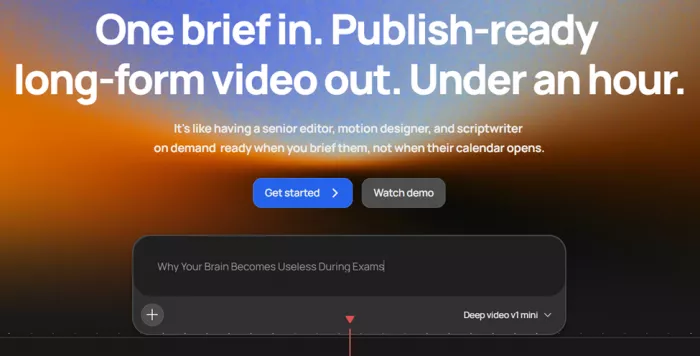
One warning before anything else. At least two unrelated products trade under almost the same name (vidrush-ai.com and vidrushai.com), and both are short-clip generators with free tiers. This review covers vidrush.ai only, the one with the "One brief in" headline.
| At a glance | |
|---|---|
| Formats | Documentary and Top 10 |
| Length bands | 6 to 8, 10 to 12, 18 to 20, 30 to 40 minutes |
| Visual models | Deep Video v1 Mini, Deep Video v1 Pro, Persona I |
| Voices | 100+ from ElevenLabs and Cartesia |
| Languages | English, German, Spanish |
| Footage | Licensed stock and web sources, nothing AI-generated |
| Inputs | Brief, custom script up to 60 minutes, MP3 or WAV narration |
| Platform | Browser only, no mobile app |
How it works in three steps
1. Write the brief. State the format and length in plain words, such as "a 12 minute documentary on how memory works". Or paste a script and let the tool infer both.
2. Approve the Quote Statement. Before anything renders you see the format, duration, language, model, voice, title, and a credit estimate. Change anything here or cancel at no cost.
3. Render, then edit. The cut opens in a timeline editor. Swap clips, retime captions, replace audio, or type edits into Rush Agent. A re-render costs roughly 10% of the original.
My hands-on test: how far I got before the paywall
Screenshots below are mine. I ran everything from a desktop browser on October 13 and 14, 2026.
1. The homepage prompt box
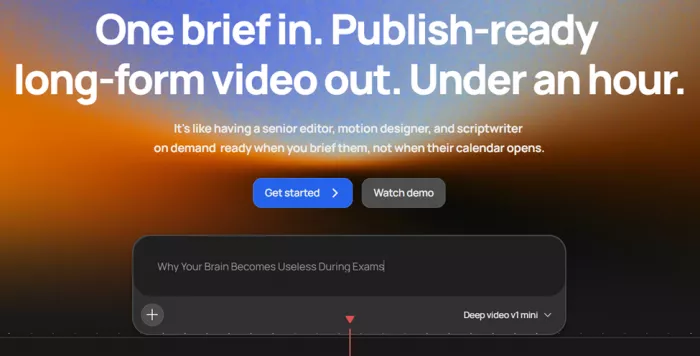
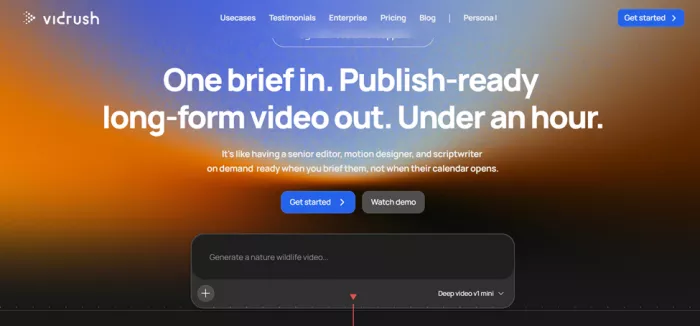
The headline promises a publish-ready long-form video from one brief in under an hour. Below it sits a chat-style box with a plus button for attachments and a model dropdown set to Deep video v1 mini. I typed "Why Your Brain Becomes Useless During Exams", a study-skills topic I picked because it needs real research rather than filler. Pressing go did not start a preview. It sent me straight to sign-in.
2. Sign in with Google, and only Google
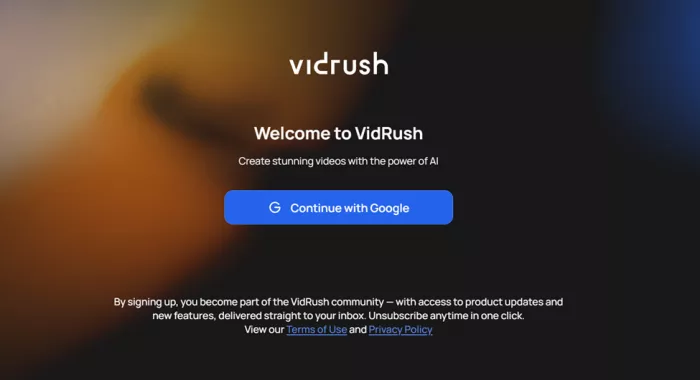
One button, no email and password field. The small print says signing up adds you to product update emails, with a one-click unsubscribe.
3. Four onboarding questions
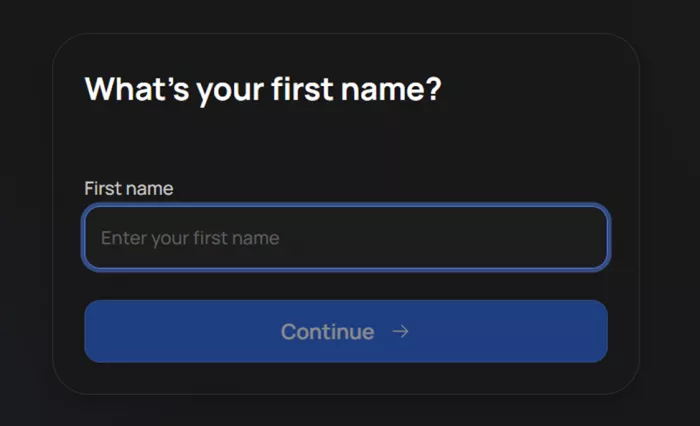
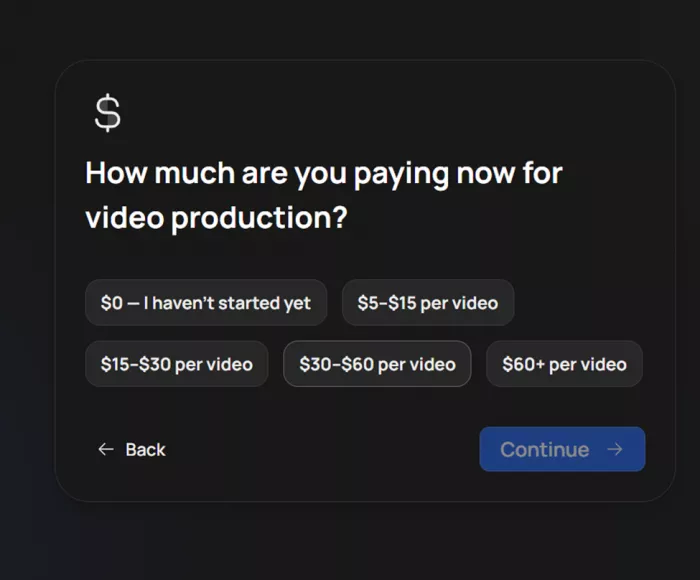
First name, then "What describes you best" with eight chips. "Course creator / online educator" is the very first one, ahead of coaches, B2B marketers, agencies, and YouTube creators, which tells you who the company thinks is buying. Next came a niche dropdown with a skip link for people who have not started, and then a question about current spend on video production, from $0 up to $60+ per video.
4. The social proof screen
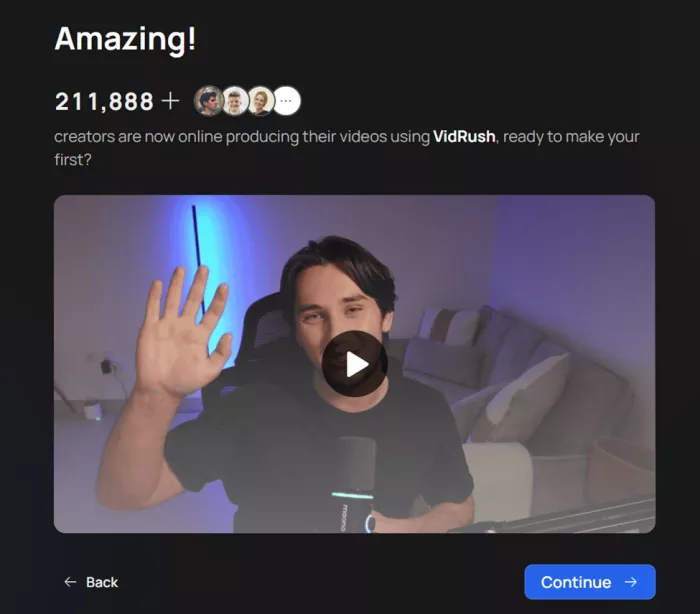
A counter reading 211,888+ creators and a short welcome clip from a presenter waving at the camera. Treat that number as marketing. I found no audited source for it, and an independent review published two weeks earlier quoted a smaller figure from the same homepage.
5. The plan picker, and where I stopped
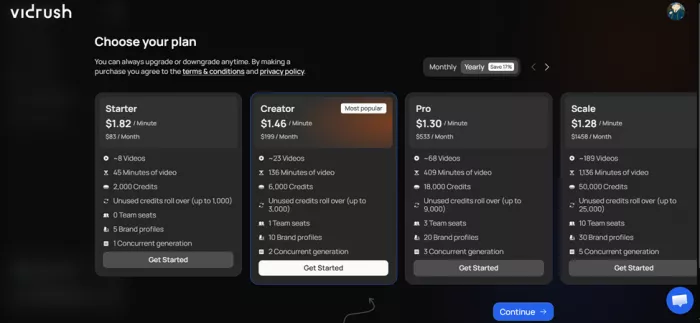
Four plans, yearly toggle switched on by default with a Save 17% badge, Creator highlighted as most popular, and a Continue button. No skip link, no sample video, no trial credits. I could not test generation, editing, voice quality, or render speed without paying $83 or more, so I stopped here and did the rest of the verification from the documentation and from people who had paid.
| What I checked | Status | How |
|---|---|---|
| Sign-up flow and onboarding questions | Verified by me | Walked through every screen |
| Plan prices, credits, seats, rollover caps | Verified by me | Read off the plan screen, cross-checked with the docs |
| Prompt box and model selector | Verified by me | Homepage |
| Credit cost per model and reasoning level | From the docs | Generation Models page |
| Under-an-hour render time | Not tested | Behind the paywall |
| Script, footage, and voice quality | Not tested | Trustpilot and two paid reviewers |
| Timeline editor and Rush Agent | Not tested | Docs only |
Features that matter if you teach
| Feature | What it does | Why a lesson maker cares |
|---|---|---|
| Quote Statement | Shows every setting and a credit estimate before a render starts | You know what a lesson costs before you commit |
| Custom Script | Paste up to 60 minutes of script; format and length are inferred | Existing lecture scripts go in as written |
| Custom Voiceover | Upload MP3 or WAV narration; credit cost stays the same | Students hear you, not a synthetic voice |
| Brand Profiles | Saves pacing, voice, language, and compliance rules; 5 to 30 per plan | Every module looks like part of the same course |
| Input Validator | Flags thin footage or an over-narrow prompt before generation | A blocked prompt costs nothing |
| Rush Agent | Chat-based edits inside the editor | Fix one caption without rebuilding the video |
| Thumbnail generator | Builds a thumbnail from a style reference image | One less tool for a course landing page |
| Multi-language | English, German, Spanish | Localise a lesson; the docs suggest a review pass on the newer two |
Deep Video models and what each minute costs
Every render is priced by two choices: the visual model and the reasoning effort. Mini builds the video from images plus motion graphics. Pro adds stock video B-roll from Storyblocks. Persona I fronts the video with a photoreal avatar host and needs a custom script. Reasoning effort controls research depth, and the docs say Low may fall short on subjects that need academic-level accuracy. For anyone teaching, that is the line to remember.
| Model | Reasoning | Credits per minute | Good for |
|---|---|---|---|
| Mini (image) | Low | 25.6 | Testing a topic cheaply |
| Mini (image) | Medium | 32 | Image-led history, psychology, storytelling |
| Pro (video) | Low | 35.2 | Movement at moderate cost |
| Pro (video) | Medium | 44 | The standard setting, densest footage |
| Persona I | Single setting | 12.4 | Avatar host with your own script |
Minimum charge per video: 30 credits on Pro, 21 on Mini. An Experimental reasoning tier runs the newest pipeline at the same rates; the docs recommend it for test videos only.
VidRush AI pricing in October 2026
These figures match the plan screen I saw and the official docs. Monthly prices come from the pricing page; the yearly row is what the app shows when the Save 17% toggle is on.
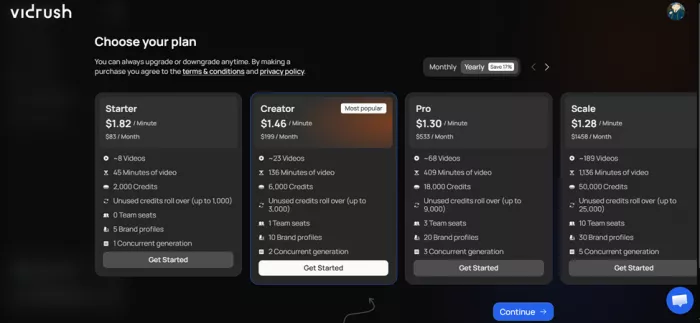
| Starter | Creator | Pro | Scale | |
|---|---|---|---|---|
| Monthly billing | $99 | $239 | $639 | $1,750 |
| Yearly, per month equivalent | $83 | $199 | $533 | $1,458 |
| Credits per month | 2,000 | 6,000 | 18,000 | 50,000 |
| Approx. minutes | 45 | 136 | 409 | 1,136 |
| Approx. videos | 8 | 23 | 68 | 189 |
| Rollover cap | 1,000 | 3,000 | 9,000 | 25,000 |
| Team seats | 0 | 1 | 3 | 10 |
| Brand profiles | 5 | 10 | 20 | 30 |
| Concurrent generations | 1 | 2 | 3 | 5 |
• Yearly billing is ten months paid for twelve. The app labels this Save 17%; some third-party reviews round it to 20%.
• Approximate minutes assume Pro at Medium reasoning. Switch to Mini and a Starter month stretches past 60 minutes.
• Credits are deducted when a video completes. A failure on VidRush's side costs nothing.
• Unused credits roll over up to half your monthly allowance, which is exactly what the plan screen showed me. Some older write-ups say credits expire; the current app and docs say otherwise.
• Pay-As-You-Go kicks in when credits run out, and plans can be paused for up to three months.
• Refunds cover technical failures only, never a result you dislike.
What one lesson costs on Starter
My own maths from the published rates. Starter on monthly billing works out at just under 5 cents per credit.
| Lesson length | Mini + Low | Pro + Medium |
|---|---|---|
| 7 minutes | 179 credits, about $9 | 308 credits, about $15 |
| 12 minutes | 307 credits, about $15 | 528 credits, about $26 |
| 20 minutes | 512 credits, about $25 | 880 credits, about $44 |
| 40 minutes | 1,024 credits, about $51 | 1,760 credits, about $87 |
A single 40-minute lecture on Pro eats most of a Starter month. Plan a course around 10 to 12 minute modules and the numbers look far friendlier.
Where VidRush fits a teaching workflow, and where it does not
| Good fit | Poor fit |
|---|---|
| Narrated explainers on history, science, economics, or psychology, which is what the Documentary format was built for | Software walkthroughs or anything that needs a screen recording |
| Instructors who already have lesson scripts and want them turned into video without a timeline session | Slide-driven lectures with your own diagrams; there is no slide import, footage is sourced for you |
| Teachers who want to keep their own voice by uploading narration | Vertical video for Shorts, Reels, or TikTok |
| Countdown lessons such as "10 revision mistakes" using the Top 10 format | Narrow topics with little public footage, which the validator may block |
| Course trailers in the 6 to 8 minute band | Accuracy-critical content generated on Low reasoning |
| Spanish or German versions of an English lesson, with a review pass | Anyone who needs to see a result before paying |
What people are saying
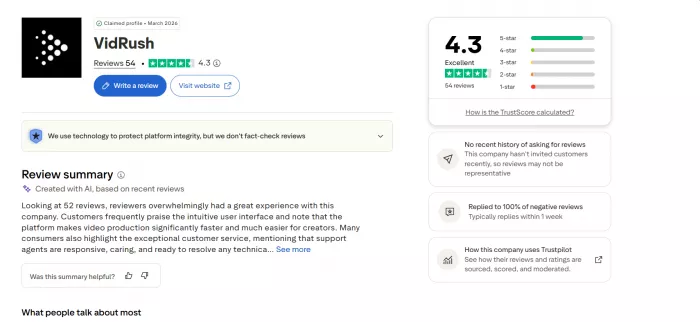
Trustpilot: 4.3 out of 5 across 54 reviews
81% five-star, 7% one-star. Praise clusters around speed, a simple interface, and support staff who get named in review after review. Complaints are specific: an editor that buffers, footage that does not match the script, long still images, and refunds that took effort. The company has answered 83% of its negative reviews. One five-star reviewer put the upside plainly: "It works exactly as advertised".
Review table
| Category | Score (out of 5) | Notes |
|---|---|---|
| Sign-up and onboarding | 4.5 | Four questions, Google only, under two minutes |
| Pricing transparency | 4.0 | Per-minute rates and a quote before every render; the missing trial drags it down |
| Output quality (reported) | 3.5 | Strong scripts, occasional repeated footage and long stills |
| Editing control(reported) | 3.5 | Timeline plus chat edits; one paying reviewer wants separate audio tracks |
| Fit for educators(reported) | 3.5 | Two formats, no screen recording, no slide import |
| Support (reported) | 4.5 | Agents named repeatedly on Trustpilot; 83% of negative reviews answered |
| Value for money | 3.0 | Cheaper than an editor, pricey against rivals with free tiers |
| Overall | 3.8 | Average of the seven categories |
Pros and cons
| Pros | Cons |
|---|---|
| Credit estimate before every render through the Quote Statement | No free plan, no trial, no sample render before paying |
| Paste your own script or upload your own narration | Only two formats, Documentary and Top 10 |
| Licensed footage and music cleared for commercial use | No screen recordings or slide-based lessons |
| Brand profiles keep a course series consistent | Refunds cover technical failures only |
| Credits roll over up to half the monthly allowance | Reports of footage repetition and editor buffering |
| Support that reviewers name individually | Low reasoning trades research depth for cost |
Alternatives worth a look
| Tool | How it differs | Pick it when |
|---|---|---|
| InVideo AI | Free plan, short and long formats, lower entry price | You need Shorts and ads alongside explainers |
| Pictory | Turns scripts, articles, and recordings into captioned narrated videos | You are repurposing written course material |
| MagicLight AI | Animates invented characters instead of sourcing footage, up to 50 minutes | Your lessons are story-led |
Final verdict
I spent two sessions with VidRush and never saw it make a video, and I want to be upfront that this colours everything above. What I can say with confidence is that the onboarding is clean, the pricing is unusually legible for a credit-based tool, and the documentation is detailed enough that I could price a 12-minute lesson to the cent before spending anything. That is rarer than it should be.
What I cannot say is whether a lesson on exam stress would come back with footage that matches the script, or with the same three stock clips on a loop, because both outcomes show up in reviews from people who paid. The pattern in those reviews is consistent: scripts are the strength, footage selection is the gamble, and support fixes most problems within hours.
If I taught history, economics, or science and already had scripts written, I would put a Starter month on the card, generate on Mini at Medium reasoning, and judge the results on two 10-minute modules before touching Pro. If I taught software, used my own slides, or needed vertical clips, I would not sign up at all, because the tool does not make those and the refund policy will not rescue a mismatch.
The missing trial is the real cost here. VidRush asks for $83 before it shows you anything. Whether that is confidence or caution on their part, it means you are buying on other people's word, and mine only goes as far as the plan picker.
Comments