Table of Contents
I keep a separate Chrome profile just for studying, and over the past few months it has cycled through more extensions than I'd like to admit. Most "best productivity Chrome extensions" lists I found were packed with tools I opened once and forgot about. So I did the slow thing. I installed the popular picks, used them during real reading, citing and revision sessions, and removed anything that didn't earn its spot in my toolbar.
Ten survived. A few are research tools that save me from retyping citations late at night. One is a small tab that finds legal free copies of paywalled papers. A couple exist only to keep me off YouTube. Below you'll see what each one does, what it costs right now, where it falls short, and the exact setup I'd install for different kinds of students.
Quick answer: The best productivity Chrome extensions for study and research in 2026 are Zotero Connector for citations, Unpaywall for legal free papers, Glasp for highlighting, Forest for blocking distractions and Language Reactor for language learning. All five have a usable free version, so you can build a complete study setup without paying anything.
My Top Picks at a Glance
| Award | Extension | Why |
|---|---|---|
| Best for research papers | Zotero Connector | Free. Saves citations and PDFs in one click. |
| Best hidden gem | Unpaywall | Finds legal free copies of paywalled articles. |
| Best for focus | Forest | Blocks your distraction list while a tree grows. |
| Best for languages | Language Reactor | Dual subtitles on Netflix and YouTube. |
Comparison Table: All 10 Extensions
| Extension | Category | Free version | Paid from | Best for |
|---|---|---|---|---|
| Zotero Connector | Research | Yes, fully free | Storage from $20/year | Citations and PDF libraries |
| Google Scholar Button | Research | Yes, fully free | No paid plan | Quick paper lookups |
| Unpaywall | Research | Yes, fully free | No paid plan | Legal open access copies |
| Glasp | Research and notes | Yes, unlimited highlights | Pro for private highlights | Highlighting pages and PDFs |
| Forest | Focus | Yes, free on Chrome | Optional mobile app | Blocking distracting sites |
| Todoist | Planning | Yes, 5 projects | $5/month billed yearly | Tracking assignments |
| Notion Web Clipper | Notes | Yes | Notion plans optional | Saving pages to a database |
| Language Reactor | Language learning | Yes | $5.95/month or $39.95/year | Learning from TV and video |
| Read Aloud | Reading | Yes, open source | Some premium voices | Listening to articles and PDFs |
| Grammarly | Writing | Yes, 100 AI prompts/month | $12/month billed yearly | Proofreading essays |
Best Productivity Chrome Extensions for Research
Zotero Connector

If you write anything with a bibliography, install this first. It recognizes what you're viewing, whether that's a journal article, a book listing or a news story, and saves it to your Zotero library with one click. When a PDF is available it saves that too, and it can store a snapshot of a page in case the page changes or disappears later.
| Detail | Info |
|---|---|
| Made by | Corporation for Digital Scholarship (nonprofit) |
| Price | Free. Cloud file storage: 300 MB free, 2 GB for $20/year, 6 GB for $60/year, unlimited for $120/year |
| Works with | Zotero desktop app, Word, LibreOffice, Google Docs |
| Also on | Firefox and Safari |
What I liked
• One click captures author, title, date and URL
• Redirects you through your library proxy automatically
• Saves to your online library even when the desktop app is closed
What bugged me
• 300 MB fills quickly if you store every PDF
• Inserting citations into Word or Docs needs the desktop app
Use it like this: Only attached files count against storage, so citation data syncs free. Turn off file syncing in Zotero's sync settings if you just need your references on every device.
Google Scholar Button

This is Google Scholar's own extension and it's refreshingly simple. Highlight a paper title on any page, click the button, and it searches Scholar for that title and shows the top three matches, with full text links from the open web or your university library when they exist. A quote icon gives you a formatted reference in common citation styles.
| Detail | Info |
|---|---|
| Made by | Google Scholar |
| Price | Free |
| Standout feature | Look up any highlighted title without leaving the page |
| Library access | Set up in Google Scholar settings for off-campus use |
What I liked
• No more copying titles into a new tab
• Library links show up once configured
• Can save papers to your Scholar library
What bugged me
• It's a lookup tool, not a reference manager
• Formatted citations sometimes need capitalization and punctuation fixes
Use it like this: Find the paper with Scholar Button, then save it with Zotero Connector. The two cover each other's gaps nicely.
Unpaywall

This is the extension friends thank me for recommending. When you open a research article, Unpaywall checks for a legally hosted free copy, such as an author's upload to a university repository or an open access version from the publisher. A green tab means you can read it free. A grey one means it found nothing.
| Detail | Info |
|---|---|
| Made by | OurResearch, the nonprofit formerly called Impactstory |
| Price | Free, no account needed |
| Sources | Open access repositories and publisher-hosted open content |
| Also on | Firefox |
What I liked
• Fully legal, no grey-area sites
• Works in the background until you need it
• Great for anyone without a university subscription
What bugged me
• Plenty of papers simply have no free legal copy
• Only useful on scholarly article pages
Use it like this: When the tab stays grey, run the same title through Google Scholar Button. You'll often find a preprint version that way.
Glasp

Glasp makes highlights reusable. Select text on a web page, a PDF or a YouTube video, add a note, and it lands in one searchable library. You can export to Notion, Obsidian or Roam, or download Markdown, CSV and JSON. It also creates AI summaries of articles and YouTube videos, which I use to decide whether a long video is worth watching.
| Detail | Info |
|---|---|
| Users | 2M+ according to Glasp, rated 4.5 on the Chrome Web Store |
| Price | Free unlimited highlights. Pro adds unlimited private highlights |
| Exports | Notion, Obsidian, Roam, Markdown, CSV, JSON |
| Also on | Safari, Edge, Firefox, iOS and Android |
What I liked
• No cap on highlights in the free plan
• Exports to the note apps students already use
• Imports Kindle highlights
What bugged me
• It's built as a social highlighter, so full privacy means paying
• A large library gets messy without consistent tags
Use it like this: Make one tag per course or chapter from day one. Searching later becomes much faster.
Chrome Extensions for Study Focus and Planning
Forest
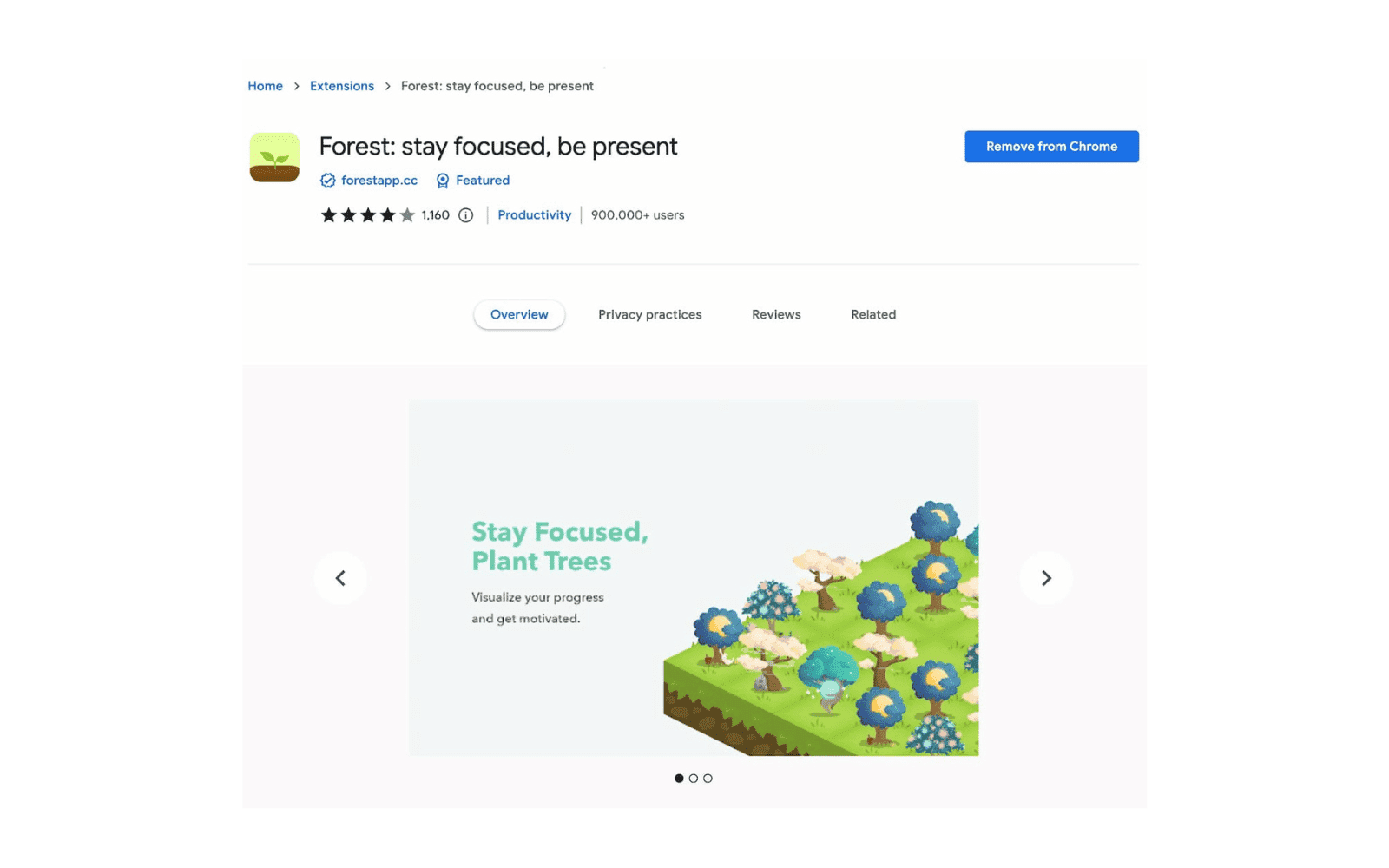
Forest is a site blocker with a small guilt trip built in, and I mean that kindly. Add your time-wasting sites to a blocklist (or use an allowlist instead), then plant a seed. Stay off those sites and the tree grows. Open one and it withers. It sounds silly until you catch yourself closing a Reddit tab to save a cartoon tree.
| Detail | Info |
|---|---|
| Price | Free on Chrome |
| Modes | Blocklist or allowlist |
| Session length | 30 minutes per tree |
| Companion | iOS and Android apps |
What I liked
• Free and quick to set up
• Pairs well with Pomodoro-style study blocks
• Seeing a full forest at the end of the week feels good
What bugged me
• Easy to switch off when willpower is low
• Some users report sync issues with the phone app
Todoist for Chrome
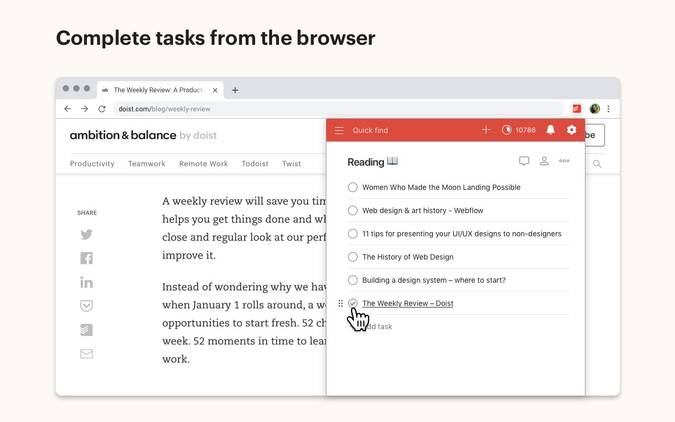
Todoist's extension lets you add a task from any tab, and it can turn the page you're on into a task with the link attached. That second feature is why it stayed. "Read this later" pages become tasks with due dates instead of tabs I forget about. Plain language works too, so typing "essay draft friday" sets the date for you.
| Detail | Info |
|---|---|
| Free plan | 5 personal projects, 3 filter views |
| Pro price | $5/month billed yearly, or $7 month to month |
| Pro adds | 300 projects, custom reminders, calendar layout |
| Platforms | Web, desktop, iOS, Android |
What I liked
• Capturing a task takes seconds
• Free plan handles a normal semester
• Syncs across phone and laptop
What bugged me
• Custom reminders are Pro only
• Five projects run out if you make one per course
Notion Web Clipper

If your notes live in Notion, the official clipper is the cleanest way to bring web pages in. Click it, choose a workspace and a page or database, and the article saves with its title and link. I keep a "Sources" database for each project so clipped pages sit right next to my outline.
| Detail | Info |
|---|---|
| Made by | Notion |
| Price | Free, works on Notion's free plan |
| Browsers | Chrome and Safari on desktop |
| Mobile | Share sheet on iOS and Android |
What I liked
• Official and free
• Clips land in databases, so you can add tags and status
• Works from your phone too
What bugged me
• Clips whole pages, not selected passages
• Some content goes missing on complex pages, which Notion's help center acknowledges
Best Chrome Extensions for Learning and Reading
Language Reactor

Language Reactor shows two subtitle tracks on Netflix and YouTube at once, your target language and your own, with a pop-up dictionary when you click a word. You can replay a line or auto-pause after each subtitle, which turns an episode into a listening drill. Research by Gilbert Dizon of Himeji Dokkyo University found that using its dual subtitles improved learners' vocabulary and listening comprehension.
| Detail | Info |
|---|---|
| Free | Dual subtitles, dictionary lookups, playback controls |
| Pro price | $5.95/month, $13.95 per 3 months, or $39.95/year |
| Pro adds | Saving words across videos, Anki export, machine translation |
| Platforms | Desktop Chrome only |
What I liked
• The free tier covers the core feature
• Uses shows you already watch
• Annual Pro works out to about $3.33 a month
What bugged me
• No mobile app
• Netflix layout updates can break features until the extension catches up
Read Aloud

Read Aloud is the open-source text-to-speech extension I reach for when my eyes are done for the day. One click reads the current article, or you can select a specific passage. It handles PDFs, Google Docs, Google Play Books and Kindle, supports more than 40 languages, and lets you change voice, speed and pitch, with optional highlighting so you can follow along.
| Detail | Info |
|---|---|
| Price | Free and open source |
| Voices | Browser voices plus Google Wavenet, Amazon Polly, IBM Watson and Microsoft |
| Reads | Web pages, PDF, Google Docs, Play Books, Kindle, EPUB (via EPUBReader) |
| Great for | Dyslexia support, long readings, proofreading by ear |
What I liked
• Free with wide format support
• Hearing my own essay read back catches clunky sentences
• Text highlighting helps focus
What bugged me
• Some premium cloud voices need a purchase
• Certain PDFs, especially download-only files, won't read
Grammarly
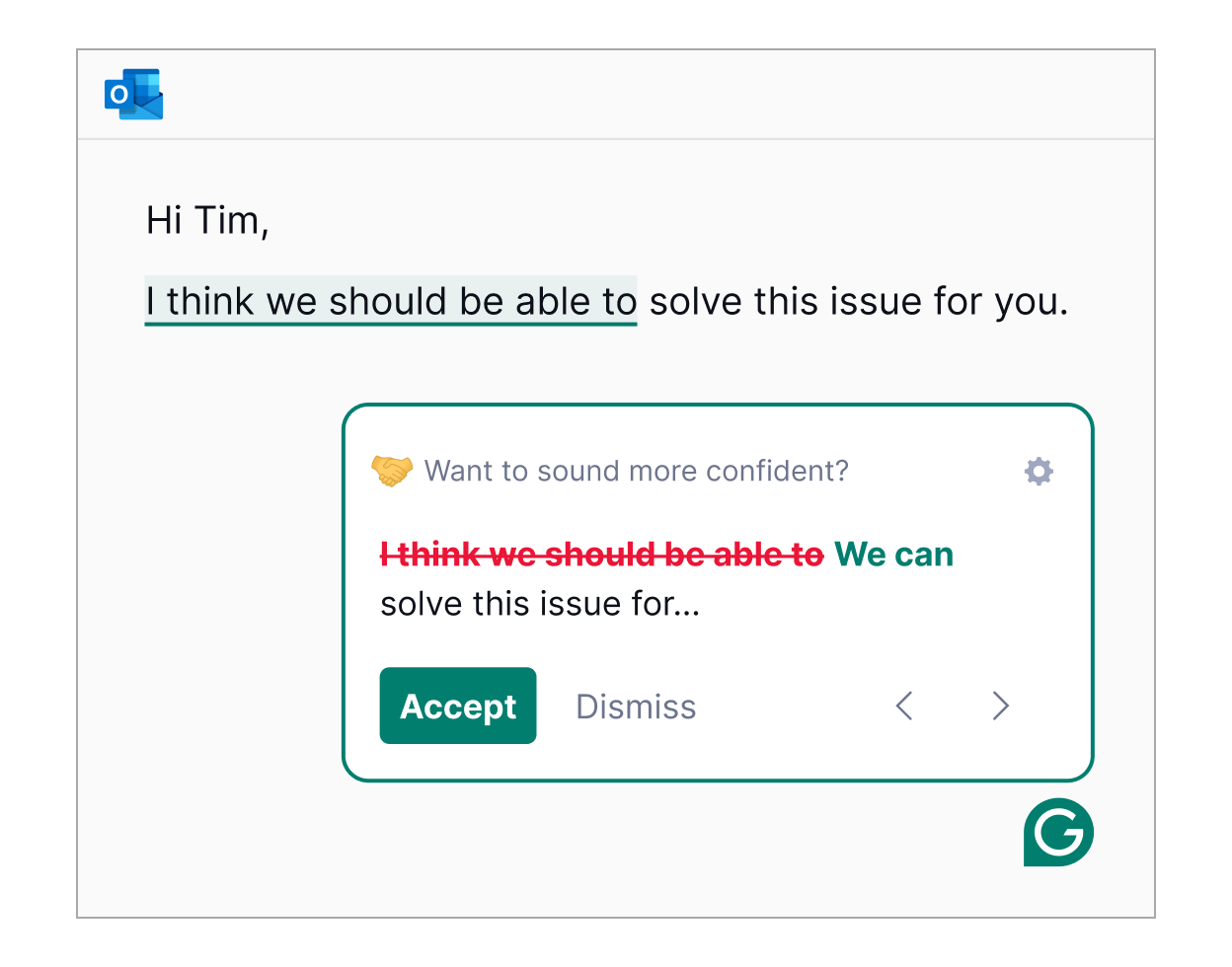
Grammarly hardly needs an introduction, so I'll stay practical. The free version checks spelling, grammar and tone in Google Docs, email and most text boxes, and includes 100 AI prompts a month. Pro adds full-sentence rewrites, a plagiarism checker, AI-text detection and 2,000 prompts a month.
| Detail | Info |
|---|---|
| Free | Grammar, spelling, tone detection, 100 AI prompts/month |
| Pro price | $12/month billed yearly ($144), or $30 month to month |
| Pro adds | Rewrites, plagiarism and AI detection, 2,000 prompts |
| Works in | Chrome, Safari, Firefox, Edge and desktop apps |
What I liked
• The free tier is enough for most students
• Works almost everywhere you type
• Plagiarism check is handy before submitting
What bugged me
• Monthly Pro costs over twice the annual rate
• Text from its AI rewrite features can get flagged by AI detectors, so check your school's rules
Which Extensions Should You Install? My Suggested Stacks
You don't need all ten. Pick the setup that matches how you actually study.
| If you are a | Install these | Total cost |
|---|---|---|
| Undergrad writing essays | Zotero Connector, Grammarly Free, Forest, Todoist | $0 |
| Grad student or thesis writer | Zotero Connector, Unpaywall, Google Scholar Button, Glasp | $0, or $20/year for 2 GB of Zotero storage |
| Language learner | Language Reactor, Read Aloud, Forest | $0, or $39.95/year for Language Reactor Pro |
| Notion note taker | Notion Web Clipper, Glasp, Todoist | $0 |
Keep Your Study Extensions Safe and Fast
| Habit | Why it matters |
|---|---|
| Read the permissions | Highlighters and writing tools often need access to page content. Install from the developer's official listing and only grant what makes sense. |
| Clear out monthly | Open chrome://extensions and disable anything you haven't used recently. Every running extension uses memory. |
| Use a study profile | A separate Chrome profile keeps study tools away from banking and personal accounts, and cuts distractions too. |
Final Verdict
If I could keep only three, I'd pick Zotero Connector, Unpaywall and Forest. Zotero handles the part of research I dislike most. Unpaywall rescues me from paywalls more often than I expected when I first installed it. Forest is what actually keeps me off YouTube when a deadline is close, which no amount of good intentions managed.
The rest depend on how you study. If you live in Notion, the Web Clipper and Glasp will feel natural. If you're learning a language, Language Reactor is the most enjoyable study tool on this list. Grammarly Free stays installed for me, but I've never felt the need to pay monthly for Pro.
My honest advice: start with three, use them for two weeks, then add more only if you feel a real gap. A short toolbar is faster, safer and much easier to stick with.
Comments