On paper, AutoDraft AI and Hypernatural AI pitch the same dream: start with an idea, end with a finished video, skip the camera and the editing suite entirely. Spend real time inside both, though, and that shared headline starts to crack. One was built to animate stories scene by scene. The other was built to turn a script, or even a full podcast, into a polished short before the coffee goes cold.
After running both through actual projects, from cartoon explainers to vertical clips for social feeds, the honest takeaway is simple. Choosing between them has almost nothing to do with which tool is “better” and almost everything to do with the kind of video already taking shape in a creator’s head. Here is where each one earns its keep, what the plans really cost, how fast the market around them is moving, and which alternatives deserve a look before any card details get typed in.
AutoDraft AI vs Hypernatural AI: a quick overview
The fastest way to read this matchup is by what each tool is actually built to produce. AutoDraft AI lives in the world of 2D animation: characters, backgrounds, lip-sync, and consistent art styles for cartoons, nursery rhymes, and explainer videos. Hypernatural AI lives in short-form storytelling: prompts, scripts, and podcasts turned into ready-to-post clips with narration, B-roll, and captions. The table sums up the core split before the deeper breakdown.
Table 1 · Head-to-head at a glance
| Feature | AutoDraft AI | Hypernatural AI |
|---|---|---|
| Best for | YouTubers and educators making 2D animated stories, rhymes and explainers | Creators and marketers making short-form social video from scripts or podcasts |
| Core output | Animated characters, scenes and full cartoon videos | Narrated short-form (and longer) video with B-roll and captions |
| Starting paid price | ~$10/month (Base, credit based) | ~$12 to $15/month (Creator, credit based) |
| Free plan | Yes: 20 credits, unlimited projects, free downloads, no card | Yes: limited lifetime credits, videos carry a watermark |
| Standout feature | Character and art-style consistency across every scene | Text-to-video with reusable characters and Veo 3 generation |
| Voice & audio | AI voiceover, voice cloning, copyright-free music | 40+ AI narrators, audio upload, automatic captions |
| Export quality | Up to 4K | Short-form optimised, watermark removed on paid plans |
| Platforms | Web, Android, iOS | Web, iOS, Android |
| Learning curve | Moderate; timeline editing involved | Gentle; prompt-first workflow |
| Made by | ALLBOTS Technologies, Bangalore | Hypernatural (backed by $9.2M funding) |
What AutoDraft AI does well
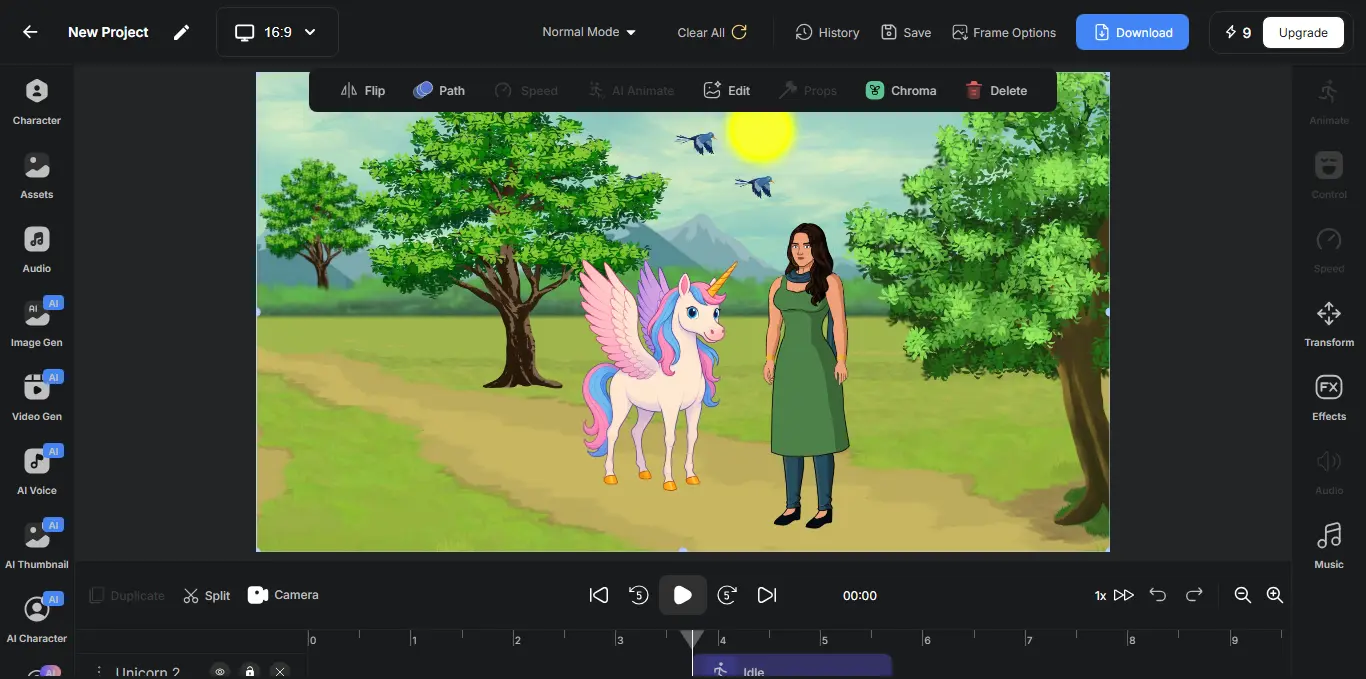
AutoDraft AI is the more specialised of the two, and that focus is its biggest strength. Built on custom-trained models for animation, it keeps a character looking like the same character across dozens of scenes, which is exactly where most general video generators come apart. For anyone running a faceless cartoon channel or producing children’s content at volume, that consistency is the whole game.
 |
Where it shines
•Style and character consistency. Characters, props and backgrounds hold one art style across an entire video, so a series looks like it came from a single studio rather than five different prompts.
•A genuinely deep toolkit. Text-to-image, sketch-to-image, flat-colour-to-image, image stylisation, a pose maker, object remover and creative upscaler sit beside the animation tools, covering most of an animator’s asset pipeline.
•Affordable at the entry point. A working paid plan lands near $10 a month, and the company says roughly 90% of the platform is usable for free, with unlimited projects and downloads on the free tier.
•4K output and a real editor. Finished work exports in high resolution through a drag-and-drop timeline editor with lip-sync, expressions, voiceover and a copyright-free music library.
Where it struggles
•A steeper learning curve. The animation workflow rewards patience; newcomers often need a few projects before the timeline and scene controls feel natural.
•Fine detail can wobble. Like most generative tools, it sometimes fumbles hands and faces, so polished results usually need a quick round of touch-ups.
•Narrow by design. It is an animation studio, not an all-purpose video maker, so live-action style clips and fast talking-head content sit outside its lane.
What Hypernatural AI does well
Hypernatural AI trades depth in one niche for speed across many. The pitch could not be simpler: paste an idea, a script, or a full podcast, and walk away with a share-ready video minutes later. Backed by $9.2M in funding and built on a modern generative stack that includes Veo 3, it goes straight after the part of video creation most people dread, which is everything between the idea and the upload.
Add screenshot · Hypernatural AI workspace A prompt-to-video screen or an exported vertical clip works well in this slot. |
Where it shines
•Speed from input to finished cut. Text-to-video carries the load, generating scenes, narration, B-roll and captions from a single prompt or script.
•Range of styles and reusable characters. More than 200 style templates and a saved cast let a brand keep one look and one set of characters across every clip.
•Built for repurposing. Long podcasts and existing videos convert into short vertical cuts, a natural fit for TikTok, Reels and YouTube Shorts.
•Mobile-first and brand-aware. It runs on web, iOS and Android, remembers brand assets, and even suggests new ideas based on what is already being made.
Where it struggles
•Still maturing for cinematic work. Reviewers who push it toward film-grade output find it excellent for marketing and social, yet not a replacement for high-end production.
•Credit limits bite at volume. Generation credits refresh monthly, and heavy use can drain an entry plan faster than expected.
•Less granular control. The prompt-first approach is fast, but creators who want frame-level control hit a ceiling sooner than they would in a traditional editor.
Strip away the marketing and one line settles most decisions: AutoDraft animates, Hypernatural narrates. Almost everything else follows from there.
Features compared
Beyond output type, a handful of practical differences decide how each tool feels day to day. These are the questions creators tend to ask once the obvious split is clear.
•Characters and consistency. Both keep characters stable, but AutoDraft is built around hand-styled 2D characters, while Hypernatural’s cast is tuned for generative short-form scenes.
•Voice and narration. AutoDraft adds AI voiceover plus voice cloning; Hypernatural offers 40+ narrators and lets creators upload their own audio with auto-captions on top.
•Repurposing existing content. Hypernatural wins clearly here, turning podcasts and long videos into shorts, whereas AutoDraft is built to create from a blank canvas.
•Languages and reach. Both skew English-first for their scripting tools, so multilingual teams should test localisation before committing a full pipeline.
•Publishing and brand. Hypernatural’s brand kit and idea suggestions point toward ongoing social output; AutoDraft’s strengths point at monetising animated content on YouTube.
Pricing breakdown
Both tools run on credits rather than true “unlimited” plans, so the sticker price is only half the story. Heavy generation, higher resolutions and premium features all draw down a monthly balance, which means the right plan depends on output volume more than anything else. The figures below reflect publicly listed pricing at the time of writing and are rounded; credit plans change often, so the official pages stay the final word.
Table 2 · Plans and pricing
| Plan tier | AutoDraft AI | Hypernatural AI |
|---|---|---|
| Free | 20 credits, unlimited projects and downloads, no card needed | Limited lifetime credits, a few videos, watermarked |
| Entry paid | Base, ~$10/month (about 1,000 credits) | Creator, ~$12 to $15/month (watermark removed) |
| Mid / Pro | Pro, ~$35/month (about 4,000 credits) | Pro, ~$28/month (more credits and characters) |
| Top tier | Annual billing lowers the effective monthly rate | Ultimate tier with the largest credit allowance |
| Billing note | Credits scale by month or year | Annual billing saves roughly 20% |
| Commercial use | Allowed on generated content | Allowed on paid plans |
For raw value at the bottom of the range, AutoDraft is hard to beat. A usable free tier and a sub-$10 entry plan put real animation within reach of hobbyists and side projects. Hypernatural costs a little more to start, but it folds narration, captions and B-roll into one fast pipeline, which earns the price the moment a creator is shipping several shorts a week. A useful way to think about it: AutoDraft rewards creators who batch a lot of similar scenes, while Hypernatural rewards creators who value minutes saved per video over cents saved per credit. Anyone producing ten or more videos a month tends to find either tool pays for itself against the cost of editing time alone.
How fast the AI video market is growing
Context matters here, because both tools are riding the same wave. The market around them is climbing steeply, and that curve explains why fresh features and new rivals keep arriving month after month.
Global AI video generator market, projected size (USD billions)
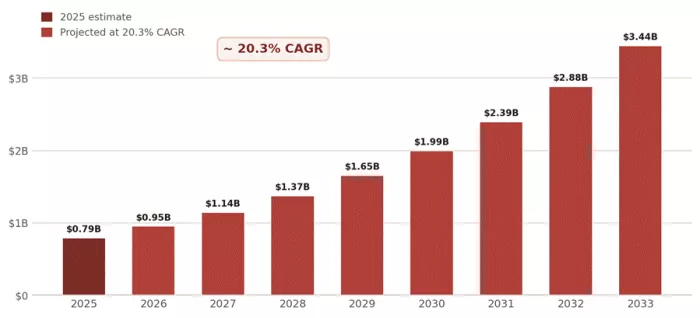
Endpoints from Grand View Research: about $788.5M in 2025 rising to roughly $3.44B in 2033. Intermediate years are modelled on the reported 20.3% CAGR for illustration.
According to Grand View Research, the global AI video generator market sat near $788.5 million in 2025 and is on track to reach about $3.44 billion by 2033, growing at a 20.3% compound annual rate, with Asia Pacific holding the largest slice at roughly 31% in 2025. The reason is no mystery: short-form platforms reward relentless output, and tools that squeeze days of production into minutes are precisely what that demand looks like in practice. AutoDraft and Hypernatural are two answers to the same pressure.
What users are saying
Hands-on testing only tells part of the story, so it helps to weigh it against the wider chorus of creators using these tools every day.
AutoDraft AI
Sentiment skews positive among its core crowd of animators and YouTubers. On Product Hunt, long-time users single out the text-to-animated-character feature and the built-in editor as the reasons they stay, and they praise how quickly the team ships updates. The recurring caveat matches what testing surfaced: the animation process carries a learning curve, and detailed shots sometimes need cleanup.
Hypernatural AI
Feedback here leans hard on speed and saved time. Creators running both client and personal work report producing dozens of videos with no production team, and one noted that a project once needing a four-figure videographer budget now ships same-day for a fraction of the cost. The steady reservation is ambition against polish: brilliant for marketing and social, still climbing toward truly cinematic results.
Editorial scorecard · rated 1 to 5
| Dimension | AutoDraft AI | Hypernatural AI |
|---|---|---|
| Output quality | 3.8 | 4.3 |
| Ease of use | 3.3 | 4.4 |
| Value for money | 4.5 | 4.2 |
| Style & consistency | 4.5 | 4.5 |
| Speed | 3.8 | 4.6 |
| Overall | 3.9 | 4.4 |
Scorecard reflects hands-on editorial assessment across test projects, not aggregate third-party ratings.
Top alternatives worth considering
Neither tool is the only option in a crowded field. Four alternatives stand out for creators whose needs land just outside what AutoDraft and Hypernatural do best.
Revid AI
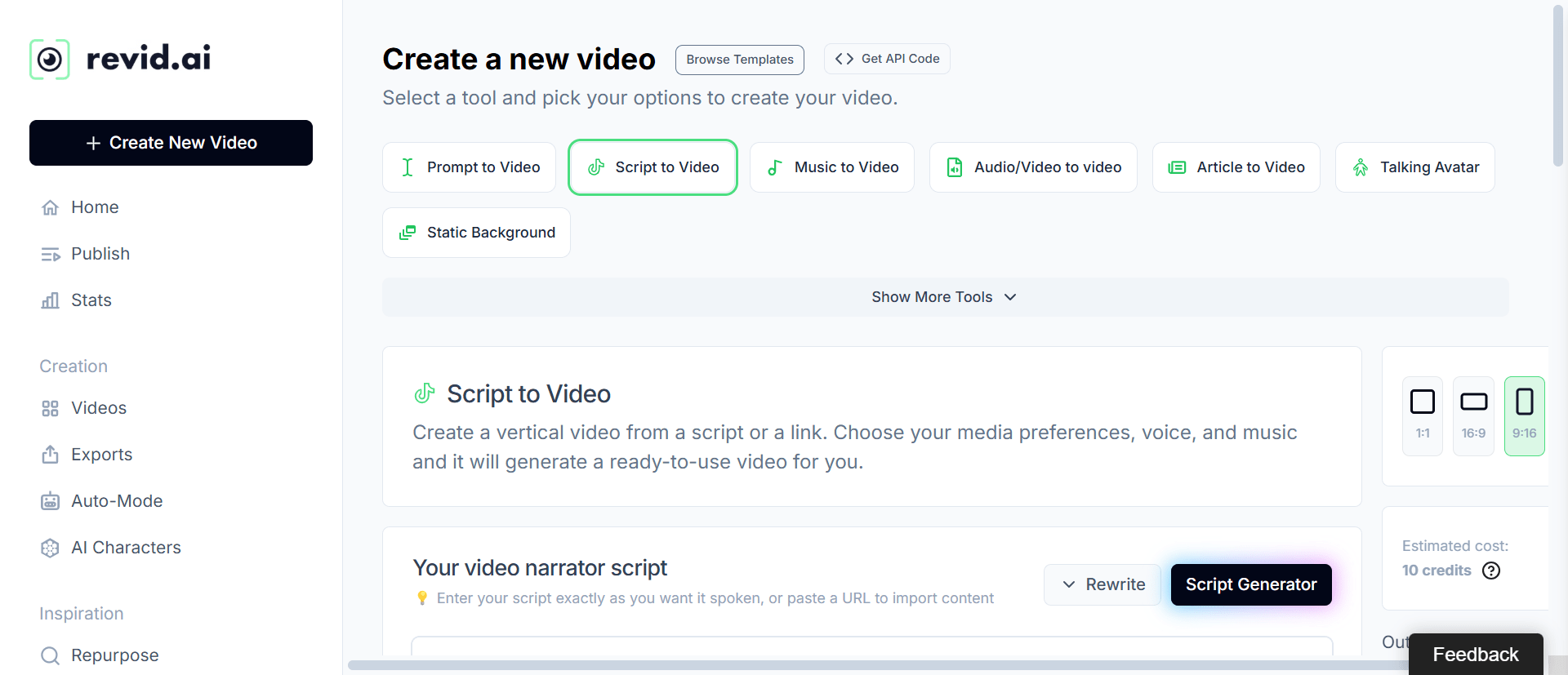
Closest in spirit to Hypernatural, Revid AI is built for high-volume faceless channels. Founded in Paris by the maker of Tweet Hunter, it automates the entire short-form treadmill, with standout Reddit-to-video templates and “auto-mode” workers that publish across multiple accounts. There is no permanent free plan; paid tiers start around $29 to $39 a month. The honest trade-off, echoed by users, is that it pays for itself with daily posting but drains the budget on a weekly schedule.
Pippit AI
Powered by CapCut and formerly known as CapCut Commerce Pro, Pippit AI is the pick for sellers. Drop in a product link and it returns a marketing video with avatars, voiceover and captions, backed by direct Shopify and TikTok Shop integration. A free plan hands out weekly credits, and the Starter plan runs about $24 a month billed annually. It is purpose-built for e-commerce and product marketing at scale rather than open-ended storytelling.
HeyGen
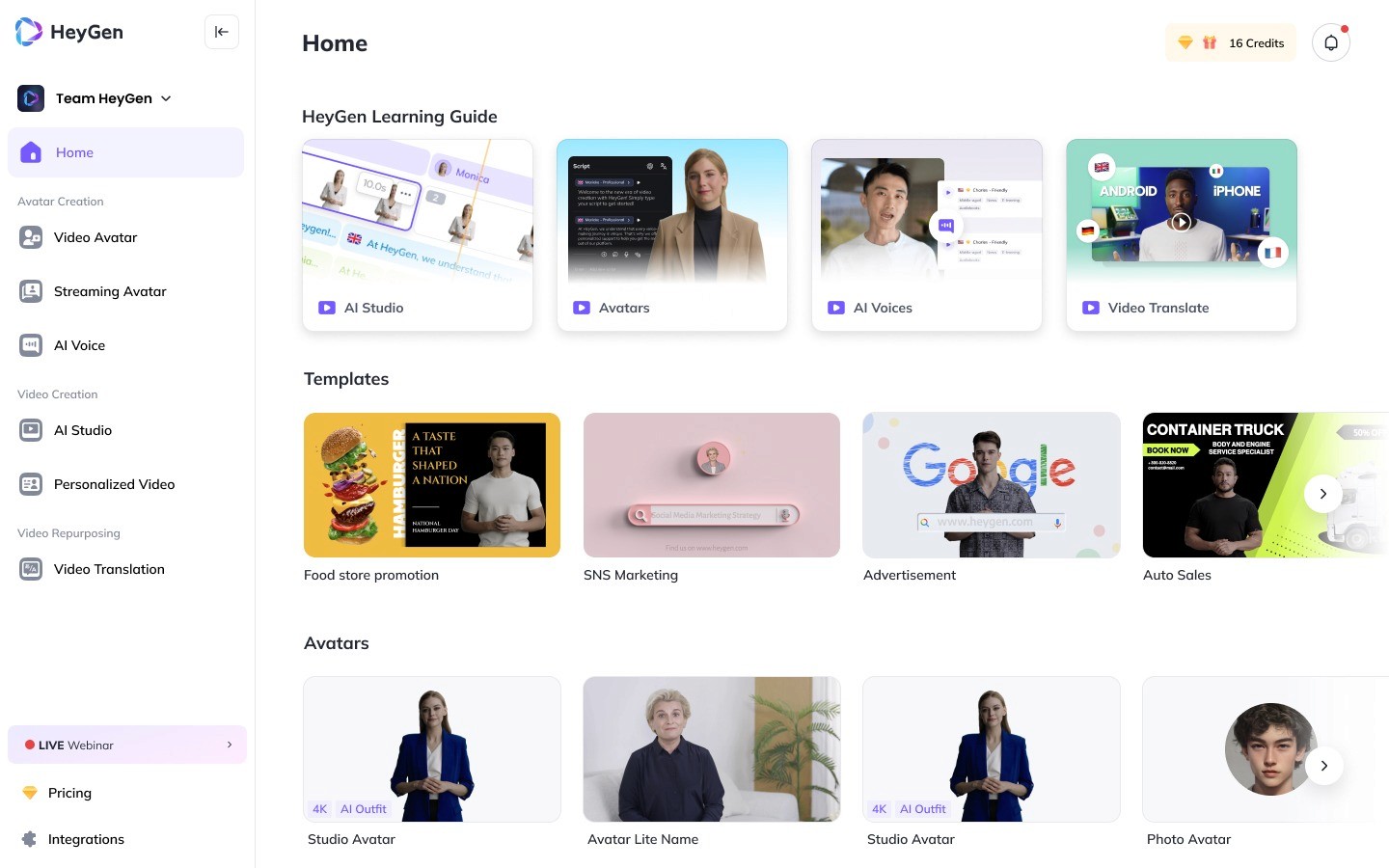
For talking-head and spokesperson content, HeyGen leads on avatar quality. It turns a script into a lifelike presenter across more than 175 languages, with voice cloning and lip-sync translation that rivals struggle to match. The free plan allows three watermarked videos a month, and the Creator plan sits at $24 to $29 a month. The catch is the credit system: premium avatar minutes add up quickly once production ramps.
PixVerse AI
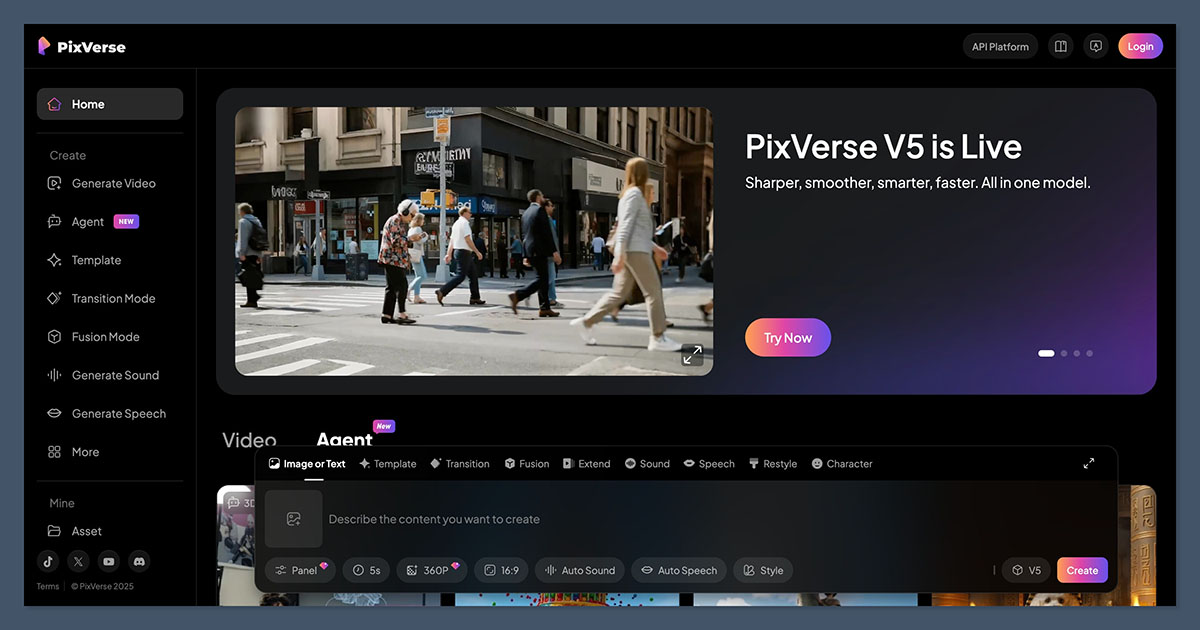
When the goal is raw generative footage rather than a narrated story, PixVerse AI delivers fast, cinematic clips from text or images in under a minute, and recent model updates have sharpened its consistency. A free tier covers experimentation, while paid plans open at $10 a month for watermark-free 720p and scale to 1080p higher up. Think of it as a source of creative b-roll and short cinematic moments rather than a full storytelling suite.
Table 3 · Alternatives at a glance
| Tool | Best for | Free plan | Starting price | Standout |
|---|---|---|---|---|
| Revid AI | High-volume faceless channels | No (limited trial) | ~$29 to $39/mo | Reddit-to-video + automation |
| Pippit AI | E-commerce product videos | Yes (weekly credits) | ~$24/mo annual | URL-to-video, Shopify & TikTok Shop |
| HeyGen | Avatar & spokesperson video | Yes (3/mo, watermark) | ~$24 to $29/mo | 175+ language avatars, voice clone |
| PixVerse AI | Cinematic generative clips | Yes (daily credits) | ~$10/mo | Fast text and image-to-video |
Which tool fits which creator
The cleanest way to land on a pick is to start with the project, not the tool. These shortcuts cover the cases that come up most often, including the moments when neither headline tool is the obvious answer.
•Making a cartoon series or kids’ content. AutoDraft AI, every time. Nothing else here holds an animated character together across a full series as cleanly.
•Turning a weekly podcast into shorts. Hypernatural AI is the natural fit, since repurposing long audio into vertical clips is exactly what it was designed to do.
•Running several client accounts on autopilot. Revid AI’s automation and publishing tools pull ahead of both for hands-off, high-volume output.
•Selling products on TikTok Shop or Shopify. Pippit AI is purpose-built for it, with link-to-video and storefront integration baked in.
•Needing a multilingual on-screen presenter. HeyGen, not these two, with avatar quality and language coverage that neither AutoDraft nor Hypernatural targets.
•Chasing pure cinematic AI clips. PixVerse AI handles raw text and image-to-video generation more directly than a full storytelling suite would.
Final verdict
After all the testing, the choice writes itself once the goal is clear. AutoDraft AI is the right call for animated storytelling, cartoon series, nursery rhymes and explainer videos where character consistency and a low monthly cost matter more than raw speed. Hypernatural AI is the right call for life on short-form feeds, turning scripts and podcasts into polished clips faster than a traditional editor ever could.
For high-volume faceless channels, Revid AI is worth a serious look. For selling products, Pippit AI. For avatars, HeyGen. For pure generative footage, PixVerse AI. The quiet truth running through all of them is that the best tool is just the one that matches the video already forming in a creator’s mind, and on that test, both AutoDraft and Hypernatural clearly earn their place.
Comments